Uniqode’s solution has made our lives a lot easier. Creating QR Codes is quick, and being able to track their performance has proven to be essential for our business.
QR Codes on Product Packaging: Create, Track, and Update Without Reprinting
Create a QR Code that links every package to product information, videos, and offers. Edit the destination anytime, even after millions of units print.
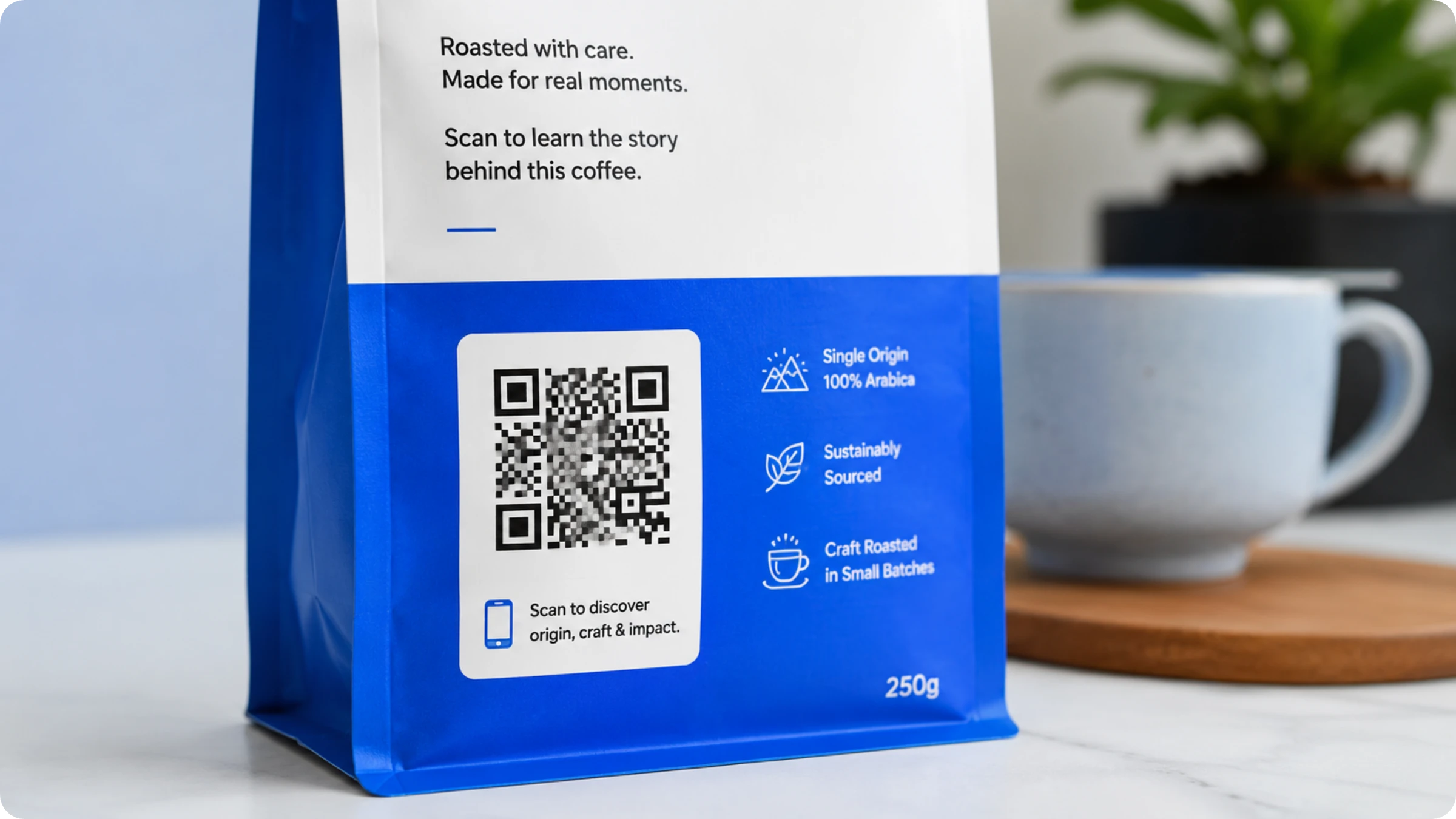
A QR Code on product packaging is a scannable 2D barcode printed on a label, carton, or wrapper that links a physical product to digital content on a smartphone. According to Uniqode's State of QR Codes 2026 report, 40% of all QR code scans now happen on packaging, making it the third most popular scan location, just after restaurants and websites.
Scanning the code takes customers straight to:
Ingredients, materials, and allergen details
Usage instructions and how-to videos
Warranty registration and product support
Offers, coupons, and loyalty programs
Recycling and disposal instructions
Authenticity verification for the exact unit in hand
How to make a QR Code for product packaging in 4 steps
Anyone can make a QR Code for products in under five minutes. The same four steps work for a single SKU or a full product line.
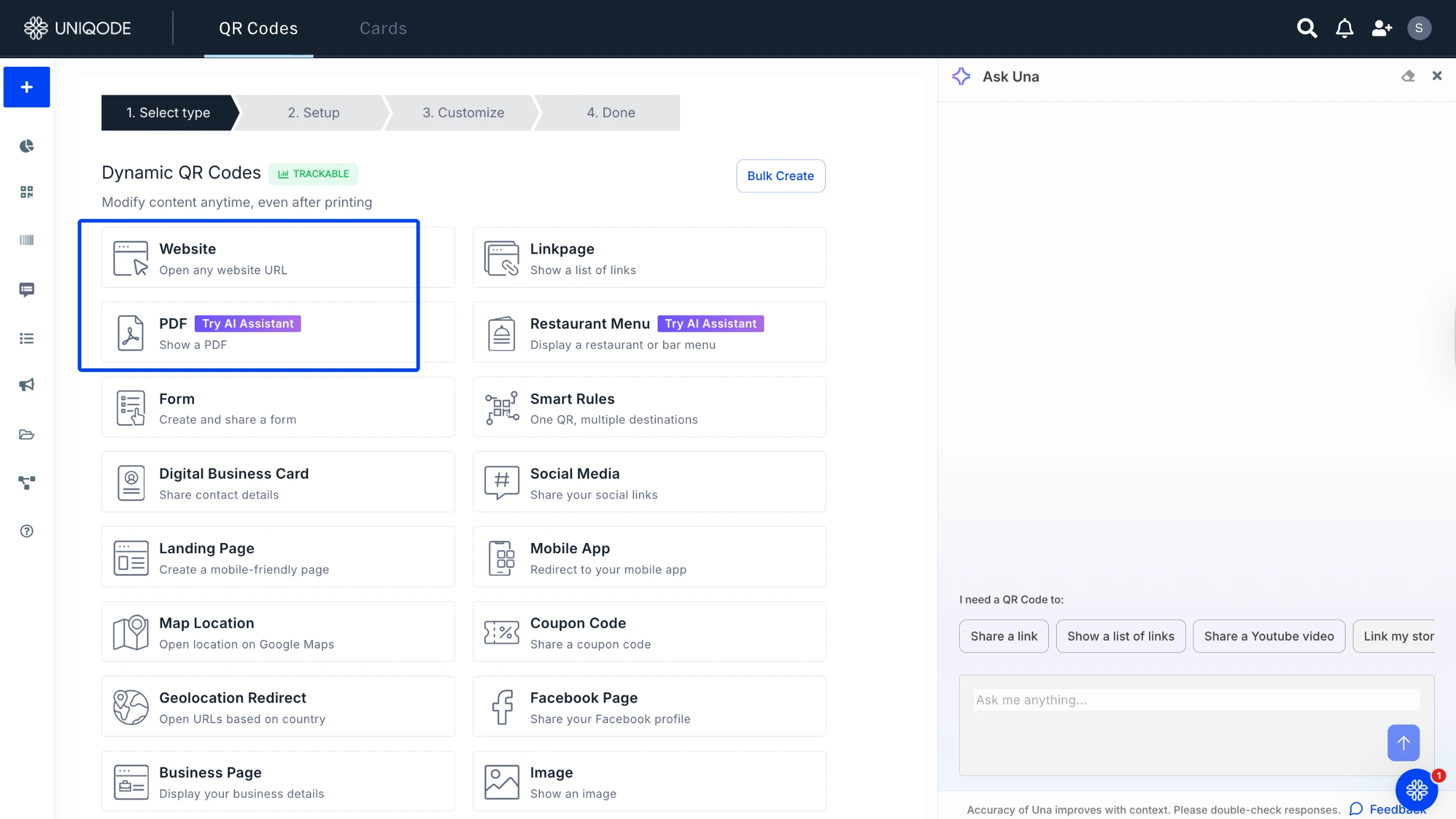
Step 1: Open the QR Code generator and pick a type
Login to the Uniqode dashboard to create the QR Code. Match the type to the job the package does: a website QR Code for product pages, or a PDF QR Code for spec sheets and manuals. The QR Code generator covers every type from one dashboard.
Step 2: Add the destination and choose dynamic
Enter the URL, upload the file, or paste the video link. Choose a dynamic QR Code for anything that goes to print: the destination stays editable after the packaging run, and every scan gets counted.
Step 3: Customize the design and check scannability
Add your brand colors, logo, and a frame with a scan prompt like \"Scan for the how-to video.\" Watch the scannability score as you design; it validates contrast and error correction before anything reaches a printer.
Step 4: Download print-ready files and track scans
Export SVG or EPS for packaging artwork (PNG works for digital proofs), place the file in your dieline, and watch scans by time, city, and device from the dashboard.
QR Codes on packaging work because they answer product questions right when a shopper holds the item. While 75% of consumers scan a QR Code to learn more, only 36% of marketers use their codes to provide that information, according to the State of QR Codes 2026. This leaves a clear opportunity: brands that bridge this gap can capture the attention and the scans that competitors miss. In 2025, GS1 US found that 77% of consumers consider product information crucial to their purchase decision, and 62% are willing to pay more for products that offer it.
There is one important caveat. Scan rates on consumer packaging drop below 5% when the QR Code leads to a generic homepage, according to packaging design consultancy Packaging Studio. A QR Code on packaging earns its scan only when it offers shoppers something they cannot find elsewhere.
What should a product QR Code link to?
A product QR Code serves its purpose when it directs shoppers to the information they expect to find on the packaging. Here are eight destinations that shoppers look for when they scan a QR Code to learn more about a product.
Product information and specs. Serve ingredients, sourcing, materials, and certifications that never fit on a label.
How-to videos and tutorials. Show the product in use. Yarn maker Spinrite prints QR Codes on packaging that link to pattern tutorials; one launch page drew 17,546 views.
Warranty registration and support. Replace the mail-in card with a scan, and cut support calls with setup guides.
Offers, coupons, and loyalty. Deliver a signup or a wallet-ready coupon at the moment of unboxing.
Reviews and feedback. Ask for the rating while the experience is fresh.
Recycling and disposal instructions. Publish sorting guidance per market without redesigning the pack.
Authenticity verification. Let buyers confirm the unit in hand is genuine.
Reorder and app download. Send repeat buyers straight to the cart or the right app store.
Where to place QR Codes on packaging, and how to print them right
Place the QR Code on a flat, visible surface at every packaging level, away from seams, folds, and tight curves. All three packaging levels take QR Codes, and each level does a different job.
1. Primary packaging. Primary packaging is the surface the product lives in: the bottle, carton, tube, jar, or wrapper in paper, plastic, glass, or metal. These surfaces are already packed with essentials like ingredients, expiry dates, and allergen information. This is precisely why adding a QR Code makes perfect sense. With a website QR Code, video QR Code, or social media QR Code, you can transform a static label into a dynamic experience, offering everything from tutorials and promotions to a quick scan-to-reorder option for instant checkout.
2. Secondary packaging. Secondary packaging is the box that houses the primary pack, like the carton around a medicine bottle, shampoo, or makeup. This is where you will find all the essential details, from product specifications to how-to guides and best-by dates. And when there is more to share than what fits on the box, PDF QR Codes or YouTube QR Codes step in, giving you instant access to documents and videos at your fingertips.
3. Tertiary packaging. Tertiary packaging is the shipping box or crate that moves products in bulk. A website QR Code here reinforces branding for the retailer or distributor, unboxing it, and carries pallet-level handling or batch information.
Print specs that decide whether the code scans
Print the code at 2 x 2 cm (0.8 in) minimum for arm's-length scans. Scale by the distance rule: required width equals scan distance divided by 10.
Keep the code at least 40% darker than its background. Dark brown on kraft board fails, according to Packaging Studio's print analysis.
Leave a quiet zone of 4 modules of clear space around the code.
Export vector files (SVG or EPS) and print at 300 DPI or higher.
Verify the printed proof against ISO/IEC 15415 grading before a production run; UK prepress house Creation reports checkout scan failures trace to size, contrast, and substrate, not to the data inside the code.
Placement has a second act after checkout. Canada Beef found shoppers took packages home and scanned them there, days after purchase, so a code hidden on a tear-away flap loses the post-purchase scan. Put it on a surface that survives unboxing.
Pro tip: Run the scannability check on your final artwork colors before the print proof. Low-contrast brand palettes are the most common reason packaging codes fail at the shelf.
Static or dynamic: which QR Code belongs on packaging?
Dynamic QR Codes belong on almost every product package because you can update where they lead, even after printing. In contrast, static QR Codes lock in their destination forever. That works if you only need one link, but it becomes a headache if anything changes. The key difference is simple: dynamic QR Codes use a short redirect URL, so you can update the destination from your dashboard while the printed code stays the same. Imagine a typo, a broken link, or a rebrand. With static codes, you would need to reprint every package. With dynamic codes, you just make a quick edit. Packaging software maker Esko lists dead and outdated destinations as the most common QR mistake brands make. In fact, 76% of marketers already use dynamic QR Codes (State of QR Codes 2026).
Rating: ★★★★★ (G2 review)
"The main problem Uniqode solves for me is the risk of printing incorrect or outdated links on physical marketing materials... We can update the link in the dashboard in real time, and the same printed QR code continues to work perfectly."
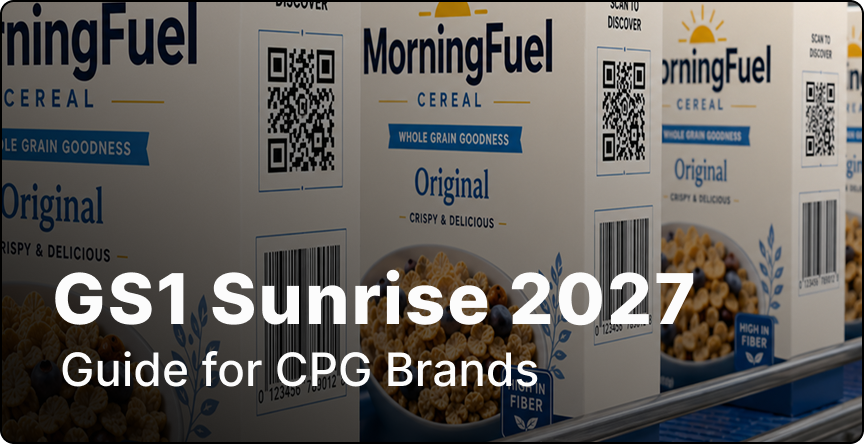
GS1 Sunrise 2027: QR Codes are replacing barcodes at retail checkout
QR Codes are replacing traditional UPC barcodes at retail checkouts. GS1, the global authority on barcodes, is at the forefront of the Sunrise 2027 transition to 2D barcodes. Pilots are already running in 48 countries, covering 88% of the world’s GDP, with major players like Walmart, Amazon, P&G, and PepsiCo on board. Tesco made the switch in April 2026, rolling out GS1-powered QR Codes across a product range. Now, shoppers can access real-time use-by dates and recycling information by scanning at checkout.
Regulations are speeding up this change. The FDA’s FSMA 204 traceability rule takes effect in July 2028, while the EU’s Digital Product Passport will require battery passports to be scannable by QR Code from February 2027. For now, you’ll see both a UPC and a QR Code on product packs during the transition. With Uniqode, creating GS1-standard QR Codes is straightforward: just enter the GTIN, add batch, serial, and expiry details, and choose where the code should lead.
Packaging teams measure the difference
Maesa (Beauty and CPG)
Maesa puts compliance QR Codes on the foldable cartons of its CBD beauty products, across 15 to 20 million units a year. Each code serves the Certificates of Analysis and THC documentation that state regulations demand at the point of sale. The result: $10,000,000+ in loss prevention annually, or $70,000 for every 100,000-unit batch.
"We deploy QR Codes on foldable cartons... This translates to loss prevention of $70,000 for every batch." - Claire Bing, VP of Regulatory & Quality, Maesa
Mr Apple (Food and Beverage)
Mr Apple, New Zealand's largest apple exporter, prints QR Codes on the PLU stickers of its fruit. Those stickers now drive over 50% of the company's website traffic and localize content by market from a single code.
"By including QR Codes on our PLU stickers we can maintain a direct line to consumers, no matter who they purchase our product from." - Jo Turner, Marketing Manager, Mr Apple
Davines Group (Personal Care)
Davines places QR Codes inside product packaging and on inserts, serving video tutorials, PDF instructions, and multilingual landing pages from one code per product.
"There are three main things I like about the solution: the dynamic QR Codes, multilingual landing pages, and PDF hosting." - Andrea Zanardi, ICT Business Partner, Davines Group
What Uniqode adds to a packaging QR Code
Uniqode adds three things to a packaging QR Code: print validation before the run, SKU-scale creation, and scan-level measurement.
Print confidence before the run. The real-time scannability score validates contrast, size, and error correction while you design, which is the check that catches an unscannable code before it reaches 100,000 cartons. Maesa's regulatory team calls it their reliability indicator for exactly that reason.
Scale across every SKU. With bulk creation, a single spreadsheet upload transforms into thousands of SKU-level QR Codes, all following your brand template and each with individual tracking. Folders and labels help you keep product lines organized, while the QR Code API seamlessly automates code generation within your existing artwork or ERP workflow. A relaunch that would take a designer a week of exports becomes an afternoon.
Turn packaging into a measured channel. Each time someone scans, the dashboard captures the essentials: time, city, and device. QR Code tracking sends this data straight into GA4, complete with UTM passthrough. Smart Rules ensure every scanner lands exactly where it should. German shoppers see the German page, while iPhone users are directed to the App Store. What’s more, retargeting integrations now let you build audiences from packaging scans in Google Ads and Meta, something traditional printed packs could never do.
Let’s look at the numbers behind this robust infrastructure. Over 188 million scans have been processed, with more than 796,000 QR Codes created in 2025 alone. Today, 50,000+ businesses rely on systems certified for SOC 2 Type II, GDPR, HIPAA, and ISO 27001, all backed by a 99.9% uptime SLA. For regulated industries like pharma, alcohol, and food, existing documentation makes compliance reviews straightforward.
Best practices for QR Codes on product packaging
Size the code by scan distance: 2 x 2 cm minimum, and width equal to scan distance divided by 10 for anything read from further away.
Keep contrast high. Print a dark code on a light background, never inverted, and never tone-on-tone.
Give every code one job and a CTA that names the payoff, like "Scan for the how-to video." Codes pointed at homepages sit under 5% scan rates (Packaging Studio).
Test the printed proof on iOS and Android under store lighting before the production run. If a code fails in the field, start with the QR Code not scanning checklist.
Print dynamic codes so the destination outlives packaging redesigns, and review scan data monthly to see which packs earn their space.
QR Codes for every product category
Food and beverage. Serve nutrition, allergen, and sourcing detail, and get ahead of FSMA 204 traceability.
Beauty and cosmetics. Publish compliance documents and ingredient transparency per batch, the way Maesa runs 15M+ units.
Consumer electronics. Replace printed manuals with setup videos and warranty registration.
Wine and spirits. Meet EU e-label rules for ingredients and nutrition via QR.
Textile and apparel. Carry care instructions now, and Digital Product Passport data next.
Pharma and supplements. Link batch-level documents with access controls.
Home goods. Cut returns with assembly videos at the moment of unboxing.
Craft and specialty. Tell the origin story that a 5 cm label cannot.


.png)

%20(1).webp)
.webp)
.webp)
.webp)

.webp)
.webp)
.webp)
.webp)


