QR Codes for Small Businesses: 12 High-ROI Uses + How to Set Up (2026)
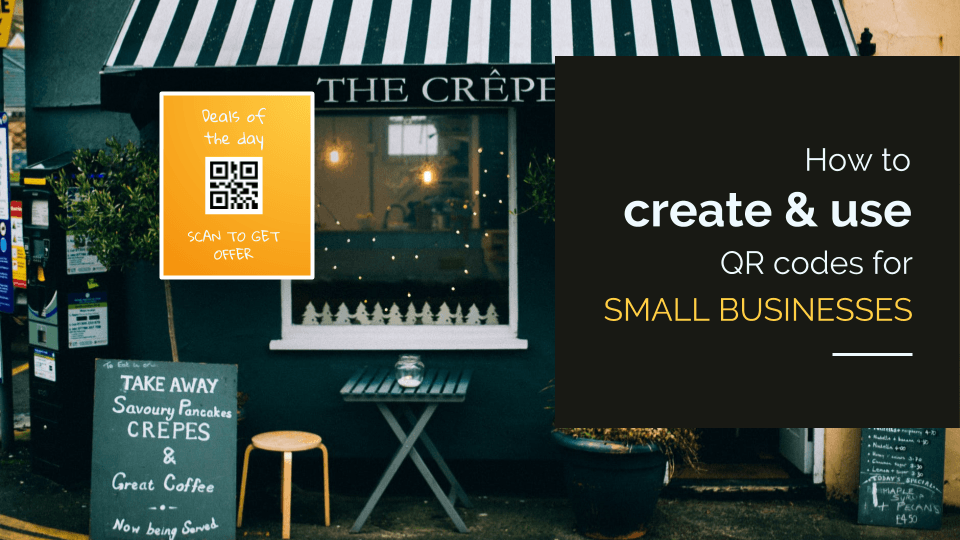
QR Codes for small businesses are excellent tools for enhancing marketing efforts and customer engagement. Here’s a step-by-step guide on how to create a QR Code for a small business and some best practices to consider.
QR Codes work for small businesses when they connect a physical moment to a specific action like a Google review, a loyalty sign-up, a bill payment, a WiFi connection, or an app download. A QR Code pointing to a generic homepage does none of that.
Here's a common scenario: a local coffee shop displays a QR Code at the counter pointing to its homepage. Three weeks later, the owner checks for scan data and finds nothing because he used a static code that offers no tracking or analytics. The code sits unused beside the tip jar.
The problem isn't QR Codes. According to Uniqode's State of QR Codes 2026 report, which analyzed 188 million scans across 796,000 codes, 98% of marketers report a positive impact. The real challenge is making sure the code points to a destination that motivates a specific action.
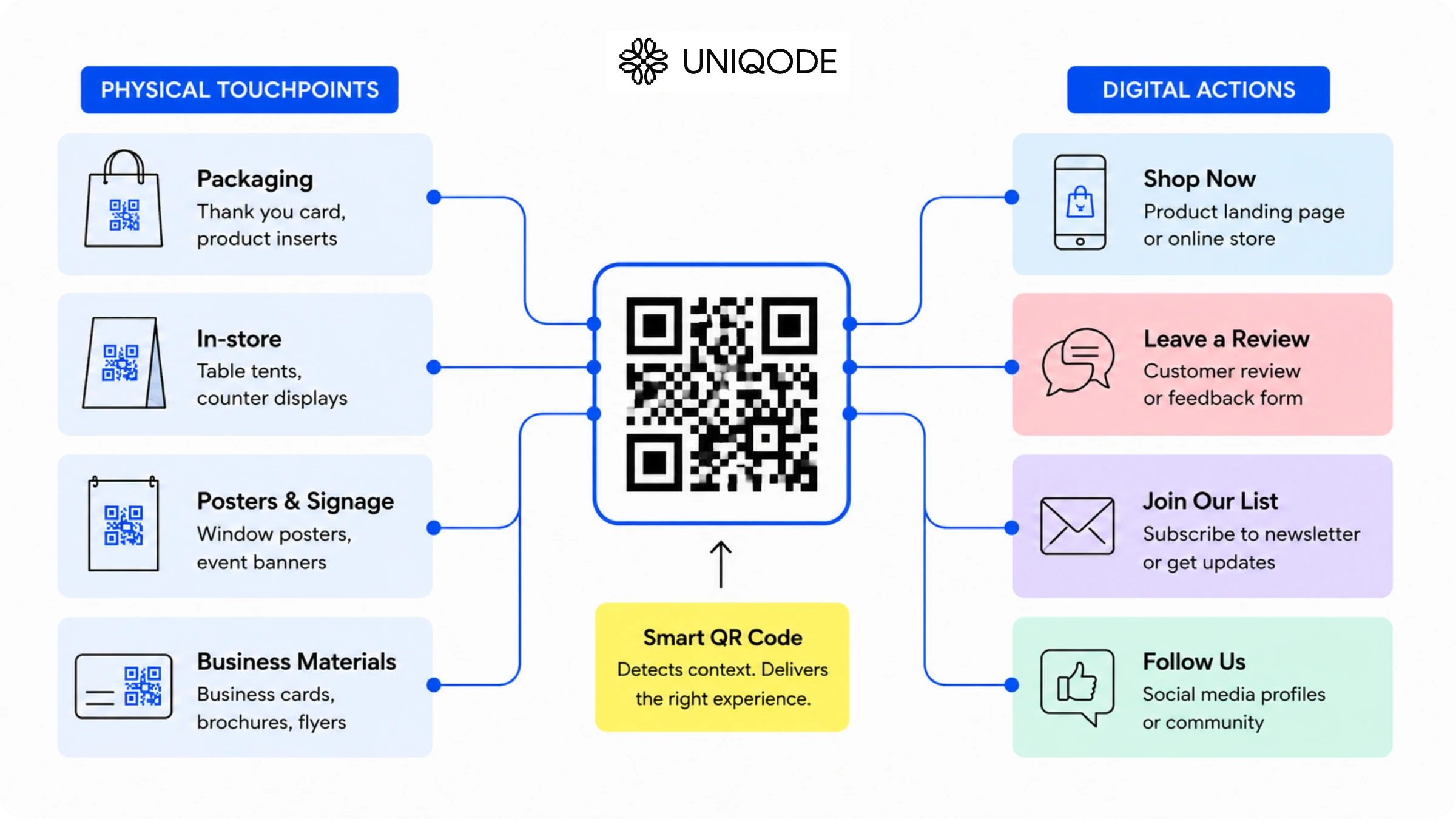
A QR Code isn't a digital business card. It's a measurable link between a physical interaction and a digital outcome you define. A generic homepage doesn't create that outcome; a targeted destination does.
This guide covers 12 effective QR Code applications for small businesses, a four-step setup process, best practices for deployment, and a clear framework for choosing between free and paid tools. The quick wins come first.
12 QR Code uses for small businesses that actually drive results
The 12 use cases of QR Codes in small businesses below are ordered by speed of visible results for most small businesses.
1. Collect Google Reviews at the point of sale
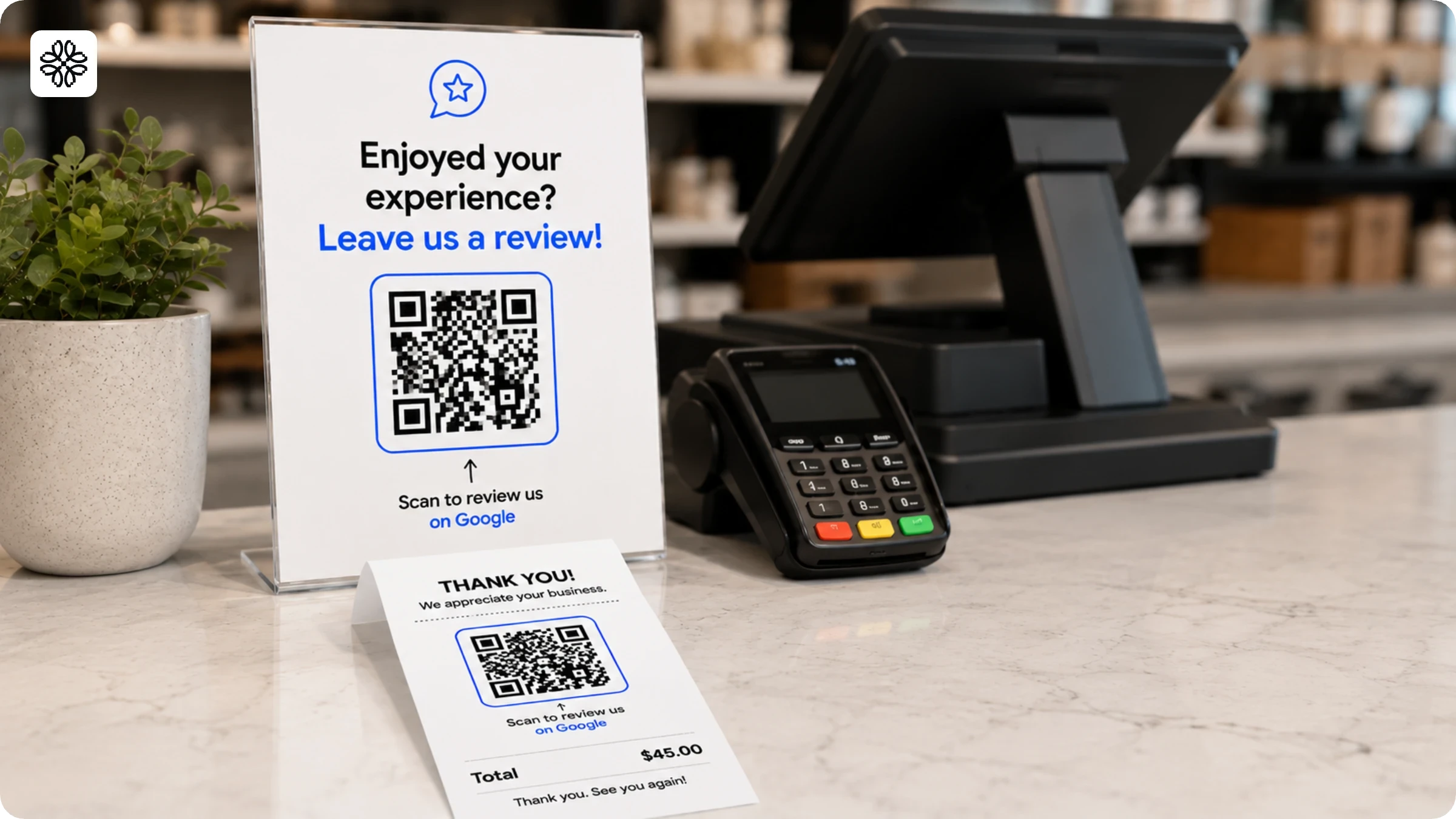
Place a QR Code linked to your Google Business Profile review page at checkout or on receipts, and you catch customers at the moment they're most satisfied. The code removes every barrier; one scan takes them directly to the review form, and they're done with their Google review in seconds.
Grab your Google Business Profile review link from your dashboard, generate a QR Code, and print it on a table tent, at the bottom of receipts, or on a window cling near the exit. Test the code on your phone before you print additional copies.
2. Display a digital menu or product catalog
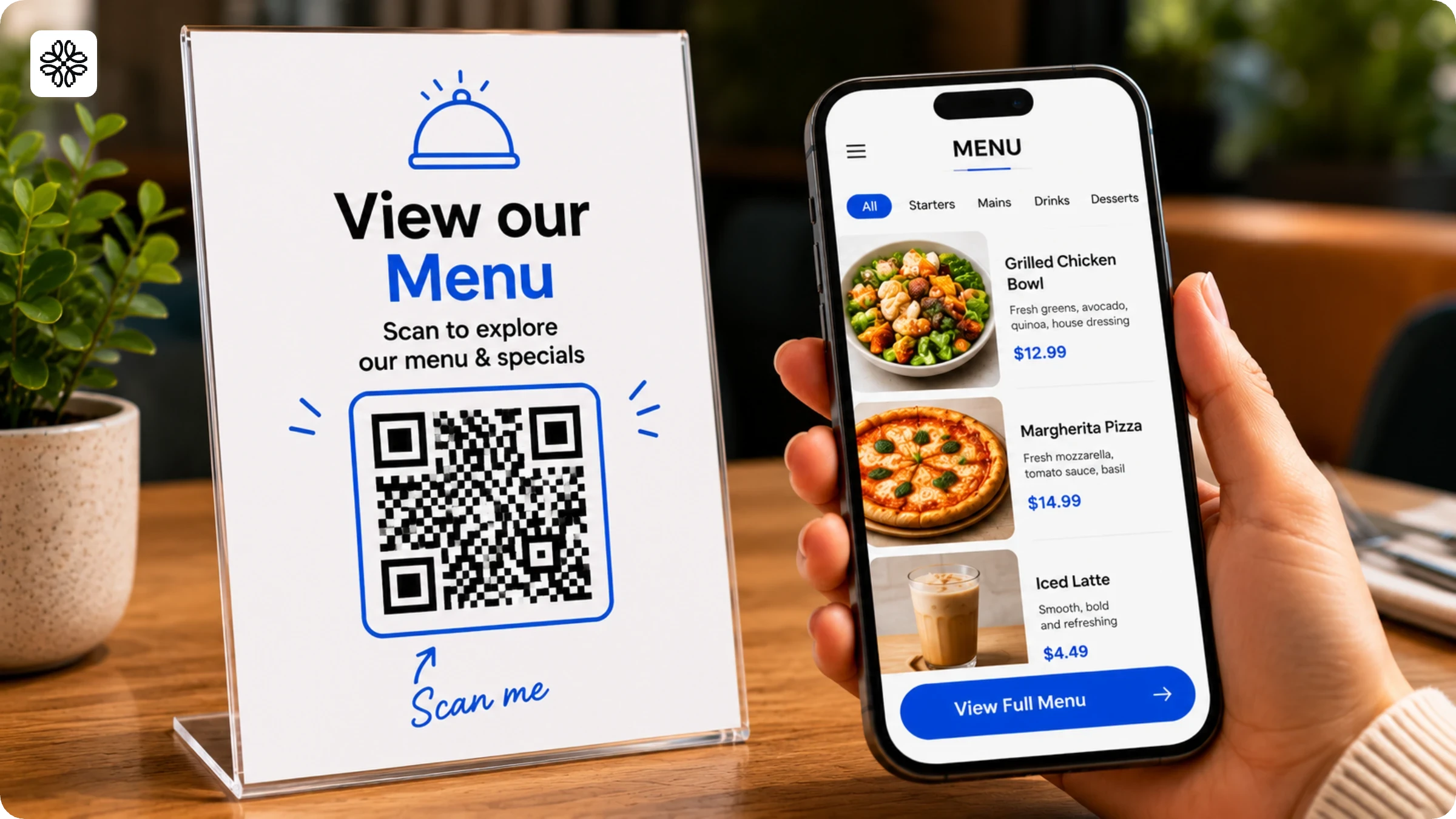
A QR Code linked to a digital menu or product catalog lets you update pricing and offerings in real time, no reprinting required. Printed menus lock you into a fixed version; a digital menu updates instantly from your dashboard.
According to Square's Future of Commerce 2025 report, 74% of restaurant owners find QR Code ordering convenient. Beyond convenience, switching to a digital menu saves restaurants hundreds of dollars annually in printing costs. For a deeper look, see the guide on building and managing digital menus for restaurants.
3. Accept contactless payments
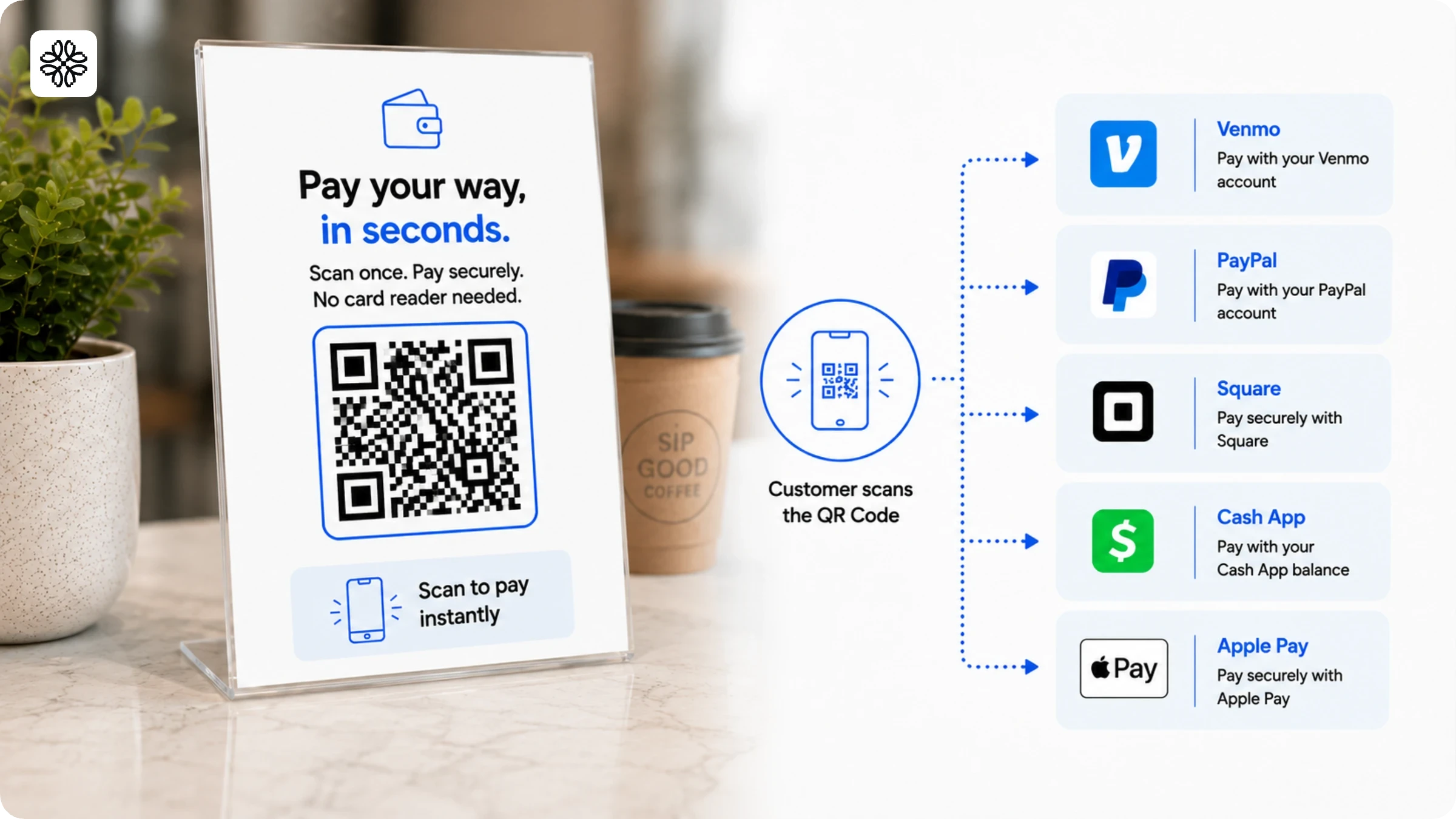
A payment QR Code lets customers pay through Venmo, PayPal, Square, Cash App, or Apple Pay with a single scan, no card reader is needed. For pop-up markets, service businesses, food trucks, or any setting where a payment terminal isn't practical, it's the fastest path to contactless payments.
According to Square's Future of Commerce 2025 report, 67% of retailers consider QR Code payments convenient. Generate a payment QR Code from your preferred payment platform, print it for display at checkout, and you're accepting contactless payments in under 10 minutes. Pair it with a tool like Zintego for free downloadable Word invoice templates if you bill clients before collecting payment.
4. Share your WiFi password without saying it
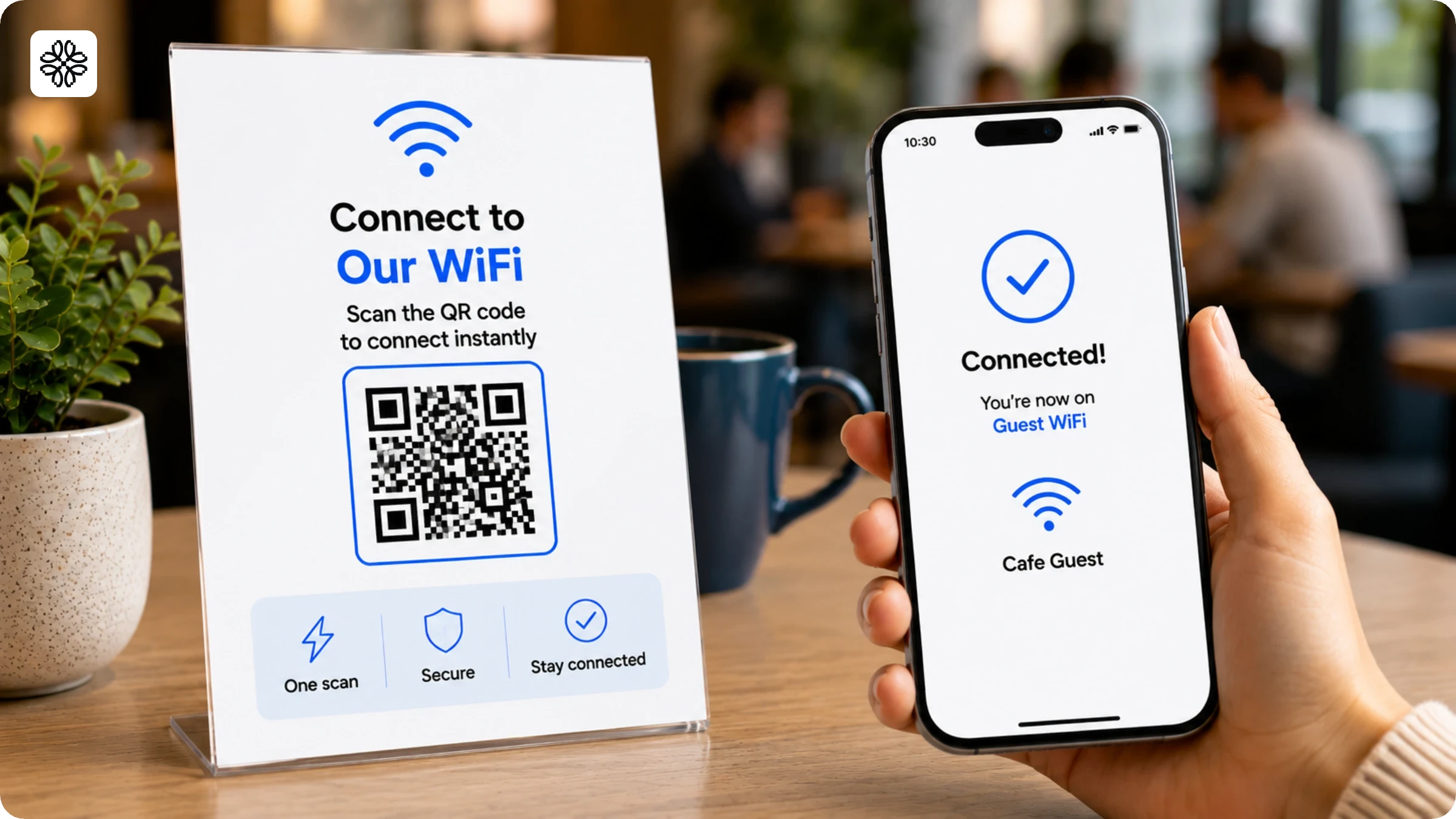
A WiFi QR Code lets customers join your guest network with a single scan without the hassle of hunting for a password or asking your staff. Guests who connect to WiFi stay longer, and longer dwell time links directly to higher average spending in coffee shops, boutiques, and restaurants. Removing that friction makes a meaningful difference to the customer experience.
Generate a WiFi QR Code using any QR Code generator, including free ones. Display it near the counter or on tables. Setup takes two minutes and costs nothing.
5. Drive loyalty program sign-ups with a giveaway
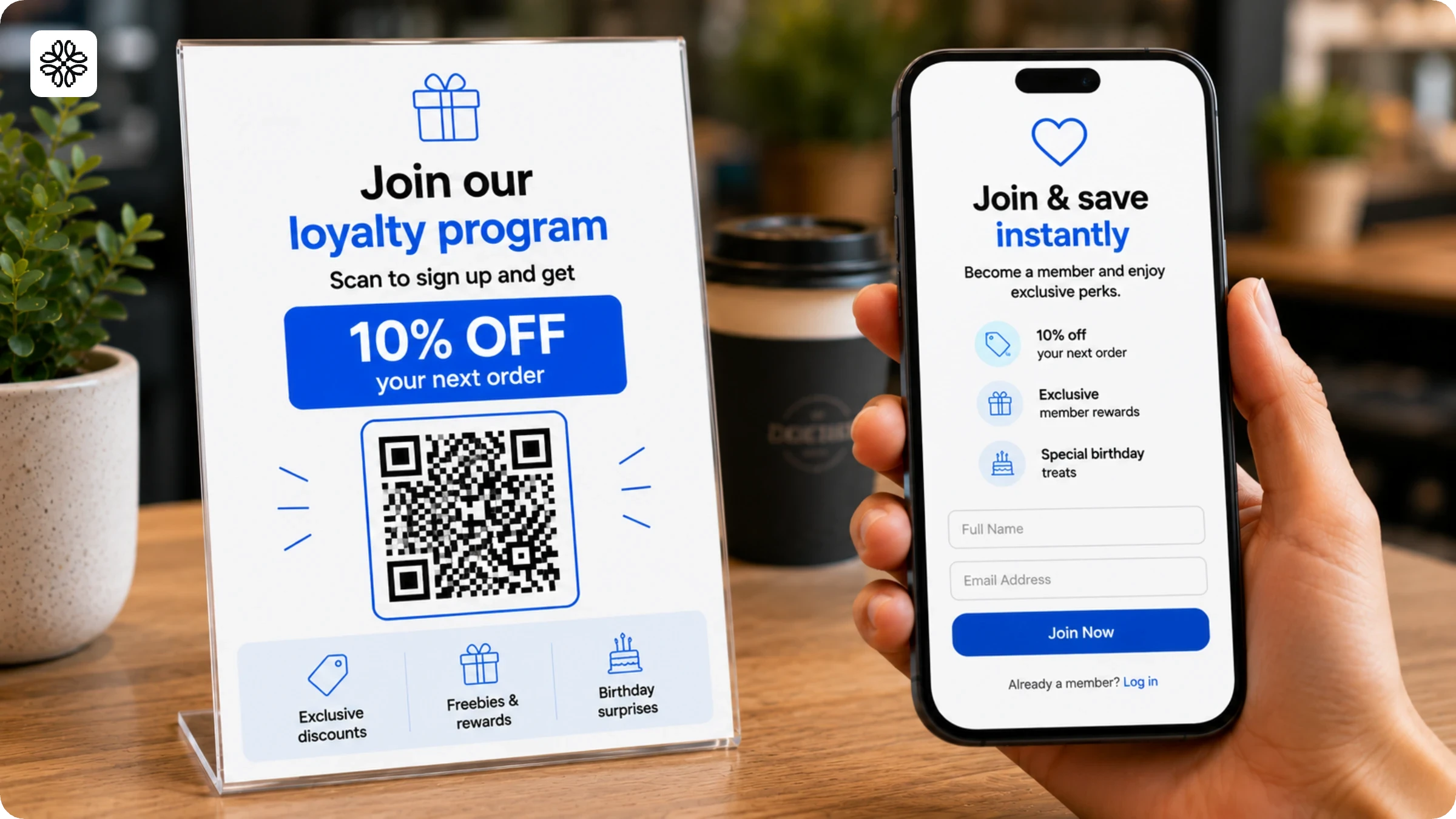
Pair a loyalty program sign-up QR Code with a discount or freebie and you give one-time customers a reason to come back. The incentive motivates the scan; the loyalty program drives the repeat visit.
Display the QR Code at checkout, on product packaging, or on a counter card near the register. Your call-to-action text makes a significant difference: "Scan to get 10% off your next order" consistently outperforms "Scan for loyalty rewards" because it leads with a specific benefit before the customer decides whether to scan.
6. Boost app downloads from your storefront or packaging
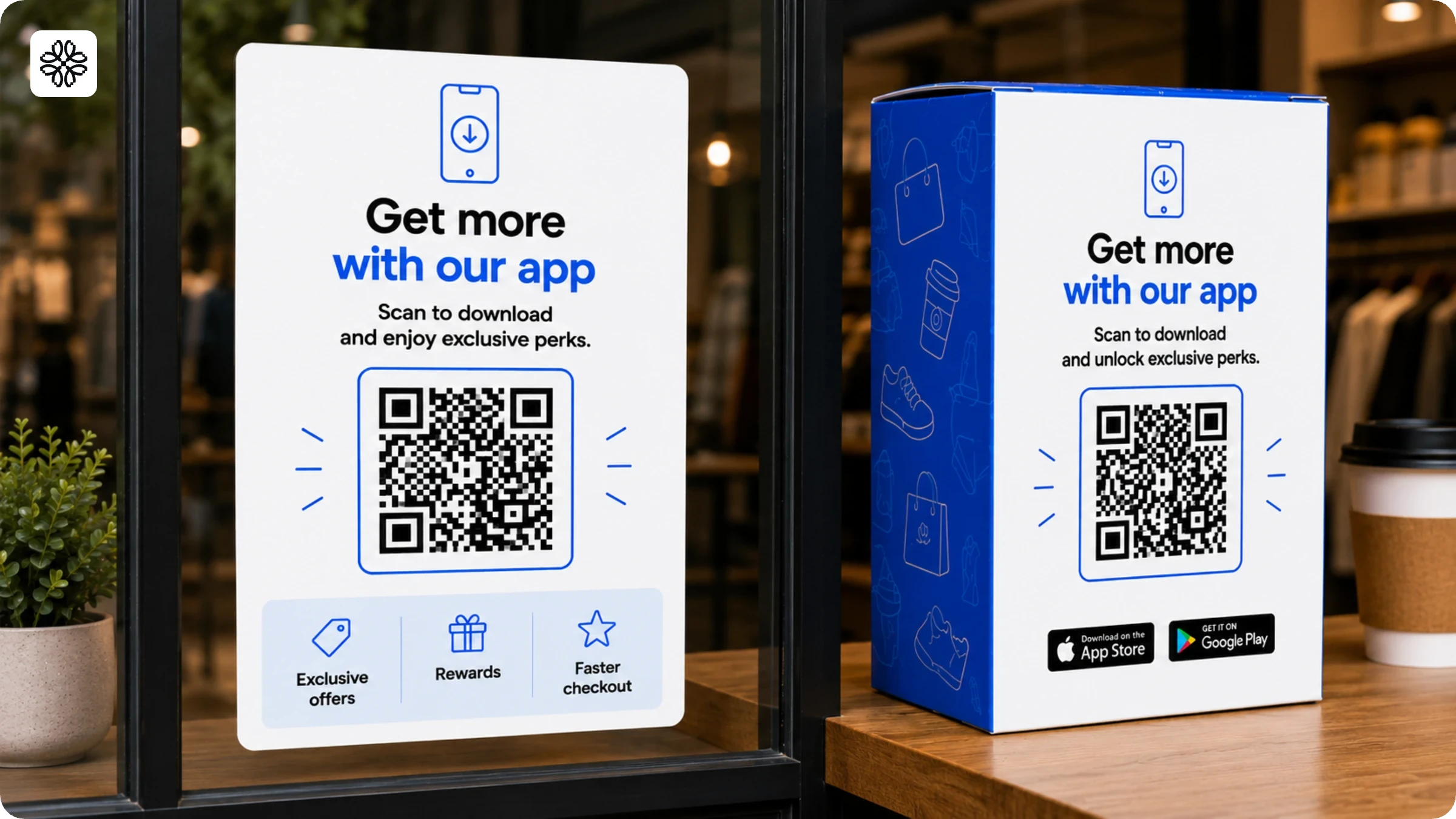
Place a QR Code on your storefront, packaging, or in-store displays linking directly to your app listing and you turn engaged customers into app users. These are warm audiences as they've already visited your store or bought your product. An app download QR Code converts that physical interaction into an ongoing digital relationship.
7. Grow your social media following from physical materials
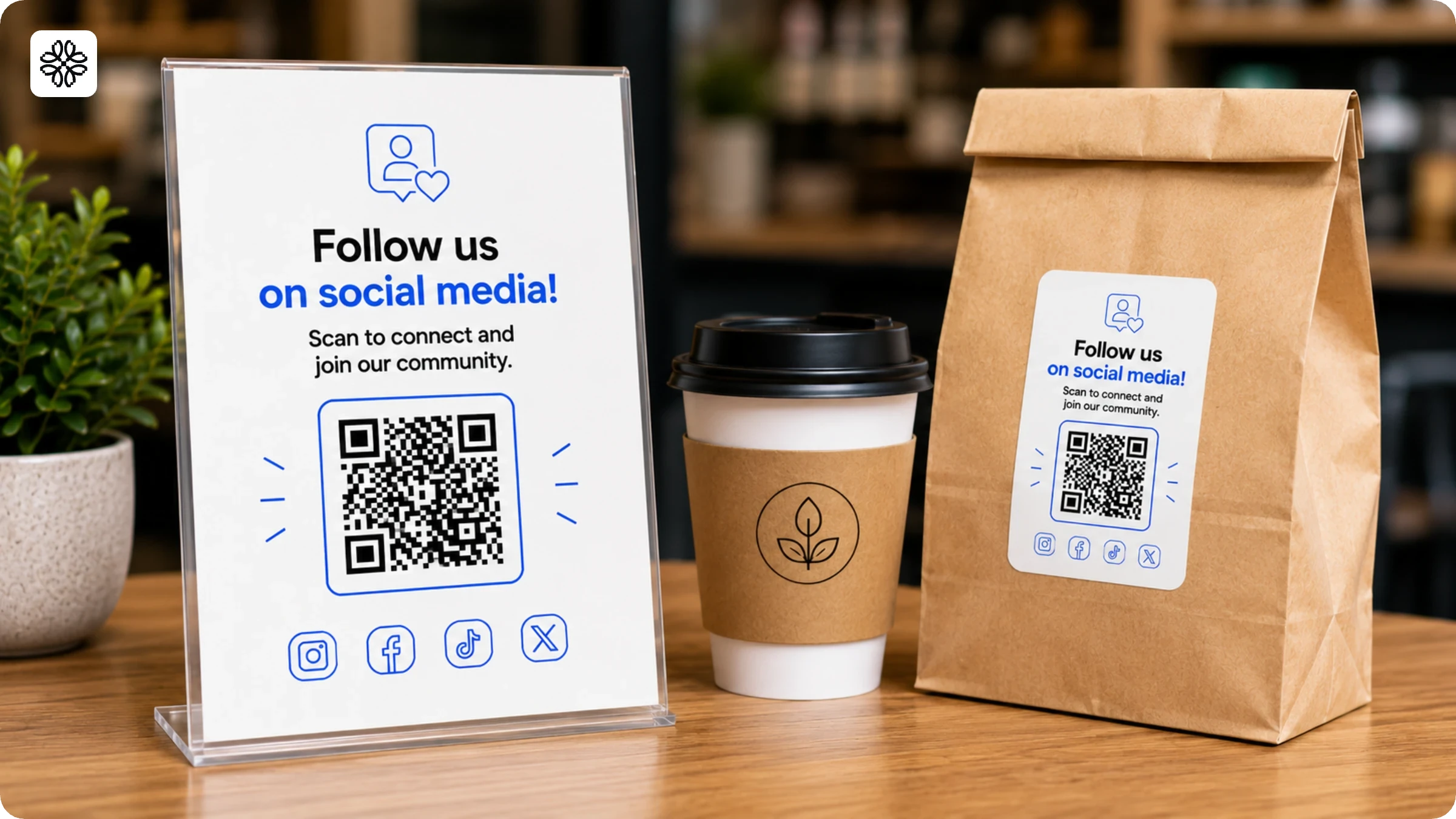
Place a QR Code on packaging, receipts, or in-store signage and customers follow your social media profile with a single scan. Asking them to "find us on Instagram" requires them to remember your handle, open the app, and search. A QR Code eliminates every one of those steps.
Display the code on receipt footers, shopping bags, and table tents. Use a specific call-to-action: "Scan to follow us on Instagram" consistently outperforms generic prompts like "Scan for more" because it tells customers exactly what they're getting before they scan.
8. Help customers navigate to your location
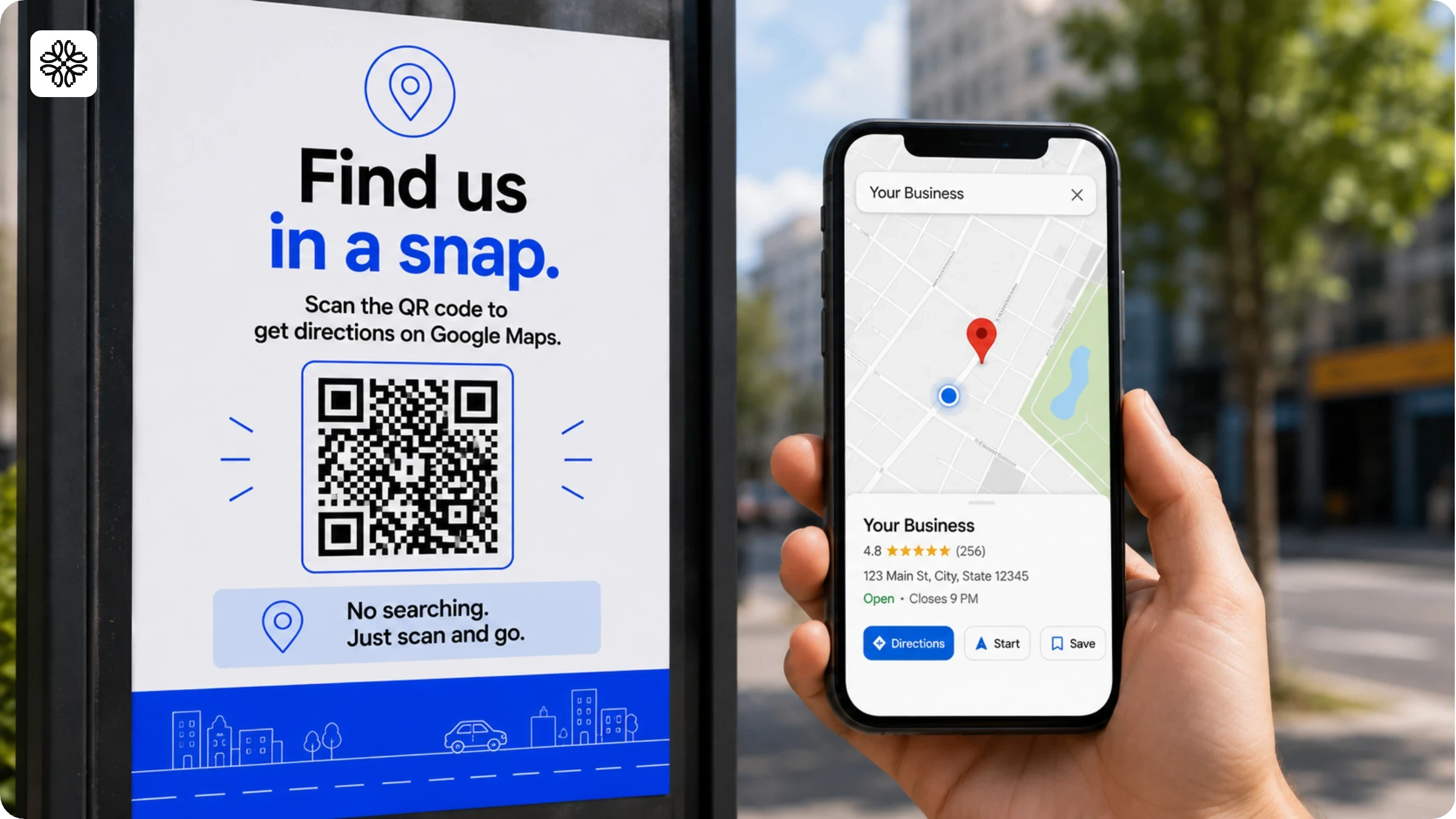
Place a QR Code linked to your Google Maps location on flyers, billboards, or event materials and customers get directions to your business with a single scan. The code opens Apple Maps or Google Maps with the destination already set, removing the requirement for address typing or searching.
This is especially valuable for new locations, pop-up events, food trucks that move around, and any business that regularly fields the question: "Where exactly are you located?"
9. Collect customer feedback at the point of experience
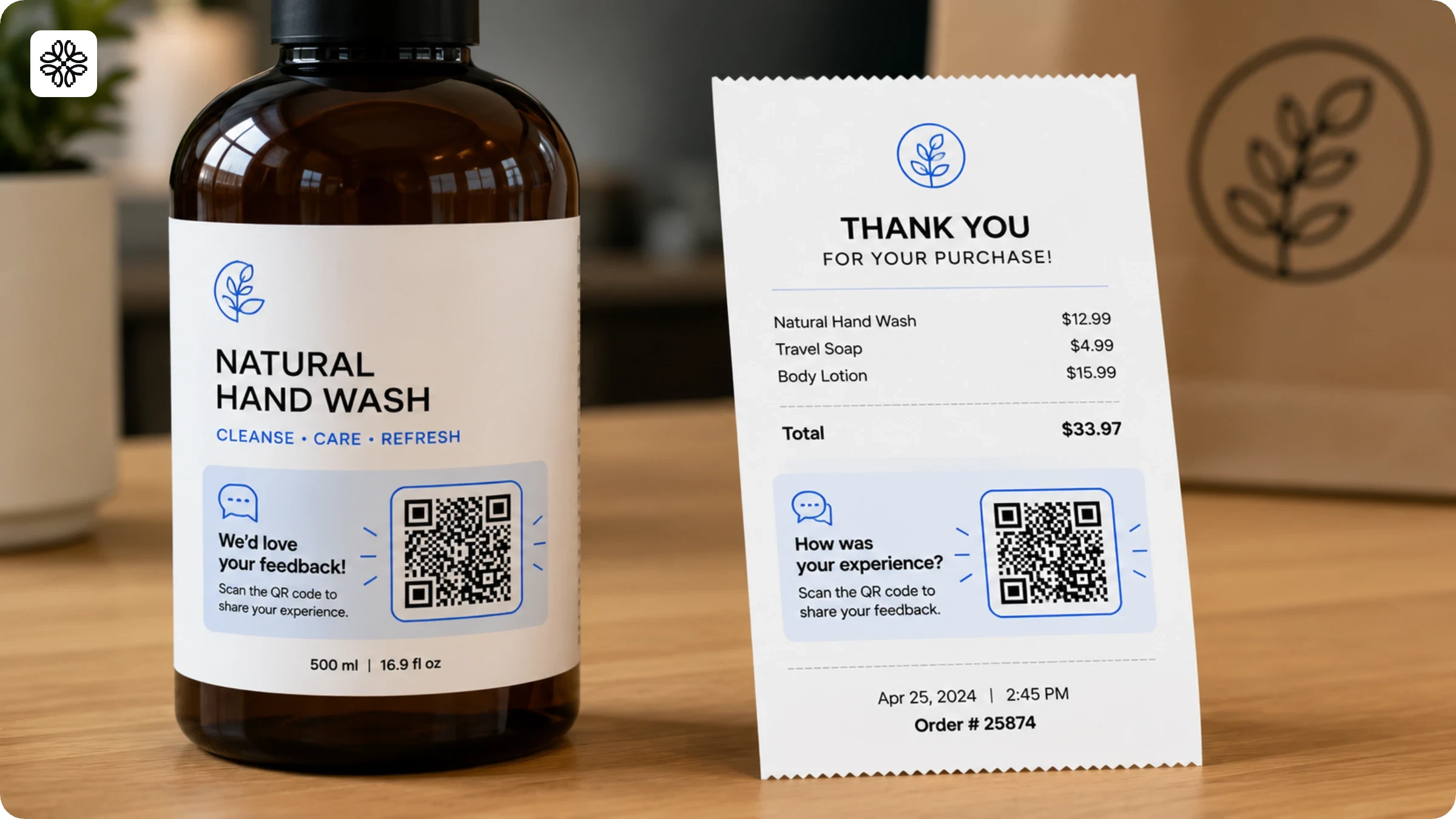
Place a QR Code on receipts or product labels linking to a brief feedback form and you capture responses while the experience is still fresh. Post-purchase emails suffer from low open and completion rates, a QR Code scanned before the customer leaves gets you timely, relevant feedback instead.
Keep the form to three to five questions. Shorter surveys complete at higher rates, and the form can live on Google Forms, Typeform, or any similar platform. Use a dynamic QR Code and you can update the form destination later without reprinting a single receipt or label.
10. Track campaign performance with dynamic QR Codes
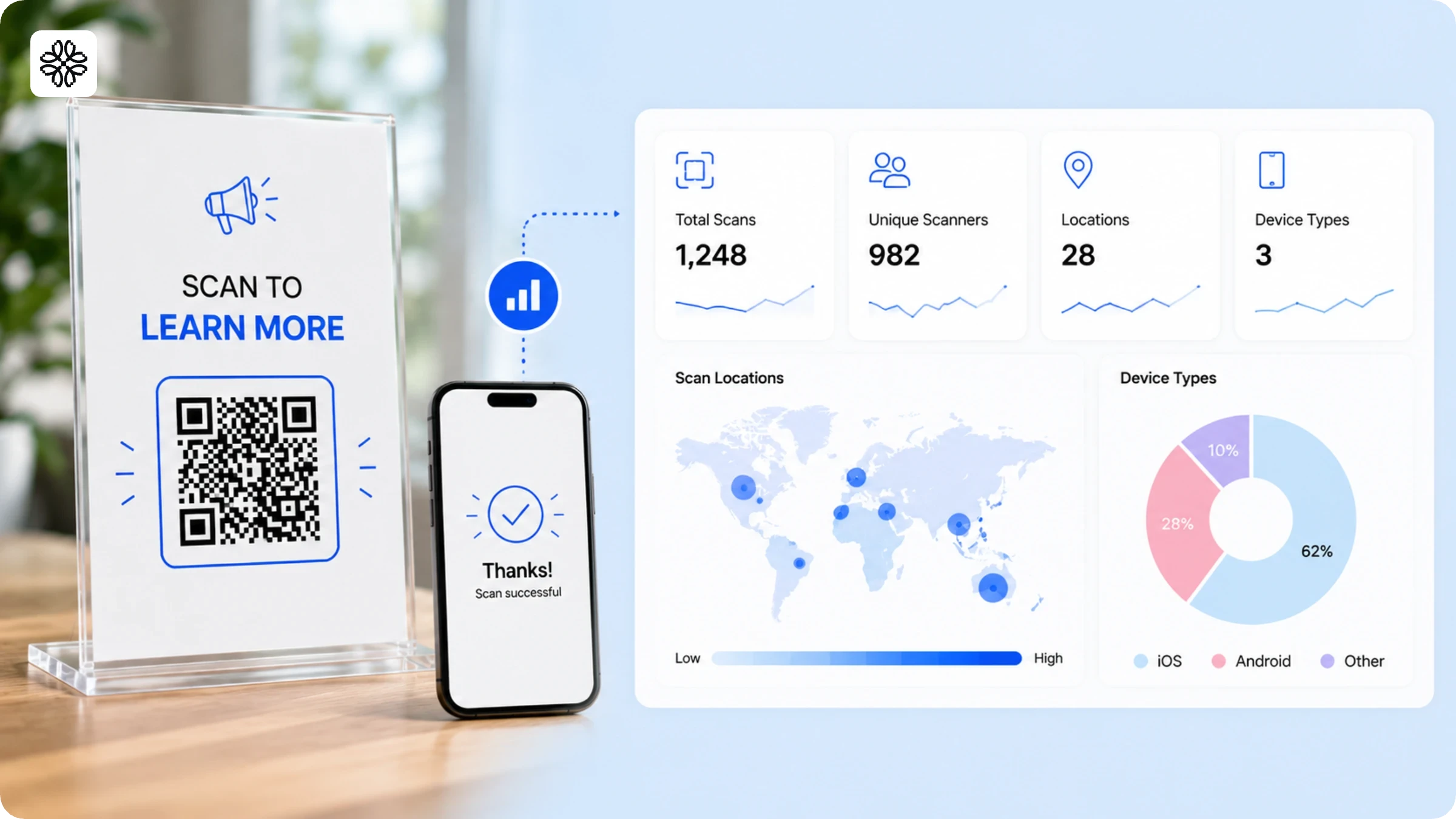
Dynamic QR Codes track scan counts, unique users, locations, and device types giving you the data to identify which placements actually drive engagement. A QR Code on a window sign and one on a receipt tell very different stories, and tracking both shows you where to invest.
According to Uniqode's State of QR Codes 2026 report, only 12% of marketers connect QR Code scans to revenue. Small businesses that set up scan tracking early can identify which materials to scale and which to cut. Dynamic QR Codes also enable retargeting by routing scan data directly to Facebook and Google ad audiences.
11. Drive website traffic from print materials
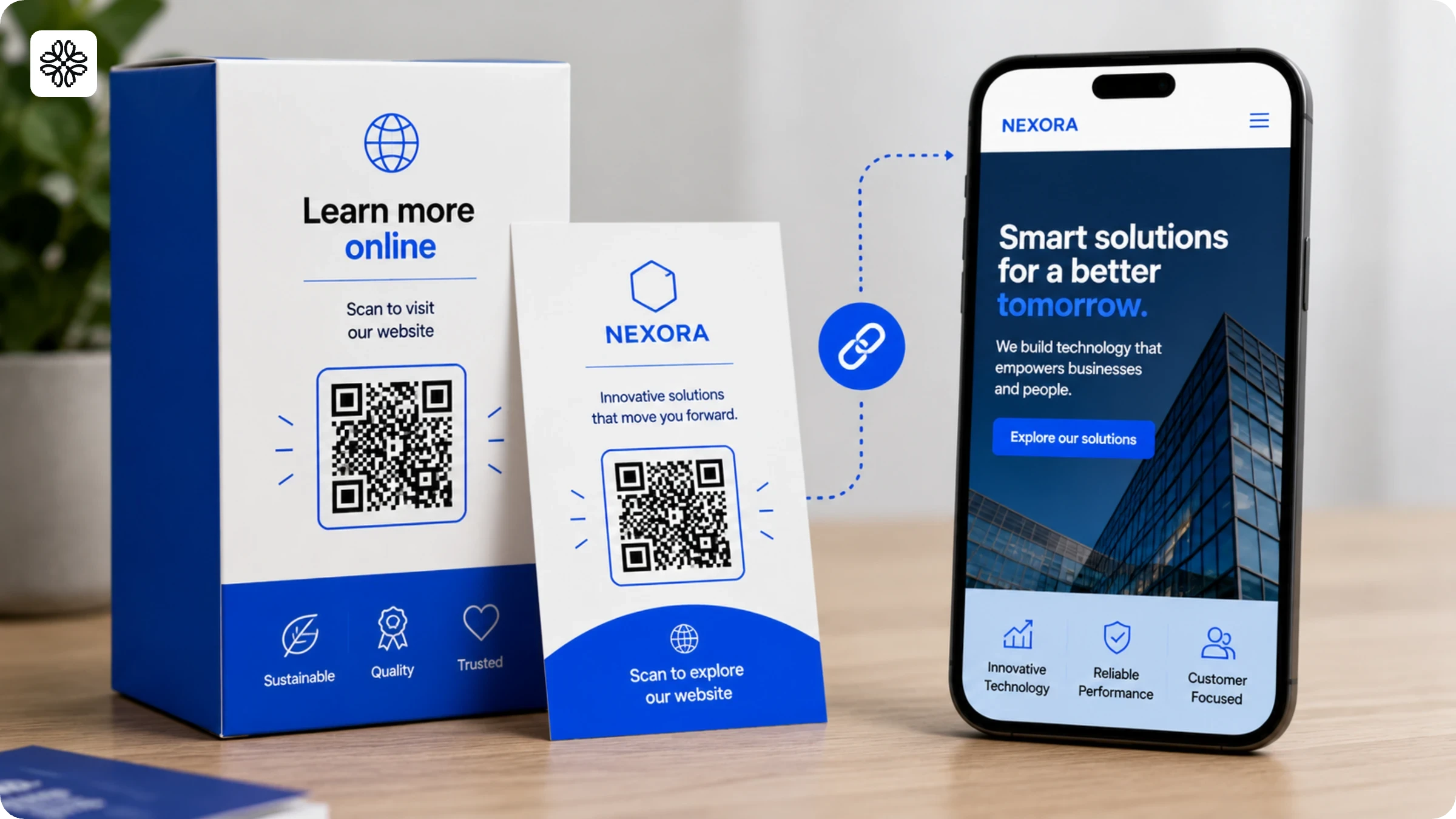
A URL QR Code on packaging, flyers, or business cards drives website traffic from people already interacting with your brand. These visitors arrive with context and convert at higher rates than cold traffic as they've already engaged with your product or store before they scan.
BBQGuys used QR Codes on product materials and achieved a 1,925% increase in customer engagement. Mr. Apple, a direct-to-consumer apple orchard, generates 50% of its website traffic through QR Codes on packaging and in-store materials. In both cases, the codes pointed to targeted landing pages and not homepages.
12. Share contact details instantly with a vCard QR Code
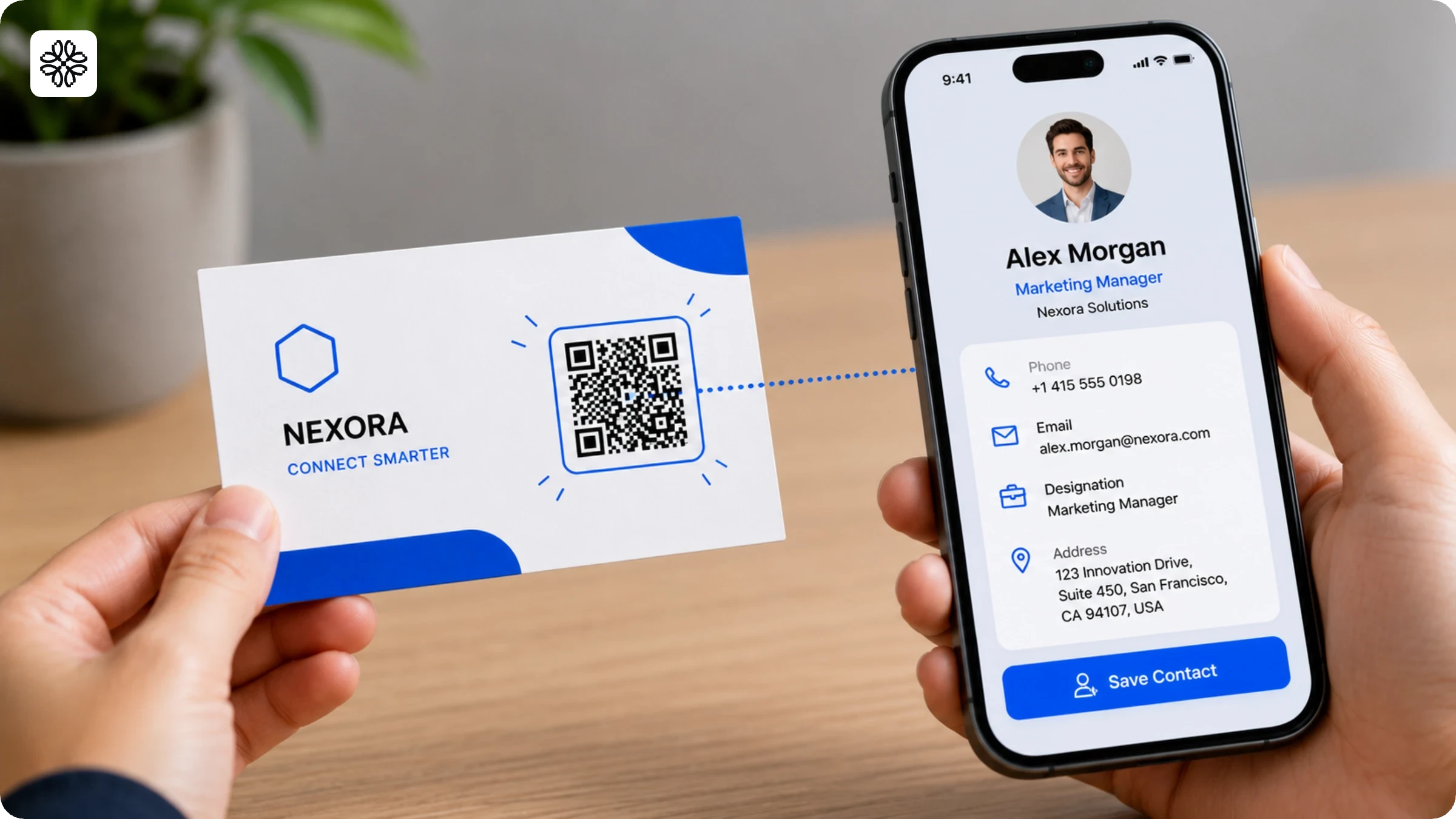
A vCard QR Code on your business card lets contacts save your complete details to their phone with a single scan including your name, title, phone number, email, website, and social profiles, with no manual entry required.
Use a dynamic vCard QR Code and you can update your contact information without reprinting your cards. Dynamic editing is available on paid plans, which matters the moment your phone number, email, or job title changes between print runs.
How to create a QR Code for your small business in 4 steps
You can create a QR Code for your small business in under five minutes. Before you pick a tool, answer one question: do you need to track scans or change the destination after printing? That answer determines whether a free or paid tool is the right choice.
Step 1. Choose your QR Code generator
Free tools produce static QR Codes with no account required and no cost. Static codes have one fixed destination and no scan tracking; they work for WiFi passwords, permanent social media profiles, and one-time event flyers.
For anything printed at scale, like menus, product packaging, signage, and business cards, a dynamic QR Code platform is the better choice. With Uniqode, you can change where a dynamic QR Code points without reprinting it, and scan analytics are available from the moment the code goes live. Free accounts cover static QR Codes; dynamic editing and analytics require a paid plan.
Step 2. Select your QR Code type
Match the QR Code type to the use case from the section above: URL for website traffic, vCard for contact sharing, WiFi for network access, Restaurant Menu for food and beverage, PDF for brochures or catalogs, Mobile App for app downloads. The right QR Code generator shows you all available types in one selection screen. Choose the one that matches the specific action you want the scanner to take.
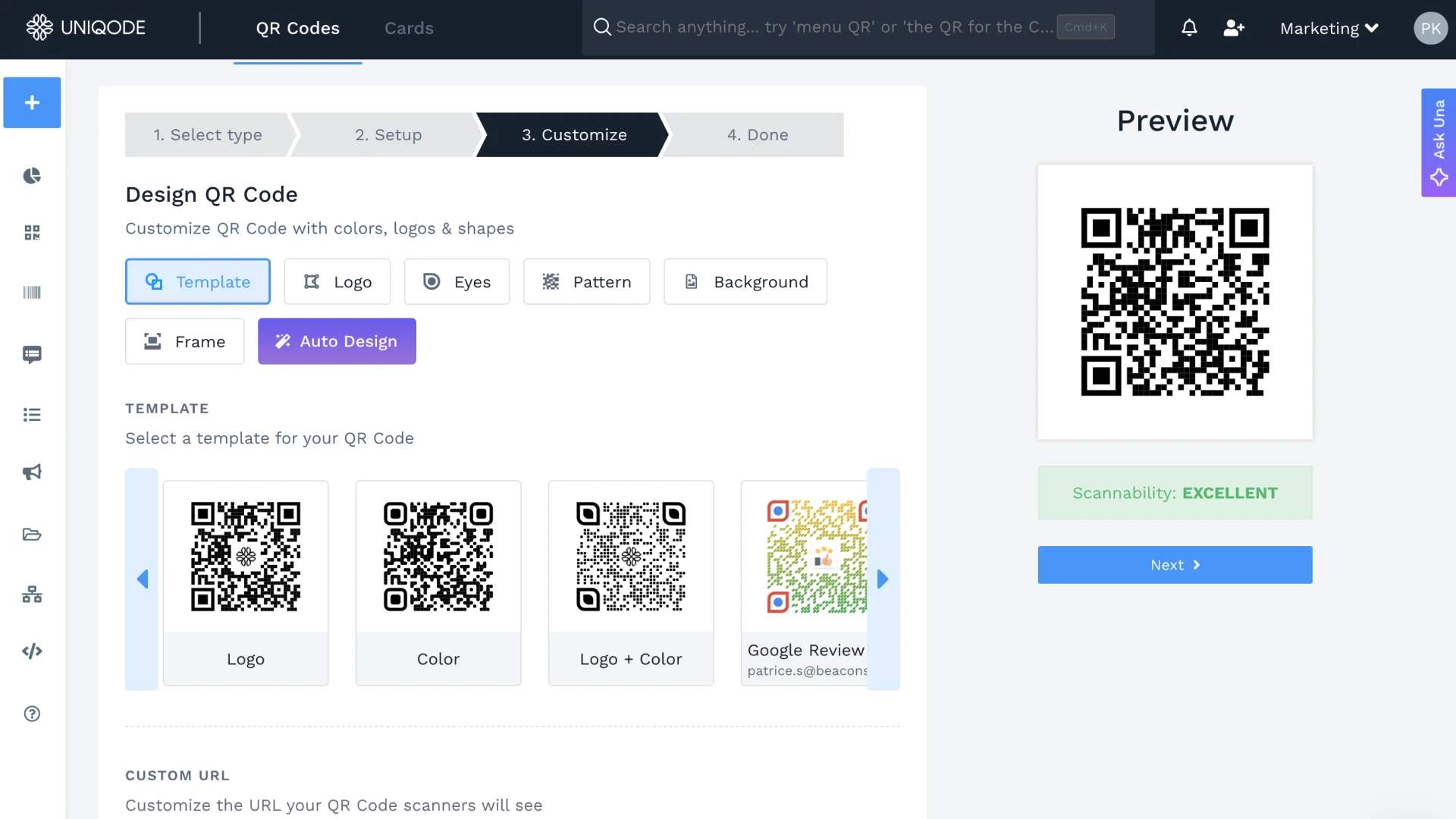
Step 3. Customize the design
Add your brand colors, logo, and a frame with a call-to-action phrase. "Scan to order," "Scan for today's special," and "Scan to leave a review" all produce higher scan rates than unlabeled codes. A branded code with your colors and logo also signals legitimacy and reduces the hesitation some customers have about scanning unknown codes. Uniqode's Auto Design generates brand-matched color variations automatically if you prefer not to configure colors manually.
Step 4. Test, download, and set up tracking
Scan the code on both iOS and Android before printing anything. iOS and Android camera apps handle QR Codes differently in some edge cases. Download in PNG for digital use or SVG for print. Dynamic QR Codes in Uniqode track total scans, unique scanners, scan locations, and device types. Set up UTM parameters during creation to connect scan events to sessions in Google Analytics, so you see the complete path from scan to visit to purchase.
QR Code best practices for small businesses
The difference between a QR Code that gets scanned and one that gets ignored is rarely the code itself. Placement, size, call-to-action copy, and the value on the other side of the scan determine whether customers engage.
1. Write a specific call-to-action
Clear call-to-action phrases that state the benefit, such as "Scan to get 10% off your next order" or "Scan to see today's menu," are more effective than generic options. Customers decide quickly, so present the benefit before they scan to increase engagement.
Examples of effective small business call-to-action phrases include: "Scan to order," "Scan for the daily special," "Scan to leave a review," "Scan to connect to WiFi," and "Scan to claim your discount."
2. Size the code correctly
Print QR Codes at a minimum of 2 cm × 2 cm or 300 × 300 pixels for digital materials to ensure reliable scanning at arm's length. Codes smaller than this fail in low light, at an angle, or on older devices. For high-traffic areas where customers scan quickly, go larger.
3. Place the code at the point of decision
QR Codes achieve the highest scan rates when placed at eye level during key customer decision moments. Position codes at natural pause points such as checkout counters, dining tables, product labels, and receipt footers. Avoid placing codes behind glass, above eye level, or in low-traffic areas, as these locations result in fewer scans.
4. Test before printing
Test each QR Code on both iOS and Android before finalizing a print order. Testing only on your own device is insufficient. Verifying on both platforms takes just two minutes and can prevent costly reprints. Codes that function on iOS may not work on Android, especially with custom designs that lower contrast.
5. Give customers a reason to scan again
Customers are more likely to scan your codes again if they receive something useful, such as a discount, menu shortcut, WiFi access, or a direct link to a Google review form. The incentive does not need to be significant; providing a quick and seamless experience is valuable in itself.
See QR Code examples from brands for campaigns that applied each of these principles at scale.
Free vs. paid QR Codes: which one does your small business need?
Static and dynamic QR Codes solve different problems and choosing the wrong type for your use case is a common, avoidable mistake.
Static QR Codes are free, permanent, and untrackable. The destination locks in at creation and never changes after printing. The code doesn't expire, and you don't need an account to generate one. Use static codes for WiFi passwords that won't change, permanent social media profiles, one-time event flyers, and locations with stable addresses.
Dynamic QR Codes require a paid subscription but give you editability and scan analytics in return. Update the destination after printing, monitor scan data in a dashboard, and measure performance in real time. Use dynamic codes for restaurant menus, business cards, product packaging, retail signage, and any campaign where performance data matters.
One risk most QR Code guides skip entirely: a dynamic QR Code from a paid platform stops working the moment you cancel your subscription. For printed materials with a long shelf life, factor that in before you commit to a large print run.
The data makes the case for dynamic codes clearly. According to Uniqode's State of QR Codes 2026 report, 44% of marketers rank analytics as the most important QR Code feature. A free static tool won't deliver that.
Here are some common scenarios and the type of QR Code you should select:
- One-time event flyer: Use a free static QR Code. The destination will not change. No tracking is needed.
- Restaurant menu on table tents: Use a paid dynamic QR Code. Menus change regularly. Scan data shows which tables engage most.
- Business card: Use a paid dynamic vCard QR Code. Contact details change. Reprinting 500 cards to correct a phone number is expensive and avoidable.
- Product packaging with a large print run: Use a paid dynamic QR Code. If the destination URL changes after printing, update the code in the dashboard rather than recalling the inventory.
For a detailed side-by-side, see the full comparison of static vs. dynamic QR Codes.
Frequently Asked Questions
- How to get a QR Code for my business?
Creating a QR Code for your business can be done in 5 steps with Uniqode.
Here’s how
1.Login to Uniqode’s dashboard
2.Choose the type of QR Code you need for your business (location, URL, app download, social media etc)
3.Enter the relevant details (paste a link, upload an image etc)/ that you want your QR Code to redirect to
4.Customize your QR Code with frame, CTA, logo
5.Test and download QR Code
- What can a small business do with a QR Code?
Small businesses can leverage QR Codes for several use cases such as:
1.Adding on marketing collaterals to drive traffic to social media profiles
2.Adding QR Codes on receipts and labels to get customer feedback
3.Tracking your campaigns and gain insights on target audience
4.Retargeting customers to build a mailing list
5.Directing customers to a website/ landing page by adding QR Codes on product packaging
6.Adding QR Codes on physical marketing materials for loyalty programs
- Is it a good idea to put a QR Code on a business card?
Yes. A vCard QR Code on a business card lets contacts save your full contact information with one scan, covering name, title, phone, email, website, and social profiles. No typing required. No misspelled email addresses. The one practical consideration: use a dynamic vCard QR Code so you can update your contact details if they change without reprinting the cards. Learn more about digital business cards with vCard QR Codes.
- What is the difference between a static and dynamic QR Code?
A static QR Code has a fixed destination that cannot be changed once generated. A dynamic QR Code lets you update the linked content anytime without reprinting, and also provides scan analytics (location, device, time). Small businesses should use dynamic QR Codes for marketing materials, packaging, or any use case where the linked content may change.
- What size should a QR Code be on a business flyer or storefront?
A QR Code should be at least 1 x 1 inch (2.5 x 2.5 cm) for print materials like flyers. For storefronts or posters viewed from a distance, scale up proportionally. A general rule is that the minimum size equals 1/10th of the scanning distance. Always test scannability before mass printing.
- Can I add my business logo to a QR Code?
Yes. Most QR Code generators, including Uniqode, allow you to embed your business logo in the center of the QR Code. This improves brand recognition and makes the code look professional. The QR Code remains scannable as long as the logo doesn't cover more than ~30% of the code's surface area.
- How should I test a QR Code before printing it?
Scan the QR Code using at least two different smartphones (iOS and Android) before printing. Verify that the destination loads correctly, the page is mobile-optimized, and the QR Code is readable at the actual size it will appear in print. Never skip this step as a broken QR Code on printed materials wastes spend and damages customer trust.
- How can I use QR Codes to collect customer feedback?
Create a QR Code that links to a short survey form (Google Forms, Typeform, or a built-in form tool). Place it on receipts, packaging, table tents, or at the checkout counter with a CTA like "How did we do? Scan to tell us." Dynamic QR Codes let you swap the survey link without reprinting.
- Can I use QR Codes for a loyalty program?
Yes. Link a QR Code to your loyalty program sign-up page or a digital punch card. Display it at checkout, on receipts, or on packaging. Customers scan to enroll or redeem rewards, eliminating paper punch cards and giving you a digital record of participation.
- How can QR Codes help small businesses track marketing performance?
Dynamic QR Codes provide scan analytics including total scans, unique scans, scan location, device type, and time. By assigning a unique QR Code to each marketing channel (flyer, Instagram, email, storefront), you can compare which channels drive the most engagement and optimize your spend accordingly.
About the Author
Shashank - Enthusiastic about marketing and improving the ROI of businesses.