Uniqode’s solution has made our lives a lot easier. Creating QR Codes is quick, and being able to track their performance has proven to be essential for our business.
Your brand just paid $15,000 for a downtown billboard and thousands more for banner placements at a major conference, but no one can tell you how many people actually engaged with either. QR Codes on billboards and banners solve that problem by converting passive OOH impressions into measurable, actionable responses.
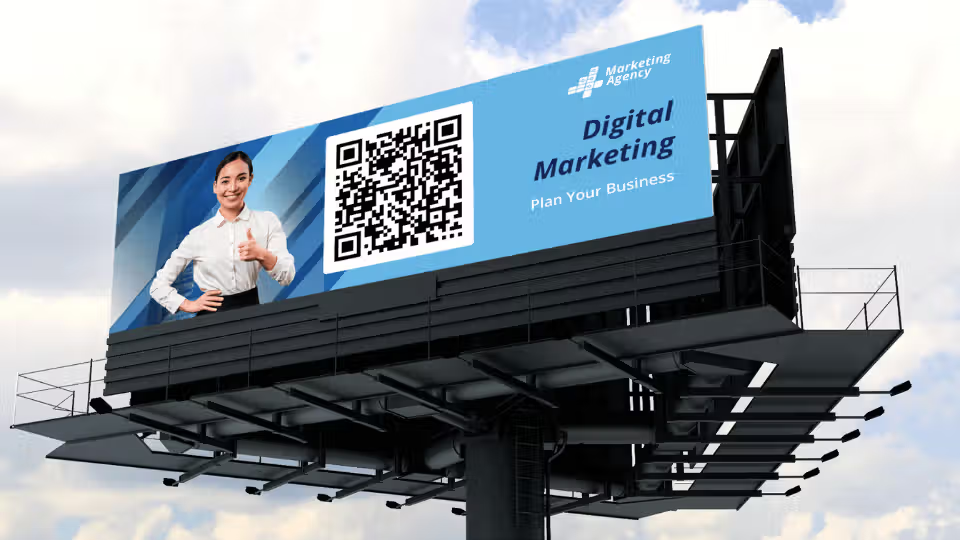
A QR Code on a billboard is a machine-readable optical label that redirects scanners from a physical ad surface to a digital destination such as a landing page, video, app download, or lead form, with every scan tracked in real time.
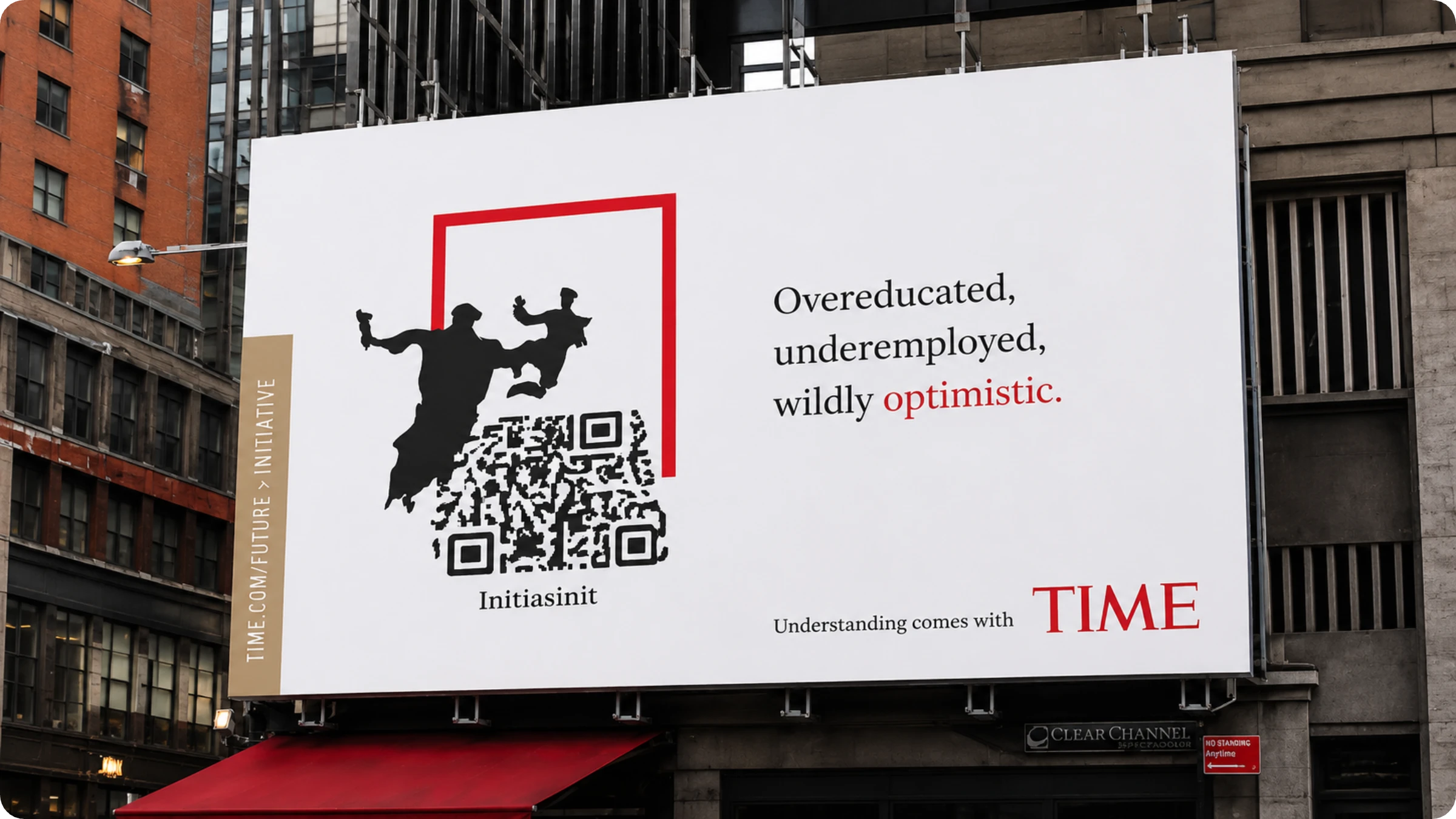
This guide covers 5 proven billboard QR Code use cases, 6 design rules for outdoor readability, and a step-by-step setup process using Uniqode's dynamic QR Code generator.
What are billboard QR Codes?
A billboard QR Code is a scannable code printed on large-format outdoor surfaces like billboards, banners, transit shelters, and event signage that bridges a physical ad placement to a digital destination. Billboard QR Codes belong to the broader category of out-of-home (OOH) marketing tools.
Scanning a billboard QR Code takes 3 seconds. A smartphone camera reads the code, decodes the embedded URL, and opens the destination. It redirects to a landing page, app store listing, lead form, or map pin without any manual typing.
Dynamic QR Codes update their destination after printing, which separates them from static QR Codes that lock a URL permanently into the code itself. Update a seasonal offer or swap a campaign page without replacing the physical ad.
The most critical requirement for a billboard QR Code is scannability at distance. A code that looks sharp on a laptop screen turns blurry and unscannable when expanded to 10 or 20 feet. Vector formats like SVG and EPS solve this completely. Vector QR Codes scale to any size without losing sharpness or resolution, because they are built from mathematical paths rather than fixed pixels. Uniqode exports QR Codes in SVG and EPS formats, so your code prints with perfect clarity whether it covers a pull-up banner or a highway billboard.
Why QR Codes work on billboards and banners
Billboards and banners convert significantly better when paired with a QR Code because they give viewers an immediate path to act on their interest. Outdoor advertising (OOH) traditionally ends at the impression. A QR Code extends it into a conversion.
There are 3 core reasons QR Codes elevate OOH campaigns. First, they capture intent at the moment of exposure, before the viewer's attention moves on. Second, every scan generates first-party data including scan time, location, and device type that traditional billboards cannot provide. Third, dynamic QR Codes let you change the destination without reprinting the ad, making campaigns flexible and cost-efficient.
According to a 2023 Nielsen OOH study, outdoor ads with a direct response mechanic such as a QR Code generate 4x more engagement than static-only placements. The QR Code is that mechanic for physical surfaces.
5 high-impact use cases for QR Codes on billboards and banners
Billboard QR Codes work across 5 main campaign objectives. Each use case maps to a specific destination type and audience intent.
1. Drive traffic to a campaign landing page
A URL QR Code on a billboard sends scanners directly to a campaign-specific landing page, bypassing your homepage and reducing friction. Landing page QR Codes are the most common billboard application because they support every stage of the funnel, from awareness through consideration to conversion.
Brands using this approach pair the billboard's headline with a landing page that continues that message. The landing page QR Code maintains narrative continuity from the physical ad to the digital experience, which improves conversion rates by reducing cognitive dissonance.
2. Boost app downloads with a direct store link
App download QR Codes on banners link directly to your app's listing on the App Store or Google Play, removing the extra step of searching manually. App download QR Codes are especially effective at trade shows and events, where motivated audiences have a smartphone in hand.
Uniqode's app download QR Code detects the scanner's operating system and redirects iOS users to the App Store and Android users to Google Play, all from a single code.
3. Capture leads with a form
A form QR Code on a banner collects contact details such as name, email, and phone from interested passersby without requiring a conversation or a printed form. Lead capture QR Codes are the highest-ROI billboard application for B2B brands at conferences and trade shows, where qualified buyers are walking past your banner every minute.
Uniqode's custom form QR Codes connect directly to CRM platforms like HubSpot and Salesforce, so every scan-to-lead is automatically routed into your pipeline.
4. Offer coupons and promotions
Coupon QR Codes on billboards close the gap between seeing an offer and redeeming it by putting a unique, trackable discount code one scan away. Coupon QR Codes work particularly well for retail and restaurant brands running time-limited promotions, where impulse action is the goal.
Dynamic coupon QR Codes update the promotion without changing the code printed on the banner. This is useful for weekly deals on a banner that stays up for a month.
5. Enable GPS navigation to your location
A location QR Code on a billboard opens Google Maps or Apple Maps directly to your store or venue address, turning a highway ad into a navigation shortcut. Location QR Codes are the preferred type for retail stores, restaurants, and event venues targeting drivers and pedestrians who are nearby but need directional assistance.
This use case pairs naturally with location-based retargeting. Scan data from the QR Code tells you exactly when and where someone showed intent to visit, enabling follow-up ads via Meta Pixel integration.
Examples of billboard QR Codes that do it right
The best billboard QR Code campaigns share 3 traits: a clear reason to scan, a destination that delivers on the promise, and dynamic QR Codes that let the team update content after launch. Here are 5 campaigns that got all 3 right.
1. Adidas "Billboard Run"
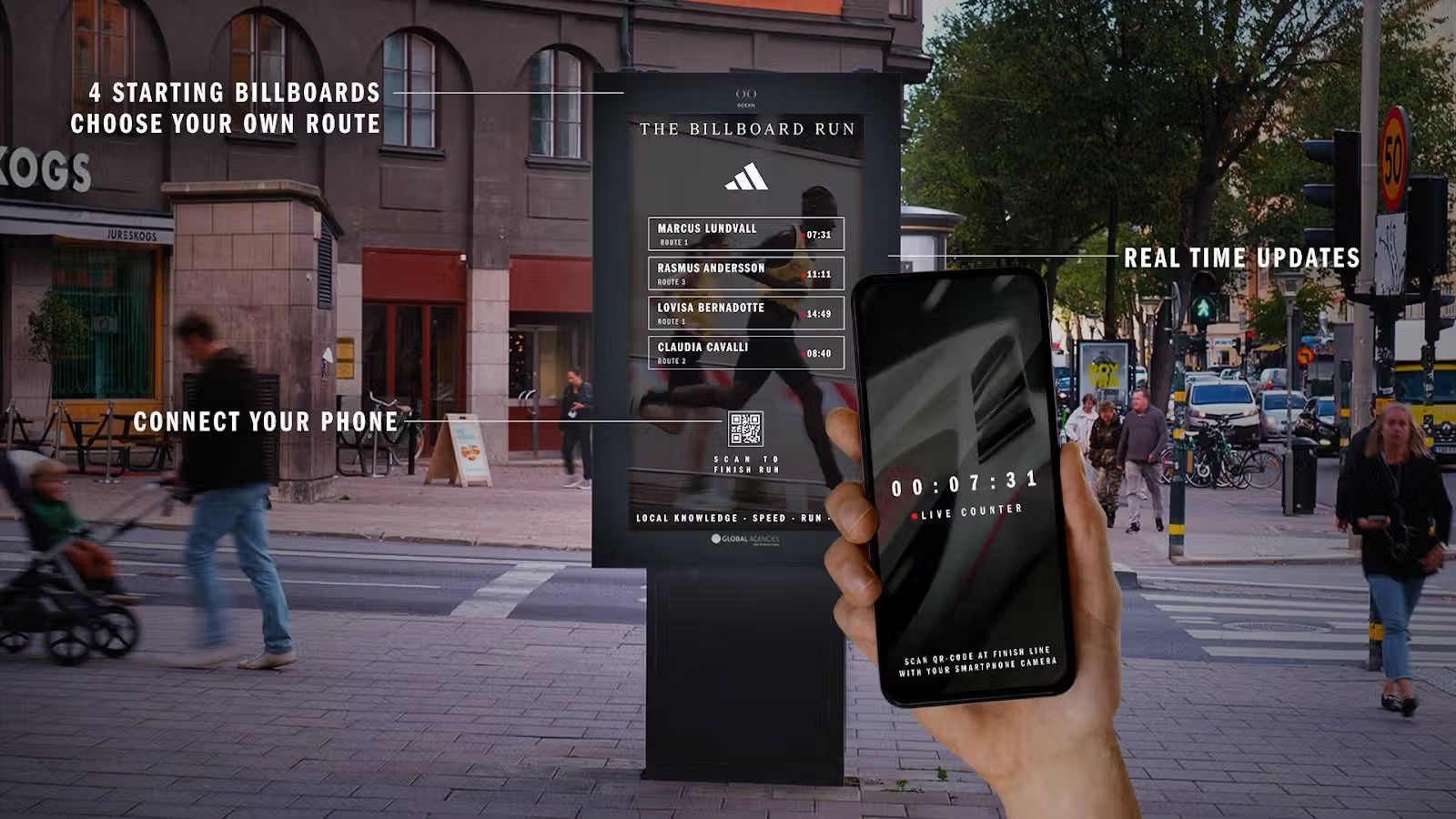
Adidas placed QR Code-enabled billboard kiosks across Stockholm streets for runners. Scanning the start-line kiosk launched a timer in the Adidas app. Runners then sprinted to the finish-line kiosk and scanned again to log their time, with the top performers displayed on a live leaderboard.
What makes it work: The QR Code is the product experience, not a detour from it. Adidas tied scanning directly to the activity their target audience was already doing, turning a static billboard into a citywide interactive race.
2. Taylor Swift TTPD album campaign
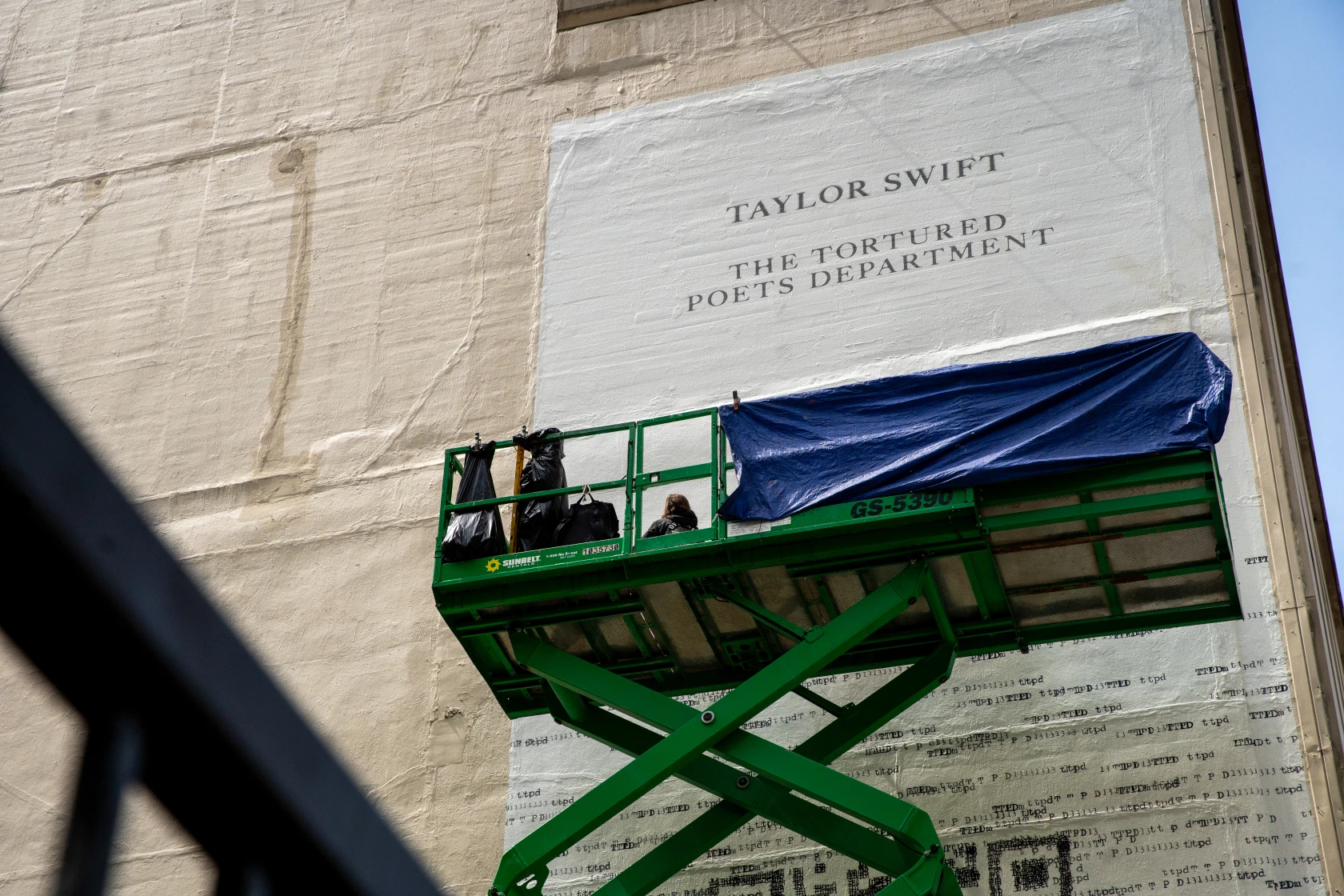
Swift's team placed supersized QR Code murals in Chicago and 13 other cities as teasers for "The Tortured Poets Department." Each mural used a dynamic QR Code that redirected to a different unlisted YouTube video every day, revealing a new letter or Easter egg. Fans around the world raced to scan and decode the clues, generating enormous organic social media coverage.
What makes it work: Dynamic QR Codes made the campaign possible. The same physical murals delivered fresh content daily without any reprinting, creating urgency and repeat visits to the same billboard.
3. HackerOne outdoor campaign
HackerOne ran an outdoor campaign featuring large-format QR Codes printed at high resolution in vector format. The codes remained sharp and fully scannable from standard billboard viewing distances, in direct contrast to lower-resolution alternatives that blur at scale.
What makes it work: HackerOne downloaded their QR Code in a vector format before handing it to the printer. The code scales to any billboard size without pixelating, which is the baseline requirement every outdoor QR Code campaign must meet.
4. Avocados from Mexico — Super Bowl billboard
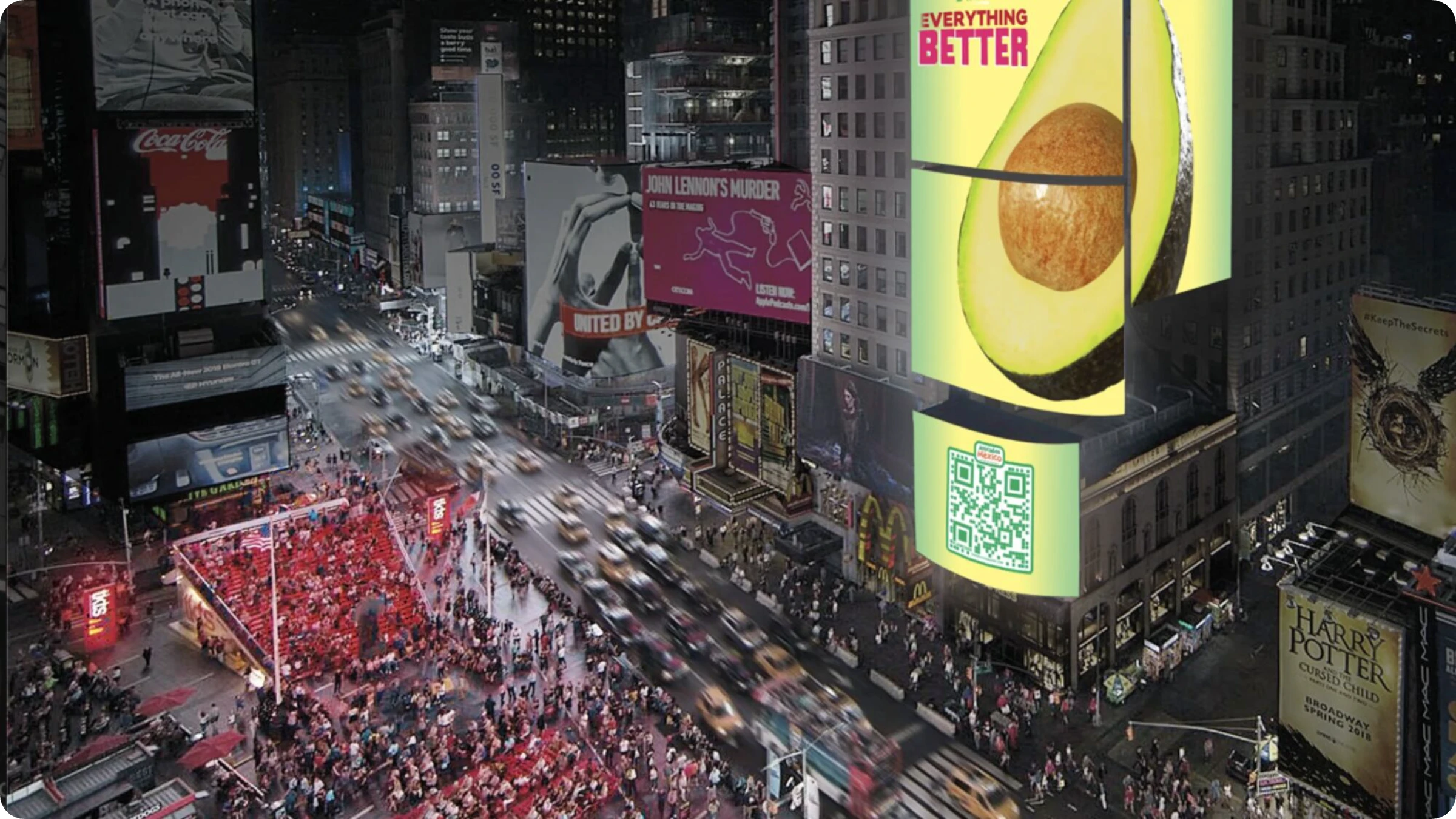
Avocados from Mexico placed a QR Code on a Times Square billboard during Super Bowl LVII. Scanning the code opened a page where people could generate a custom social media post about the brand, turning a passive viewer into an active brand participant.
What makes it work: The destination required action and created a shareable output. Every person who scanned and posted became a secondary distribution channel, extending the campaign well beyond the billboard's physical footprint.
6 design rules for scannable outdoor QR Codes
A billboard QR Code fails if it cannot be scanned in under 3 seconds from a moving vehicle or crowded venue. Outdoor QR Code design follows 6 rules that differ significantly from print or digital applications.
Minimum size: 4 inches x 4 inches: At standard reading distance for a banner (6 to 10 feet), a QR Code smaller than 4 inches cannot be reliably scanned by most smartphones.
High contrast only. Use dark modules on a white or very light background. Avoid dark backgrounds with light modules, as camera autofocus struggles with low-contrast outdoor codes in bright sunlight.
Error correction level H. Set error correction to High (30% redundancy) so the code remains scannable even if 30% of its surface is obscured by glare, dirt, or a logo overlay.
Include a CTA with the QR Code. "Scan for 20% off" outperforms a bare QR Code by 3x, according to Uniqode customer data. The CTA communicates what scanning delivers before the person commits.
Add your logo in the center of the QR Code. A branded QR Code with a logo in the center achieves 80% higher scan rates than unbranded black-and-white codes, because it signals authenticity and reduces hesitation.
Test scan distance before printing. Print a physical proof and scan it from the intended viewing distance before committing to a large-format print run. Confirm scannability on both iOS and Android.
How to create a QR Code for a billboard or banner with Uniqode
Uniqode generates print-ready, high-resolution QR Codes for outdoor use in 5 steps, with dynamic editing and real-time analytics included in every plan.
Step 1: Sign up for a free trial
Go to Uniqode.com and start a 14-day free trial. No credit card required.
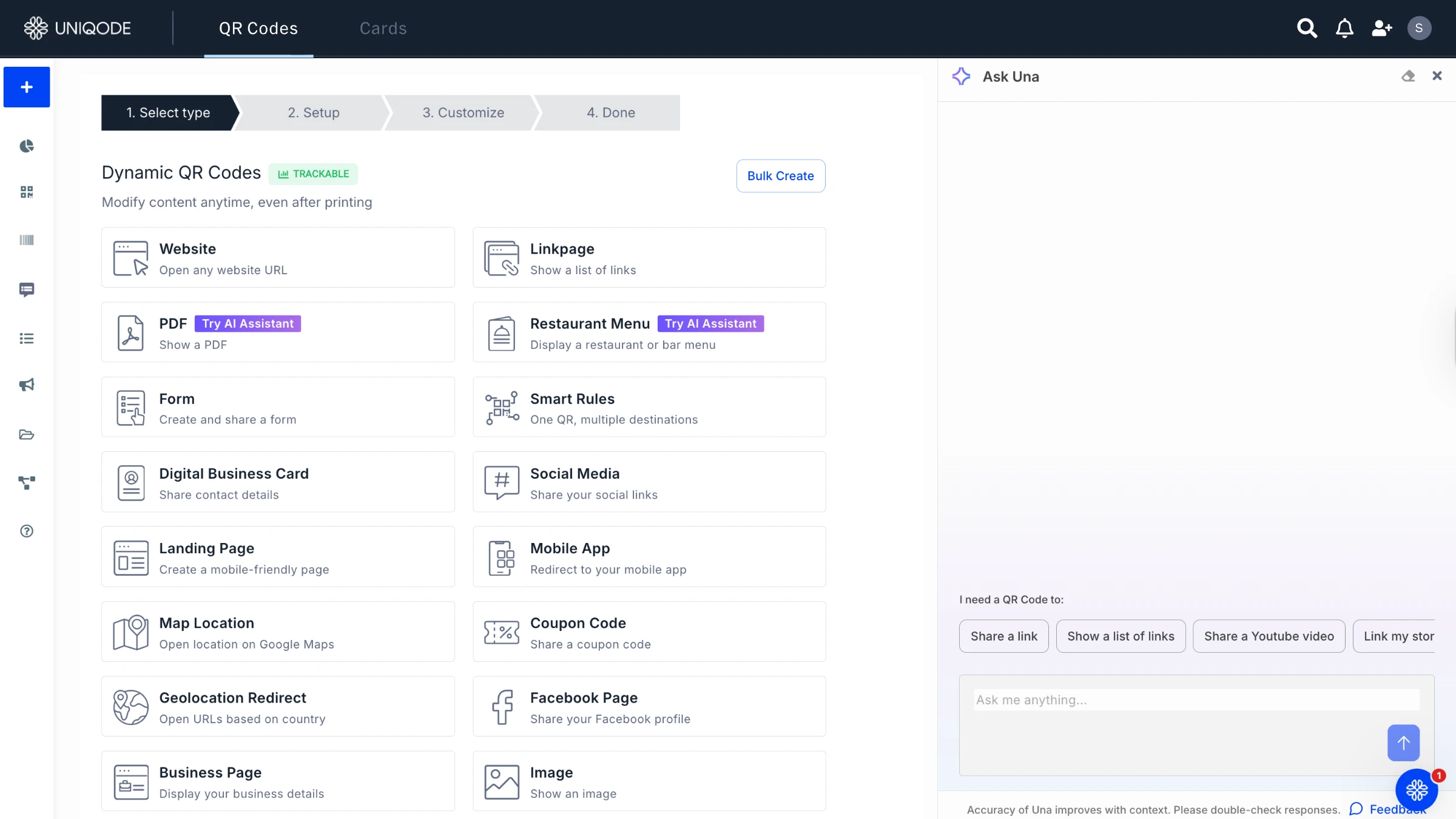
Step 2: Select your QR Code type
Choose from URL, app download, location, coupon, or form depending on your campaign objective.
Step 3: Enter your destination
Paste the URL, drop a map pin, or wherever your QR Code needs to point.
Step 4: Customize for outdoor readability
Apply your brand colors, upload your logo, and set error correction to High. Download in SVG or EPS format for print.
Step 5: Download and track
Download the QR Code in a vector format for the best resolution. Embed it in your billboard artwork, and monitor scan volume, location, and device data in real time from the analytics dashboard.
Because Uniqode uses dynamic QR Codes, the destination URL can change at any point after printing without changing the code itself. Update a seasonal offer, swap a landing page, or redirect traffic to a new campaign without reprinting a single banner.
Start converting billboard impressions into measurable results
A QR Code on a billboard or banner closes the measurement gap in OOH advertising. Every scan becomes a data point, a lead, or a conversion. Dynamic QR Codes are the right choice for outdoor use because they handle post-print changes, deliver real-time analytics, and integrate with your existing marketing stack.
Create your first billboard QR Code with Uniqode's free trial and track every scan from day one. For brands running multi-location OOH campaigns, explore Uniqode's bulk QR Code generator to deploy hundreds of unique, trackable codes at scale.
Frequently asked questions
Can a QR Code be scanned from a moving car?
Do I need to reprint my billboard if I want to change the QR Code destination?
What file format should I use when sending a QR Code to a billboard printer?
How do I know if my billboard QR Code is actually being scanned?


.png)


.webp)
.webp)
.webp)
.webp)


