Launch dynamic QR Codes that connect offline moments to results you can measure.
Create & Brand
Design beautifully branded QR Codes that drive action from every scan.
Collect Leads & Insights
Turn every scan into qualified leads and actionable insights with Forms and Pages.
Optimize with Analytics
Refine campaign performance and unlock smarter retargeting with analytics.
Manage & Scale
Centralize control, automate management, and scale QR campaigns confidently.
Generate a QR Code
UNIQODE CARDS
Capture contacts and engagement with branded Digital Business Cards built to scale.
Collect & Convert Leads
Instantly capture and sync leads from every card exchange.
Personalize & Brand
Customize every card to strengthen brand presence at every touchpoint.
Measure Every Interaction
Track every interaction and prove ROI with real-time engagement data.
Manage & Scale Teams
Automate provisioning and scale card management without losing oversight.
Download the Uniqode Cards app
PLATFORM
Integrations
Connect Uniqode to your stack to turn engagement into automated action.
...and more
Security
Protect every scan and exchange with enterprise-grade security and compliance.
SOC 2
HIPAA
GDPR
ISO
2FA
SSO
Why Uniqode?
Choose a platform built for reliability, security, and performance at every stage of growth.
Book a demo
Start Free Trial
BY INDUSTRY
Retail
Consumer Goods
Healthcare
Finance
Hospitality
Education
BY USE CASE
QR Codes for Marketing
QR Codes for Product Packaging
QR Codes for Events
Business Cards for Field Sales
Business Cards for C-Suite Executives
Business Cards in Email Signatures
More Use Cases
BY BUSINESS
Enterprise
Mid-sized businesses
Small businesses
BLOGS
Best QR Code Generators
Free vs. Paid QR Code Generators
Static vs. Dynamic QR Codes
How to Edit a QR Code
Guide to Safe QR Codes
COMPARE
Uniqode vs. Flowcode
Uniqode vs. Bitly
Uniqode vs. QR Tiger
UNIQUE ANGLES
Playbooks
Expert Speak
Newsletter
QR Code Scan Index
The State of QR Codes 2026
HELP CENTER
How to design a custom QR Code
How to restore a lost QR Code
How to duplicate a QR Code
Uniqode’s solution has made our lives a lot easier. Creating QR Codes is quick, and being able to track their performance has proven to be essential for our business.
A video QR Code is a QR Code that opens a video the moment someone scans it. It doesn't store the video file but only encodes a link. Scanning sends the phone's camera to that URL, and the URL is what actually plays the video, not the QR Code itself.
The video has to be hosted somewhere first: YouTube, Vimeo, or any platform that gives you a direct playback link. The QR Code carries the address while the hosting platform carries the video. A video QR Code made with Uniqode works the same way: point it at an existing video URL and the code does the rest.
Video works well as a scan destination because people scan for information and not discounts. Uniqode's State of QR Codes 2026 report, based on more than 188 million scans, found 75% of consumers scan a QR Code primarily to learn more about something, ahead of 52% scanning for a discount and 35% scanning to pay. A short video answers "what is this and how does it work" faster than text, which is why product demos, menu walkthroughs, and event previews are common video QR Code use cases.
How to make a QR Code for a video?
Making a video QR Code takes four steps, and none of them involve uploading a video file.
Step 1: Sign in and choose Website as the QR Code type
Website is the type that converts a URL into a QR Code, and a video QR Code is a website QR Code pointed at a video link.
Step 2: Paste the URL of your hosted video
Use a YouTube link, a Vimeo link, or any URL that plays the video directly when opened in a browser.
Step 3: Customize the design, and set the code to Dynamic if it's going anywhere physical
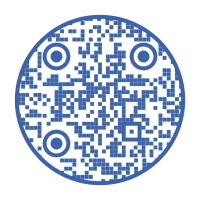
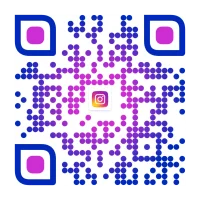
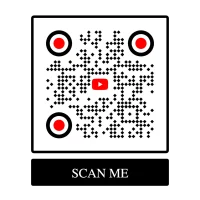
Add a logo, pick a circle QR Code shape instead of the standard square, adjust colors, or add a transparent background. If you're on a plan with dynamic codes, confirm Dynamic is selected. That one setting is what lets you change the destination later without reprinting anything, which the next section explains.
Step 4: Download the code, and check its scannability score first
A code with too little contrast or too dense a pattern can fail silently once it's printed at a small size. Fix the design before it goes to print, not after.
5 advantages of using a video QR Code (+ bonus benefit of using Uniqode's dynamic QR Code maker)
Using video QR Codes can offer several benefits for individuals and businesses. Here are some of the advantages of using video QR Codes:
1. Enhanced user engagement
Video content is more engaging and visually appealing compared to text or static images. When you share it using a QR Code, it allows you to capture the viewer's attention and convey your message in a more dynamic and compelling way.
You can link a YouTube video, promotional video, or any other content– end users can scan and view them in seconds.
2. Offline-to-online integration
Video QR Codes bridge the gap between offline and online marketing. You can include them in printed materials such as brochures, posters, or product packaging to direct people to your online video content.
You can also track these interactions on Uniqode's dashboard and measure the QR Code campaign performance.
3. Tracking and analytics
Uniqode's QR Code maker provides analytics features that allow you to track the performance of your video QR Codes. You can gather data on the total number of scans, date, time and location of scan, etc.
Video QR Codes can be designed to match your brand's aesthetics. Incorporate logos, change color, and enhance the QR Code appeal with other design elements.
Video QR Codes provide a quick and convenient way for users to access video content. Instead of typing long URLs, users can simply scan the QR Code with their mobile device, making it easier to reach your target audience.
Bonus benefit: Use Uniqode's dynamic QR Code maker to generate permanent video QR Codes (no expiry)
With a Dynamic QR Code maker like Uniqode, you can generate a video QR Code and also edit and track it once deployed.
Our QR Code editing feature lets you change the QR Code destination even after its creation. Unlike a static QR Code, which can never be modified- our dynamic QR Code is versatile.
You can change the video or YouTube URL anytime you want without having to recreate a new QR Code each time.
The best part is that you need not worry about your video QR Code expiry. A dynamic QR Code is permanent, and it can be customized, edited, and tracked with ease.
Some popular use cases for a video QR Code
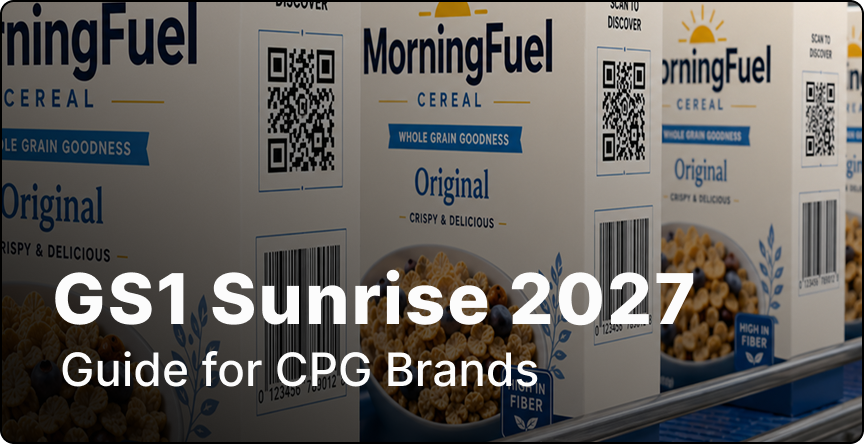
1. On product packaging
A demo or how-to-use video linked from a box that stays on shelves for months, longer than most teams track whether the linked video is still live.
2. On OOH advertisements
You can now turn every out-of-home (OOH) advert into a digital one with video QR Codes. Coupled with a compelling tagline, you can get consumers to watch your advertisements using video QR Code on billboards, signage, posters, etc.
3. Boost tourism
Video QR Codes are a great way to promote any popular tourist spot. Embed QR Code videos on your local tourism advertisements and on popular tourist locations for users to scan the QR Code, watch videos, and educate themselves about the location.
4. Promote interactive learning
With online learning becoming the norm, QR Code videos are a great way to share interactive content with users. Make use of video QR Codes to share cooking tutorials, educational videos, or even technical learning videos.
Here are a few more use cases:
Event signage and badges carry session previews or sponsor reels that get printed once and reused at next year's event, well past the original video's shelf life.
Real estate signs and flyers. Walkthrough videos linked from yard signs and printed flyers can outlast the listing itself.
Printed job postings and career fair handouts carry day-in-the-life or culture videos for recruiting.
Restaurant menus. Dish-prep or ambiance videos linked from a printed menu that gets reprinted less frequently than the video gets updated.
Training handouts and equipment labels stay in circulation long after the linked instructional video changes.
Check the QR Code's scannability score before printing. A low-contrast or overly dense code fails in the field even when it tests fine on a screen.
Place the code where a phone can hold still and focus on it. Curved surfaces, glare, and cluttered backgrounds all slow down or block a scan.
Size the code to its scan distance. A code on a table tent needs far less size than one on a billboard. Uniqode's sizing guide covers the ratio.
Test playback on iOS and Android before deploying. Autoplay restrictions on iOS Safari and slower mobile connections can make a technically working video QR Code feel broken to whoever scans it.
Frequently Asked Questions
Can I generate a QR Code for a video?
How do I make a QR Code for a video on my phone?
How do I make a QR Code for a video in my camera roll?
Does a video QR Code need an app to scan?
What happens if the video I linked gets taken down?


.png)


 Templates
 Logo
Logo
 Design
 Frame
Frame




.webp)
.webp)
.webp)
.webp)
.webp)

.webp)
.webp)
.webp)
