QR Code Minimum Size Guidelines: How Small Can a QR Code Be?
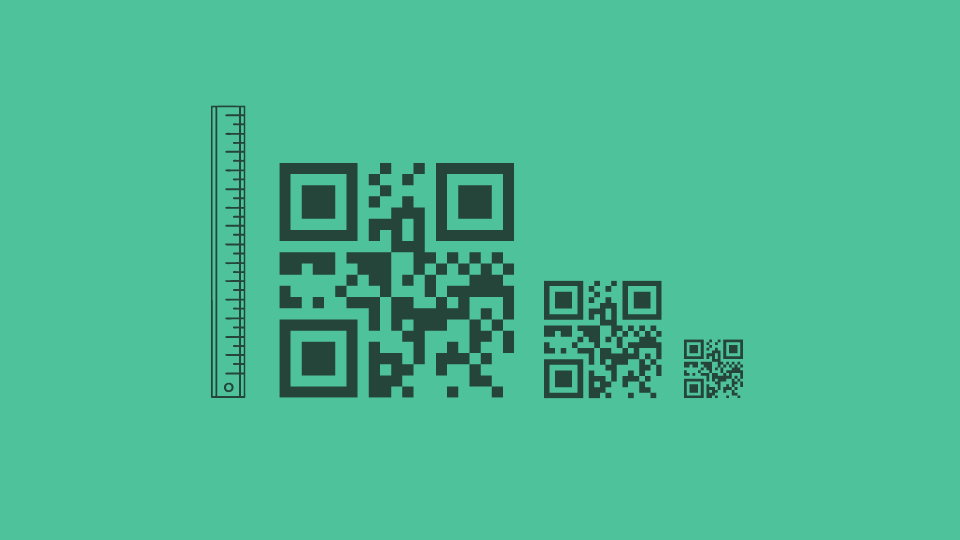
Determining the idel size is crucial for your marketing campaigns. Learn more about the relation between QR Code size and scannability, resolutio requirements for QR Codes, etc. Discover multiple use cases of different QR Code sizes.
💻 Key takeaways:
1. The minimum size for a QR Code is 2x2cm for arm’s length scanning. The maximum size depends on the material you are printing and displaying it on. While resizing QR Codes it’s best to use high-resolution formats such as EPS, and SVG to avoid pixelation.
2. A good rule of thumb is to make your QR Code at least 1 inch (2.5 cm) in size for close scanning (up to 12 inches) and 2 inches (5 cm) or larger for scanning distances beyond 12 inches.
3. For anything further than arm’s lenghth-scanning, use the 10:1 rule: QR Code size equals scanning distance divided by 10. Make sure you test the QR Code from multiple distances to determine the ideal size.
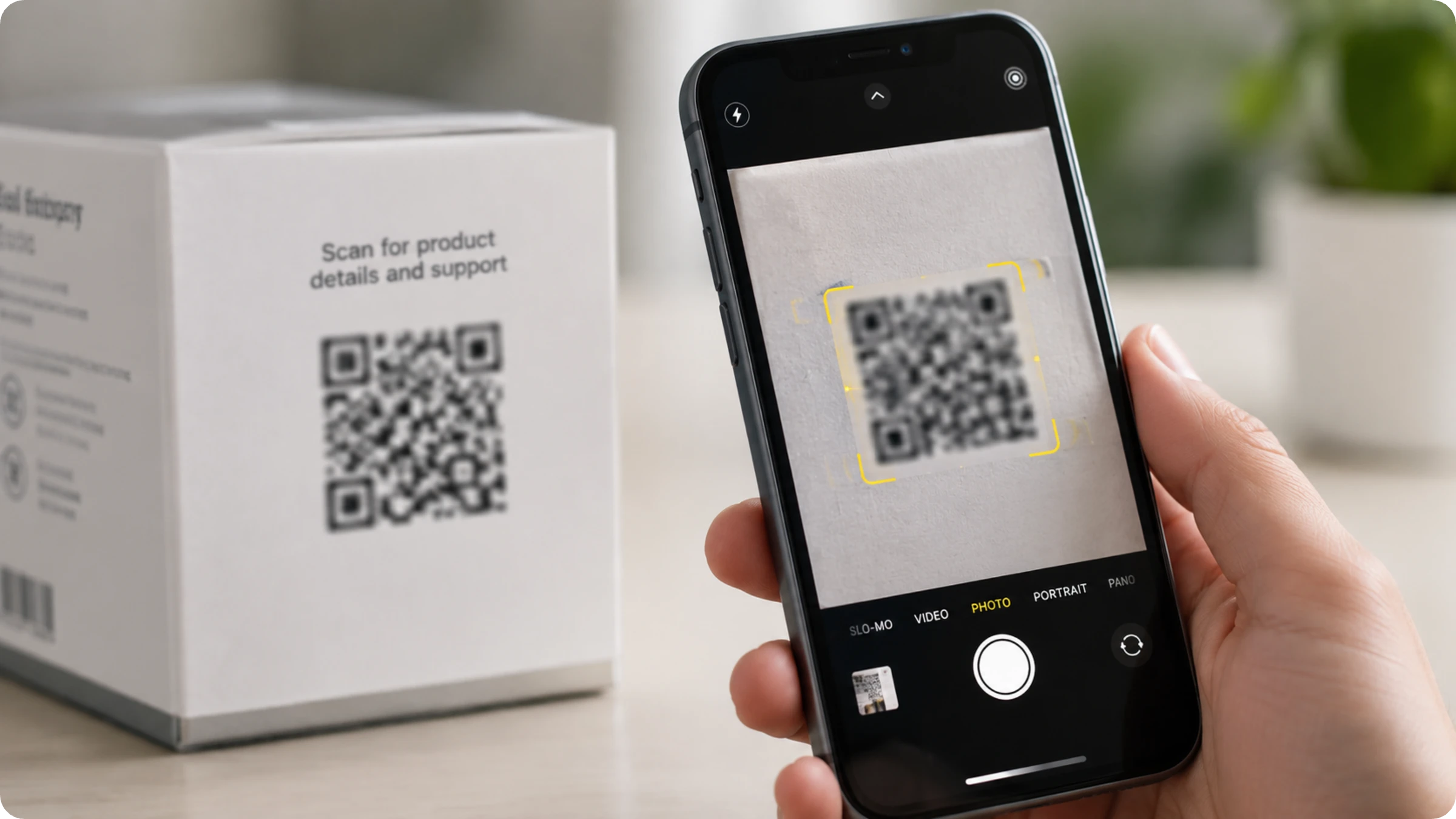
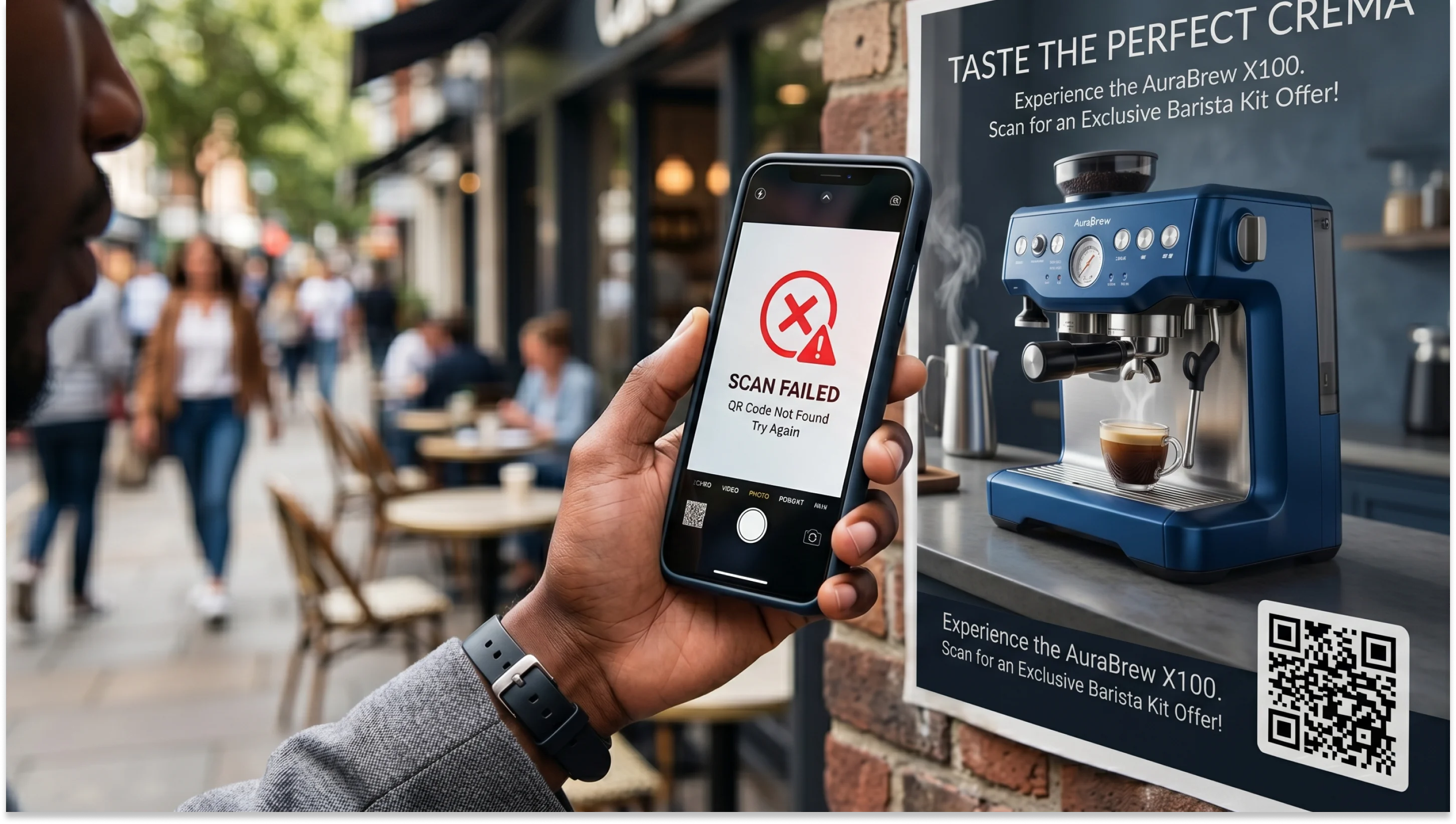
One of the main reasons a QR Code fails to scan is incorrect sizing. Do QR Codes have to be a certain size at all? The short answer is no; there is no universal standard. The right size depends on QR Code scanning distance, how much data the code carries, and what surface it sits on.
This guide covers the minimum QR Code size, recommended dimensions for every marketing material from business cards to billboards and QR Code scanning distance formulas.
What size should a QR Code be?
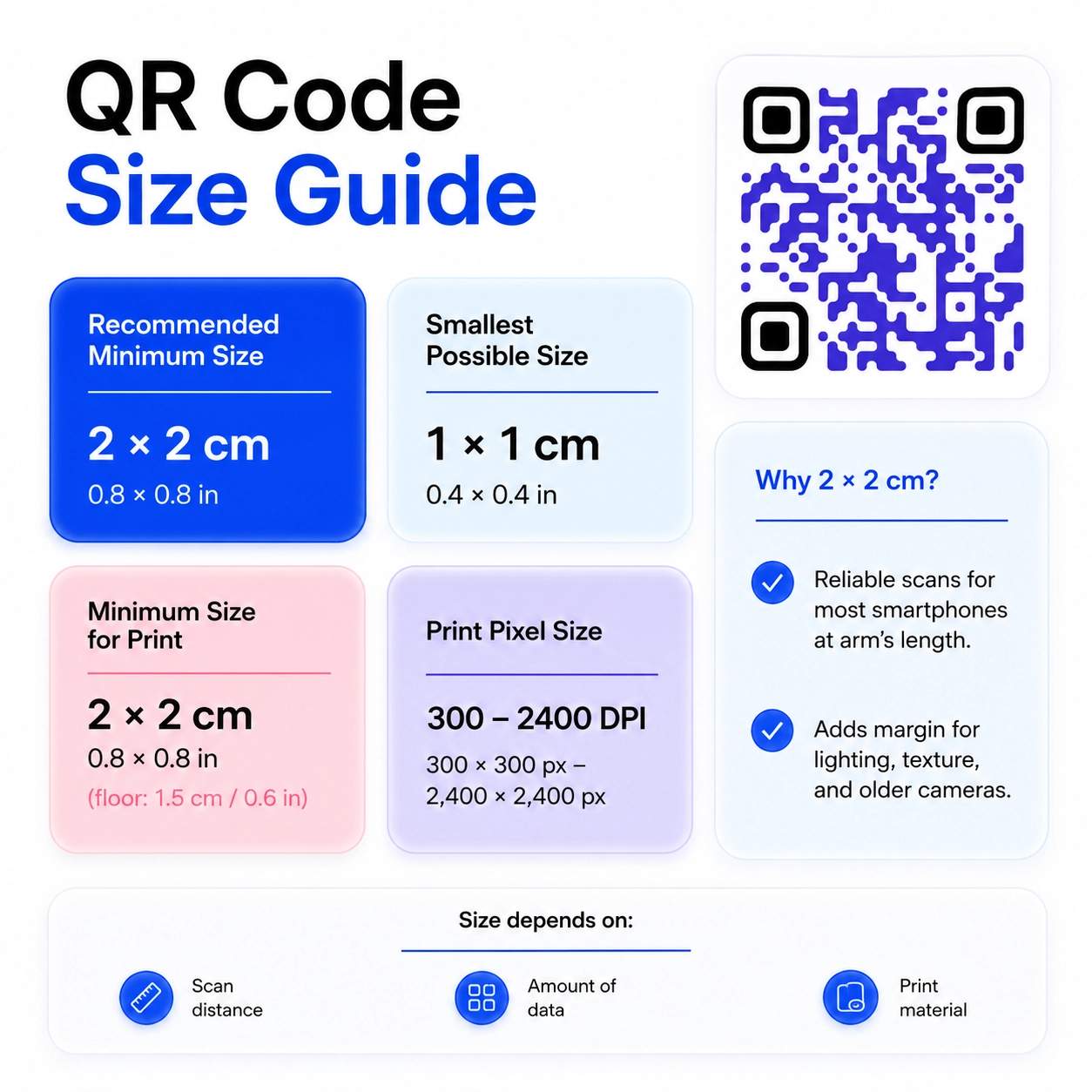
The short answer: a QR Code should be at least 2 x 2 cm (0.8 x 0.8 inches) for arm ’s-length scanning. The table below shows general QR Code size specifications across common use cases and output formats.
| QR Code size spec | Measurement |
|---|---|
| Recommended QR Code size | 2 × 2 cm / 0.8 × 0.8 in |
| Minimum QR Code size | 2 × 2 cm / 0.8 × 0.8 in |
| Smallest possible QR Code | 1 × 1 cm / 0.4 × 0.4 in |
| Minimum QR Code size for print | 2 × 2 cm / 0.8 × 0.8 in (floor: 1.5 cm / 0.6 in) |
| QR Code pixel size for print | 300 DPI — 300 × 300 px (business card) to 2,400 × 2,400 px (poster) |
What is the minimum size for QR Codes?
The minimum recommended QR Code size is 2 x 2 cm (approximately 0.8 x 0.8 inches). Below this, scanning becomes unreliable for most smartphones at a typical arm's length. Above it, you have margin to absorb real-world variables like lighting, surface texture, and older phone cameras.
The right size depends on three things: how far away your audience will be when they scan, how much data the code encodes, and what material it gets printed on.
How small can a QR Code be?
In theory, a QR Code can be as small as 1 cm x 1 cm (about 38 x 38 pixels) and still scan under ideal conditions. In practice, designing for that measurement is risky. Lighting changes, surface curves, older phones with slower autofocus, and even the angle of the scan all eat into the margin you have.
The reliable minimum for everyday use is 2 x 2 cm. For anything beyond close-range scanning, the right size depends on distance, which is where the 10:1 rule comes in.
How to calculate the ideal size of a QR Code based on scanning distance (the 10:1 rule)
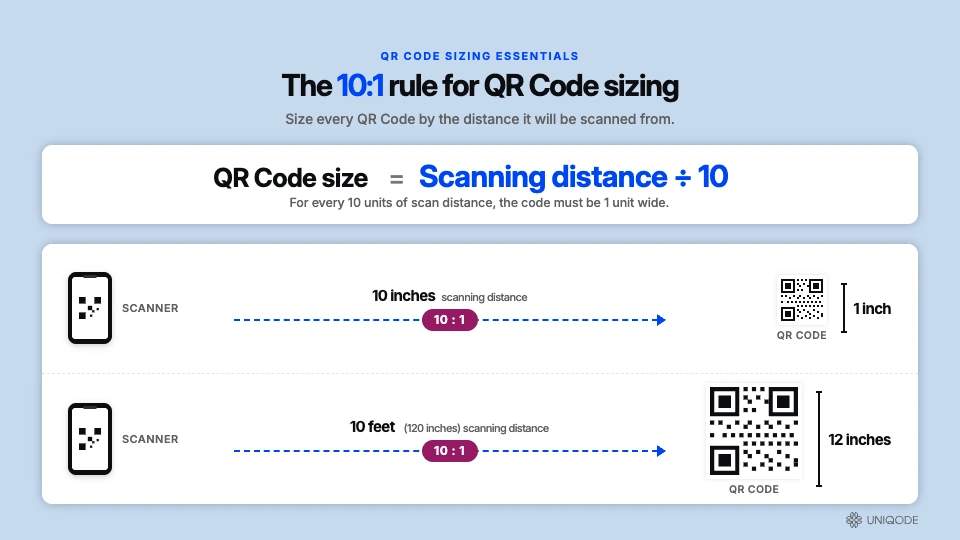
The best way to calculate the ideal size of your QR Code is by determining how far away you can scan the QR Code. The 10:1 rule is the standard formula for QR Code sizing based on the scanning distance.
QR Code size = scanning distance ÷ 10
If someone scans the code from 10 inches away, the code needs to be at least 1 inch across. If they will scan it from 10 feet (120 inches) away, the code needs to be at least 12 inches. Add 20-30% to whatever number the formula gives you to account for poor lighting, motion, or imperfect angles.
What is the minimum size for QR Codes in print?
For print specifically, 2 x 2 cm is the working minimum for QR Codes. Print introduces variables that screens do not: ink bleed on porous paper, glare from coated stock and the physical texture of the surface itself.
The smallest QR Code size for print that reliably scans is 1.5 cm, but only on matte paper, in good lighting, with a recent smartphone, and with a short URL encoded. Take any one of those conditions away and you need more size.
How many pixels does a QR Code need?
For print, aim for 300 DPI with the QR Code sized to match the final print dimensions. A QR Code on a small business card needs to be at least 300 x 300 pixels. A poster-sized code needs closer to 2400 x 2400 pixels. In terms of file size, most print-ready QR Code files land between 5 KB and 50 KB for a PNG. Blurry QR Codes will fail to scan, so make sure that the pixels are right for your use case.
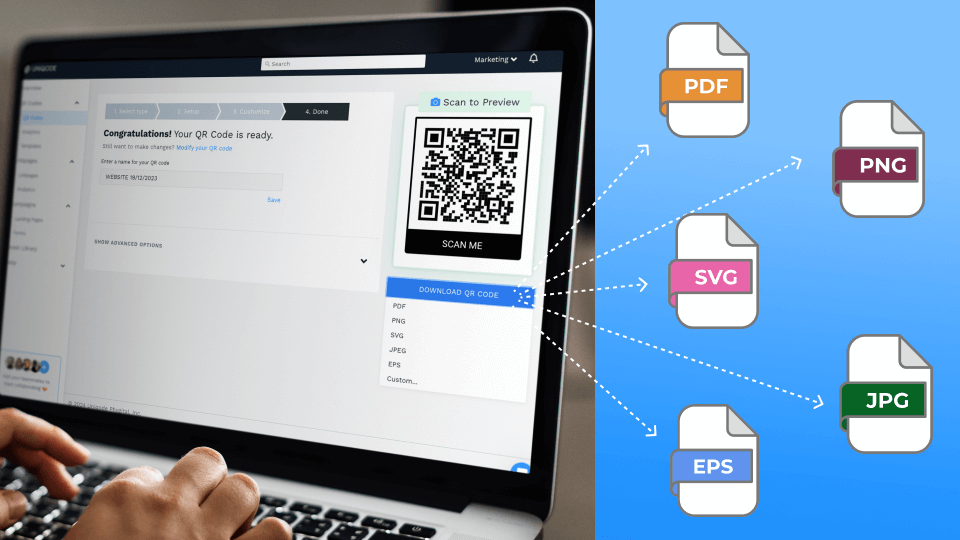
⚡Pro tip: The easiest way to avoid the math of pixels is to download your QR Code as a vector file, such as SVG or EPS, instead of a PNG or JPG. These formats scale to any size without losing quality, so the same file works on a business card and a billboard.
The easiest way to create QR Codes with the right resolution is to use a QR Code generator like Uniqode, which lets you download your code in multiple formats, including SVG, EPS, PNG, and JPG, so you always have the right file for the job.
QR Code size recommendations for different marketing materials
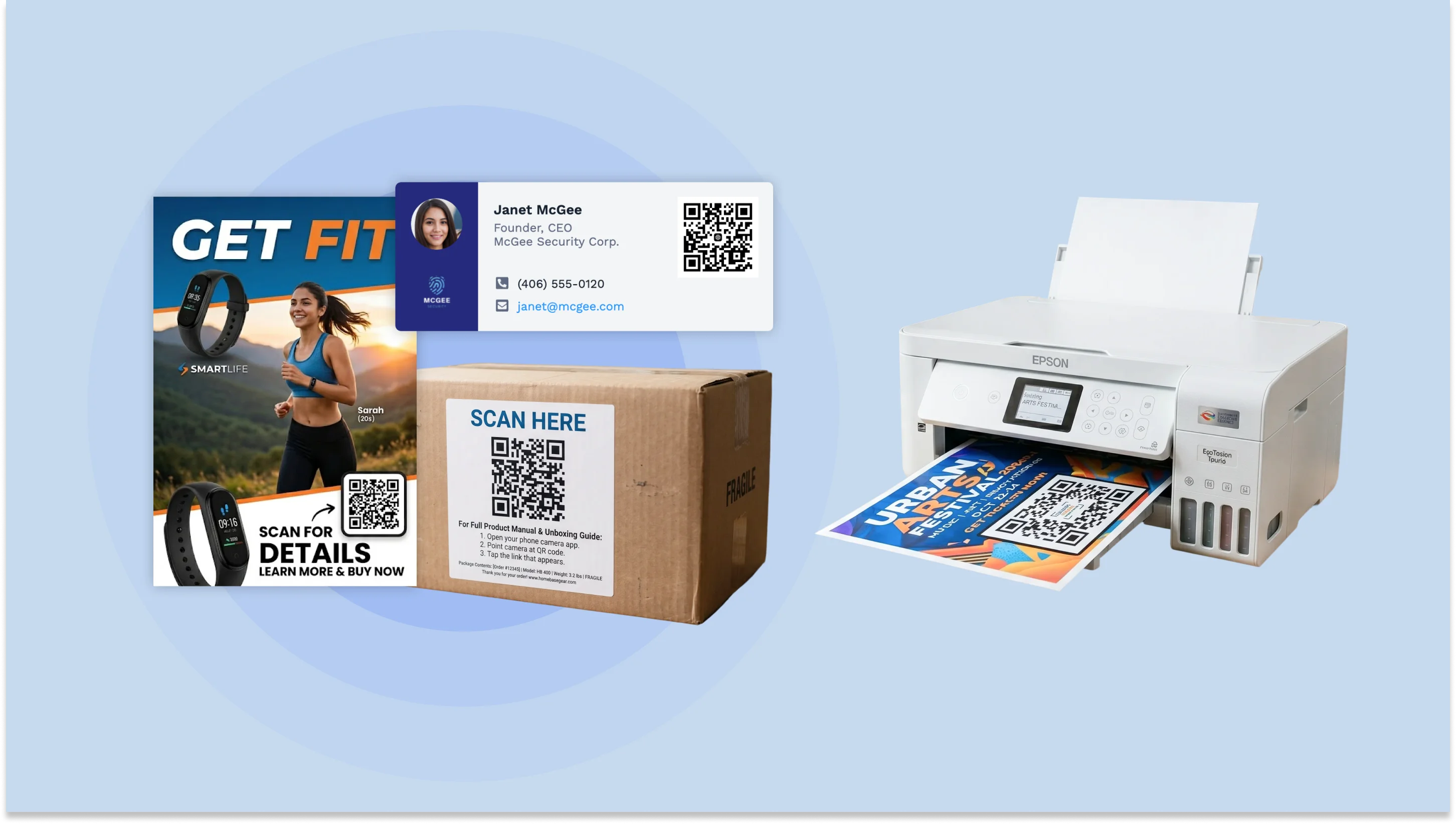
The right size for a QR Code for any specific material depends on how far away your audience will be when they scan it. You can use the 10:1 rule to calculate the right dimensions. For example, on a business card, the minimum QR Code size should be 2 × 2 cm because the typical scanning distance is 10–15 cm.
The table below applies the 10:1 rule to the typical scanning distance for different QR Code marketing use cases. Use these as recommended starting points, then add 20-30% if the code will appear in low light, on a curved surface, or anywhere it will be scanned by older devices.
| Use case | Typical scanning distance | Recommended QR Code size |
|---|---|---|
| QR Code business cards | 10–15 cm (4–6 in) | 2 × 2 cm / 0.8 × 0.8 in (min), 2.5 × 2.5 cm / 1 × 1 in (rec.) |
| Email signatures | ~50 cm (~20 in) | 5 × 5 cm / 2 × 2 in |
| Social media posts | ~40–60 cm (~16–24 in) | 4–6 cm / 1.6–2.4 in |
| App screens | 20–30 cm (8–12 in) | 2–3 cm / 0.8–1.2 in |
| Product packaging, stickers, labels | 10–25 cm (4–10 in) | 2.5 × 2.5 cm / 1 × 1 in min |
| Magazines, newspapers, catalogs, flyers | 40–70 cm (16–28 in) | 4–7 cm / 1.6–2.75 in |
| Digital screens, kiosks | 30–100 cm (12–39 in) | 3–5 cm / 1.2–2 in at 150+ DPI |
| Signage, wall posters, product stands | 100–250 cm (3–8 ft) | 10–25 cm / 4–10 in |
| TV commercials | 225–600 cm (7–20 ft) | 22.5–60 cm / 9–24 in |
| Billboards | 750–1,500 cm (25–50 ft) | 75–150 cm / 30–59 in |
Is there a maximum QR Code size?
No. There is no upper limit on QR Code size. A QR Code can technically scale to any size you want.
In practice, the 10:1 rule sets the size for you. A code on a 50-foot billboard gets scanned from 30 to 50 feet away, so it needs to be 36 to 60 inches across. You scale up for distance, not because the format requires it.
The only edge case where "too big" causes problems: a very large code scanned from very close range. Some phone cameras struggle to focus on the full pattern when the code fills the entire viewfinder. This is rare in real deployments because nobody walks up to a billboard to scan it. For all practical purposes, the maximum QR Code size is whatever your medium can hold.
How to resize your QR Codes without breaking them
To make a QR Code smaller, if you drag it in Canva, Figma, or PowerPoint, the image converts from vector to raster. This can cause scanning problems.
The fix is to control the export format. Here’s how to shrink a QR Code without creating a scanning issue.
- Generate your QR Code in Uniqode or your preferred tool.
- Download it as SVG or EPS, not PNG.
- Import the SVG or EPS file into your design tool.
- Resize it in your desired dimensions. Vector formats scale to any dimension without degrading module edges.
For print, always target 300 DPI at the final printed size.
If you are working with a PNG that has already been exported, do not scale it up. Instead,
- Go back to the generator and re-export the code at the size you need.
- Most platforms, including Uniqode, let you re-download the same code at any resolution.
- Never resize a PNG upward. Scaling up introduces can reduce resolution and break scannability.
Factors that affect QR Code dimensions
QR Code size depends on four things: how much data the code carries, the error correction level you choose, how far people will scan it from, and the surface or medium it sits on.
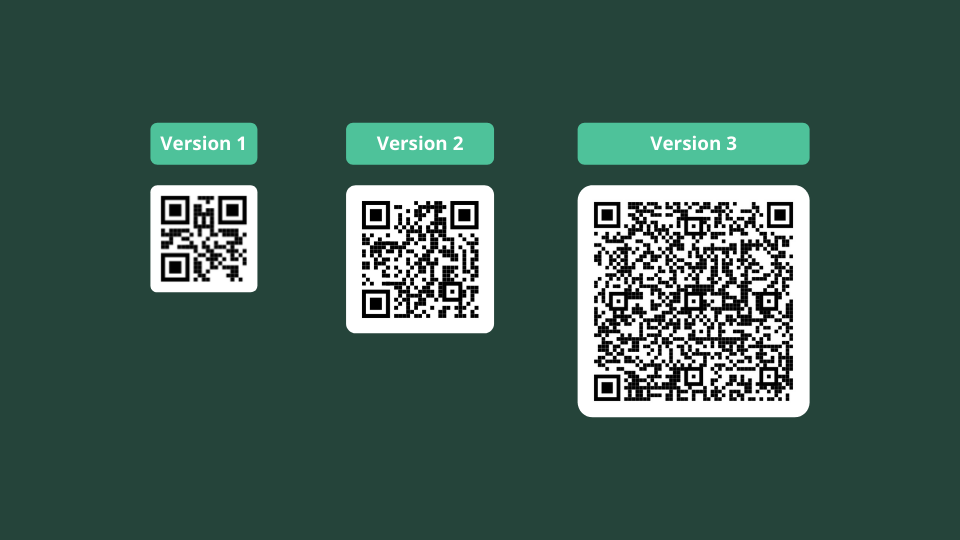
The more data you encode, such as long URLs and vCard details, the more data a QR Code needs to hold, and the larger the code must be to scan. Higher density means smaller modules (the individual squares inside the code), and smaller modules are harder for smartphone cameras to read. A code with a long tracking URL needs more physical space than one pointing to a short link.
The fix: Keep the embedded URL short. Below is an example. Consider using a short URL if you need to incorporate UTM parameters.
Original URL: https://www.uniqode.com/?utm_source=blog&utm_medium=organic&utm_campaign=qr+code+size
Short URL: https://uniqo.de/s8jWIn
⚡Pro tip: Use Dynamic QR Code Creator to keep your QR Code modules smaller in size and make sure it scans perfectly. They link to short URLs automatically, which keeps the module count low and keeps the code smaller without losing scannability.
2. Error correction level
QR Codes use error correction (ECC) to stay functional when part of the code is damaged, covered, or printed with a logo over it. There are four levels:
- L (Low): recovers up to 7% of damaged data
- M (Medium): up to 15%
- Q (Quartile): up to 25%
- H (High): up to 30%
Higher ECC adds redundancy to the code, which increases module count and density. A QR Code at level H will need to be printed larger than the same code at level L.
The fix: Pick the lowest ECC level your use case allows. Use L or M for clean digital displays and standard print. Move to Q or H only when you have a logo embedded in the QR Code, expect surface damage, or are printing on materials prone to wear, like outdoor signage and product packaging suits your use case. Use H only when you have a logo embedded or expect surface damage.
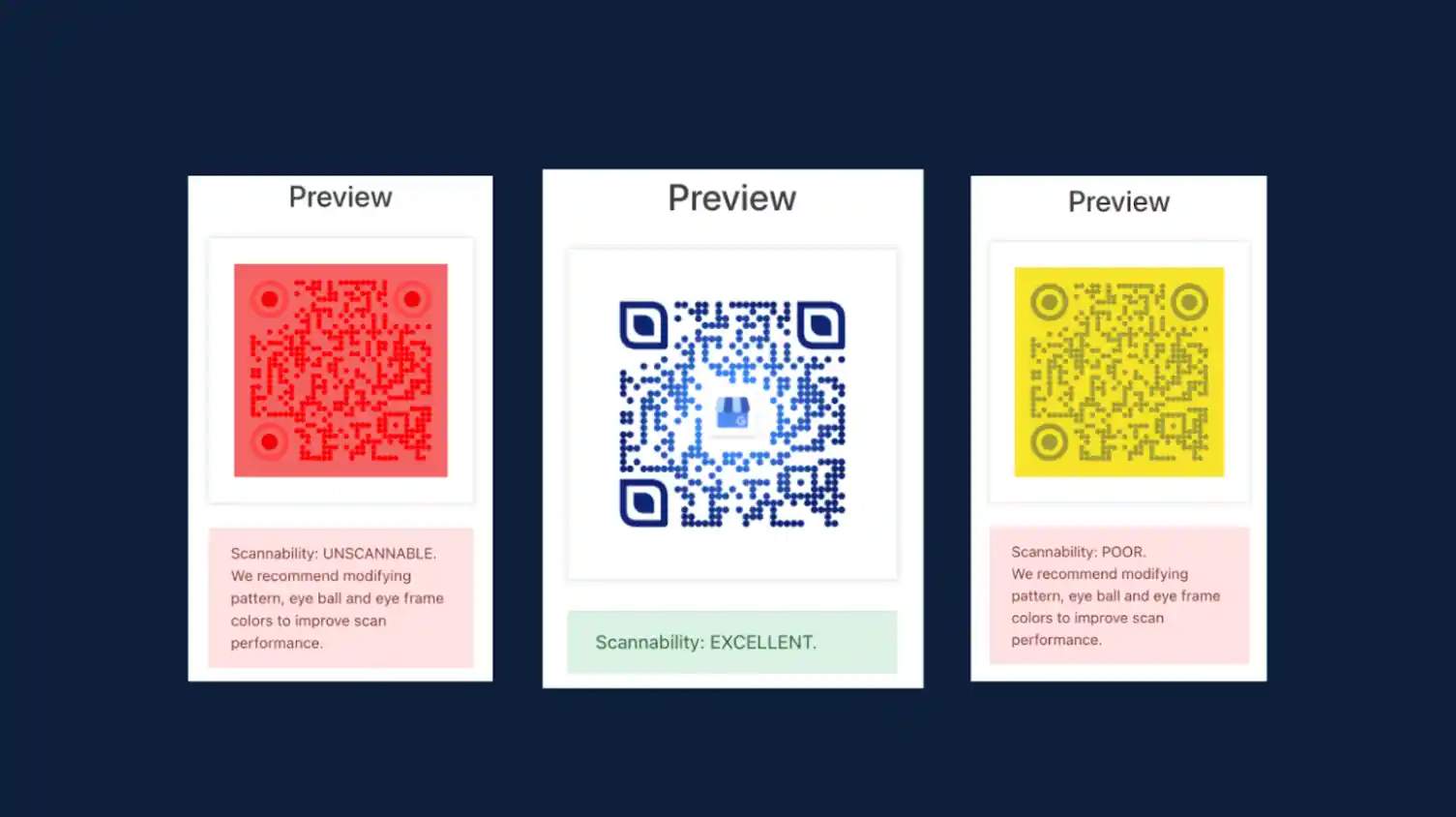
On Uniqode, you get a real-time scannability score while designing your QR Code on the dashboard. You don’t have to pick ECC levels for every code you create. Just adjust the QR Code elements until your scannability score is excellent.
3. Scan distance
A good rule of thumb is the 10:1 ratio. The QR Code should be one-tenth the size of the expected scanning distance. A code scanned from one meter away should be at least 10 cm wide. A billboard meant to be scanned from 20 meters needs a code at least 2 meters wide.
The fix: Map out where your audience will be standing before you decide on dimensions. For business cards and flyers (arm's length), 2 × 2 cm works. For posters at 3 meters, size up to 30 × 30 cm. For vehicle wraps or billboards, scale to the farthest realistic scan distance, not the closest.
4. Print medium and surface
The material you print on changes how a QR Code performs. Matte paper holds ink cleanly and gives a sharp contrast. Glossy surfaces reflect light and can wash out the pattern under certain angles, while curved surfaces like bottles distort the modules. For digital displays, pixel density matters more than physical size. A 150 × 150 pixel code works on a website but blurs on a projector. Always export at the resolution your end medium needs.
The fix: Match the code to the medium. Add 20% to your base size for curved or glossy surfaces. Follow QR Code printing guidelines and always export at the resolution your end medium needs.
Common mistakes to avoid when sizing QR Codes for print
The same five mistakes account for most QR Code sizing failures. They are easy to spot in hindsight and harder to catch before the print run goes out.
1. Designing for the minimum instead of the recommended size. The 2 cm measurement works under perfect conditions. Real-world scans need a margin, so design for the recommended size for your format, not the absolute minimum.
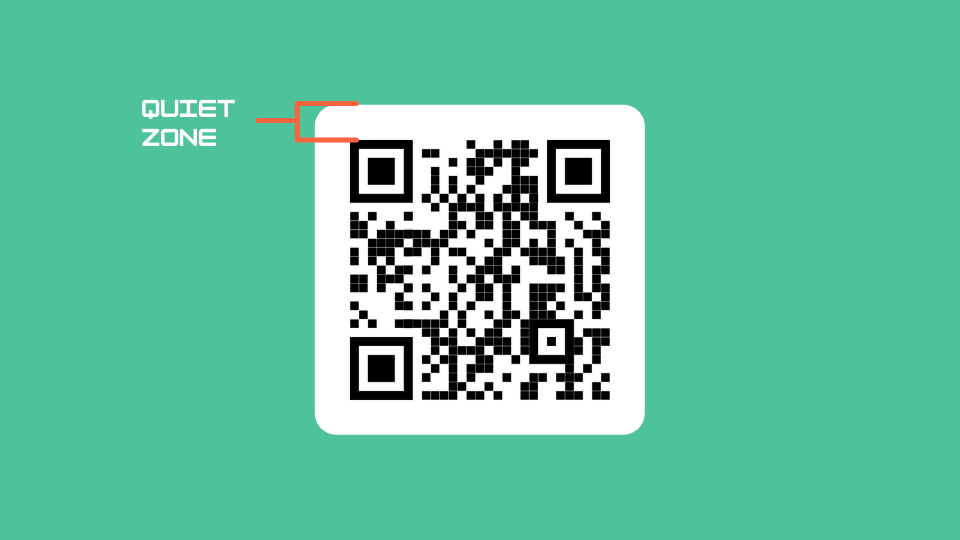
2. Forgetting the quiet zone in the size calculation. Designers often size the code itself correctly but place it flush against other layout elements: text, borders, and background patterns. The scanner app cannot find the code without that buffer.
3. Using a static code with a long URL, then sizing as if it were dynamic. A 120-character URL encoded as a static code produces a much denser pattern than a short redirect. Same overall size, smaller modules, harder to scan.
4. Sizing based on the design file view rather than the actual print scale. A QR Code that looks fine at 200% zoom in Illustrator may print at 1 cm if the artboard scale is set wrong. Always check size at 100%.
5. Not testing the printed proof at the actual scanning distance. On-screen scans pass almost every time because screens have controlled lighting and high contrast. The printed proof, scanned from where the audience will actually stand, is the only validation that matters.
⚡Pro tip: Uniqode's QR Code generator shows a real-time scannability score as you design, so you can catch sizing and contrast issues before they reach print. Adjust your size, error correction level, and colors and see whether your code will scan reliably.
Create a rightly-sized QR Code with Uniqode
Sizing a QR Code correctly comes down to three decisions: the scanning distance for your specific deployment and the material it will print on. The 2 cm floor and the 10:1 rule are starting points. Testing the printed proof at the actual scanning distance is the only way to validate the final size before a full print run.
Uniqode makes most of these decisions easier. The platform's scannability score validates pixel density, contrast ratio, and quiet zone in real time as you design, so you know before exporting whether the code will hold up at print scale. This is especially helpful when creating colored QR Codes.
Dynamic QR Codes encode a short redirect URL rather than the full destination URL, reducing the module count and keeping the code smaller without losing scannability. A static code carrying a 100-character URL might need 3 cm to scan reliably, while a dynamic QR Code carrying the same destination scans correctly at 2 cm. Dynamic codes also let you update the destination after printing. Start a free 14-day trial on Uniqode and create your first dynamic QR Code or create a static QR Code for free.
Frequently Asked Questions
- 1. What is the minimum QR Code size?
The minimum recommended QR Code size is 2 x 2 cm (approximately 0.8 x 0.8 inches) for reliable scanning at arm's length. Smaller codes can technically scan under ideal conditions, but 2 cm is the safe floor for everyday use with modern smartphones.
- 2. What is the minimum QR Code size for business cards?
The minimum size for a QR Code on a business card is 0.8 x 0.8 inches (2 cm). Business cards are scanned from 6 to 10 inches away, which is the closest typical scanning distance, so this is one of the few formats where the absolute minimum size is also the recommended size.
- 3. What is the minimum QR Code size for stickers?
The minimum QR Code sticker size is 1 x 1 inch (2.5 cm) for flat surfaces. Increase to 1.25 x 1.25 inches (3.2 cm) if the sticker will wrap around a curved surface like a bottle or pole, since the curve distorts modules from certain scanning angles.
- 4. What is the minimum QR Code size for print?
The minimum QR Code size for print is 2 x 2 cm (0.8 x 0.8 inches) for arm's-length scanning. For longer distances, apply the 10:1 rule: divide the scanning distance in inches by 10 to get the minimum code size. Always add 20-30% to the calculated minimum for real-world conditions.
- 5. How small can a QR Code be?
The smallest a QR Code can be while still scanning reliably is 1.5 cm under ideal conditions: matte paper, indoor lighting, a recent smartphone, and a short encoded URL. For real-world use, 2 cm is the safe floor.
- 6. Is there a maximum QR Code size?
No. There is no maximum QR Code size. Vector file formats (SVG, EPS) scale infinitely without quality loss. In practice, the 10:1 rule determines the size for you based on scanning distance.
- 7. How many pixels does a QR Code need for print?
For print at 300 DPI, each QR Code module should be at least 3 to 4 pixels wide. A 1 x 1 cm code needs a minimum of 38 x 38 pixels. The cleaner approach is to export as SVG or EPS, which scales to any size without pixel math.
- 8. How big does a QR code need to be on a flyer?
A QR Code on a flyer should be at least 4 x 4 cm (1.6 x 1.6 inches). Flyers are typically scanned from 40 to 70 cm away, and the 10:1 rule puts the minimum at 4 cm for that distance. Aim for 5 to 7 cm if the flyer will be read in variable lighting or posted on a wall rather than held in hand.