Permanent QR Code Generator: How to Create QR Codes That Never Expire
Are QR Codes permanent or temporary? What is the difference between static and dynamic QR Codes? Find the answers in this article. Finally, discover which QR Code works best for your business.
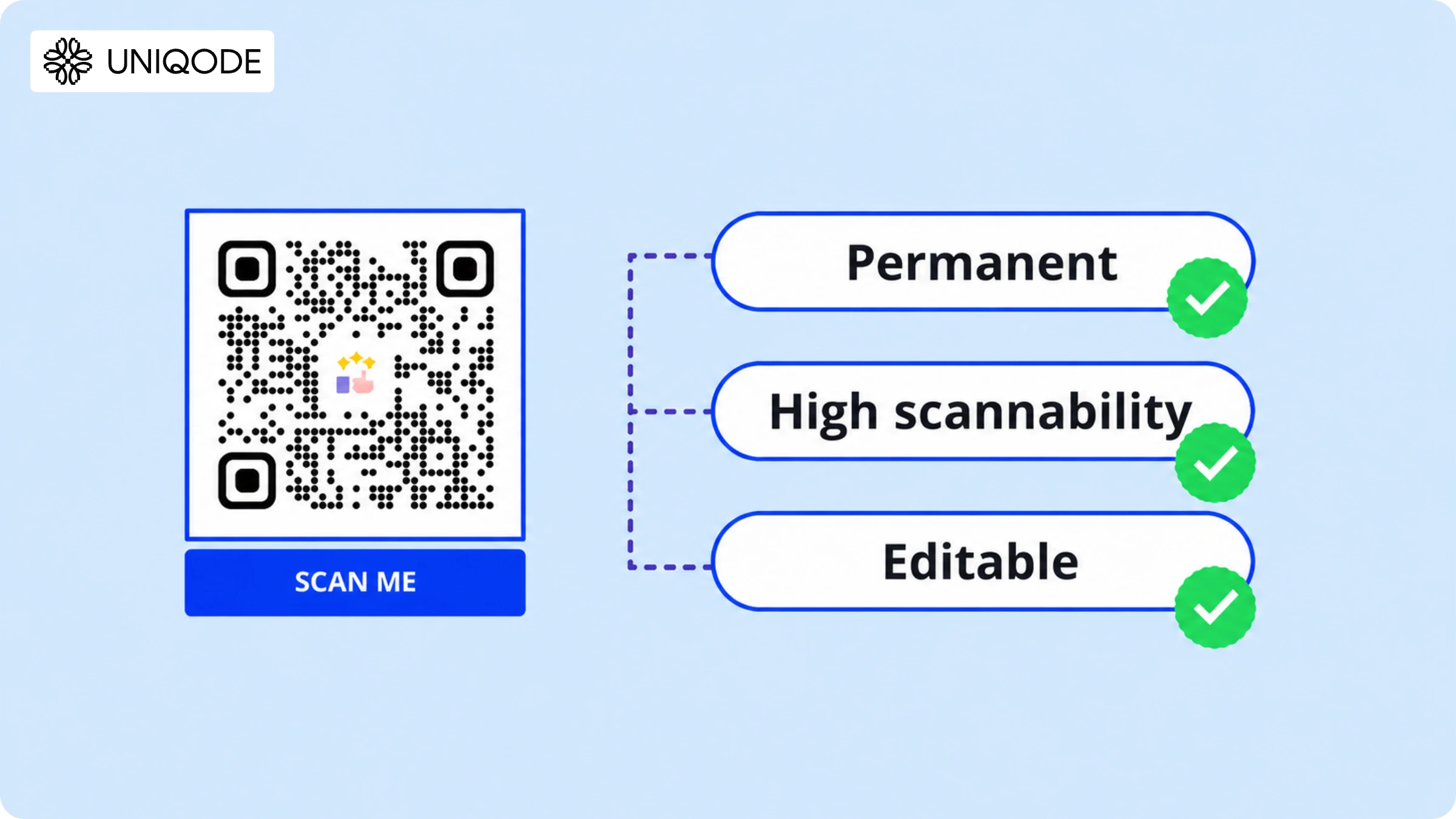
A permanent QR Code is a dynamic QR Code that lets you update its destination without generating a new code.
The QR Code image remains the same, but you can update its destination at any time. If you update your website, replace a landing page, or launch a new campaign, simply edit the destination rather than reprinting the code.
Permanent QR Codes are especially valuable for printed assets like product packaging, business cards, hotel signage, event badges, and direct mail, where replacing or reprinting materials after distribution is expensive and impractical.
With the growing adoption of QR Codes, businesses are prioritizing ease of updates and long-term reliability. According to Uniqode's State of QR Codes 2026 report, which analyzed over 188 million scans from more than 50,000 businesses, QR Codes now serve as enduring tools for customer engagement, beyond short-term campaigns.
This guide will help you understand what is a permanent QR Code, why some QR Codes become inactive, and how to ensure your QR Code remains effective long after printing.
What is a permanent QR Code?
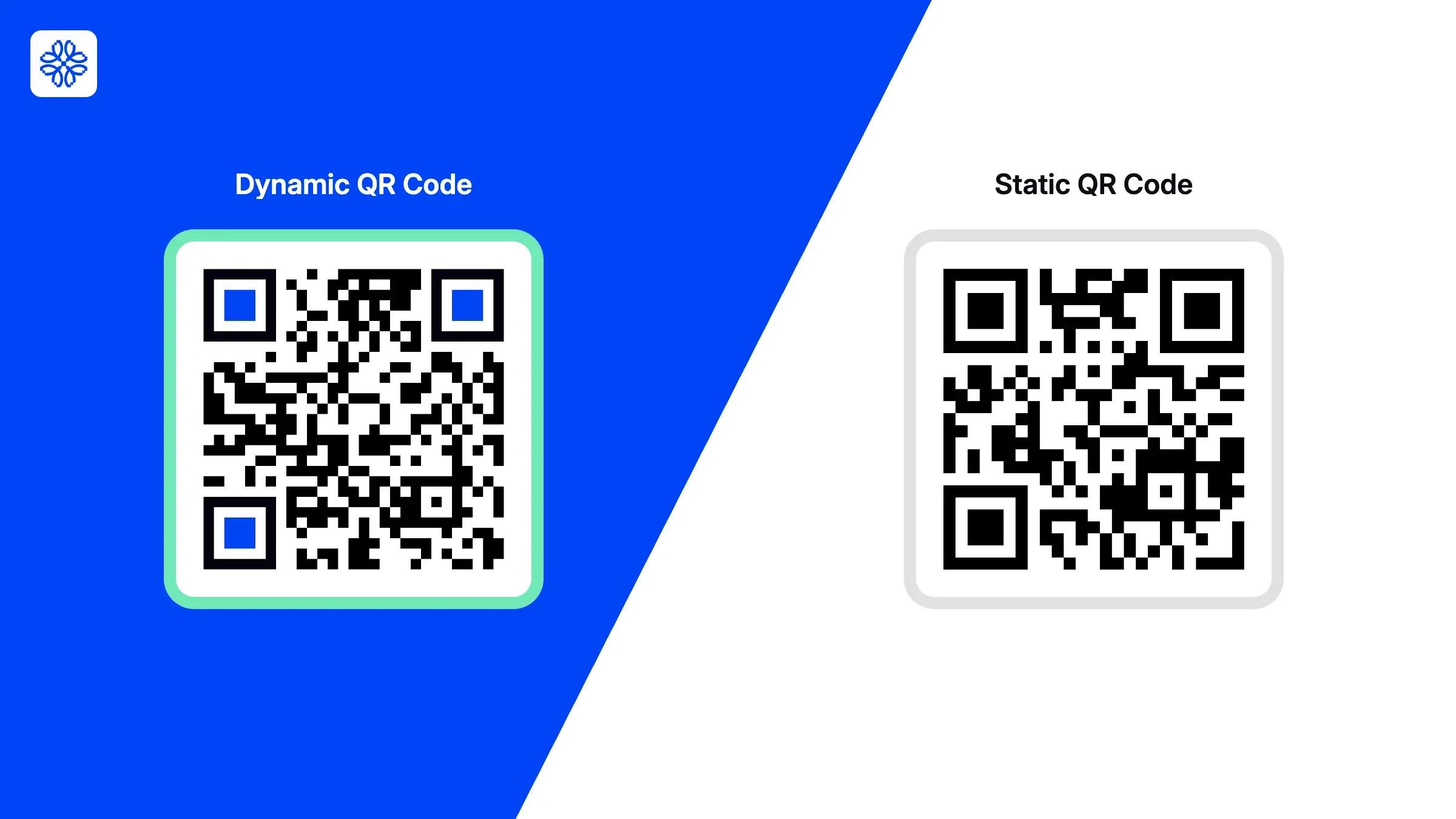
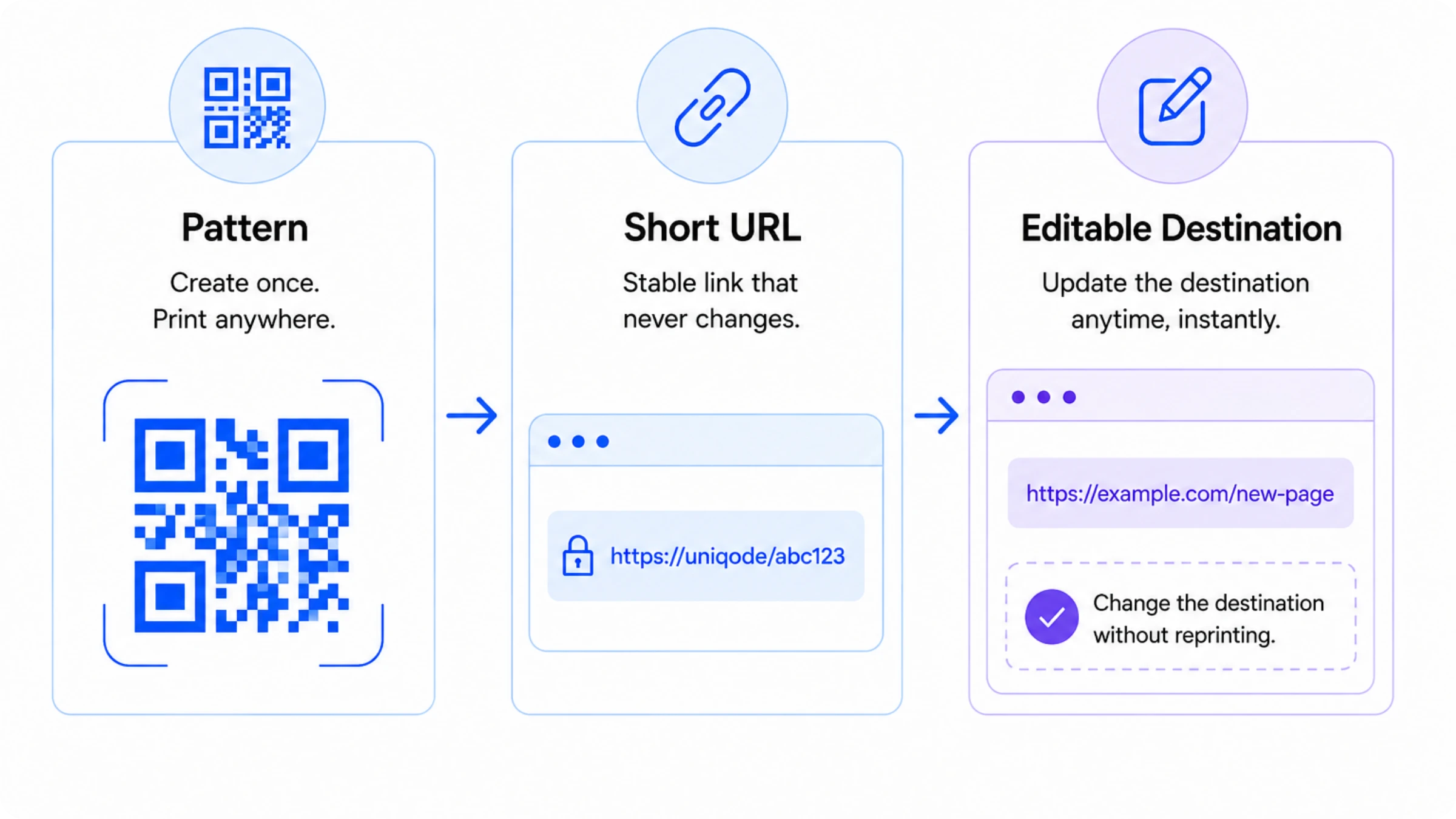
A permanent QR Code is a dynamic QR Code that allows you to update its destination after printing, without altering the QR Code itself.
Dynamic QR Codes route scans through a redirect URL you control. If your website changes, a campaign ends, or a landing page moves, you can update the destination instantly while keeping the original QR Code active.
Static QR Codes store the destination directly in the pattern. Once printed, the destination cannot be changed. If you want to make any changes, you will need to create a new QR Code and reprint all associated materials.
Long-term printed assets such as product packaging, hotel signage, event badges, menus, brochures, and business cards highlight the importance of choosing the right type of QR Code. Once these materials are in circulation, replacing them becomes difficult or expensive. While the QR Code itself doesn't expire, its long-term value depends on whether you can update the destination after someone scans it.
Why do QR Codes stop working?
QR Codes stop working because of issues with the destination or the infrastructure behind them and not because the QR Code image itself has failed.
Most QR Code failures fall into one of four categories:
1. The destination page no longer exists
Someone scans the code expecting information, but the page returns a 404 error.
This happens when businesses redesign websites, move content, retire campaigns, or change domains. Static QR Codes suffer the most because they permanently point to the original URL. Once that destination disappears, the code becomes unusable.
Dynamic QR Codes solve this problem because you can simply update the destination to the new page.
2. The subscription lapses
Dynamic QR Codes depend on the redirect infrastructure that your QR Code platform maintains.
When a subscription expires, many providers deactivate those redirects. Although the QR Code stays on your printed materials, the scans never reach the intended destination.
Therefore, businesses should review a platform's long-term pricing and renewal policies before using QR Codes on assets with an extended lifespan.
3. Scan limits are reached
Some free and entry-level QR Code platforms cap the number of scans you get each month.
You won't see an error message, the code simply stops working. In customer-facing campaigns, product packaging, or high-traffic locations, hitting that cap means lost conversions you'll never know about.
Before you commit to a platform, confirm whether scan limits apply to your plan and how the provider handles overages.
4. The platform shuts down or becomes unreliable
Dynamic QR Codes run on your provider's infrastructure.
If that provider shuts down the product, suffers extended outages, or lets its redirect network degrade, every QR Code tied to that platform is at risk.
For long-term use, platform stability matters just as much as QR Code functionality. Choose providers that publish uptime commitments, run enterprise-grade infrastructure, and have a proven track record with large-scale QR Code programs.
Most QR Code failures are preventable. Use dynamic QR Codes, pick a reliable platform, and keep your destinations up to date, and you'll eliminate most long-term risks before they happen.
For a breakdown of QR Code expiry timelines by type, see: do QR Codes expire?
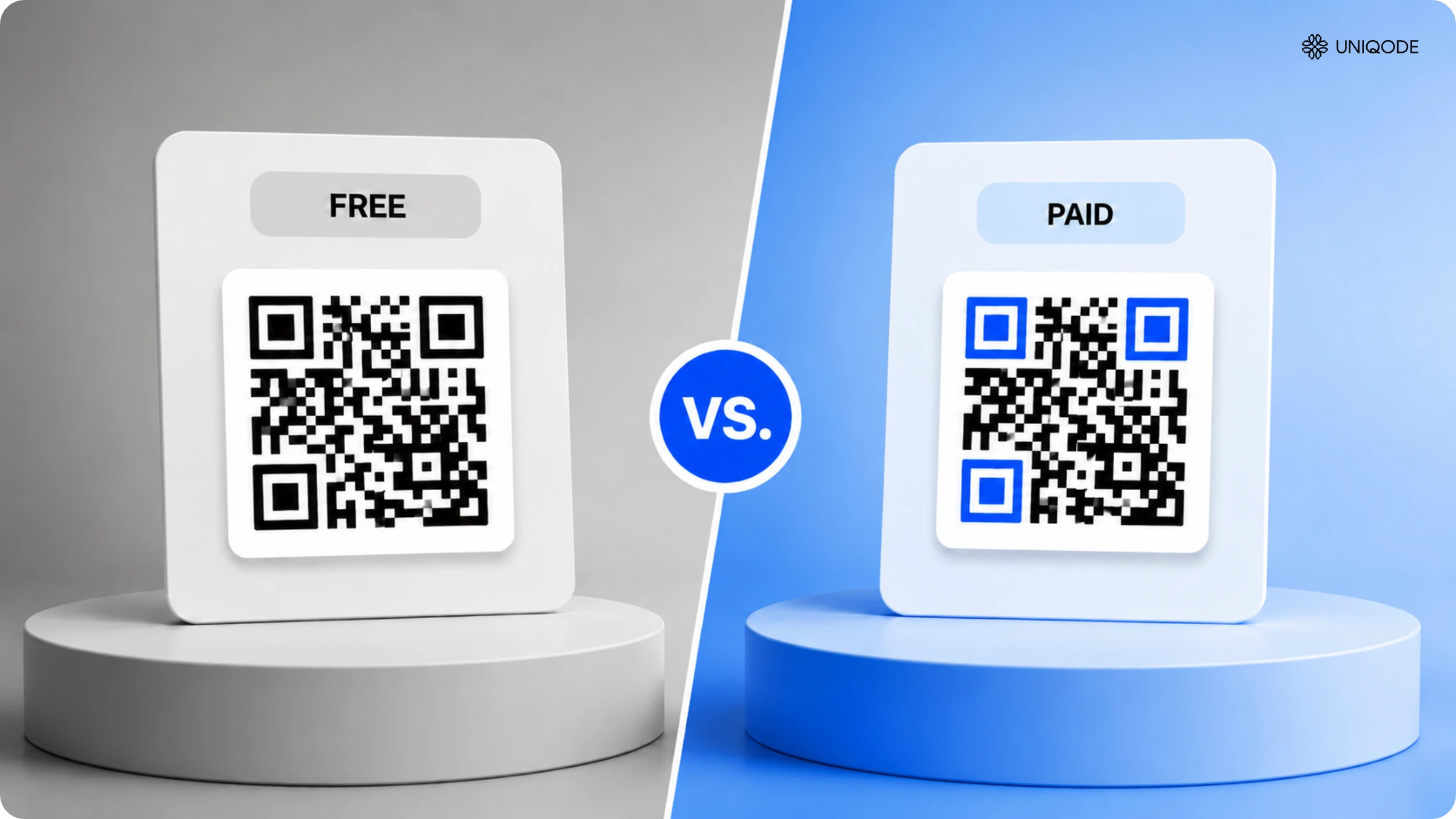
Why free QR Codes aren’t actually permanent
Free QR Codes are only permanent if the destination never changes and most QR Code generators won't tell you that.
The majority of free tools generate static codes. The image itself is permanent, but you can't change the destination once you create the code.
That's fine for a personal website or a one-time event. But if you print those codes on materials you can't easily update, that limitation gets expensive fast.
Imagine printing QR Codes on:
- Product packaging
- Restaurant menus
- Direct mail campaigns
- Event signage
- Business cards
- Hotel room materials
If the destination changes after six months, every piece of printed material becomes outdated. The QR Code still scans, it just sends people to the wrong place.
Reprinting those materials typically costs far more than switching to a dynamic QR Code from the start.
Free dynamic QR Codes come with their own catch. Many providers restrict dynamic features to a trial period. Once the trial ends, they disable the redirect service and your printed QR Codes stop working unless you upgrade.
That's why businesses need to think about permanence in two dimensions:
| Permanent image | Permanent destination flexibility |
|---|---|
| The QR Code graphic continues to exist and remains scannable. | The destination can change without requiring a new QR Code. |
Static QR Codes provide the first benefit. Dynamic QR Codes provide both.
If you're creating a QR Code for a destination that will never change, a free static QR Code may be sufficient.
If the QR Code will live on printed materials, customer-facing assets, or campaigns that could evolve over time, dynamic QR Codes provide a far safer long-term investment.
The question is no longer whether your QR Code will need to change. It's whether you picked one that can.
How to create a permanent QR Code with Uniqode
A permanent QR Code is a dynamic QR Code created in a platform that supports URL editing and maintains active redirect infrastructure. The creation process in Uniqode takes about five minutes
Step 1: Create an account
Go to dashboard.uniqode.com. Uniqode offers a 14-day free trial with full platform features, no credit card required.
Step 2: Click “+Create New” and select “QR Code”
From the dashboard, click the blue “+Create New” button in the top right. Select “QR Code” from the menu.
Step 3: Choose “Dynamic” as the QR Code type ← critical step
“Dynamic” routes scans through a short URL hosted on Uniqode's servers. You control where that short URL points. Change the destination later and every code image already in circulation stays identical; scanners reach the updated page automatically. For the content type, select “Website” and enter your destination URL.
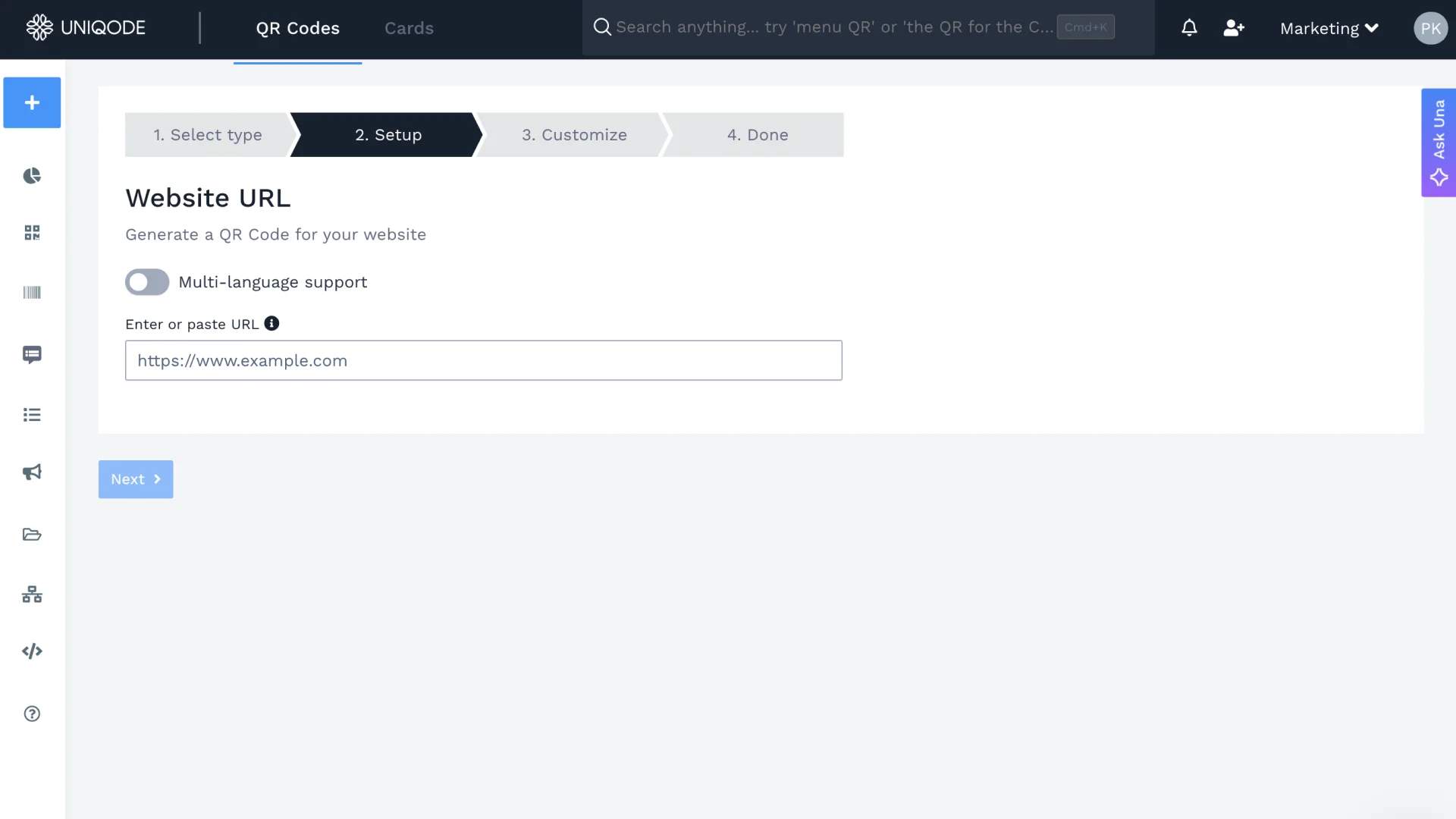
Step 4: Enter your destination URL
Type or paste the full URL of the page, PDF, or destination you want scanners to reach. This can be updated at any point after creation.
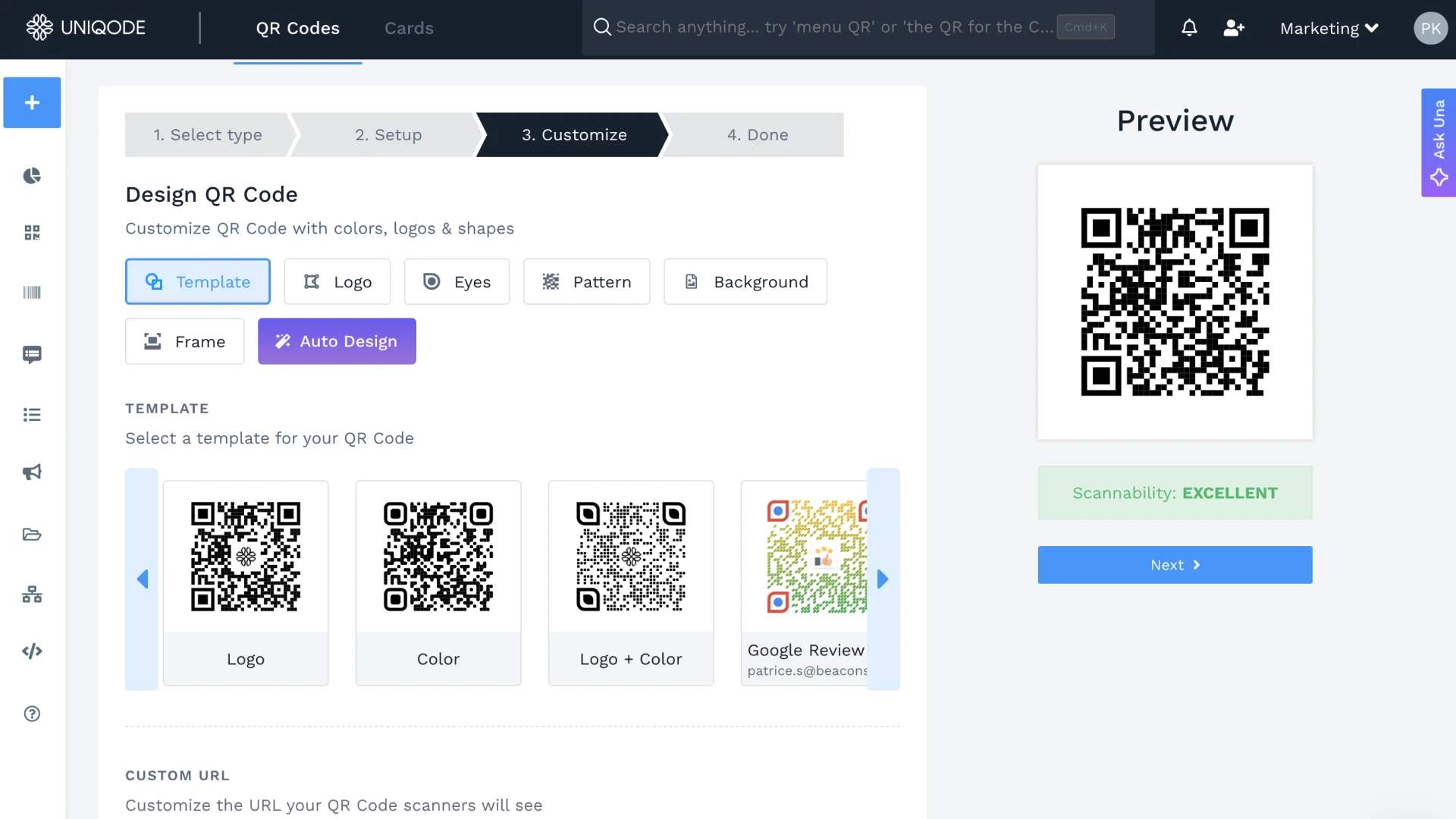
Step 5: Customize the design
Add your brand colors, upload a logo, and set a frame with a call-to-action label such as “Scan to learn more.” A branded QR Code signals legitimacy to the person pointing their camera at it, which increases scan rates on printed materials.
Step 6: Name and label the QR Code
Give the code a descriptive name and apply a label to group it with related codes by campaign or location. This takes 15 seconds and becomes essential once you manage dozens of codes.
Step 7: Download in the right format
- For print materials: SVG or PDF (lossless vector, scales to any size)
- For digital use only: PNG
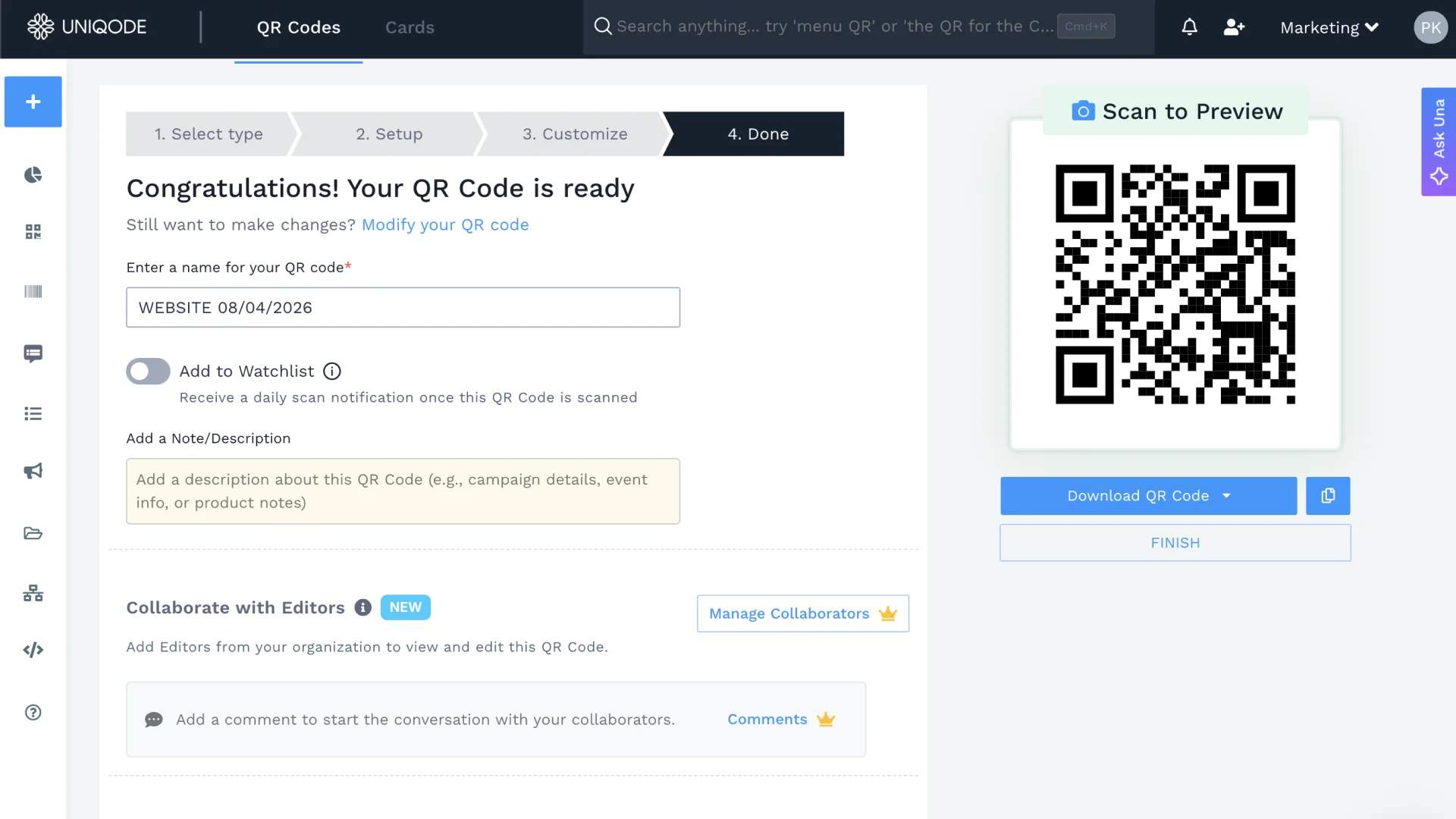
After creation: two actions that protect permanence.
Updating the destination URL: When your website changes or a campaign redirects elsewhere, go to the QR Code listing, open the three-dot menu, click “Edit,” and update the destination. Every deployed code image stays identical. Scanners reach the new destination immediately.
Tracking scans: Open the Analytics tab for any QR Code to see total scans, unique scanners, location, device type, and time of day. A sudden drop in the scan-rate trend line is usually the first sign of a broken destination.
Before printing on anything you cannot easily recall, scan the QR Code with a second device and confirm the destination loads correctly. This 30-second check prevents the most avoidable failure mode.
Can you get a free permanent QR Code?
Yes, with one important exception. Free static QR Codes generate a permanently encoded image. No subscription required, and the image never expires.
But you can't edit static codes. Change the destination URL and the code becomes useless, you'll need to replace and reprint everything.
Free dynamic QR Codes are a different story. On most platforms, they're trial-only. Uniqode's free trial gives you 14 days with full features, and like most providers, the dynamic code deactivates when the trial or subscription ends.
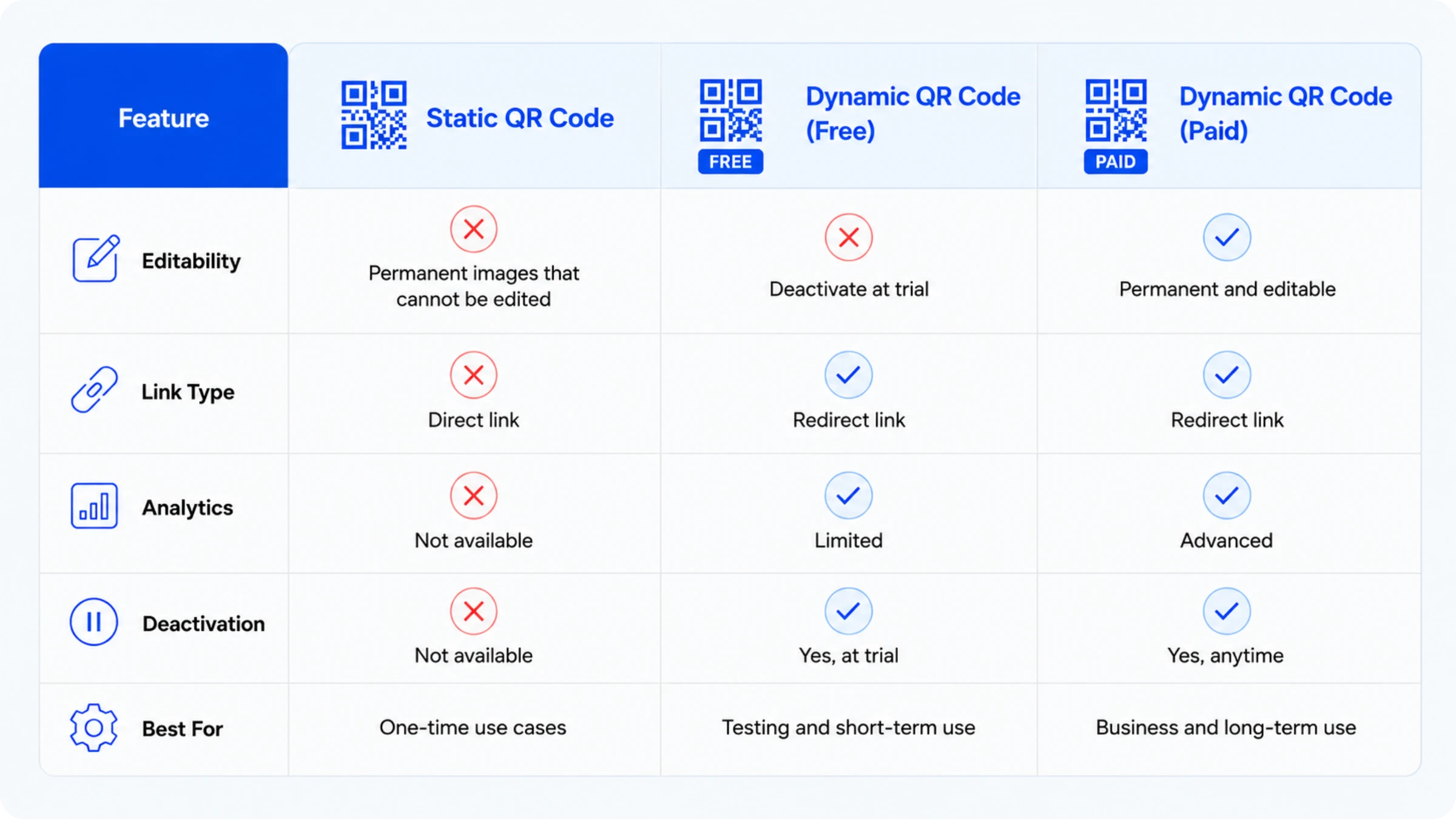
| Type | Free | Permanent | Editable | Safe for print |
|---|---|---|---|---|
| Static QR Code | Yes | Yes (image) | No | Only if URL will never change |
| Free dynamic QR Code (trial) | Yes | No (deactivates at trial end) | Yes, during trial | No |
| Paid dynamic QR Code | No | Yes, while subscribed | Yes | Yes |
The right choice comes down to one question: will your destination URL ever change?
If the answer is no, a free static code costs nothing and lasts indefinitely. If there's any chance the URL changes, especially on printed materials, a paid dynamic code is the only reliable option.
What to look for in a permanent QR Code generator
A permanent QR Code is only as reliable as the platform behind it.
Most QR Code generators make it easy to create a code but there are far fewer guarantees it will keep working after you've deployed it on packaging, signage, business cards, or other materials. Before you choose a platform, evaluate these four factors:
1. Dynamic QR Codes with no scan limits
A permanent QR Code is based on a dynamic QR Code.
Dynamic QR Codes allow you to update the destination without altering the QR Code. This flexibility protects your investment in printed materials and prevents costly reprints due to broken links.
Check for scan limits, as some free or entry-level plans restrict the number of monthly scans per QR Code. After reaching the limit, visitors may not be able to access the intended destination.
Look for:
- Dynamic QR Codes
- Unlimited scans
- No per-code restrictions
- Destination editing after deployment
2. Reliable infrastructure and documented uptime
Every dynamic QR Code depends on redirect servers.
If those servers fail, your QR Codes will not work, even if the printed code is still scannable. This is why platform reliability is as important as QR Code functionality.
Look for providers that publish uptime commitments, maintain enterprise-grade infrastructure, and invest in security and compliance. These factors show the platform is designed for long-term reliability, not short-term use.
For example, Uniqode offers a 99.9% uptime SLA and complies with SOC 2 Type II, ISO 27001, GDPR, and HIPAA standards. This ensures organizations that customer-facing QR Codes remain accessible when scanned.
3. Editability after deployment
The main benefit of a permanent QR Code is that you can change its destination after it is scanned.
Before choosing a platform, confirm that you can edit the destination URL after creating the code. A true dynamic QR Code lets you update a landing page, PDF, video, or website without generating a new code.
To test this, create a QR Code, scan it, change the destination, and scan it again. If both scans use the same QR Code image but reach different destinations, the platform offers the necessary flexibility.
This feature is especially valuable for long-term assets such as packaging, business cards, hotel signage, menus, and direct-mail campaigns, where replacing the QR Code is not practical.
4. Analytics that help you catch problems early
A permanent QR Code should alert you to potential issues.
Scan analytics allow you to detect problems early, before they impact many customers. A sudden drop in scans may indicate the destination page is unavailable, slow to load, or not optimized for mobile devices.
Analytics also reveal how people interact with your QR Codes, including:
- Total scans
- Unique visitors
- Device types
- Locations
- Scan trends over time
These insights help you maintain performance and ensure the QR Code continues delivering value throughout its lifecycle.
5. Pricing model that matches your timeline
A QR Code printed on packaging may stay in circulation for years. A QR Code on event signage may only need to stay active for a few months.
Select a platform with pricing that matches the required lifespan of your QR Codes. Ensure you know what occurs if your subscription ends, as many providers deactivate dynamic QR Codes when accounts lapse.
Before deploying QR Codes at scale, confirm:
- Whether dynamic QR Codes remain active during account changes
- What happens when a subscription expires
- Whether you can export high-resolution files
- Whether the platform limits QR Code creation
The goal isn't simply creating a QR Code. The goal is ensuring it continues working for as long as customers can scan it.
What makes a QR Code stay permanent after creation
A permanent QR Code stays useful when it remains both scannable and accessible over time.
Creating a dynamic QR Code is only the first step. Long-term performance depends on maintaining the QR Code itself and the destination behind it.
1. Keep the QR Code easy to scan
A QR Code that won't scan is useless, no matter where it points.
Most scanning failures come down to poor implementation, not the technology. Print the code too small, reduce color contrast, or over-customize key design elements, and you'll create real-world scanning problems that have nothing to do with the platform you chose.
Follow these best practices:
- Print QR Codes at least 1 × 1 inch (2.5 × 2.5 cm) for most use cases.
- Use high-contrast colors, preferably dark patterns on light backgrounds.
- Leave adequate white space around the code.
- Test scans across multiple devices before printing at scale.
- Download vector formats such as SVG or PDF for print materials.
A QR Code that scans instantly today is more likely to keep scanning reliably months or years from now.
2. Keep the destination updated
The primary reason QR Codes fail is not the code itself but the destination it links to.
Websites are redesigned, landing pages move, campaigns end, and PDFs are replaced. If a QR Code directs users to outdated content, the customer experience is disrupted, even if the code scans correctly.
Dynamic QR Codes address this issue by allowing you to update the destination without reprinting the code. When content changes, update the destination to ensure users always reach an active link. Long-term assets such as product packaging, signage, direct mail, and business cards benefit from this flexibility because replacing printed QR Codes after distribution is often impractical.
3. Monitor performance regularly
A sudden drop in scans signals a problem before customers report it.
Reviewing QR Code analytics allows you to identify broken links, website outages, or user experience issues early. Scan trends indicate when a page fails to load, redirects incorrectly, or provides a poor mobile experience.
Many organizations use QR Code analytics as a maintenance tool, not just for reporting. Regular monitoring ensures each printed QR Code continues to deliver value throughout its lifespan.
4. Choose a platform built for the long term
A dynamic QR Code depends entirely on the platform managing its redirects.
Before you deploy on long-lasting materials, confirm that your provider delivers reliable infrastructure, robust security, and documented uptime commitments. Platform stability determines whether your QR Codes stay accessible over time.
Permanent QR Codes are not fully set-and-forget assets. The most effective deployments pair dynamic QR Codes with regular maintenance including keeping destinations updated, scans active, and customer experiences seamless.
Businesses that rely on permanent QR Codes
Permanent QR Codes matter most when you can't replace what's already printed.
Website QR Codes are easy to update instantly, but codes on packaging, signage, or direct mail stay in circulation for months or years. When the destination changes, you need to update the experience without reprinting the code.
That's exactly why organizations are increasingly choosing dynamic QR Codes for long-term customer touchpoints.
Marriott Aruba
Hospitality teams regularly update guest information, promotions, and local recommendations. Reprinting welcome materials every time something changes isn't practical.
Marriott Aruba used Uniqode QR Codes across guest-facing materials and reached more than 80,000 unique guests while saving $150,000 in operational costs. Because the QR Codes remained editable after printing, the team could keep information current without replacing physical assets.
Nestlé Waters
Consumer packaged goods present an even bigger challenge. Once products reach store shelves, brands lose the ability to modify the packaging.
Nestlé Waters uses QR Codes to connect consumers with digital experiences and product information. Dynamic QR Codes allow the team to update destinations over time while keeping the printed packaging unchanged.
As Marcelo Yanez, Product Manager at Nestlé Waters noted:
“Uniqode has made our lives a lot easier. The ability to create QR Codes and track their performance has proven to be essential for our business. We are currently creating Landing Page campaigns and using QR Codes to direct consumers to them. The ability to track user traffic is extremely useful and will help us with our future campaigns.”
DRMG
Direct mail campaigns have no recall button. Once mail pieces are delivered, the QR Code must continue working throughout the campaign.
DRMG generated more than 68,000 engagements using QR Codes on direct mail materials. Dynamic QR Codes allowed the agency to maintain campaign flexibility while tracking performance across thousands of mailers.
The common thread
These organizations operate in different industries, but they face the same challenge: physical materials outlive digital destinations.
A landing page changes. A promotion ends. A PDF gets replaced. Customer information evolves.
Dynamic QR Codes solve that problem by separating the printed code from the destination behind it. The QR Code stays in circulation while the experience remains current.
That's why permanent QR Codes have become a standard tool for businesses that rely on packaging, signage, hospitality materials, direct mail, and other assets with a long shelf life.
Frequently Asked Questions
- How do I make my QR Code last forever?
To make a QR Code last forever, you can create dynamic QR Codes using a QR Code generator such as Uniqode. Dynamic QR Codes are permanent codes that allow you to edit and modify information such as website URL, contact information, or a promotional message according to your campaign strategy. Using dynamic QR Codes also saves you time and reprinting costs in the long run.
- What makes a QR code truly permanent?
A truly permanent QR code must meet two critical criteria: scannability (the code remains readable by mobile device cameras) and accessibility (the destination content remains available without 404 errors). Dynamic QR codes achieve this through built-in error correction capabilities and editable content links, ensuring users always reach the intended destination regardless of future URL or content changes.
- What is a permanent QR Code?
A permanent QR Code is a dynamic QR Code that routes scans through an editable short URL. You can change the destination anytime without reprinting the code. The QR pattern itself does not expire.
- Are QR Codes permanent?
The QR Code image is permanent. It does not degrade or expire on its own. What can expire is the redirect it points to. Static QR Codes link directly to a URL; if that URL is deleted, the code stops working. Dynamic QR Codes route through a redirect server, which stays active only with an active subscription.
- Do QR Codes expire?
Static QR Codes do not expire; they encode the destination permanently into the pattern. Dynamic QR Codes deactivate if the subscription lapses or if the provider's servers go offline. For guaranteed permanence, use a dynamic QR Code on a paid plan from a platform with a documented uptime SLA.
- Are free QR Codes permanent?
Free static QR Codes create a permanent image, but you cannot edit them. Free dynamic QR Codes expire when the trial ends. The only free, truly permanent option is a static code pointing to a URL that will never change. Adobe Express and QRCode Monkey both create free static codes. Uniqode offers a 14-day free trial of its dynamic platform to test the full editing flow before committing.
- What happens to my QR Code if I cancel Uniqode?
Dynamic QR Codes created in Uniqode become inactive if your subscription lapses. Static QR Codes, if you created any, are permanently encoded and continue working regardless of account status. Before canceling, export high-resolution copies of any codes you want to preserve and confirm which ones are dynamic.
- How long does a QR Code last?
A static QR Code lasts as long as the destination URL remains live. A dynamic QR Code lasts as long as the subscription is active and the destination URL exists.
- Can I change the destination of a QR Code after printing?
Yes, but only if the QR Code is dynamic. Dynamic QR Codes let you update the destination URL, PDF, video, or landing page without changing the QR Code image. Static QR Codes cannot be edited after creation.
- What's the difference between a permanent QR Code and a dynamic QR Code?
There is no difference. A permanent QR Code is typically a dynamic QR Code that allows destination updates after printing. The term "permanent" refers to the ability to keep using the same QR Code even when the destination changes.
- Can a QR Code last forever?
A QR Code image can last indefinitely. A static QR Code continues working as long as its destination remains available. A dynamic QR Code continues working as long as the destination exists and the QR Code platform remains active.
- Can I update a QR Code without reprinting it?
Yes. Dynamic QR Codes allow you to change the destination without reprinting the QR Code. The printed code remains the same while scans automatically route to the updated destination.
- What happens if the website linked to my QR Code changes?
A static QR Code will continue pointing to the original URL and may stop working if that page is removed. A dynamic QR Code lets you update the destination so scanners automatically reach the new page.
- Are dynamic QR Codes better for printed materials?
Yes. Dynamic QR Codes are ideal for printed materials because you can update the destination after distribution. This flexibility helps protect investments in packaging, signage, business cards, direct mail, and other assets that are difficult to replace.
- Do permanent QR Codes track scans?
Most permanent QR Codes created on dynamic QR Code platforms include scan tracking. Analytics typically show total scans, unique visitors, device types, locations, and scan trends over time.
- Can I use a permanent QR Code on product packaging?
Yes. Dynamic QR Codes are commonly used on product packaging because they allow brands to update product information, promotions, manuals, and customer experiences without redesigning or reprinting the packaging.
- What's the best file format for printing a permanent QR Code?
SVG and PDF are the best formats for print because they are vector files that remain sharp at any size. PNG files work well for digital use but may lose quality when enlarged.
- Do permanent QR Codes work internationally?
Yes. QR Codes work anywhere a user has a compatible smartphone and internet connection. A dynamic QR Code can also redirect users to different destinations based on language, location, or campaign requirements, depending on the platform.
About the Author
Ektha is a QR code expert with years of research and analysis into the evolution of QR codes. Having written over 70 in-depth articles on QR technology, she has developed a comprehensive understanding of how QR codes are transforming industries. Her insights, including The State of QR Report, have been featured in leading publications. With a passion for simplifying complex topics and providing actionable strategies, Ektha helps businesses leverage QR codes to enhance their 'phygital' connections.