Launch dynamic QR Codes that connect offline moments to results you can measure.
Create & Brand
Design beautifully branded QR Codes that drive action from every scan.
Collect Leads & Insights
Turn every scan into qualified leads and actionable insights with Forms and Pages.
Optimize with Analytics
Refine campaign performance and unlock smarter retargeting with analytics.
Manage & Scale
Centralize control, automate management, and scale QR campaigns confidently.
Generate a QR Code
UNIQODE CARDS
Capture contacts and engagement with branded Digital Business Cards built to scale.
Collect & Convert Leads
Instantly capture and sync leads from every card exchange.
Personalize & Brand
Customize every card to strengthen brand presence at every touchpoint.
Measure Every Interaction
Track every interaction and prove ROI with real-time engagement data.
Manage & Scale Teams
Automate provisioning and scale card management without losing oversight.
Download the Uniqode Cards app
PLATFORM
Integrations
Connect Uniqode to your stack to turn engagement into automated action.
...and more
Security
Protect every scan and exchange with enterprise-grade security and compliance.
SOC 2
HIPAA
GDPR
ISO
2FA
SSO
Why Uniqode?
Choose a platform built for reliability, security, and performance at every stage of growth.
Book a demo
Start Free Trial
BY INDUSTRY
Retail
Consumer Goods
Healthcare
Finance
Hospitality
Education
BY USE CASE
QR Codes for Marketing
QR Codes for Product Packaging
QR Codes for Events
Business Cards for Field Sales
Business Cards for C-Suite Executives
Business Cards in Email Signatures
More Use Cases
BY BUSINESS
Enterprise
Mid-sized businesses
Small businesses
BLOGS
Best QR Code Generators
Free vs. Paid QR Code Generators
Static vs. Dynamic QR Codes
How to Edit a QR Code
Guide to Safe QR Codes
COMPARE
Uniqode vs. Flowcode
Uniqode vs. Bitly
Uniqode vs. QR Tiger
UNIQUE ANGLES
Playbooks
Expert Speak
Newsletter
QR Code Scan Index
The State of QR Codes 2026
HELP CENTER
How to design a custom QR Code
How to restore a lost QR Code
How to duplicate a QR Code
Uniqode’s solution has made our lives a lot easier. Creating QR Codes is quick, and being able to track their performance has proven to be essential for our business.
Image QR Code Generator: Turn Any Image Into a QR Code
Learn how to create an image QR Code in 4 easy steps. Make custom, trackable, editable image QR Codes within minutes and share visual information seamlessly.
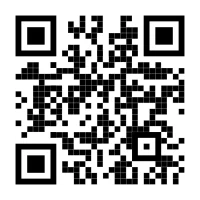
An image QR Code is a QR Code that stores a link to a hosted image or image gallery. You can generate one by uploading your picture to a QR Code generator or by pasting an existing link, and the tool hosts the file on a web page and encodes that link into the code. When someone scans it, the image opens instantly in their phone’s browser. The image file itself never sits inside the QR pattern, which is why hosting is the part that matters: the printed code keeps working only as long as the link behind it keeps resolving.
An image QR Code generator gives people a fast way to view product photos, event galleries, artwork, manuals, and infographics from print or screens. 75% of consumers scan QR Codes for information, according to Uniqode's State of QR Codes 2026 report, built on 188M+ scans across 796,000 QR Codes.
How to convert an image to a QR Code in 4 steps
Convert an image to a QR Code by uploading the picture, customizing the design, and downloading the code. The four steps below will take you less than five minutes. All you need is your image saved on your device, or the URL of an online image or album. Here’s a handy tip before you begin: if you want to share several images at once, upload them to a cloud folder and link your QR Code to that folder’s URL.
Step 1: Open Uniqode's image QR Code generator
Select "QR Codes" from the +Create menu on the Uniqode dashboard, then choose "Image" as your campaign type.
Step 2: Add your image
Upload the image file, or paste the link to a hosted image or gallery folder. Uniqode hosts the destination and encodes a short link into the QR Code, so the picture loads the moment someone scans.
Step 3: Customize the design
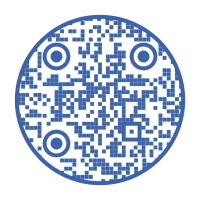
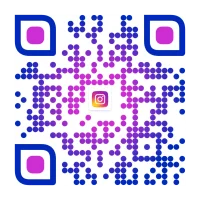
Match the code to your brand before you download it. You can pick a circle QR Code or the classic square, add a logo, set a transparent background, and attach a frame with a CTA such as "Scan to view image."
Step 4: Test and download
Scan the preview with your phone camera to confirm the right image opens, then download the code as PNG, JPEG, SVG, EPS, or PDF. Choose SVG or EPS when your use case requires resizing, since a high-resolution QR Code stays sharp at any print dimension. PNG and JPEG cover standard digital and print placements.
Dynamic vs. static image QR Codes: which one survives printing?
With a dynamic image QR Code, you can swap out the picture, whether it is a new product photo, an updated diagram, or a fresh event gallery, without reprinting anything. On the other hand, a static QR Code keeps the destination fixed, so any changes mean starting from scratch.
Factor
Dynamic Image QR Code
Static QR Code
Mobile Text
Edit after print
Mobile Text
Swap the image anytime, same code
Mobile Text
Locked at creation
Mobile Text
Image hosting
Mobile Text
Hosted with a managed redirect you control
Mobile Text
Points at a fixed URL
Mobile Text
Scan tracking
Mobile Text
Scans, location, device, time
Mobile Text
None
Mobile Text
Expiry behavior
Mobile Text
Stays live while your account is active
Mobile Text
Works until the linked URL moves or dies
Mobile Text
Reprint risk
Mobile Text
Zero for content changes
Mobile Text
Every change means reprinting
Static codes work well if you have a permanent, unchanging destination in mind. However, print campaigns do not fit that bill. The moment an image moves or a file URL changes, a static code fails, and unfortunately, you only discover this after your posters, packaging, or direct mail have already been printed. No one ever budgets for the cost of reprints. A dynamic QR Code solves this as you can update the image or album link from your dashboard at any time, even after the code is printed. Your campaign remains flexible, and your printed materials stay relevant for the long haul.
5 benefits of converting an image via an image QR Code generator
Converting an image to a QR Code through an image QR Code generator gives you instant visual access, scan analytics, print-to-digital reach, brand recall, and secure delivery. The option to represent a product or its offerings visually is the main advantage. Here are the 5 benefits in detail:
1. Visually appealing
Images engage customers better than static text. Whether you want to showcase a product, share a message, or explain a complex idea, visuals instantly make it more appealing and accessible. You can choose to highlight a single striking image or curate an entire gallery for your audience to explore at their own pace.
2. Scan analytics that show who scanned, where, and when
Analytics is the feature marketers value most. In fact, 44% consider it the most important capability, according to Uniqode’s State of QR Codes 2026 report. While most QR Code generators tell you how many scans you’ve received, Uniqode’s dashboard goes several steps further. It not only displays the total number of scans but also provides details like the date, time, location, and device for each scan. Plus, with Google Analytics integration, every scan is tracked as a tagged session, making it easy to follow the customer journey all the way to conversion. Interestingly, the same report highlights that 33% of marketers see fragmented tracking as their biggest obstacle to scaling. By bringing all your QR analytics into a single dashboard, Uniqode helps you overcome this challenge with ease.
3. Works for print and digital marketing
Image QR Codes work on printed materials such as posters, magazines, flyers, and brochures, and on digital surfaces such as billboards and websites. You redirect offline and online customers to the same visual content, and you see how the offline campaign performed on the dashboard. Also read: How to make a QR Code for a poster.
4. Boost brand recognition
Branded image QR Codes get scanned more than plain black-and-white ones, because logos and brand colors signal legitimacy. You can add text below the QR Code such as "Scan to view image," generate a code with a transparent background, and save the whole design as a template so every campaign stays consistent.
5. Secure and easier to access
An image QR Code generator allows your audience to scan instead of typing a lengthy URL, which makes the content easier to reach. Security holds up on the back end too: Uniqode is SOC 2 Type II certified and GDPR compliant, covering the analytics data and every interaction between the audience and the image content. New to scanning? Here is how to scan a QR Code.
Boost visual appeal by converting images to QR Codes with Uniqode
Image QR Codes work anywhere a picture explains more than text: events, direct mail, exhibits, manuals, and infographics. Here are the 5 use cases we see most:
1. Photo sharing at events
Guests scan one code to view and add to the event gallery. Weddings, corporate gatherings, and community festivals use QR Code event photo sharing to give every attendee the full album without collecting phone numbers or email addresses. Link the code to a cloud folder, and the gallery keeps growing after the event ends.
2. Print campaigns and direct mail
Print pieces convert when the scan leads somewhere worth seeing. DRMG, a direct mail marketing company, added QR Codes to its mailers and saw over 68,000 engagements, each one tracked back to the specific piece. The same principle applies to static out-of-home signage. A poster or shelf display becomes a dynamic entry point to updated product imagery, even between print runs.
3. Museums and exhibits
Exhibit placards remain compact, but the information they offer runs deep. M+, the museum of visual culture in Hong Kong, integrated QR Codes throughout its exhibits, enabling visitors to access detailed artwork information right on their phones, resulting in an impressive 113,000 unique engagements. This approach is not limited to museums; retail stores and transit hubs are also embracing digital posters and product visuals in the same way.
4. Visual manuals and blueprints
Assembly steps, safety guidelines, and blueprints travel better as scannable images than as paper inserts. Construction teams place QR Codes on site boards and machinery, allowing workers to access the latest drawings and progress updates instantly. This approach ensures that every crew member stays in sync with project requirements, making the entire process smoother and efficient.
5. Infographics
Infographics bring statistics and comparisons together in a single, easy-to-understand visual. You can share these at conferences, in classrooms, or even at science fairs with just an image QR Code, where attendees scan the code and explore the full graphic on their own screens.
The Uniqode advantage for image QR Codes
Uniqode validates, brands, organizes, and tracks your image QR Codes from one dashboard. Across 50,000+ businesses in 119 countries, Uniqode has processed 188M+ scans on 796,000+ QR Codes. Four capabilities matter most for image campaigns:
Real-time scannability check
The dashboard grades scannability as you design, so over-customization gets caught before you download. Aim for an "excellent" rating and the code scans reliably from posters, packaging, and screens alike.
Auto Design
Auto Design generates on-brand QR Code design variations from your brand inputs, which cuts design time from minutes of manual tweaking to a single pick. Try Auto Design when you need a branded code fast and design help is not around.
Templates, duplication, and folders
Save a finished design as a QR Code template, duplicate it for the next campaign with independent tracking, and organize everything in folders by campaign or location. A team running image QR Codes across 12 campaigns keeps every code findable and every design consistent without rebuilding from scratch.
Track, edit, and update anytime
Every dynamic image QR Code reports scans, location, device, and time on the QR Code tracking dashboard, and you can edit the QR Code to swap the image without touching the print. Scale proves the model: Flipkart ran QR Codes across TV and print campaigns and reached 536,000 unique users, with every scan measured.
Best practices for converting images to QR Codes
Three checks keep an image QR Code working: confirm access, test scannability, and size the code for its scan distance. Run all three before anything goes to print:
1. Check content access before deploying
Set the sharing permissions on your image or album so anyone with the link can view it. Recheck the URL and scan the code yourself before deploying, because a private folder or a moved file sends every scanner to an error page. Set a branded error page as a fallback so a paused campaign shows your content instead of a dead end. If scans still fail, here is what to do when a QR Code is not scanning.
2. Test scannability before printing
Keep the design uncluttered, hold high contrast between code and background, and position the code in plain sight. Over-customization breaks scanning more than print quality does. The scannability check from the section above catches this at design time; confirm an "excellent" rating before you download.
3. Size the QR Code with the distance formula
Print the code no smaller than 1 x 1 cm, and size it for the real scanning distance with this formula: QR Code size = scanning distance ÷ 10. A code scanned from 3 feet away needs to be at least 3.6 inches wide. This full QR Code sizing guide covers every placement.
Share visual information seamlessly with Uniqode's custom image QR Codes


.png)


 Templates
 Logo
Logo
 Design
 Frame
Frame



.webp)
.webp)
.webp)
.webp)
.webp)
.webp)

.webp)
.webp)
.webp)
.webp)
.webp)