


.png)


 Templates
 Logo
Logo
 Design
 Frame
Frame

What is an event QR Code?
.webp)
An event QR Code is a dynamic QR Code that sends attendees directly to a mobile-optimized landing page with your event schedule, venue details, RSVP link, check-in process, and post-event survey. Because it's dynamic, you can update the destination even after everything is printed.
That's what transforms printed materials into live event assets. Update the venue address, change the agenda, or redirect the code to a feedback form after the event ends, all without reprinting a single invitation, badge, or sign.
Static QR Codes can't keep up. Fix the destination at creation and any venue change forces a full reprint of every piece of printed material. Dynamic event QR Codes eliminate that constraint entirely and that's precisely what separates them from the basic free-generator tools most event teams start with and quickly outgrow.
How to create an event QR Code in 4 steps
1. Open Uniqode's QR Code generator
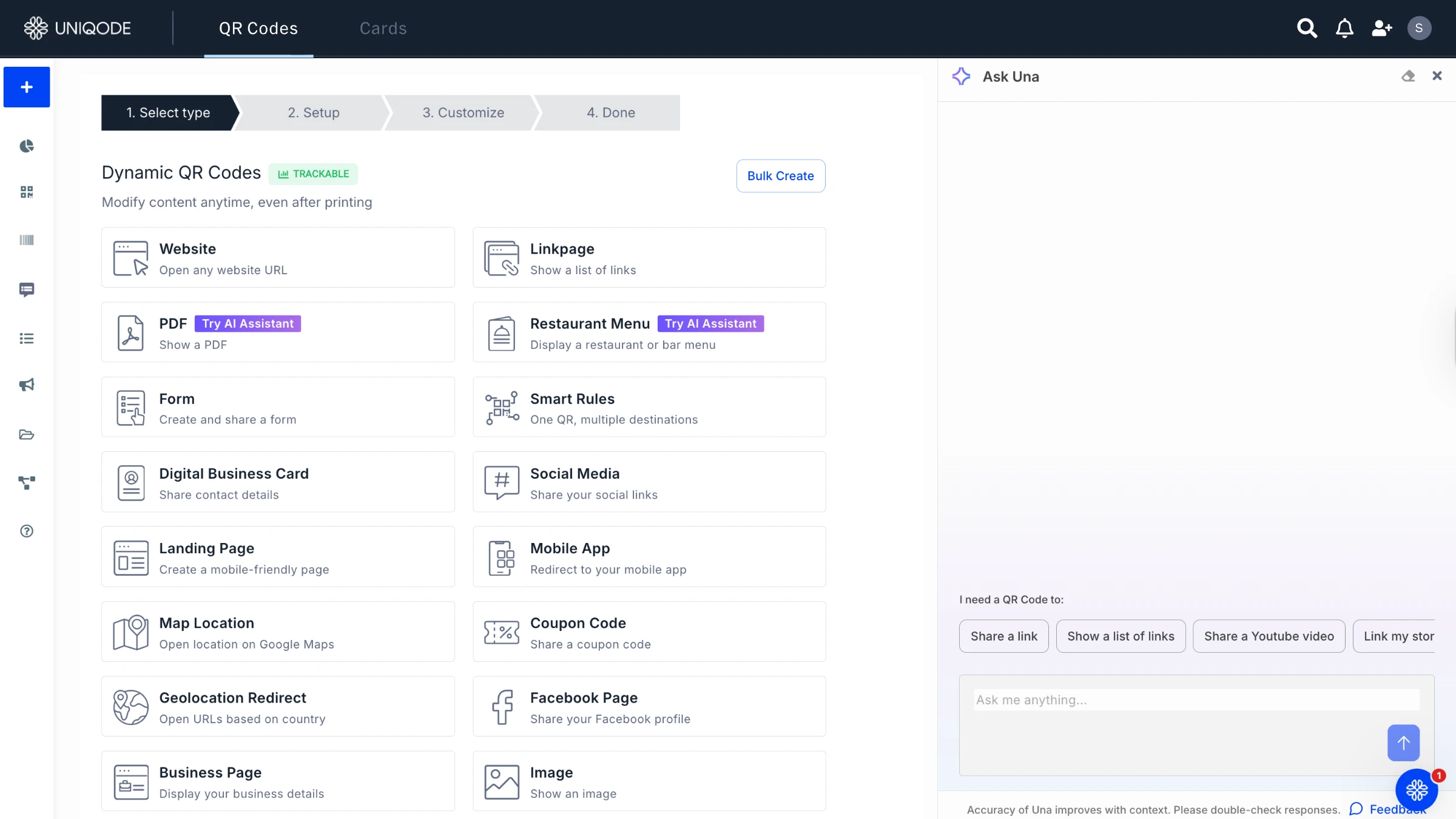
No account required to start. Choose from the QR Code type that suits your usage closely. For example, you can try location QR Code, website QR Code, landing page, and Facebook QR Code.
2. Add your event details
.webp)
If you already have a landing page ready, add it under setup, or you can create a new landing page from scratch on the Uniqode dashboard.
3. Customize your QR Code design
.webp)
Add your logo, match your brand colors, and choose a frame with a call-to-action label: "Scan to RSVP," "Scan for Schedule," or "Check In Here." Dynamic QR Codes retain full scannability across any color or design variation.
4. Download, deploy, and track
.webp)
Download in PNG, SVG, or PDF. Deploy on event invitations, badge lanyards, session room signage, or email campaigns. Every scan surfaces in the Uniqode analytics dashboard with real-time location, device type, and unique vs. repeat scan data.
4 reasons event planners use Uniqode QR Codes
From check-in to CRM, every event interaction is tracked and connected.
1. Check-in that doesn't create a queue
According to Bizzabo's 2025 Event Technology Report, 71% of attendees say the check-in process significantly shapes their event experience. QR-based check-in registers each attendee in under 10 seconds, cutting wait times by up to 70% compared to paper-list verification. Uniqode's dashboard delivers real-time attendance updates, so staff can immediately identify congested entry points and clear ones and reassign volunteers in 30 seconds from a mobile device, with no lengthy communication chains required.
2. Attendee engagement beyond the badge scan
Each check-in code generates a unique data point and that's just the start. Place additional QR Codes at session rooms, sponsor booths, networking stations, and photo walls, and every scan updates the Uniqode analytics dashboard in real time. You see which sessions drew the most attendees, which sponsors captured the most attention, and which participants engaged at three or more locations. A check-in system that only tracks entry can't give you any of that.
3. Registration and RSVP without a third-party form tool
Event QR Codes connect directly to Uniqode's form builder, letting attendees RSVP, register, or join a waitlist with a single scan. Every response lands in a single dashboard and exports automatically to HubSpot or Salesforce. Registration data, scan data, and CRM contact records are unified in one system the moment the QR Code goes live.
That unified approach makes follow-up straightforward. Connecting to your CRM takes a single setup step, not a time-consuming post-event data import.
4. Scan data that actually reaches your CRM
According to Uniqode's State of QR Codes 2026 report, only 12% of marketers connect QR Code scan data to revenue outcomes. Scans happen but follow-up campaigns often don't. Uniqode's native integrations with HubSpot, Salesforce, Google Analytics, and Meta route scan data directly into existing workflows, making timely follow-up automatic. Every attendee who scans at a booth or session becomes a trackable contact before they leave the venue.
Set UTM parameters during QR Code creation and every scan from a conference badge or session sign records in GA4 as a tagged session, attributed to the exact code that generated it.
How to use QR Codes in events
- Event Promotion: QR Codes on flyers, posters, and digital ads make it simpler for potential attendees to find event details or registration pages instantly. A quick scan removes the hassle of typing long URLs, increasing sign-up chances.
.webp)
.webp)
.webp)
.webp)
.webp)
.webp)