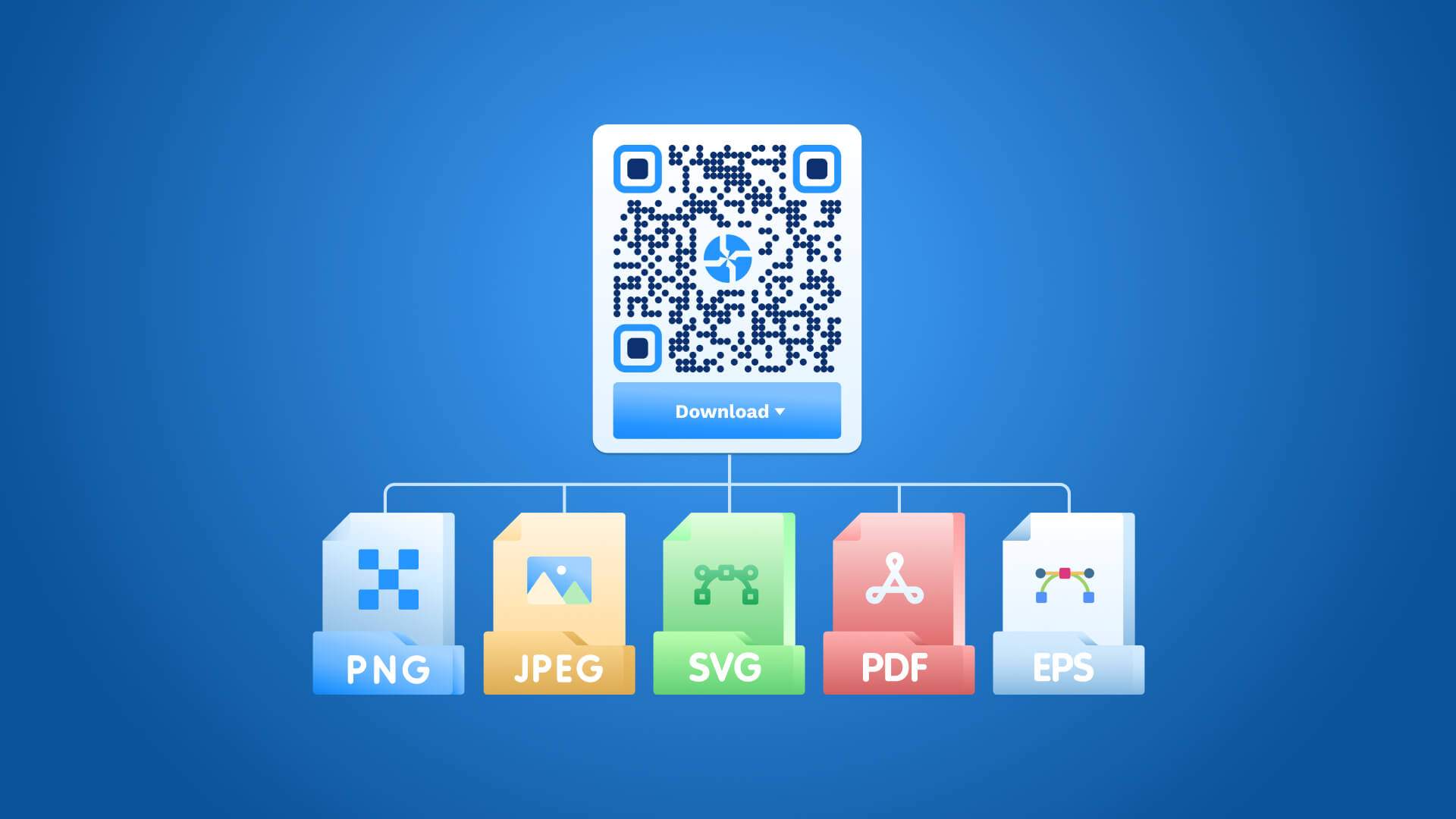
Static QR Code: Definition, Uses, Benefits & Limitations

Creating your first QR Code? Chances are, you came across “static” and “dynamic” QR Codes and wondered what they mean. Find out here!
What is a static QR Code?
A static QR Code is a type of QR Code where the encoded information is permanently embedded within the pattern at the time of creation. The data lives directly inside the Code itself, making it fixed and unchangeable after generation. The structure of a static QR Code encodes destination information (URLs, plain text, contact details, or Wi-Fi credentials) directly into the black-and-white pixel matrix. Editing the destination requires generating an entirely new Code. The original Code becomes obsolete once the linked information changes. A static QR Code stores data at a fixed capacity, meaning longer URLs produce denser, more complex patterns. Scanning reliability decreases as the pattern grows denser. Short URLs or plain-text content produce cleaner, easier-to-scan Codes. Businesses with permanent destinations (business cards, legal documents, or physical signage) rely on static QR Codes for straightforward, low-maintenance use cases. Platforms (Uniqode) support static QR Code generation alongside dynamic options, giving teams flexibility depending on campaign requirements. A static QR Code suits scenarios where the destination never needs updating after print.
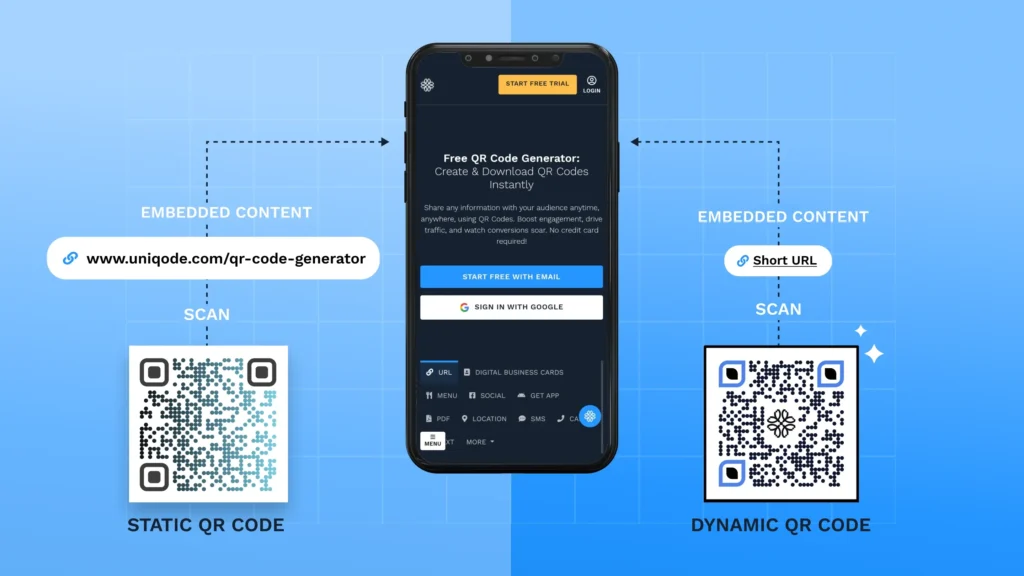
A Dynamic QR Code, on the other hand, stores a redirect URL instead, which lets you change the destination without replacing the QR Code.
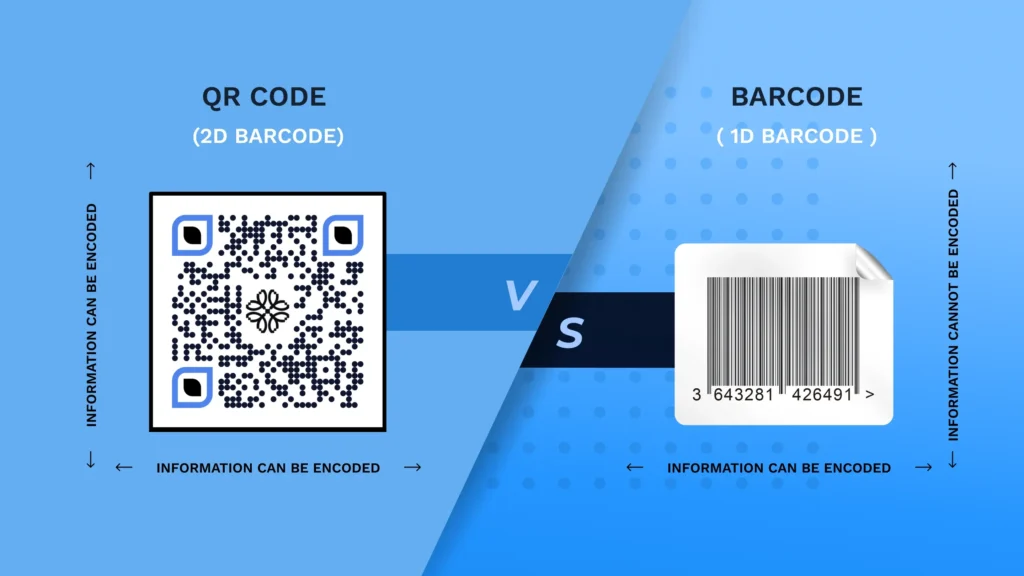
How does a static QR Code work?
Static QR Codes work by following a six-step process.
- The user inputs the destination data (a URL, text, or contact detail) into a QR Code generator.
- The generator converts the data into a binary string using a specific encoding mode (numeric, alphanumeric, or byte).
- The generator applies Reed-Solomon error correction, which protects the data against partial damage.
- The binary data gets arranged into the black-and-white pixel matrix, permanently fixing the information into the pattern.
- A scanner reads the pixel matrix using the camera device and decodes the binary sequence back into readable data.
- The device displays or opens the decoded content instantly. The entire data payload lives inside the pattern itself, requiring no server or redirect. Altering the destination after generation is impossible without creating a new Code entirely.
What is the purpose of a static QR Code?
The purpose of a static QR Code is to provide a permanent, self-contained method of storing and sharing fixed information. Static QR Codes are suitable for scenarios where the destination never changes after the Code is printed or published. Academic institutions place static QR Codes on printed materials linking students to fixed course documents or reading resources. Government agencies use static QR Codes on public signage to direct citizens to permanent informational pages. The information (URL, vCard, plain text, or Wi-Fi credentials) stays embedded regardless of how often the QR Code gets scanned. No backend subscription or account is required to keep the Code functional, making static QR Codes a low-maintenance solution for permanent information distribution.
How to distinguish a static QR Code from other QR Code types?
To distinguish a static QR Code from other QR Code types, examine the data storage method and editability after creation. A static QR Code stores its destination directly inside the pixel matrix, making the encoded content permanent from the moment of generation. Dynamic QR Codes store a short redirect URL inside the pattern, pointing to a destination managed through a backend platform. Changing the destination of a dynamic Code requires no reprint. Static Codes produce no scan data, analytics, or tracking reports, leaving publishers with zero visibility into audience behavior. Dynamic Codes record scan volume, device type, location, and time, feeding real-time performance data into a management dashboard. Static Codes require no active account or subscription to function after generation. Dynamic Codes depend on an active platform connection to process redirects correctly. The table below outlines the primary distinctions across editability, tracking, cost, storage method, flexibility, and ideal use cases.
Read more: Static QR Codes vs. Dynamic QR Codes
Want more from your QR Code campaigns?
Dynamic QR Codes let you update destinations, track scans, and understand how people engage with your QR Codes. Use scan data to see which campaigns drive the most engagement and make better decisions about where to invest your marketing budget.
See how Uniqode helps you create and track Dynamic QR Codes →
When is a static QR Code used?
Static QR Codes are used in situations where the destination information remains unchanged after printing or publishing. Fixed-destination assets (legal documents, permanent signage) rely on static QR Codes for reliable, no-maintenance access. The encoded data sits permanently inside the pattern, requiring no backend platform, active account, or internet dependency to function. Printed collateral with long deployment cycles (equipment manuals, institutional brochures) benefits from the zero-maintenance nature of static Codes. A manufacturer printing 50,000 product units needs confidence that the embedded QR Codes function years after the initial print run without intervention. Public institutions (libraries, museums, and government offices) place static QR Codes on permanent displays linking visitors to fixed informational resources. The absence of a redirect layer means the QR Code opens the destination instantly, with no server lookup required during the scan process.
Static QR Codes are used in situations listed below.
- Permanent URLs: Websites or landing pages with no planned redirects store the full URL directly inside the Code. Brand homepages, fixed product pages, and permanent resource hubs suit static QR Codes well. The destination resolves instantly at scan without passing through a redirect layer or server lookup.
- Printed Materials: Brochures, flyers, and business cards carry static QR Codes pointing to fixed web pages or contact details. Print assets with long shelf lives (annual reports and institutional brochures) benefit from destinations that remain accurate without requiring reprints.
- Contact Information: vCard-encoded static QR Codes give recipients instant access to phone numbers, emails, and addresses. Scanning the QR Code populates the contact entry directly into the device address book, eliminating manual data entry entirely.
- Educational Resources: Institutions place static QR Codes on handouts linking students to permanent course documents or reference pages. Textbook supplements, library guides, and fixed syllabus documents maintain the same destination across consecutive academic terms without requiring new QR Codes.
- Public Information Displays: Government signage and museum exhibits use static QR Codes to direct visitors to fixed informational resources. Permanent installations (historical markers, transit maps, and civic notice boards) embed destinations that stay relevant across extended display periods.
How long do static QR Codes last?
A static QR Code lasts indefinitely, as long as the physical medium remains scannable and the linked content stays accessible. No built-in expiration timer exists within the QR Code pattern itself. Print quality directly affects long-term usability. Faded ink, surface damage, or low-resolution printing reduces scan reliability over time. Laminated or UV-resistant printed Codes survive outdoor conditions far longer than standard paper prints. The linked destination also affects functional lifespan. A static QR Code pointing to a discontinued URL becomes non-functional, even when the printed pattern stays intact. High-contrast printing on durable surfaces (metal, plastic, or laminated card) extends readability to years or decades. Regular audits of destination URLs preserve the long-term utility of printed QR Codes, specifically for assets with long deployment cycles (permanent signage or product packaging).
How many characters can a static QR Code store?
The number of characters that a static QR Code stores varies by encoding mode and the version level selected during generation. QR Code versions range from Version 1 to Version 40, with higher versions accommodating larger data payloads at the cost of a denser pixel matrix. Numeric mode achieves the highest storage capacity by compressing digit sequences into compact binary representations. Alphanumeric mode handles uppercase letters, digits, and a limited set of symbols (spaces, dollar signs, and percent marks). Binary mode encodes full UTF-8 text, covering standard URLs, prose, and special characters. Kanji mode serves Japanese and multilingual scripts at a reduced character ceiling. Longer data payloads produce denser patterns with smaller individual modules, increasing the risk of scan failure on low-resolution prints. Shortening URLs before encoding preserves pattern clarity and improves scanning reliability across device types.
The number of characters that a static QR Code stores is shown in the table below.
| Encoding Mode | Maximum Characters |
|---|---|
| Numeric | 7,089 digits |
| Alphanumeric | 4,296 characters |
| Binary (Byte) | 2,953 bytes |
| Kanji/Multilingual | 1,817 characters |
What are the advantages of static QR Codes?
The advantages of static QR Codes center on simplicity, zero ongoing cost, and permanent data storage without infrastructure dependencies. A static QR Code requires no active account, no subscription, and no internet connection to function after generation. Fixed-destination assets (printed documents, permanent signage) benefit from the low-maintenance nature of static Codes.
The advantages of static QR Codes are listed below.
- Simplicity: Static QR Codes require no backend setup, account management, or redirect configuration. The generation process takes seconds using any standard QR Code tool.
- Cost Effectiveness: No subscription fee applies to static QR Codes. Generation is free or available at a one-time cost through platforms supporting static output.
- Permanent Data Storage: The encoded data stays intact indefinitely. No server dependency exists, so the Code functions regardless of the platform status.
- No Subscription Requirements: Static QR Code remains functional without an active paid plan. Businesses with fixed-destination assets avoid recurring costs entirely.
- Ease of Creation: Any standard QR Code generator produces a static Code within seconds. No technical knowledge or specialized training is required for creation.
What are the disadvantages of static QR Codes?
The disadvantages of static QR Codes relate to the permanent nature of the encoded data and the absence of performance tracking. Once printed, a static QR Code offers no flexibility for destination changes or campaign adjustments. Marketers and businesses running time-sensitive campaigns face significant limitations with static QR Codes. Most businesses opt for dynamic QR Code generators.
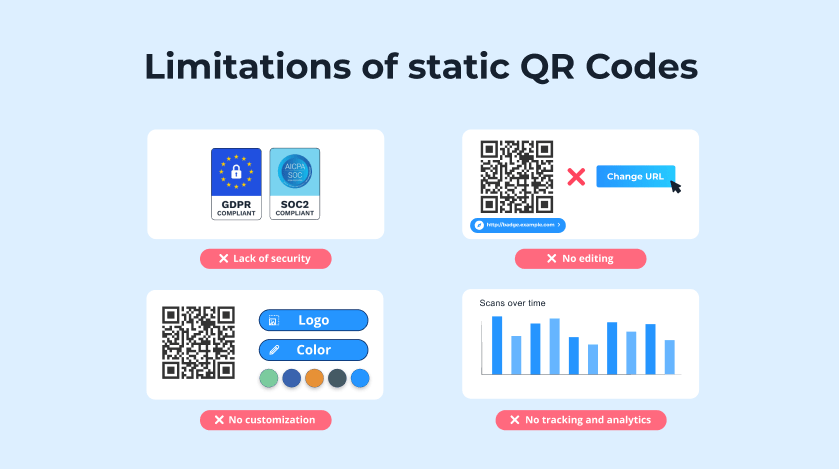
The disadvantages of static QR Codes are listed below.
- Lack of Editability: The encoded destination is fixed at creation. Changing the URL or content requires generating and reprinting an entirely new Code.
- No Analytics Tracking: Static QR Codes record zero scan data. Scan volume, device type, location, and time remain completely invisible to the publisher.
- Limited Flexibility: Campaign-based assets (seasonal promotions or rotating offers) cannot update the destination without reprinting all printed materials.
- Content Permanence: Outdated information embedded in a static QR Code stays there permanently. Discontinued URLs render the Code non-functional with no recovery option.
- Maintenance Challenges: Auditing large volumes of static QR Codes across printed assets requires manual verification. No dashboard or alert system flags broken or outdated destinations.

“(…) As a platform with additional analytic features, I expected it (Uniqode) to be complicated initially, but it turned out to be super easy to use. It helped us significantly raise our engagement targets and drive revenue.”
— Kinsey Akins
Programmatic Channel Manager, BBQGuys
How do I create a static QR Code?
Create a static QR Code by following a six-step process. First, select the content type (URL, plain text, vCard, Wi-Fi credentials, or phone number) to determine the encoding mode. Second, open a QR Code generator (Uniqode or any standard tool supporting static output) and input the destination data into the appropriate field. Third, select the static QR Code option to ensure the data embeds directly into the pattern without a redirect layer. Fourth, apply any available customization (logo, color, or frame) while keeping sufficient contrast for reliable scanning. Fifth, test the generated Code using at least two different scanning devices to confirm that the destination loads correctly. Sixth, download the final file in a high-resolution format (SVG or PNG) before submitting it for print or digital distribution. Verifying the destination before distribution prevents errors on printed materials.
How to scan a static QR Code?
To scan a QR Code, point the device’s camera directly at the Code from a distance of 15 to 30 centimeters. The native camera apps on iOS (iOS 11 and above) and Android (Android 8 and above) detect QR Codes automatically without a separate application. A notification banner appears once the camera recognizes the pattern. Tapping the banner opens the encoded destination instantly. Low-light conditions reduce scan accuracy, so adequate lighting improves detection speed. The QR Code surface must stay flat and undamaged for reliable scanning. Heavily damaged or faded prints fail to decode correctly regardless of scanner quality. Dedicated QR scanning apps (Google Lens or manufacturer camera apps) handle Code in poor lighting better than standard camera modes. Holding the device steady during scanning reduces motion blur and speeds up successful detection across device types.
Can a static QR Code be altered?
No, a static QR Code cannot be altered. The destination data is permanently encoded into the binary matrix at the moment of generation. No editing interface, software tool, or backend system modifies an existing static QR Code pattern post-creation. Attempting to change the QR Code destination requires generating a completely new QR Code from scratch. The new Code carries a different pixel matrix, making it a distinct Code from the original. All previously printed materials carrying the original QR Code become outdated immediately. Partial pattern modifications attempted manually corrupt the error correction layer and render the QR unscannable. Reed-Solomon error correction tolerates minor physical damage (scratches or smudges up to 30% of the pattern), but deliberate pixel-level alteration breaks the decoding process entirely. Businesses requiring editable destinations after print rely on dynamic QR Codes rather than static ones.
How can you customize your static QR Code?
Static QR Codes are customized through color, logo, shape, and frame modifications applied during the generation stage. QR Code generators (Uniqode) provide design tools that adjust the visual output without compromising the encoded data.
Color customization replaces the default black-and-white pattern with brand-aligned foreground and background tones. Maintaining a contrast ratio of at least 70% from foreground to background preserves scan reliability. Adding a brand logo to the center of the pattern uses the error-correction capacity reserved for physical-damage tolerance (up to 30% of the pattern area). Module shape adjustments alter the individual pixel style (rounded, square, or dotted) for a distinct visual appearance. Frame additions place call-to-action text (scan labels or directional prompts) around the outer border. Test the customized QR Code on a minimum of three device types before finalizing to confirm that the design changes did not reduce scan accuracy.
Do static QR Codes expire?
No, a static QR Code does not expire. The encoded data sits permanently inside the pixel matrix with no expiration timer or platform dependency attached. The QR Codes stay functional indefinitely as long as the physical print remains scannable and the linked destination stays accessible. Printed static QR Codes on durable surfaces (laminated card, metal, or plastic) maintain readability for years without degradation. Paper-printed Code exposed to moisture, UV light, or physical abrasion loses scan reliability over time, not because the Code expired but because the physical pattern deteriorated. A static QR Code pointing to an active URL remains fully functional decades after generation. The only scenario when QR Codes expire, rendering a static QR Code non-functional, is a discontinued destination URL or irreparable physical damage to the print surface. No renewal, account maintenance, or subscription is required to preserve functionality.
What is the difference between a static QR Code and a dynamic QR Code?
The difference between static QR Codes and dynamic QR Codes is rooted in how each type stores and manages the encoded destination. Static QR Codes embed the destination data directly into the pattern at creation, making the information fixed and permanent. Dynamic QR Codes store a short redirect URL inside the pattern, which points to an editable destination managed through a backend platform. Businesses choosing from static to dynamic options base their decision on whether post-print flexibility and scan analytics are required. Platforms (Uniqode) support the generation of Dynamic QR Codes alongside static options, giving teams the ability to select the appropriate type based on campaign requirements and post-distribution update needs.
The difference between static QR Codes and dynamic QR Codes is shown in the table below.
| Feature | Static QR Code | Dynamic QR Code |
|---|---|---|
| Editability | Fixed after creation | Editable anytime |
| Analytics Tracking | None | Full scan data |
| Cost | Free or one-time | Subscription required |
| Data Storage | Direct in pattern | Short URL redirect |
| Flexibility | Low | High |
| Ideal Use Cases | Contact cards, documents, signage | Campaigns, menus, promotions, packaging |
Why dynamic QR Codes are the future
Dynamic QR Codes offer a range of benefits that align perfectly with modern marketing trends:
- Update information anytime without creating a new QR Code
- Track performance to optimize campaigns and make data-driven decisions
- Customize to match your brand identity and draw attention
- Prioritize security to protect your data and user privacy
- Integrate QR Codes with your existing tech stack and improve workflows
Dynamic QR Codes allow you to keep up with evolving consumer behaviors and stay ahead in this rapidly shifting marketing landscape.
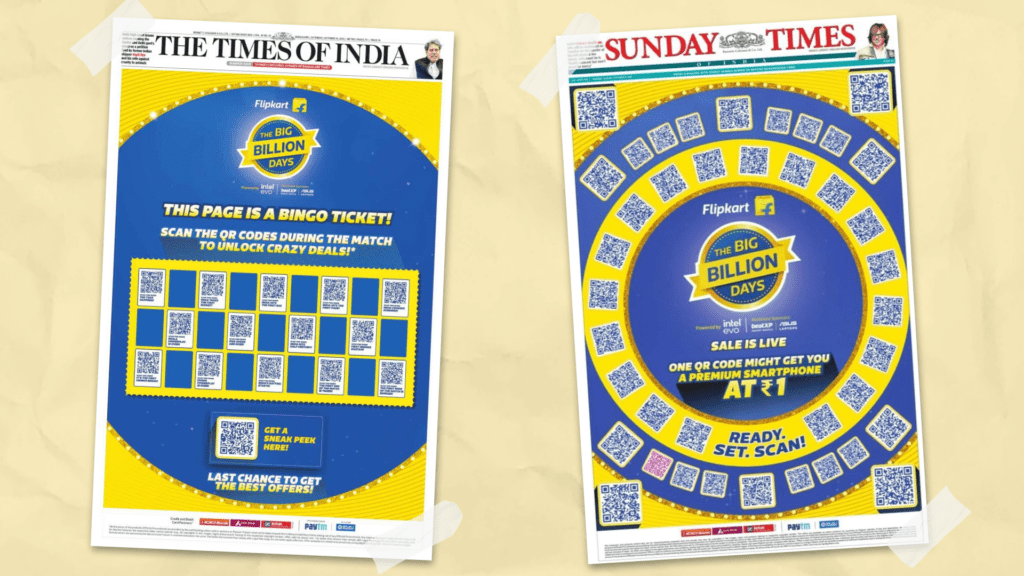
See it in action: Walmart’s Flipkart, one of India’s leading ecommerce platforms, banked on the lightning-fast scan times—less than 2.2 seconds—of Uniqode’s dynamic QR Codes in a high-stakes marketing campaign. The QR Code campaign achieved 2.2 million scans, double the projected estimates.
“Uniqode is a high-quality product whose tech works like a charm. Also, the team is extremely helpful, professional, and responsive. We faced zero challenges with the product or support. Everything was beyond perfect.”
— Pratik Shetty
Senior Director of Customers, Flipkart

Frequently Asked Questions
- How long do static QR codes last?
Static QR Codes last as long as the QR Code is scannable and redirects to the right content. Static QR Codes stop working when the QR Code is damaged or unscannable, or it leads to a 404 error when scanned.
- Can a static QR Code be deactivated?
No, you cannot deactivate a static QR Code. This makes static QR Codes more prone to duplications, damage, or scammer attacks. With dynamic QR Codes, you get better safety and the ability to deactivate a campaign whenever necessary.
- Can static QR Codes be tracked?
Static QR Codes cannot be tracked as they only allow users to scan and view fixed data stored as information in the data patterns. On the other hand, dynamic QR Codes can be tracked to obtain analytics such as the number of scans, time, location, device used, etc.
- Can you delete a static QR Code?
No. Deleting static QR Codes is impossible as they store the data in the QR Code itself. Deleting or deactivating the QR Code is a feature of dynamic QR Codes.
About the Author
Ektha is a QR code expert with years of research and analysis into the evolution of QR codes. Having written over 70 in-depth articles on QR technology, she has developed a comprehensive understanding of how QR codes are transforming industries. Her insights, including The State of QR Report, have been featured in leading publications. With a passion for simplifying complex topics and providing actionable strategies, Ektha helps businesses leverage QR codes to enhance their 'phygital' connections.
Related Posts
Smart QR Codes Explained: What They Are and How to Create One
Multimedia QR Code generator: turn audio, video, images, and PDFs into one scannable code

The Complete Guide to QR Codes: How They Work, Types, and Best Practices

Do QR Codes Expire? How Long They Last & Why

How To Scan a QR Code From a Photo, Gallery, or Screenshot in 2026