Launch dynamic QR Codes that connect offline moments to results you can measure.
Create & Brand
Design beautifully branded QR Codes that drive action from every scan.
Collect Leads & Insights
Turn every scan into qualified leads and actionable insights with Forms and Pages.
Optimize with Analytics
Refine campaign performance and unlock smarter retargeting with analytics.
Manage & Scale
Centralize control, automate management, and scale QR campaigns confidently.
Generate a QR Code
UNIQODE CARDS
Capture contacts and engagement with branded Digital Business Cards built to scale.
Collect & Convert Leads
Instantly capture and sync leads from every card exchange.
Personalize & Brand
Customize every card to strengthen brand presence at every touchpoint.
Measure Every Interaction
Track every interaction and prove ROI with real-time engagement data.
Manage & Scale Teams
Automate provisioning and scale card management without losing oversight.
Download the Uniqode Cards app
PLATFORM
Integrations
Connect Uniqode to your stack to turn engagement into automated action.
...and more
Security
Protect every scan and exchange with enterprise-grade security and compliance.
SOC 2
HIPAA
GDPR
ISO
2FA
SSO
Why Uniqode?
Choose a platform built for reliability, security, and performance at every stage of growth.
Book a demo
Start Free Trial
BY INDUSTRY
Retail
Consumer Goods
Healthcare
Finance
Hospitality
Education
BY USE CASE
QR Codes for Marketing
QR Codes for Product Packaging
QR Codes for Events
Business Cards for Field Sales
Business Cards for C-Suite Executives
Business Cards in Email Signatures
More Use Cases
BY BUSINESS
Enterprise
Mid-sized businesses
Small businesses
BLOGS
Best QR Code Generators
Free vs. Paid QR Code Generators
Static vs. Dynamic QR Codes
How to Edit a QR Code
Guide to Safe QR Codes
COMPARE
Uniqode vs. Flowcode
Uniqode vs. Bitly
Uniqode vs. QR Tiger
UNIQUE ANGLES
The QR Code Marketing Guide to BFCM
Playbooks
Expert Speak
Newsletter
QR Code Scan Index
HELP CENTER
How to design a custom QR Code
How to restore a lost QR Code
How to duplicate a QR Code
Uniqode’s solution has made our lives a lot easier. Creating QR Codes is quick, and being able to track their performance has proven to be essential for our business.
Marcelo Yanez
Product Manager
Read all customer stories
Book a demo
Start Free Trial
Booking QR Code Generator: For Appointments and Reservations
A booking QR Code sends a customer straight to your scheduling page. Make it dynamic, and it keeps working even after you switch booking platforms.
A booking QR Code is a simple, scannable code that takes your customer directly to your business’s scheduling or reservation page. It works just like any website QR Code, but what sets it apart is where it leads, not how it looks or the format it uses.
You can set the QR Code’s destination once and leave it, or choose a version that lets you update the link even after printing. This choice, static or dynamic, matters more than you might think. A static code is fixed for good, so if you ever change your booking software, every card or sign with that code becomes useless. On the other hand, a dynamic QR Code lets you update the destination in minutes, no reprinting needed. Just a quick edit on your dashboard, and your customers are always sent to the right place.
How to create a booking QR Code
Creating a booking QR Code takes three general steps. First, grab the direct link to your booking or scheduling page, whether it's Calendly, Square, Setmore, Microsoft Bookings, your in-house system, or even a Google Form. Next, use a dynamic QR Code generator to create your code. This is important because a dynamic code lets you update the destination link later, even after you have printed it. Finally, give your QR Code a personal touch by customizing its design, and download it in the format that best suits your needs.
Inside Uniqode, the process runs four steps.
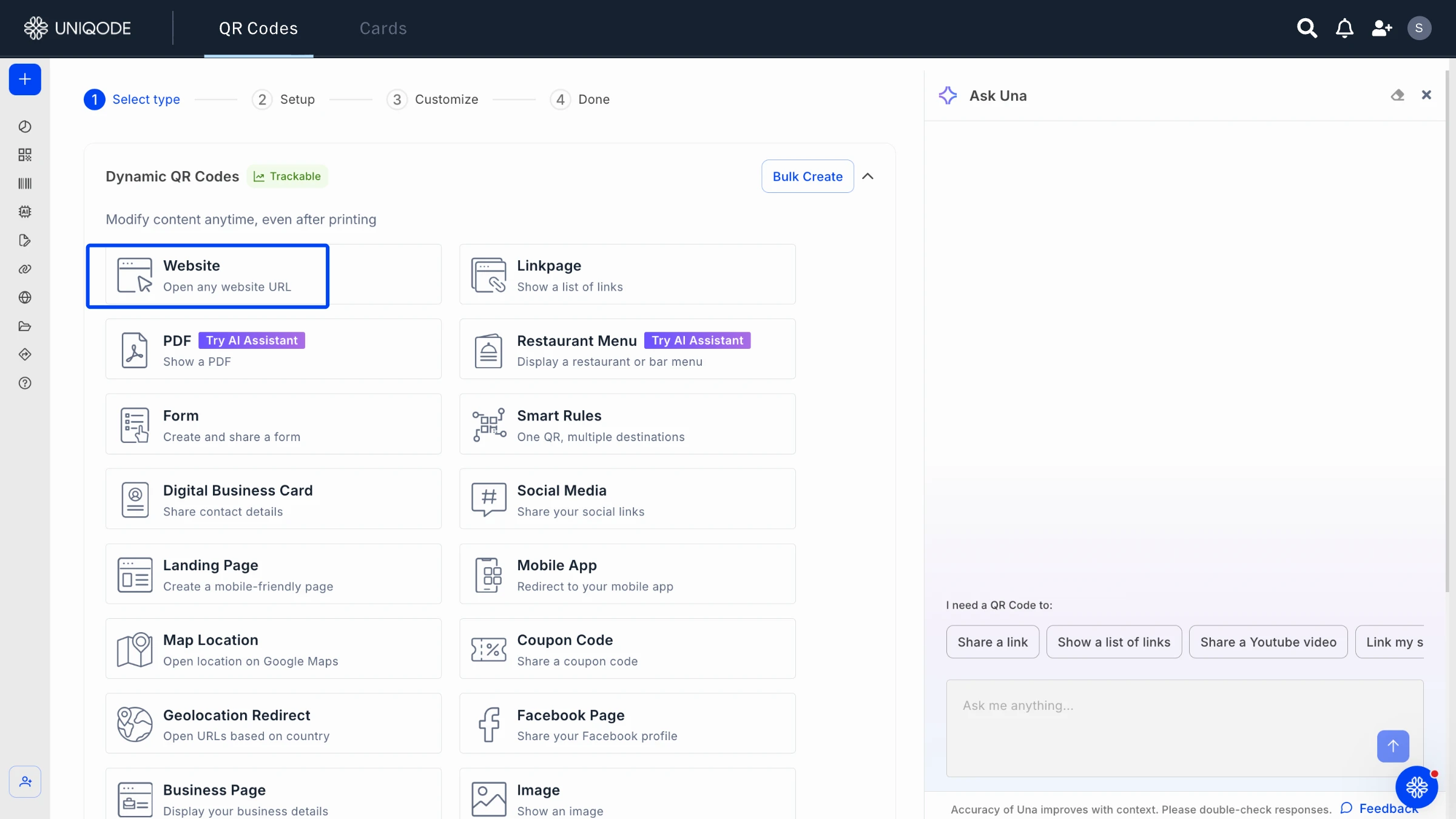
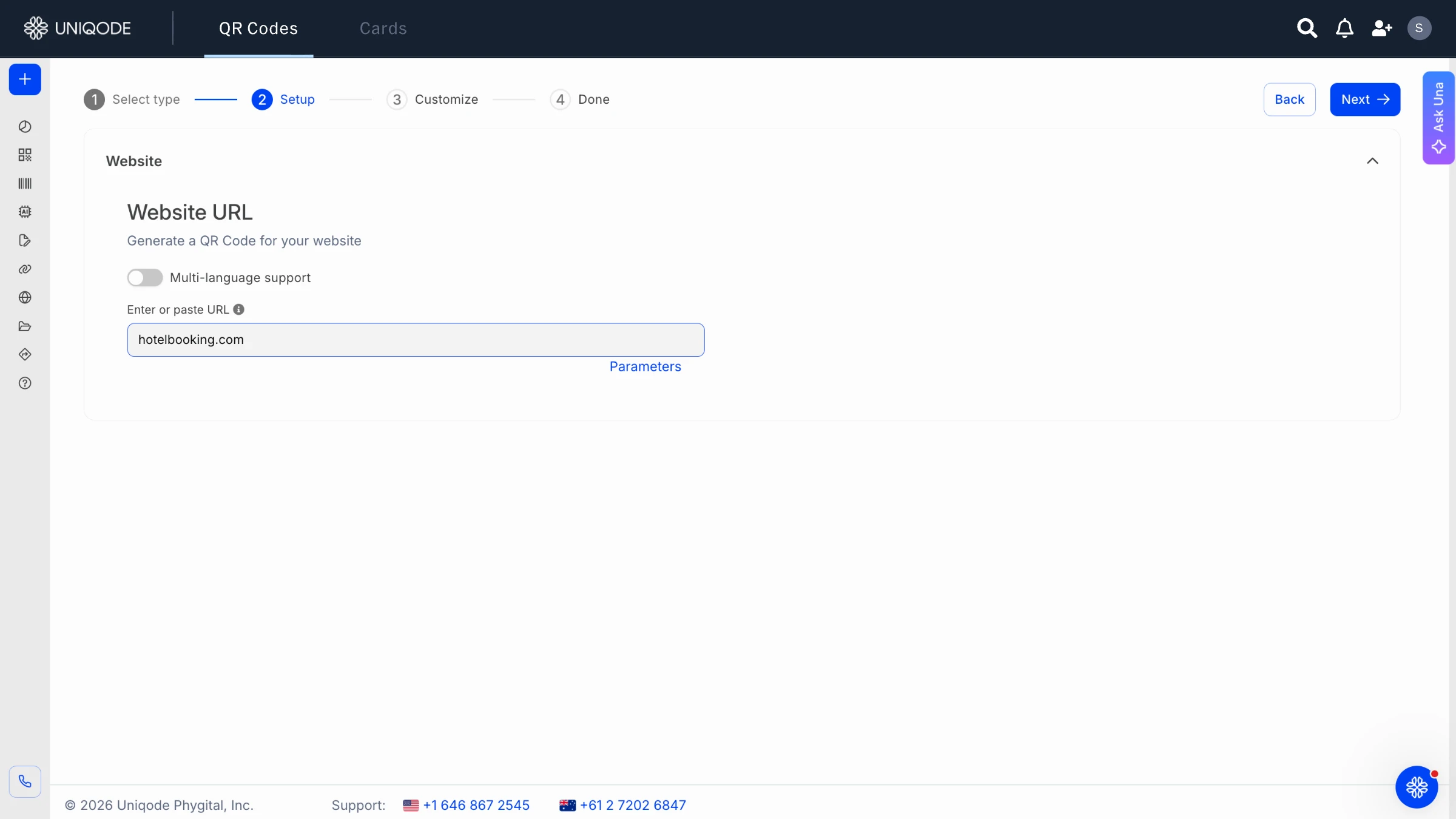
Step 1: Sign in and select QR Code. Choose Website QR Code as the type, since a booking link is just a URL destination.
Step 2: Paste your booking link as the content.
Step 3: Customize the design. Add your logo, set your colors, choose a frame, and add a call-to-action like "Scan to Book" so people know what happens before they scan. A frame with clear CTA text gets scanned more than a bare black-and-white square, since it tells the person exactly what happens next instead of leaving them to guess.
Step 4: Save the code, name it, and download it. PNG covers most digital and print needs, and SVG holds up better at large sizes like a poster or window decal.
How to use a booking QR Code
Booking with a QR Code is refreshingly simple. All it takes is three steps: scan, land, and book. You do not need any special app, just your phone’s camera, which is standard on every phone since 2017. Once you scan the QR Code, it will take you straight to the booking page or to a linkpage that neatly combines booking options with a phone number or website link. From there, it is as easy as choosing your service, date, and time, then confirming, just like clicking a link in a text message, but without the hassle of typing out a URL.
Take, for example, a Uniqode customer who is a solo healthcare practitioner returning to private practice. Initially, she set up her QR Code to do just one thing: open her calendar. But soon, she discovered that her patients appreciated having more options. By combining booking with a phone number under a single code, she made it even easier for them to reach her, proving that a little flexibility can go a long way.
Where and when can you use a booking QR Code
If your business involves customers booking time with a person, reserving a room, or scheduling a service, booking QR Codes are a perfect fit. In fact, they work seamlessly across at least eight different settings, making them a versatile solution for a variety of needs.
Healthcare and wellness
Booking an appointment has never been easier. Patients can simply scan a waiting-room poster or pick up a printed card to schedule their own visit, which means fewer calls for the front desk and a smoother experience for everyone.
Hospitality (hotels and restaurants)
Guests can easily reserve a table or book an amenity slot simply by using the table tent or in-room card provided. There is no need to download an app or navigate any complicated process.
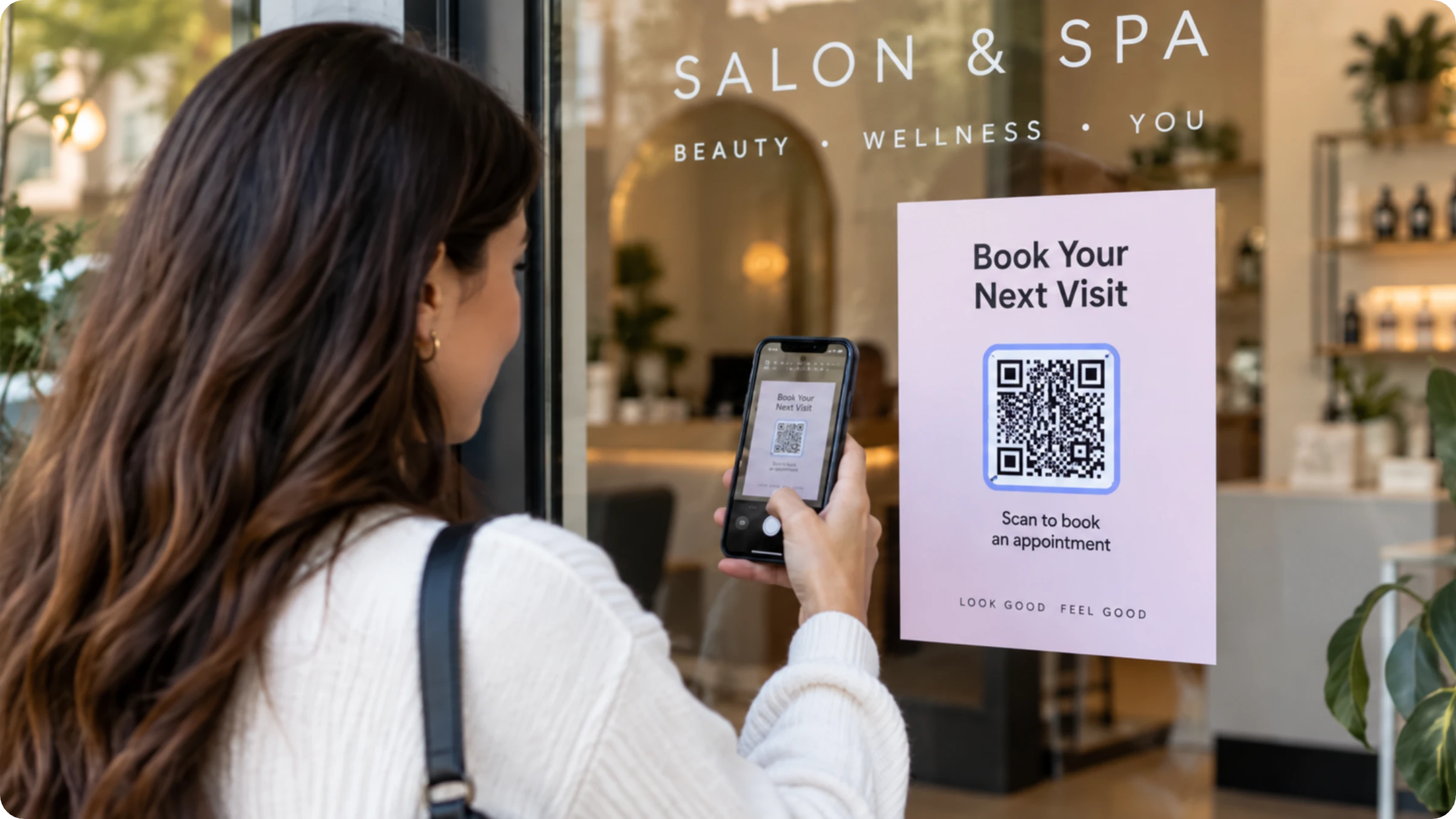
Turning casual walk-by traffic into scheduled visits is easier than you might think. By placing a code at the register or on a window decal, you encourage passersby to take the next step and book an appointment, making your space more accessible and inviting.
Fitness studios and gyms
Booking a class or session is as simple as scanning a code, whether it’s on the equipment or right at the front desk. It’s quick, easy, and keeps your schedule running smoothly.
Events and conferences
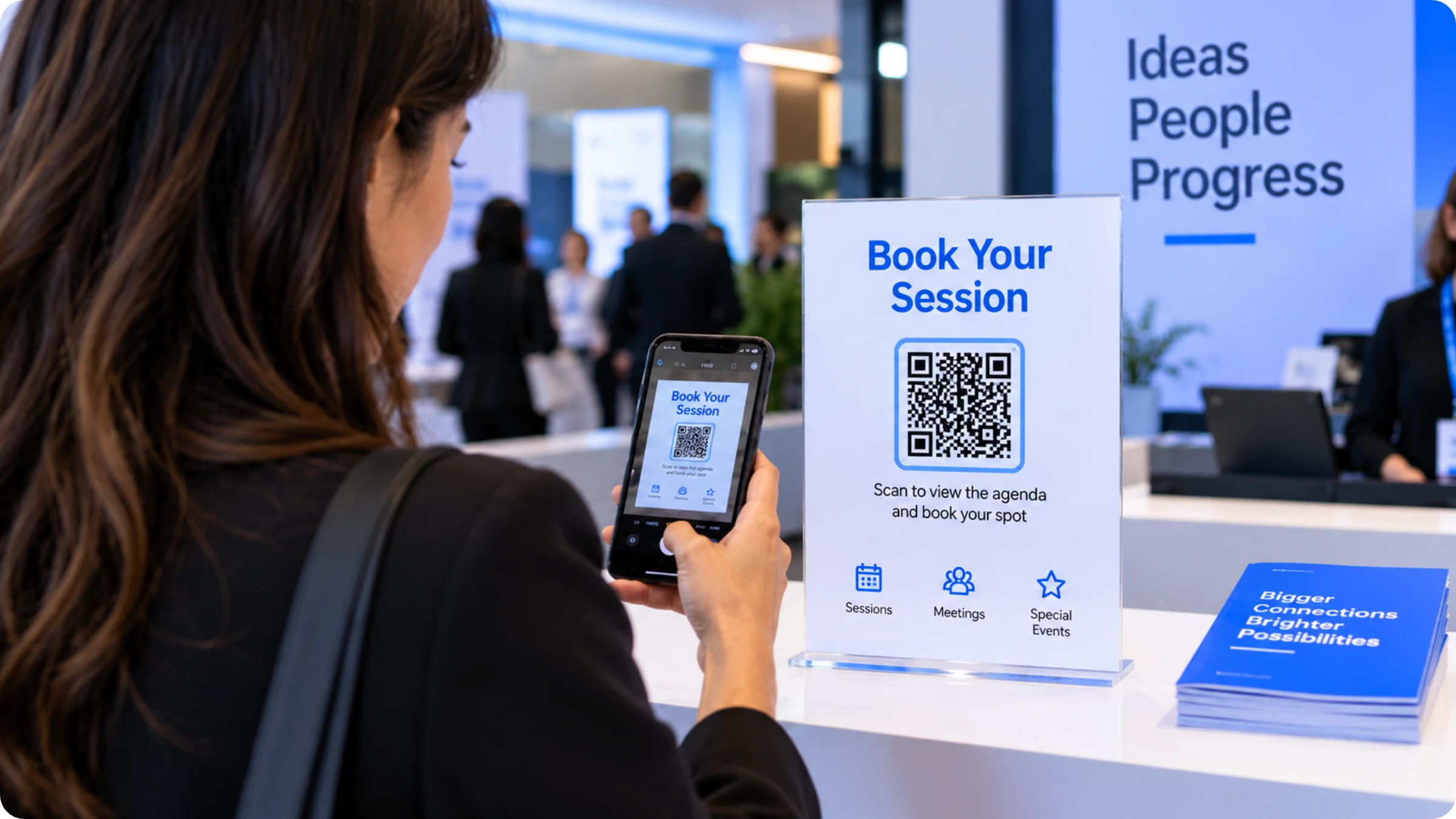
As soon as attendees check in, they can head straight to the registration desk to book their preferred session or meeting slot.
Booking a time slot for services such as license renewal allows visitors to avoid the hassle of long walk-in queues. This simple step streamlines the process and ensures a smoother, more efficient experience.
Education
Gone are the days of endless email exchanges just to schedule advisor office hours. Now, students simply scan a code from the campus noticeboard and book their slot in seconds.
Coworking and professional services
At reception, visitors can easily book a meeting room or schedule a consultation using a unique code, all without the need for a shared calendar.
Benefits of a booking QR Code
Five outcomes explain why businesses add a booking QR Code instead of relying on a phone number alone.
Fewer missed appointments come from customers scheduling on the spot, not after they've walked away.
A schedule change no longer forces a reprint: a dynamic code's destination updates in the dashboard while every printed card keeps working.
One code covers every touchpoint, a business card, a window decal, a table tent, a packing slip.
Uniqode's State of QR Codes 2026 report found 44% of marketers prioritize analytics and reporting, yet only 12% measure QR Code revenue impact. QR Code scan tracking on each code closes that gap by showing which placement drives more traffic.
A logo and matching colors read as intentional, not improvised, next to a generic black-and-white square.
Real examples of booking QR Code
Booking QR Codes are not just a concept; they are already making life easier in hotels, medical practices, and salons.
1. Marriott Aruba
At Marriott Aruba, Uniqode QR Codes allowguests to book beach chairs or access the wedding venue booking page with just a few taps. There is no need for an app or a call to the front desk. Curious how this fits into their overall guest experience? Check out Marriott Aruba’s full story for all the details.
2. Virginia DMV
Customers can scan a QR Code to save their spot in the DMV's walk-in line before they arrive. They can also scan a different code to check in for a pre-booked appointment and skip the information desk. More than 12,000 customers used this system in the first two months after it launched statewide in December 2022.
3. California DMV
At the California DMV office entrance, you can scan a QR Code to join the service queue right away instead of waiting in a physical line. The system will send you a text when your turn is coming up.
4. CVS Pharmacy: Advanced Scheduler
Employers give their group a QR Code. When people scan it, they go straight to a scheduler where they can book a vaccine appointment at a CVS pharmacy location.
Best practices for booking QR Codes
Five practices decide whether a booking QR Code keeps working after it's printed.
Use a dynamic QR Code, not a static one. A static code's destination is fixed forever, so switching platforms or moving your booking link means reprinting every card in circulation. One real Uniqode customer learned this the hard way: a batch of her business cards went unusable when she switched scheduling systems, because her first QR Code was static.
Point the code at more than one destination. A Linkpage bundling booking with a phone number or a website adds a second way to reach you later without reprinting anything already in circulation.
Test the scan-to-book flow on your own phone before printing anything. A link that works on desktop can land oddly on mobile, where nearly every scan happens.
Place the code at the moment of decision. A checkout counter or a waiting room beats a footer nobody reads.
Track scans against completed bookings once more than one code is live. Uniqode's State of QR Codes 2026 report found 33% of marketers cite inconsistent tracking and 28% cite duplicate codes as top scaling roadblocks, exactly what happens when a business skips the practices above.




 Templates
 Logo
 Design
 Frame