




Navigating the Digital Landscape:
Etiquette for Using Digital Business Cards
In today’s fast-paced digital world, networking has taken on a whole new form. Professionals now use sleek, digital business cards that can be shared with just a tap or a click instead of outdated, paper cards. However, with this modern convenience comes a new set of etiquette guidelines that help maintain professionalism and respect within our digital interactions. Here’s a look at the digital business card landscape with practical examples to help ensure you’re always using your digital business cards the “right way.”
Keep It Professional and Up-to-Date
Our digital business card is often the first impression you make on potential clients or colleagues.
Design Matters
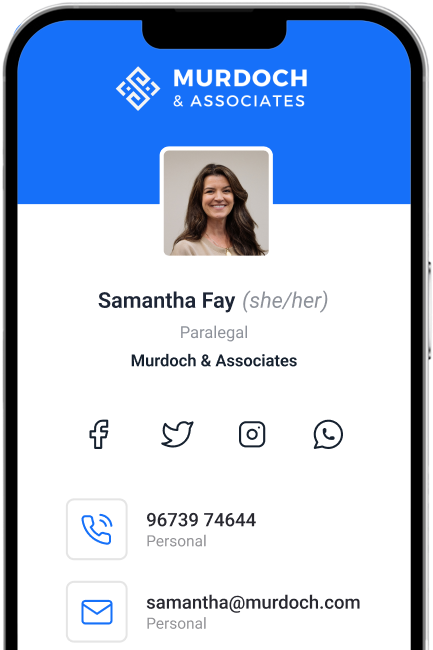
Avoid overly busy backgrounds that can distract from your contact details. For instance, a minimalist layout with their logo and a professional headshot, ensuring clarity and ease of reading.
Stay Current
Imagine you recently switched companies or updated your job title. If your digital card still shows your old position or contact details, a potential client might reach out to the wrong person. Regularly update your digital card so that every connection you make has accurate information.
Avoid overly busy backgrounds that can distract from your contact details. For instance, a minimalist layout with their logo and a professional headshot, ensuring clarity and ease of reading.
Stay Current
Imagine you recently switched companies or updated your job title. If your digital card still shows your old position or contact details, a potential client might reach out to the wrong person. Regularly update your digital card so that every connection you make has accurate information.

Embrace the Technology, But Don’t Overdo It
While digital business cards offer convenience, it’s essential to strike a balance between modern efficiency and traditional courtesy.
Keep It Simple
Instead of embedding multiple animated graphics and links that could overwhelm the recipient, stick to a clean layout with essential information—name, position, company, email, and a link to your LinkedIn profile. This ensures your card is both elegant and functional.
Stay Accessible
Ensure your digital card is optimized for viewing on both desktop and mobile devices. If you’re sharing a card that relies on a specific app or software, provide alternative formats (like a PDF) so that the recipient can easily access your details regardless of their device.
Make It Easy
Make it clear what your new contact should do next. Verbally indicate the next step or make it clear on your digital card what you want them to do. That could be to connect on LinkedIn, schedule a follow up call, sign up for your newsletter, or anything else that fits your business.
Instead of embedding multiple animated graphics and links that could overwhelm the recipient, stick to a clean layout with essential information—name, position, company, email, and a link to your LinkedIn profile. This ensures your card is both elegant and functional.
Stay Accessible
Ensure your digital card is optimized for viewing on both desktop and mobile devices. If you’re sharing a card that relies on a specific app or software, provide alternative formats (like a PDF) so that the recipient can easily access your details regardless of their device.
Make It Easy
Make it clear what your new contact should do next. Verbally indicate the next step or make it clear on your digital card what you want them to do. That could be to connect on LinkedIn, schedule a follow up call, sign up for your newsletter, or anything else that fits your business.
Respect Privacy and Consent
While digital tools make sharing easier, they also demand a higher level of respect for privacy.
Ask Before Adding
If you meet someone at a networking event and want to exchange contact information, you should ask before sharing. This polite inquiry respects their privacy and gives them a choice. Never assume and just ‘tap phones’ to get contact info.
If you meet someone at a networking event and want to exchange contact information, you should ask before sharing. This polite inquiry respects their privacy and gives them a choice. Never assume and just ‘tap phones’ to get contact info.

Leverage Data for Thoughtful Follow Up
Just because the card is now digital doesn’t mean your networking effort ends when you share your card. In fact, it’s just the beginning of your professional relationship.
Send a Thank You Note
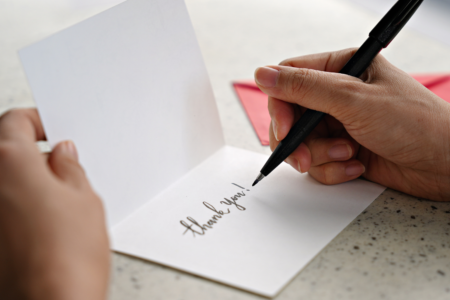
After a meeting, follow up with an email to reference your topic of conversation.This reinforces your initial connection and shows gratitude for the connection - not unlike how it works with physical cards.
Use Data to Maintain the Connection
Digital business cards come with analytics. Now you know when your new contact engages with your business card. Use this intel to make timely follow-ups that build a long-term professional engagement.
After a meeting, follow up with an email to reference your topic of conversation.This reinforces your initial connection and shows gratitude for the connection - not unlike how it works with physical cards.
Use Data to Maintain the Connection
Digital business cards come with analytics. Now you know when your new contact engages with your business card. Use this intel to make timely follow-ups that build a long-term professional engagement.
Final thoughts
Digital business cards are a fantastic tool for modern networking, but like any tool, they’re most effective when used with care and consideration. By following these etiquette guidelines—and keeping these examples in mind—you’ll not only present yourself as a polished professional but also build genuine, respectful connections in the digital realm. Embrace the change, stay updated, and always remember that behind every digital interaction is a real person seeking meaningful engagement. Happy networking!
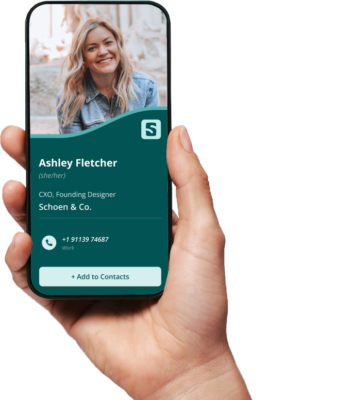
QR code digital business cards are a great tool for today's business world. Here are some key tips to remember:
Plus, here are some unique points when using QR code digital business cards:
Design: Make a visually attractive profile that represents your brand. Use colors and images that match your company's identity and make it easy to scan.
Placement: Show your QR code on physical items like NFC business cards, flyers, or posters. Make sure it's visible and accessible to potential customers or clients.
Mobile Optimization: Make sure the page or website connected to your QR code is mobile-friendly. This will improve the user experience + prevent frustration. Most digital business cards are preset to be mobile-optimized.
Analyzing Data: Take advantage of the data from QR analytics tools. Track engagement, measure success, and make informed decisions.
Personalization: Give individualized information to different recipients. Name, contact details, or tailored messages.
Call-to-action: Ask users to take action after scanning the QR code. Sign up for a newsletter, buy something, or schedule a meeting.
Security: Keep data collected through QR codes secure. Implement SSL certificates or encryption protocols. Select a digital business card provider that is safe and secure. Wave is SOC 2 compliant, ensuring your data is safe.
QR code digital business cards have been proven effective at trade shows and networking events. Companies have seen increases in lead generation and engagement when using QR codes on biz cards. They offer quick access to information in an efficient way, revolutionizing networking practices.