How Home Goods Brands Can Use QR Codes for Product Assembly and Support
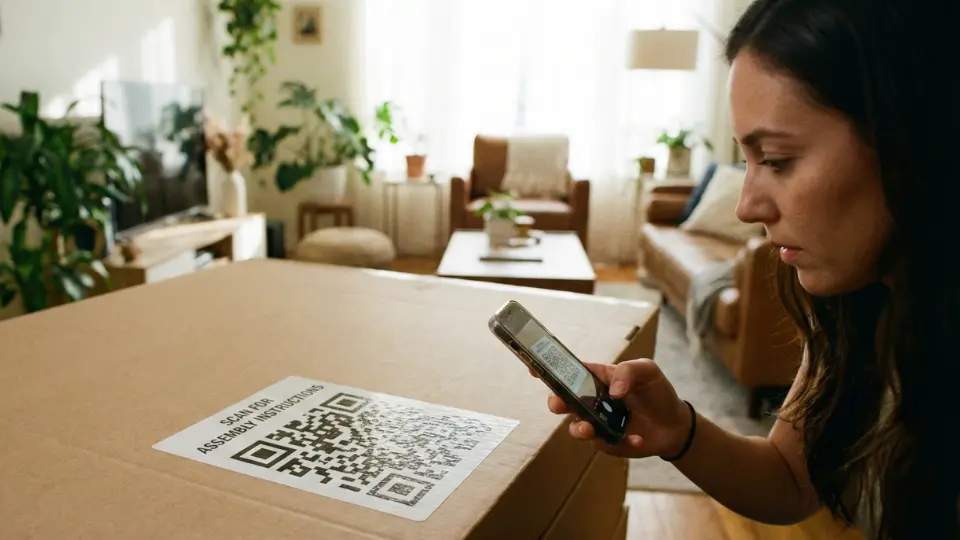
Paper manuals frustrate customers and drive returns for home goods brands. This guide demonstrates how dynamic QR Codes replace static instructions with digital assembly, maintenance, and support, reducing costs, enhancing self-assembly, and delivering a better post-purchase experience.
For a home goods manufacturer, a sale is complete only when the product stands securely in the customer’s home. While brands offer assembly or installation services, doing so is expensive, and charging for it often backfires. As a result, many companies are shifting assembly to the customer.
In fact, flat-pack furniture, such as self-assembled home goods, reduces costs by 20-50% compared to fully assembled options due to lower labor and efficient production.
However, it works when instructions are clear and reliable for the customer. Confusing or outdated steps in paper manuals, as well as missing information, cause frustration, leading to “product-not-as-described” returns and high-volume customer support calls. Additionally, paper manuals are expensive, difficult to update, and lack clarity.
Dynamic QR Codes solve this for manufacturers by replacing static manuals with digital instructions.
In this article, we will look at the many ways dynamic QR Code help home goods companies improve assembly, maintenance, reduce costs, and create better customer experiences.
Improving assembly with QR Codes
While DIY or self-assembly helps manufacturers reduce costs, it also creates a valuable business opportunity. This is best explained by the IKEA Effect, which shows that people tend to value products more when they assemble them themselves, because the effort involved increases emotional ownership.
In fact, a 2011 study states that people are willing to pay 63% more for furniture they had assembled themselves compared to identical pre-assembled items.
QR Codes allow manufacturers to design this experience intentionally. Instead of treating assembly instructions as a static insert, a QR Code placed on the box or inside the package can act as the starting point for guided, digital assembly.
A single scan can direct customers to PDF manuals for quick reference, step-by-step video tutorials for visual learners, or AR-based guides that show how parts fit together in real-time.
Additionally, QR Codes simplify global distribution. Rather than printing bulky booklets in multiple languages, manufacturers can host all language versions digitally and allow customers to select their preferred language upon scanning.
QR Codes can also be used to address common assembly issues as they occur. Including a “Report Missing Part” option within the scanned experience gives customers an immediate path to request replacements, reducing frustration, avoiding full returns, and lowering support overhead.
⚡Pro tip: Use Uniqode’s Linkpages to place multiple resources behind a single link. Create a branded Linkpage with all essential content—manuals, videos, troubleshooting, and support—then link that page to a QR Code. Customers scan once to access everything, and you can add, remove, or update resources at any time without needing to change the QR Code.
Supporting maintenance and product care with QR Codes
Once assembly is complete, long-term satisfaction and product lifespan depend on how easily customers can maintain and fix what they own. When something goes wrong, they should not have to search emails, manuals, or support pages to find answers.
A QR Code used during assembly can continue to serve as the first step when issues arise. Scanning the same code can take customers to a maintenance and support hub designed specifically for that product model.
Start with guided troubleshooting. Simple, structured checks can help customers identify common issues before they escalate. This includes diagnosing loose fittings, alignment problems, or performance drops that often have quick fixes.
Next, support easy, self-service repairs. Short videos or visual instructions for simple tasks, such as tightening components, resetting mechanisms, or replacing small parts, empower customers to resolve issues themselves without needing to contact support.
For more serious problems, the QR experience should include a clear “Report an Issue” path. Customers can submit photos, describe the problem, and reference the exact product model, enabling support teams to respond more quickly and accurately.
QR Codes are also ideal for proactive care. Brands can include basic “how-to” guidance, such as cleaning instructions, filter replacement videos, or maintenance schedules that help customers keep products functioning as intended over time.
When parts wear out, the same QR flow can link customers directly to exact replacement components, such as cushions, screws, filters, or accessories, matched to their specific product.
Finally, the post-assembly scan can prompt customers to register their product instantly, capturing ownership details while the product is still fresh in their mind. This supports warranty activation, future communication, and long-term engagement without adding friction.
GE Appliances, for example, uses QR Codes across its products to guide customers beyond setup and into ongoing support. QR Codes placed on product registration cards, rating plates, and packaging contain embedded model and serial numbers. When customers scan the code, they are taken to a mobile landing page where they can register their appliance and access product manuals, videos, and documentation specific to their model. Additionally, QR Codes direct customers to troubleshooting resources, frequently asked questions, care and cleaning instructions, and maintenance videos. From the same flow, customers can search the knowledge base, find replacement parts or accessories, check recall information, or book a service appointment if the issue requires professional support.
Where to place QR Codes on home goods
First-contact placements support assembly at the moment of unboxing. A QR Code on the outside of the box or shipping flap allows customers to check the required tools before opening the package.
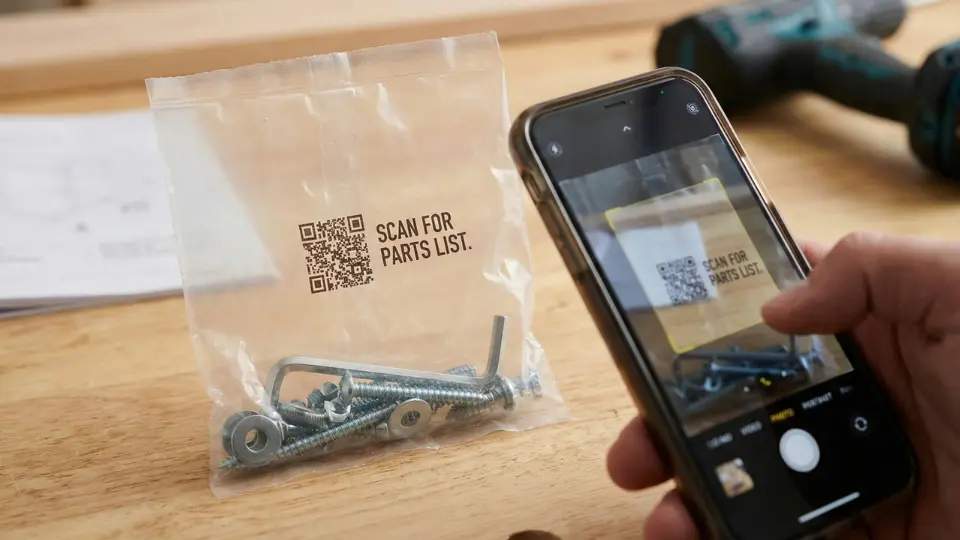
A branded welcome card inside the box can replace printed manuals and direct customers to digital or 3D assembly guides. Printing a small QR Code on the hardware bag helps customers identify screws and parts correctly, reducing assembly errors and lost components.
Permanent placements support long-term maintenance. For furniture, place a durable QR Code sticker underneath or behind the product so it remains accessible when repairs are needed. For appliances, add the code inside battery or filter compartments, guiding customers directly to replacement parts. Integrating the QR Code into the product ID or serial number plate ensures it is never discarded.
Room-specific placement improves durability. Use laminated codes for kitchens, care tags for textiles, and etched or metal plates for outdoor furniture to withstand environmental wear.
All-in-one QR Code solution for home goods brands
Enterprise-grade QR Code solutions like Uniqode enable home goods brands to manage assembly, maintenance, and post-purchase support through a single, centralized system.
Uniqode’s dynamic QR Codes allow teams to update manuals, videos, and troubleshooting content even after packaging is printed, removing the need for reprints when products or instructions change. Using Linkpages, brands can group multiple resources behind one QR Code, keeping the experience simple for customers.
Uniqode also provides real-time scan analytics to understand how customers engage with instructions and support content. With enterprise-grade security, access controls, and compliance standards such as SOC 2 and GDPR, brands can confidently scale QR-driven experiences.
How to create a QR Code
For example, if you want to create a QR Code that links customers to a PDF assembly manual, here’s how to do it using Uniqode:
- Log in to your Uniqode dashboard.
- Click +Create and select QR Code.
- Choose PDF if your manual is in PDF format.(Select Linkpages instead if you want to offer multiple resources like videos, troubleshooting, or support links.)
- Upload your PDF file or paste the link to the hosted PDF.
- Enable multi-language support if you want customers to choose their preferred language after scanning.
- Click next and customize the QR Code to match your brand using colors, logos, and styles.
- Click next, download the QR Code, and finish.
Frequently Asked Questions
- How to make a QR Code for instructions?
To create a QR Code for product instructions using Uniqode, follow these steps:
- Log in to your Uniqode dashboard and click +Create
- Then select QR Code
- Choose PDF if your instructions are in PDF format
- Upload your file or paste the hosted URL,
- Customize the QR Code
- Download your QR Code
- Can QR Codes replace paper instruction manuals?
Yes. QR Codes can fully replace paper manuals by linking customers to digital instructions that are easier to update, support multiple languages, and include videos or interactive guidance that paper cannot provide.
- Can QR Codes support product maintenance after purchase?
Yes. QR Codes can link customers to maintenance guides, cleaning instructions, filter replacement videos, troubleshooting steps, and direct links to purchase exact replacement parts for their product.
- Are QR Codes secure for product support and customer data?
Yes. Enterprise-grade QR Code solutions like Uniqode are designed with security and compliance at their core. It complies with standards such as GDPR and SOC 2, ensuring customer data stays protected, QR-linked content remains brand-safe, and manufacturers can confidently scale QR-based assembly, maintenance, and support experiences across products and regions.