
How to Implement QR Code Product Authentication: Anti-Counterfeiting Guide
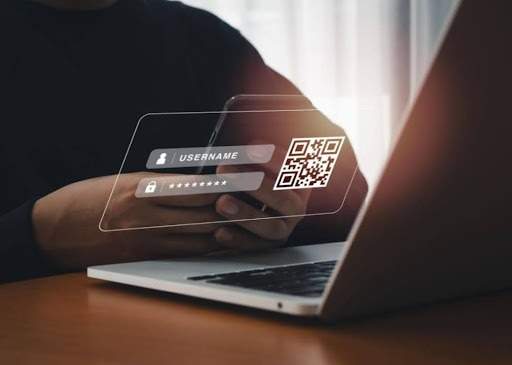
Counterfeiting threatens brand trust, but QR Code product authentication helps stop it. By giving every product a unique digital identity, consumers can verify authenticity with a quick scan while brands detect suspicious activity in real time. Learn how to set up QR Code product authentication to build a smarter anti-counterfeiting system.
QR Code product authentication works by assigning each physical product a unique digital identity that is verified in real time whenever someone scans the QR Code. Each unit's code links to a database record and not just a printed image, so verification depends on real-time data: scan location, scan frequency, and prior scan history.
That distinction is where most brands go wrong. A brand prints a unique QR Code on every unit, ships the batch, and considers counterfeiting solved. Three months later, a customer service rep gets a message that someone scanned the same "unique" code on a product bought from an unauthorized reseller in a different country, and the verification page showed nothing wrong.
Even if a QR Code is hard to copy, that doesn't guarantee nobody can counterfeit it. Anyone with a smartphone camera and a printer duplicates a static QR Code in under a minute. QR Code product authentication is the interface to a verification system, not the security mechanism itself. The security lives in what happens after the scan: a database lookup, a set of fraud rules, and a check against scan patterns that a copied code can't replicate, even when the visual appearance is faked perfectly.
What is QR Code product authentication
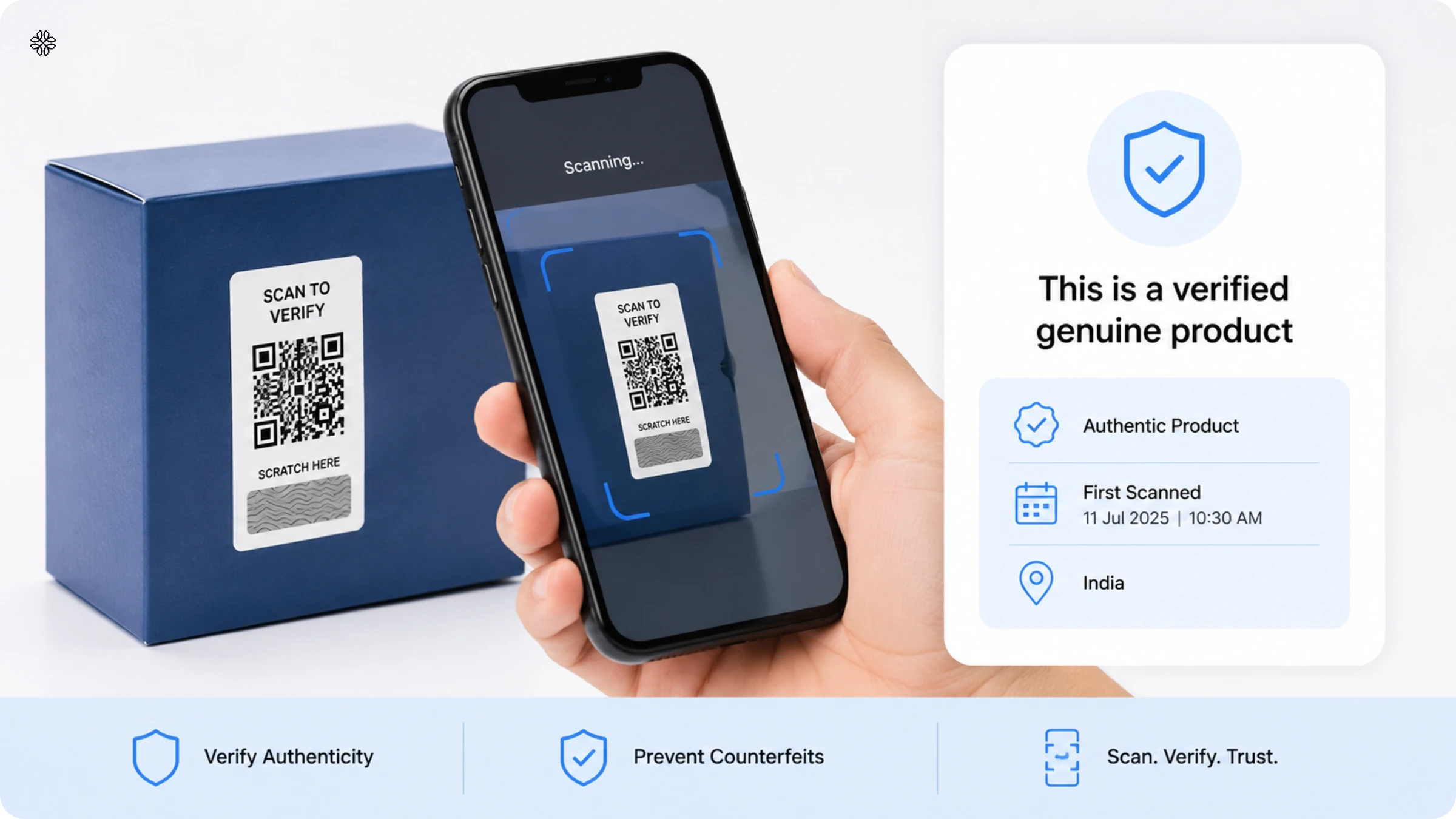
QR Code product authentication assigns each unit a unique, trackable digital identity, verified in real time against a live database the moment someone scans it. The code itself holds no security value, it only contains a short URL that opens when a customer's phone scans it.
The QR Code product verification system does the actual work. Each unit gets a code linked to a database record: serial number, batch ID, manufacture date, and SKU. When a customer scans, the code opens a dynamic URL that calls a verification API. The API checks the token, applies fraud rules based on scan frequency and location, and returns an authentic result displayed on a mobile-first verification page in under a second.
This reframes the entire problem. Instead of asking "how do we make the code harder to fake," brands need to ask "how quickly can our backend detect a fake." Counterfeiters replicate any code design by copying and printing it on fake packaging. What they can't bypass is scan-pattern detection. Fraudulent activity surfaces through data they can't fabricate: the same token scanned in multiple countries within an hour, or scanned far more times than units shipped.
Brands that understand this shift their focus from code complexity to verification infrastructure. The rest of this guide addresses exactly that.
How QR Code product authentication works
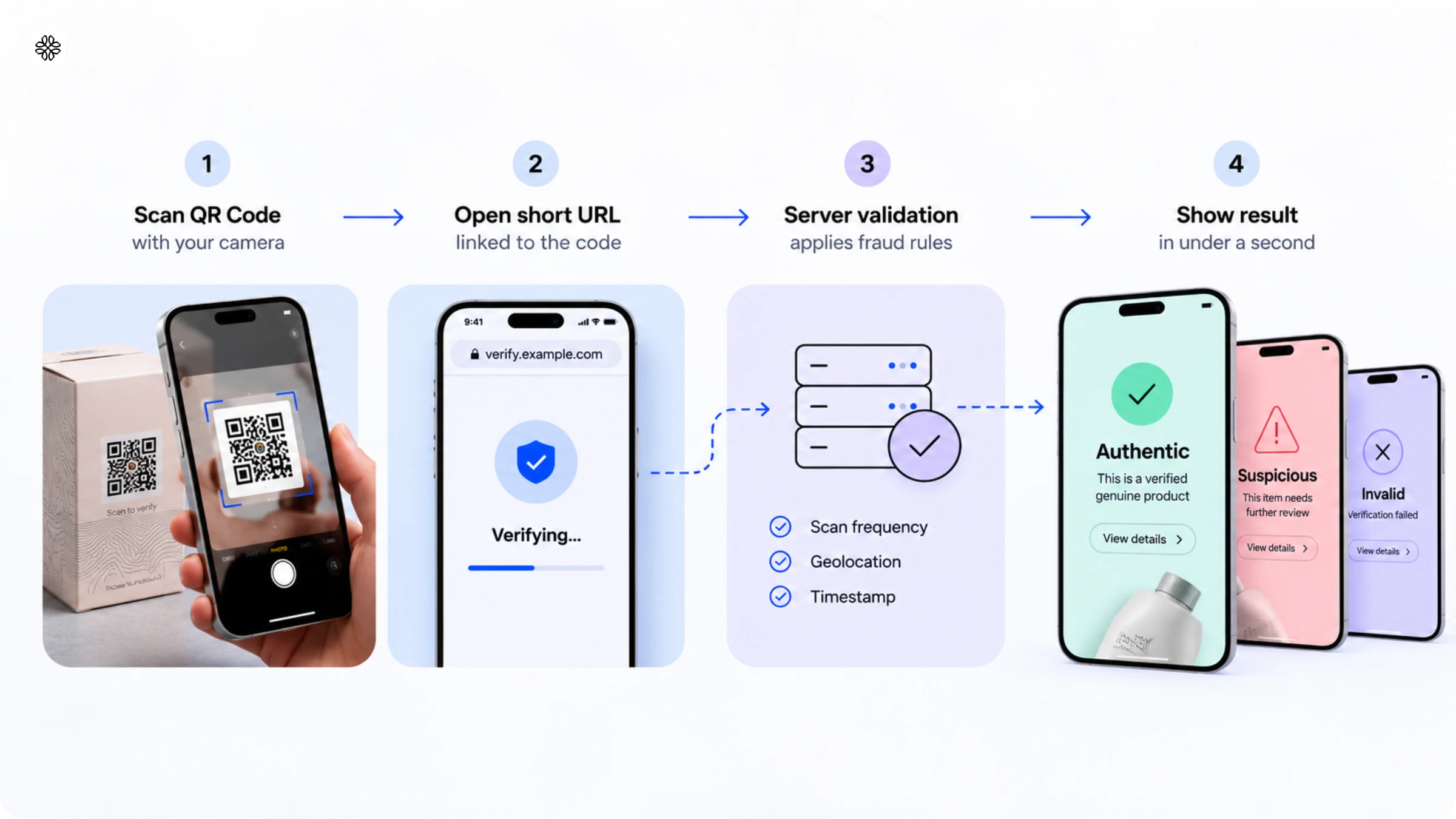
Secure QR Code authentication assigns every item a unique digital identity, verified in real time. Brands generate a distinct QR Code for each product and connect it to a verification system. When a customer scans, the system confirms authenticity and delivers a clear result instantly.
During production, brands generate unique QR Codes in bulk and store each code's details like serial number, batch, manufacture date, and product SKU in a secure database. Dynamic QR Codes let teams update verification logic or messaging after printing without reissuing a single code.
Scan flow, step by step:
- Scan the QR Code with a smartphone camera.
- Open the short URL the code points to.
- Check the token against the server, which applies fraud rules against scan frequency, geolocation, and timestamp.
- Display the result, authentic, suspicious, or invalid, on a mobile-first verification page in under a second.
QR Code anti-counterfeiting guidelines run on server-side checks and not the printed image. Uniqode's ScanGuard automatically applies fraud-pattern logic, flagging scans that spike unexpectedly, cluster in unauthorized locations, or repeat at abnormal frequency. These anomalies surface as dashboard alerts, enabling proactive response before customer complaints or recalls begin. For higher-risk categories, additional protections include one-time tokens that expire after the first scan, HMAC-signed payloads for cryptographic verification, and tamper-evident labels for packaging.
This setup gives teams scan analytics that improve over time by identifying counterfeit hotspots and refining verification rules as new fraud patterns emerge. Running a small pilot before scaling keeps the initial rollout manageable.
Why defective QR Codes cost you before counterfeiters ever do
A QR Code that fails to scan can cost a brand more in the short term than counterfeiting. Defective QR Codes sit undetected until a customer tries to scan and gets nothing. Most product authentication discussions skip scannability entirely and focus on whether a scan confirms authenticity, assuming the code works in the first place. That assumption carries a significant and underestimated cost.
Maesa, a beauty and cosmetics incubator, caught this problem at the print stage. By running quality checks for non-scannable and defective codes before shipment, they prevented $70,000 in losses per 100,000-unit batch, before any counterfeiting entered the picture. That figure reflects codes rejected during pre-shipment quality assurance, not fake products discovered later.
Print quality and scannability are prerequisites for every fraud-detection feature a brand deploys. Serialized codes, fraud-rules engines, and verification APIs all depend on the code being scannable.
Why static QR Codes fail at authentication
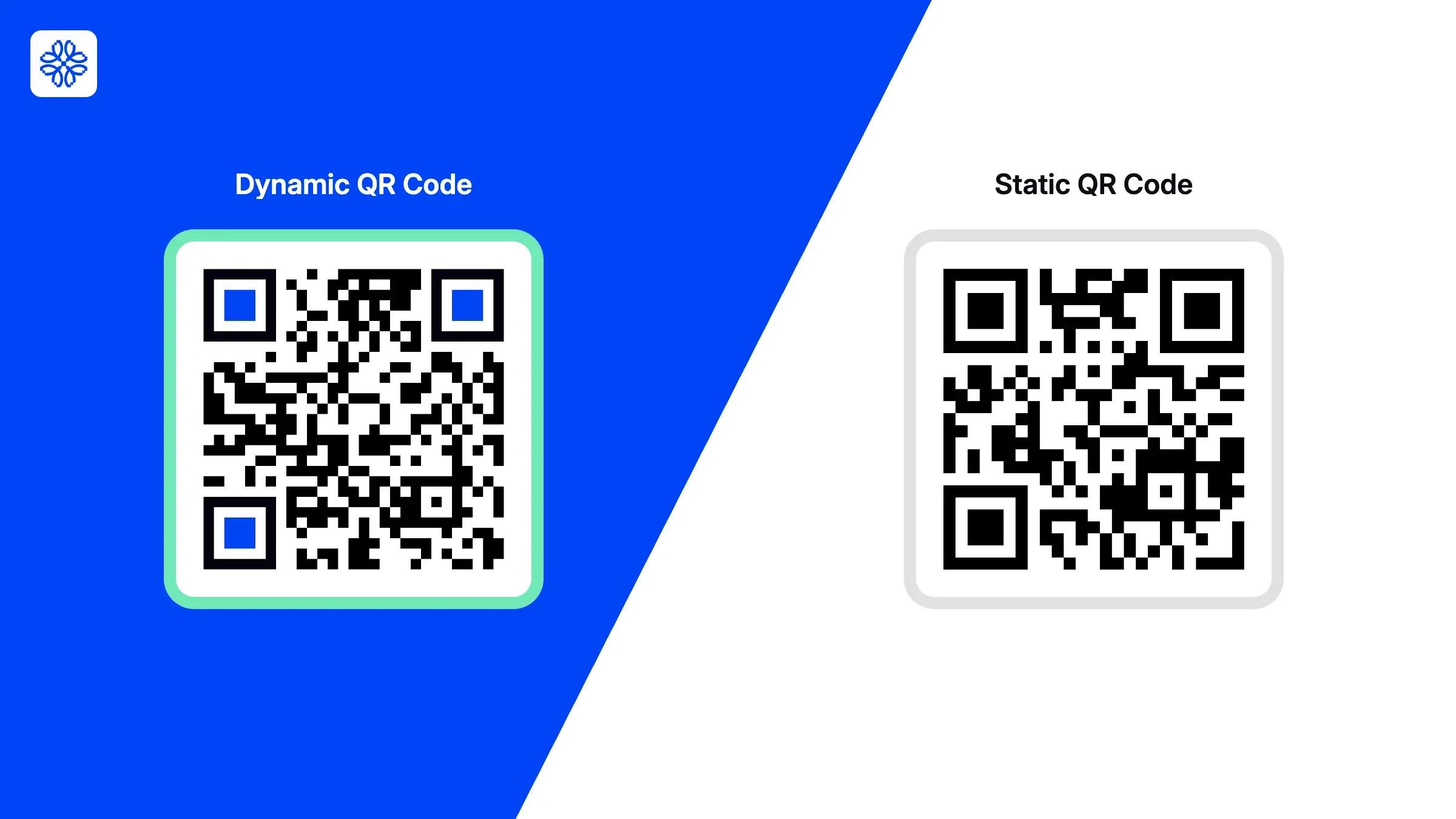
A static QR Code can't authenticate products because it's identical on every unit and has no verification system behind it. Anyone can photograph it and reproduce it on counterfeit packaging and the copy scans exactly like the original.
Dynamic QR Codes with server-side verification stops counterfeiting and not code design. Fraud detection rules monitor scan frequency, geolocation, and timestamps to flag codes scanned in unexpected locations or more times than the number of units shipped. A code scanned in two countries within an hour, or 400 times in a week when only one unit shipped triggers a suspicious flag automatically.
According to Uniqode's State of QR Codes 2026 report, 58% of consumers already feel confident scanning QR Codes, and 26% trust them more than the previous year. The real challenge is brand execution: deploying a code backed by a reliable verification system instead of a static image that offers no security at all.
For a deeper breakdown, refer to Uniqode's dynamic vs. static QR Code guide, which covers the difference between fixed images and server-verified identities.
Using GS1 Digital Link QR Codes for product authentication
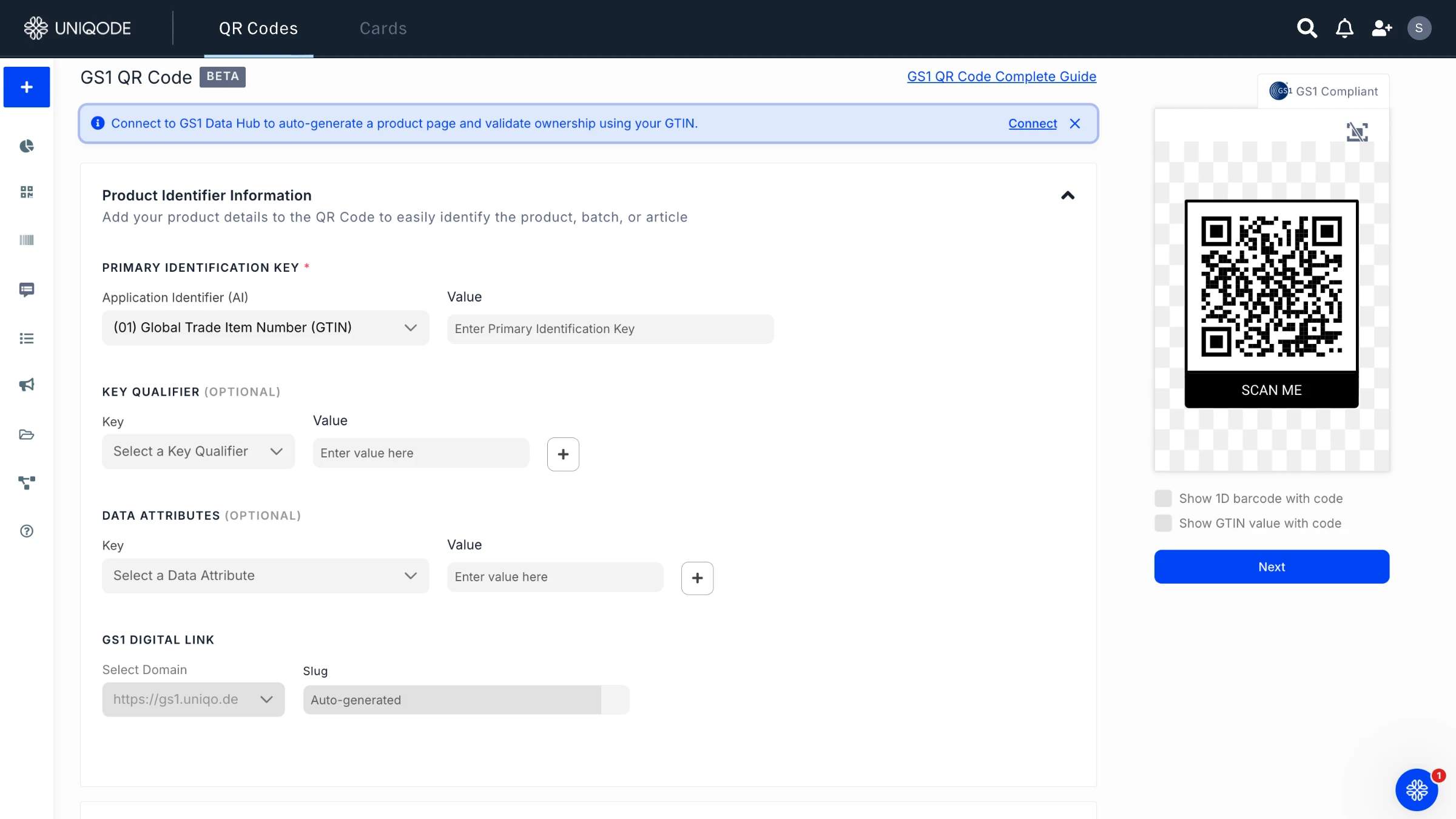
GS1 Digital Link QR Codes pack standardized product data like GTIN, batch/lot number, serial number, and expiry date directly into the QR Code itself. This means one QR Code can satisfy both marketing needs and compliance requirements, and it works the same way whether it's scanned at a retail checkout, in an inventory system, or through a verification API. Proprietary QR Codes can't do this because they're not built to a shared standard.
Because the format is standardized, everyone can scan the same code which makes it possible to verify a product's authenticity at many points along its journey, not just after a customer buys it. The batch and expiry data baked into the code also help with two things:
The retail industry is already moving this direction. GS1's Sunrise 2027 initiative will require point-of-sale systems to scan GS1 Digital Link-compatible barcodes. Brands that adopt GS1-compatible QR codes now avoid having to retrofit their systems later.
Why use QR Codes for anti-counterfeiting?
Compared to holograms or manual serial lookups, QR code authentication is faster to deploy and far easier for end users.
Let’s look at the benefits of using QR Codes in product authentication:
- Instant verification at point of use: Customers scan a QR Code and receive real-time authenticity results on a mobile page.
- Unique codes that can’t be easily replicated: Unique, serialized codes prevent trivial copying by assigning a distinct token to each item, so backend systems can flag reused tokens.
- Low cost and easy to scale: QR Codes are inexpensive to generate and can be integrated into existing packaging lines.
- Enhanced customer trust: Visible, on-package verification reassures buyers and reduces returns.
- Valuable analytics provide insights on scan location, time, and frequency to help spot counterfeit hotspots.
- Flexible integrations let QR Code verification tie into CRM, warranty, loyalty, and anti-fraud systems.
- Layered security options, such as one-time tokens, cryptographic signatures, tamper-evident labels, or invisible markers, raise the barrier for counterfeiters.
- Fast implementation: QR Code platforms offer APIs, dashboards, and bulk tools for quick deployment.
- Better recall management: Dynamic verification pages can be updated to display safety alerts, recalls, or product notices after a sale.
How to authenticate products with a QR Code?
Scan the QR Code on the packaging with your phone's camera. A genuine verification page confirms the product's serial number, batch, and manufacture date while a fake or reused code returns a warning, a dead link, or generic information with no specific match to your product.
Here are 5 steps to confirm if a product is genuine or not:
- Find the QR Code on the packaging: check near the barcode or on the box seal first.
- Scan it with your phone's built-in camera app. No separate app download is required for most brands' verification pages.
- Read the verification page carefully. A genuine result shows product-specific details, your item's serial number, batch, and manufacture date, not generic brand marketing copy that applies equally to any unit.
- Treat a "this code has already been used" message or a location mismatch warning as a red flag. Those messages mean the backend detected the same code being scanned somewhere or some number of times it shouldn't have been.
- Report suspected counterfeits through the verification page if it offers a reporting option, or contact the brand directly with the batch and serial details shown.
How to create QR Codes for product authentication?
To start, log in to your Uniqode dashboard. Click +Create New → QR Code and choose a Dynamic type (for example, “Website” to link to a product page)
In the setup step, enter the URL of your product authentication or info page as the QR code destination. Dynamic QR Codes let you change the URL later and track scans in real time (You can also set advanced options here – e.g. schedule start/end dates or password-protect the campaign.
1. Choose the QR type: After clicking QR Code, select a dynamic campaign type (e.g. Website for a URL)
2. Enter the URL: In Step 2: Setup, paste the product verification page or custom landing page URL you want users to reach on scan
3. Advanced settings (optional): Set a campaign schedule or password if desired, then click Next.
4. Design the QR: In Step 3, customize the code’s look (colors, logo, frame) for your brand. Click Finish when done.
Choosing a product authentication solution: how much protection you actually need
QR authentication should match the risk category, not company size. High-risk categories like pharmaceuticals, luxury goods, electronics require GS1 Digital Link IDs, one-time tokens, and tamper-evident labels. Lower-risk categories, including most cosmetics compliance programs, run effectively on dynamic QR Codes and scan analytics.
When evaluating vendors, prioritize five criteria:
- Scalable bulk generation
- GS1 Digital Link support for regulated and retail use cases
- Scan-anomaly detection that requires no security team configuration
- API access for custom verification
- Detailed geolocation tracking
Uniqode meets all five without requiring an upgrade to a top-tier plan.
What to do next?
QR Code-based product authentication turns a simple scan into a trust signal brands can act on. Unique, dynamic codes linked to a secure backend let customers verify products instantly while giving teams the scan data they need to catch counterfeits and distribution issues early, reducing recall risk before it escalates.
Combining serialized tokens, server-side checks, and GS1 Digital Link identifiers makes verification a comprehensive solution that protects brand reputation and strengthens supply chain visibility at the same time.
Uniqode supports the full stack: dynamic QR Codes, GS1 Digital Link payloads, branded Linkpages, bulk code generation, and analytics to monitor suspicious activity. Start with a pilot SKU to test the verification process and reporting on a single product line. Review scan data over several weeks, then scale to full production using the same bulk tools and custom landing pages.
Brands running compliance-heavy categories should also check the drug labeling and packaging guide and the broader smart packaging guide for adjacent requirements specific to their vertical.
Frequently Asked Questions
- How do QR codes detect counterfeit products?
QR code anti-counterfeiting systems detect fakes by assigning each product a unique token and tracking scan patterns—including frequency, geolocation, timestamp, and device fingerprints—through server-side verification APIs. When the same QR code is scanned multiple times from different locations or countries, or scanned at impossible frequencies, the backend flags it as suspicious or cloned. Advanced implementations use one-time tokens that become invalid after the first scan, HMAC-signed payloads for cryptographic verification, and tamper-evident labels that visibly break when removed, creating multiple layers of protection beyond the printed code alone.
- What is the best QR code platform for bulk product authentication?
Uniqode is specifically designed for enterprise product authentication with features including bulk QR code generation for thousands or millions of units, GS1 Digital Link support for standardized product identifiers, dynamic URL management without reprinting, and real-time scan analytics to detect counterfeit patterns. The platform integrates with existing manufacturing workflows and databases, provides API access for custom verification logic, and offers geolocation tracking to identify suspicious scan activity across regions. Alternative enterprise solutions include Scantrust and Blue Bite, though feature sets and pricing vary significantly based on scale and security requirements.
- What should you look for in a product authentication solution for bulk deployment?
The right solution for bulk product authentication supports five things: bulk generation at the volumes a brand actually needs, GS1 Digital Link for regulated or retail categories, automatic scan-pattern anomaly detection, API access for custom verification logic, and geolocation tracking precise enough to flag out-of-region scans. Uniqode covers all five, and which specific combination matters most depends on risk category, not company size.
- Is QR Code authentication legit, or can it be faked?
QR Code authentication is legitimate when server-side verification backs it. The code itself can be photographed and copied, but a properly implemented system detects the copy through scan-pattern anomalies, duplicate scans from different locations, or impossible scan frequency, rather than relying on the code being uncopyable. A static code with no backend verification can be faked trivially. A dynamic, serialized code tied to fraud-detection logic can't be faked without triggering a flag.
- Why don't regular QR Codes prevent counterfeiting?
Regular, static QR Codes don't prevent counterfeiting because every unit carries the identical code, with no unique identifier and no connection to a verification system. Anyone can photograph and reprint it with zero technical barrier. Prevention requires a unique, serialized code per unit checked against a live database, not a harder-to-copy image.
- What's the difference between QR Code authentication and NFC or RFID tags?
QR Codes need no special hardware, since any smartphone camera scans them, while NFC and RFID require a compatible reader or an NFC-enabled phone held close to the tag. QR Codes cost less to deploy at scale and work well for consumer-facing verification. NFC and RFID suit supply-chain-only tracking, where a reader is already part of the existing workflow.
Related Posts
How to Secure QR Codes Against Phishing and Quishing Attacks in 2026
Are QR Codes Safe? How to Check if a QR Code is Safe
Is a QR Code Generator Safe? 10 Security Features to Check Before You Print
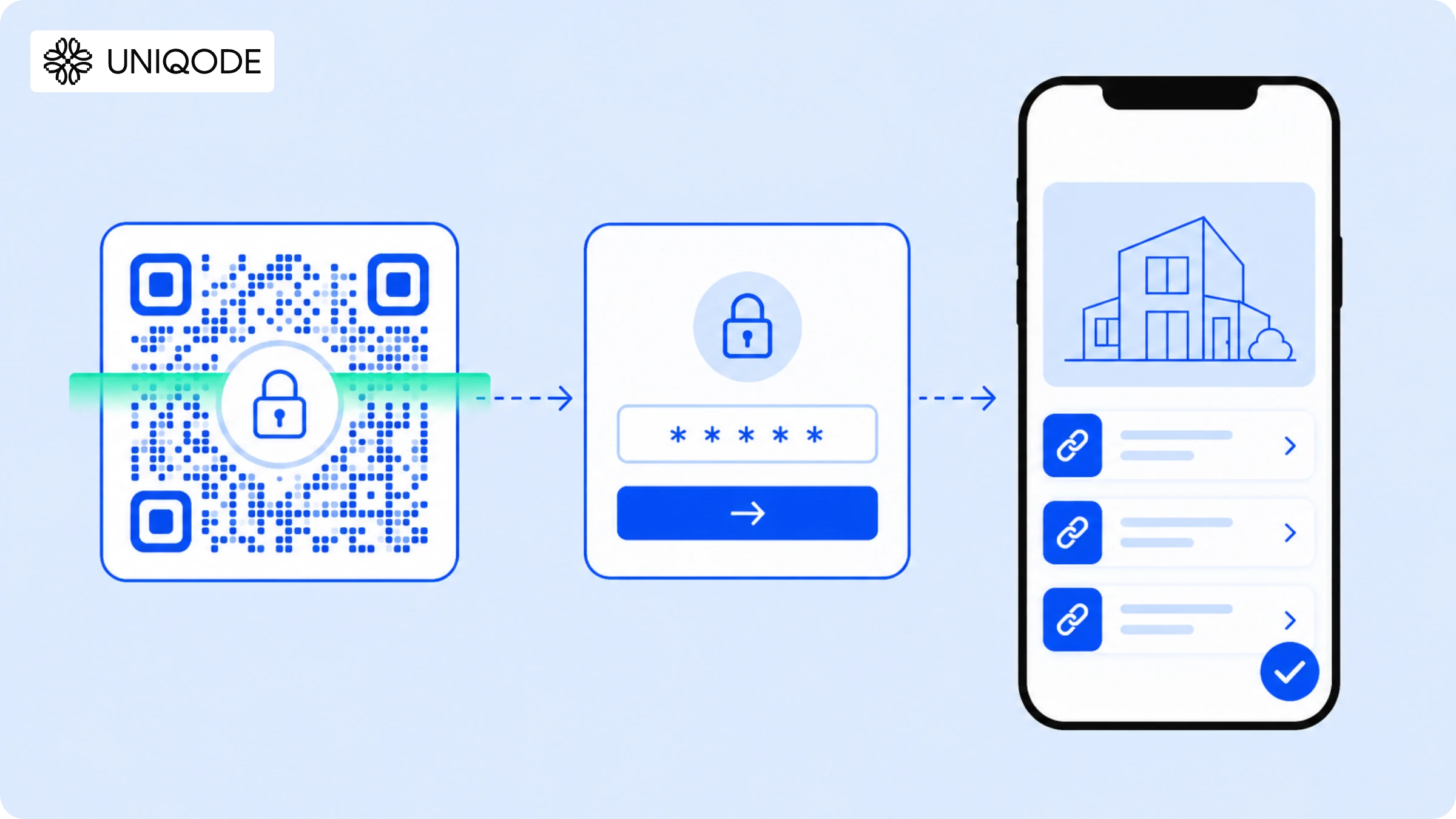
Password-Protected QR Code: Complete Security Guide (2026)

How Internet Outages Impact QR Codes and How Brands Can Stay Resilient