




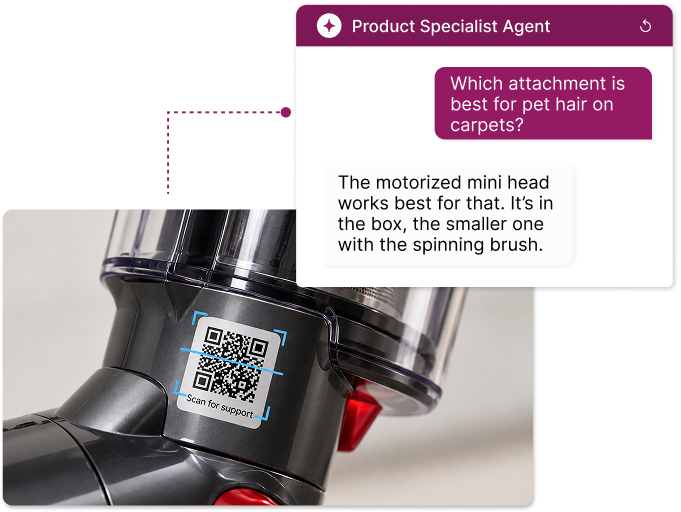
Answers the question.
Captures the lead.
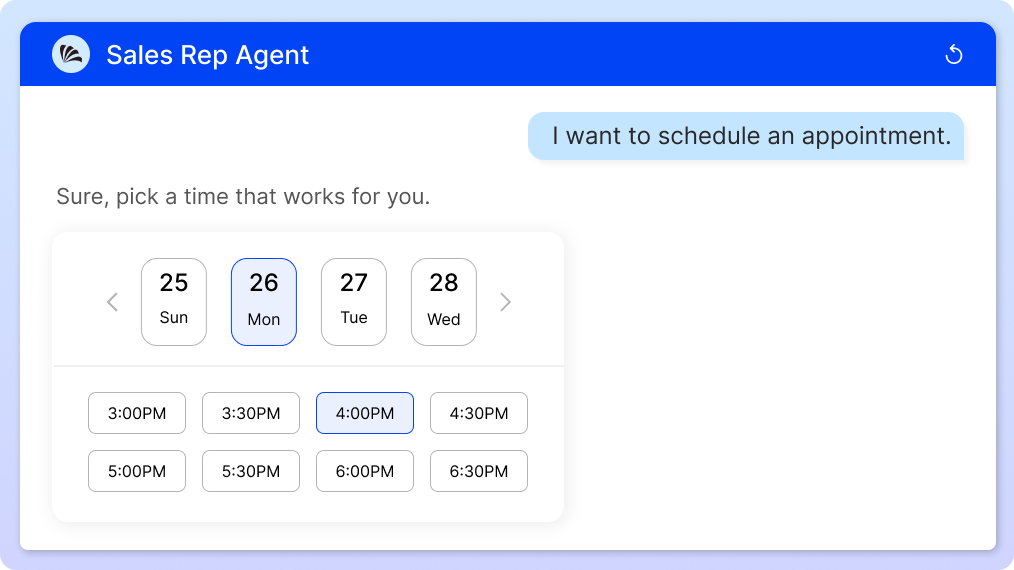
Books the meeting.
Uniqode Agents are AI agents that turn QR Codes into always-on customer touchpoints.
Already on Uniqode? Ask your account team for a demo →













Every scan gets a response
Turn customer questions into AI-powered conversations that work for your business, day or night.

Questions answered on the spot
Replies come straight from your menu, manual, or website, so every response sounds like you.

Tuned to where customers are
A hotel guest and a trade show buyer expect different help, so every reply fits the setting.

Every lead and booking, handled
Collects details, schedules time, submits forms, or brings in a person when it's time to close the sale.

Only answers from your content
The Agent never guesses, and when information is missing, it connects customers to a human.
Same QR Code. Bigger results.
See how businesses put Uniqode Agents to work, from the sales floor to the support desk.
Turn interest into booked meetings.
A Sales Rep AI Agent on your booth, mailer, or brochure QR Code qualifies buyers, collects their email, and schedules a demo on your calendar.

Where this works:
Give your front line time back.
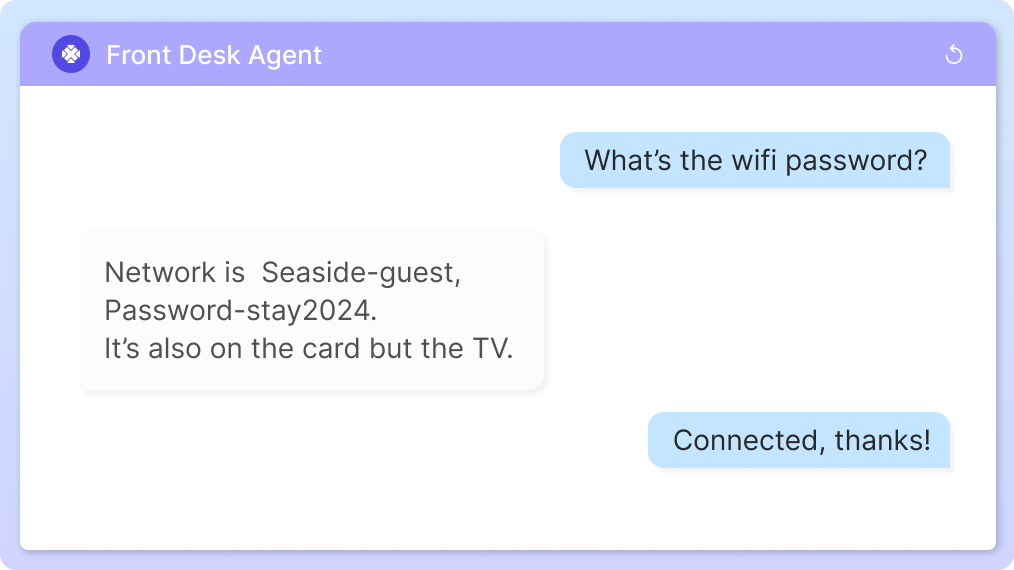
A Front Desk AI Agent answers visitor questions about hours, directions, Wi-Fi, and check-in 24/7, so staff can focus on the people on site.
Where this works:
Help more customers say yes.
A Waiter or Sales Rep AI Agent answers menu and product questions at the moment of purchase, so diners and shoppers decide with confidence.
Where this works:
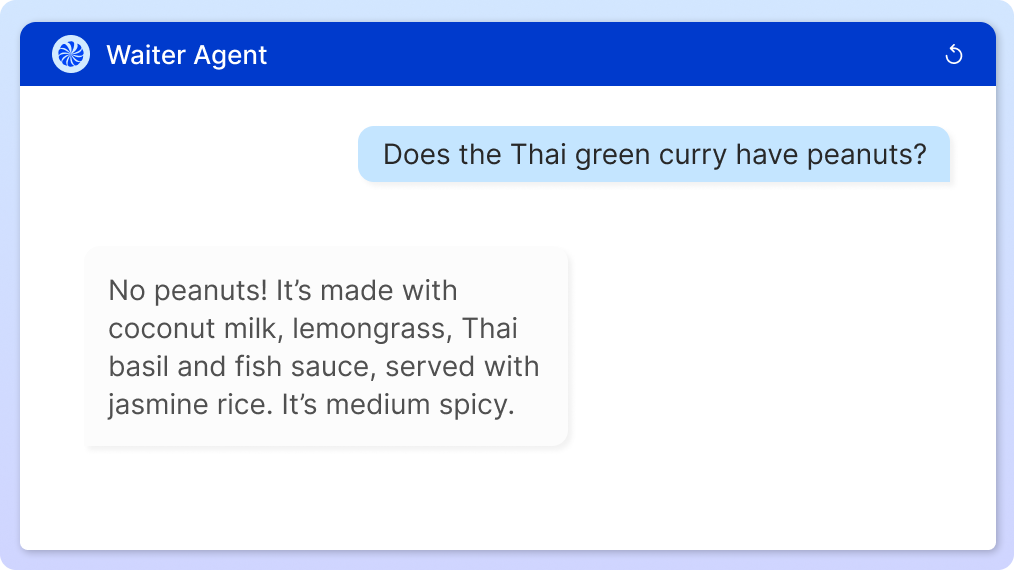
Keep your support queue short.
A Product Specialist AI Agent answers setup, how-to, and warranty questions from the product manual and emails the team anything new.
Where this works:
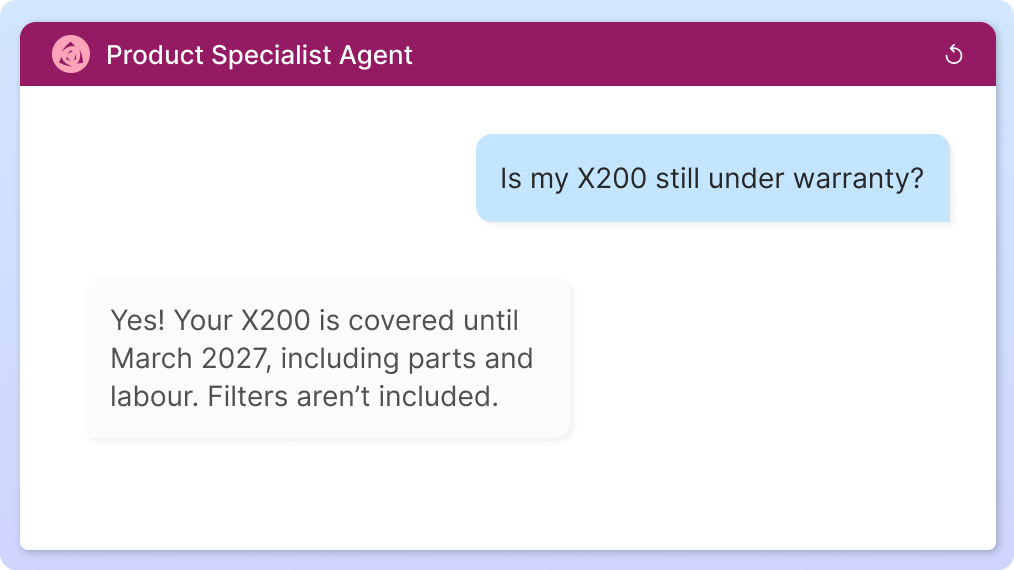
Hear what customers keep asking.
AI Agents track the questions visitors raise most, including ones they couldn’t answer, so you can improve replies and spot demand early.
Where this works:
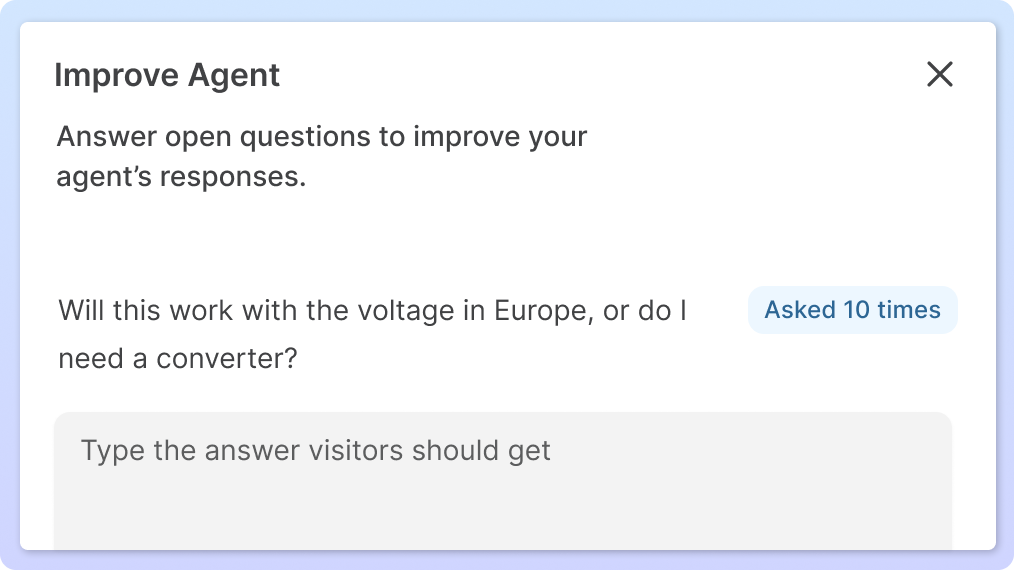

Hire an Agent that is ready on day one
Start with a role built for your business, add your content, and go live behind your next scan.

Waiter
Answers menu questions and flags allergens, so diners order with ease and staff focus on service.

Front Desk
Handles questions about hours, Wi-Fi, check-in, and directions, so visitors get help at any hour.

Sales Rep
Answers pricing questions, captures details, and books meetings while buyers are still interested.

Product Specialist
Walks customers through setup from your manual and emails your team when something new comes up.

Assistant
Answers from any doc, website, or file behind your QR Code, and brings in a person when needed.

Warranty Desk
Registers the product and captures proof of purchase, photo included, right at the point of scan.
Don't see your use case? Start with the Assistant and shape the role to fit, or build a new Agent from scratch.
Live behind your next scan
Five steps, no developer needed, on the QR Codes you already run.
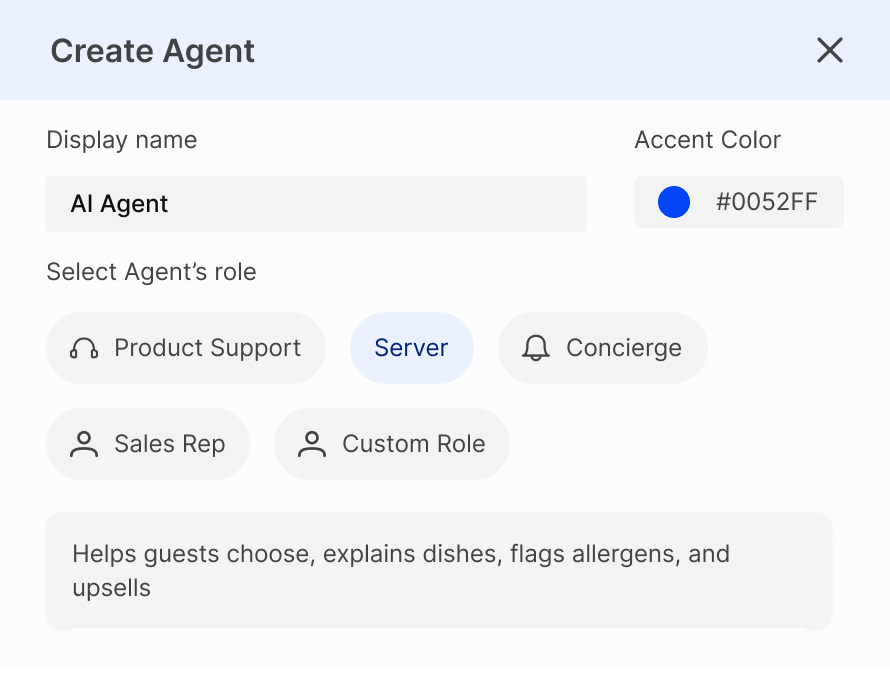
Use a ready-made role or build one from scratch, whichever fits your business best.
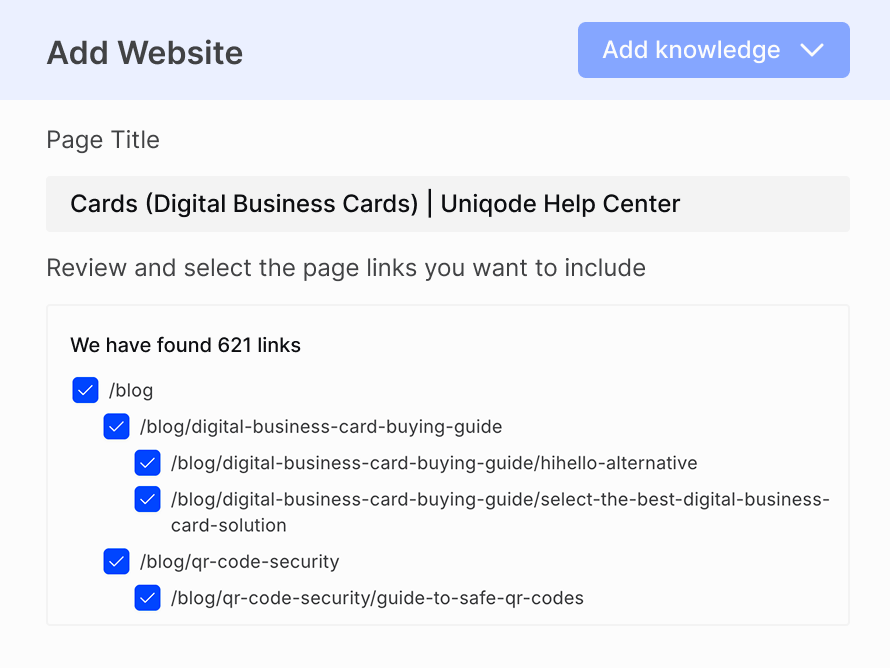
Link the menu, manual, website, or file the Agent should draw from, and answers are ready to go.
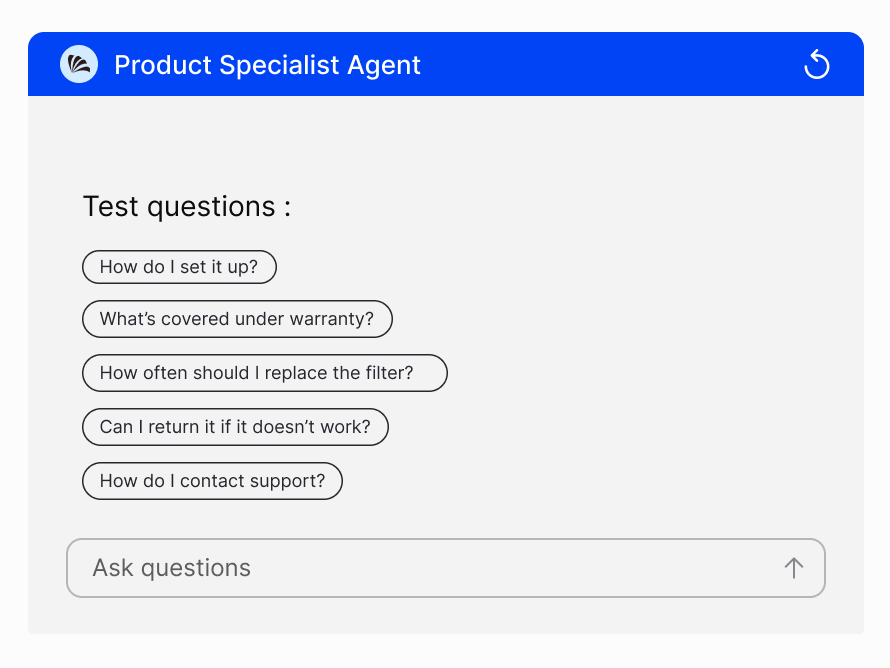
Ask the questions customers will ask, and update your content if any answer needs work.
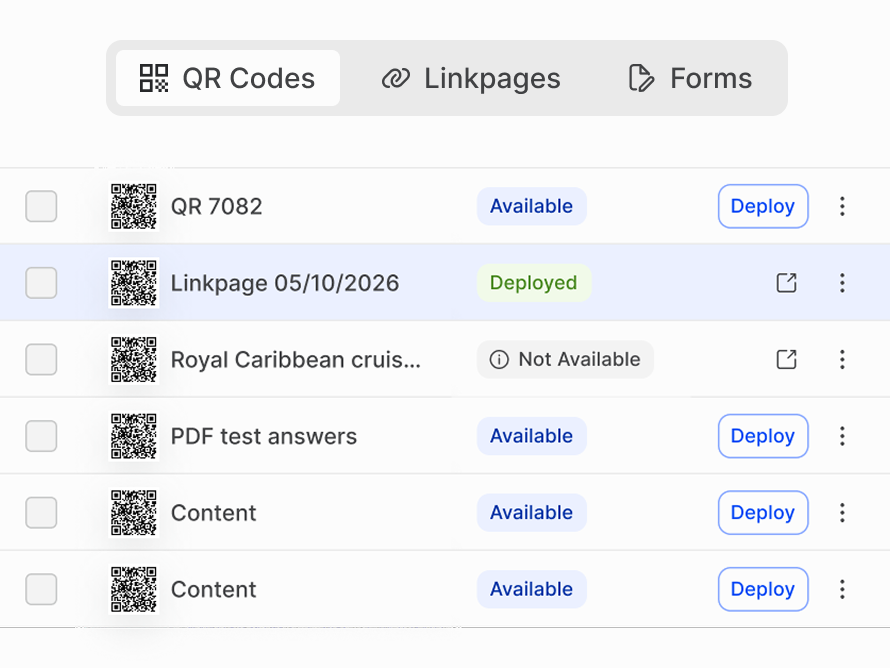
Add the Agent to the menu, PDF, linkpage, or form customers already scan.
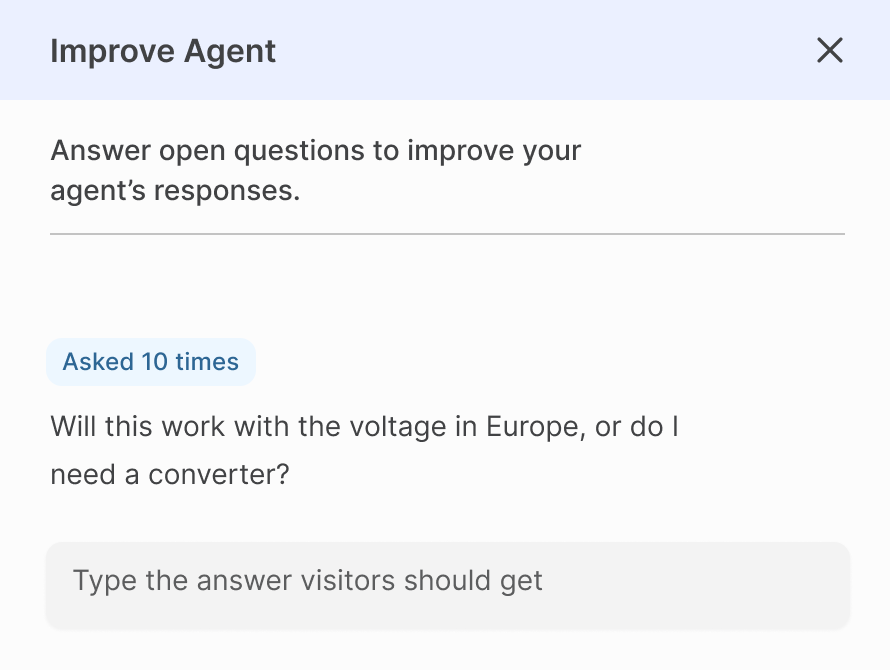
See which questions were handled, and correct anything in plain language. No developer needed.
Enterprise-grade security, built into every plan
A secure QR Code platform delivering the highest industry standards.

Your data trains nothing
Content and conversations are never used to teach any AI model.

Encrypted at every step
All information stays protected in transit and in storage, always.

Private for all scanners
No account needed to chat. Details are shared only by choice.
See an Agent on your own QR Codes
In 30 minutes, our team will show you:

An Agent answering from your own menu, manual, or site
How guardrails, handoff, and lead routing are set up
Where Agents fit across the QR Codes you already run
Frequently asked questions
Uniqode Agents are AI Agents that engage with customers through QR Code experiences, answering questions, capturing leads, and helping customers book meetings or find the information they need.
An AI Agent is added to a QR Code and opens an interactive chat when someone scans it. The Agent can then answer questions, share relevant information, and guide them toward actions such as submitting their details or booking a meeting.
Uniqode Agents use your business content to answer customer questions. This helps them provide responses relevant to your products, services, and customer needs. You choose which content each Agent uses, including websites, menus, manuals, PDFs, and other files.
Uniqode Agents can collect contact details from customers during QR Code interactions. This lets businesses capture leads when customers express interest, rather than relying solely on manual follow-ups.
Start by choosing an Agent for your use case or building one from scratch, then add the content it should answer from. Test the experience before publishing it behind a QR Code so customers can access it with a scan.