Yelp QR Code: Get More Reviews and Boost Business Revenue
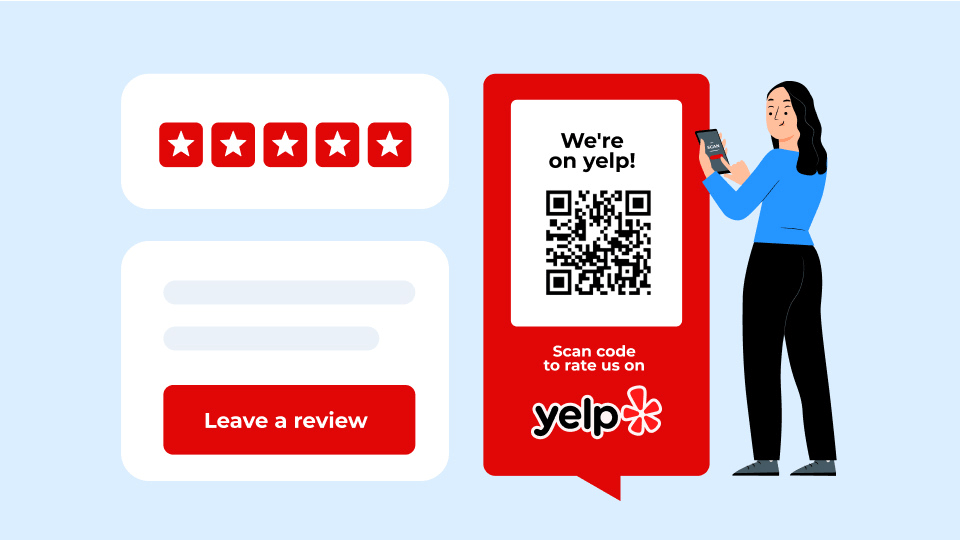
Yelp reviews are essential for your brand since most customers read reviews before choosing a service. This blog shows how your restaurant, retail, or small business can get more authentic customer reviews with Yelp QR Codes.
Your Yelp reviews directly influence whether potential customers choose your business over competitors. But getting satisfied customers to leave reviews is challenging; they need to remember your business name, find you on Yelp, and take the time to write a review. Most people bail halfway through.QR Codes fix this. With a simple scan, customers land directly on your Yelp review page while they are still happy about their experience. You get authentic feedback without chasing people down.
Whether you run a restaurant, salon, retail store, or service business, a well-placed QR Codes transform satisfied customers into brand advocates. In this article, you'll learn how to create, customize, and deploy Yelp review QR Codes to gain consistent feedback.
What is a Yelp QR Code?
A Yelp QR Code is a scannable code that links directly to your business’s Yelp review submissions page. Instead of asking customers to search for your business by name (and hoping they find the right location), one scan takes them to exactly where they need to go.
Most customers review on their phone, and QR Codes meet them where they already are. Scan with a phone camera, write the review, and publish. Done.
Yelp QR Codes work best for brick-and-mortar stores. You can place them at checkout counters, on receipts, on table tents, and in exit areas. The goal is to capture people right after their visit, while they are still thinking about their experience and their phone is already in their hand.
Restaurants, salons, retail shops, service businesses, auto repair centers, and any local business that relies on walk-in traffic or appointments can use Yelp QR Codes to turn casual visits into published reviews.
Why should you use a Yelp QR Code for reviews?
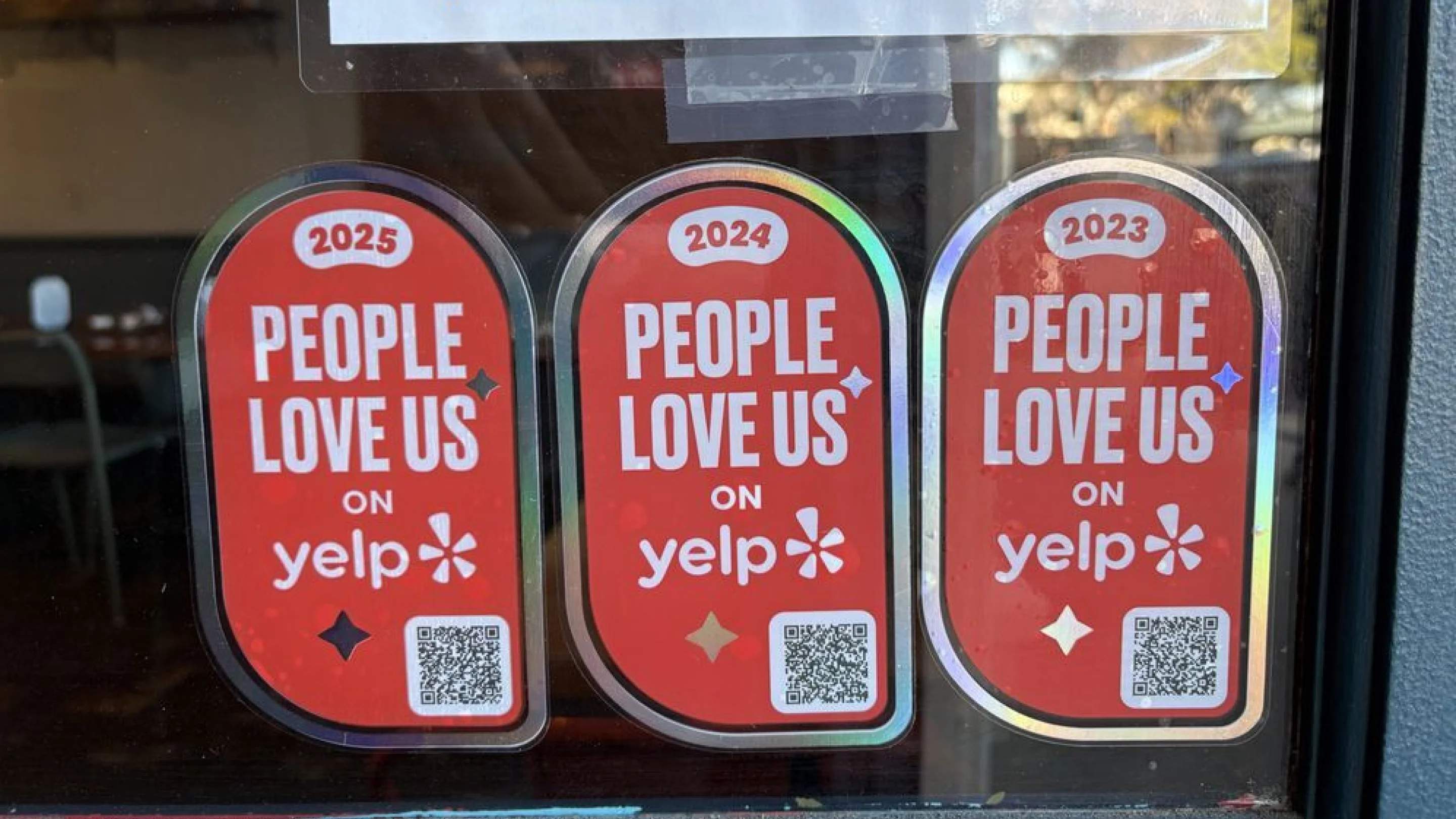
Quality reviews on Yelp are crucial for building social proof and boosting local search visibility, especially because 90% of Yelp users compare businesses before deciding which one to visit, contact, hire, or buy from. Yelp is especially influential for restaurants, home services, and beauty and wellness businesses in the US. Here’s how a Yelp QR Code helps you collect more reviews in four major ways.
1. Making it easy for customers to leave reviews
Most customers want to leave a review after a great experience, but they forget by the time they're in their car. It also depends on them searching for your business name on Yelp, hoping autocomplete finds the correct location, then navigating to the review page. It's enough friction that most people just don't bother.
A QR Code eliminates all of that. One scan from a receipt or table tent drops them directly on your review page while they're still happy without friction.
2. Costing almost nothing to implement
You don't need a developer or expensive software to create Yelp QR Codes. Generate a QR Code in under five minutes, add it to what you're already printing (receipts, business cards, menus), and you're done.
If you're testing what works, start with free static codes. Once you know what's driving reviews, upgrade to dynamic QR Codes that let you track performance and change the QR Code destination.
3. Working everywhere customers interact with your business
Whether you run a restaurant, salon, gym, retail store, or service business, you've got natural touchpoints where customers can scan: checkout counters, appointment cards, product packaging, receipts, and table tents. Different businesses need different placements (more on this later), but the core concept works across industries.
4. Showing what's actually working
Deploy different QR Codes at different locations or touchpoints (in-store vs. receipts vs. email) to determine which drives the most reviews. If your checkout counter code gets 50 scans but only 3 reviews, while your receipt code gets 20 scans and 8 reviews, you know where to focus.
⚡Pro Tip: How to ask for Yelp reviews with QR Codes
The QR Code makes scanning easy, but you might still need to ask. Keep it simple and direct.
- At checkout: "If you enjoyed your visit, we'd love a quick review, just scan this code!"
- On receipts or table tents: "Loved your experience? Scan to leave a review on Yelp."
- For service businesses: "We appreciate your feedback! Scan to share your experience."
Don't overthink it. Customers who had a good experience are usually happy to help, and all they need is a nudge and zero friction. The QR Code handles the friction. Your job is the nudge.
How to create a Yelp Review QR Code with Uniqode
Here’s a step-by-step guide on how to create a QR Code for your Yelp review page.
Step 1: Get your Yelp review URL
Navigate to your business listing on Yelp. Click the Write a review button, and copy the complete URL from your browser's address bar. This link will take customers directly to the review submission page. If you want to lead them to just the business page, simply copy the page’s URL.
Step 2: Generate your QR Code
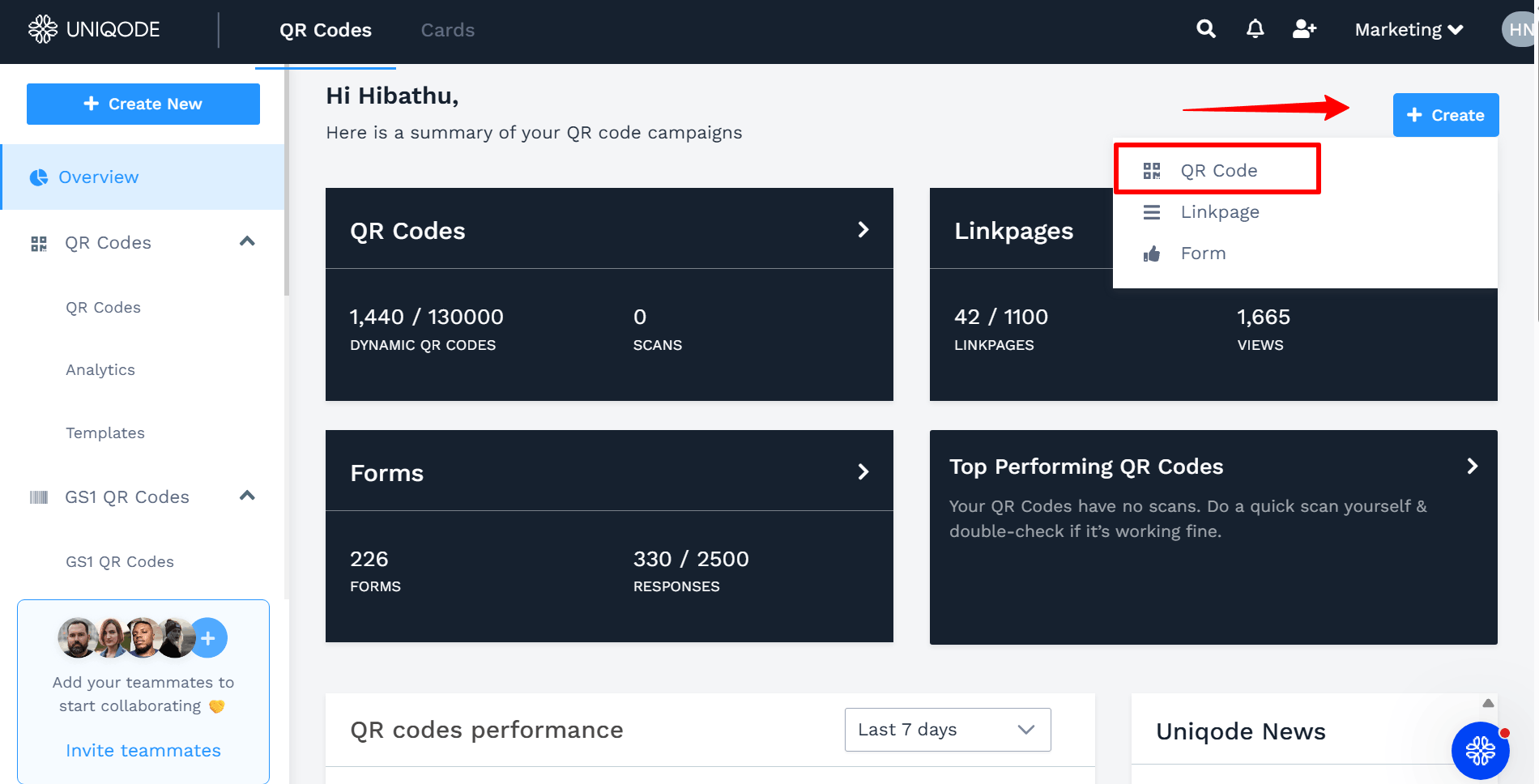
In your Uniqode dashboard, click + Create and select QR Code. Choose the Website option and paste your Yelp review URL into the designated field.
Step 3: Brand your Yelp review QR Code
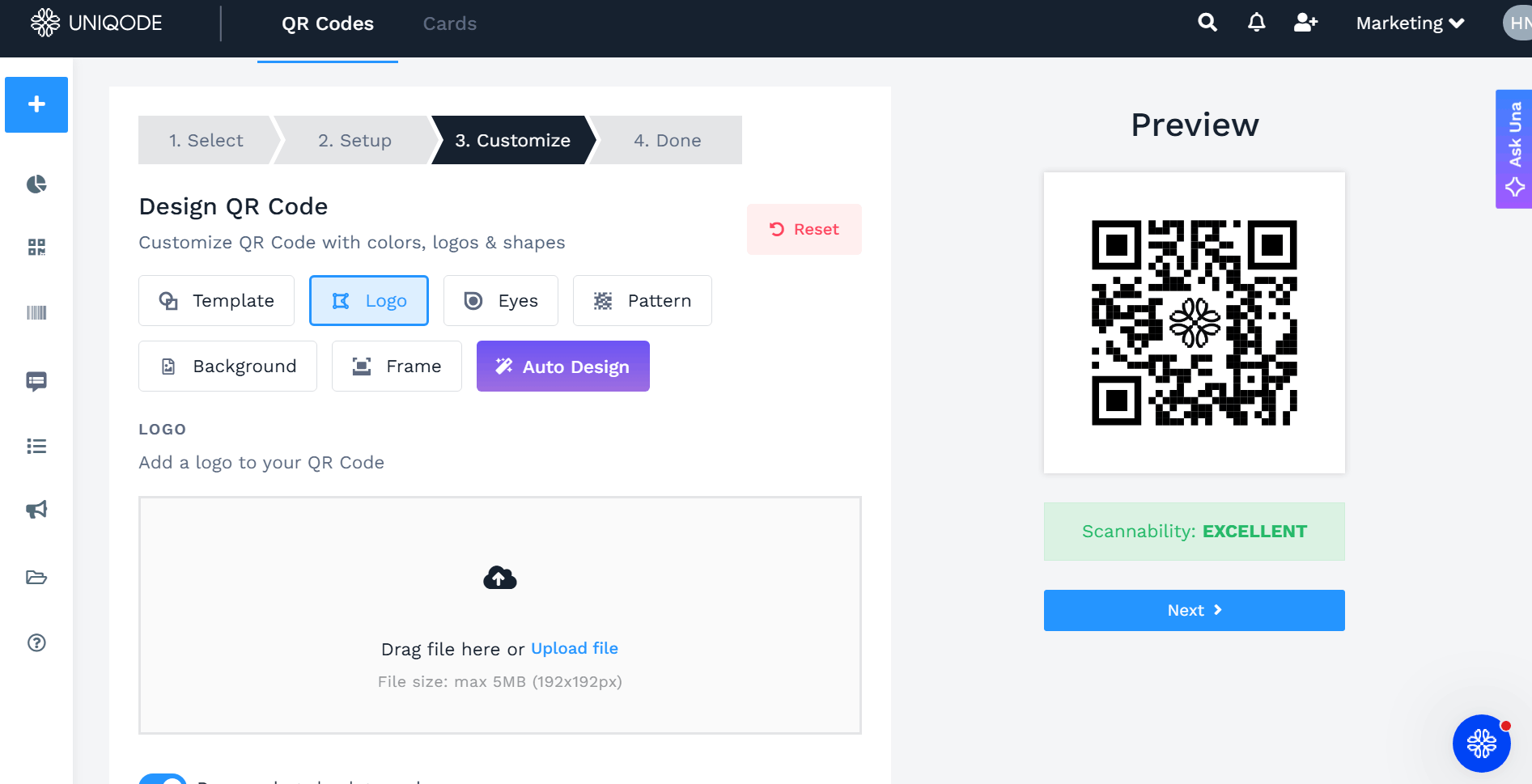
Customize your QR Code design by incorporating your business logo, adjusting colors and patterns to align with your brand identity, and adding a compelling call to action (CTA).
Step 4: Test and export your QR Code
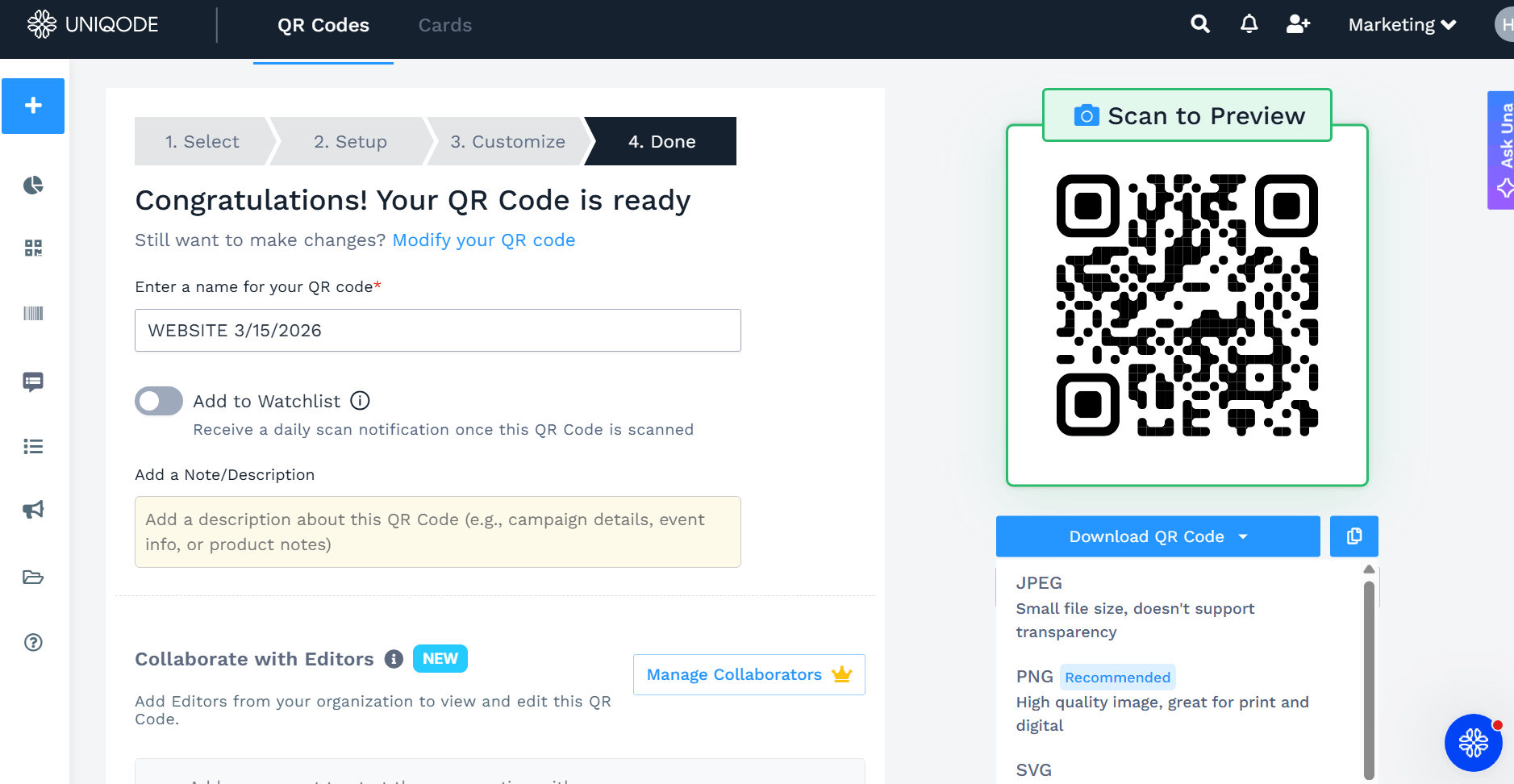
Ensure the scannability is Good or Excellent. Click Next. Then, scan the preview using your smartphone to verify it directs to the correct page. Download your QR Code in your preferred format.
Step 5: Place your QR Code strategically
Print and position your QR Code where customers can easily find it: on receipts, business cards, table tents, storefront signage, checkout counters, or product packaging.
⚡Pro Tip: We recommend the PNG format QR Code when printing for physical materials such as table tents or receipts, though JPEG works well too. For professional printing, consider high-resolution formats such as SVG or EPS available in the dashboard.
Yelp QR Code best practices to get more reviews
A QR Code on its own won't get you more Yelp reviews. What makes the difference is where you place it, how your staff use it, and a few technical details that keep things running smoothly. Here are some best practices to help you get the most out of your Yelp QR Codes.
- Link directly to the review form: Don't just send customers to your business profile. Point the QR Code directly to the "Write a Review" page to minimize friction.
- Ask for reviews in person: A QR Code makes it easy to leave a review, but the real driver is a staff member personally asking a happy customer to leave one. Train and incentivize your employees to make the ask at the right moment, ideally right after a positive interaction.
- Be strategic about placement. Test different spots — the payment counter, receipts, exit doors, waiting areas. A QR Code that nobody notices won't generate reviews.
- Use a dynamic QR Code: Tools that let you track scans, add UTM parameters, or update the destination URL without reprinting are worth the effort. You can A/B test placements and measure what's working.
- Watch out for same-IP issues. If customers are all connected to your business Wi-Fi when they leave reviews, Google (and potentially Yelp) may flag or suppress those reviews. Consider a follow-up system that texts or emails a review link 30–60 minutes after the visit, so customers leave reviews through another network.
- Keep the call-to-action clear and low-effort. A CTA text such as "Enjoyed your visit? Leave us a quick review" right next to the code sets expectations and reduces hesitation.
- Test your links regularly. Broken or outdated QR Code links are a wasted opportunity. Make sure they work on both iOS and Android before you print the codes.
Where to place your Yelp review QR Code for best results
Different business types have unique customer touchpoints, so tailor your placement strategy to maximize visibility and convenience. Here's where to place Yelp review QR Codes based on the type of business you run.
| Business type | QR Code placement ideas |
|---|---|
| Restaurants and cafes | Receipts, table tents, menu inserts, takeout bags, storefront windows, loyalty cards |
| Retail stores | Shopping bags, checkout counters, product packaging, receipts, window displays, fitting rooms |
| Service businesses | Reception desk, appointment cards, mirrors, exit areas, service menus, waiting areas |
| Hotels and accommodations | Checkout desk, in-room welcome cards, key card sleeves, lobby displays, concierge desk |
| Gyms and fitness centres | Membership cards, locker room areas, exit doors, water bottle stations, class schedules |
| Travel and activities | Tour completion areas, booking confirmations, transportation vehicles, ticket stubs, photo packages, departure points |
| Event venues | Event programs, table settings, entrance/exit areas, registration desks, restroom areas |
| E-commerce businesses with local delivery | Package inserts, thank you cards, delivery receipts, product packaging, promotional materials |
⚡Pro tip: Create unique dynamic QR Codes for each placement (receipts, table tents, packaging) to see which touchpoints convert best and change the linked page if you need to. Uniqode lets you create and manage multiple QR Codes from one location.
Bonus: Use Yelp QR Codes for your waitlist, too
Yelp QR Codes can go beyond just being review QR Codes. You can use Yelp QR Codes for its waitlist management feature (customers can join the line before arriving), like the Milwaukee Burger Company - Hudson.
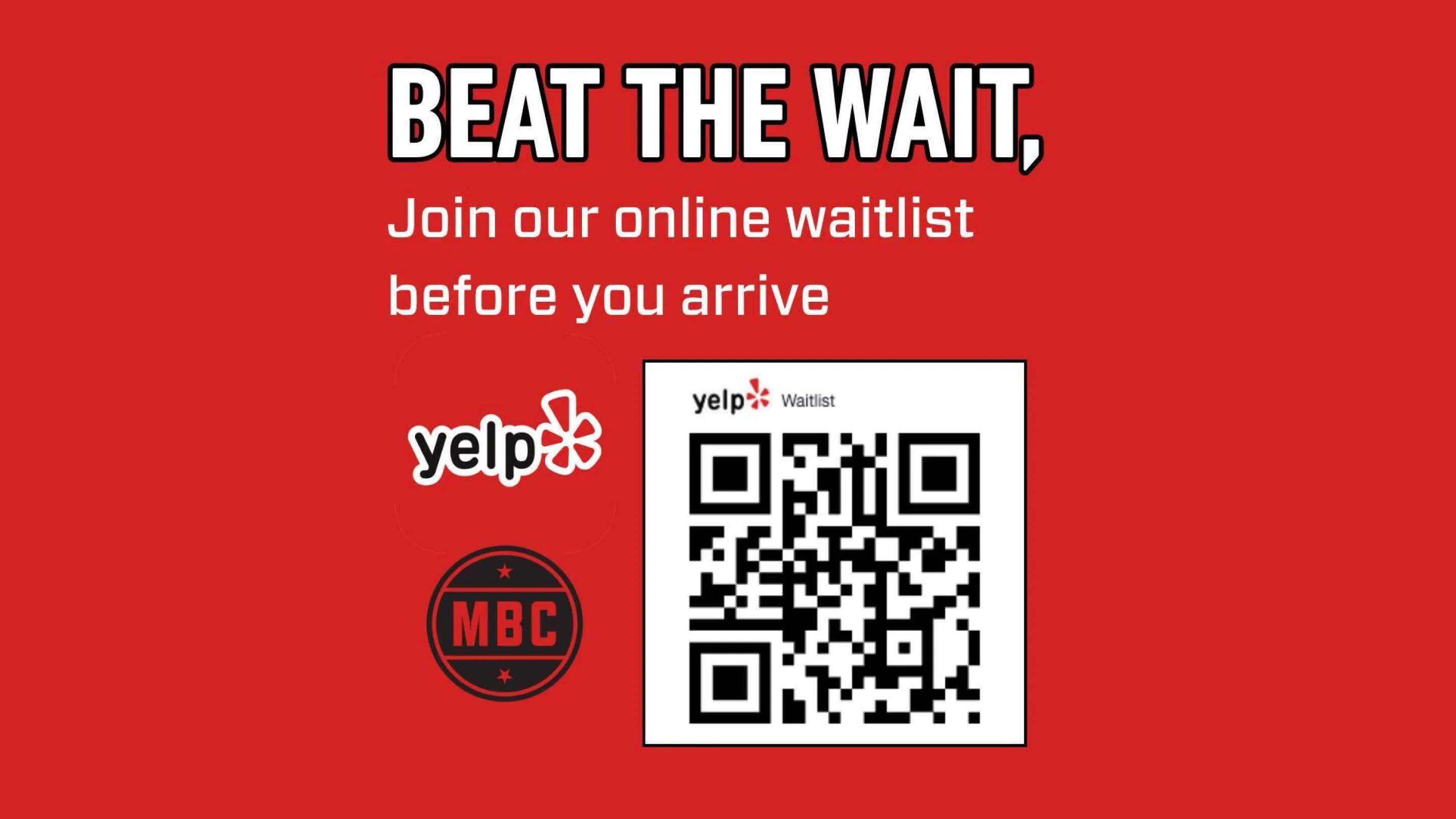
Keep waitlist codes separate from review codes. Each code should have one clear purpose to avoid customer confusion.
Get more Yelp ratings with QR Codes
Online reviews play a crucial role in how customers perceive your business on Yelp. QR Codes do one thing really well: they remove the friction between a happy customer and a published review. You're making it easy when they're already in the moment and not asking people to remember you or hunt you down on Yelp.
If you're using Uniqode to create QR Codes, you get built-in QR Code tracking so you can see which placements actually work, update destinations without reprinting codes, and manage multiple locations from one dashboard.
Start your free trial on Uniqode today and turn customer experiences into powerful social proof!
Frequently Asked Questions
- 1. How much can Yelp reviews increase restaurant revenue?
Research shows that every additional star on Yelp corresponds to a 9% increase in revenue for businesses. This significant impact makes collecting Yelp reviews a critical priority for restaurants and service businesses looking to boost their bottom line. Given that 93% of customers confirm that online reviews influence their purchasing decisions, optimizing your Yelp presence through strategies like QR codes can directly impact sales.
- 2. How do I get a QR Code for Yelp reviews?
Copy your Yelp review link from your business dashboard, then use a QR Code generator like Uniqode to create a scannable code. Paste your Yelp link, customize the QR Code design, and download it.
- 3. Does Yelp provide QR Codes automatically
No, Yelp doesn’t have a feature to generate QR Codes. You can copy the review URL and use a third-party QR Code generator to create scannable codes.
- 4. Can I print QR Codes for Yelp reviews?
Absolutely. You can print Yelp review QR Codes for physical display. PNG format is best for printed materials such as receipts, posters, and table tents. Check out our QR Code sizing guide if you need help adjusting dimensions for different applications.
- 5. Can I track scans for my QR Codes?
Yes. When you generate a dynamic QR Code with Uniqode, you'll have access to comprehensive real-time analytics, including total scans, timestamps, device types, and geographic data.
- 6. Can I create a Yelp review QR Code if my business operates without a storefront?
Yes. As long as you have a claimed Yelp business page (even for service-area businesses without physical locations), you can extract your review link and convert it into a scannable QR Code.
- 7. Can I combine multiple review platforms into one QR Code?
Yes, you can add other review sites, such as Google reviews or Trustpilot, to a QR Code. Rather than linking to a single review site, you can direct your QR Code to a Uniqode Linkpage or custom landing page featuring multiple options, giving customers the flexibility to choose their preferred platform.