QR Code Retargeting: Know Who Your Customers Are and Boost Conversion Rates
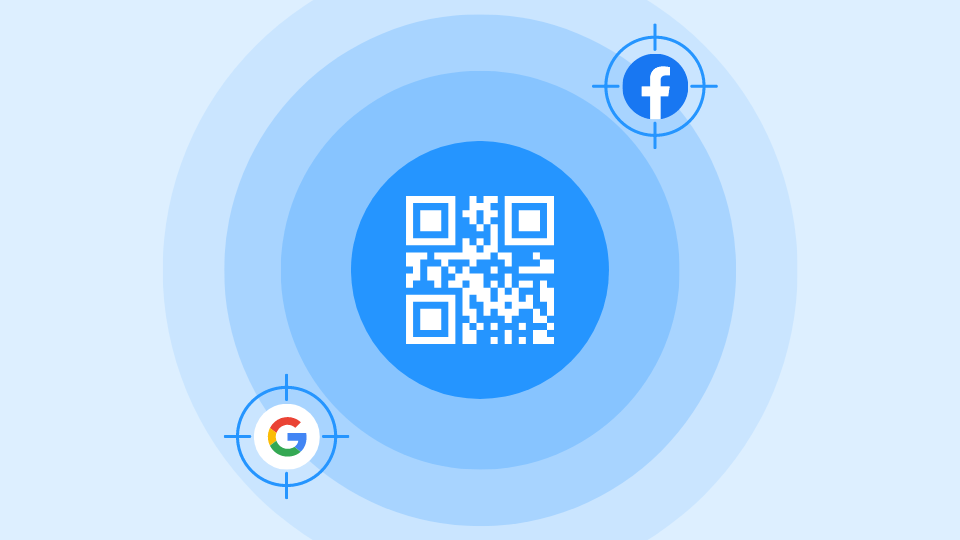
Is your target audience scanning your QR Code but not converting? Utilize Uniqode’s QR Code retargeting feature to capture prospects via Google and Facebook ads. Check out our article to learn more.
Every scan of a QR Code is a person who raised their hand. Most of them never convert on the first visit, and most brands never see them again. QR Code retargeting closes that gap: it sends targeted Facebook and Google ads to the people who scanned your QR Code but didn't buy, book, or sign up, using the same anonymous scan data your dynamic codes already collect.
According to Uniqode's State of QR Codes 2026 report, 94% of marketers agree QR Codes help gather first-party data. Most of them are still leaving that data on the table the moment a scanner leaves without converting. Retargeting is what turns a scan count into a recoverable audience.
What is QR Code retargeting?
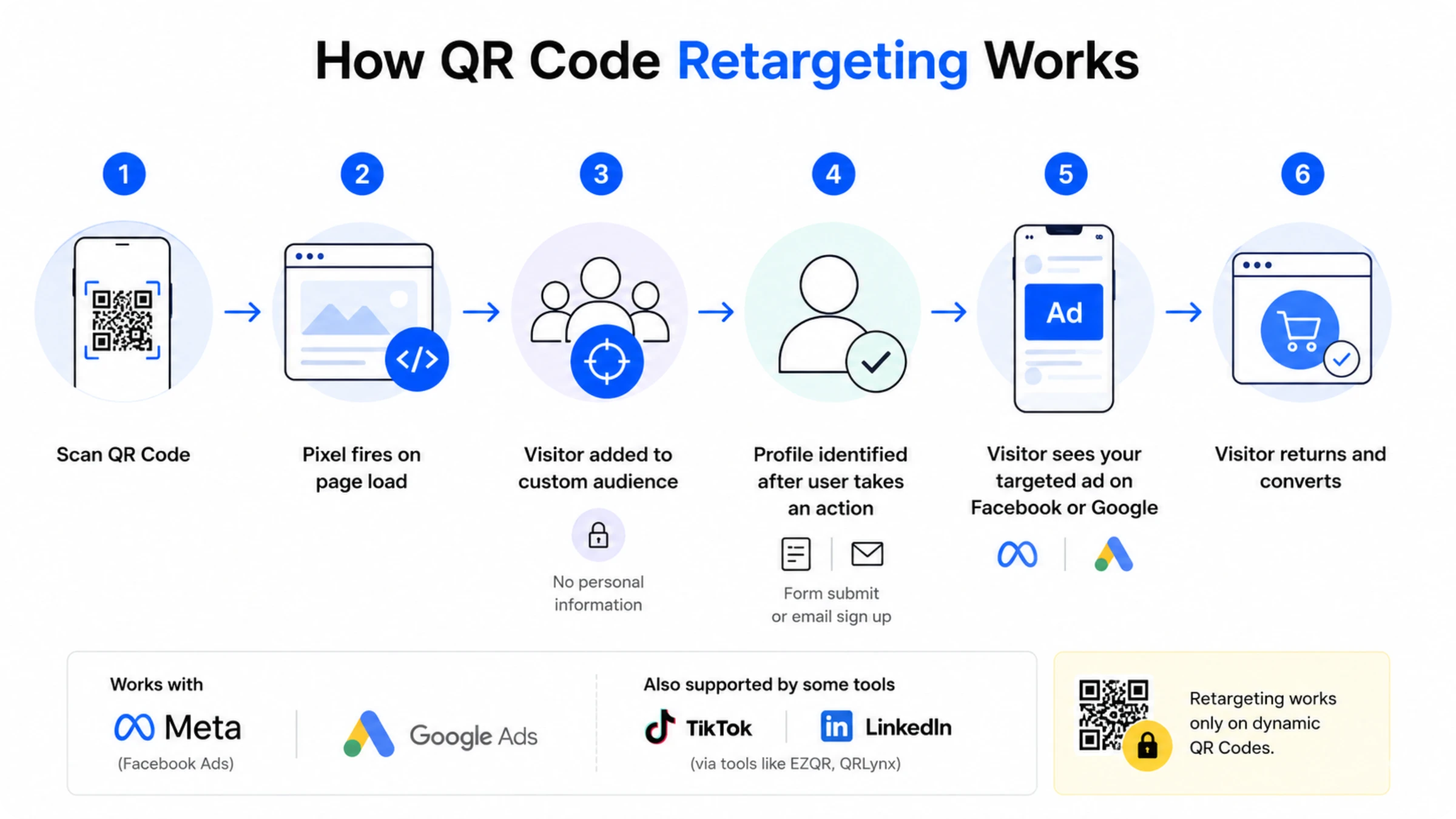
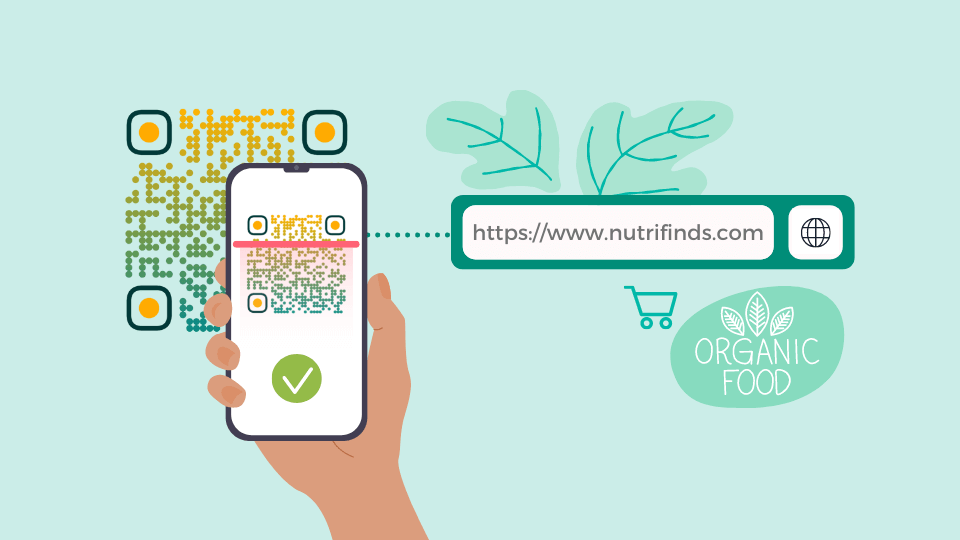
QR Code retargeting sends targeted ads to people who scanned your QR Code but didn't convert. It works through a tracking pixel that drops the moment they land on your page. You create the code itself with a dynamic QR Code generator, then layer retargeting on top through the dashboard's Pixel integration. Here's how the mechanic runs, step by step:
- A person scans your QR Code and lands on a tracked page.
- A tracking pixel fires as soon as the page loads.
- The pixel adds that visitor to a custom audience inside the connected ad platform, no personal information attached yet.
- The visitor's profile becomes identified only once they take an action that reveals who they are, like filling out a form or signing up for an email list.
- Later, while browsing Facebook or Google, that same visitor sees a targeted ad from your brand, nudging them back toward the conversion they didn't make the first time.
On Uniqode, that pixel integration covers Facebook and Google Ads specifically. Some newer retargeting tools, EZQR and QRLynx among them, have expanded to cover TikTok and LinkedIn Pixel integrations too. If your retargeting strategy depends on those platforms specifically, weigh that against your actual campaign requirements before assuming Facebook and Google coverage is enough.
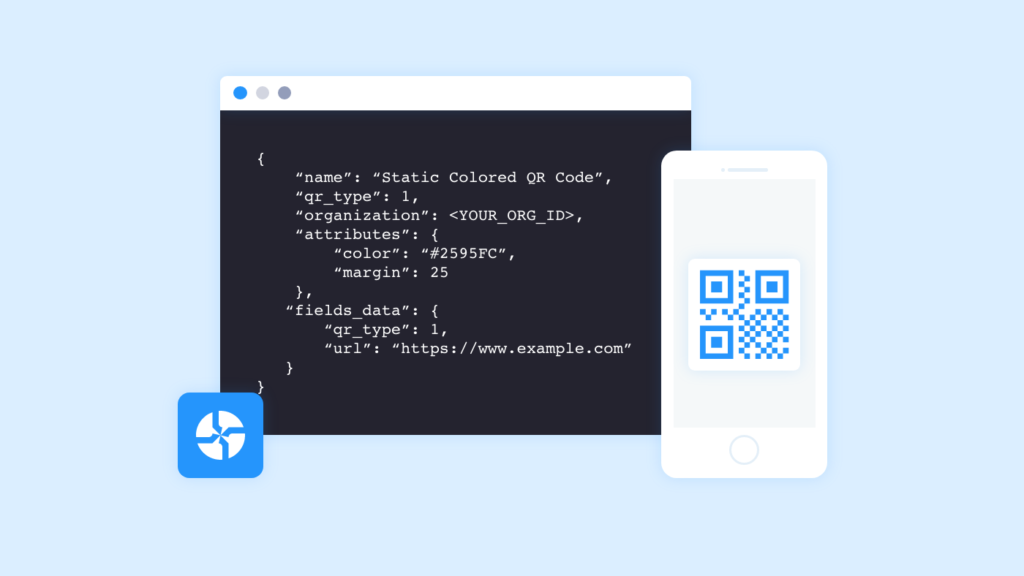
Retargeting works only on dynamic QR Codes. A static code has no way to carry the pixel, since its destination is fixed the moment it's printed. If there's any chance you'll want retargeting on a campaign, build the code dynamic from the start. Switching later means reprinting everything.
Why is QR Code retargeting important?
QR Code retargeting matters because it recovers prospects your campaign is already generating and currently losing. Any QR Code campaign produces a gap between the number of people who scan and the number who convert, and that gap costs more than it looks like on the surface:
- Uniqode's State of QR Codes 2026 report found that 56% of marketers expect higher revenue from QR Codes, a number that depends on capturing value from scans that don't convert right away, not only the ones that do.
- The same report found that 83% of consumers are willing to share data when there's consent or a clear opt-out, meaning the audience retargeting reaches is largely open to re-engagement.
- According to Linear Design's article, the appeal of a product is the main reason why 37% of customers click a retargeted ad, meaning the interest was already there before the ad ran.
- Every scan that leaves without converting is a person who already showed intent, the exact audience retargeting exists to recover.
That gap between scans and conversions is easy to overlook, even for people running the campaigns.
Is QR Code retargeting compliant? What marketers should know about consent
QR Code retargeting is compliant when your campaign discloses what a scan triggers. Unlike a website visit, a printed ad has no cookie banner or checkbox: something that asks for conset to be tracked.
Uniqode logs scans with no personal data attached. A profile only becomes identifiable once someone voluntarily shares information through a form, email signup, or similar action.
Uniqode's State of QR Codes 2026 report found only 34% of marketers clearly disclose data usage, even though 83% of consumers are willing to share data when there's a clear opt-out. That's a large, willing audience most campaigns aren't giving the chance to say yes.
Say what the scan does, somewhere the scanner can find it, and the compliance question answers itself.
QR Code retargeting: what you need to start
To enable retargeting, you'll need:
- A dynamic QR Code, not a static one
- A custom domain configured on your account
Before turning retargeting on, also make sure your QR Code setup gives you the tracking data retargeting depends on. Every dynamic QR Code on Uniqode captures scan-level data by default: total scans, unique scans, device type, location, and time of scan.
This data exists whether or not retargeting is enabled. It's also what tells you whether a campaign is worth retargeting in the first place.
If a code is barely getting scanned, retargeting won't fix that. The issue is the campaign or the placement, not the ad layer. If a code is getting plenty of scans but conversions are thin, that's the pattern retargeting is built to address..
For a deeper look at what this tracking data can tell you beyond retargeting eligibility, see the QR Code scan analytics guide.
How to set up QR Code retargeting on Uniqode
Uniqode integrates with both Meta Ads and Google Ads. Follow the steps for whichever platform you use.
Set up retargeting with Meta Ads
Step 1: Get your Meta Pixel ID
- Sign in to your Meta Pixel Business account.
- Click the gear icon in the bottom-left corner, then click Data Sources in the left menu.
- Click Pixels.
- Copy the ID listed under your pixel's name.
Step 2: Connect Meta Pixel to Uniqode
- Sign in to your Uniqode account.
- Click Integrations in the left menu.
- Click Facebook Pixel.
- Paste your Pixel ID into the Facebook Pixel Code field.
- Click Save.
Once connected, scan data from all your QR Codes will appear in Meta's Events Manager under the event name Uniqode QRScan. Scan counts update every 24 hours.
Set up retargeting with Google Ads
Before you start, you'll need two values from your Google Ads account: a Conversion ID and a Conversion Label. Both are found in the Tag Setup section of your conversion action under Tools & Settings → Measurement → Conversions.
Step 1: Navigate to Google Ads in Insights
- Sign in to your Uniqode account.
- Click Insights in the left menu.
- Inside Insights, click the Google Ads option.
Step 2: Enter your Conversion ID and Conversion Label
- In Google Ads, go to Tools & Settings → Measurement → Conversions.
- Select your conversion action and open the Tag Setup tab.
- Copy your Conversion ID and Conversion Label.
- Paste both into the corresponding fields in Uniqode Insights.
- Click Save to connect.
Step 3: Verify the integration
- Open a browser tab and scan one of your QR codes.
- In Google Ads, go to Goals → Conversions and check that the conversion was recorded. This can take up to 24 hours to appear.
Once active, Google's bidding system uses QR scan events as a conversion signal, helping your campaigns find more people likely to convert.
To get the detailed steps on setting up retargeting for your QR Codes, read this Uniqode help doc.
⚡ Pro tip: Test different windows — 7-day, 14-day, 30-day audiences — to find where intent drops off for your specific campaign. Uniqode's Smart Rules let you route scanners to different landing pages based on time, location, or device before a single ad is served. Someone who scans at 9pm is in a different mindset than someone who scans at noon. Segment the experience at the scan level first, and your retargeting audiences will be cleaner and more actionable.
Which types of QR Codes can you add your Google Ads and Facebook Pixel IDs to?
On a campaign level, you can enable retargeting for both forms and landing pages. On an organizational level, you can use the QR Code retargeting feature for all QR Code types.
Where QR Code retargeting pays off: eCommerce, real estate, CPG
1. eCommerce
QR Code retargeting recovers eCommerce shoppers who add items to a cart and leave without buying, a group that has already shown high intent. According to a study by Baymard Institute, close to 70% of shopping carts are left abandoned, a large number of potential conversions going unclaimed.
⚡Pro tip: Retarget cart abandoners with a discount ad only after they've seen a reminder ad first. Lead with the product, not the offer.
Place a QR Code on packaging, a poster, or a billboard and the same mechanic applies: someone scans, browses, and leaves without buying. With retargeting enabled, they see targeted ads on Facebook or Google while they browse elsewhere, nudging them back toward checkout before the interest fades.
A study by Smile found that 41% of an eCommerce store's revenue comes from loyal customers, which makes retargeting useful past the first purchase too. Retarget shoppers who scanned your eCommerce QR Code and bought at least once with your latest deals and discounts, and you're encouraging repeat visits instead of relying only on new-customer acquisition.
Rose Marketing Solutions saw a 75% conversion rate on leads recovered through retargeting, turning scans that would otherwise have gone nowhere into an active sales pipeline.
2. Real estate
Retargeting gives real estate agents a way to stay in front of buyers during the long window most home searches actually take. A potential buyer scans a QR Code in a real estate ad promoting a new property, whether it's on a website, in a newspaper, or on other advertising media. After scanning, they land on a page with more property details and a call to action to book an appointment, but they leave without clicking.
With retargeting enabled, you can send personalized, relevant ads about that specific property to the same buyer via Google and Facebook. Since it's a property they already showed interest in, they're more likely to click through and book. If multiple prospects show interest in the same property, retarget them as a group with content specific to that listing.
3. Consumer packaged goods (CPG)
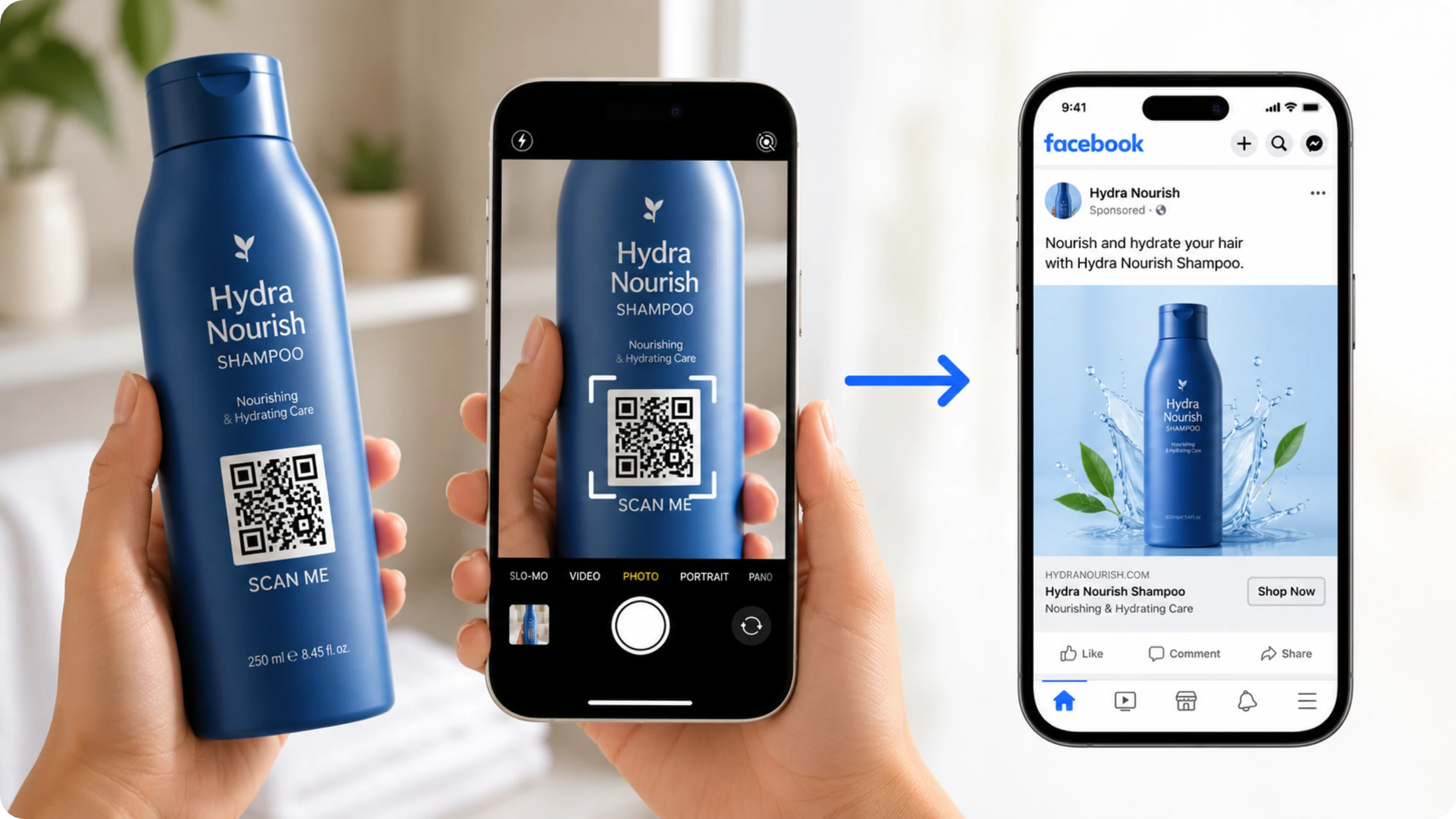
QR Code retargeting gives CPG brands a cross-selling channel on top of the supply chain transparency, brand storytelling, and sustainability communication QR Codes already handle for brands like Nestle, Heinz, and Coca-Cola. A customer who scans a QR Code and buys shampoo from your online store might also need conditioner, and retargeting lets you show that customer specific ads for the product that naturally follows their first purchase.
In practice, CPG teams doing this at scale use one QR Code design across every SKU, routed through a branded custom domain with UTM parameters, a short form capturing email or SMS opt-in, and a Pixel integration that turns every scan into a retargetable audience. That's the difference between running a one-off QR promotion and building an owned audience from packaging you were already printing.
⚡Pro tip: For brands sold across multiple retailers, use Smart Rules to route scanners to the retailer closest to where they scanned, then retarget them with an ad that links directly to that same retailer's product page instead of a generic brand site.
Getting started with QR Code retargeting
Before you turn retargeting on, run through this list: confirm your QR Codes are dynamic, confirm you're using a custom domain, have your Facebook Pixel ID and Google Ads Conversion ID ready, decide whether you need campaign-level or org-wide setup, and make sure your own campaign discloses what happens after a scan. Get those five right and the rest is a five-minute form.
Turning on retargeting doesn't require a procurement cycle or a dedicated implementation team. It's a self-serve setup inside the same Uniqode dashboard you already use to create and manage QR Codes: add a Pixel ID, connect a custom domain, and you're tracking.
Security backs that setup regardless of team size. Uniqode is SOC 2 Type II, GDPR, HIPAA, and ISO 27001 certified.
Frequently Asked Questions
- What is the best QR Code platform for retargeting campaigns?
Uniqode offers specialized QR Code retargeting features that integrate with Facebook and Google Ads to capture prospects who scan your codes but don't immediately convert. The platform provides dynamic QR Codes with comprehensive analytics including scan counts, timing data, and device information, all essential for qualifying prospects and optimizing retargeting campaigns. These features enable brands to create targeted ad campaigns based on actual user behavior and interest levels demonstrated through QR code scans.
- Can you track who scans your QR Codes for marketing purposes?
Yes, dynamic QR Codes allow you to track prospects through cookie-based technology when they scan your codes and visit your website. The system drops a cookie into the user's browser, enabling retargeting platforms like Google and Facebook to identify these prospects and display targeted ads to them later. This tracking provides valuable analytics including the number of scans, time of scanning, and devices used, helping brands identify customer intent and qualify their target audience.
- What QR Code retargeting features does Uniqode offer?
Uniqode offers QR Code retargeting features that integrate with Facebook and Google Ads to capture prospects who scan your codes but don't immediately convert. The platform provides dynamic QR codes with analytics covering scan counts, timing data, and device information, all essential for qualifying prospects and optimizing retargeting campaigns. These features enable brands to create targeted ad campaigns based on actual user behavior and interest levels demonstrated through QR code scans.
- Can you track prospects who scan a QR Code?
Yes, dynamic QR Codes let you track prospects through a tracking pixel when they scan your codes and visit your website, adding them to a custom audience that Google and Facebook can use to display targeted ads later. This tracking provides valuable analytics including the number of scans, time of scanning, and devices used, helping brands identify customer intent and qualify their target audience.
- Is QR Code retaregting still effective?
Yes. Linear Design's research found that product appeal is the main reason 37% of customers click a retargeted ad, which is the same mechanism a QR Code scan feeds into once the scanner leaves your site. The channel driving the traffic changes; the retargeting math behind it doesn't.
- Is it legal to retarget people who scan
The mechanic itself only builds a profile from anonymous scan data, nothing personal, until the scanner identifies themselves. What determines legality is disclosure: telling scanners what happens after they scan, somewhere they can find it. See the compliance section above for the full answer.