QR Codes in TV Commercials: Best Practices, Real Campaigns, and How to Create
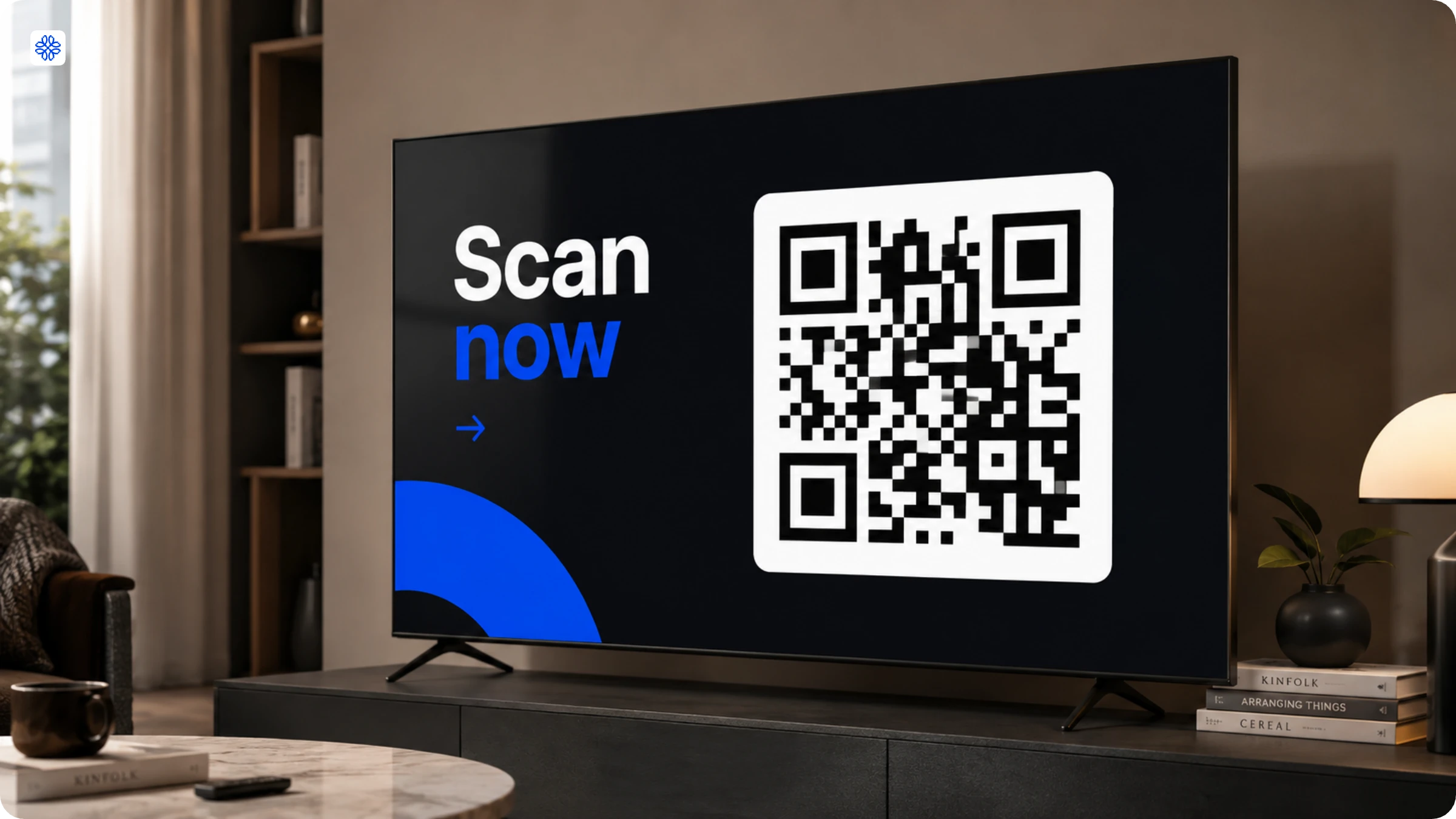
A QR Code in a TV commercial turns a broadcast viewers watch into an action they can take immediately. This guide covers how QR Codes work on TV, why brands are using them now, and the best practices that decide whether a code gets scanned or ignored.
💻 Key takeaways:
1. QR Codes in TV commercials are effective precisely because they simplify a complicated process. Instead of expecting viewers to remember an offer, search for a website, and type it in later, a single scan is all it takes. In just a few seconds, you can turn passive watching into immediate action.
2. With a dynamic QR Code, you have the flexibility to update the destination even after your ad has aired. If a promotion ends or a webpage needs to be changed, there is no need to reprint materials or edit the commercial. This adaptability saves both time and resources.
3. Interestingly, most TV QR Code campaigns do not fail because the code itself is faulty. The real challenge comes after the scan. Often, the landing page, server, or offer is simply not prepared for the surge in engagement that a successful QR Code can generate.
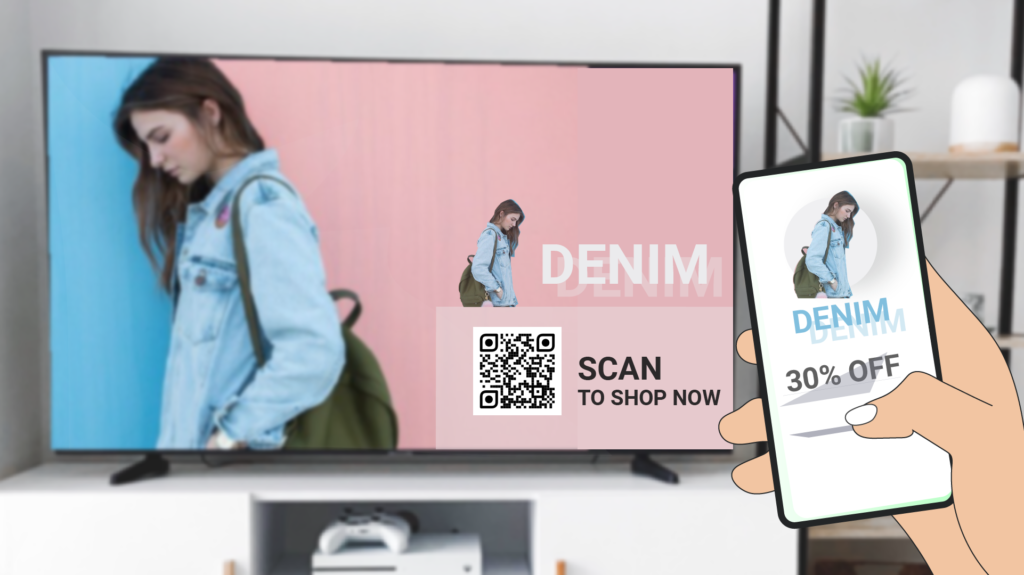
A QR Code in a TV commercial is a scannable graphic embedded in the ad that lets viewers move from the screen to a mobile destination with a single tap. No need to type out a URL or hunt for an app, just point your phone camera and, within seconds, you are where the brand wants you to be.
In this Uniqode guide, you will find QR Code in TV commercial best practices, real-world campaigns, plus a step-by-step look at how to get a QR Code onto a TV commercial and track its impact.
Why QR Codes work on TV
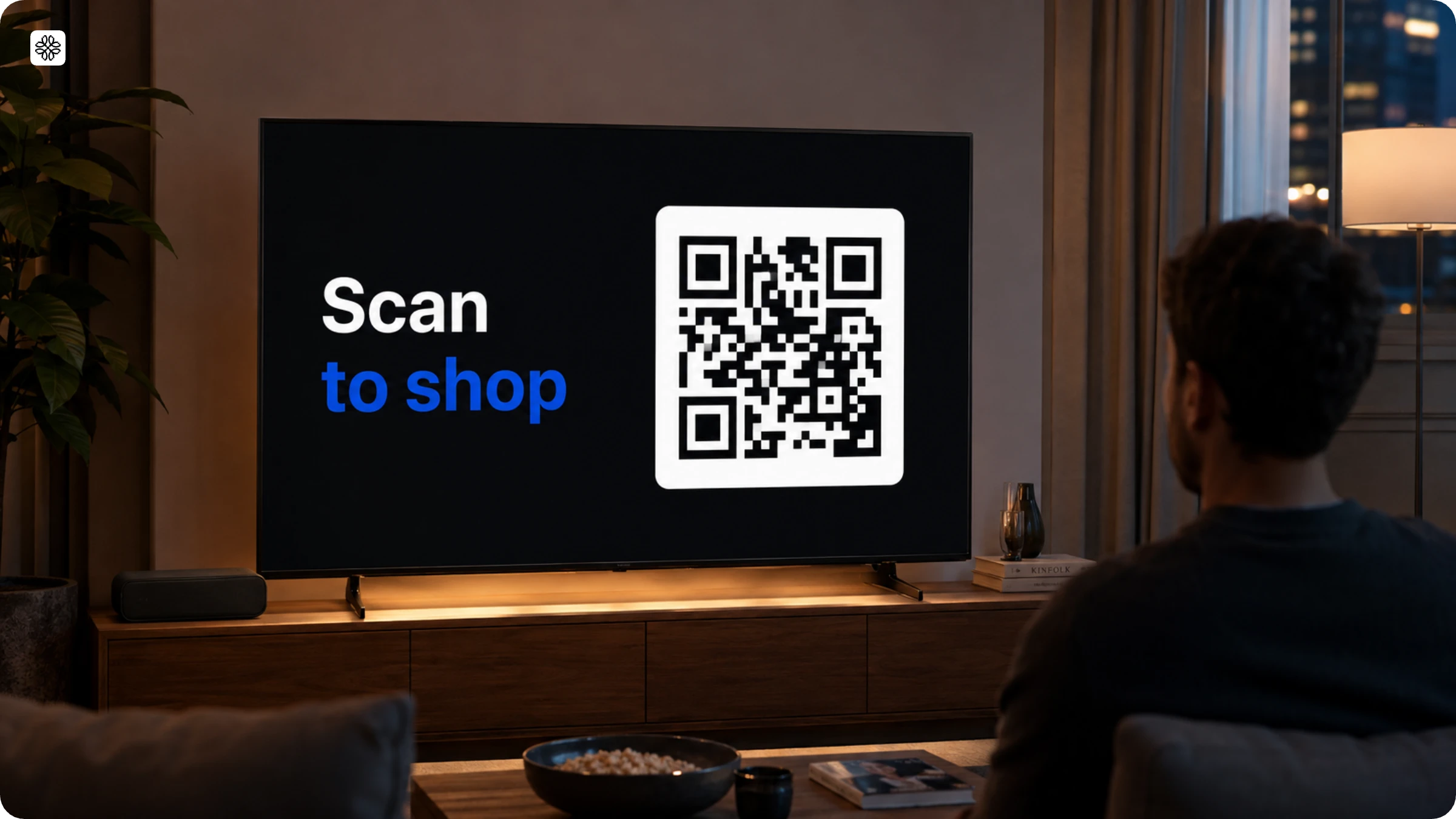
QR Codes work on TV because people usually have their phones out during ad breaks and have become more comfortable scanning them.
QR Codes in TV ads change the usual pattern of commercials. Instead of just telling a story and ending with no way for viewers to respond right away, the QR Code appears within the content people are already watching. It doesn’t interrupt the show or switch to a separate pitch.
Here’s how QR Codes work in TV ads: the code appears within the content, not as an interruption. This fits with how people already use their phones during commercial breaks, scrolling, texting, or using another app while the TV is on. A QR Code matches this habit. There’s no need to change the channel, pause the show, or download anything new. Just scan.
Why do TV QR Codes underperform?
Most TV QR Codes don’t work well because the content after the scan doesn’t match the moment the ad creates. The decoding chain of a QR Code does play a role, but it is rarely the reason behind a campaign’s failure. DENSO WAVE, the original creator of the QR Code, along with both Apple and Google’s camera frameworks, all point to the same issue: most scanning failures happen between the screen and the camera. Low contrast, a code that is too small for the distance, or poor focus are usually to blame, not a faulty code.
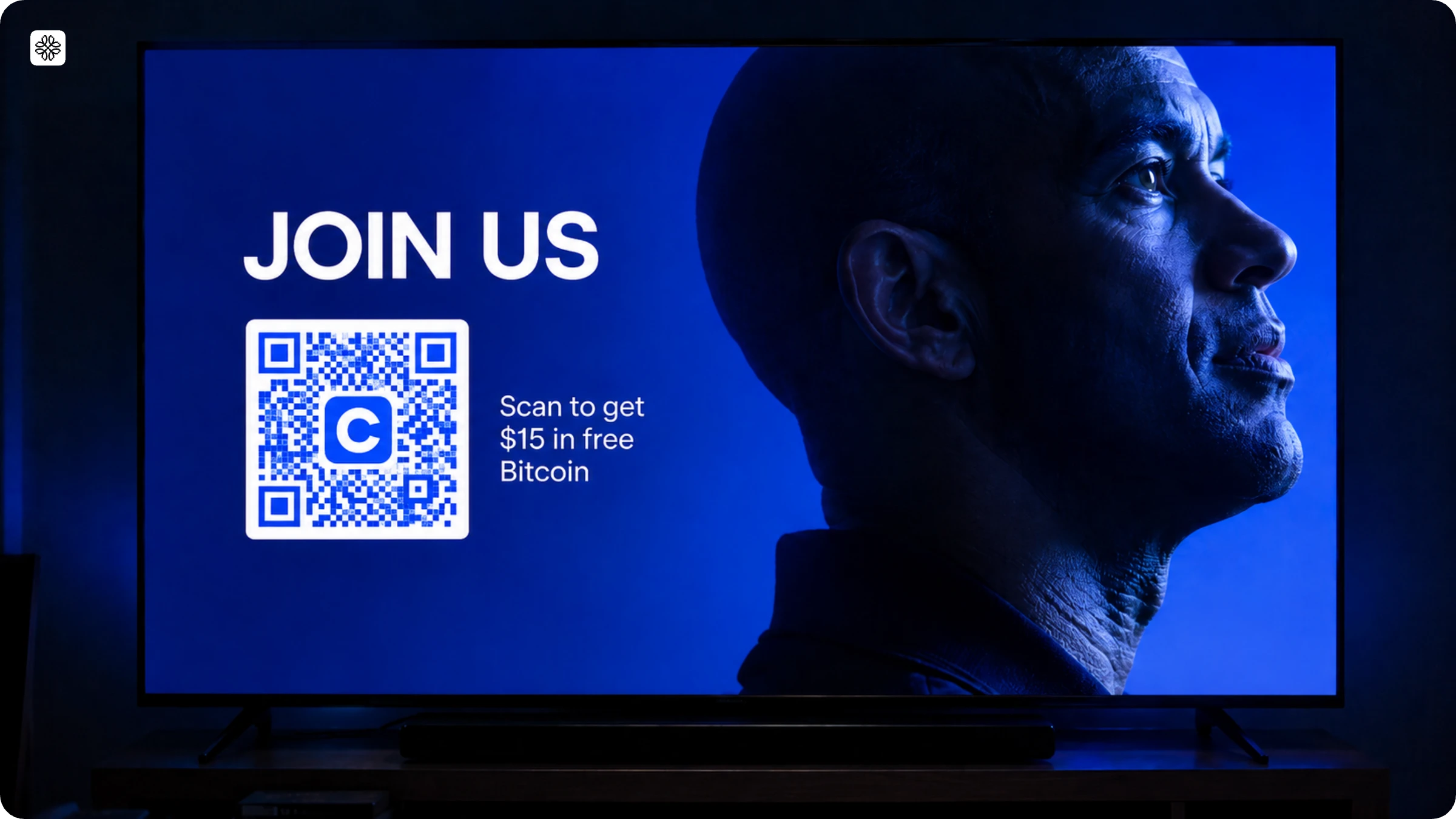
Coinbase’s 2022 Super Bowl ad is a lesson in what happens when innovation meets reality. Picture this: a single QR Code bouncing across the screen for a full minute, promising $15 in free Bitcoin and a chance at a $3 million prize. Naturally, viewers rushed to scan it. The QR Code did its job perfectly, but the landing page could not keep up and crashed within minutes. The code succeeded, but the destination fell short. This is the crucial difference between a QR Code campaign that truly delivers and one that becomes just another viral moment.
There is a clear disconnect here, and the data spells it out. According to Uniqode's State of QR Codes 2026 report, while 75% of consumers scan a QR Code hoping to find more information, only 36% of marketers actually provide it.
Coinbase’s challenge was all about handling a sudden surge in traffic. The following year, another Super Bowl QR ad, this time from Web3 gaming brand DigiDaigaku, ran into a similar, yet slightly different, issue. Their $6.5 million spot sent viewers to a website that simply could not keep up, leaving many with a blank page and, in some cases, redirecting them to the founder’s Twitter account. Instead of a seamless experience, viewers were left confused and disappointed.
Benefits of QR Codes on TV commercials
The clearest benefits of a TV QR Code are measurability, speed to action, and a sharper intent signal:
- Measurability. A viewer's attention during a commercial break has always been hard to prove. A scan is a timestamped, countable event that connects that exact moment to a real destination, something no other TV creative element does on its own.
- Speed to action. A car shopper who scans a QR Code straight into a test-drive booking skips the search, the site visit, and the form-hunting that a generic "visit our website" CTA leaves on the table.
- A sharper intent signal. Incentive-led scans (a coupon, a giveaway, an exclusive drop) measure directly how many viewers found the offer compelling enough to act on immediately, a sharper signal than reach or frequency alone.
Building a QR Code strategy for TV campaigns
When it comes to QR Code strategies for TV, the first step is choosing the right architecture rather than focusing on the design. Both static and dynamic QR Codes look identical and follow the same standards, but the key difference lies in where they lead. A static code takes viewers directly to the final destination, while a dynamic code routes them through a link that brands can update even after the code has aired. This one choice shapes nearly every aspect of how easy your campaign will be to manage.
| Architecture | What it points to | Best for | Main risk |
|---|---|---|---|
| Static destination | The final URL, encoded directly | Simple, permanent destinations that will never change | A broken or outdated destination can't be fixed without a reprint |
| Dynamic / redirect | A short resolver link that forwards to the real destination | General-purpose TV use; the safest default for most campaigns | The resolver itself becomes a dependency, so it needs to stay fast and online |
| Per-creative / per-placement | A unique link for each ad variant or media placement | Campaigns that need to know exactly which creative or channel drove a scan | More codes to manage and govern |
| Deep-link | A universal or app link that sends installed users to the app and everyone else to the web or app store | App-first advertisers driving installs | Deferred deep-linking and first-open edge cases need testing |
| Branded / aesthetic | A standard link behind a visually customized code (logo, color, frame) | Campaigns where trust and brand recognition matter as much as function | Heavy logos or gradients can reduce scan reliability if overdone |
| Platform-native CTV | A destination generated and served by the ad platform itself (for example, Google's CTV ad products) | Simple executions on platforms that support it | Only works on the specific inventory that supports it, and isn't portable across channels |
For most TV campaigns, a dynamic or per-creative QR Code strategy is your best bet. Why? Only this approach allows you to fix a broken destination in minutes, and it is the only way to get creative-level data rather than a single, blended number for every airing. Save static codes for destinations that truly never change. As for platform-native QR, consider it a bonus on the inventory that supports it, but not the backbone of your strategy, since it vanishes as soon as your campaign shifts to another channel.
How to get a QR Code on TV
Getting a QR Code onto a TV commercial takes five steps, and only the first three happen inside a QR dashboard like Uniqode's. The last two happen in the edit bay and the QA room, not in any dashboard.
Step 1: Define the destination
Before you dive into the dashboard, take a moment to define precisely what a scan should deliver: a product page, a coupon, a booking flow, an eligibility check, or an app install. If your answer is simply 'our homepage,' it may be time to reconsider whether the QR Code truly adds value to your ad.
Step 2: Generate the code in Uniqode

Login to the Uniqode dashboard, select ‘Create’ and then ‘QR Code’. Choose the right QR Code for your offer. For a landing page, use a Website QR Code. If you have a redeemable offer, go for a Coupon QR Code. Running a campaign? A landing page QR Code is your best bet. Always set a custom URL slug to keep your link short and tidy.
Step 3: Design the code for TV in Uniqode
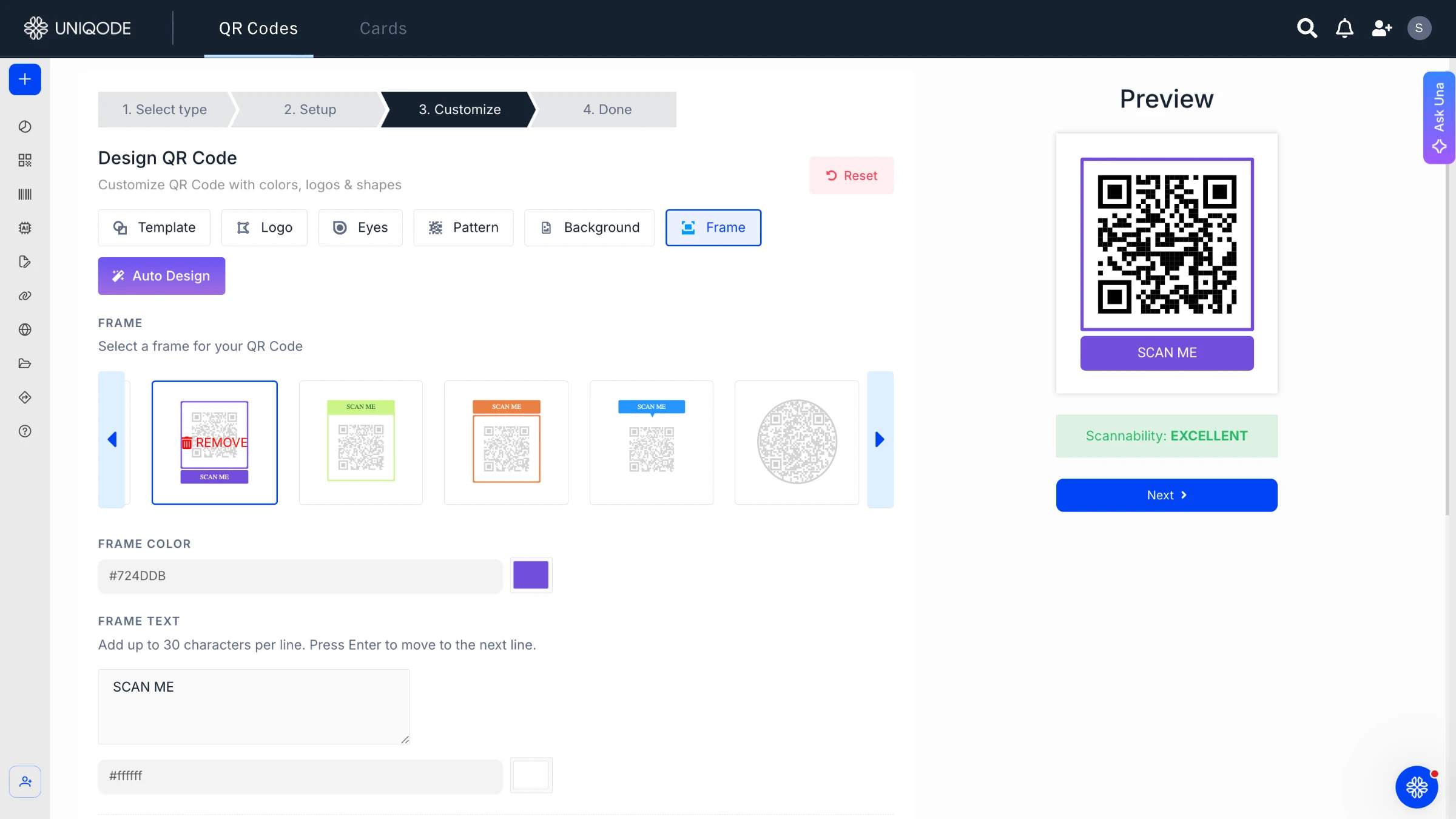
Begin by choosing a strong contrast, such as a dark code on a light background or vice versa. Next, add a frame and include a clear call to action like 'Scan to shop' rather than simply 'Scan.' Before you move forward with editing, make sure to lock the code as a static image. Finally, download it as an SVG or high-resolution file to ensure it remains sharp and professional, even when used in 4K or broadcast-quality commercials.
Step 4: Size and place the code in the edit (outside Uniqode)
Start by handing the downloaded file to your video editor. Once the code is in place, make sure it stays opaque, high-contrast, and perfectly still throughout. Avoid rotating, resizing, or changing its colour from frame to frame. For best results, set the code and its quiet zone to cover roughly a quarter to a third of the frame’s height. This follows the IAB’s CTV creative guidelines, making the code easy to scan from the comfort of the couch. Remember to check the size on an actual TV, not just on your production master. The code itself is created and tracked using Uniqode, while the edit bay will decide its precise placement and how long it stays on screen.
Step 5: Test the finished, encoded video (outside Uniqode)
Always test the actual broadcast or streamed output, not just the original source file. The reason is simple: video compression, scaling, and interlacing can blur a QR Code’s sharp edges, making it unreadable for a phone, even if the master file scans without a hitch. Try scanning your QR Code on TVs of different sizes, in both bright and dim rooms, and at the usual viewing distance on a variety of iPhone and Android models. Make sure to check it after the broadcast or CTV platform has applied its own compression. This is a hands-on process: gather a TV and a few phones, and see how it works in the real world, not just in software.
QR TV commercials that created a lot of buzz
#1 Coinbase’s QR Code TV ad for the Super Bowl

Coinbase, an online cryptocurrency platform, released a one-minute QR Code ad to announce their latest promotion – $15 worth of free Bitcoin for new signups and a $3 million giveaway that existing customers can take part in.
Users can scan the bouncing QR Code (reminding us of the popular bouncing DVD logo) to access the platform’s promotional website and enter the giveaway set to expire on February 15.
This campaign sparked a lot of interest from its viewers, causing the website to crash due to the influx of site visitors.
Due to the timebound nature of the campaign, it caused a roadblock for many excited users looking to access the promotion but couldn’t since the website was down.
In fact, other companies like Meta and TurboTax were quick to join in and display their own bouncing QR Code to promote their VR experience and homepage, respectively.
#2 Avocados From Mexico’s digital QR Code TV commercial
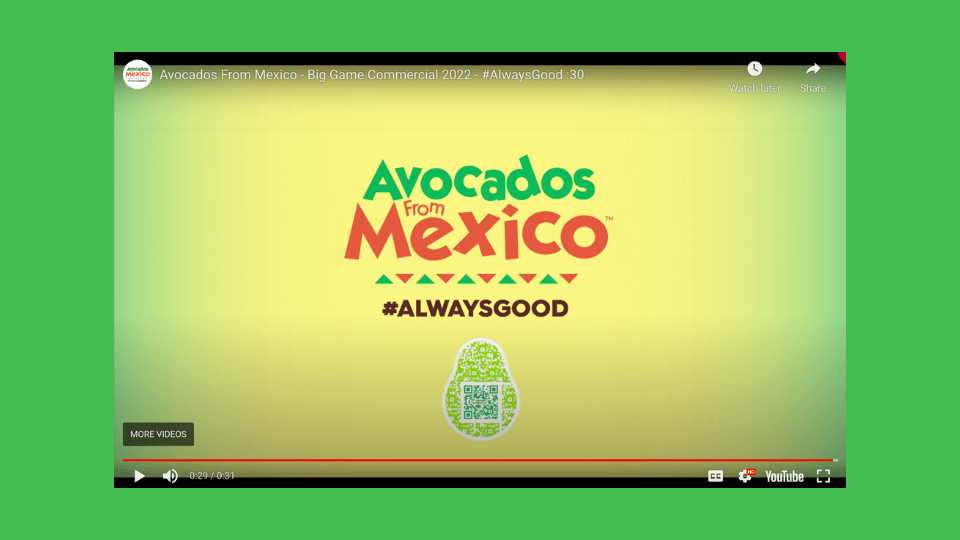
Avocados From Mexico (AFM) launched a virtual home called the ‘House of Goodness’ as part of their Big Game campaign for the Super Bowl, hosted by NFL star, Drew Brees.
The virtual house consisted of many experiences, one of them being the brand’s Big Game ad.
The ad featured a QR Code that let viewers scan to order the brand’s avocados right from their couches.
Since the Super Bowl is known to be the biggest avocado season of the year, AFM wanted to make their products easily shoppable.
This campaign further shows that connected digital experiences create a memorable impact among consumers.
#3 Burger King’s infamous QR Code on TV
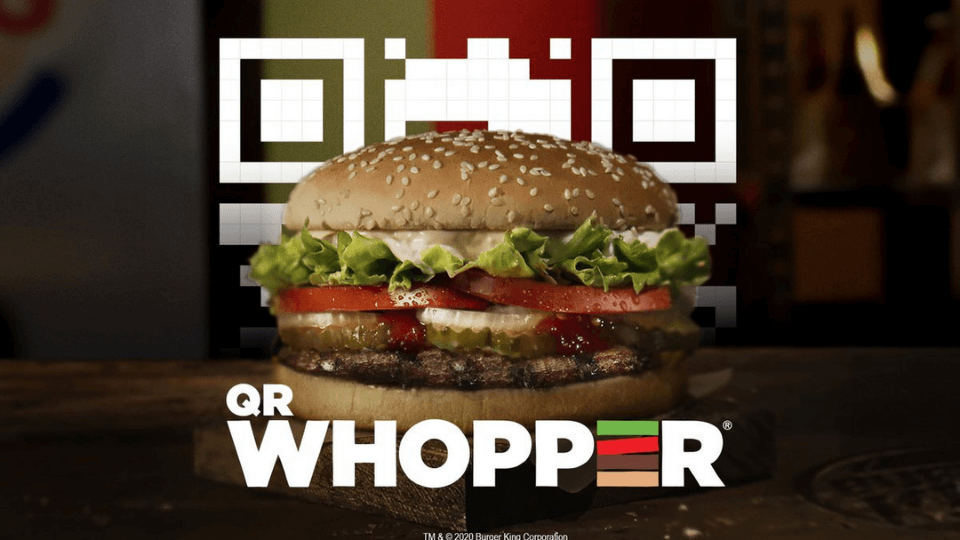
We can’t talk about QR Codes on TV commercials without mentioning Burger King’s ‘QR Whopper’ campaign.
The brand’s TV ad displayed a floating QR Code that viewers had to catch and scan.
Upon scanning, they were taken to the Burger King app to grab coupons for a free Whopper burger.
This gamified experience let customers stay connected with the brand during the pandemic, and promoted the brand’s app successfully.
#4 JCPenny’s attribution tracking via TV QR Codes
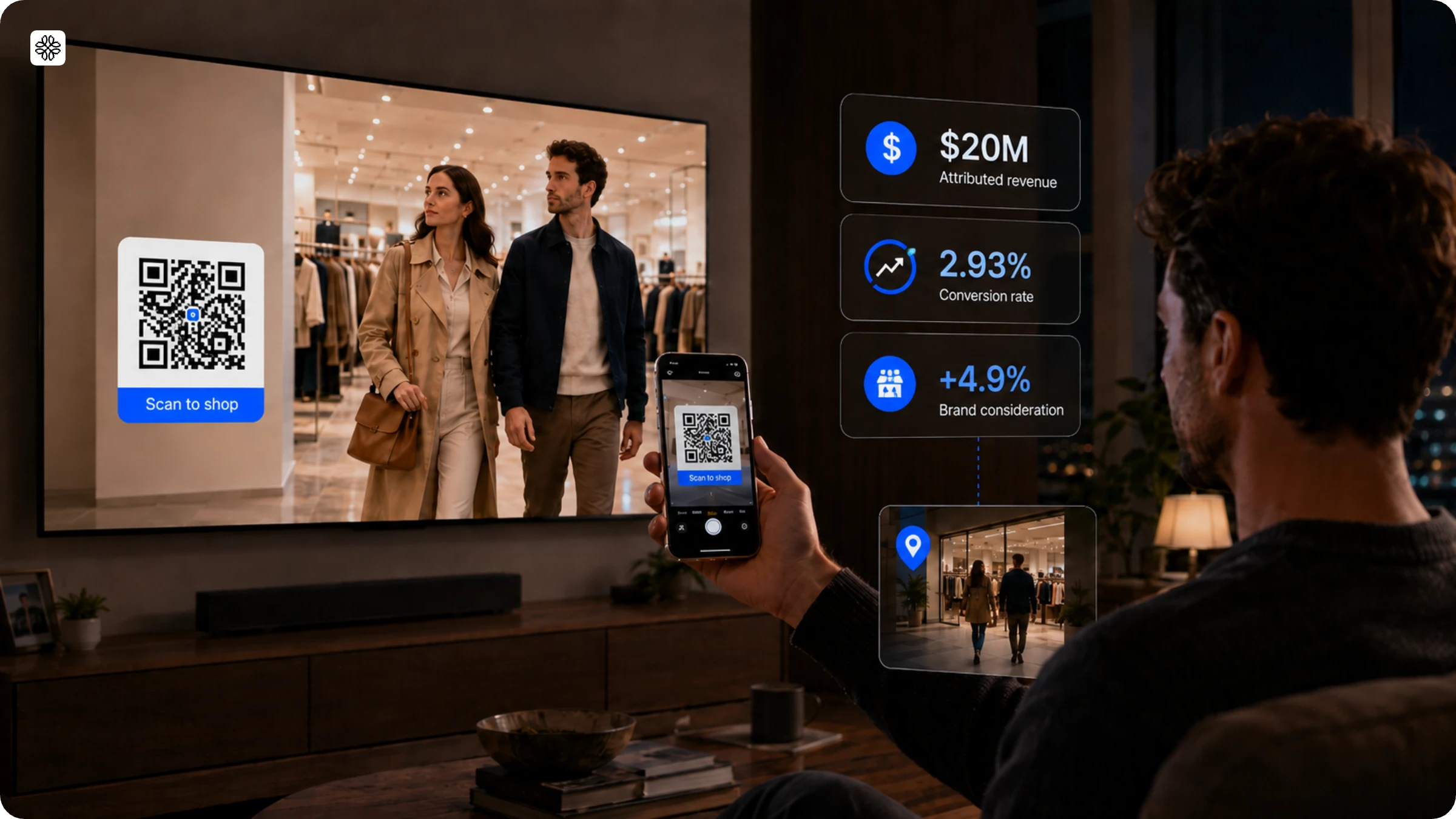
JCPenney’s TV campaign used a QR Code along with Foursquare’s attribution tracking, which did more than just count scans. The tracking followed each scan beyond the initial click to see if viewers actually visited a store. The campaign led to $20 million in attributed revenue, a 2.93% conversion rate, and a 4.9% increase in brand consideration. This shows that a TV QR Code can be linked to real store visits, not just online clicks, if measurement is included from the beginning.
#5 Boots TV QR Code Christmas campaign
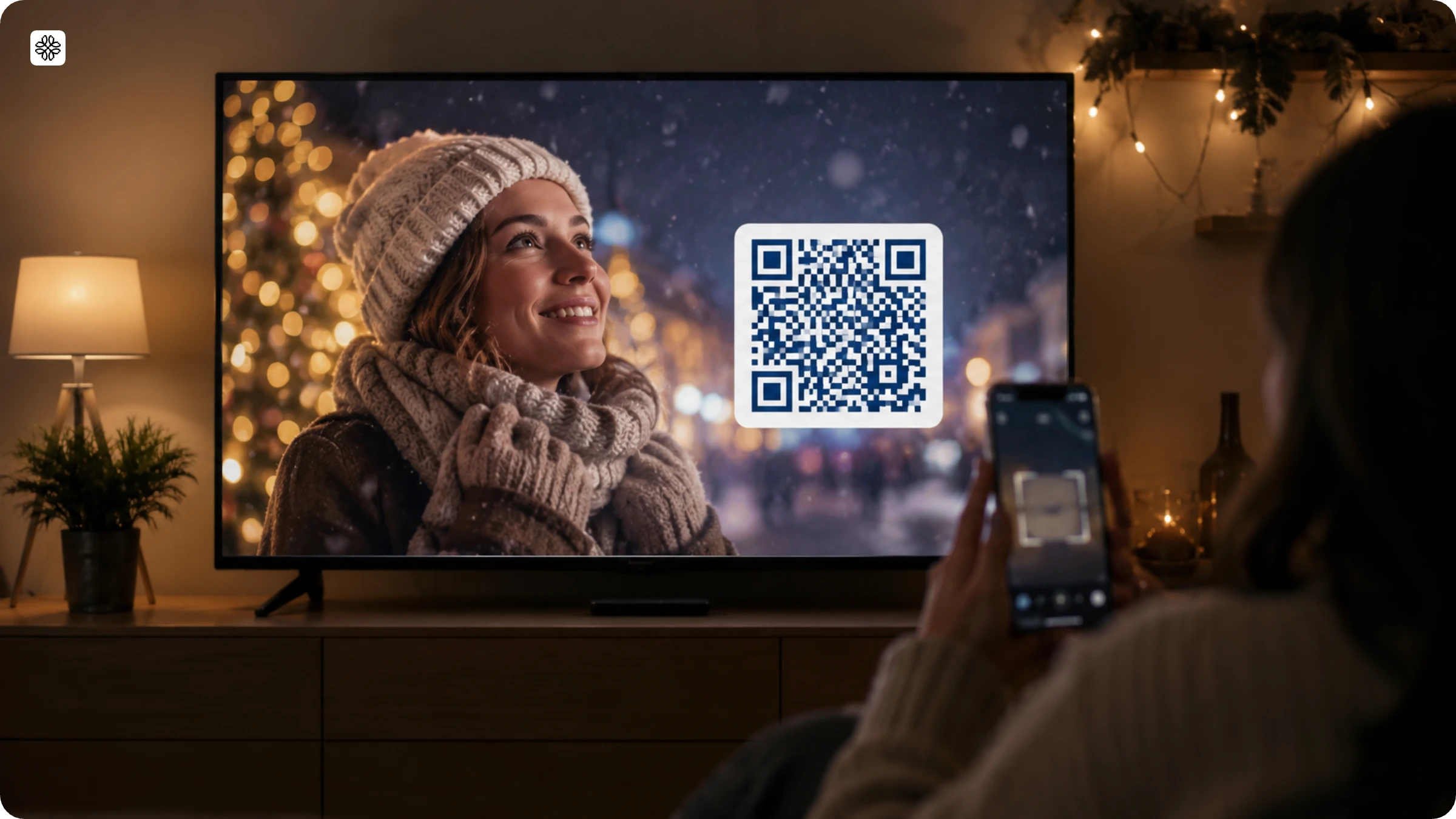
Boots launched a Christmas campaign that used QR Codes along with Sky Media's AdSmart targeting. These codes retargeted Boots Advantage Card holders based on each shopper's purchase history. According to Sky Media, the campaign led to a 50% rise in product page visits, a 40% higher conversion rate, and a 19% drop in cost per conversion.
#6 Flipkart Big Billion Days campaign
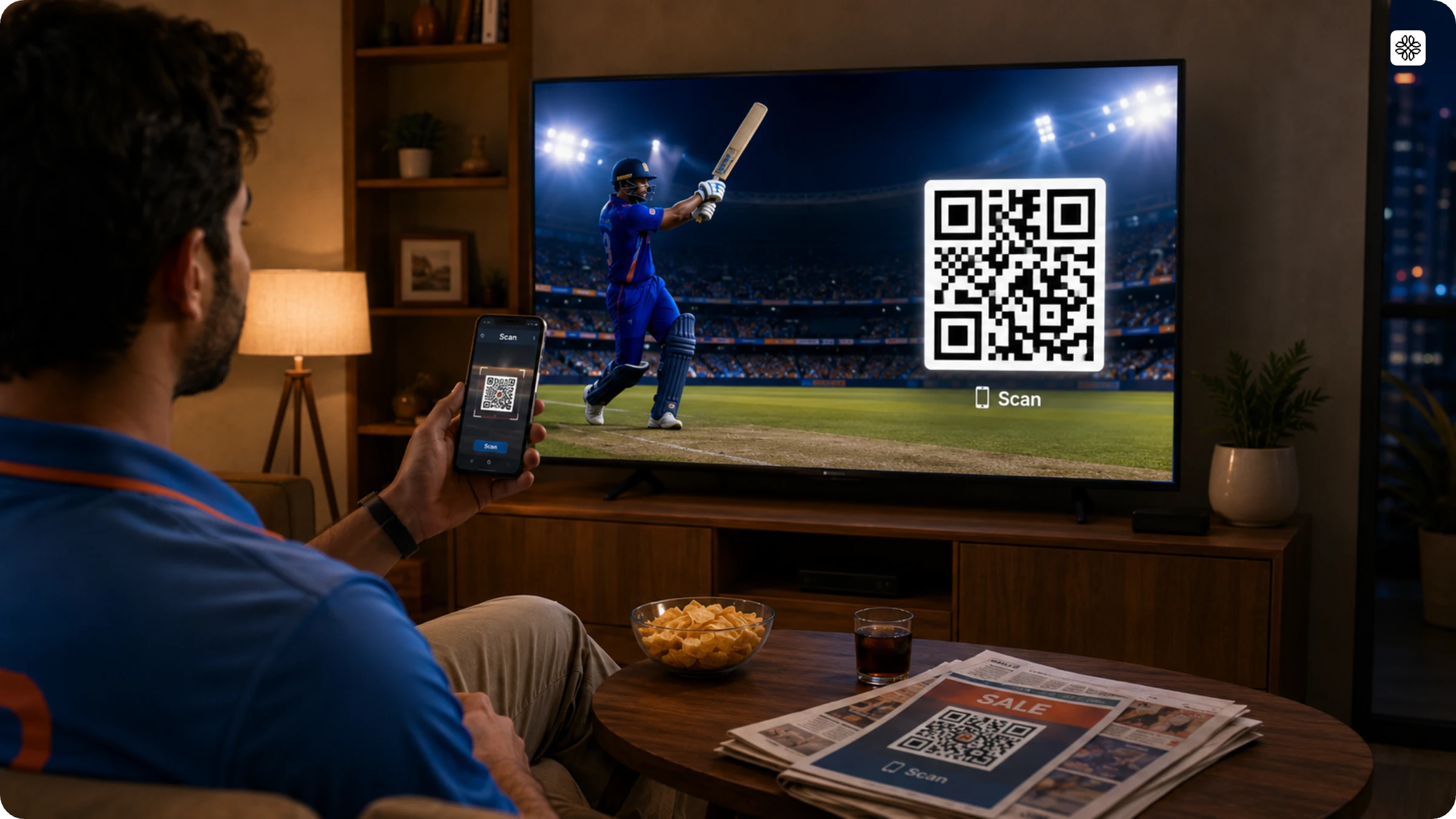
Flipkart’s Big Billion Days 2023 campaign is a great example of planning for scale before launching an ad. Since the sale took place during the ICC Men’s Cricket World Cup, Flipkart used 148 QR Codes across print and TV, rather than just one, to catch people’s attention during the busy cricket season. On TV, the QR code appeared for 10 seconds and was large enough to be scanned within 2 seconds from as far as 30 feet away. The team expected 1 million scans but ended up with 2 million, reaching 536,000 unique users. In the first hour of the print campaign alone, there were 1 million scans. You can read the full breakdown of Flipkart’s Big Billion Days QR campaign for more details.
| Campaign | Category | QR execution | Reported result |
|---|---|---|---|
| LoveSac | Furniture, interactive CTV | QR in a branded canvas linked to product configuration | 1,220 scan clicks, 2x Innovid's engagement benchmark |
| Connecticut Lottery (KENO) | Gaming, interactive CTV | QR in a canvas unit linked to game information | 0.08% scan-click rate, 4x the average benchmark |
| Energizer | Retail CPG (Target/Roundel) | Shoppable QR CTV tested against standard CTV | 18% higher ROAS than the standard CTV format; 7% sales lift; 12x higher year-over-year holiday sales lift |
| Enfamil | Infant nutrition retail (Target/Roundel) | A/B test of "Scan to Shop" vs. "Scan to Add to Cart" CTAs | 3x ROAS, 2x sales per thousand impressions across 15M+ impressions; "Scan to Shop" won |
| Kia India (Seltos) | Automotive, YouTube CTV | QR led viewers from the ad straight into a test-drive booking flow | 10x jump in website clickthrough; 3.6x higher conversion for verified test-drive leads |
One Uniqode customer, a consumer products distributor running TV campaigns across the Middle East and North Africa, closes every commercial with the same call to action: "scan now" pointing straight to that exact product's page on Amazon.
Best practices for using QR Codes during TV commercials
Deploying QR Codes for TV ads brings with it a whole set of etiquette and norms. Here are a few that you must be mindful of in order to maximize the impact and create the best user experience.
Add instructions
It would be futile to deploy a QR Code without a clear and simple call-to-action (CTA) for users to follow. Assume that a viewer is engrossed in their favorite TV show when your ad pops up with a QR Code; you must tell them what to do with it. Framing the QR Code and adding a simple text like “Scan the code for an extra 10% discount” or “Scan to shop” will nudge the viewer to act.
Go for dynamic over static QR Codes
Dynamic QR Codes are much more versatile and pack more information per pixel than static QR Codes. They are also easily scannable and can be customized as per need, which is not always possible with a static code. Dynamic QR Code generators can be used to create the perfect code for your ad.
Enhance visibility with higher contrast
The TV screen is constantly changing, and depending on the show, a lot can be happening on the screen simultaneously. Imagine a reality cooking TV show that has a timer, the name of the contestant, and the name of the dish all at the same time. Making sure that viewers take notice of the QR Code requires placing it on a contrasting background. Naturally, a dark-colored QR Code with a white background works best. Or, have a white QR Code on a dark background.
Uniqode’s QR dashboard has a real-time contrast checker to prompt scannability scores.
Choose the location wisely
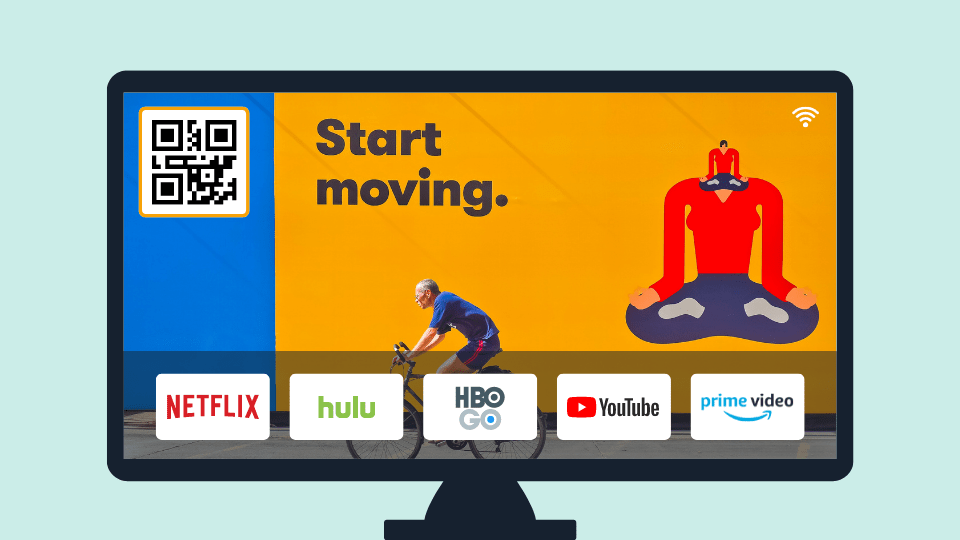
Do not deploy the QR Code bang in the middle of the screen where it tempers with the viewing experience; this is strictly discouraged and defeats the purpose. Choose a location where you want to show your ad that is the least invasive and easy on the eyes. Place the QR Code prominently within the commercial, often in a corner or as a graphic overlay, ensuring visibility and prompting viewers to take action. Usually, banners towards the bottom or side work best during a show. When the QR Code is used as a part of a bigger ad, it can be placed in the center for greater prominence.
Don’t keep it moving
Scanning a QR Code shouldn’t be like hitting a running target. The ad, code, and CTA instruction should be at a fixed location on-screen and for long enough to let the viewer register and scan it. If you can’t get the required duration, ask viewers to pause for a second and scan the code. This can be done either via written text, voice, or little animation.
Cut it the right size
Since the TV screen size and the distance the audience maintains from the screen varies significantly from viewer to viewer, it can be tough to choose the right size.
The recommended distance for TV viewing is 3X the size of the TV screen.
The simplest way to calculate the size of a QR Code is using this formula:
QR Code minimum size = Scanning distance/10
This also means,
QR Code minimum size for TV = (3 x size of the TV screen) / 10
Time it right
TV ads are considered a nuisance by most and a disruption to their otherwise entertaining experience. QR Codes should not add to the injury but find ways to mitigate this feeling. The time depends on the type of CTA, the show, and the relevance of the content. For example, it would be counter-productive to ask viewers to scan a code during the last few minutes of a sports match or when a movie is about to end – that’s when they are the most engrossed.
Align your audience and program
This one’s easy to get right. Customer-facing business brands comprehensively study their target demographics and their choice of programs to plant their ads for maximum response. For example, you are more likely to see ads for energy drinks and sports shoes during matches and tournaments. The same rule applies for QR Code ads; analyze your demographic and the programs they are most likely to watch before you decide to place the advertisement.
Create a quiet zone around the code
To separate the pixels of the QR Code from other visuals on the screen, maintain a ‘quiet zone’ around it. This will ensure that audiences are able to scan it instantly as it becomes easier to scan the code. If you don’t add a quiet zone, your QR Code might just have a high rate of failure.
Measuring QR Code performance in TV ads
When it comes to measuring QR Code performance in TV ads, it is important to look beyond a single metric. In fact, there are three distinct layers that need to be tracked for a complete picture.
- The scan itself
- What happens after the scan
- Whether the campaign caused an outcome that wouldn't have happened otherwise
If your dashboard only counts scans, you risk missing the bigger story. For instance, a viewer might remember your brand and search for it the next day rather than scanning the code, which would not be captured. On the other hand, someone might scan for an incentive but would have made a purchase regardless, leading to an inflated sense of impact.
The minimum measurement setup:
- A unique, trackable destination per creative or media placement
- Standard campaign parameters (UTMs) on every link
- Analytics on the landing page or app that connects a scan to whatever happens next
Google Analytics is designed to support source, medium, and campaign parameters, making it well-suited for this type of tracking. This is where a dynamic QR Code becomes essential. Without these parameters, a static code analysis reveals little more than that someone scanned it, offering almost no actionable insight.
For a bigger campaign, layer in:
- Ad-server impression logs
- A real creative A/B test that changes one variable at a time (CTA, size, placement, or offer)
- A geo or household holdout, where the causal question matters, to measure incremental lift rather than raw scans
- Brand and search lift studies, since Google's own Brand Lift measurement captures the viewers that a scan-only dashboard misses entirely, the people TV moved without a camera ever coming out
QR Codes in TV commercials: The last word
QR codes in TV commercials are a game-changer, especially as TV viewing continues to splinter across countless platforms. No matter where you watch, there is always a need to transform a passive ad into an actionable moment. Take Uniqode’s customer campaigns, for instance. Whether it is a retail sale that racks up 2 million scans or a program that places a unique code on every product across multiple brands, the results speak for themselves. The beauty is that the commercial format hardly needs to be altered. The real magic happens the instant someone scans the code, unlocking a world of possibilities. Create your first QR Code for a TV campaign with Uniqode, and build it ready for the exact moment it starts working
Frequently Asked Questions
- How big should a QR code be on a TV screen to be scannable?
A QR code on a TV screen should be large enough to be scannable from typical viewing distances of 6-10 feet away. The minimum recommended size is at least 3x3 inches (or occupying roughly 10-15% of the screen), though larger codes work better for viewers sitting farther from the screen. Always test scannability at various distances before finalizing your TV commercial.
- Should I use dynamic or static QR codes for TV commercials?
Dynamic QR codes are recommended for TV commercials because they allow you to update content or redirect viewers to different pages based on specific campaigns without changing the printed code. Dynamic QR codes also provide scan tracking and analytics to measure campaign performance. With TV advertising revenue expected to reach $81 billion by 2025, using dynamic codes gives marketers the flexibility to maximize ROI from their television ad investments.
- How long should a QR code stay on screen during a TV commercial?
A QR code should remain on screen for a minimum of 5-7 seconds during a TV commercial to give viewers sufficient time to pull out their phones and successfully scan the code. Coinbase's Super Bowl ad featured a bouncing QR code for the full 60-second spot, maximizing scan opportunities. For time-sensitive promotions or giveaways, displaying the QR code for longer periods increases participation rates and ensures viewers don't miss the opportunity to engage with your brand.
- How to scan a QR Code on TV?
Scanning a QR Code on TV takes four steps: open the camera app, point it at the screen, wait for the link banner, then tap to open it. Most phones sold since 2019, running iOS 11 or later or Android 9 or later, scan QR Codes natively through the built-in camera app, with no separate scanner app required.
- How to scan a QR Code on TV with an Android phone?
Scanning a QR Code on TV with an Android phone works the same four-step way on Android 9 and later: open the built-in Camera app, point it at the screen, tap the link that pops up, and it opens automatically, no separate scanner app needed. Google's ML Kit, the vision system behind that native detection, also powers auto-zoom on many devices, so the camera adjusts on its own when a code sits farther away on a large TV. On an Android phone running an older OS version, or on a device where the Camera app doesn't scan natively, open Google Lens instead (built into the Google app or accessible from the camera's own menu on most Android phones) and point it at the code the same way.
- Do QR Codes actually work on TV?
Yes, QR Codes work on TV when the destination matches what the code promised, and consumer trust in scanning has caught up with the format. Uniqode's State of QR Codes 2026 report found 58% of consumers are confident QR Codes are safe to scan, and Flipkart's Big Billion Days campaign turned 148 codes across print and TV into more than 2 million scans and 536,000 unique users. The format works. What fails is a code pointing at a destination that doesn't deliver on the scan's promise.
- Can I put a QR Code on a billboard or other out-of-home ad the same way?
Yes, you can put a QR Code on a billboard or other OOH ad; the core best practices carry over directly. Size for the viewing distance, keep contrast high, leave a clear quiet zone around the code, and give viewers a clear reason to scan. The main difference from TV is dwell time: a billboard viewer has only a few seconds while driving or walking past, so the code and its CTA need to be readable at a glance, without assuming the viewer will stop and study it.
- Why isn't my TV QR Code getting scanned?
A QR Code that isn't getting scanned points to an incentive or clarity problem, not a design problem. Uniqode's State of QR Codes 2026 report found that 75% of consumers scan primarily for information, but only 36% of marketers currently deliver it, which means most codes fail because the CTA doesn't make clear what the viewer gets, not because the code itself is broken. Check the call to action first: does it tell the viewer exactly what scanning gets them? Then check the destination: does the landing page actually deliver on that promise within a couple of taps?
- Why are QR Codes on TV commercials becoming more common?
QR Codes on TV commercials are becoming more common because the technology finally caught up on both ends of the interaction. Native camera decoding replaced the old requirement for a separate scanner app once Apple and Google built barcode recognition directly into their camera systems, and the rise of connected TV made television itself more addressable and measurable, giving advertisers a reason to make it interactive. QR Code itself dates to 1994, invented by DENSO WAVE and standardized internationally as ISO/IEC 18004 (the current edition is ISO/IEC 18004:2024), but its TV advertising use only became mainstream once campaigns like Burger King's 2020 QR Whopper and Coinbase's 2022 Super Bowl ad proved the format at scale.
- What are QR Codes in TV commercials used for?
QR Codes in TV commercials are used to give viewers a direct, one-scan path from a passive ad to a specific mobile action. Common uses include opening a shoppable product page, starting a booking or test-drive flow, unlocking a coupon or free item, entering a giveaway, downloading an app, or completing an eligibility check for a regulated offer. The common thread across every real campaign covered in this guide is a specific action, not a generic homepage.
About the Author
Ektha is a QR code expert with years of research and analysis into the evolution of QR codes. Having written over 70 in-depth articles on QR technology, she has developed a comprehensive understanding of how QR codes are transforming industries. Her insights, including The State of QR Report, have been featured in leading publications. With a passion for simplifying complex topics and providing actionable strategies, Ektha helps businesses leverage QR codes to enhance their 'phygital' connections.