Reinforce your branding with your next QR code campaign: Uniqode Product Update
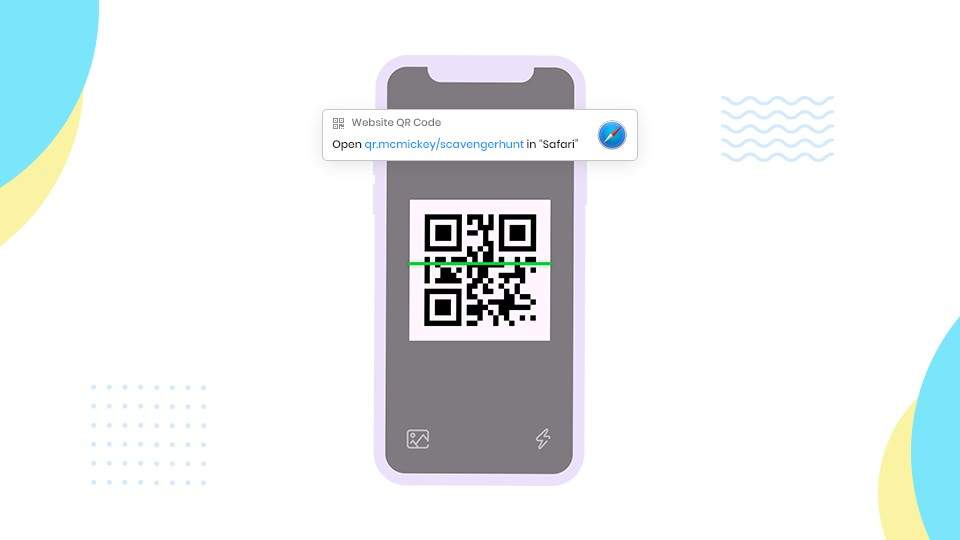
Learn how to reinforce your branding with custom domains and personalized URLs for your next QR Code campaign, while improving trust and strengthening campaign security.
Your QR code campaigns can now have a custom domain and a personalized URL.
This feature update will make it easy for your customers to recognize your campaigns and help you target the right segment with the personalized URLs.
Update #1 Using your own custom domain
Say, you have a business named McMickey. All your QR code campaigns can have this custom domain qr.mcmickey.com
Here’s how to make it work:
First, log in to the dashboard.
Then, click on your Account Name and select ‘Account’ from the drop-down menu.
Scroll all the way down to ‘Organizations’
Here you will find ‘Master’ and other organizations.
Setting up your custom domain
Click on Edit next to the organization and you will see this window pop up.
STEP 1: Under the Custom domain, you can enter your domain name.
STEP 2: For this to work, you will need to add the following CNAME records:
qr.<your-custom-domain-name>.com pointing to custom.tapnscan.me
STEP 3: Email support@uniqode.com after you configure your DNS records so that we can set up SSL certificates for your custom domain.
P.S: Setting up a custom domain in the Master organization will trigger this for other organizations as well. You can set up separate custom domains for other organizations to avoid this.
Create the best QR Code using Uniqode’s QR Code generator
Update #2: Using a custom URL
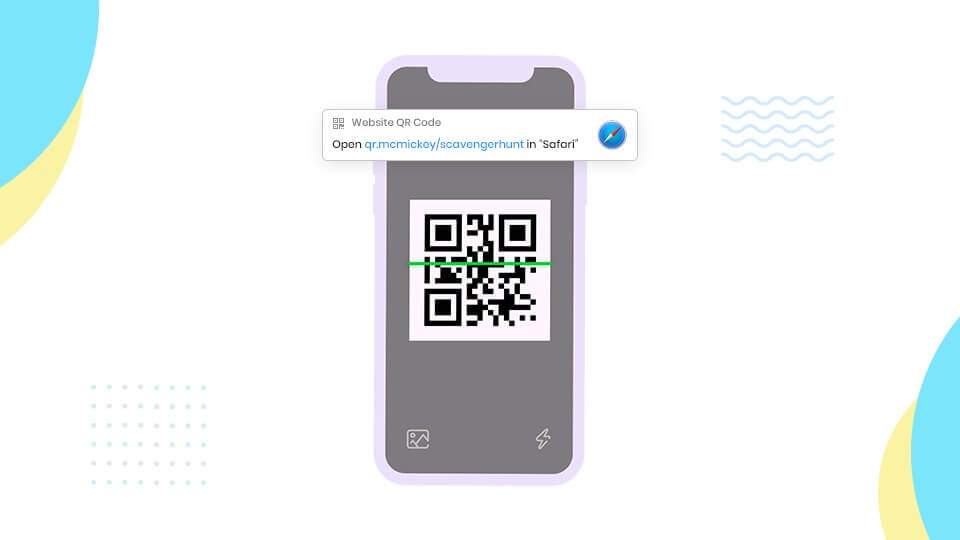
Now, your QR code campaign can have a completely personalized URL. So, for instance, if you are running a scavenger hunt contest, your URL can read qr.mcmickey.com/scavenger-hunt
Here’s how to do it. Once you start creating your customized QR code, you will find the ‘Customize’ tab.
Want to integrate your app with a QR Code generator API?
Scroll all the way down under the ‘Customize’ tab and you will find the option ‘URL’
Toggle the Auto-generation option and type the preferred URL
You’re all set!
Custom domain and custom URL for QR code campaigns: Why do you need it?
Not only can a custom domain and URL help you target the right audience and reinforce your branding, but this also prevents anyone from hacking your dynamic QR code campaigns.
Uniqode’s QR Code Solution provides a robust framework and enterprise-class security and adding this feature makes it impossible for any malicious site to dupe your customers.
Once you set up your custom domain let’s say qr.mcmickey.com., no one else will be able to duplicate this. Role-based access will prevent any unauthorized changes to your campaign and your customers will know that they can safely access your QR code campaign.
Another check that anyone who scans QR code must always do is check the SSL certificate of the site. Always ensure that the site’s URL is in HTTPS format.
Need help setting up your custom domain? Schedule a call to speak to our expert today
Frequently Asked Questions
- What is a custom domain for QR codes and why should businesses use one?
A custom domain for QR codes allows businesses to replace generic QR code URLs with branded domains like qr.yourbusiness.com instead of the default provider URL. This approach reinforces brand recognition, prevents malicious sites from duplicating your domain, and provides enterprise-class security through SSL certificates in HTTPS format. Custom domains also enable role-based access control to prevent unauthorized changes to your QR code campaigns.
- What is the difference between a custom domain and custom URL for QR codes?
A custom domain changes the base URL for all your QR codes to your branded domain (like qr.mcmickey.com), while a custom URL allows you to personalize the specific path after the domain for individual campaigns (like qr.mcmickey.com/scavenger-hunt). Custom domains apply at the organization level and affect all QR codes under that account, whereas custom URLs are set individually for each QR code campaign through the customize tab by toggling off auto-generation.
- Can custom domains prevent QR code hacking and phishing attacks?
Yes, custom domains provide 2 critical security layers against QR code fraud: they make it impossible for malicious actors to duplicate your exact branded domain, and they enable SSL certificate verification so users can confirm they're accessing legitimate HTTPS sites. Role-based access controls further prevent unauthorized modifications to your campaigns, ensuring that only approved team members can edit QR code destinations and protecting customers from being redirected to fraudulent sites.
About the Author
Ektha is a QR code expert with years of research and analysis into the evolution of QR codes. Having written over 70 in-depth articles on QR technology, she has developed a comprehensive understanding of how QR codes are transforming industries. Her insights, including The State of QR Report, have been featured in leading publications. With a passion for simplifying complex topics and providing actionable strategies, Ektha helps businesses leverage QR codes to enhance their 'phygital' connections.