One-Time-Use QR Codes: How to Create One and Use Cases
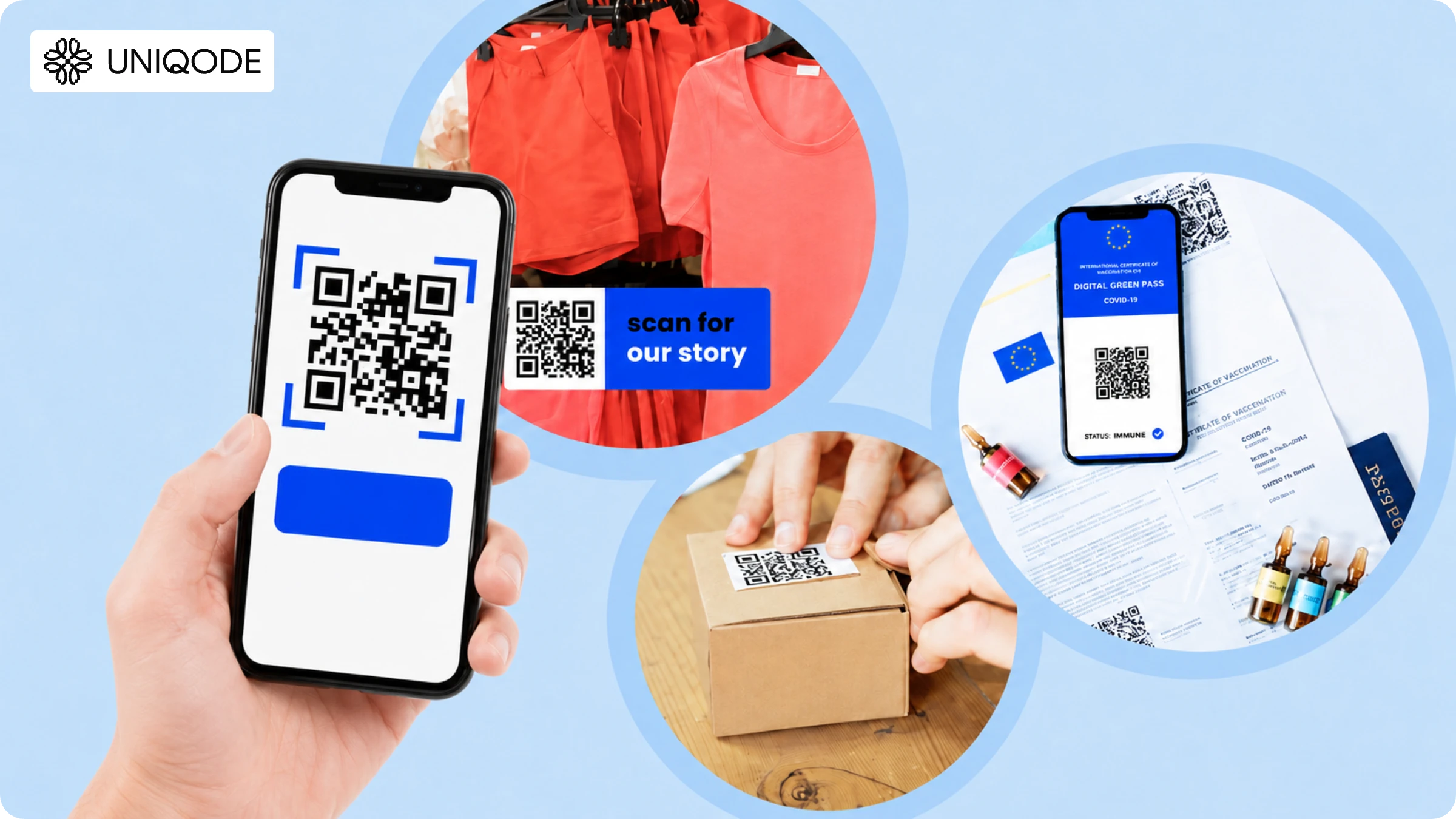
A QR Code that works once and then locks itself, no reused coupons, no double check-ins, no unauthorized re-entry. Here's where single-scan QR Codes are used, what is the difference between a one-time QR Code and a static QR Code, and how to set one up in minutes.
A one-time-use QR Code, sometimes called a single-use QR Code, is designed for just one successful redemption or transaction. Once it has served its purpose, it cannot be used again.
Here’s the key: it’s not the QR Code itself that enforces single use. The QR Code is just a carrier of information. The real magic happens in the system behind the scenes, which keeps track of whether the credential has already been redeemed.
This distinction is important. Even after a QR Code has been used, it can still be scanned without any issue. However, the server will simply reject any attempt to use it a second time.
In this guide, we’ll walk you through how one-time QR Codes work in practice, how they differ from expiring and static QR Codes, how scan limits are set, ways to prevent reuse, and the scenarios where single-use QR Codes are most effective.
What is a one-time-use QR Code?

A one-time-use QR Code is a QR Code tied to a credential or transaction that can be redeemed just once. Once it has been used successfully, the system marks that credential as consumed, so any further attempts are automatically rejected.
You might wonder if there is a special barcode format for one-time-use QR Codes. In reality, there isn’t. All standard QR Codes follow the ISO/IEC 18004 specification, which covers details like encoding, dimensions, error correction, and decoding. Whether a ticket, coupon, login, or access credential is valid for one use or a hundred is determined by the system behind the scenes, not by the QR Code format itself.
How to create a one-time-use QR Code
Here is how you can create a one-time-use QR Code in four steps:
Step 1: Log-in and choose the campaign as “Smart Rules”
Before you proceed…
One-time-use QR Code is a dynamic QR Code by nature, and you have to sign-up (it’s free and quick on Uniqode) to create one. Post-trial, you need a STARTER plan and above.
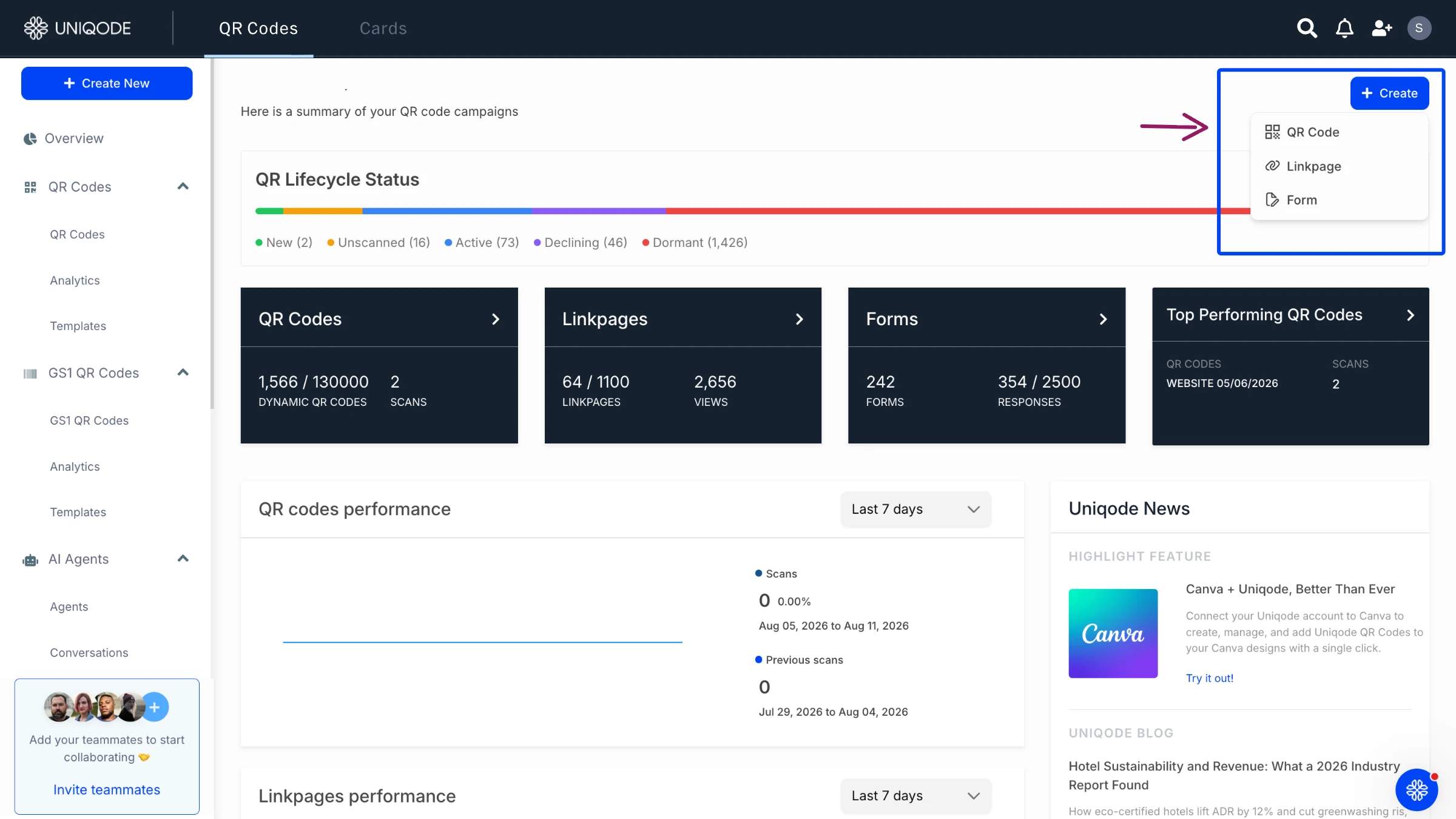
Click “+Create” on the top right in the dashboard and then “QR Code.”
Then, choose “Smart Rules” as the campaign type.

Step 2: Set the rules for a one-time use QR Code
Here is how you can set rules for a one-time QR Code:
1. Click “+Add new rule” and choose “Unique user scans”

2. In the field “Enter number of scans,” type “1”
3. In the field “Redirect users to,” add a URL of your choice. Users will go to this URL on their first scan. For instance, a URL that redirects users to coupon code
4. In the field “If above conditions are not met, redirect users to,” add a URL. Users will visit this URL when they scan it a second time or more. For instance, a URL that leads users to a page that conveys they have already received the coupon code or have crossed the scan limit on the QR Code

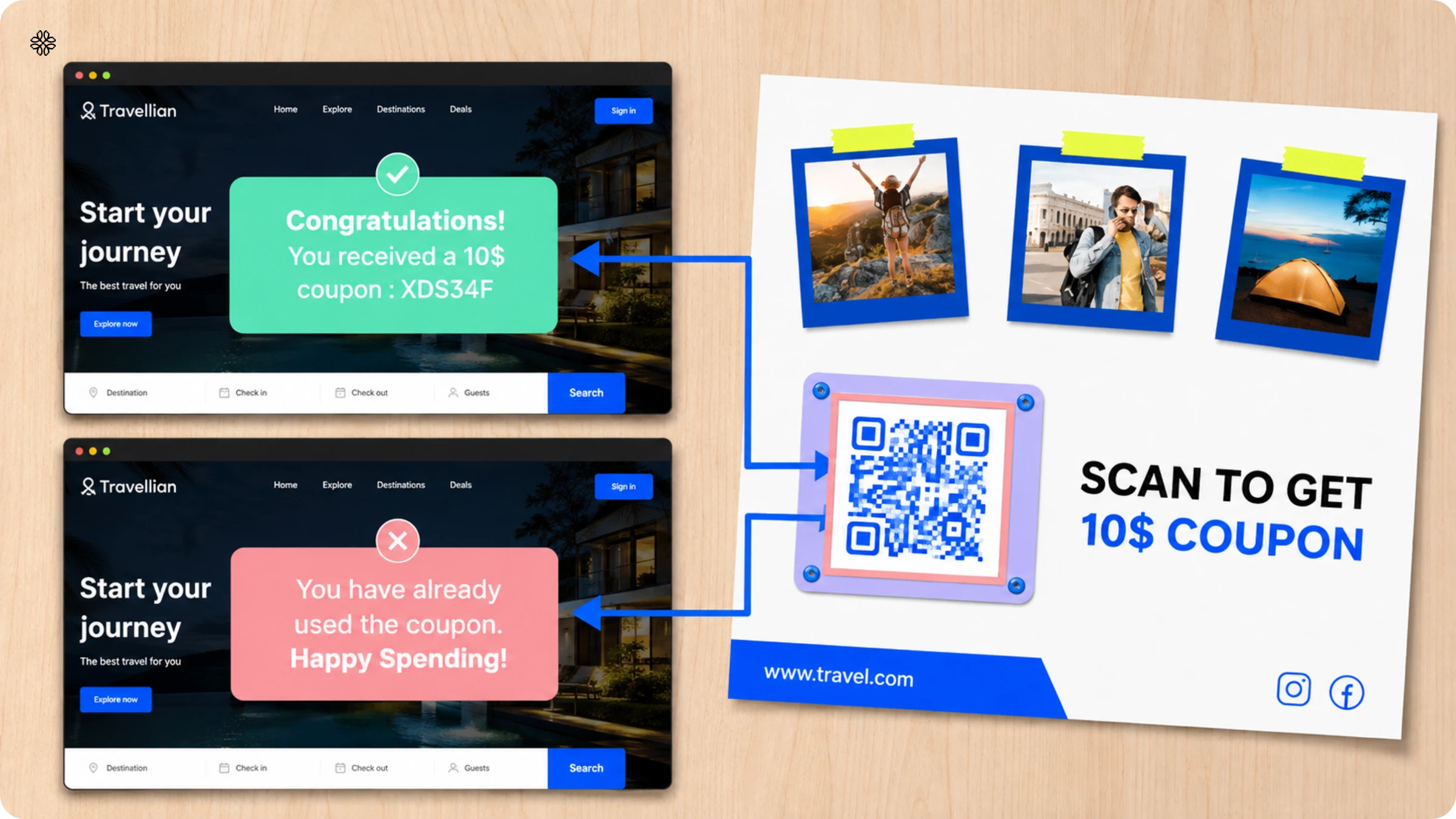
✨Smart Rule in action
Let’s say you created the QR Code following the above steps and added it to physical coupons distributed at your store.
When they scan the coupon QR Code once, your customers will see the coupon code. The second time they scan, they will see a message saying, “You have already viewed the coupon code.”
Check out this Knowledge Base to learn more about Smart Rules QR Codes.
Step 3: Customize your one-time-use QR Code
You can customize the design of your one-time QR Code easily on the dashboard. Here are some ways you can do it:
1. Change the QR Code pattern and shape of the eyes (three big dots at the corners)
2. Change the color of the pattern, eyes, and eye frame
3. Customize the background: you can add a background image to the QR Code or use a solid color. You can keep the background transparent, too
4. You can add a border with a call-to-action (CTA) text. For instance, you can add a CTA “Scan once for coupon code”
5. You can embed a logo of your choice in the center of the QR Code pattern

Customizing your one-time-use QR Code with brand colors and logo helps it look credible. Adding a descriptive CTA also helps your target audience know that it is a one-time-use scan QR Code.
Step 4: Download and use the one-time QR Code
Scan your QR Code twice to check if the Smart Rule works. If it is redirecting to the right URLs both times, download the QR Code.

You can download the QR Code in any format, such as PDF, JPG, SVG, PNG, EPS, and more.
For printing on small coupons, PNG or JPG will work best. If you use QR Codes on store windows, standees, billboards, etc., high-resolution QR Codes such as SVG and EPS will be the right choice. The difference is you can resize them and maintain clarity, unlike PNG and JPG formats, which might blur if you resize them.
What is the difference between a single scan QR Code and a single redemption?
A single-scan QR Code is marked as ‘used’ the instant a camera decodes it. In contrast, a single redemption is only counted as ‘used’ when the intended action is truly completed, such as when a ticket is validated, a coupon is applied, or a credential is verified.
This distinction is important because scanning and redeeming are two separate events. It is entirely possible for a QR Code to be scanned without the user ever following through on the intended action. In fact, many devices and services, such as phones, browsers, link-preview tools, security software, and messaging apps, often resolve QR URLs automatically, sometimes without any user input.
That is why opening a QR Code’s URL should never immediately consume a valuable ticket, coupon, or credential. For most applications, single redemption is the more useful concept to design around, not single scan.
| Behavior | What happens |
|---|---|
| QR Code is detected by a camera | Not necessarily consumed |
| User opens a landing page | Ideally not consumed yet |
| Scanner validates a ticket | Can trigger redemption |
| User confirms a coupon redemption | Can trigger redemption |
| Payment transaction succeeds | Can trigger redemption |
| Same credential is submitted again | Rejected |
One-time QR Code vs expiring QR Code: what is the difference?
A one-time QR Code is valid for just a single redemption. Once it is used, it cannot be scanned again. On the other hand, an expiring QR Code remains active only until a set date or time, after which it becomes invalid. Depending on your needs, a QR Code can be one-time-use, expiring, both, or neither.
| QR Code type | Valid after first use? | Valid after expiry? |
|---|---|---|
| One-time QR Code | No | Depends on configuration |
| Expiring QR Code | Yes, until expiry | No |
| One-time + expiring QR Code | No | No |
| Regular reusable QR Code | Yes | Usually yes |
One-time use QR Code vs static QR Code: what is the difference?

A static QR Code stores its information right in the pattern from the moment it is created. The URL or content stays the same, there is no server in the picture, and you can scan the code as many times as you like. After printing, a static code cannot track if it has been scanned, who scanned it, or how often.
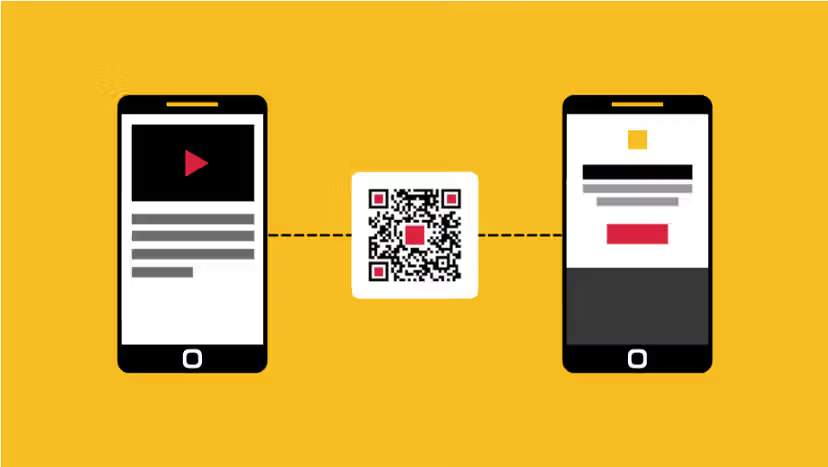
A one-time QR Code works differently. It is a dynamic QR Code with an extra layer of logic. When you scan it, the code sends you to a redirect URL, and a server checks each scan. Once someone redeems the code, the system marks it as used, so it cannot be redeemed again.
Static versus dynamic is about whether you can track or change the destination after printing. One-time versus reusable is about whether the code can be redeemed more than once. To create a truly one-time QR Code, you need a dynamic code, since marking a code as ‘used’ requires server-side tracking.
Can you set QR Code scan limits?
You can set scan limits for QR Codes, but only if you use a dynamic QR Code. This is because scan limits are managed on the server: each time someone scans the code, the system checks how many times it has been used before deciding what to do next. It might redirect, display a message that the limit has been reached, or block the action. With a static QR Code, this is not possible, since the information is fixed from the start and there is no system tracking the scans.
It is important to distinguish between scan limits and redemption limits. A scan limit controls how many times the QR Code’s link can be accessed, but this count can include bots, link previews, or even accidental scans—not just real users. If you want to limit actual use, such as a coupon being redeemed once or a ticket used by a single person, you should set the limit at the point of redemption, not at the scan. Otherwise, a few automated previews could use up the limit before anyone has a chance to benefit.
One-time use QR Code use cases
One-time QR Codes work well when you need to grant someone a limited right, complete a single transaction, approve something once, or provide access that should not be reused.
1. Event tickets

Every attendee is handed a unique QR Code, ensuring a seamless entry experience.
With the first successful scan, the attendee is welcomed in and the ticket is marked as used. If someone tries to scan the same code again, the system promptly displays an ‘already used’ message.
A robust ticketing system does more than just check if an event QR Code looks correct. It verifies the event details, admission window, ticket status, and even the designated entrance, making sure every aspect of your entry is in order.
2. Single-use coupons and promo codes

Imagine this: every coupon comes with its own unique coupon QR Code, generated by the brand just for you. Once you redeem your coupon, it is instantly marked as used and cannot be redeemed again.
This is quite different from the usual approach, where the same promotional QR Code appears on every product or poster. In those cases, the QR Code is public, so brands typically have to link the one-use rule to your account instead.
3. Visitor and temporary access passes

Companies can issue a single-use QR Code for entry into an office, conference room, warehouse, apartment building, or restricted area. What’s more, these QR Codes can be tailored to work only at specific locations, doors, dates, or times, ensuring that access is both convenient and controlled.
4. QR login and account authorization

A website can display a temporary QR Code, ready to be scanned by your already authenticated mobile app. This QR Code is not just any code; it serves as a short-lived challenge tied specifically to your current browser session, not a reusable credential. Once you approve it, the challenge is used up and cannot be reused.
5. Payment authorization

Some payment workflows use QR Codes unique to each transaction, so the information shown is linked to that specific payment. When building payment systems, it is best to follow the relevant payment network or EMVCo standards (a worldwide framework that defines how payment cards, phones, and checkout terminals communicate and process transactions reliably across markets) rather than creating your own security protocol.
6. Product promotions and samples

Brands can enhance customer engagement by placing unique QR Codes inside individual packages, unlocking a range of possibilities.
- free samples
- cashback offers
- loyalty rewards
- contest entries
- digital downloads
After the reward is claimed, that specific credential becomes unusable.
7. Document pickup or verification

You can link a sensitive document, package, or order to a one-time QR credential. After the authorized handoff or verification is done, no one else can use a copy of that QR to repeat the transaction.
8. Password resets and sensitive actions

A short-lived QR challenge is a smart way to authorize specific actions, whether you are enrolling a new device or managing an account. For secure authentication, it is important that the code is tied directly to the session and the operation you have requested. Once the action is approved, the code should be retired right away, ensuring your security is never compromised.
How can you prevent screenshots, forwarding, and reuse of a one-time QR Code?
There is no foolproof way to stop someone from taking a photo, screenshot, or forwarding a visible QR Code. What you can do, however, is design your system so that even if a QR Code is copied, it cannot be redeemed more than once or used outside its intended purpose.
Remember, QR Codes are meant to be seen. If someone can view a QR Code, they can copy it. The error correction feature is there to help recover from physical damage, not to prevent copying.
So, the most effective safeguards are actually put in place behind the scenes, beyond the QR Code itself:
- Atomic one-time redemption: whichever copy is redeemed first consumes the credential.
- Short expiry: limits how long a stolen copy is useful.
- Transaction binding: restrict the token to the intended event, gate, merchant, browser session, or transaction.
- Account binding: requires the user to be signed in to the account that received the credential.
- Authenticated confirmation: requires an additional user action for sensitive transactions.
- Dynamic presentation where appropriate: rotate what is displayed to shorten the useful capture window.
- Fraud monitoring: detect repeated attempts, impossible locations, or excessive duplicates.
Importantly, simply adding QR Code encryption, an HMAC, a digital signature, or TOTP does not make a QR Code impossible to replay. A legitimately signed QR Code can still be copied exactly and presented again unless the system tracks whether it has already been consumed.
Best practices for creating a one-time-use QR Code
| Best practices | Why do it? |
|---|---|
| ✅Clearly define the Smart Rules | While using the “if conditions,” ensure you are triggering the right URL for the actions of users. |
| ✅Ensure access to URL content | One-time use QR Codes use two URLs. Ensure both the URLs are complete and your users have access. Have content updated in the URLs. |
| ✅Add a CTA conveying one scan limitation | Avoid dissatisfaction among users who are scanning to return to it later. |
| ✅Perform a test scan | Check the redirect logic with two to three scans to ensure your QR Code is ready for implementation. |
Why use Uniqode to create one-time-use QR Codes
Creating one-time-use QR Codes with redirection logic can get confusing if you use a dashboard that is not user-friendly. That’s why Uniqode is your best bet as a one-time use QR Code generator.
You can easily add rules and logic, make customizations, and see the scannability score on the dashboard in real-time.
You can see the metrics of your one-time use QR Code campaigns in the dashboard. You can also edit your campaigns by updating or changing URLs anytime.
All the data you upload to the dashboard and all the user data from scans are safe and secure as Uniqode is GDPR and HIPAA -compliant and SOC® 2 Type 2 and ISO 27001:2022 certified.
Wondering how to start creating one-time-use QR Codes? Get started below 👇

Frequently Asked Questions
- How do I get a one-time QR Code?
To get a one-time QR Code, you can create it on the Uniqode dashboard:
- Sign up or log-in to the Uniqode dashboard
- Click “+Create” and then “QR Code”
- Choose “Smart Rules” as campaign
- Specify the number of scans as 1 and add both URLs for the first and second scan, respectively
- Customize, test, and download the one-time use QR Code
- Can a QR Code be used only once?
Yes, a QR Code can be used only once. A backend system can associate a unique QR credential with an unused state and permanently mark it consumed after the first successful redemption. The QR image itself does not enforce this rule.
- Can I create a QR Code that stops working after one scan?
Yes you can create a QR Code that stops working after one scan, but it is usually better to make it stop working after one successful redemption rather than one raw scan. Preview bots or accidental scans should not consume a valuable credential.
- Is a one-time QR Code a dynamic QR Code?
A one-time QR Code is not necessarily a dynamic QR Code. A dynamic QR Code and a single-use QR Code describe different properties. A static printed QR can still be redeemable exactly once.
- What happens after a one-time QR Code is used?
After a one-time QR Code has been used, the underlying credential is normally changed from active or issued to consumed. Future redemption attempts then return an already-used or invalid result.
- Can I reactivate a used one-time QR Code?
Yes, a system could technically reset the state of a used one-time QR Code, but issuing a new credential is generally safer because it preserves the previous redemption record and keeps copies of the original QR invalid.
- Can one-time QR Codes be generated in bulk?
Yes, one-time QR Codes can be generated in bulk. Thousands or millions of unique tokens and corresponding QR Codes can be generated. The important scaling challenge is ensuring that redemption remains atomic and globally consistent when many scanners are operating simultaneously.
- What is a one-time purchase QR Code?
One-time purchase QR Code can mean a QR Code for one purchase transaction, but it is also used when people are looking for QR Code generator software sold for a one-time fee. A generator's billing model has no relationship to whether its QR Codes can be scanned once or repeatedly.
- Is a QR code generator with one-time payment the same as a one-time QR code generator?
No, a QR Code generator with one-time payment and a one-time QR Code generator are not the same. “QR code generator one time payment” describes how you pay for QR generation software. “One time QR code generator” in the single-use sense describes software capable of creating credentials that become invalid after redemption.
About the Author
Sravya is a content marketer specializing in QR Code security and technology. Her content spans around QR Code security, and how it enables business to securely interact with customers. Her passion to break down tech for readers with blogs and e-books comes from her love for teaching. You can find more on Sravya's work here.