QR Code Best Practices for Higher Engagement and Conversions
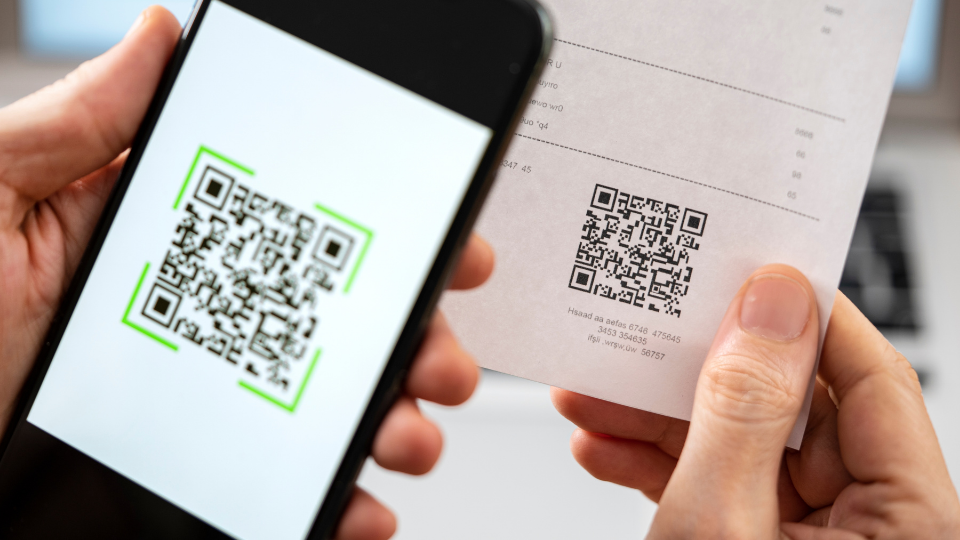
Read this blog post to understand five reasons why your customers aren’t using your QR Codes and how to fix them.
QR Codes are everywhere, but most marketers can't prove they work. Scan counts are easy to pull. Connecting those scans to a booking, a purchase, or a redeemed offer is where most campaigns fall short. That gap has nothing to do with the format itself. It comes down to three decisions: which codes get placed, what they promise, and what gets measured after the scan. Get those right and a QR Code becomes a trackable, repeatable marketing channel.
This guide covers the six practices to help you make the most of QR Codes for your marketing initiatives.
How QR Codes can benefit marketing campaigns
A QR Code on a shelf, a menu, or a billboard can carry the same tracking and targeting logic as a digital ad. That is the core advantage, and marketers are acting on it: 60% plan to increase QR Code usage this year, and 56% expect them to drive higher revenue, according to the State of QR Codes report 2026.
Dynamic QR Codes are what make marketing campaigns more effective. 76% of marketers already use them, and for good reason: a dynamic QR Code keeps its destination editable after print, meaning one QR can serve multiple campaigns without a reprint.
Where QR Codes fall short is analytics. Most marketers track scan counts but never connect them to a sale, a signup, or a redeemed offer.
QR Code best practices for higher scan rates and conversions
Here are six best practices to follow to make the most out of your QR Codes. Each one below comes with a real marketing campaign that applied it.
1. Default to dynamic QR Codes, not static
A static QR Code locks in its destination the moment it's printed. A dynamic QR Code keeps the destination editable after print, which means a single QR Code can serve seasonal offers, swap broken links, or route by scan date without a reprint.
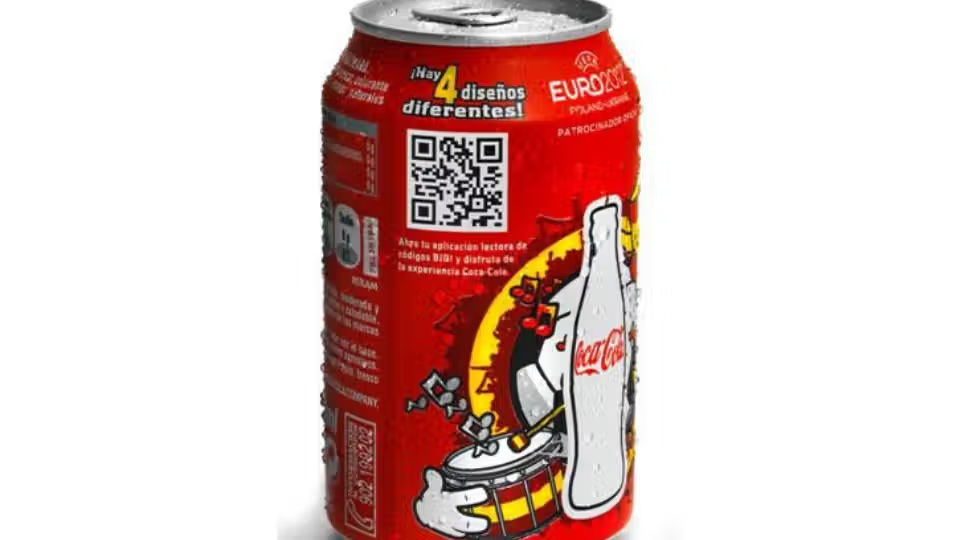
Coca-Cola's dynamic label campaign proved the model at scale: the same printed can served different promotional content on different dates, with no packaging change and no reprint cost.
Dynamic QR Codes also unlock the tracking data static QR Codes can't produce: total scans, unique scans, scan location, and scan time, all logged automatically.
The cost comparison also favors dynamic QR Codes. A dynamic QR Code costs nothing extra to scan and nothing extra to print. What it saves is the reprint: a wrong price, a dead link, or a seasonal offer that needs to end can all be fixed from a dashboard instead of a new print order. In fact, 45% of marketers using dynamic QR Codes report at least some reduction in reprints.
2. Send every scan to a destination that matches the offer
A generic homepage kills the momentum of a scan. BBQGuys learned this directly: instead of routing direct-mail QR Code scans to its general homepage, the team sent each scan to a campaign-specific landing page built around that mailer's offer. The result was a 1,925% jump in engagement and a 16% increase in average order value month over month, from the same mail piece, just a more relevant destination for the person who scanned it.
Uniqode's consumer research backs up why this works: 49% of consumers say they need clear relevance or context before they'll scan, and 52% scan specifically to access a discount or offer. A code that names its payoff clears that bar before the customer's phone camera even opens.
⚡ Pro tip: Place a short CTA next to the QR Code that names the offer, "Scan for 20% off" or "Scan to book your table," so scanners know what they get before they reach for their phone.
3. Brand your QR Code
58% of consumers say they feel somewhat or very confident that QR Codes are safe, and 42% say the code needs to look legitimate before they'll scan it. A generic black-and-white square with no branding and no context asks the customer to trust a stranger. A branded, labeled code asks them to trust a company they already recognize.
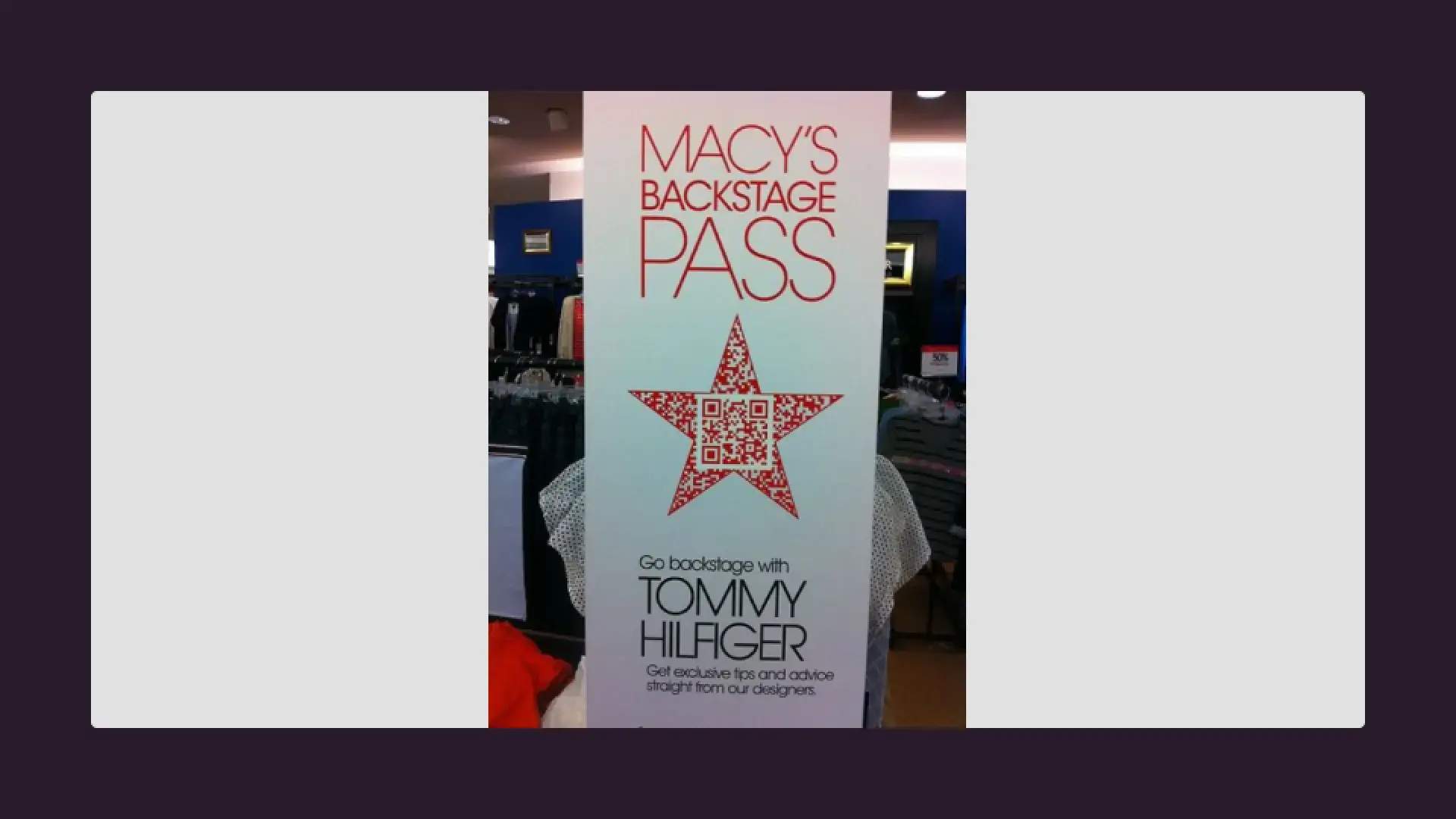
Macy's Backstage Pass campaign used a branded QR Code to give shoppers on-demand access to exclusive video content directly on their phones. Scanning the code unlocked designer fashion tips and trend previews from names like Tommy Hilfiger, turning a passive browsing moment into an interactive brand experience.
4. The right placement
QR Code placement determines whether a scan feels intentional or accidental. A QR Code on a pasta box that leads to recipes works because the person holding the box is already thinking about what to cook. That same QR Code on a transit ad would be out of place. The scan and the destination need to share the same moment of intent.
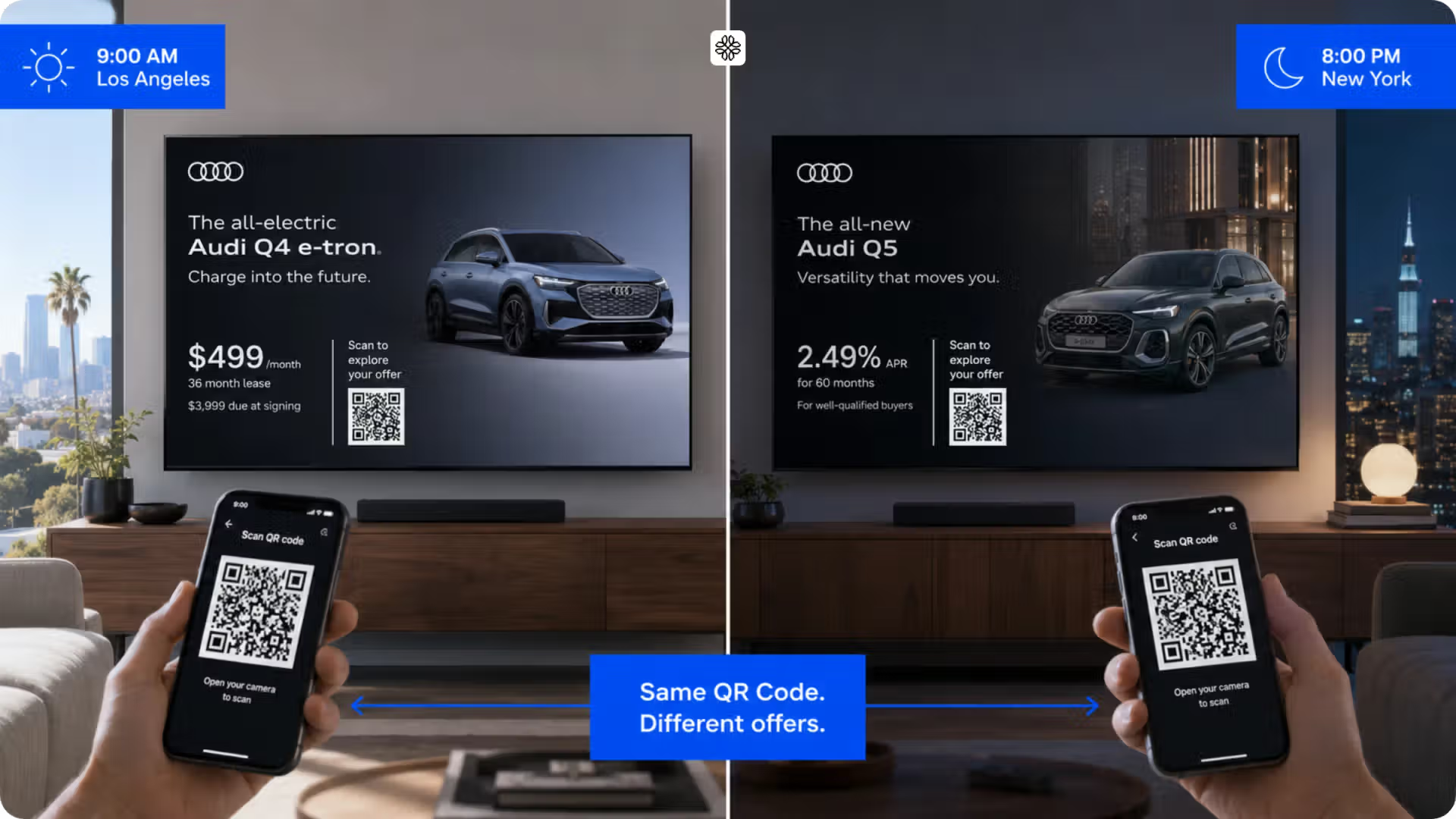
Audi's dynamic out-of-home and streaming ads changed their QR Code destination based on the viewer's location and the time of day, so a viewer in one city saw a different next step than a viewer in another. The payoff: a 93% video completion rate and more than 23,000 additional minutes of engagement, because the code sent people somewhere relevant to where and when they scanned it, not a generic landing page.
Uniqode's consumer research puts restaurants and cafes, websites, and product packaging at the top of where people scan, so match placement to where the destination content actually applies.
5. Track scans against a revenue or conversion outcome
Decide what a scan should lead to (a booking, a signup, a purchase) before the campaign launches, and connect that outcome back to the QR Code in analytics. A scan count on its own answers "did anyone see this." A scan-to-outcome number answers "did this work," which is the question every other channel already gets asked.
A hotel places a QR Code at the front desk linking to a loyalty program signup. The QR Code gets 400 scans in a month. Without a tracking plan, that number sits in a dashboard with nothing to compare it against. With one, the team can see that 180 of those scans completed the signup, giving them a 45% conversion rate, a cost-per-signup figure, and a baseline to improve against next month.
Marriott Aruba replaced paper menus, beach-chair bookings, wedding-property links, and loyalty sign-ups across eight restaurants with one dynamic QR Code system. The property tracked the result directly: $150,000 saved in printing costs and more than 150,000 scans across 80,000-plus guests reached, numbers a stack of paper menus has no way to produce.
6. Size the QR Code for how far away people will scan it
Most QR Code sizing failures happen before the print run goes out. The minimum recommended size is 2 x 2 cm for arm's-length scanning, but that number only holds under good conditions: flat surface, matte paper, recent smartphone, short URL encoded. Take away any of those and the QR Code needs more room.
The reliable formula for everything beyond close range is the 10:1 rule: divide the expected scanning distance by 10 to get the minimum code size. A QR Code scanned from one meter away needs to be at least 10 cm wide. A billboard scanned from 10 meters needs at least a 1-meter code. Add 20 to 30% on top of whatever the formula gives you to account for poor lighting, motion, or imperfect angles.
For print, always export at 300 DPI at the final printed size, and use vector QR Code formats (SVG or EPS) instead of PNG whenever possible. Vector formats scale to any size without losing quality, which means the same file works on a business card and a banner without a re-export.
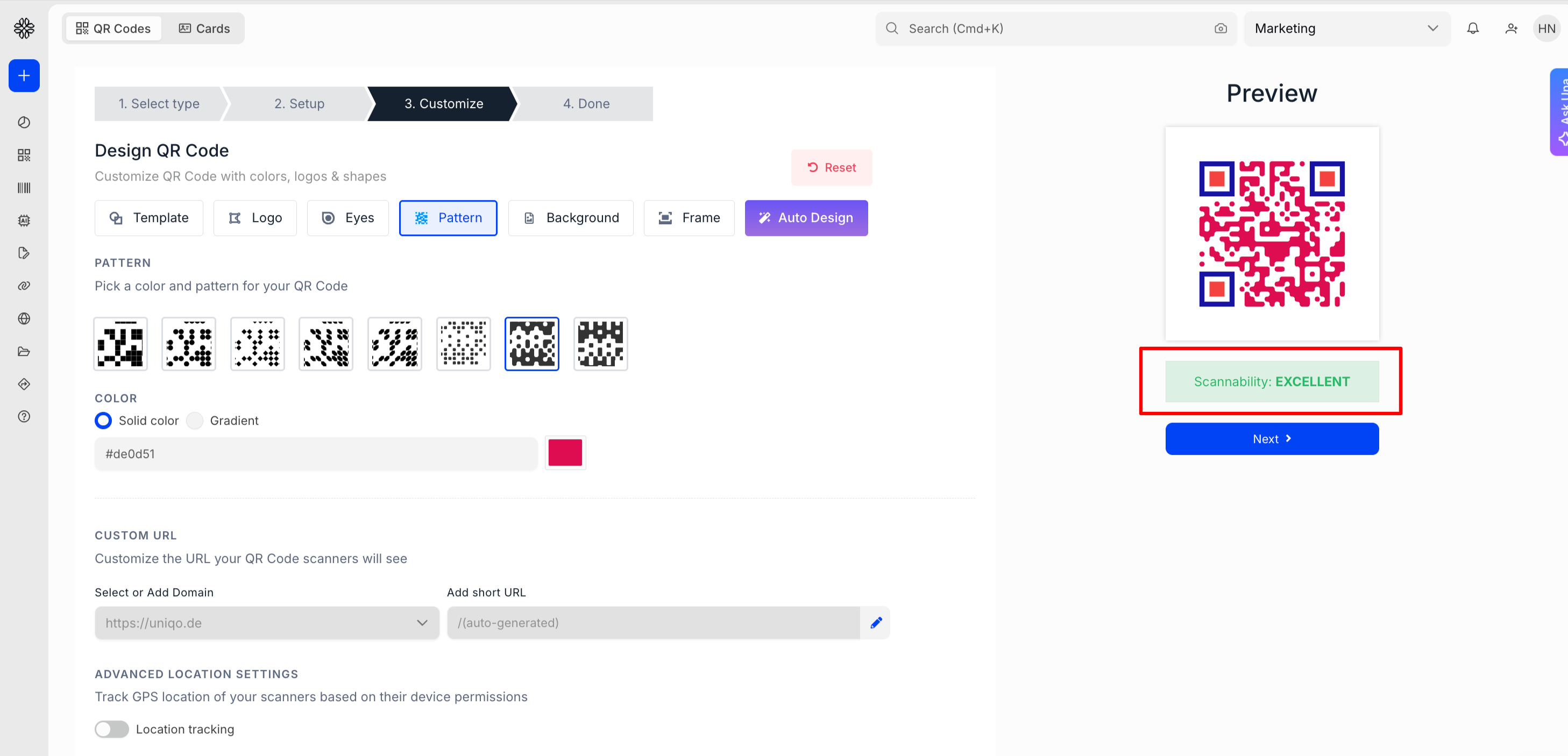
⚡ Pro tip: Uniqode's QR Code generator shows a real-time scannability score as you design, so sizing and contrast issues get caught before they reach the printer.
7. Design for scannability
A QR Code can look great and still fail to scan. Low contrast between the QR Code and its background or a wrong error correction level will cause QR Code scan failures.
On contrast: the QR Code needs a dark pattern on a light background. Inverting this, light pattern on dark background, causes most smartphone cameras to misread the code. On error correction: QR Codes have four levels, from L (recovers 7% of damaged data) to H (recovers 30%). A QR on a clean digital screen can run at Level L. A QR Code on outdoor signage, product packaging, or with a logo needs Level H to stay scannable when part of the pattern is worn, covered, or distorted.
Rather than managing error correction levels manually for every QR Code, Uniqode's dashboard shows a live scannability score while you design. Adjust the colors, size, or error correction level and the score updates in real time, so you know before downloading whether the code will hold up in print.
8. A/B test destinations before scaling campaigns
A scan count tells you whether people are engaging with the QR Code. It does not tell you whether the destination is the right one. That is what A/B testing is for: running two versions of a landing page or offer from the same code, measuring which one converts better, and scaling the winner before the campaign is fully deployed.
With a static QR Code, running an A/B test means printing two QR Codes and splitting distribution manually. With a dynamic QR Code, the destination can be edited from a dashboard without touching the printed code. Duplicate the QR Code in Uniqode, point each version to a different landing page, and compare scan-to-conversion data across both.
A/B testing is especially useful for campaigns where the offer is the variable: the same placement and the same audience, but one version leads with a discount and another leads with a product demo. The scan data shows which framing actually moves people.
9. Personalize the destination
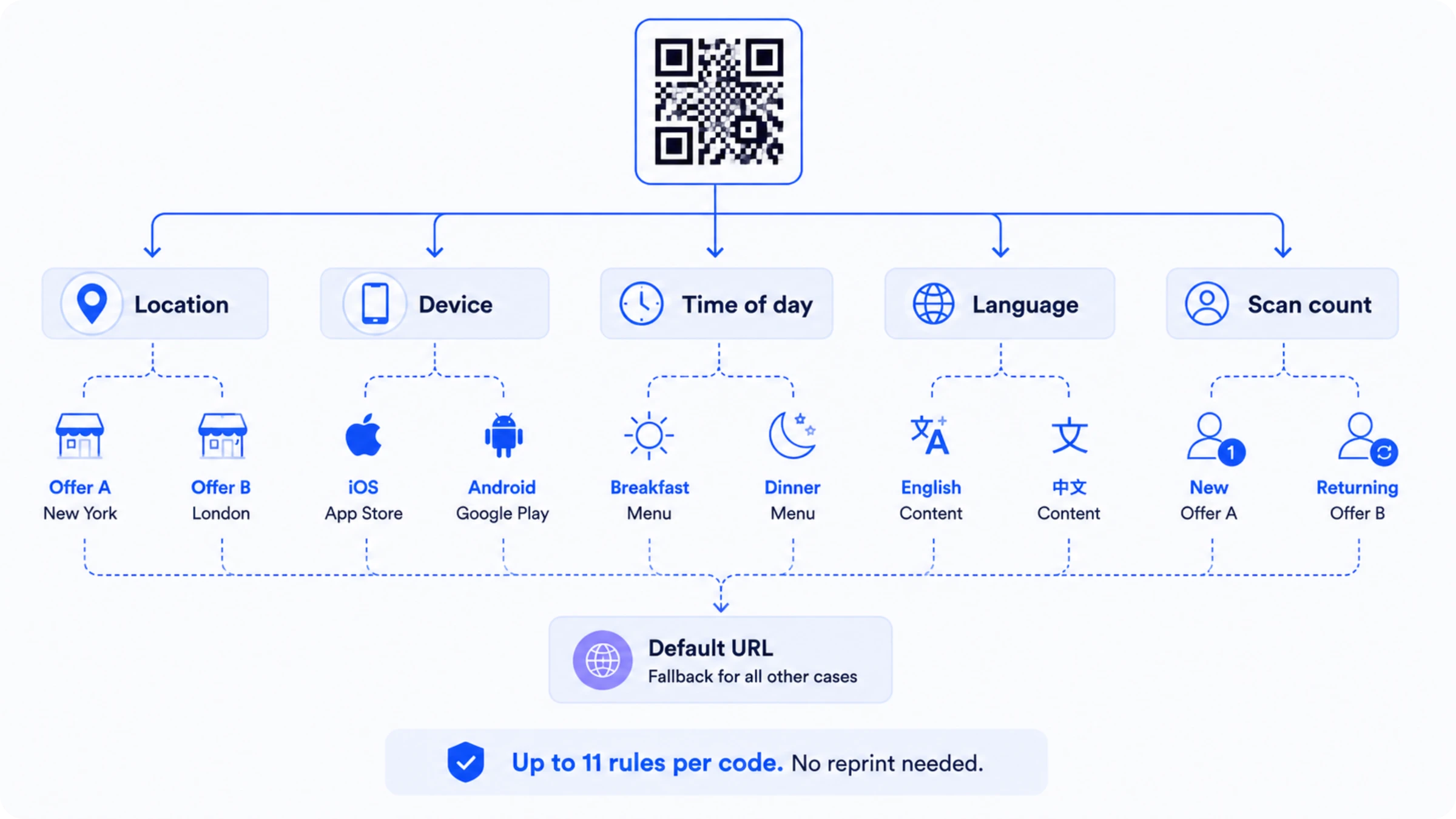
One QR Code does not have to send every scanner to the same place. Uniqode's Smart Rules let a single QR Code route to different destinations based on the scanner's location, device type, language, time of day, or scan count, all configured from one dashboard without a reprint.
A retail chain can use the same printed QR Code across all its locations and serve each store's local offer automatically. An app download QR Code can send iOS users to the App Store and Android users to Google Play from a single scan. A restaurant can show a breakfast menu in the morning and a dinner menu in the evening, without printing two QR Codes or updating anything manually.
Smart Rules also stack multiple rules at the same time. A QR Code can combine location and time of day together, sending office workers in one city a morning offer at 8 AM and a different offer to the same city's retail shoppers at 2 PM. Up to 11 rules can be applied to a single code, with a fallback URL for any scan that does not match a configured condition.
10. Retarget people who scanned but did not convert
Someone who scanned a QR Code on a product package or a poster has shown intent, but if they did not complete the purchase or sign up, that signal gets lost unless there is a retargeting plan in place.
You can use QR Codes to retarget users. Uniqode fires both Meta Pixel and Google Ads Pixel natively on every scan, no tag manager setup or code injection required. Every person who scans a Uniqode dynamic QR Code is automatically added to the corresponding custom audience in Meta and Google Ads. A GA4 event fires at the same time, connecting the offline scan to the online conversion funnel in the same analytics property.
In practice, this means someone who scans the QR Code on a packaging, and puts the packaging back without buying can be reached with a follow-up ad within hours. The scan becomes the top of a retargeting funnel, not a dead end. For campaigns where the conversion happens online after an offline scan, this connection between scan data and ad platforms is what turns a QR Code into a measurable performance channel.
Reasons a QR Code doesn't get scanned
Even a well-designed campaign underperforms when your QR Code doesn’t scan properly. Check a low-performing code against this list before assuming the format itself is the problem:
- No scan instructions: some scanners still don't know their camera app scans codes directly; a one-line prompt next to the code removes the guesswork.
- Poor placement: a code needs a spot where someone can comfortably pause, aim a phone, and wait, not a location in motion or out of reach.
- Unclear payoff: a code with no stated benefit gets treated as a decoration, not an action.
- Audience mismatch: an offer built for the wrong audience underperforms even with perfect placement and a clear payoff.
- A weak landing page: a slow, cluttered, or desktop-first destination undoes everything the code did right to get the scan.
Create QR Codes that get more scans
The difference between a QR Code that drives revenue and one that just gets scanned comes down to decisions made before the code goes live: the right size, a clear payoff, a destination built for that specific campaign, and a tracking plan tied to a real outcome. Every practice in this guide is actionable from day one. Uniqode's dynamic QR Codes, Smart Rules, built-in analytics, and native pixel integrations give you the infrastructure to run QR Code campaigns that produce numbers worth reporting.
Start a free 14-day trial on Uniqode and build your first tracked campaign today.
Frequently Asked Questions
- What makes a QR Code marketing campaign successful?
A clear, specific payoff for the scanner, a destination built for that one campaign rather than a general homepage, and a tracking plan that ties scans to a real outcome like a booking or a redeemed offer. Campaigns that skip any of the three tend to generate scans without a way to prove they mattered.
- Should I use a static or dynamic QR Code for a marketing campaign?
Dynamic, in nearly every case. A dynamic QR Code can be edited after printing, tracks total and unique scans, and supports campaign changes without a reprint. 76% of marketers surveyed for Uniqode's State of QR Codes 2026 report already default to dynamic codes for exactly these reasons. Static codes still make sense for permanent, one-time destinations that will never need to change.
- Where should a QR Code be placed for the best results?
Wherever the destination is genuinely relevant to that moment: a menu QR Code on the table, a product-authentication code on the packaging, an event code at check-in. Uniqode's consumer research found people scan most at restaurants and cafes, on websites, and on product packaging, so match placement to where the destination content actually applies.
- What should I track to measure a QR Code campaign's ROI?
Total scans and unique scans first, since they show reach versus repeat engagement. Beyond that, connect the scan to the outcome the campaign was built for, a completed purchase, a form submission, a loyalty signup, so the campaign can be measured the same way any other marketing channel gets measured.