Uniqode’s solution has made our lives a lot easier. Creating QR Codes is quick, and being able to track their performance has proven to be essential for our business.
A QR Code to download an app is a dynamic QR Code that automatically detects whether someone is using iOS or Android and directs them to the correct app store. When users scan a dynamic app download QR Code, it directs iPhone users to the App Store and Android users to Google Play. A third destination (the fallback URL) handles any unrecognized device, a web browser, or a scan from a desktop camera.
Dynamic app download QR Codes differ from standard URL QR Codes in two ways. First, they contain routing logic, not just a destination. Second, the app link can be edited after the code is printed without generating a new code or reprinting any materials.
Before smart routing existed, marketers either printed separate iOS and Android codes (and asked users to pick the right one) or pointed everyone to a single app store and accepted that half their audience would bounce. App download QR Codes remove that friction.
For example, if you’re promoting a food delivery app on flyers, posters, or product packaging, people can scan your QR Code and go straight to your app’s download page. They don’t need to remember your app’s name or look for it later, and your offline marketing now has a bridge to convert interest into real app installs. Brands such as Dyson, which make premium home technology products, use Uniqode QR Codes to make app downloads effortless.
How does smart routing work on iOS and Android?
When someone scans the QR Code for app download, their phone’s operating system is detected automatically. iPhones open the Apple App Store, and Android phones open Google Play. If the device isn’t recognized as iOS or Android, the user is directed to your fallback page.
If the app is already installed, a deep link can be added to open a specific screen. You can provide users with an easy way of accessing a specific feature within the app by deep-linking mobile apps via QR Codes. Users who have already installed your food delivery app can be redirected to the app’s “Offers” or “Profile” page.
How does deep linking for app download QR Codes work?
Deep linking for app download QR Codes can help you craft distinct user journeys, tailoring experiences that accommodate different types of users.
Most of us know that QR Codes can hold multiple download links from various app marketplaces. But here’s something that might surprise you: those very QR Codes can also deep link straight to any page within your app. This makes them a powerful tool in your app development arsenal.
Your app QR Code can lead users to any in-app content you choose. Whether it’s your homepage, a specific product page, the log-in screen, or even the checkout, the choice is yours.
This flexibility lets you design tailored user journeys, ensuring a seamless and memorable experience for your users.
Let’s say you want to promote a product from your eCommerce app. With a QR Code for app download, you can send users straight to that product’s page inside your app. No more landing on the homepage and searching, just instant access. This strategy becomes even more effective when you use react native development outsourcing to build efficient, user-friendly apps that truly elevate the customer journey.
Now, you may be wondering, what happens if someone doesn’t have your app yet? That’s where smart redirection steps in.
If a user hasn’t installed your app, the app download QR Code guides them to your app’s page on the app store. After they download and open the app, the intended in-app content appears right away, no extra steps needed.
And if the user already has your app? The same QR Code takes them directly to the content you want them to see.
Benefits of using app store QR Codes
App download QR Codes do more than link to a store. They remove every step that causes a potential user to drop off before the install happens. Here are some benefits of an app store QR Code generator:
One code, two stores. A single app store QR Code routes iOS users to the Apple App Store and Android users to Google Play automatically. No separate codes, no confusion, and no lost downloads from users landing in the wrong place.
Zero typing, zero searching. Users who scan a QR Code to download apps skip the search bar entirely. There's no risk of finding a competitor's app first or mistyping your app name. One scan and they're on your store listing.
Works across every channel. Whether you're on product packaging, a billboard, a mailer, or a TV spot, the same QR Code works. You get a consistent, trackable download path across every touchpoint, online and offline.
Edit without reprinting. Dynamic app download QR Codes let you update your App Store or Google Play link anytime from your dashboard. If your store URL changes, the printed code still works with no reprint required.
Built-in scan analytics. Every scan logs device type, location, and time. You can see which placements drive the most downloads and feed UTM parameters into GA4 to track scans or a mobile attribution platform like AppsFlyer or Adjust to track actual installs.
Deep linking for returning users. Users who already have your app installed get sent directly to a specific in-app screen such as an offer, their cart, or a profile page, instead of bouncing back to the store listing.
How to create a QR Code for app download?
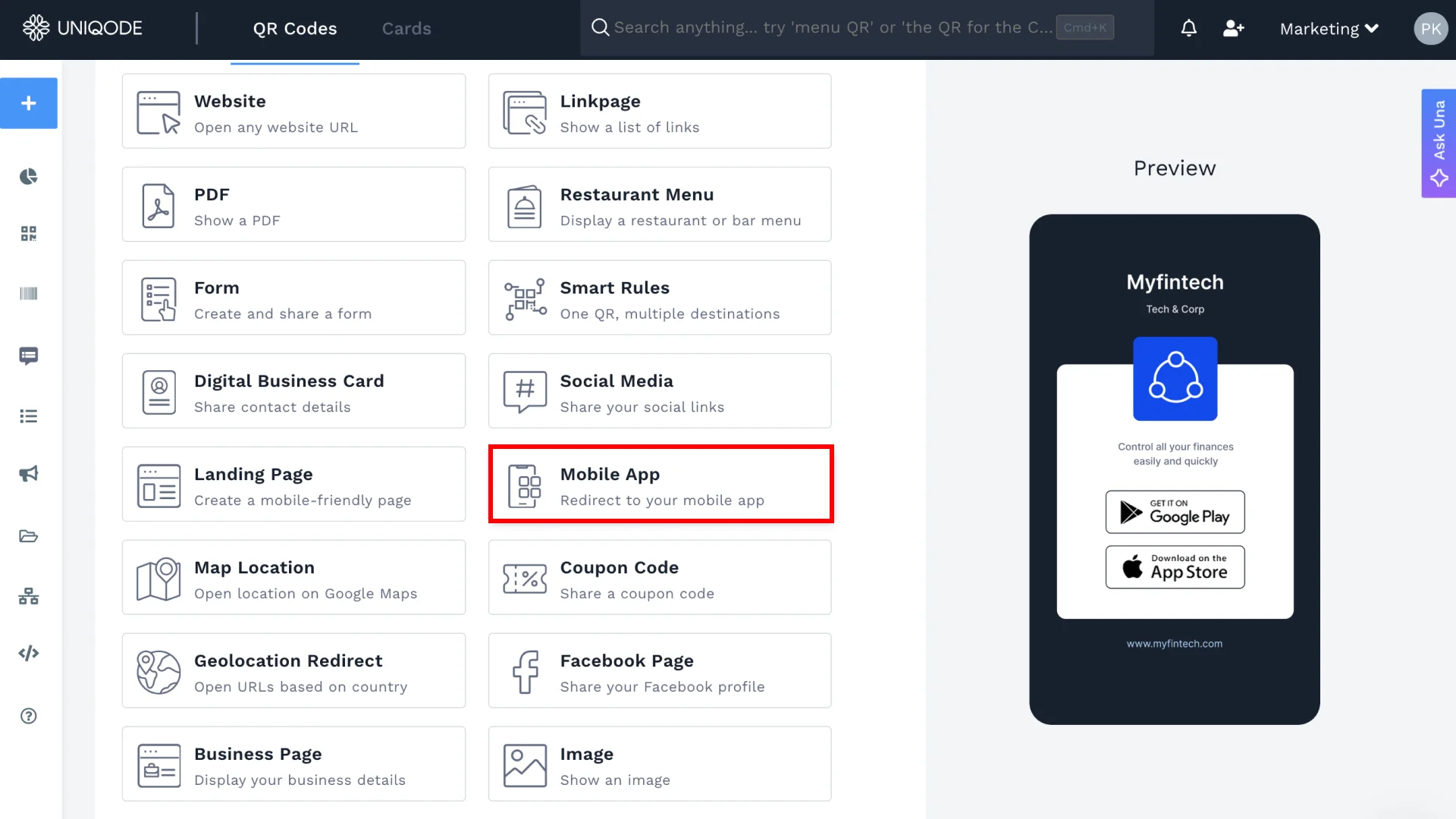
Wondering how to make a QR Code for an app? To create an app download QR Code, use a dynamic QR Code generator like Uniqode and select the Mobile App QR Code type. This will enable automatic device detection. Add app store URLs, customize the design, and download the code.
Step 1: Create a QR Code on Uniqode
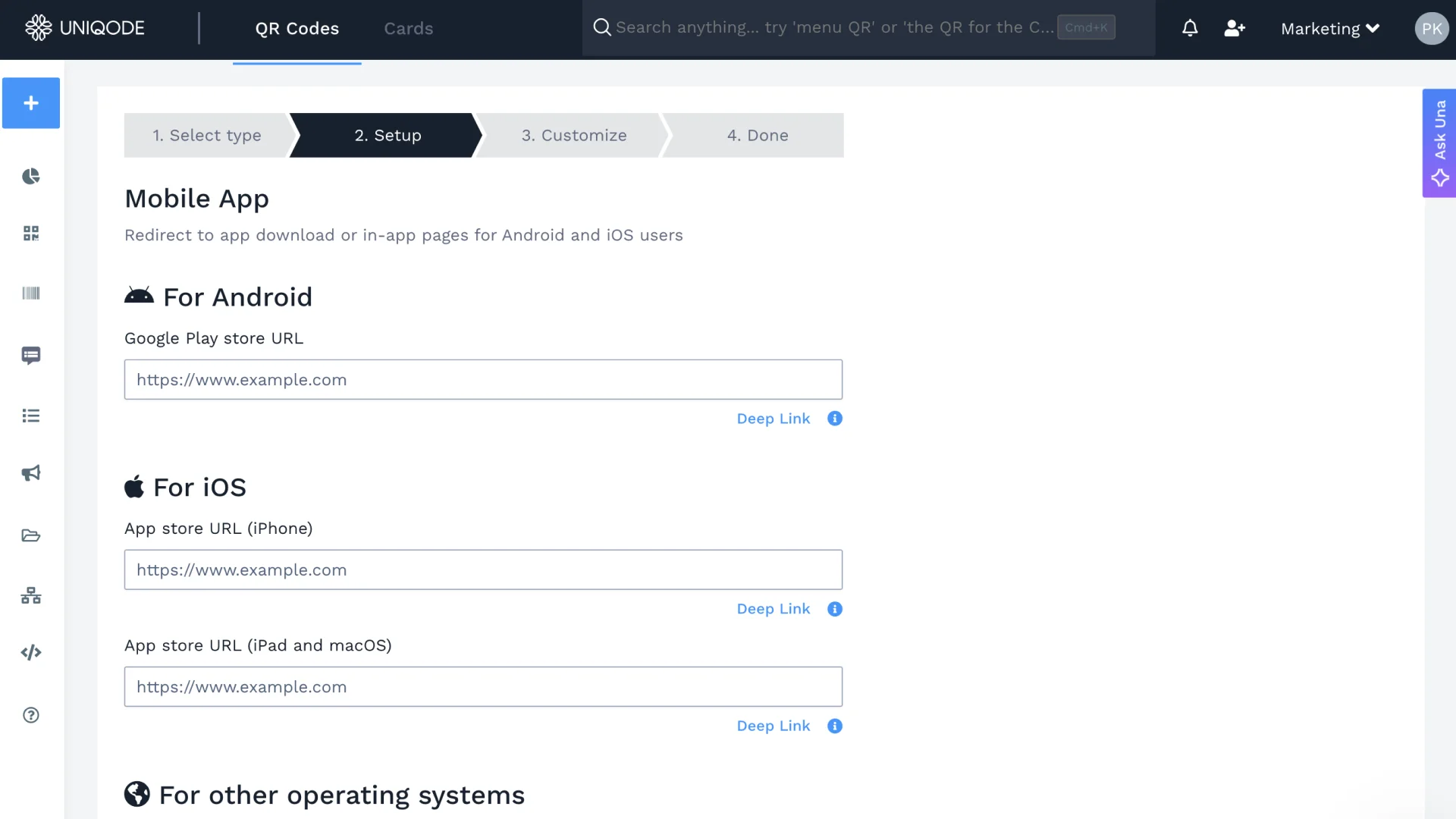
Select Mobile App as your QR Code type. Add your app links for both platforms. Paste your Google Play link for Android and your App Store link for iOS. Then, add the app download link for other operating systems, if any.
Optional: Add deep links and take users directly to a specific screen within the app, such as offers, profile, or cart.
Step 2: Customize your QR Code
You can keep the default design or customize it to match your brand. Choose your brand colors, select a shape, add a logo to your QR Code, and include a short call to action, such as “Scan to install.”
Step 3: Download and share
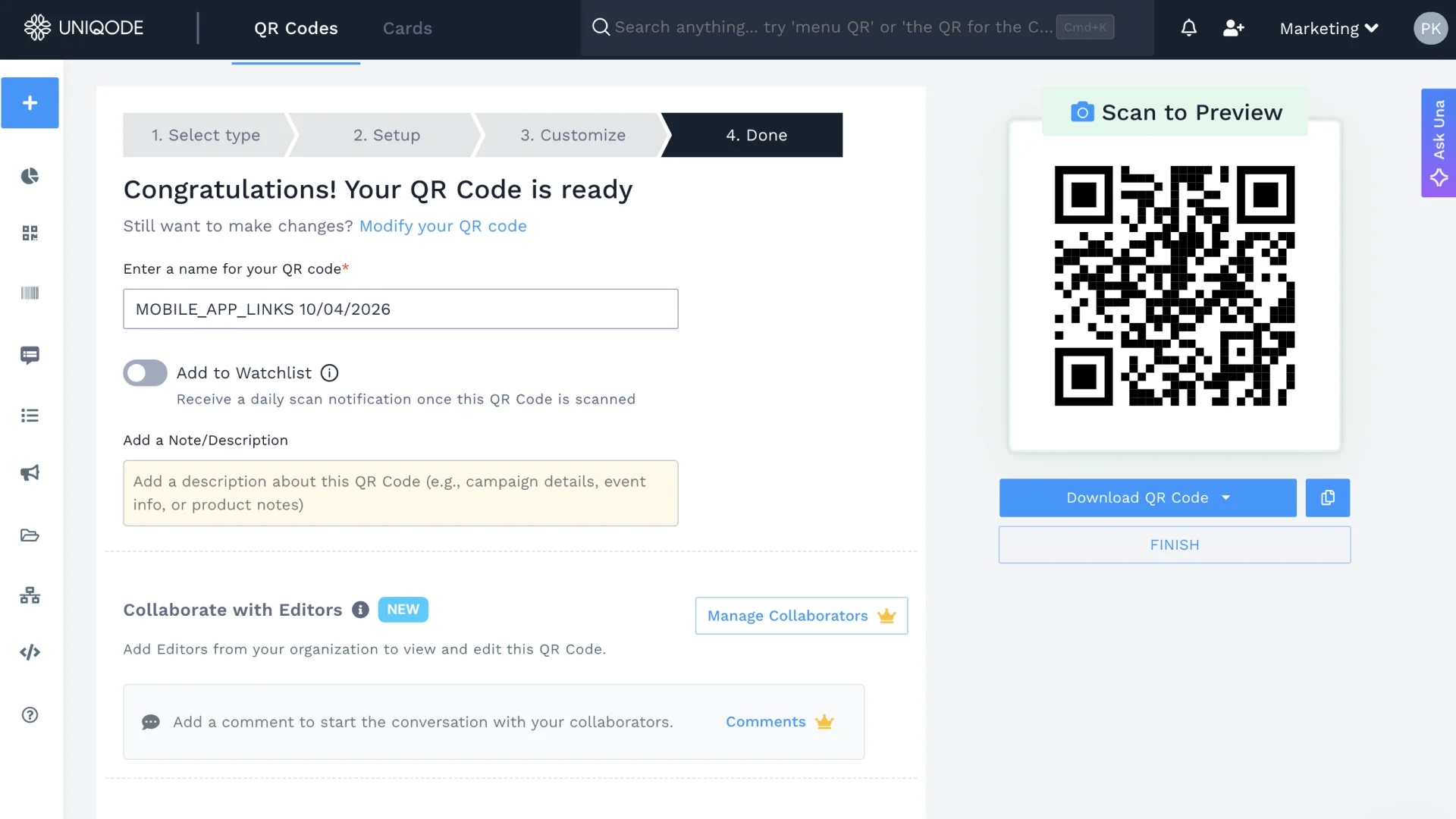
Place your app download QR Code on print or digital marketing materials, and it's ready to direct users to the right store or your fallback page. In Uniqode’s dashboard, you can track QR Code scans and view total and unique scans, along with device and location details. Additionally, include UTM parameters to gain more in-depth insights. Now you're all ready with a QR Code that people can scan to download an app.
⚡Pro Tip: Running the same campaign across packaging, billboards, and digital ads? Create a separate QR Code for each channel and add a unique UTM source to each. Your post-campaign report in GA4 will show exactly which placement drove the most installs.
How to download an app by scanning a QR Code
If you are wondering how to download an app from a QR Code, all you need to do is open your phone’s camera and point it at the code. When a link pops up, tap it. This will take you to the right app store for your device, like the Apple App Store for iPhones or Google Play for Android phones. Then, tap Get or Install to start downloading the app.
How to scan and download an app
Open your phone’s camera: Most modern iPhones and Android phones can scan QR Codes directly from the built-in camera app. You usually do not need a separate QR Code scanner.
Point the camera at the QR Code: Hold your phone steady and make sure the entire QR Code is visible on the screen. You do not need to take a photo.
Tap the notification or link: Once your phone recognizes the QR Code, a banner, notification, or link will appear on the screen. Tap it to continue.
Open the app store: The QR Code may take you directly to the app’s listing in the Apple App Store or Google Play Store. Some app download QR Codes can detect your device automatically and send iPhone and Android users to different destinations.
Download and install the app: Tap Get, Install, or the equivalent download button. You may need to authenticate the download using Face ID, Touch ID, a password, or your device PIN.
Open the app: Once installation is complete, tap Open from the app store or find the app on your home screen.
How app download QR Codes solve app marketing challenges?
According to the State of QR Code report, 39% of marketers use QR Codes to drive app downloads. QR Codes are now a proven channel for mobile growth. Below are traditional marketing challenges and how QR Codes for apps help solve them.
Challenge
How app download QR Codes solve it?
Mobile Text
Users abandon installs mid-way
Mobile Text
One scan redirects to the correct app store instantly
Mobile Text
Offline campaigns lack trackability
Mobile Text
Built-in analytics reveal location, device, and time of scan
Mobile Text
Separate campaigns and QR Codes for iOS/Android apps cause confusion
Mobile Text
Dynamic QR Codes redirect based on device type
Mobile Text
Difficult to update store URLs
Mobile Text
Edit destination anytime without reprinting
Mobile Text
No way to tie offline spend to actual app installs
Mobile Text
Attribution tools connect each scan to a confirmed install: measure install rate, CPI, and revenue by channel
Where do app download QR Codes work?
A QR Code to download app works anywhere your audience already is. Whether you're printing an app store QR code on packaging, running ads, or handing out badges at events, a single scan sends users straight to the Google Play Store or Apple App Store. Here are a few use cases of a QR Code generator for app download.
Product packaging
Add a QR for app download to your product box, hang tag, or unboxing insert. Buyers scan right after purchase and install your app in seconds. You turn every shipment into an onboarding moment without paying for a second touchpoint.
Events and conferences
Print QR Codes for app store on attendee badges, tickets, and event signage. Guests scan once to install the event app and unlock schedules, maps, and networking. You drive downloads before the first session starts, not after the event ends.
TV and digital ads
Flash a QR Code during TV spots, streaming ads, or pre-roll video. Viewers scan from the couch and land in the right store in under two seconds. You convert passive watch time into active app installs without a single URL typed.
Direct mail and print campaigns
Embed QR Codes in mailers, flyers, brochures, and catalogs. Readers scan once to install your app and skip the search bar entirely. You make every printed asset measurable, trackable, and editable without a reprint.
Frequently asked questions
Can I use one QR Code for both iOS and Android?
What is a deep link QR Code for apps?
Is it free to create an app download QR Code?
Can I track who scanned my app download QR Code and whether they installed the app?
What happens if someone scans the QR Code but already has the app installed?
Does an app download QR Code work for all app stores?
Can I update the app store link after printing the QR Code?
How to scan a QR Code to download an app?
How to download an app using a QR Code?
How to scan a QR Code in the Play Store to download an app?


.png)


 Templates
 Logo
Logo
 Design
 Frame
Frame




.webp)





.jpg)
.webp)

.webp)


.webp)
.webp)
.webp)

.png)



%20(1).webp)
.webp)
.webp)
.webp)
.webp)
.webp)
.webp)
.webp)
.webp)
.webp)
.webp)