How to Create a QR Code for Data Collection
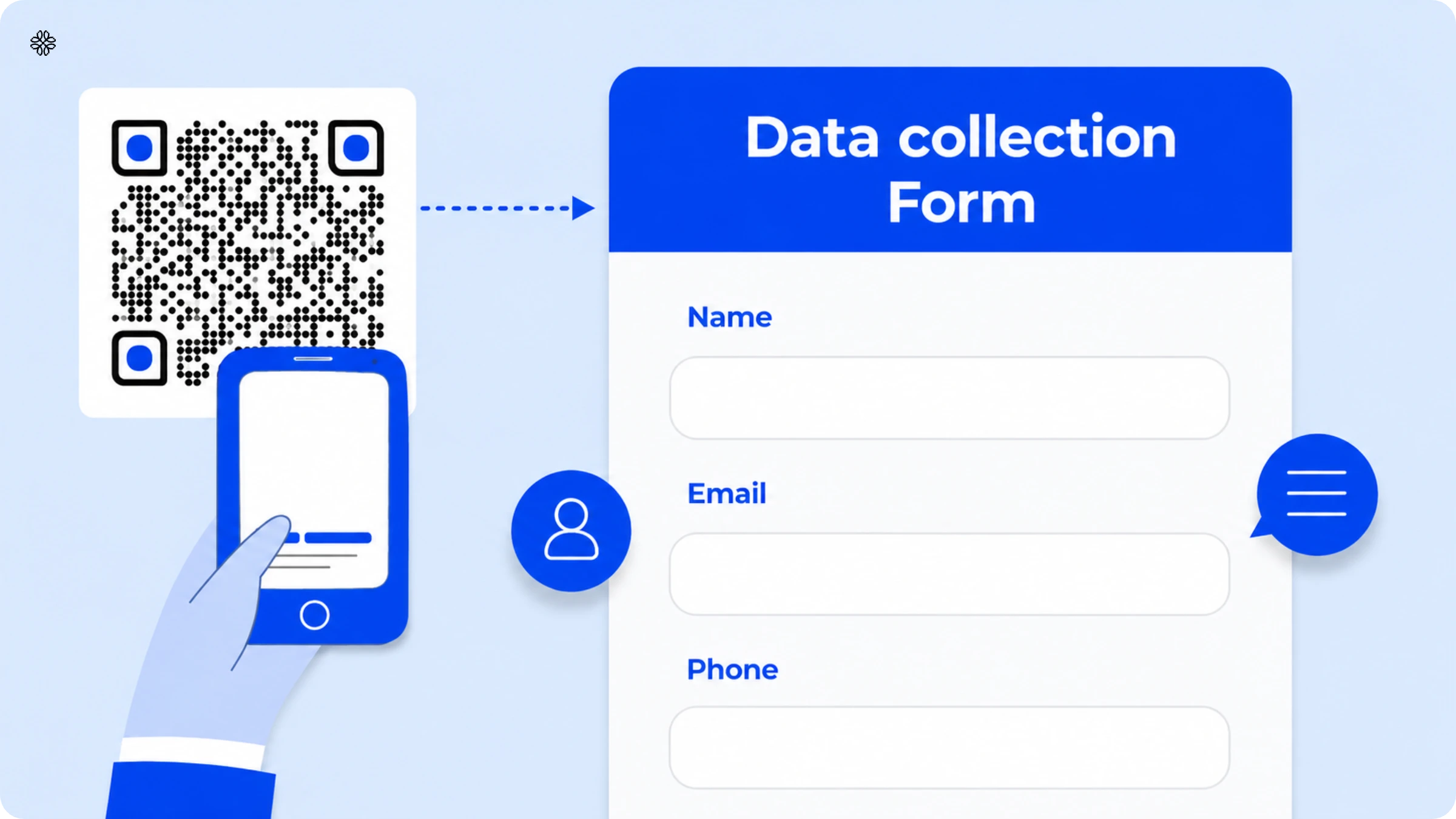
Collecting customer data for better serving them is common for businesses. Discover how you can easily create a QR Code for data collection with Uniqode.
Brief overview:
- What it is: A QR Code that links to a form. Scan it, fill it out, and responses save automatically to your connected Google Sheet or dashboard. No manual entry, no scraping.
- Two types of data: Passive scan data (timestamp, location, device) is analytics about the code itself, not the person. Active submission data (name, email, phone, etc.) is only collected if someone submits the form.
- Is it safe: Yes, the QR Code itself holds no data, it just points to a URL. Submissions are encrypted in transit and stored securely, same as any web form. Uniqode is SOC 2 Type 2 certified and GDPR compliant.
- How to make one: Create a Google Form → copy the shareable link → paste it into Uniqode's QR Code generator as a "Website" type → customize → download.
- Static vs. dynamic: Free/static codes can't be edited after creation. A mistake means starting over. Dynamic QR Codes let you edit the destination or form anytime.
- Common use cases: event/trade show lead capture, check-in and registration, restaurant/retail feedback and loyalty, healthcare intake, property inquiries, field service logs.
- Best practices: min. 1cm x 1cm size, place at high-visibility touchpoints, high resolution + proper quiet zone, clear CTA, test before distributing, use higher error correction if adding a logo.
QR Code data collection happens through two mechanisms: passive scan analytics (automatic, non-personal tracking data) and active form submission (information a customer chooses to enter). For lead generation, feedback, and registration use cases, "QR Code data collection" almost always means the second: a code that opens a form, and whatever someone types is saved straight to your dashboard.
Passive scan data is restricted to details about the scan itself, such as the timestamp, approximate location, and device type. This information is linked to the code, not to any individual. On the other hand, active submission data includes any fields present in the form, such as name, email, phone number, and other details. This data is only collected when someone decides to submit the form.
It is important to understand this distinction. According to Uniqode's State of QR Codes Report, 95% of businesses say QR Codes help them collect valuable first-party data. Nearly half of these businesses gather information from more than 10,000 customer interactions. However, the real value lies in knowing exactly what type of data each code collects.
What is QR Code data collection?
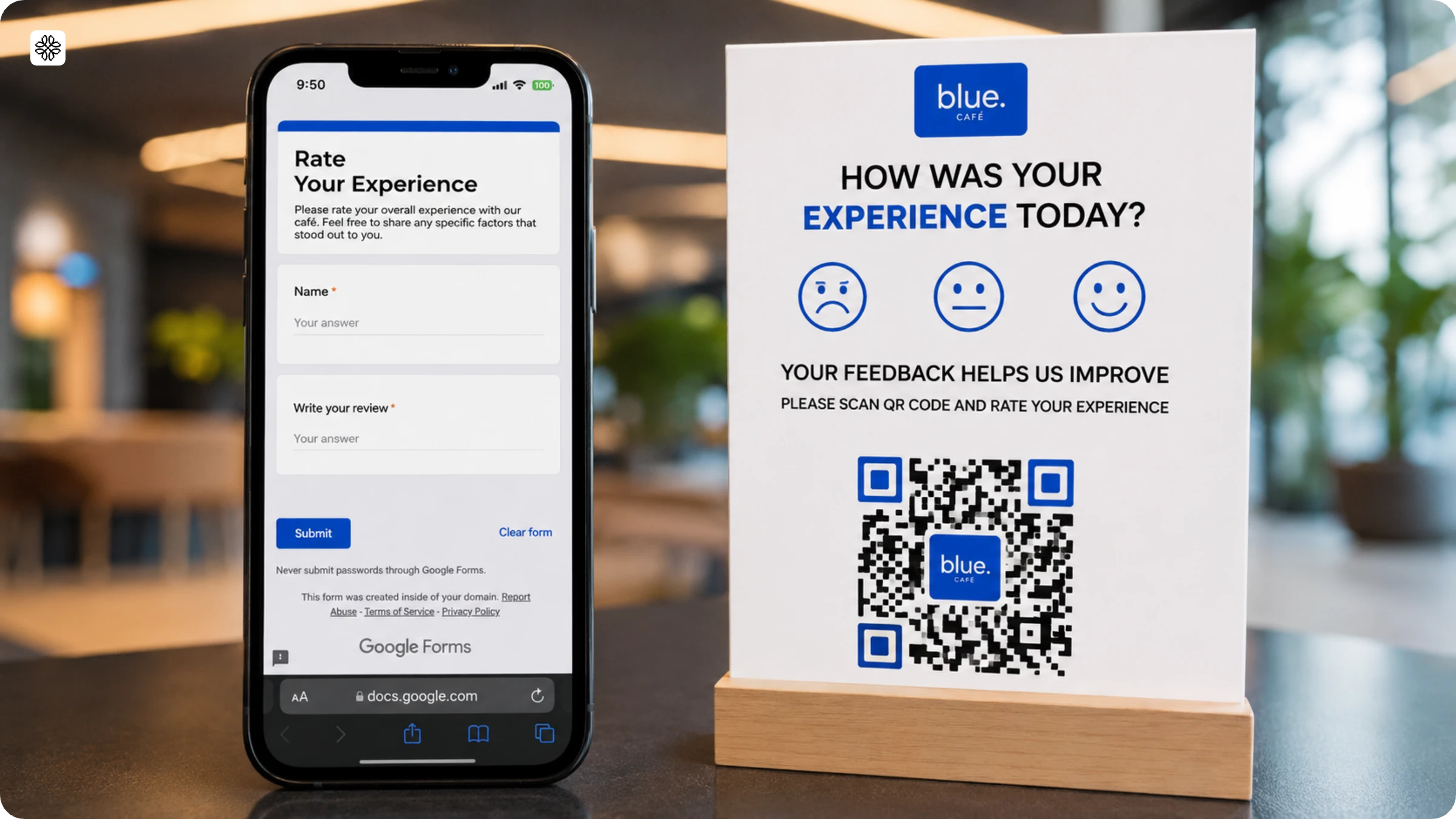
A QR Code for data collection is a tool that lets users access forms through a QR Code.
They can scan a QR Code that takes them to a form where they fill in the required information. Their answers are saved automatically to your connected Google Sheet or form dashboard, no manual entry, no scraping required.
You can use Google Forms QR Codes for data collection for several use cases:
- Registration forms for recording new clients
- Information request forms for hospitals, gyms, etc.
- Feedback forms to gather customer sentiments
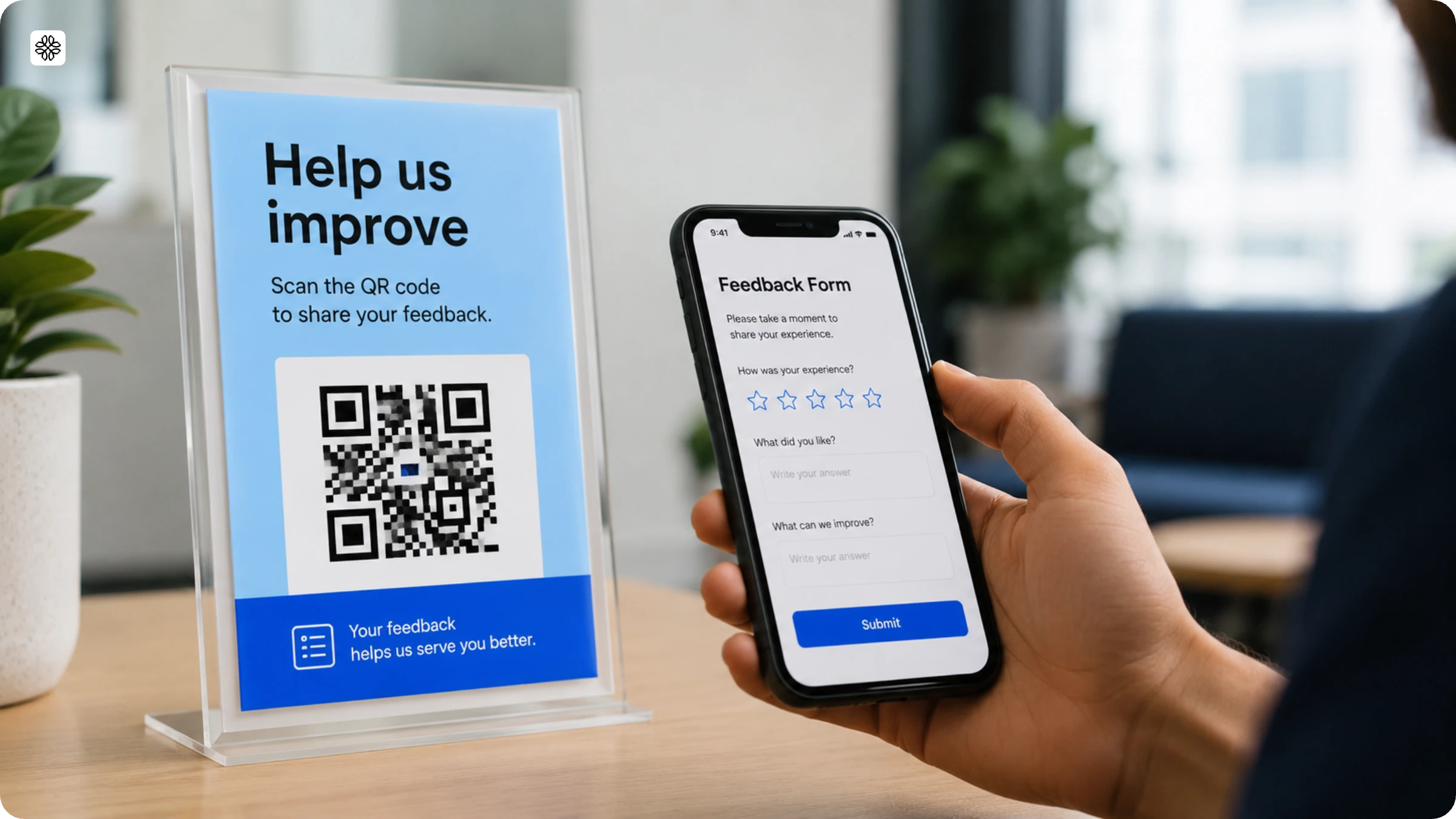
Is it safe to share your data through a QR Code?
Yes. When your QR Code directs users to a trusted form platform, any data your customers submit is encrypted during transmission and stored securely, just like with any standard web form. Remember, the QR Code itself does not hold or send any information; it simply points to a URL.
It is important to clarify that 'QR Code data collection' can refer to two distinct processes. Let us break them down for better understanding:
Passive scan data refers to the information generated each time someone scans the code, such as the timestamp, approximate location, and device type. This data provides analytics about the QR Code itself, not about the individual, unless they choose to complete and submit a form.
Active submission data includes details like name, email, phone number, or any other fields you have included. This information is only collected when someone decides to fill out and submit the form.
With Uniqode's QR Code generator, you can rest assured that both types of data are protected. The platform is SOC 2 Type 2 certified and GDPR compliant, ensuring your data security needs are met.
How to create a QR Code for data collection
Create a new Google Form from the Google suite. Create a link by clicking on “Send”. Check the “Shorten URL” option and copy the URL.
Step 1: Go to Uniqode’s QR Code generator page and paste the URL
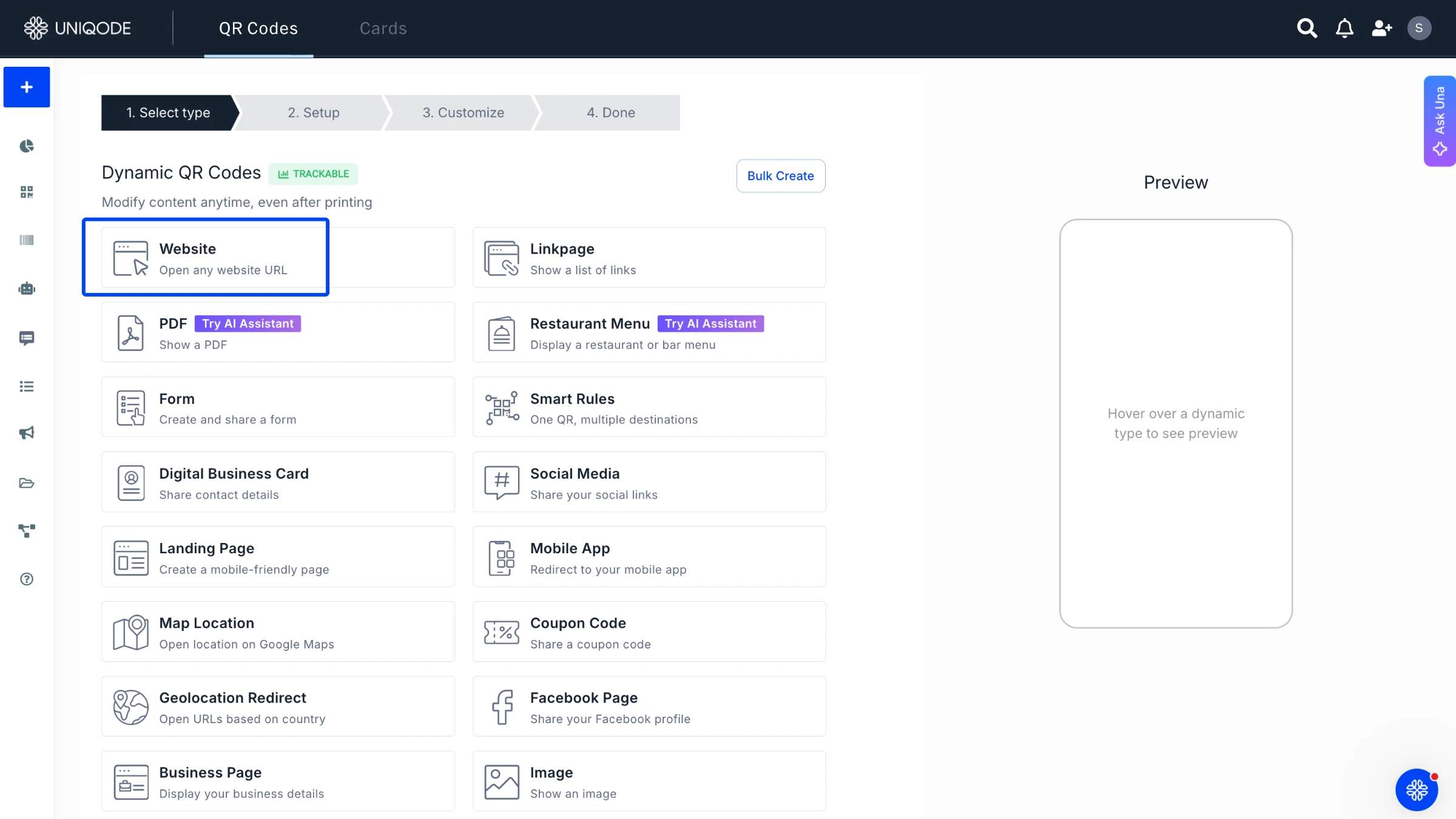
Go to Uniqode’s free QR Code generator and choose “Website” as your campaign type.
Step 2: Customize your QR Code
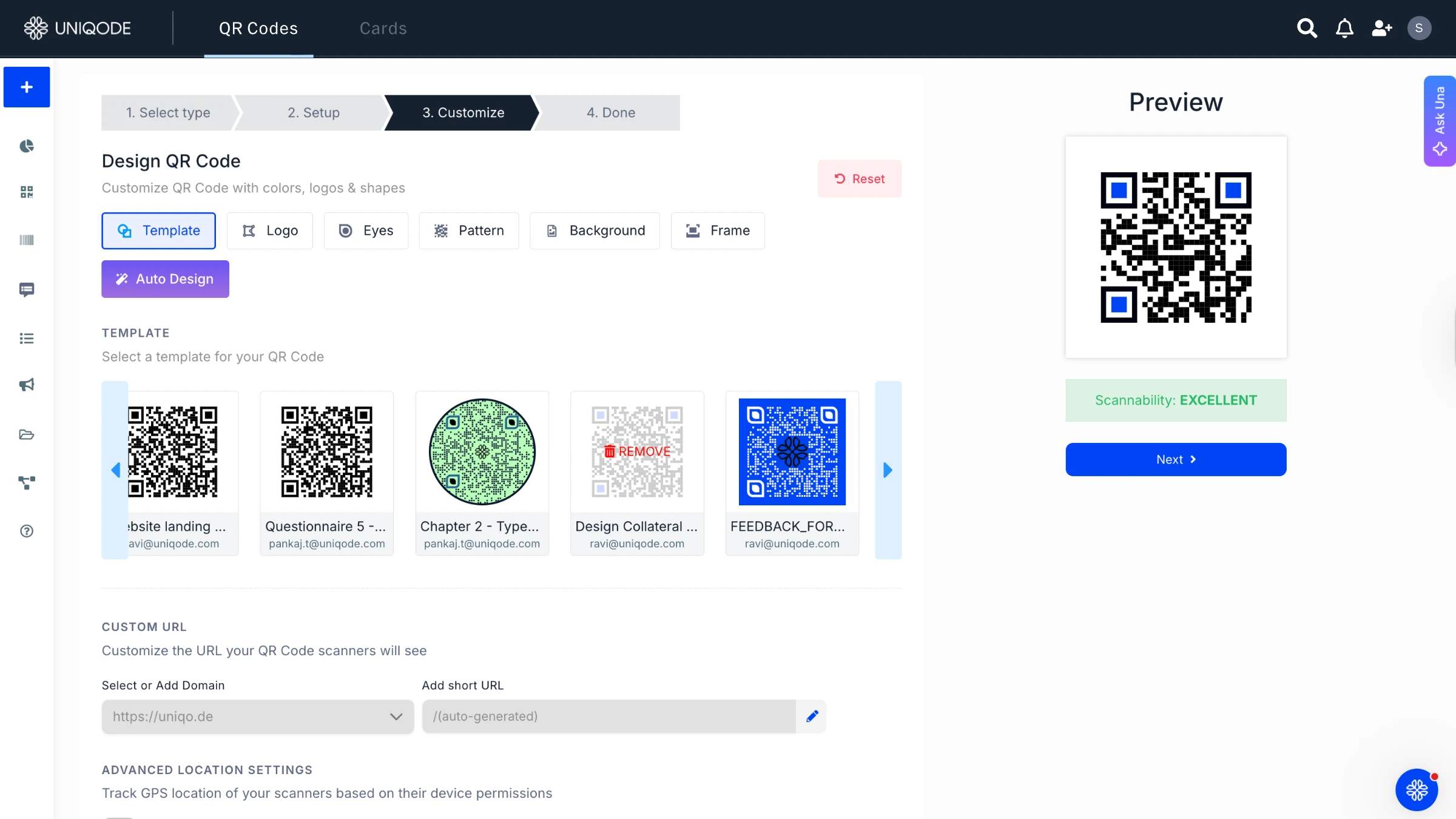
Choose from a range of customization options to give your QR Code a distinct look.
Step 3: Download your QR Code
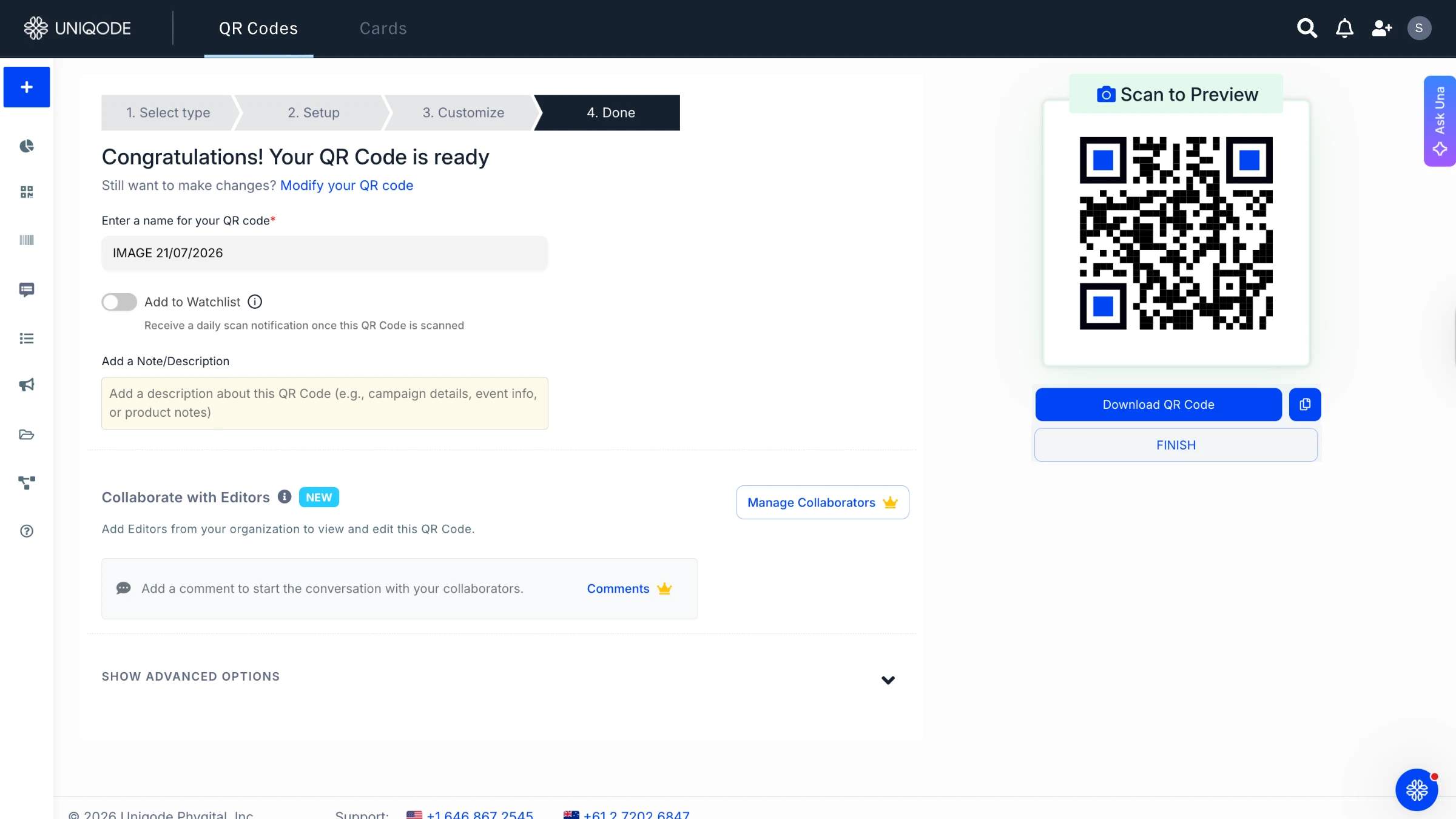
Once done with your customization, click “Download QR Code”. Your QR Code file will be available for deployment in PNG format.
QR Code data collection use cases
A QR Code can collect information anywhere you'd normally hand someone a form or a sign-up sheet:
- Capturing contact info at events, trade shows, and conferences like name, email, and company details straight into your CRM
- Event check-in and attendee registration
- Restaurant/retail feedback and loyalty sign-up
- Healthcare intake and waiver forms
- Property inquiry capture at listings and open houses
- Field service maintenance and inspection logs
Why choose dynamic QR Codes for data collection?
Dynamic QR Codes let you change the destination URL, form fields, or design after printing, without reprinting or reissuing the code. This makes them the better choice for data collection, where forms change, campaigns evolve, and mistakes need fixing fast.
Static QR Codes, on the other hand, are far less forgiving. Once created, the destination is set in stone. If you ever need to update a form or fix a broken link, you are left with no choice but to generate a brand new QR Code and replace it everywhere the old one was used.
With dynamic QR Codes, the code you print or share stays exactly the same. What changes is where it leads. Update the linked form, swap out fields, or redirect the URL whenever you need, and every single instance of your code updates instantly, no extra effort required.
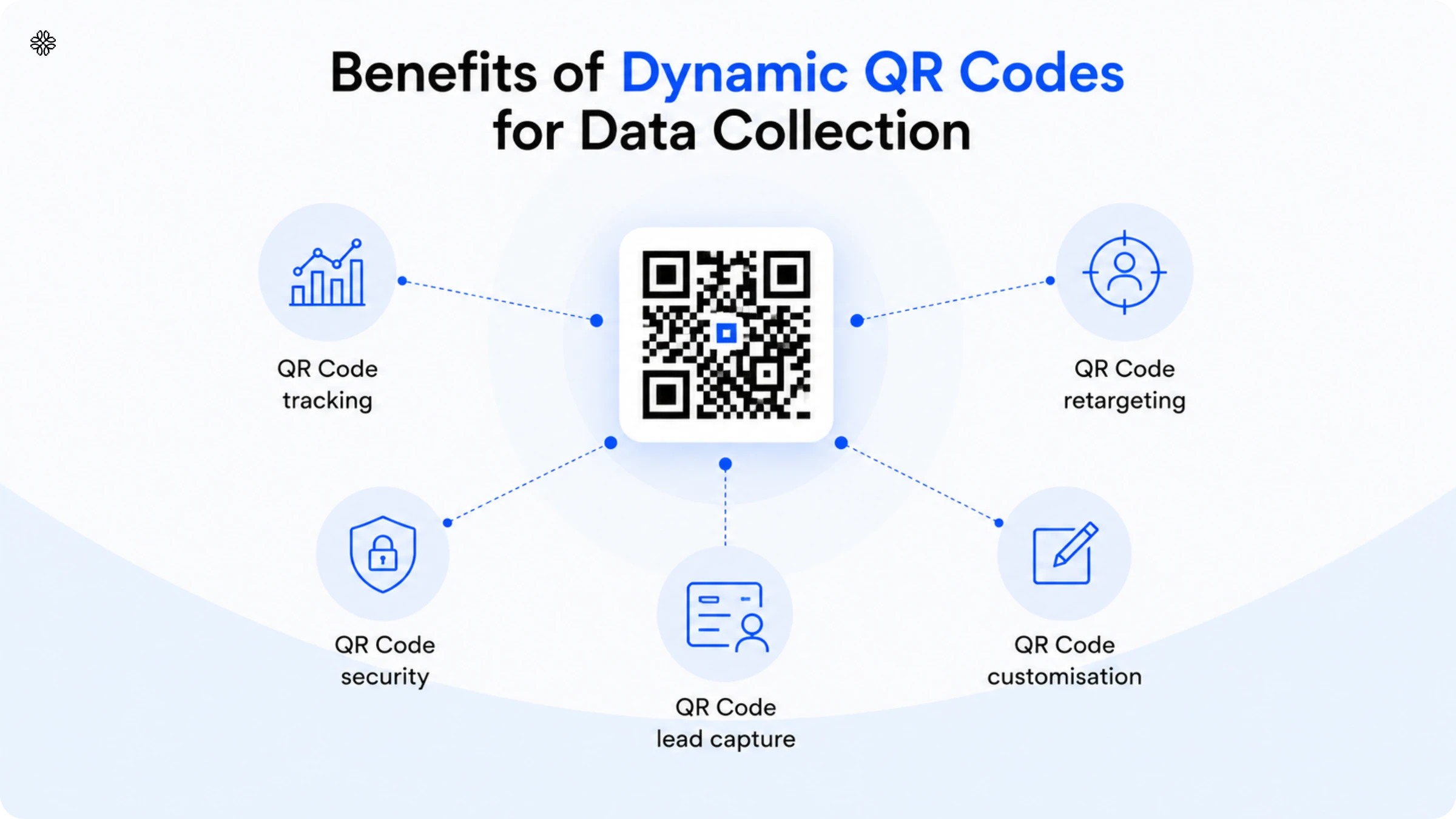
But the benefits of dynamic QR Codes do not stop at easy editing. There are several other advantages that make them especially valuable for data collection:
1. QR Code tracking
Dynamic QR Codes let you track scan counts, scan times, device types, locations, and demographic details for every code you deploy, data static QR Codes can’t capture at all.
If you are using QR Codes to collect data, you are probably looking for more than just a scan. You want to know who is engaging, when they are doing it, and how. With dynamic QR Codes, you get this level of visibility. Here are some of the data points you can access:
- How many times a code was scanned
- The time at which it was scanned
- The device it was scanned from
- The demographic details of the person scanning it
And that is just the beginning.
Curious to see QR Code analytics in action? Simply open your Uniqode dashboard, select your QR Code, and head to the Analytics tab. There, you will find everything from scan counts and trends over time to location and device breakdowns.
If your QR Code links to a form, you will find submissions neatly organized either in your connected Google Sheet or under the code’s Data tab, updated in real time as responses arrive. There is no need for manually pull or export unless you want a CSV for your reports.
2. QR Code retargeting
Dynamic QR Codes make retargeting possible. If a customer scans your code but leaves your data collection form unfinished, you still have a way to reach them again using Google and Facebook Ads.
Static QR Codes do not give you a second chance if a scan does not lead to a conversion. With dynamic QR Codes, however, every scan can be tracked and sent to your ad platforms. This means that even if someone does not finish your form, you have not lost them. Instead, you have a new audience for QR Code retargeting.
3. QR Code security
Always opt for a QR Code generator that is SOC 2 Type 2 certified and GDPR compliant. This way, you can be sure that your data, as well as any information your customers share through your forms, is safe from breaches.
Customers are understandably cautious about sharing their personal information. They want to see clear signs that your company takes security and compliance seriously. This is why your choice of QR Code generator matters. It is not just a technical decision; it is a trust signal. If your QR Code generator does not meet global privacy and data protection standards, the data you collect through it will not either.
Uniqode’s QR Code generator checks all the right boxes. It is SOC 2 Type 2 certified and GDPR compliant, which means your customers’ information remains protected at every stage.
4. QR Code customization
Dynamic QR Codes are not just functional; they can be tailored with your logo, brand colors, patterns, and templates. This transforms a simple scan into a seamless extension of your brand identity.
A strong brand presence inspires trust, and settling for a plain black-and-white QR Code means missing out on a valuable branding moment. With Dynamic QR Codes, you have the freedom to experiment with QR Code customization, ensuring every scan feels uniquely yours and unmistakably part of your business.
5. QR Code lead capture
If the data you're collecting is meant to feed a sales pipeline rather than research or feedback, treat it as lead capture, not just data collection. The same dynamic QR Code that captures form responses can also retarget the people who scanned but didn't convert, and route new submissions straight into your CRM. See our full guide to generating leads with QR Codes for the retargeting and CRM-routing setup.
Best practices for using QR Codes for data collection
You’re very well on your way to creating your first data collection QR Code.
Here are a few best practices that can come in handy along the way:
- QR Code size: Ensure a minimum of 1cm x 1cm QR Code dimension
- QR Code visibility: Don’t position the QR Code in an unscannable spot
- QR Code placement: Place the QR Code at crucial customer touchpoints
- QR Code resolution: Avoid blurry, low-resolution QR Codes as they do not scan properly
- QR Code CTA: Provide a clear call-to-action
- QR Code design: Don’t design a QR Code that merges into the rest of the creative
- QR Code format: Download QR Codes in high-resolution formats
- Content relevance: Avoid incorrect QR Code redirection
- QR Code logo: Add your brand logo to the QR Code for brand recognition
- QR Code error correction: Avoid low QR Code error correction as it impacts QR Code durability
- Test QR Code: Check QR Code functionality before distribution
- QR Code quiet zone: Reduced white space around the QR Code hinders scannability
Create a QR Code for data collection with Uniqode
Uniqode QR Code generator makes creating a QR Code for data collection efficient and advantageous.
When you use the Uniqode platform, you can automate your QR Code campaigns. This means you can create bulk data collection QR Codes and fasten your customer service process.
Moreover, you can add customized branding to all your QR Codes. A QR Code data collection form with your brand logo will create a huge impact on customers, boosting their response rate.
Sign-up on the platform and access these and more features today
Frequently Asked Questions
- Can a QR Code capture information?
Yes, QR Codes can collect data. When customers scan a QR Code, they are taken to a data collection form where they can fill in the required data, and it’s saved in the cloud.
- How do I create a QR Code for data collection?
You can create a QR Code for data collection by following the below steps:
1. Create a Google Form and copy the link
2. Open Uniqode QR Code generator and paste the link
3. Customize the QR Code as per preference
4. Download your QR Code in the desired format
- What data can be collected from a QR Code?
A QR Code scan alone reveals passive analytics like timestamp, approximate location, device type. Personal data (name, email, phone) is only collected if the code links to a form and the person submits it.
- Is my information safe when I scan a QR Code form?
Yes, provided the form platform is reputable, the data is encrypted and handled the same way as any secure web form. Uniqode's forms are SOC 2 Type 2 certified and GDPR compliant.
- How is data stored in a QR Code?
It isn't. A QR Code stores only a destination, usually a URL. Any data collected lives on the linked form platform, not inside the code itself.
About the Author
Shashank - Enthusiastic about marketing and improving the ROI of businesses.
Related Posts
QR Code Forms: How to Capture Leads, Registrations, and Feedback in One Flow
How to Create a QR Code Survey (+ Best Practices for Higher Response Rates)
A Simple Guide to Generate Leads Using QR Codes

The Ultimate Guide to Lead Generation: Online and Offline Conversion Tips

14 Effective Real Estate Lead Generation Tactics (Online & Offline)