
How To Make Standout Digital Business Cards for Lawyers [+Benefits & Best Practices]
![How To Make Standout Digital Business Cards for Lawyers [+Benefits & Best Practices]](https://cdn.sanity.io/images/0aocp9sp/production/b0252449a980497b95265980d64d90506345b6d4-960x540.png?w=3840&q=65&auto=format&fit=max)
Learn how to make digital business cards for lawyers. We also discuss the benefits and best practices to enhance your card’s effectiveness.
As a lawyer, you can maximize your visibility and increase your client base with a well-thought-out networking strategy. But what will make the strategy work is an efficient networking tool such as a digital business card (or e-business card).
A digital business card is a superior alternative to traditional business cards as it meets the modern demands of legal networking.
The best part? You can create multiple digital business cards in a few minutes—a stark contrast to paper cards, which take 30 days (on average) for procurement. Additionally, you save on card printing costs.
Keep reading to learn how to make a digital business card for lawyers in just five minutes. Also, learn how to use it effectively in any networking scenario.
How to make a digital business card for lawyers
Here are five simple steps to create a standout digital business card within five minutes for your legal networking.
📝Note: We will explore this process using Uniqode’s digital business card solution.
If you don’t have a Uniqode account, you can sign up for a no-commitment Create a Card For Free to create digital business cards. No credit card required.
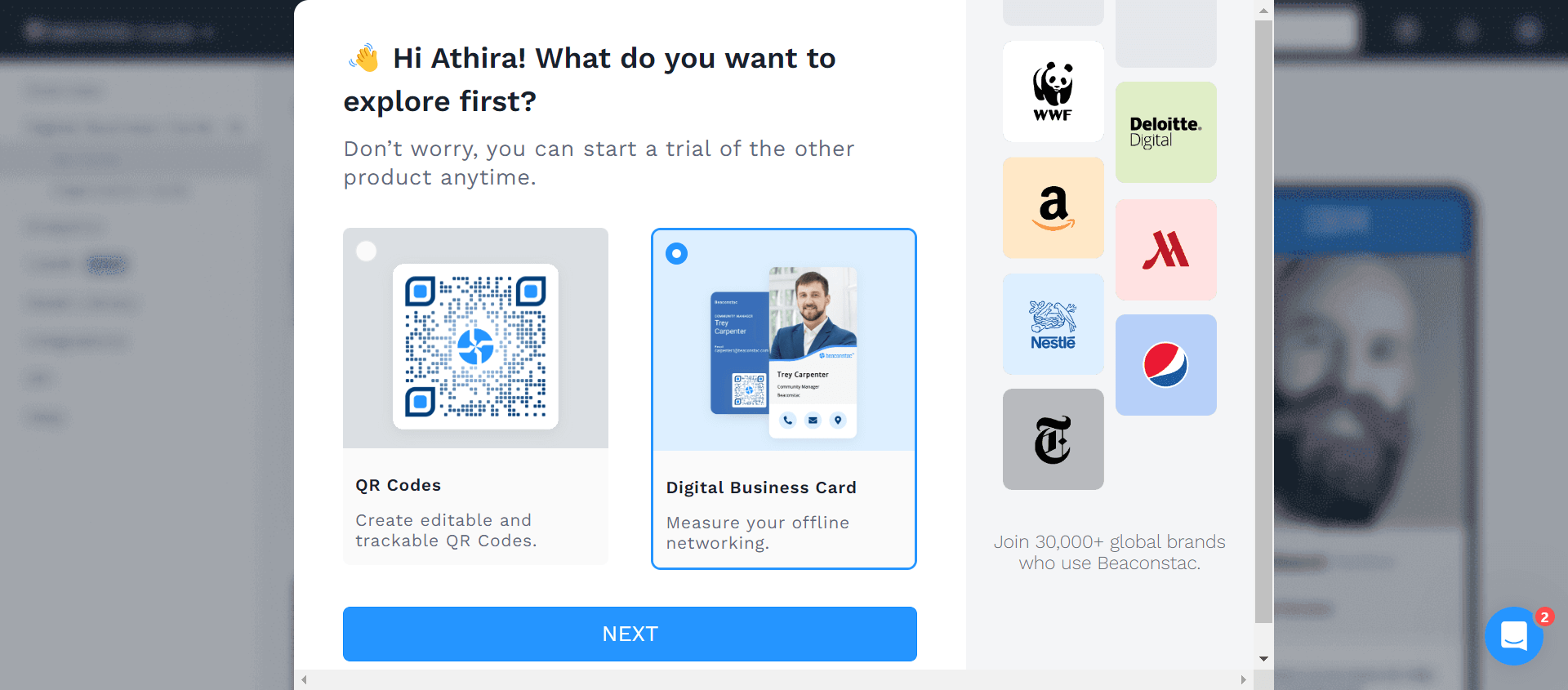
Or, you can also check out our digital business card pricing plans.
Step 1: Choose your digital business card template
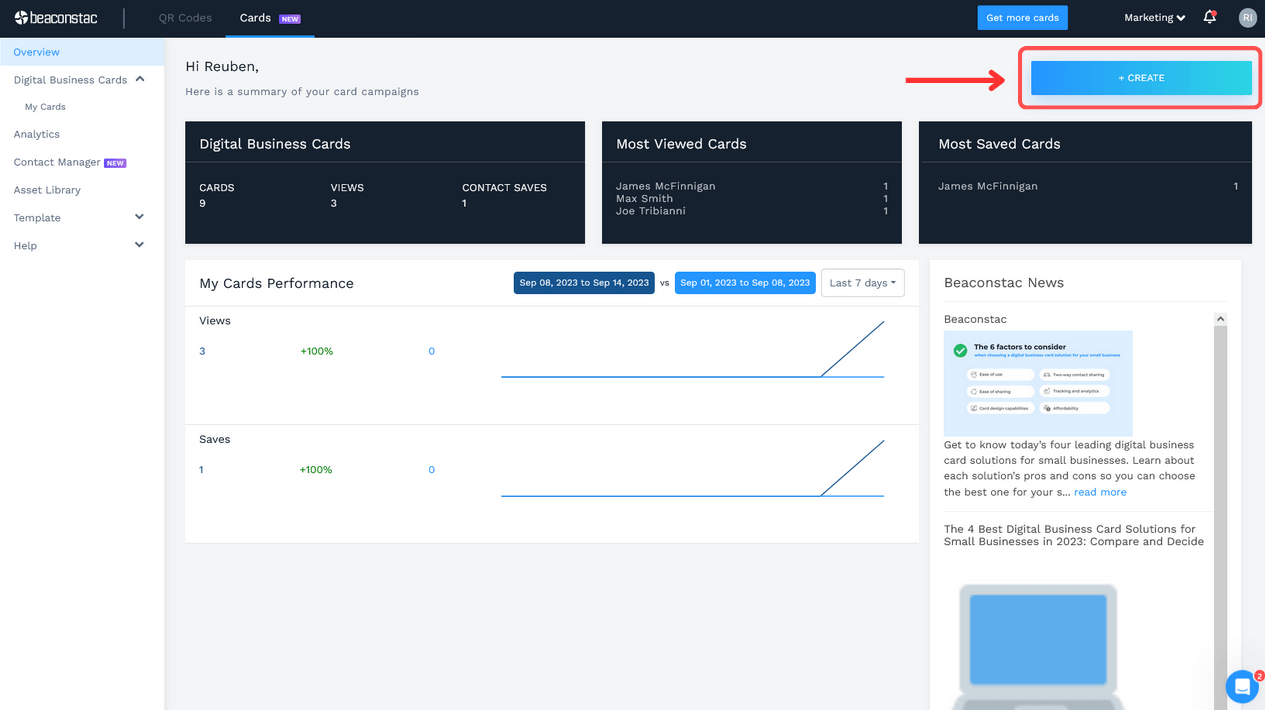
After logging in to your Uniqode account, click +Create on the right-hand side of the dashboard.
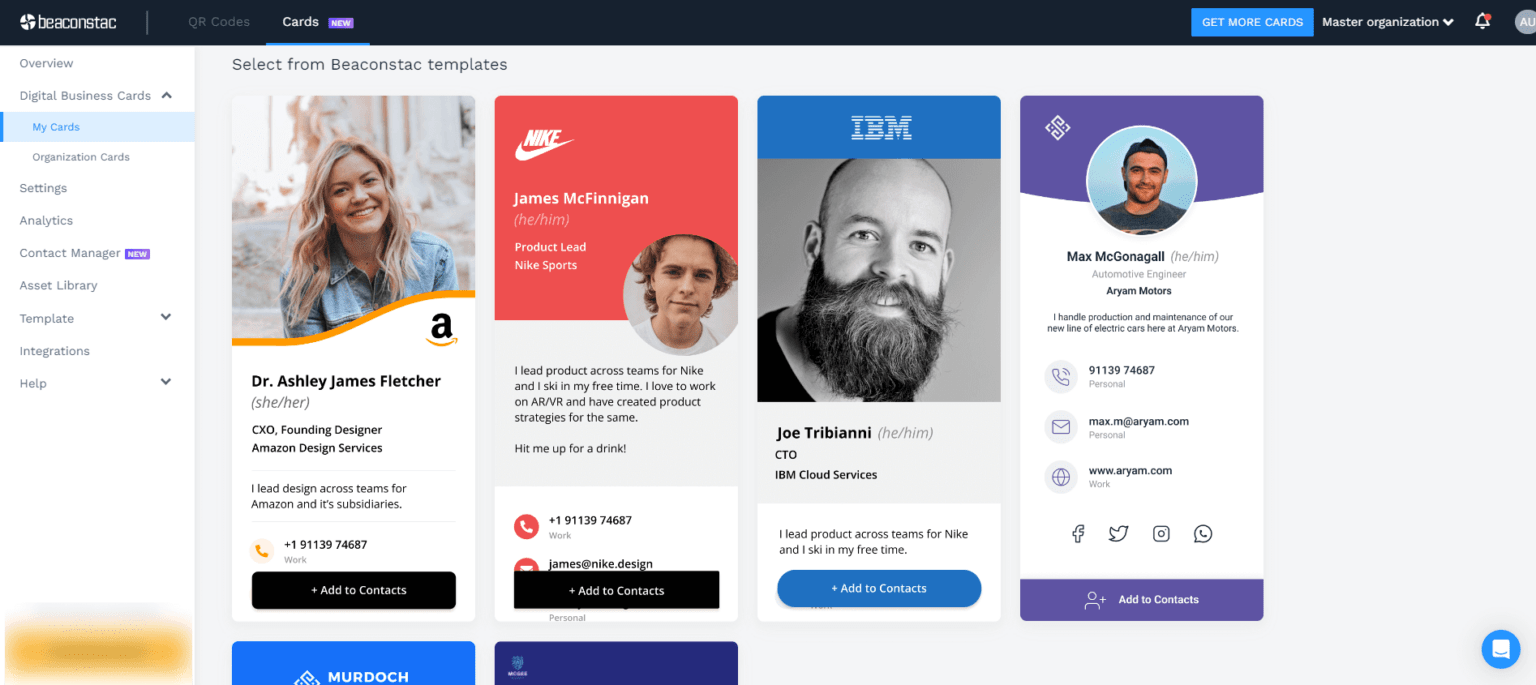
Select the template of your choice. Ensure the template you select aligns with your professional goals and personal branding.
Step 2: Set up your profile information, contact details, & social links
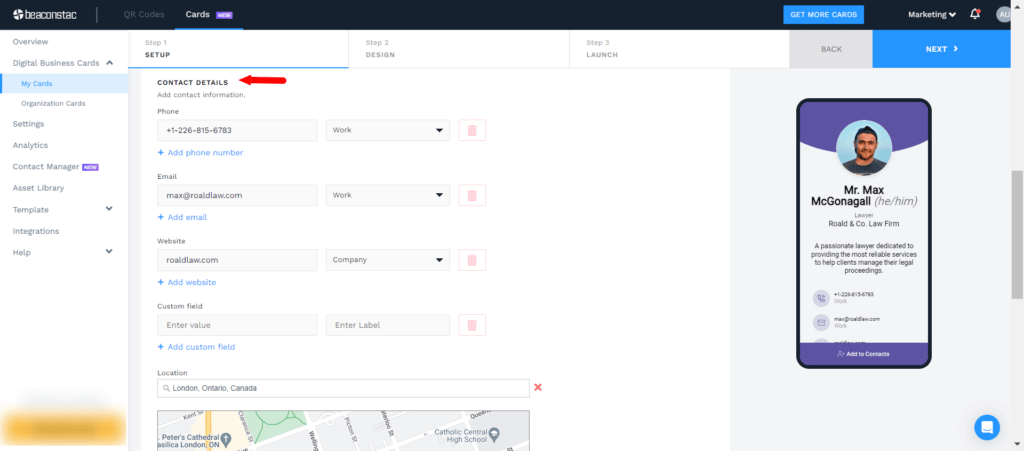
Once you select your template, you will be redirected to the SETUP tab. You will find the Profile Information, Contact Details, and Social Links sections here.
Profile Information: Add details such as your first and last name, designation, department, prefix, suffix, pronouns, company, and summary. You can also upload your headshot and company logo.
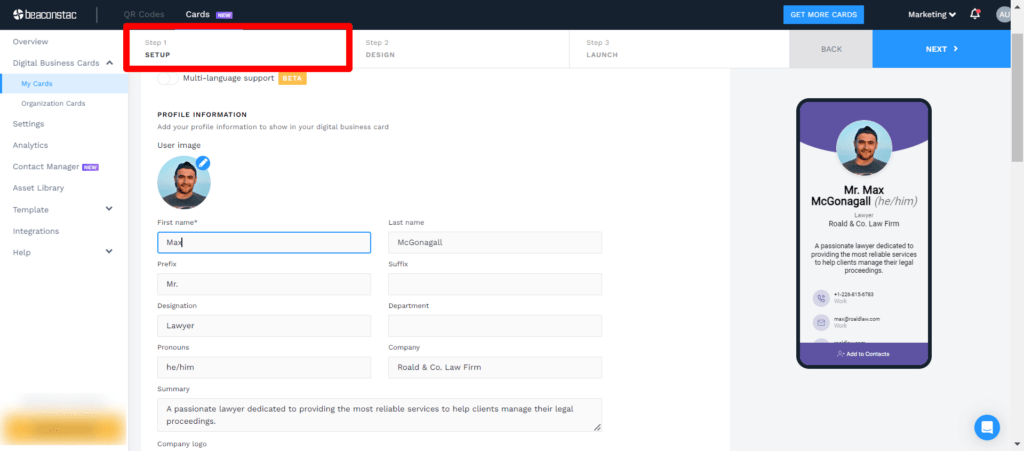
Contact Details: Scroll further to find “Contact Details”. Include your contact details, such as phone numbers, emails, website URLs, and Google Maps location.
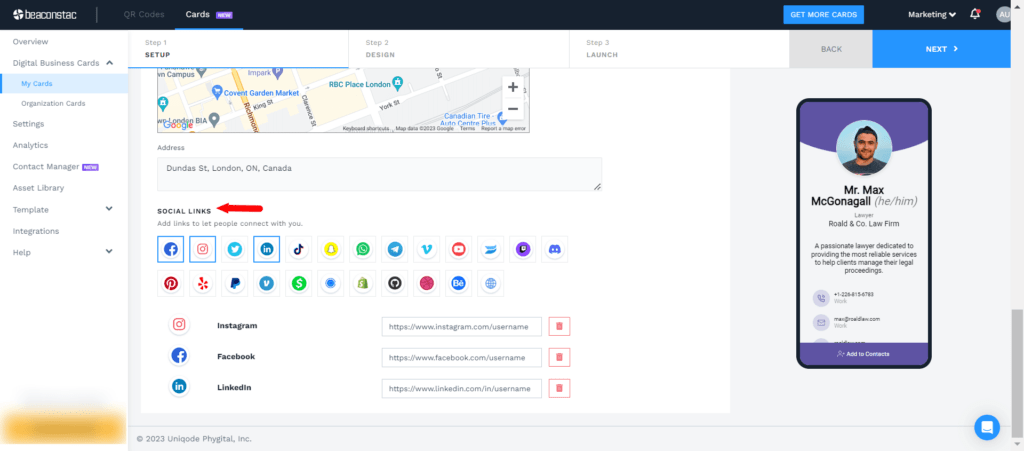
Social Links: Include the links to your social profiles under “Social links” at the bottom of the SETUP tab. You can add a social link to your e-business card by clicking the associated icon (20+ options) or include a custom URL.
⚡Pro tip: Categorize your target audience before networking. Remember, not all your target audience requires the same information. You can update existing digital business cards or create multiple new ones with details relevant to each persona.
Step 3: Customize your digital business card
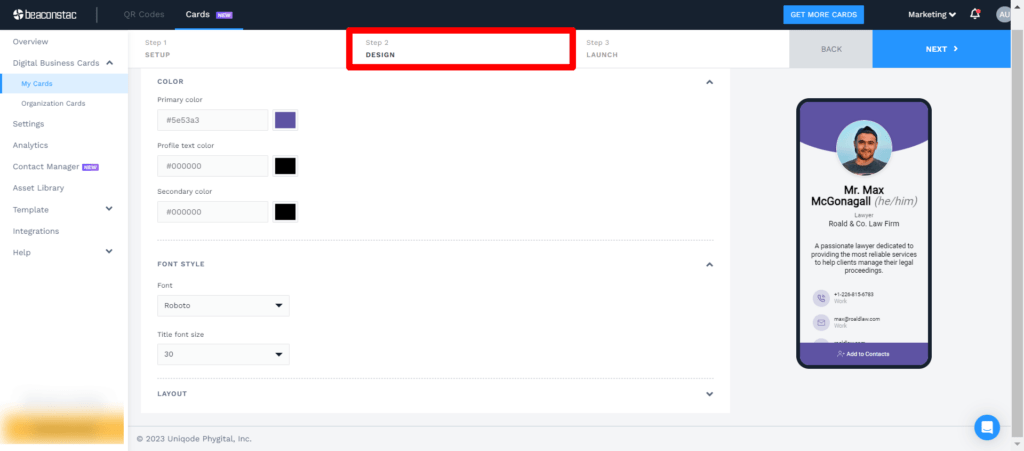
In this step, click the DESIGN tab to customize the design elements of your digital business card to align with your branding.
Here, you can select your cards’ preferred color, text, font size, and more. You can also change the card layout if needed.
Step 4: Enable your required networking features
Once you customize the design of your card, click the LAUNCH tab to enable key networking features like:
- Custom domain for your digital business card
- Automatic contact downloads upon scanning the card
- Tracking viewer location
- Two-way contact sharing to capture lead data
- Changing QR Code templates
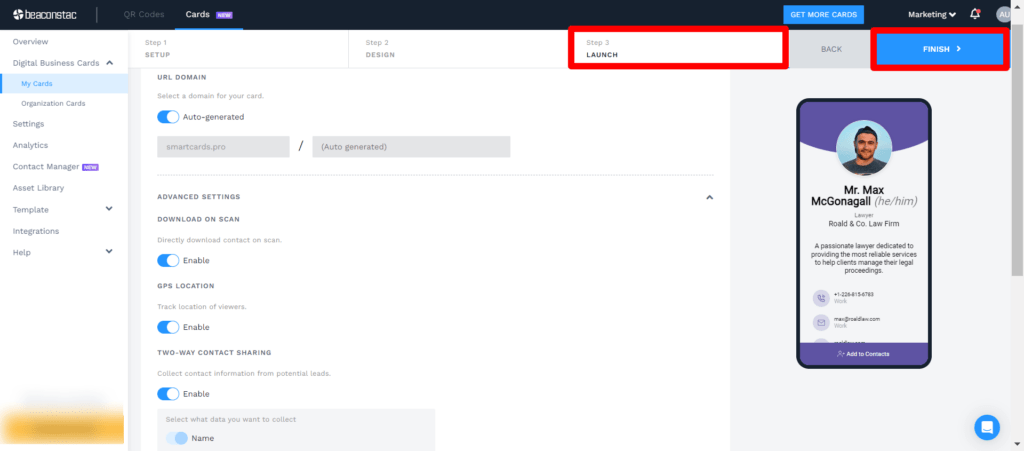
Upon enabling your preferred networking features, click FINISH. Your digital business card is now ready for sharing.
Further Reading: Learn more about this process with our comprehensive guide on how to make a digital business card.
Top 5 benefits of digital business cards for lawyers
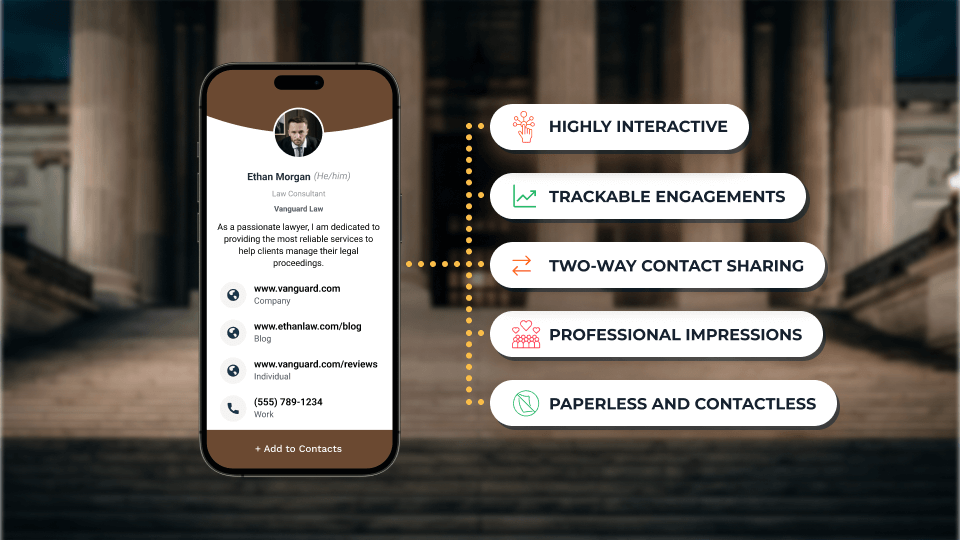
Here are the top 5 digital business card benefits that can help lawyers enhance their legal networking:
1. Leverage the convenience of digital business cards
Using a paper business card always puts you at risk of forgetting or misplacing it.
A digital business card eliminates such risks. It is conveniently available on your mobile device, making you prepared for any networking interaction with your prospects.
Moreover, you can easily share the card via Google Wallet(or Apple Wallet), QR Codes, or URLs—all contactless and paperless sharing methods.
Bonus: This will help you project a tech-savvy and professional image, creating a great first impression on prospects.
2. Conduct eco-friendly and sustainable networking
Digital business cards promote 100% eco-friendly and sustainable networking. These cards help you save money (as much as 87% of card printing costs) and minimize the environmental impacts of producing paper business cards.
Businesses are increasingly encouraging environmentally friendly practices. So networking with eco-friendly business cards will help you build meaningful connections with such prospects.
Good to know: An increasing number of public and private companies are seeking legal advice from lawyers committed to environmental and social responsibility.
For example, Delta Airlines and Microsoft have promised to significantly reduce their greenhouse gas emissions, and they are considering the carbon footprint of their law firms when choosing who to work with.
3. Generate warm leads via two-way contact sharing
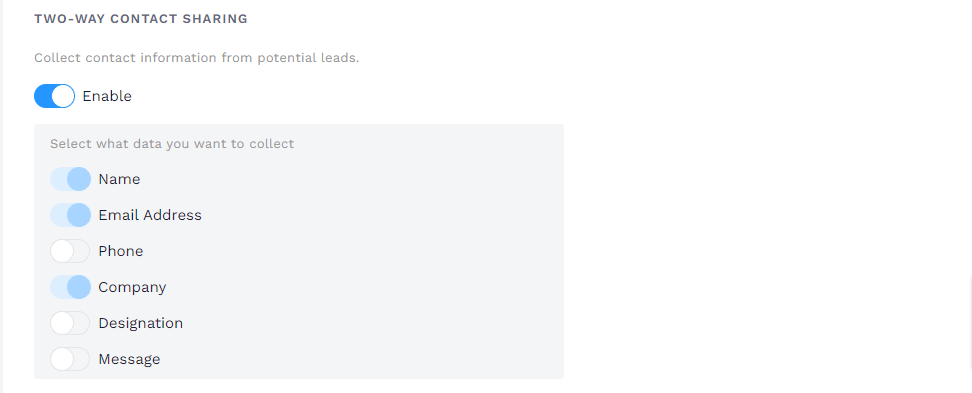
You can capture your prospect’s contact details using your digital business card by enabling two-way contact sharing. This functionality will allow your recipients to submit their contact information via a form through the same business card you share.
You can find each submission in your solution’s digital address book (database of collected leads), where you can view and manage them.
You can export them to your company’s CRM software as well (Salesforce or 700+ other CRMs via Zapier).
If you’re using Uniqode
You can personalize your card’s two-way contact sharing form. You can choose the type of data you want to procure from your recipients.
Toggle on or off fields such as phone, email address, message, etc., to include (or exclude) them in your contact sharing form.
4. Let prospects interact with your card in real time
Digital business cards are interactive. Your recipients can interact and engage with the contact information on your card with a single click.
For example, your prospect can connect with you via call or mail by simply tapping the given phone number or email address on the card.
⚡Pro tip: Make your calendar link accessible via your digital business cards. This way, your card recipients can easily set up a one-on-one the next time they need a lawyer.
5. Measure the results of your networking efforts
You can measure and track the impact of your networking initiatives with digital business cards. You can track and analyze card engagement metrics such as:
- Total number of views your card has received
- Total number of times a recipient saved your contact information
- Number of unique recipients your cards reached
- Details about the devices used to view your cards
- Exact hours of the day recipients view your cards
- The specific locations where recipients view your cards
These insights can help you make informed decisions driven by data and accordingly modify your networking strategies.
Top 5 digital business card best practices for lawyers
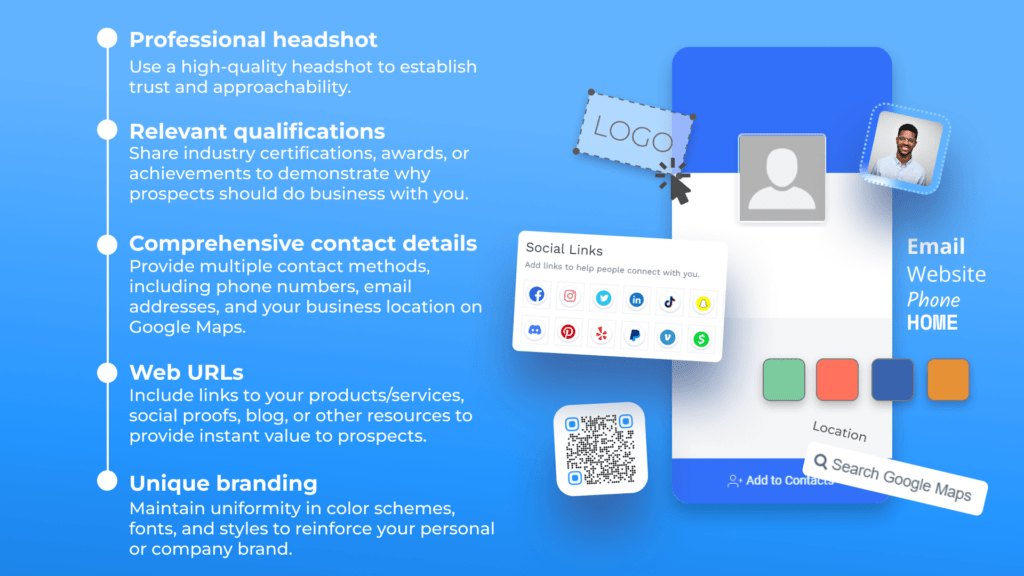
Here are some best practices lawyers should employ when making digital business cards for legal networking:
Maximize your legal networking with Uniqode’s digital business cards
A bigger network helps you build a bigger client base. Therefore, expanding your network is very important for the success of your career as a lawyer.
Like most industries, legal networking starts with a business card. Cut through the limitations of paper business cards and stay on top of your prospects’ address book with a digital business card.
Use Uniqode’s digital business card solution to create, share, and track your digital business cards seamlessly via powerful functionalities:
- Share your card 100% digitally as an Apple Wallet business card (or Google Wallet business card).
- Capture recipient information instantly through the same card (you shared) via Two-way Contact Sharing.
- Analyze the engagement of your networking initiatives with Uniqode’s powerful tracking capabilities.
- Enterprise-grade security measures such as SOC® 2 Type 2, GDPR and HIPAA compliance.
What’s more? You can access all of Uniqode’s functionalities without downloading any additional apps.
Frequently Asked Questions
- Can you create multiple digital business cards for different practice areas?
Yes, you can create multiple digital business cards in just a few minutes to target different audience personas or practice areas. This allows lawyers to customize the information on each card based on their target audience, ensuring relevant details are shared with potential clients, referral partners, or other professional contacts. Each card can be updated or created anew with specific information for each networking scenario.
- What is the best digital business card solution for lawyers?
Uniqode's digital business card solution is specifically recommended for lawyers due to its professional templates, customization options, and legal networking features. The platform allows creation of cards in 5 minutes compared to the 30-day average for traditional cards, and offers features like two-way contact sharing, automatic contact downloads, custom domains, tracking capabilities, and customizable QR code templates. Users can sign up for a free account with no credit card required.
- Do digital business cards have two-way contact sharing for lead generation?
Yes, digital business cards offer two-way contact sharing functionality that allows lawyers to capture lead data from prospects while sharing their own information. This feature enables automatic contact downloads upon scanning the card and helps generate warm leads during networking events. Lawyers can also track viewer locations and measure networking results through analytics features built into digital business card platforms.
About the Author
Sukanya is a content marketer who previously worked as a journalist. She has been passionate about writing from a young age and now helps businesses boost engagement through content. Currently, she is exploring innovative tools, such as digital business cards, and their transformative impact on various aspects of business.
Related Posts
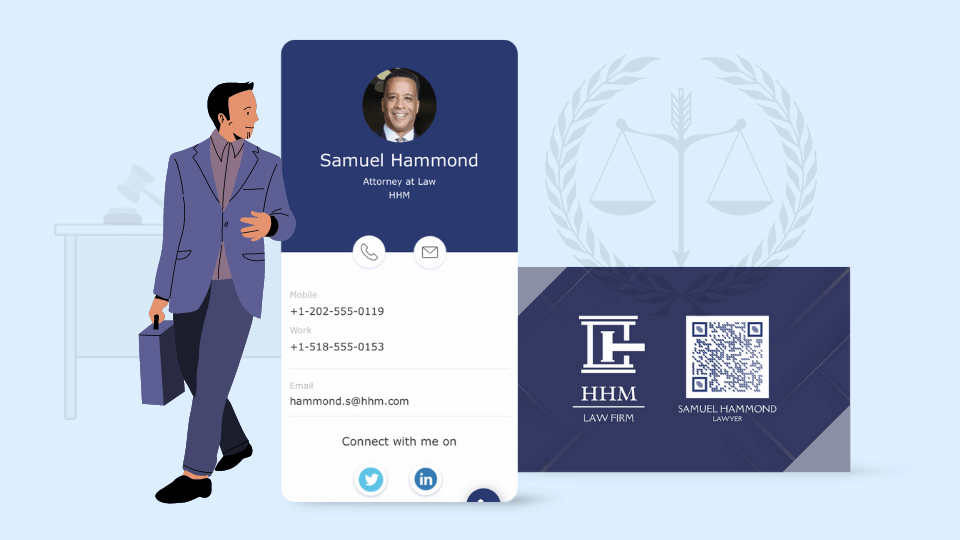
How Digital Business Cards Can Transform Client Connections for Lawyers
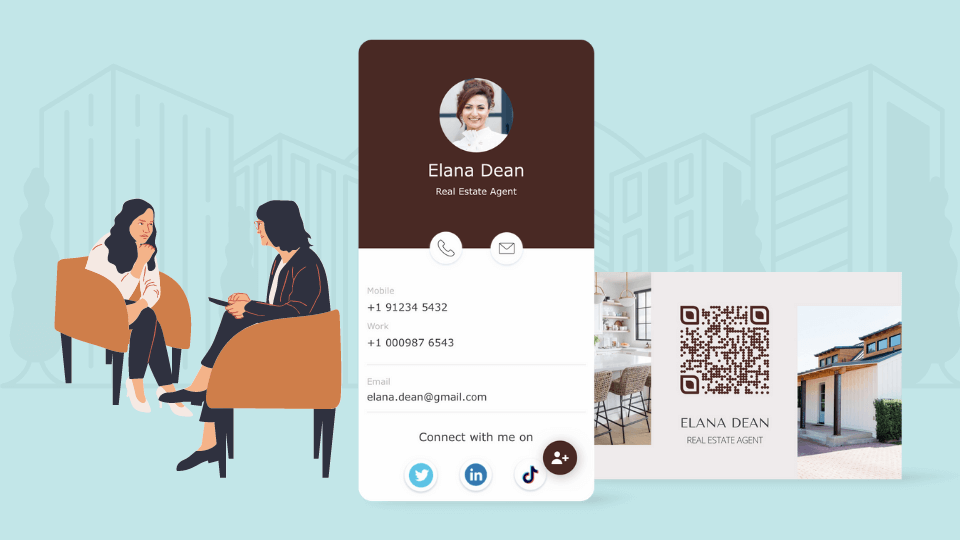
Digital Business Card for Realtors: Engage Clients Better & Close More Deals
![How To Make Digital Business Cards for Sales Professionals [Best Practices + Templates]](https://cdn.sanity.io/images/0aocp9sp/production/02df5c008eb70180ca54264de97575524ef2c982-960x540.png?w=3840&q=65&auto=format&fit=max)
How To Make Digital Business Cards for Sales Professionals [Best Practices + Templates]
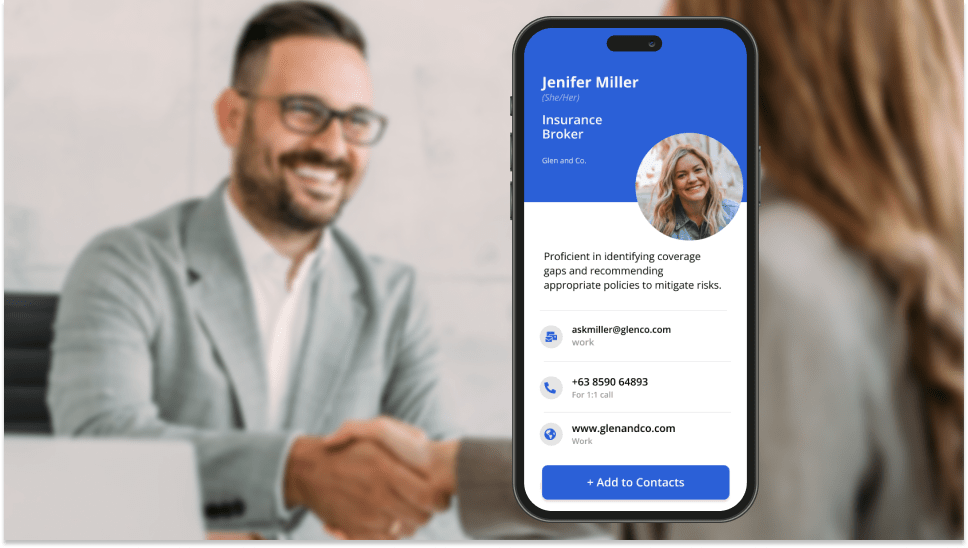
7 Ways Digital Business Cards Can Boost Your Insurance Sales

13 Reasons To Use Digital Business Cards for Recruitment in 2026
![5 Digital Business Card Use-Cases for Hospitality [+ Tips To Get Started]](https://cdn.sanity.io/images/0aocp9sp/production/d494381a813ded9420195cfcf4f78c323229b012-960x540.png?w=3840&q=65&auto=format&fit=max)