QR Codes for Restaurant Ordering: What Actually Breaks When You Scale It
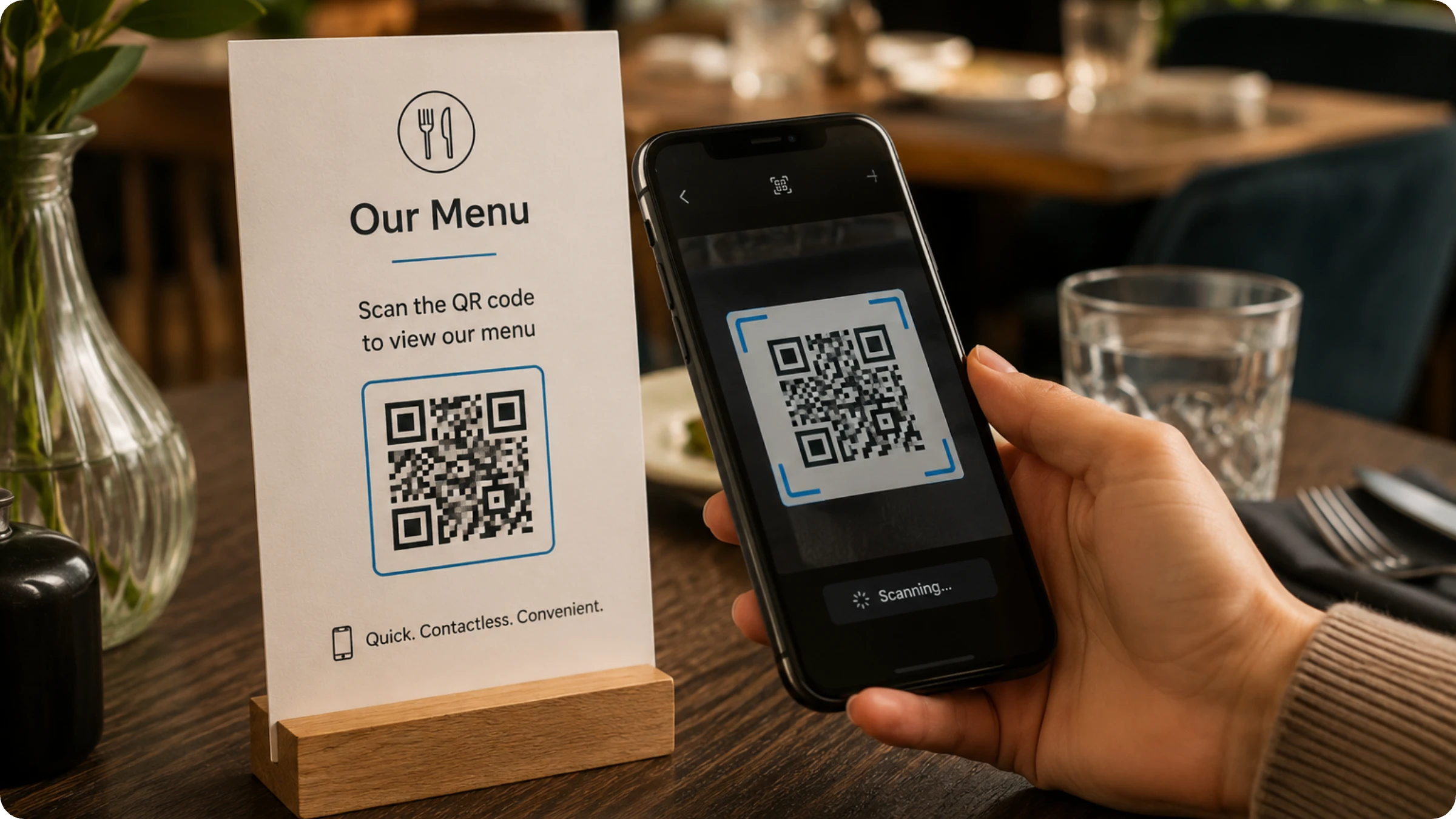
Gone are the days of flagging down a server to place an order. QR Code ordering is quietly reshaping the restaurant experience for guests and staff alike. A quick scan at the table opens a full digital menu, lets guests order at their own pace, and sends that order straight to the kitchen without a single back-and-forth.
Most advice on QR Code ordering treats it like a menu decision: pick a platform, design the code, print it, done. That framing misses what actually breaks. A QR Code ordering code is not a printed asset. It is a live commerce path, the kind of thing a restaurant depends on the way it depends on a POS terminal, and it can fail without anyone noticing until a guest is standing at a table with a dead code and no menu.
This article covers what QR Code ordering actually changes for a restaurant, the objections owners raise before switching, and the failure mode that no vendor page mentions: what happens when the code itself stops working, and how to set up ordering so that failure gets caught before a guest finds it.
How does QR Code restaurant ordering work?
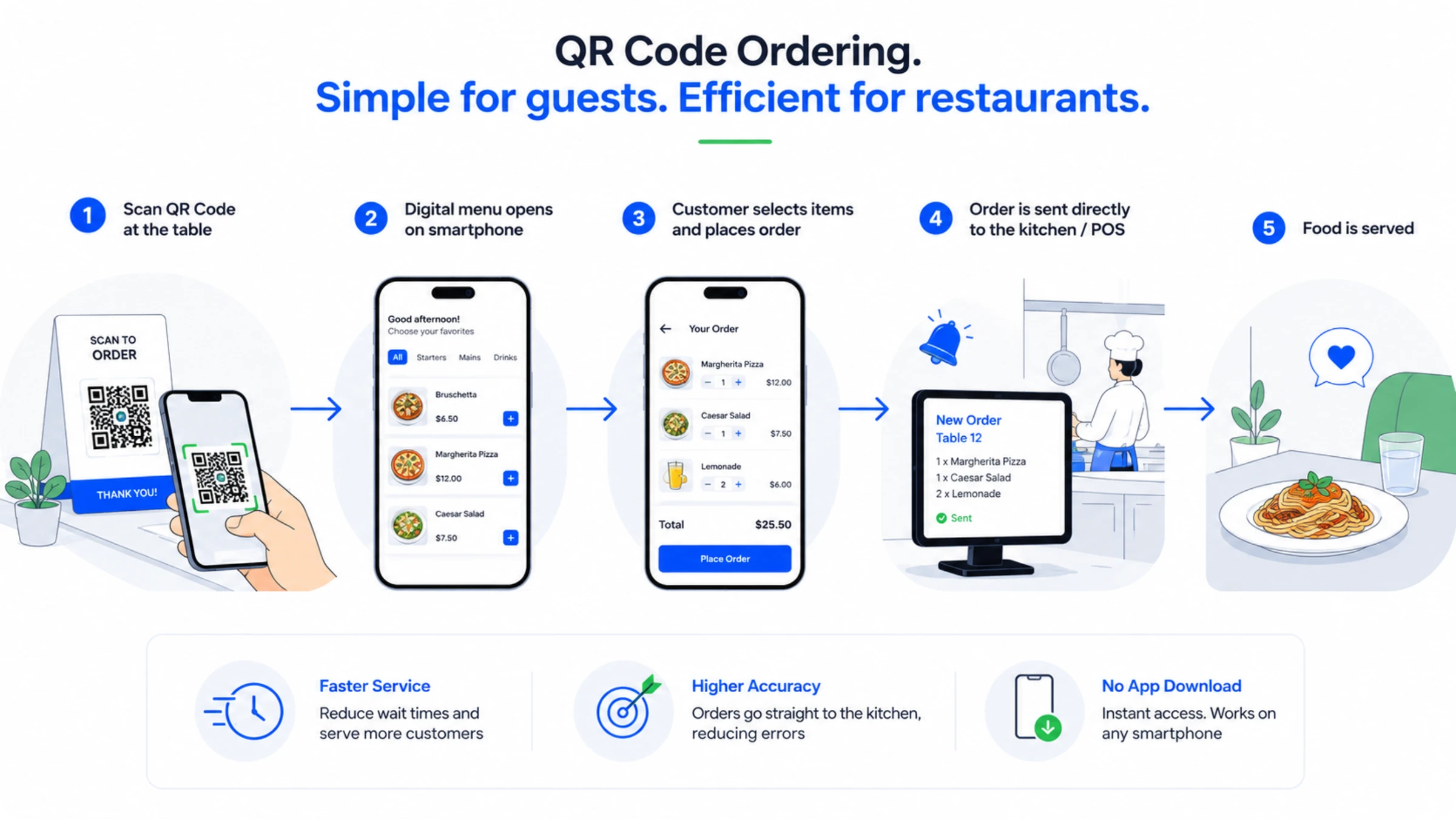
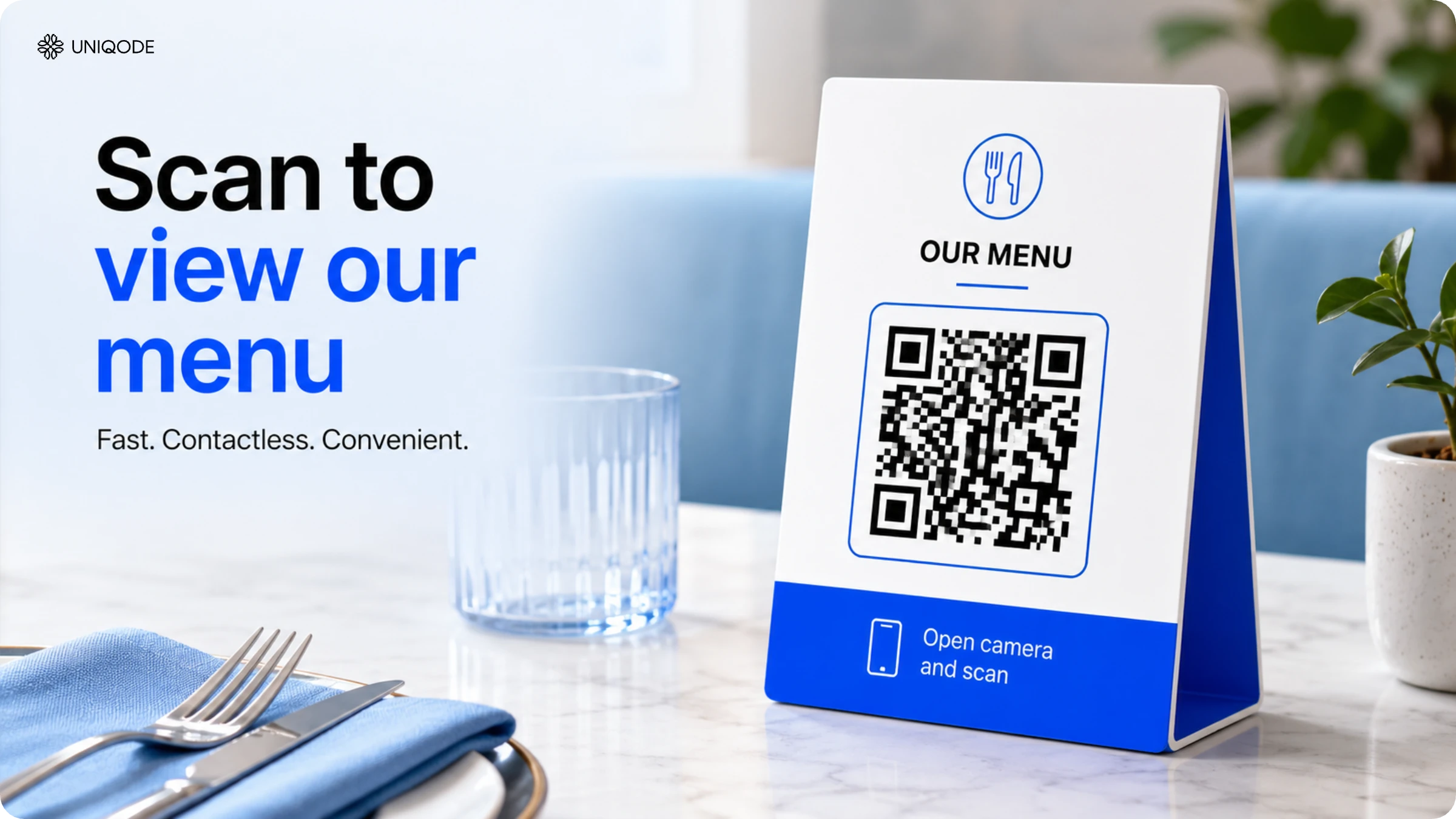
QR Code restaurant ordering works as one continuous chain: a guest scans a code at the table, the scan opens a digital menu on their phone, the guest selects items and submits the order, and that order reaches the kitchen or POS directly. The guest does not have to download an app or wait for someone to take their order.
Guests wait less, because the order goes in the moment they finish choosing instead of whenever a server circles back. Orders come out more accurate, because the guest's own selection reaches the kitchen instead of passing through a verbal handoff. Average order value tends to rise too, since guests add extras more freely when they are browsing a menu on their own screen instead of relaying a request out loud.
Each of these changes comes from removing one step: the server as a middleman between the guest and the kitchen.
A restaurant menu QR Code, built with a proper QR Code generator, sits in exactly that commerce-facing category. It is the first step of a transaction, not a digital brochure.
Where the real value shows up: a working example
The value case above holds up in a real kitchen. Wendy Ferdinandi runs Blast 825 Brewery, a gourmet bar-food and craft beer restaurant in California, and switched her paper menus to a QR Code menu built on Uniqode.
The immediate change was operational, not glamorous. Ferdinandi's staff used to run out of printed menus mid-shift and stop service to photocopy more. A dynamic QR Code menu removed that failure point completely. The menu lives behind the code instead of on paper, so there is nothing left to run out of, and an update to a price or a dish reaches every table the next time someone scans, not the next time someone reprints.
"Uniqode's QR menu significantly reduced our printing costs," Ferdinandi says.
Ferdinandi's team also puts the same codes to work beyond the table, placing them at strategic spots around the restaurant to drive social media engagement rather than treating the QR Code as a menu-only tool. One restaurant, one QR Code system, two different jobs.
Benefits of Using QR Codes for Restaurant Ordering
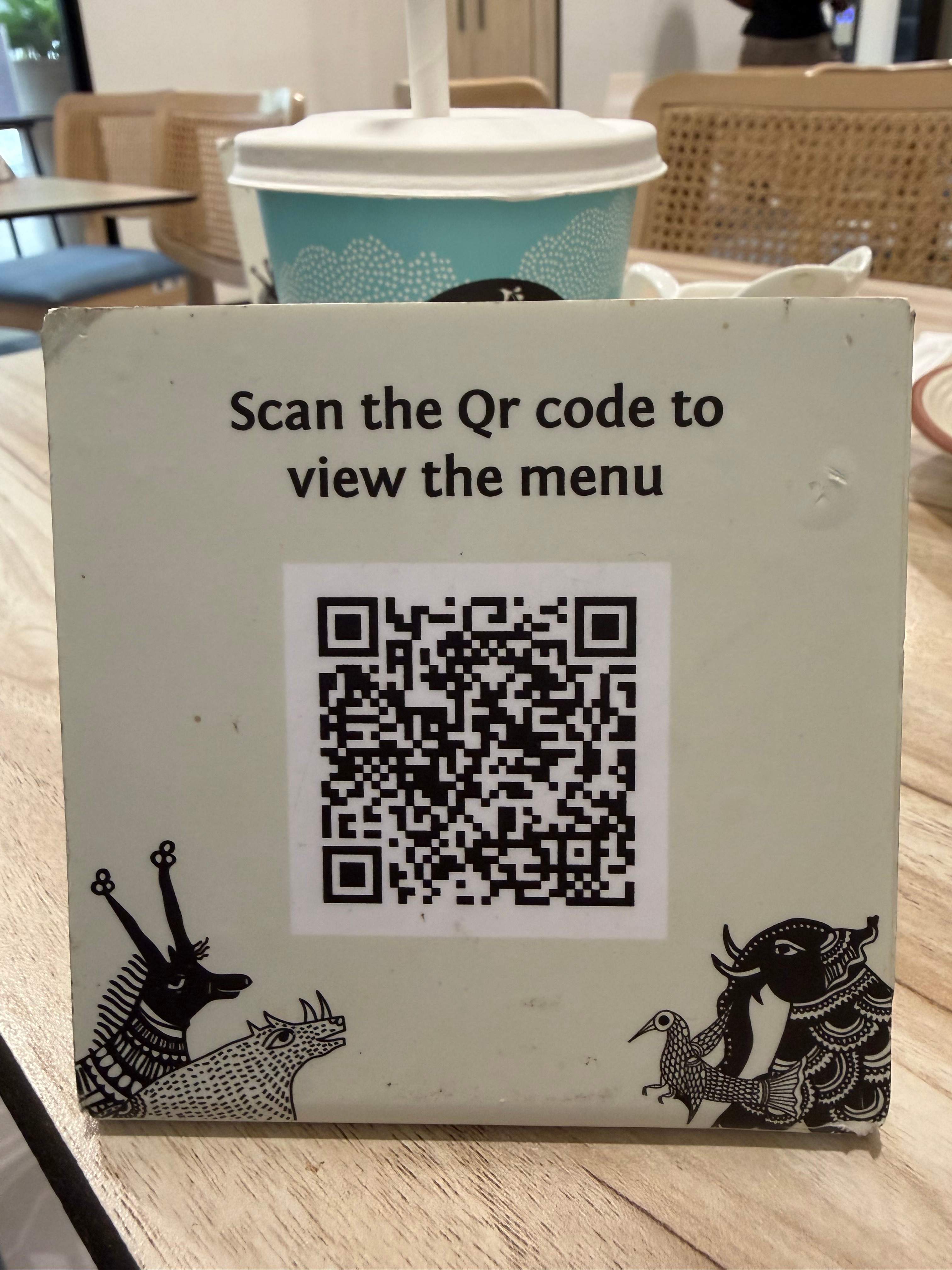
QR Code ordering directly improves three numbers every restaurant already tracks: wait times, order accuracy, and average spend per table.
Shorter wait times
- Guests scan, browse, and submit orders the moment they're seated — no waiting for a server to come around
- Oracle research found that 1 in 3 diners get bothered waiting more than five minutes after being seated; QR ordering removes that window entirely
Fewer order errors
- Self-ordering eliminates the guest → server → kitchen communication chain; the guest's selection goes straight to the kitchen or POS
- Fewer miscommunications mean less food waste and fewer remade dishes
- The accuracy improvement is structural, not just a technology perk — one less hop means one less place for an order to go wrong
Higher average order value
- Guests customize and add extras more freely when ordering on their own, without the social friction of relaying requests through a server
- A visual menu with visible add-on prompts drives more upsells than verbal descriptions alone
Taken together, these three shifts all come from removing one link between the guest and the kitchen.
How to create a QR Code for ordering on Uniqode in 5 steps
You can create a dynamic QR Code to setup scan-to-order in your restaurant.
1. Pick the restaurant menu type
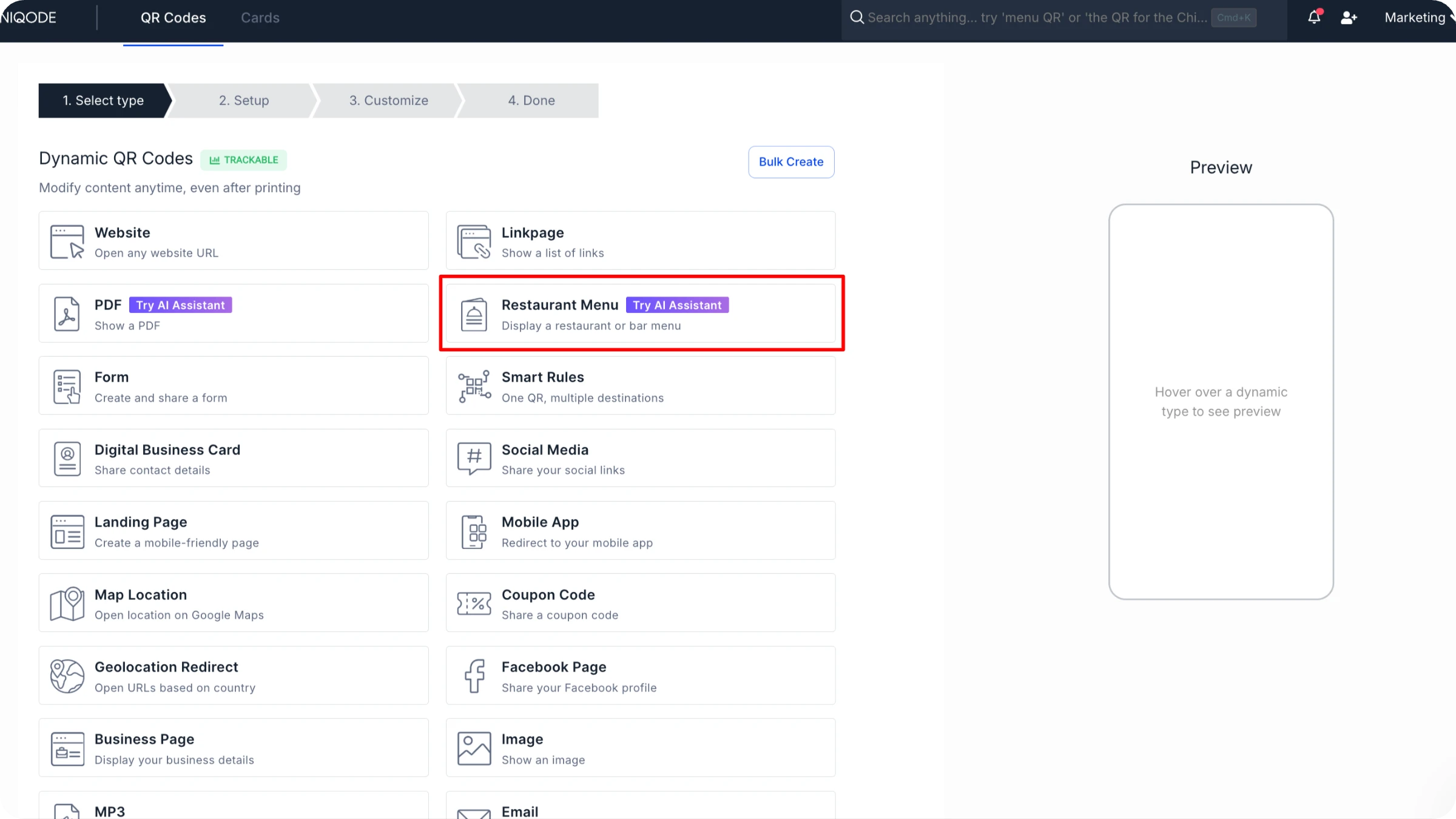
Click on Create on the left side of the dashboard. Choose the Menu QR Code type instead of a generic website code, so menu-specific rules are available later.
3. Add the menu
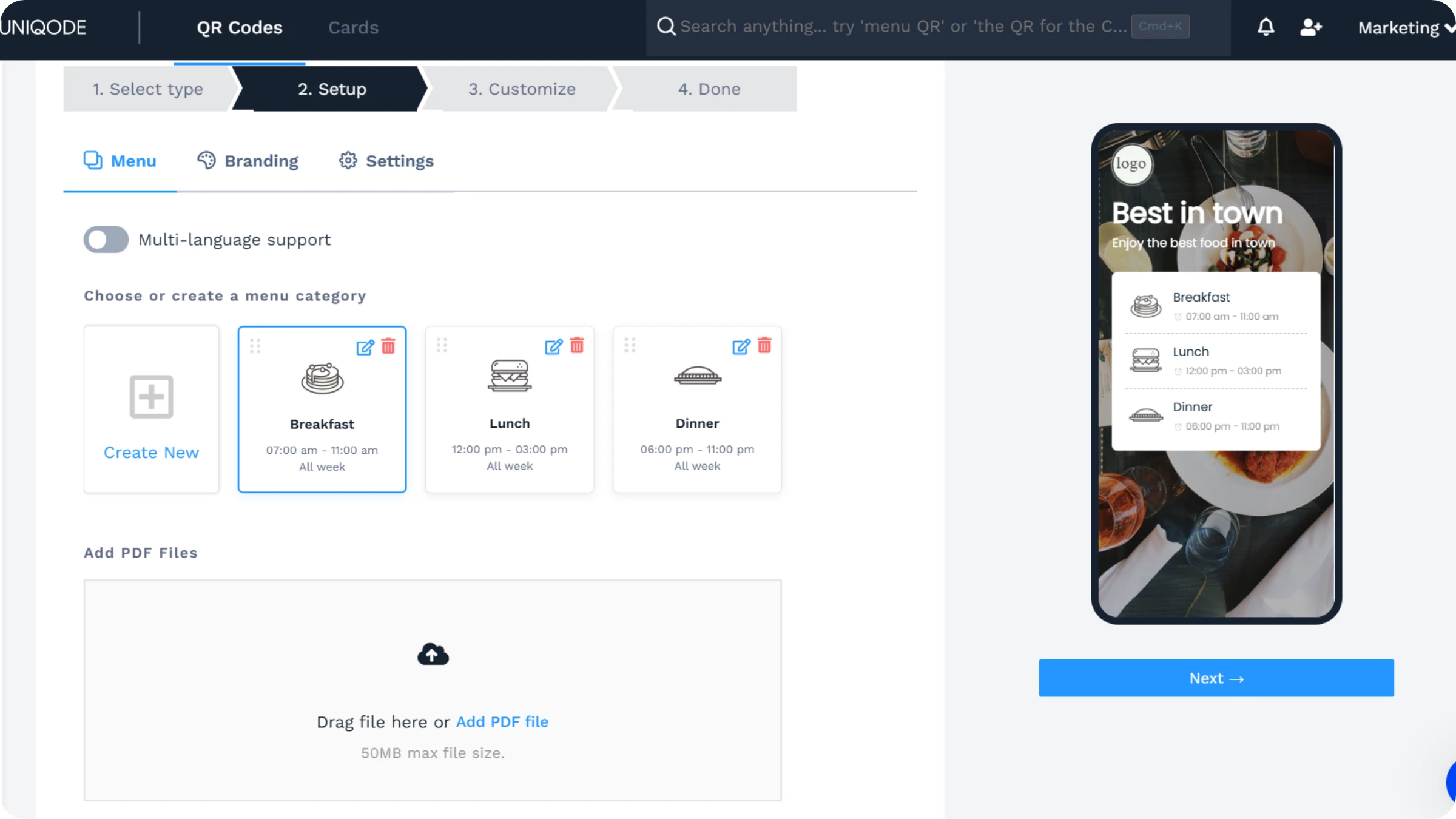
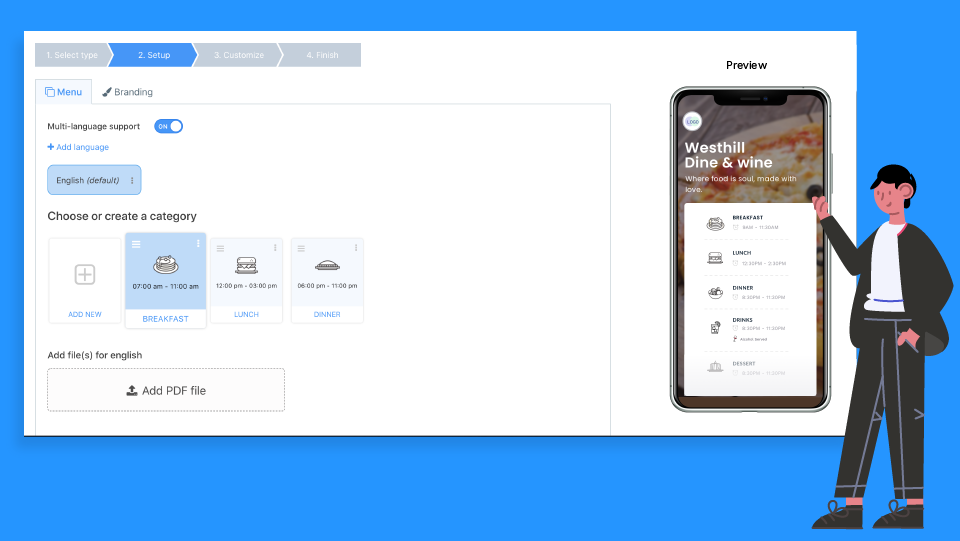
Upload a PDF or build the menu directly in the dashboard, including prices and any time-based or age-gated rules.
4. Customize the design
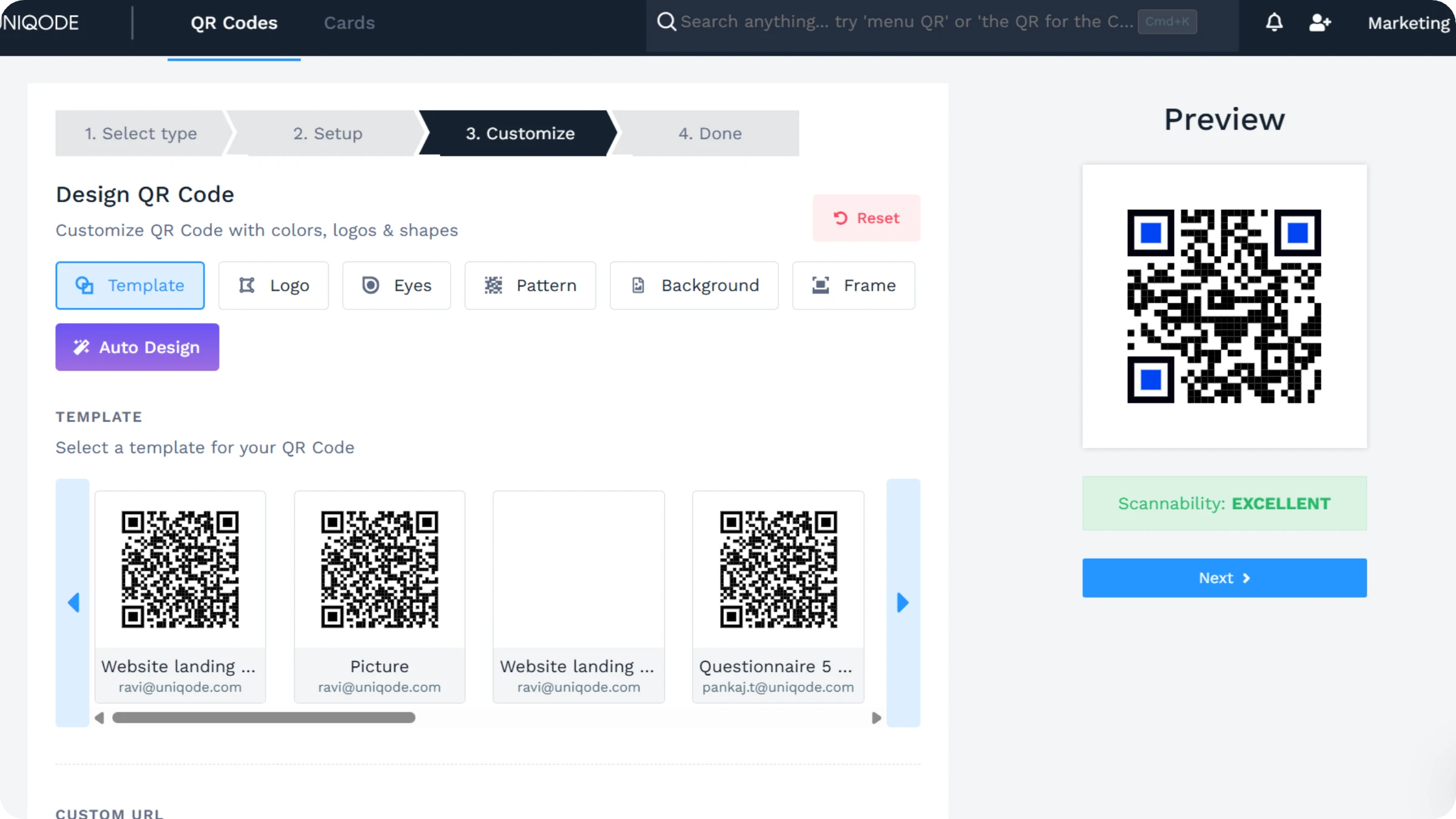
Match the code to your branding: colors, logo, and a frame with a short call to action like "Scan to order."
5. Save and deploy
Download the QR Code in your required format. Place it on tables or ordering stations, and scan it yourself once before service starts to confirm it resolves.
Static vs. dynamic QR Codes for restaurant ordering
A static QR Code is fixed at the moment it is created. A dynamic QR Code can have its destination changed after printing, tracked by scan, and edited at any time.
Restaurant ordering specifically depends on dynamic codes:
- A menu or price change reaches every table the next time someone scans, with no reprinting.
- Scans, device, location, and time of day get tracked. A static code carries no data at all.
- A code that breaks can be tested and re-pointed. A static code cannot be fixed once printed.
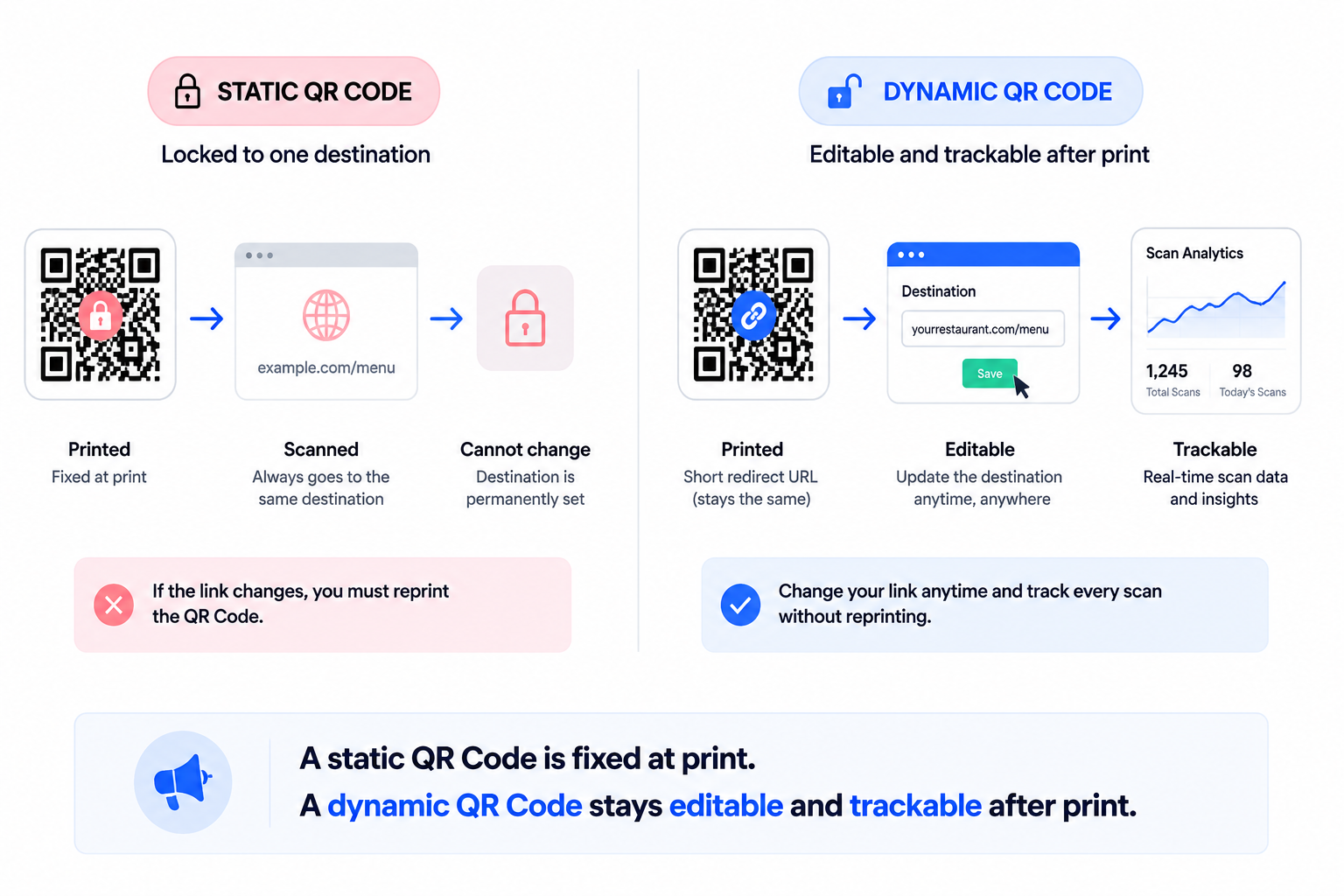
A static code can work for a one-time flyer. It is the wrong choice for a table-side ordering code that needs to survive a menu change. Uniqode's QR Code generator supports both types from the same dashboard, so the choice comes down to whether the code needs to change after printing, not which platform to use.
How to set up QR Code ordering for your restaurant
- Choose the restaurant menu QR Code type. Skip the generic website code. The restaurant menu type supports a menu builder or PDF upload, plus rules like automatic breakfast-to-lunch switching or age-gating a bar menu.
- Build the menu. Confirm content and pricing before generating the code. You can edit the menus later without touching the printed code.
- Customize the design. Match your branding so every table's code looks consistent.
- Decide placement. Per table or per section, not one design for the whole floor.
- Save the template. A second location or a seasonal update starts from the same base instead of from scratch.
- Scan every code yourself before service starts. This is the step easiest to skip, and the one that actually catches a broken code before a guest does.
Beyond the scan: How to turn scans into insights you can act on
Once QR Code ordering is running, the same codes tell you things a paper menu cannot.
Staffing around your actual busy periods
Every restaurant has a peak hour. Knowing exactly when and where lets you staff efficiently instead of guessing. Analyzing scan volume by placement shows which sections of the restaurant get busiest, and QR Code tracking makes that data visible without any extra work from staff. Allocate people to the busiest sections once you know where they actually are, rather than relying on a hunch that turns out to be wrong on a Friday night.
Seeing which menu items actually get attention
QR Code tracking on a restaurant menu shows which items get ordered most and which parts of the menu diners spend the most time reading before deciding. Heatmap analytics turns scan and interaction data into a picture of diner behavior across scans, unique visitors, device type, location, city, and time of day, and connecting that data to essential metrics in your existing analytics stack ties it to revenue instead of leaving it siloed. That picture is only available with dynamic QR Codes. Static codes carry no scan data at all.
Closing the loop with feedback
Collecting feedback used to mean a comment card nobody filled out. A QR Code form linked to a short survey changes the response rate, because the guest is already holding their phone. Form analytics show exactly where guests abandon a form partway through, which is useful for shortening it, and QR Codes with Google Forms work the same way for teams already standardized on that tool.
Staffing, menu decisions, and feedback all come from the same set of codes you already deployed for ordering. None of it requires a second system, just a habit of checking the dashboard on the same rhythm as the shift schedule.
What to check before you go live
Before turning on QR Code ordering, walk through three questions about your own setup: which codes are commerce-critical, when your subscription or account renews, and who gets notified if a code stops resolving. Ask any vendor these questions, not just the one you already use.
The setup itself is not complicated: pick the right code type, build the menu, deploy it to tables, and scan every code once before the first order goes through it. What actually determines whether QR Code ordering works long-term is whether someone is watching the system after launch, not just on day one.
Ready to put this in front of guests? Start a free 14-day trial with Uniqode.
Frequently Asked Questions
- How does QR Code ordering work?
QR Code ordering works in three simple steps:
Deploy – Place QR Codes on table tops or ordering stations.
Scan – When diners scan the QR Code, they can view the entire menu on their smartphones.
Order – Diners place their order from the digital menus.
- How do I use a QR Code at a restaurant?
Create an online QR Code restaurant menu and place it where guests will see it. Guests arrive, take a seat, and order directly by scanning the code.
- How do I make a QR Code for ordering food?
How do I make a QR Code for ordering food?
Build a digital menu, either through a menu builder or by uploading a PDF, then generate a QR Code type built for that use case rather than a generic website redirect. A code built for restaurant ordering supports menu-specific rules that a generic code does not.
- Can I create a QR Code for a restaurant menu for free?
Yes. Most QR Code platforms offer a free tier for a basic static or low-volume dynamic code. The tradeoff is worth understanding before you rely on a free tier for live ordering: free and entry-level plans carry fewer continuity protections, such as renewal reminders or a grace period before codes stop resolving, so check what happens to your codes if a free account lapses before you build a table rollout on top of it.
- How do I set up a QR Code for a restaurant?
Deploy codes on tables or ordering stations, let guests scan to see the menu, and let them order directly from it. The full setup, including menu building and a pre-launch check, is covered above.
About the Author
Ektha is a QR code expert with years of research and analysis into the evolution of QR codes. Having written over 70 in-depth articles on QR technology, she has developed a comprehensive understanding of how QR codes are transforming industries. Her insights, including The State of QR Report, have been featured in leading publications. With a passion for simplifying complex topics and providing actionable strategies, Ektha helps businesses leverage QR codes to enhance their 'phygital' connections.