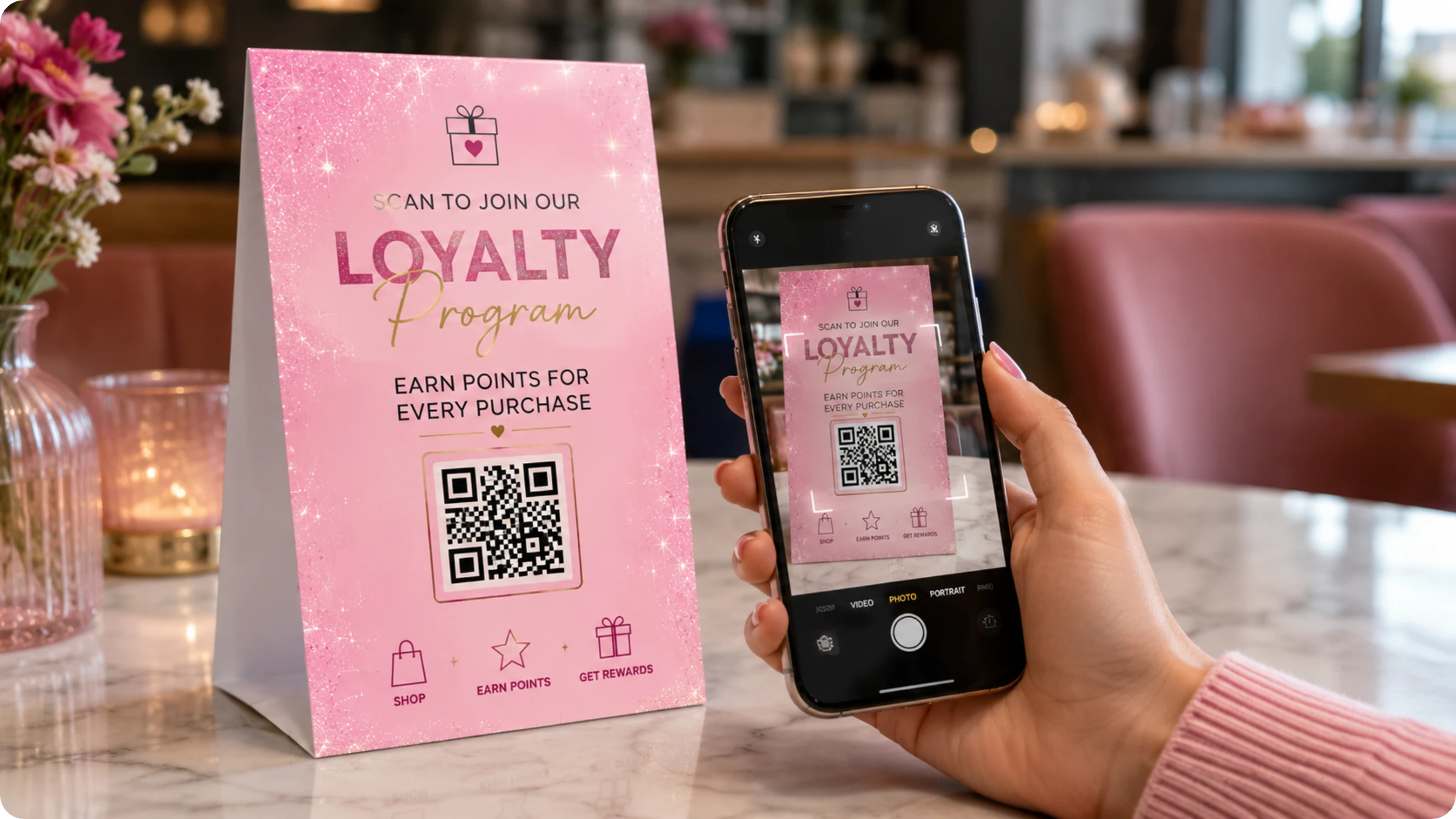
QR Code-based loyalty programs offer businesses effective ways to engage and retain customers. With QR Codes, businesses can create dynamic QR Codes for tier-based and point-based systems, games, and partnerships.
Most customers who say they'll sign up for your loyalty program at checkout never do. The intention is there, but friction wins: long forms, forgotten URLs, or simply not having the time. QR Codes eliminate that gap. A customer scans a QR Code on their receipt, taps "join," and seconds later earns welcome points and a confirmation SMS. No app download, no passwords, no awkward form-filling. That single scan turns a one-off purchase into the start of a relationship.
This approach solves the core challenges of traditional loyalty programs: low enrollment rates, limited reach, and missed opportunities at the exact moment customers are most engaged. Instead of asking customers to commit before experiencing value, QR Code-based programs deliver immediate rewards and build the relationship from there.
Read on for an actionable plan to build a QR Code-powered loyalty program that drives sign-ups, repeat purchases, and long-term customer engagement.
Why QR Codes are the smart choice for loyalty programs
Getting customers to join a loyalty program is half the battle. Traditional app-based programs create friction at the worst possible moment: right after a purchase, when engagement is highest, customers are asked to download an app, create an account, and complete setup. Most say "I'll do it later" and never follow through.
QR Codes remove that barrier entirely. A customer scans, enters a phone number or email, and they're enrolled in seconds. No app store navigation, no storage concerns, no tedious setup.
The advantages go beyond easy enrollment:
- Universal reach: QR Codes work on any smartphone with a camera, so your program includes everyone regardless of device age or storage limitations.
- Instant updates: Change rewards and messaging without waiting for app store approvals.
- Clear attribution: Place QR Codes on receipts, packaging, and in-store signage to see exactly which touchpoints drive enrollment.
How does a QR Code-based loyalty program work?
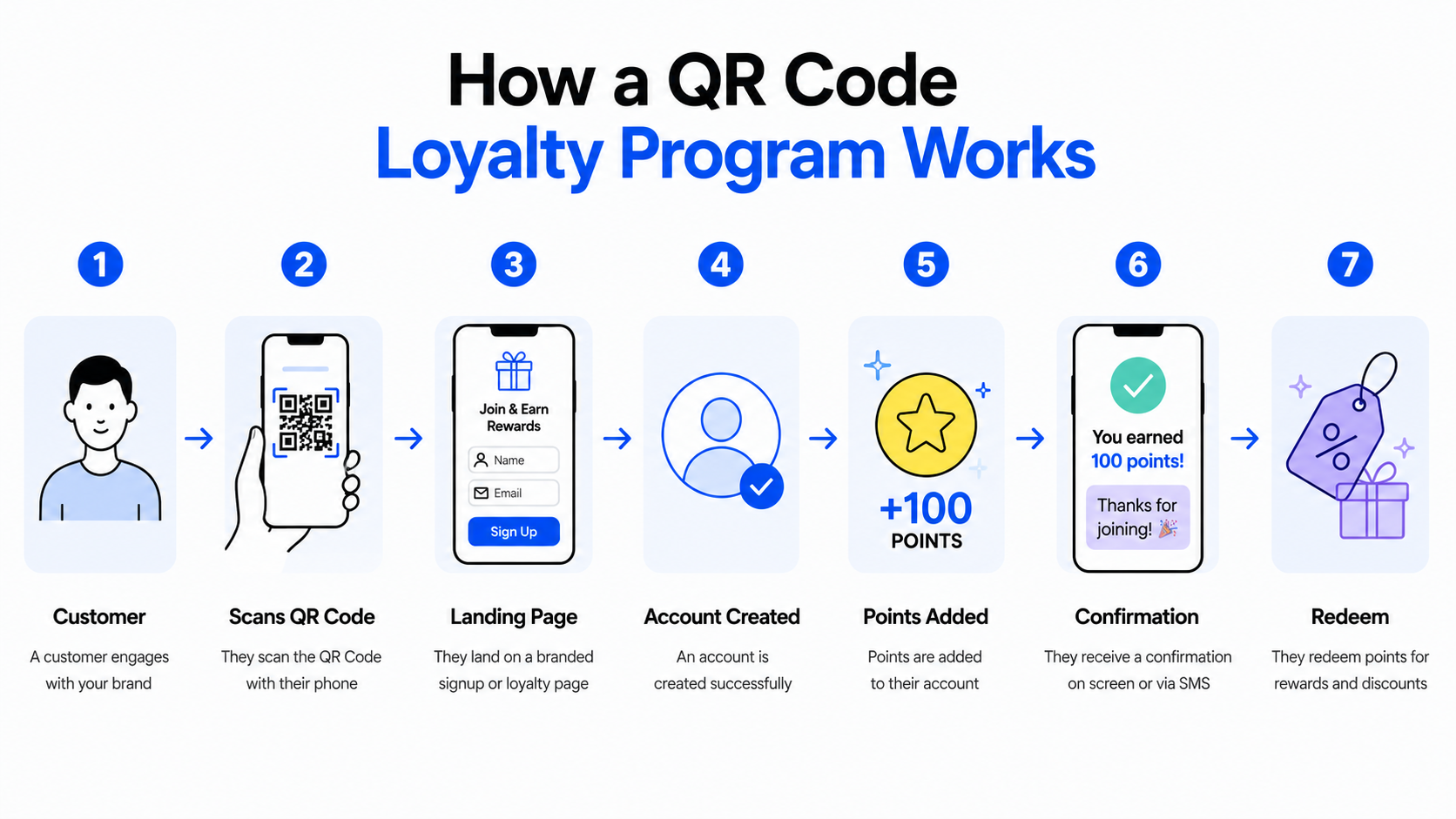
QR Codes are a bridge between physical and digital touchpoints. You can engage customers without sending them long URLs or asking them to download an app. This means that customers can easily access rewards, collect points, and redeem them. Brands can collect customer details, record their loyalty status, and track them — all with a single scan.
Here’s a simple workflow example of how a brand can use QR Codes in its customer loyalty program:
9 steps to create a successful loyalty program for retail brands with QR Codes
Here’s a step-by-step guide on how to create a loyalty program strategy to attract and retain loyal customers.
Step 1: Define the goal of your loyalty program
Get crystal clear on what you want it to accomplish. Your goals will ultimately determine which program model you'll use and the kind of rewards you can offer. Some of the most common and impactful objectives include:
- Boosting repeat purchases and overall sales
- Improving customer retention and increasing lifetime value
- Motivating customers to refer friends and family, and reducing acquisition costs
- Collecting richer customer insights to understand preferences
- Strengthening brand affinity by rewarding loyal behavior
With these insights, you can personalize campaigns, refine your product mix, and tailor experiences.
⚡Pro Tip: Pick one primary KPI (e.g., repeat-purchase rate or member LTV) and one secondary (e.g., signup → 2nd purchase conversion). Avoid trying to optimize for everything at once.
Step 2: Choose your loyalty program structure
There are mainly four categories of reward systems that retail brands can follow. Each one offers unique ways to engage and retain customers.
- Points-based programs where customers earn points from purchases and actions (social shares, reviews, birthdays, challenges). These points can be redeemed for discounts or exclusive rewards. Great for increasing engagement and generating user-driven promotion.
- Tiered programs where customers move through levels based on spend or activity. Higher tiers unlock better perks (e.g., bonus points, free shipping, exclusive access), motivating customers to spend more to reach the next tier.
- Paid membership programs where customers pay a one-time or recurring fee for premium benefits. Offers instant value, such as free shipping, discounts, or early access. Leads to higher loyalty and predictable revenue.
- Value-based programs in which a portion of customer purchases is donated to a charity or cause. Builds emotional connection and strengthens brand values and appeals to customers who prefer socially responsible brands.
Once you’ve chosen a structure, consider which rewards your customers would most like. These differ for quick-repeat retail (e.g., café, convenience stores) versus considered retail (e.g., apparel, homewares).
- Redeemable points or credit: Convert earned points or cashback into clear, valuable rewards. Common redemption options include discounts on future orders, store credit, free products or shipping, exclusive merchandise, and VIP experiences.
- VIP perks for top customers: Reward your highest-value customers with premium benefits such as early access to launches or sales, free or upgraded express shipping, exclusive events or content, and personalized shopping support.
- Tiered benefits: Increase reward value as customers advance through tiers. Offer free or discounted express delivery, access to premium or gated content, invitations to product previews, or higher point-earning rates at upper tiers.
⚡Pro Tip: Include cost-per-reward, breakage assumptions, and expected ROI so retail readers can justify the program.
For example:
“With $5 subscription per month for the loyalty program, customers can get a 10% discount on all orders.”
Step 3: Decide what happens when customers scan the QR Code
Based on the structure of your loyalty program and the rewards you offer, you’ll need to create a workflow that smoothly guides customers through a series of steps leading them into your reward system. Here are a few specific examples of customer actions triggered by the QR Code scans.
1. A clothing brand offering point-based programs for discount coupons
When to use: Encourage repeat purchases, increase average order value, and capture customer data after online or in-store sales.
Flow steps:
Customer scans QR Code on packaging → a landing page where their details are collected → purchase is verified → points are credited to loyalty account
As points get accumulated, customers can redeem them for a discount coupon for their subsequent purchase.
2. A salon offering a paid loyalty program
When to use: Monetize frequent clients and offer premium perks (priority booking, discounts, freebies, member-only treatments).
Flow steps:
Customer scans QR Code on the counter → lands on membership page → chooses tier + pays → account created → perks are activated → customer scans at visit → perks applied
3. A value-based loyalty program supporting a social cause
When to use: Strengthen emotional connection, differentiate the brand, and appeal to customers who prefer socially responsible or purpose-driven companies.
Flow steps:
Customer → scan QR Code → choose/confirm cause → order verified → donation allocated → impact displayed → cumulative impact (optional)
⚡Pro Tip: Use editable redirects so you can change the landing behaviour for a QR Code without swapping prints.
Step 4: Evaluate loyalty software and its implementation
To bring your loyalty strategy to life, you’ll need the right loyalty software. Instead of focusing on how the technology is built, marketing leaders should evaluate platforms based on the features, flexibility, and ease of integration they offer.
Popular tools like Marsello, Smile.io, and Growave help brands design loyalty programs that go beyond generic point systems. These platforms let you customize rewards, tiers, referrals, and engagement mechanics to align the program with your brand goals and customer behavior.
When comparing options, look at how easily the platform integrates with your existing CRM, e-commerce, and POS systems, and how clearly it surfaces customer data. The right loyalty software should make it easy to track engagement, understand customer preferences, and use those insights to personalize experiences, without adding operational complexity for your team.
⚡Pro Tip: Prefer composable/API-first solutions (or vendors that support webhooks) so you can connect your CRM, SMS, and other integrations.
Step 5: Generate dynamic QR Codes for the program
Once you’ve planned your loyalty program workflow, it’s time to create dynamic QR Codes to enable your strategy.
Dynamic QR Codes are editable and trackable. They can also store custom pages, digital business cards, and files such as documents, audio, videos, and images. You can also track scans.
⚡Pro Tip: Use Uniqode’s analytics and editable codes to run A/B dynamic QR Code variants and compare performance.
Step 6: Design the landing or reward experience
What will customers see when they scan the QR Code? The landing experience is the moment you either convert curiosity into membership or lose it. Design for speed, clarity, and a single-minded path to the next action.
Here are some common QR Code-driven loyalty experiences:
Decide what the scan should open. This can be a:
- Quick sign-up form (email/phone only) to claim points
- Digital punch card that increments on each scan
- Order-verified points claim (reads encoded order id → verifies → credits points)
- Membership payment page for paid tiers
- Donation/impact confirmation for value-based programs
- Reward redemption pass (shows a coupon or scannable barcode)
Design the landing to match the action.
⚡Pro Tip: Deliver value immediately. Show the bonus (50 points/$5) as the hero text so users feel rewarded the moment they land.
Step 7: Place QR Codes strategically
QR Code placement matters. Think of QR Codes as the gateway into your loyalty program. If customers don’t notice them or don’t understand the value behind scanning, the program won’t gain traction.
To maximize participation, place QR Codes at high-visibility, high-intent touchpoints across both physical and digital channels.
⚡Pro Tip: Pair the QR Code with a benefit-first CTA. For example: “Scan — get 50 pts now”. You can also add a one-line explanation of how it works.
Step 8: Track scan analytics and customer engagement
A major perk of incorporating QR Codes into your loyalty workflow is the measurable, real-time visibility into how people discover, join, and use your program. Good tracking turns guesses into decisions. You’ll know which placements convert, which rewards motivate repeat visits, and where friction is losing customers.
- Scan volume — total scans (by placement/campaign).
- Unique scanners — number of distinct customers who scanned.
- Location
- Device type
- Scan → signup conversion
⚡Pro Tip: With Uniqode, you can export campaign performance weekly to compare QR Code placements and iterate on low-performers.
Step 9: Optimize and update rewards over time
After rolling out a loyalty program, you need to ensure continuous improvement. This is essential for the program’s long-term success, to maximize engagement and business goals. Areas where you can optimize include customer journeys, customer service, and the overall customer experience.
Here are some practical ways you can improve your rewards program over time:
QR Code-specific metrics:
- Use analytics (scan volume, unique scanners, and location) to identify which physical/digital touchpoints actually drive sign-ups and value.
- Run short post-signup or post-redemption surveys (1–2 questions) to learn why people join, what rewards they value, and what confused them.
- Segment members by behaviour (frequency, AOV, scanned SKUs, impact-donors) and test tailored offers (welcome fast-win, VIP perks). Measure conversion and uplift per segment.
- Measure long-term impact. Link scan activity to LTV, retention, and AOV so you can justify changes in reward economics.
Where to place QR Codes to promote your customer loyalty program
The most effective placement depends on your purchase frequency and customer journey. High-frequency retail (cafés, convenience stores) should prioritize point-of-sale touchpoints where customers interact weekly. Low-frequency retail (apparel, home goods) should focus on post-purchase channels where customers have time to engage.
Start with these three, then expand:
1. Receipts (printed or digital)
Works for: All retail types, especially high-frequency
Why it works: Customers expect transaction details on receipts, making this placement feel natural rather than promotional. The purchase is already validated, so point crediting is instant.
How to execute: Add QR Code with benefit-first CTA: "Scan to earn 50 points from this purchase." Include one-line explainer: "Join in seconds, no app needed."
2. Checkout counters or POS displays
Works for: In-store retail, service businesses (salons, restaurants)
Why it works: Captures customers at the highest intent, right after they've spent money and are still engaged with your brand.
How to execute: Small countertop stand or register-mounted display. Train staff to mention: "Scan here to start earning rewards—takes 5 seconds." Staff reinforcement can increase enrollment.
3. Product packaging or unboxing inserts
Works for: E-commerce, CPG brands, products with extended use
Why it works: Reaches customers post-purchase when they're excited about the product. No line pressure, and they can complete enrollment at home.
How to execute: QR Code on inner packaging, thank-you card, or product insert. Message: "You just bought [product]. Earn points on your next one—scan to join."
4. Secondary placements
Secondary placements to test once primary touchpoints are optimized:
In-store signage near products: For considered-purchase retail (apparel, home goods), where customers browse. Place near fitting rooms or product displays with "Scan to unlock member pricing."
Table tents or menus: For restaurants and cafés where customers wait. "Scan while you wait—earn points today."
Email and SMS post-purchase: For customers who bought online but didn't enroll. "Thanks for your order—scan to earn points on this purchase and your next one."
Fitting rooms, salon stations, service areas: Places where customers have downtime during their visit.
How to prioritize:
- Choose one primary touchpoint based on your customer journey (receipt for cafés, packaging for e-commerce, counter for salons)
- Launch and measure for 2–4 weeks: Track scans by placement and scan-to-enrollment conversion
- Add secondary placements only after your primary is optimized
- Compare performance: Which placement drives the most enrollments? Which has the highest scan-to-second-purchase rate?
Whether it’s loyalty or any other brand campaign, success begins with discovery and the right QR Code placement. Below are three high-impact placements to start with for common business models, along with a couple of secondary options.
| Industry | Primary QR Code placements | Secondary QR Code placements |
|---|---|---|
| Ecommerce | Product packaging inserts or thank-you cards, order confirmation emails or digital receipts, unboxing inserts | Post-purchase SMS or WhatsApp messages, packing slips |
| Brick and mortar | Checkout counters, shelf talkers, or product tags at the point of sale, and staff prompts at purchase | Fitting rooms, aisle signage |
| Restaurants and cafes | Menus or table tents, counter or checkout area, and staff prompts while customers wait | Receipts, takeaway packaging |
| Service businesses (salons, spas) | Reception or check-in desk, service cards at stations, appointment confirmation messages | In-chair table tents |
How to test and measure placement
Don’t launch everywhere at once. Run a short pilot, measure, then scale.
- Pick three placements (the “primary” ones above) and run a 2–3 week pilot.
- Track these KPIs for each placement: scans, sign-ups (scan→enrol conversion), reward redemptions, and repeat purchase rate for enrolled customers. Also note any operational friction (staff feedback, scanning issues).
- Run a simple A/B test per placement: CTA A vs. CTA B (e.g., “scan to earn 50 points” vs. “scan to get ₹100 off next visit”) or different creative copy.
- Compare placement performance by conversion and cost (if promotions were offered). Prioritize placements that deliver the best sign-ups and highest redemption-to-repeat rates.
- Iterate placement monthly or quarterly. Keep what works, swap in a secondary placement, or adjust the CTA.
Best practices when placing QR Codes
Strategic placement is what transforms a loyalty program from “nice to have” to something customers engage with regularly. The more intentional your placement, the higher your sign-up and repeat engagement rates.
- Keep the value proposition visible: Always pair the QR Code with a short, benefit-first message.
- Ensure accessibility: QR Codes should be printed at the right size and placed at eye level or where the customer naturally pauses.
- Avoid clutter: Give the QR Code enough white space so scanners can read it quickly.
- Use dynamic QR Codes: This ensures you can update the underlying content without reprinting materials.
- Measure and iterate: Track which placements deliver the most scans and optimize accordingly.
Examples of brands that are using QR Codes in their loyalty strategy
1. Danone Yogurt
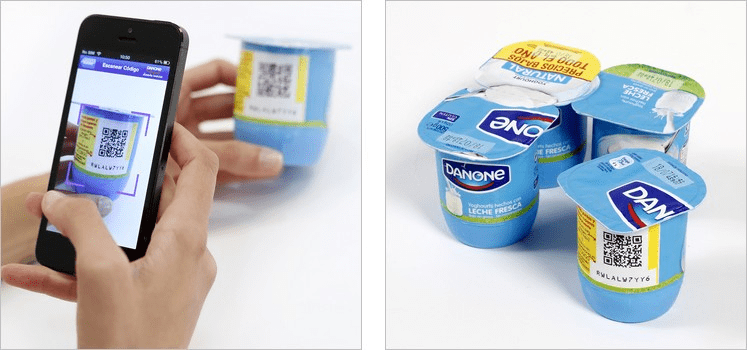
Danone, a yogurt brand, included QR Codes with its loyalty programs in Spain, encouraging its users to scan the QR Codes on the products as a way to earn points.
Each Danone pack included a QR Code that allowed consumers to earn up to $50 per month in discount coupons. The dairy giant also launched a multiplatform mobile app that could be quickly downloaded by scanning the QR Code. The app was downloaded 30,000 times in the first three weeks. Danone claimed that its QR Code-based loyalty program was one of the biggest campaigns in Europe, generating 60 million QR Codes per month.
→ Related: Create a single QR Code for your app on all app stores
2. McDonald’s
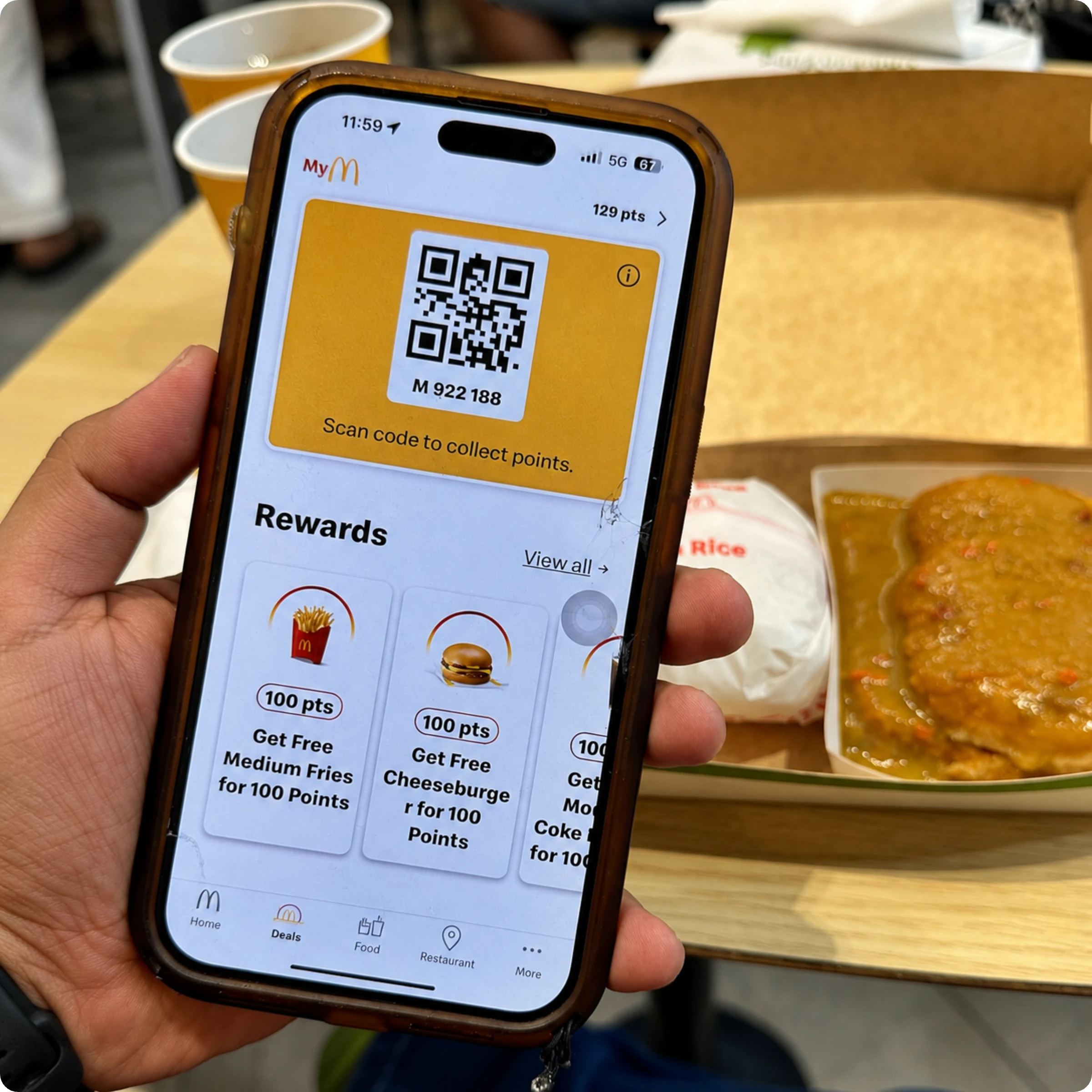
McDonald’s loyalty program works by letting customers earn points on every eligible purchase made at the counter, at self-ordering kiosks, at McDrive, or at McCafé. Before paying, customers present a unique QR Code available on their account dashboard for the team or kiosk to scan so the transaction can be linked to their loyalty profile. Once scanned, they earn 10 points for every €1 spent.
Users can redeem the points by simply showing the QR Code associated with that reward at checkout. Scanning applies the reward to your order and deducts the necessary points.
3. H&M Loyalty
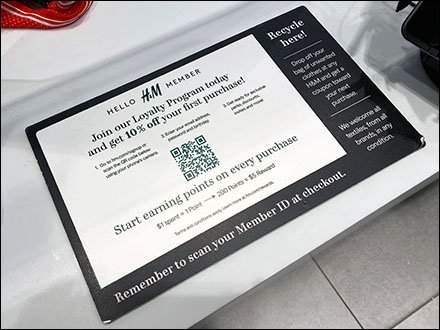
H&M’s loyalty program rewards customers from the moment they sign up. New members receive 10% off their first purchase, making it a valuable benefit right at checkout. Joining is simple: customers visit the signup page or scan the QR Code displayed in-store, then enter their email address, password, and birthday.
Once enrolled, customers earn points on every purchase. They get one point for every dollar spent, and 250 points unlock a $5 reward that can be used on future shopping.
The QR Code serves as a quick and convenient entry point for customers to join the H&M Loyalty Program. Instead of manually searching for the signup page, customers can simply scan the QR Code with their phone’s camera to be taken directly to the registration form.
4. Walmart
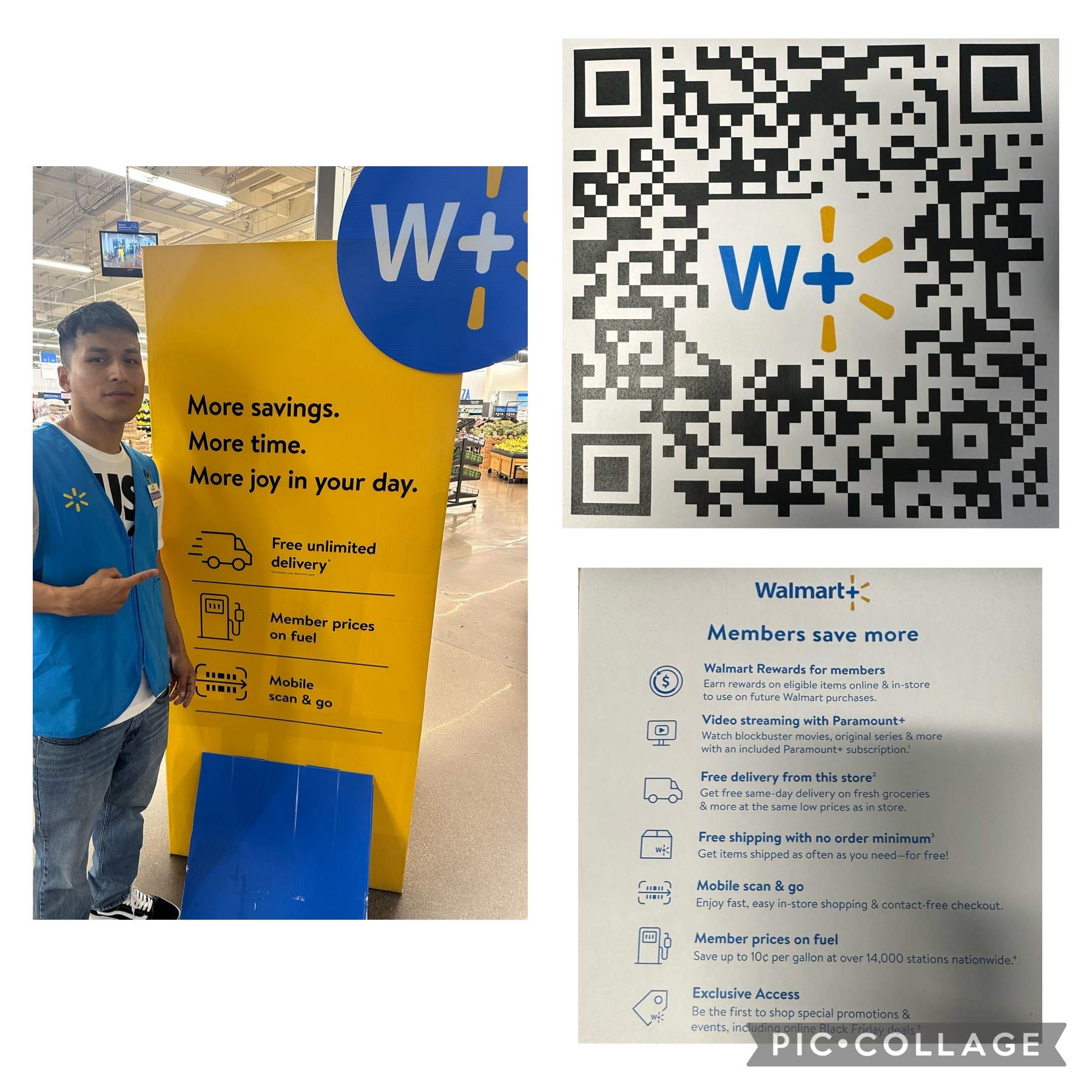
Walmart+ is Walmart’s premium loyalty program that allows customers to earn rewards on eligible purchases. Members can enjoy benefits such as free unlimited delivery, free shipping with no minimum order, member prices on fuel, and exclusive access to special promotions.
Customers can join by simply scanning the in-store QR Code and even try the membership for free for 30 days, making it easy to start earning rewards on everyday essentials. Once enrolled, customers earn Walmart Rewards online and in-store, which can be redeemed on future Walmart purchases.
5. Thorpe Farm Centre
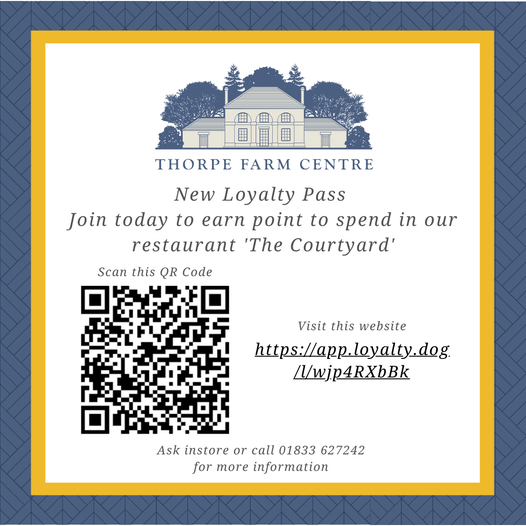
Thorpe Farm Centre, a restaurant and farm shop based in the UK, has a loyalty program that allows customers to earn points on every purchase at the shop and restaurant and redeem them in the restaurant.
After signing up, each customer receives a unique QR Code that can be scanned during every transaction to accumulate points. Every euro spent equals one point. Points can then be redeemed in the restaurant, with the note that only one reward or offer can be used per transaction.
6. Tomskoi pet supply
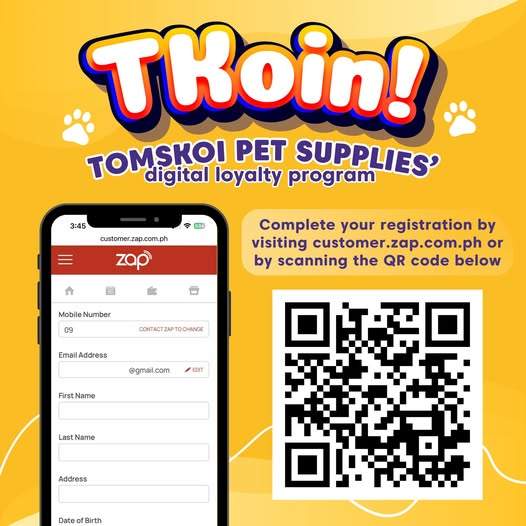
Tomskoi Pet Supplies has introduced TKoins, a digital loyalty program that lets customers earn points on their pet-care purchases, enjoy smooth QR Code–based registration, and unlock sign-up bonuses simply by completing their account.
Customers can quickly get started by giving their mobile number to the cashier to begin earning points immediately, then finish their registration later by visiting the provided link or scanning the QR Code.
Once registration is complete, customers just present proof to the cashier to claim their sign-up bonus and continue earning TKoins with every purchase.
Unlock your successful loyalty program with Uniqode
Building a customer loyalty program is about offering a seamless, engaging, and value-driven experience across every customer touchpoint. QR Codes make this possible by reducing friction, simplifying enrollment, and providing you with measurable insights into how customers actually interact with your program. From instant sign-ups to real-time analytics, QR Codes bridge the gap between physical and digital experiences, allowing brands to build loyalty wherever customers are.
But the real impact comes from how you design, track, and evolve your program over time. With the right workflows, meaningful rewards, and a commitment to continuous optimization, your loyalty program can turn first-time buyers into long-term advocates.
This is where Uniqode comes in.
Uniqode gives you everything you need to create and manage QR Code-powered loyalty programs at scale. If you’re ready to build a flexible, insight-driven loyalty program that customers actually enjoy using, try Uniqode today.
Frequently Asked Questions
- How do QR Codes work in a loyalty program?
A customer scans a QR Code placed on a receipt, product packaging, or in-store signage. The scan takes them to a landing page where they sign up with a phone number or email, earn points on their purchase, and receive a confirmation. Every subsequent scan tracks their activity and updates their rewards balance.
- Do customers need an app to use a QR Code loyalty program?
No. That is one of the biggest advantages of QR Code-based loyalty programs. Customers scan using their phone's camera and access the program through a browser-based landing page. No download, no storage concerns, and no app store navigation required.
- Where should I place QR Codes for my loyalty program?
Start with your three highest-intent touchpoints: receipts, checkout counters, and product packaging. Once those are optimized, expand to secondary placements like in-store signage, table tents, and post-purchase emails or SMS.
- Can I track the performance of my QR Code loyalty program?
Yes. Dynamic QR Codes give you real-time data on scan volume, unique scanners, location, and device type. You can also track scan-to-signup conversion rates and use that data to identify which placements and rewards are driving the most engagement.