Popl vs. Dot vs. Linq: Which Digital Business Card Solution To Choose in 2025
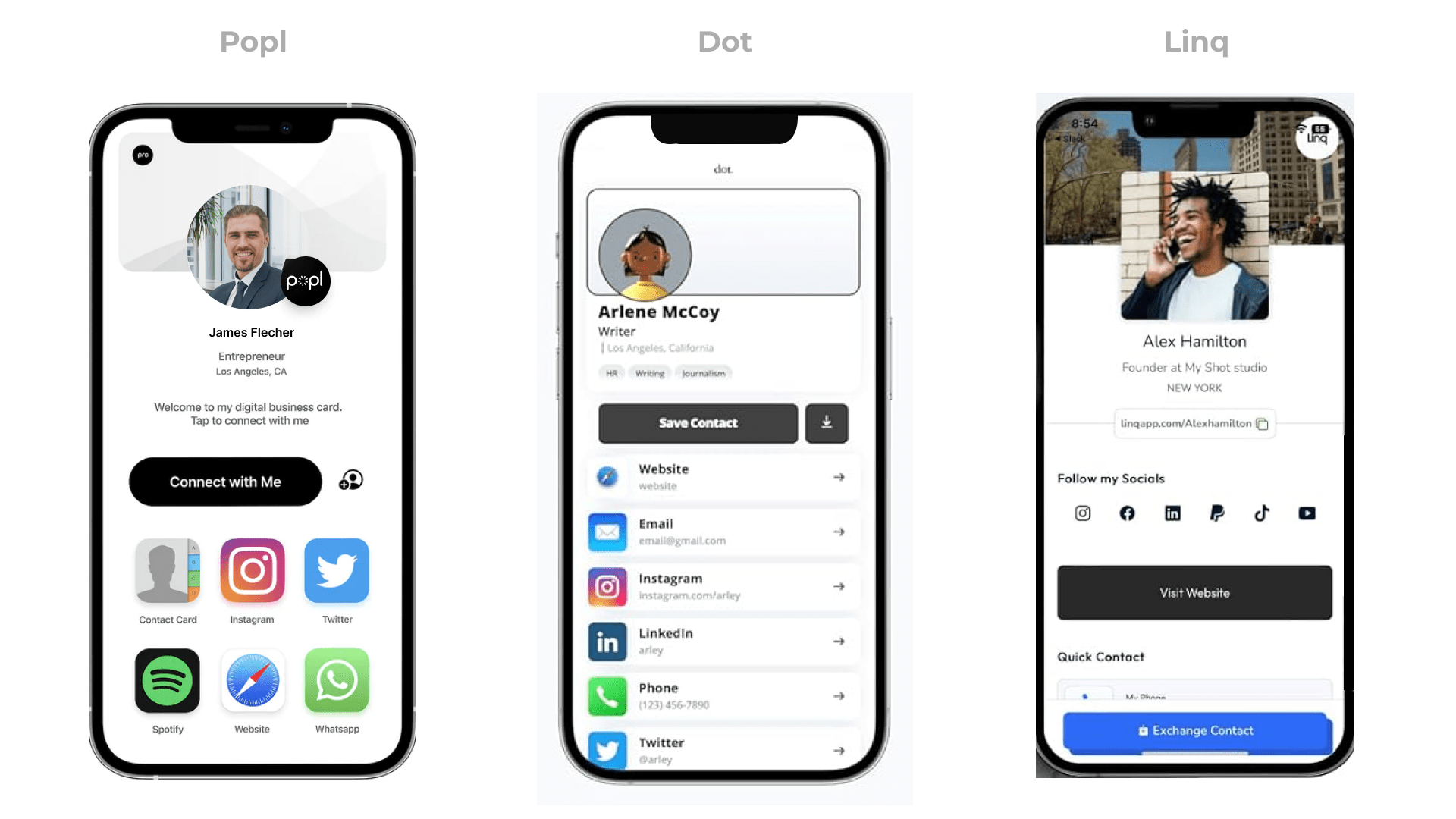
Popl, Dot Cards, and Linq are three of today’s most popular digital business card solutions. But which of them is best for your business? Explore each solution’s defining features in-depth and decide.
Searching for the right digital business card solution, you might have narrowed it down to Popl, Dot, and Linq—three of the most popular providers today.
While Popl excels in card-sharing and integrations, Dot stands out with its high-quality NFC cards. Meanwhile, Linq offers strong lead collection and analytics.
Each option boasts its strengths over the others, so making the right choice can be challenging. Yet, you need what you need and only one will make the cut better than the others.
We’ll dive into the key features of each platform to help you decide which digital business card is best for you and your team.
Popl vs. Dot vs. Linq at a glance: Compare and decide
Explore this comparison table for a glance at how these three solutions stack up feature-wise.
| Features | Popl | Dot Cards | Linq |
|---|---|---|---|
| Central management and role-based access | Limited | ✅ | |
| Scalability | ✅ | ✅ | |
| Wallet pass sharing | ✅ | ✅ | |
| Lead collection and management | ✅ | ✅ | |
| Tracking and analytics | ✅ | ✅ | |
| Useful API access and integrations | Limited | ✅ | |
| Security measures | Limited | ✅ | |
| No app download required | ✅ | ❌ | |
| Pricing | Individuals: $6.49 – $11.99/month | Teams: Dynamic pricing | dot.Profile: Free-$10.00/month | dot.card: $20 – $40 one time | Linq Pro: $5.00/month | Linq Teams: Dynamic pricing |
| Online reviews | 4.6/5 on G2 | 4.2/5 on Trustpilot | 4.8/5 on G2 |
Popl: Versatile, intuitive, and highly shareable
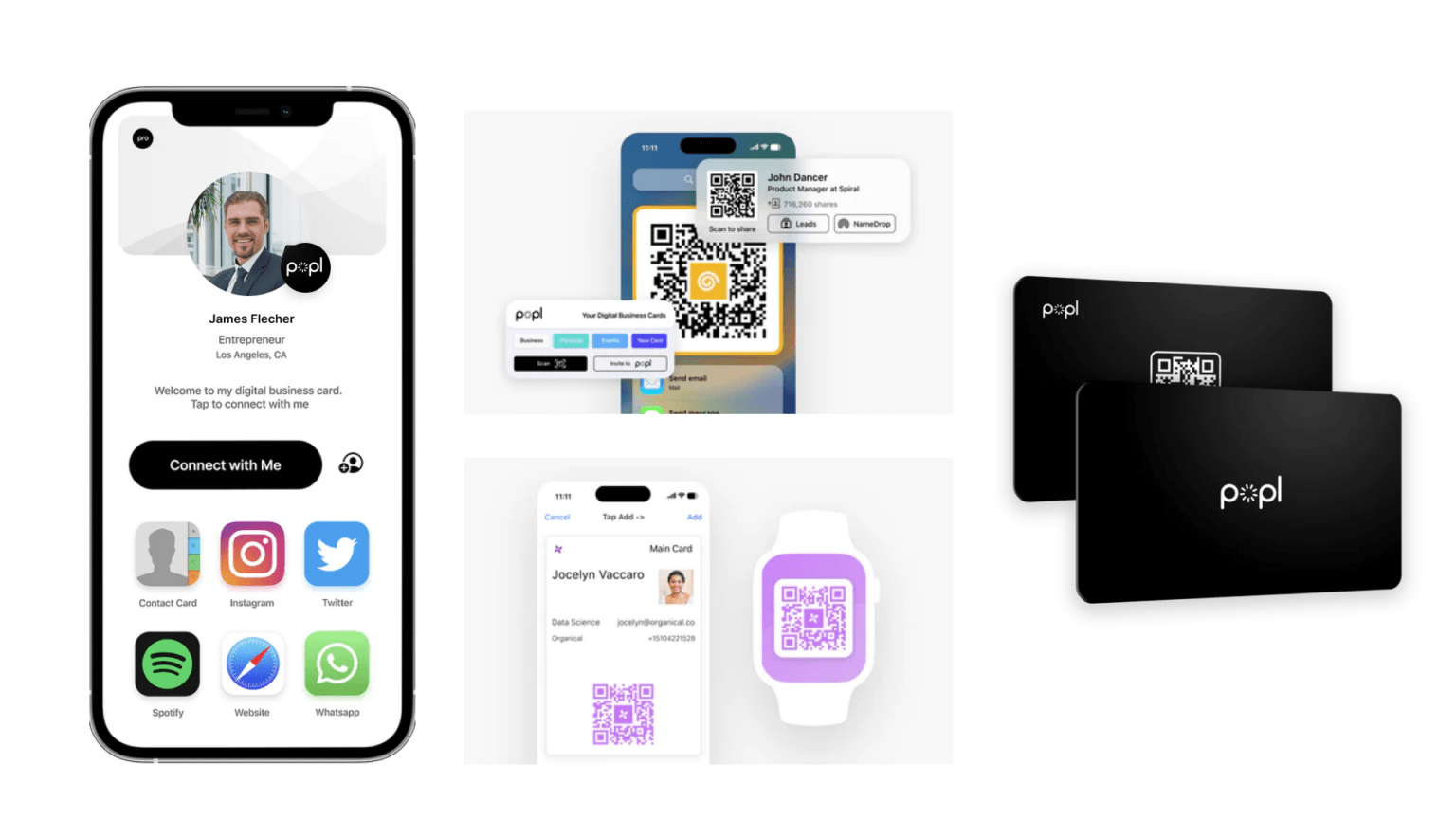
Popl can be hard to overlook when exploring various digital business card solutions. Usability, shareability, and integration–readiness are among the hallmarks of this platform. Let’s look at the standout features that set Popl apart.
1. A smooth and intuitive dashboard experience
With Popl, you get an easy-to-use dashboard that requires a minimal learning curve. You can create detailed digital business cards within minutes of signing up.
Its clean, consistent user interface ensures smooth card creation, management, and distribution, saving your team time and effort. While the two other platforms also improve usability, Popl takes this round.
Create digital business cards in 3 steps. Give Uniqode a try
Uniqode is supremely easy to navigate and requires no existing knowledge to create, manage, and share digital business cards.
1. Create custom digital business cards or QR Codes
2. Digitize your lead capture or contact-sharing efforts
Create a Card For Free
2. Share your card in more convenient ways
Popl provides various ways to share your digital business card virtually and in person.
Like Dot and Linq, it offers high-quality NFC cards (PVC or metal) for in-person sharing. But what makes these platforms convenient is that they let you share your contact card without a physical medium.
You can share your digital business card via QR Code and URL through various virtual channels such as social media and SMS. You also can send Popl’s cards to Apple Wallet Business Card or Google Wallet for contactless sharing.
Additionally, you get an e-signature creator to conveniently distribute your card via email (similar to Linq).
⚡Share your cards 100% digitally without an app. Give Uniqode a try
Neither you nor your prospects need an app to exchange contact details with Uniqode digital business cards. Create once and share in multiple ways.
1. Add cards as QR Codes on email signatures, Zoom, or Teams background
2. Share your e-business cards via Apple Wallet or Google Wallet
3. Update information on your card whenever required
Sign Up For a Free Card
3. Connect to various useful platforms
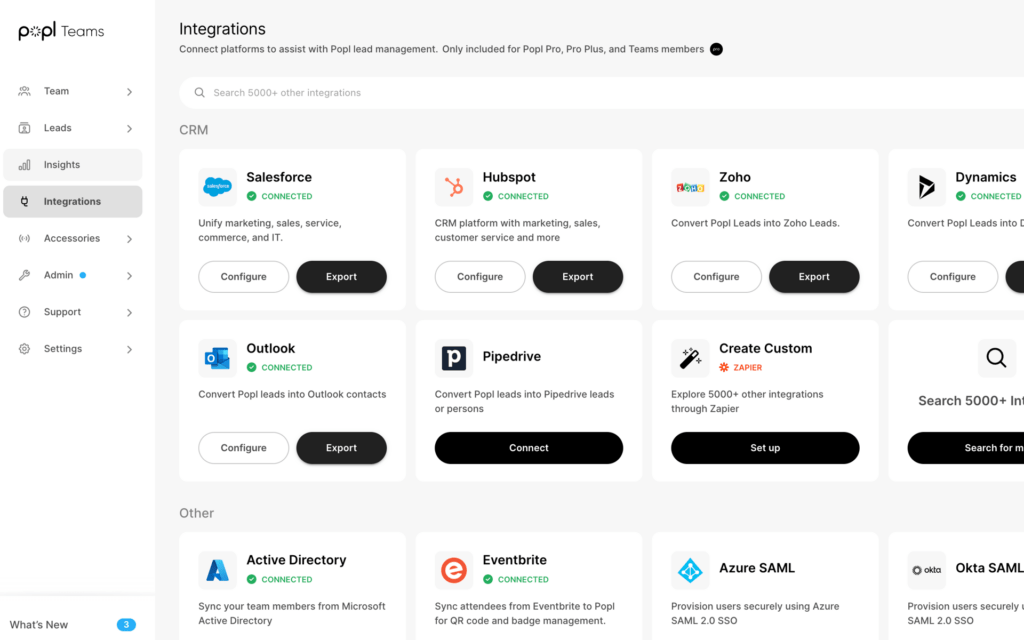
You can connect to many popular CRM and HRM tools directly or via Zapier (a no-code web automation tool) using Popl.
Direct integrations with Popl include Salesforce and HubSpot to export the leads you collect via your cards. You can also link your organization’s account to Microsoft Entra ID for automated card onboarding on this platform.
Popl provides direct APIs to select CRM platforms, but you can use Zapier to connect to hundreds of others. You can centralize your lead management and nurturing regardless of your organization’s favorite CRM software.
4. Safeguard your networking initiatives
Like many of today’s leading digital business card makers, Popl practices strong security measures. In addition to being GDPR compliant, Popl complies with SOC®2 Type 2 standards. It also offers strong data encryption, multi-factor authentication, and centralized card management.
🔐 What to look for in a secured digital business card? Ensure the safety of your networking initiatives with enterprise-grade security measures such as:
1. Central management and role-based access
2. Robust data encryption
3. GDPR and SOC 2® Type 1 and Type 2 compliance
4. Periodical security penetration testing
5. Multi-factor authentication
Get industry-leading data security for digital business cards (all mentioned above and more) with Uniqode.
LEARN MORE
Choose Popl if you
- Want to create cards quickly without a learning curve
- Need more options to share your card than NFC and QR Code
- Want good analytics that capture your networking performance
- Require comprehensive integrations and central management
- Need good data privacy and a compliant solution
- Require a white label digital business card solution for custom domains and platform branding.
Dot Cards: Effortless NFC-powered networking
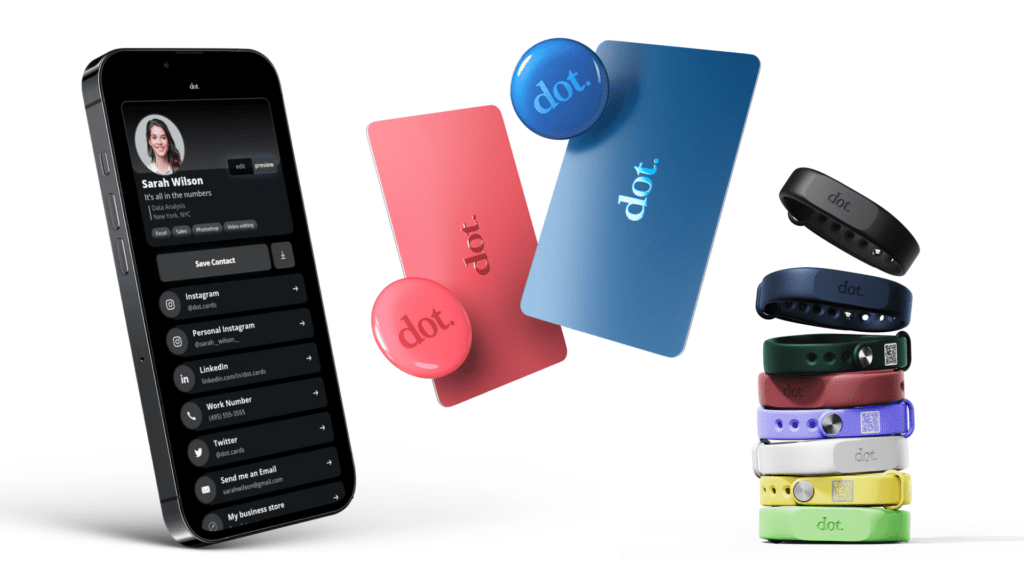
Dot has recently made a name for itself as one of today’s go-to NFC business card platforms.
Known as “dot.devices,” its NFC cards let you share your professional and contact information via a single tap with a recipient’s mobile device.
1. Get a wider selection of NFC business cards
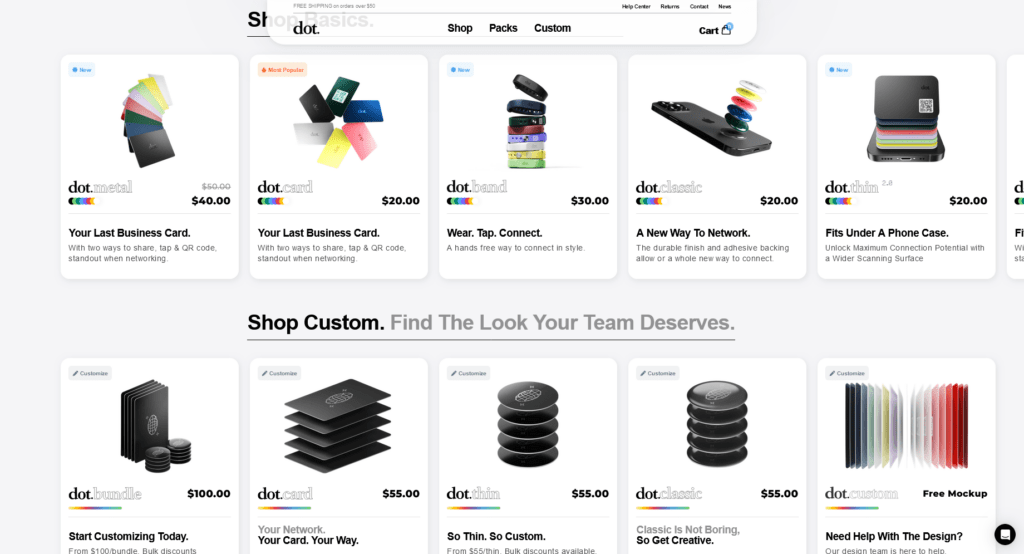
Dot stands out from other NFC platforms with its wider range of card materials and shapes.
You can craft physical cards from PVC, metal, or wood (the most premium choice).
Each material offers its own unique esthetic, texture, and durability. You can also get your card in a sleek circular shape.
🌲Save paper. Save time, money, and future While paper, PVC, and wooden cards remain prevalent, they often struggle to meet current demands for convenience, sustainability, and cost-effectiveness.
1. Physical cards restrict you to in-person sharing
2. Card printing causes seven million trees to be cut down annually
3. The average annual cost to print paper cards is $194/person
Overcome these drawbacks by going 100% digital with your networking. Opt for Uniqode’s digital business cards to make your networking initiatives paperless, sustainable, and ROI-driven.
Learn more: 6 Reasons Why 100% Digital Business Cards are Better Than NFCs
Sign Up For a Free Card
2. Customize your card to match your brand
With Dot, you can customize the appearance of your NFC card to match your branding design. While you also get this flexibility with Popl and Linq, Dot will create a free mockup to see your physical card’s appearance before you purchase.
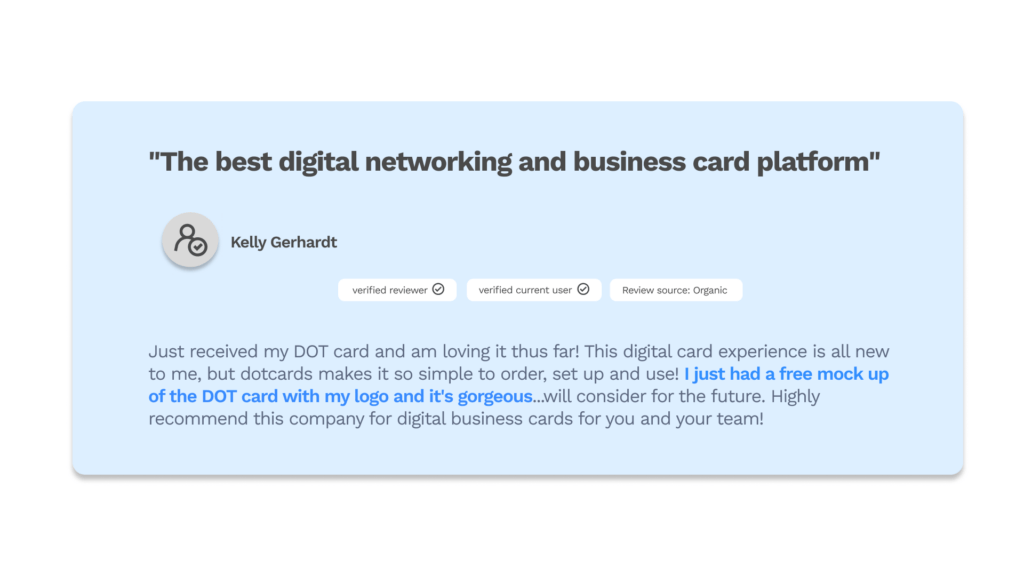
You can also tweak the virtual card that comes with your physical dot.device. Choose from different themes and icon styles, then tweak different color aspects. You can also add a variety of clickable social media icons that redirect viewers to your corresponding social profile.
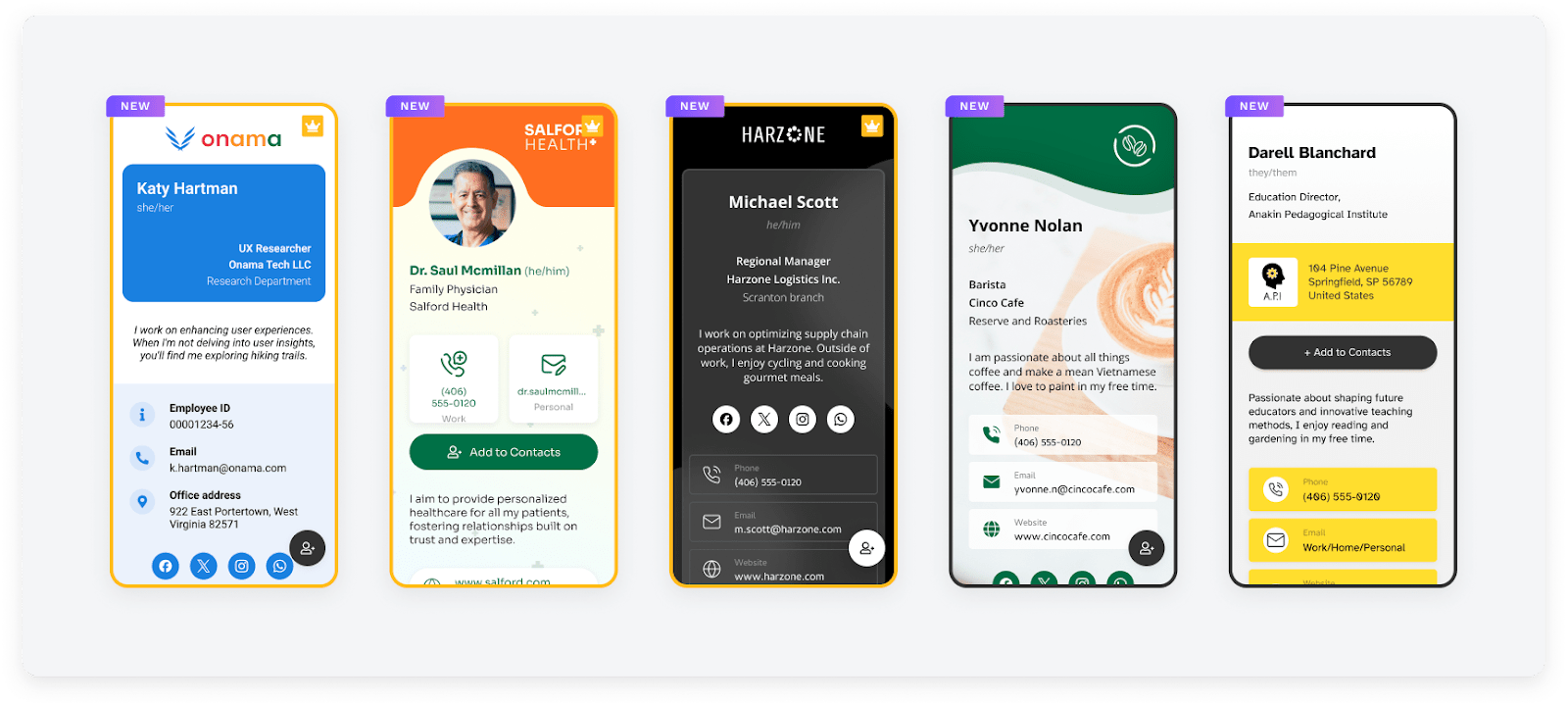
🌟Try new digital card templates, or design one from scratch. Give Uniqode a try
Pick from the newly-added card designs to get started. Or design your card from scratch.
Create a Card For Free
1. Tailor every detail of your digital business card to boost your brand value
2. Use pre-designed templates to simplify the process of creating stunning digital business cards
3. Customize your wallet passes to seamlessly showcase your brand’s personality
4. Add personalized labels for your contact details, ensuring clarity and a personal touch
5. Personalize your cards with custom fonts that align with your brand’s style
3. You don’t need an additional app
One of Dot Card’s most notable qualities (in our opinion) is that, unlike the other two solutions, it doesn’t make you rely on an app.
Being “no-app” makes this solution more accessible to a broader range of devices. It also simplifies card setup, and you can share your card immediately. In addition, Dot steers you clear of additional installations on your mobile device.
⭐ Choose Dot if you
- Want more options for your NFC business cards
- Focus on in-person networking but still want to share virtually
- Want to see precisely how your card designs will look before buying
- Prefer not to download an additional app
Linq: Doubles as a lead-generation tool and card performance tracker
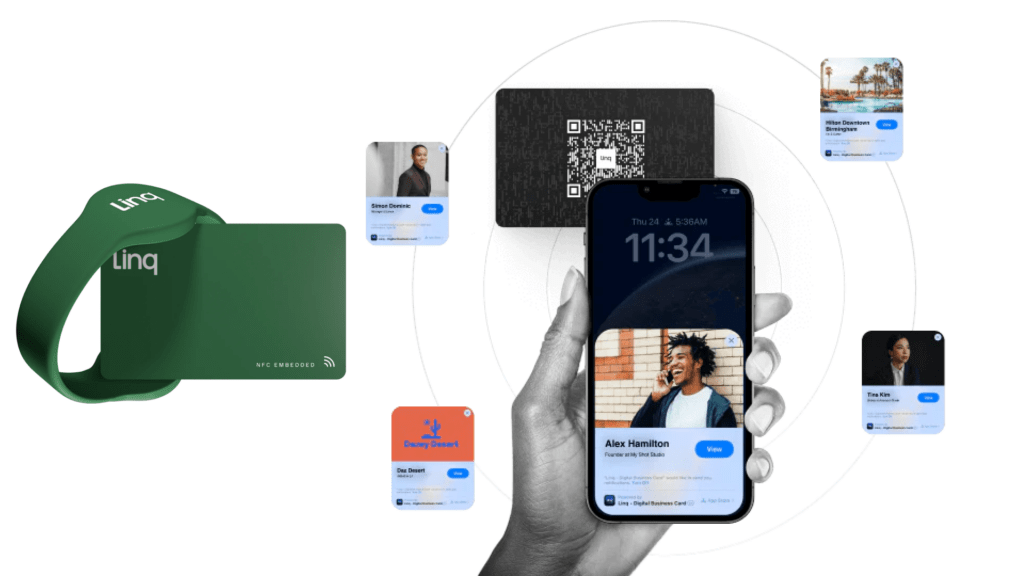
Wrapping up our comparison, we have Linq. This solution shares many similarities with Popl, including good integration capabilities, lead capture and management, and card analytics. Let’s take a closer look at Linq’s key features.
1. Efficiently collect and manage leads
Digital business cards double as practical lead-generation tools. And Linq offers one of the most extensive functionalities in this aspect.
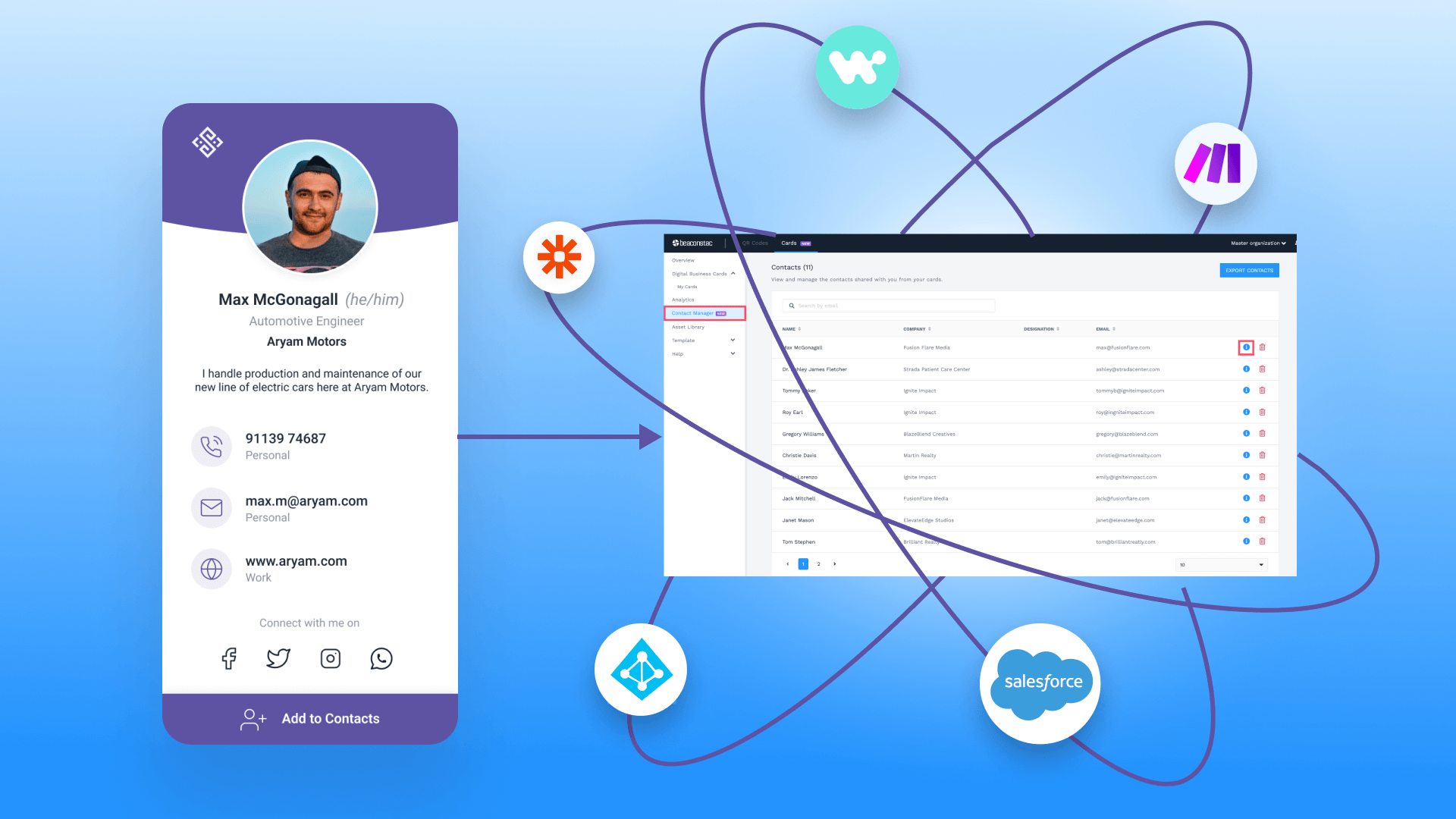
Upon viewing your card, recipients can tap a “Save Contact” button to submit their contact and professional details. These details are recorded in Linq’s contact list, which you can export to a CRM.
⚡Pro tip: Integrate natively with Salesforce and sync your contacts automatically. Check out Uniqode today!
Create a Card For Free
Also integrate with Zapier and connect with other CRMs- HubSpot, Pipedrive, Insightly, etc., to easily export and manage your contacts.
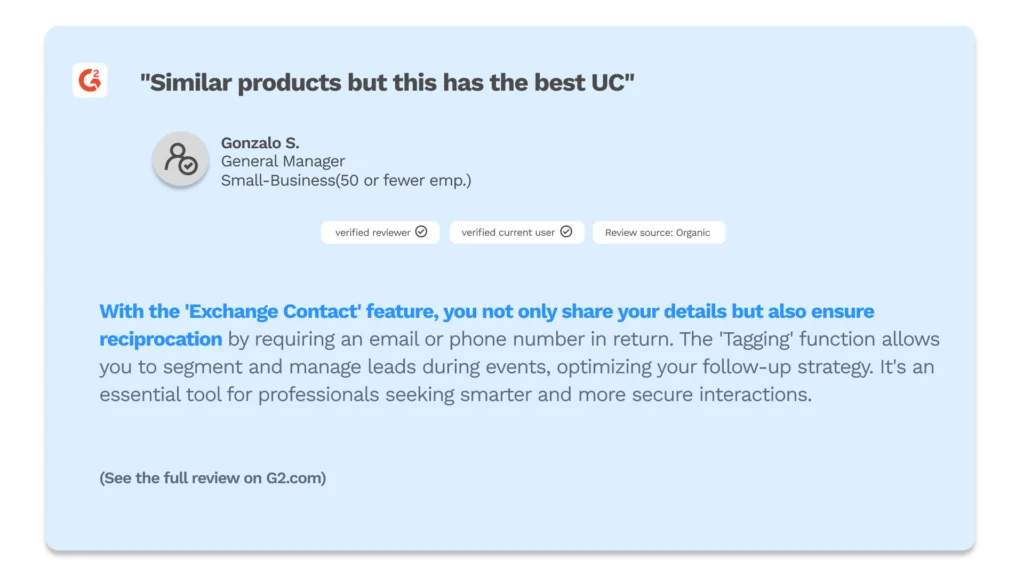
In addition, you can customize your lead capture form with Linq. You can also choose to have recipients share their contact information before saving yours.
2. Get insights to understand your card’s networking performance
With Linq, you can track various card engagement metrics to get a clear picture of your networking performance. Track essential metrics such as card views and link taps within different timeframes.
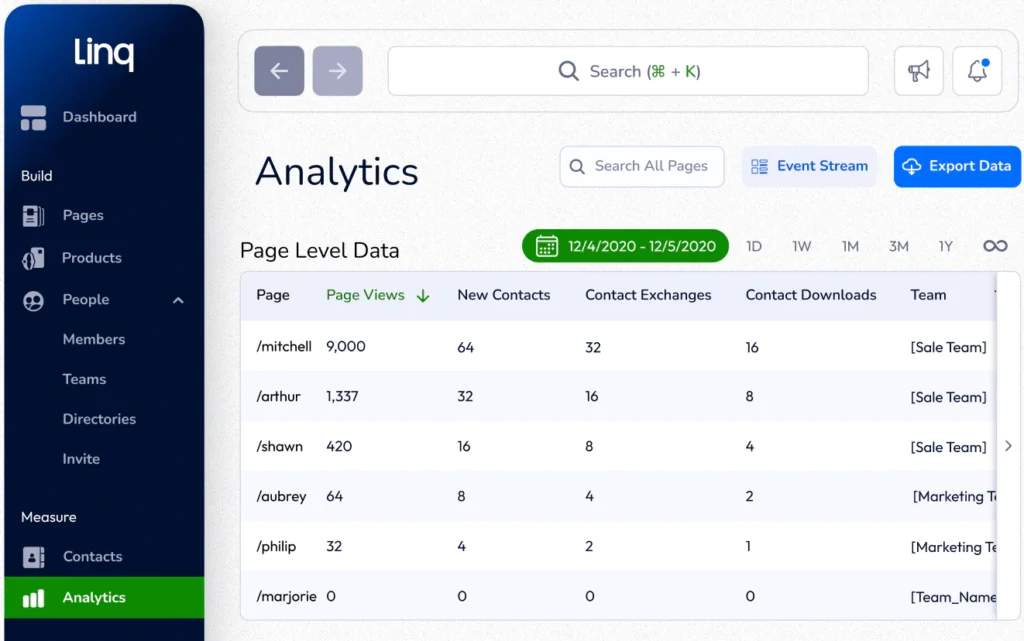
Of course, this functionality isn’t exclusive to Linq’s digital business cards. However, they do offer an advanced feature called “Click Level Analytics.” It gives you deeper insights into the performance of your digital business card’s contents, helping you pinpoint your card’s most engaging sections.
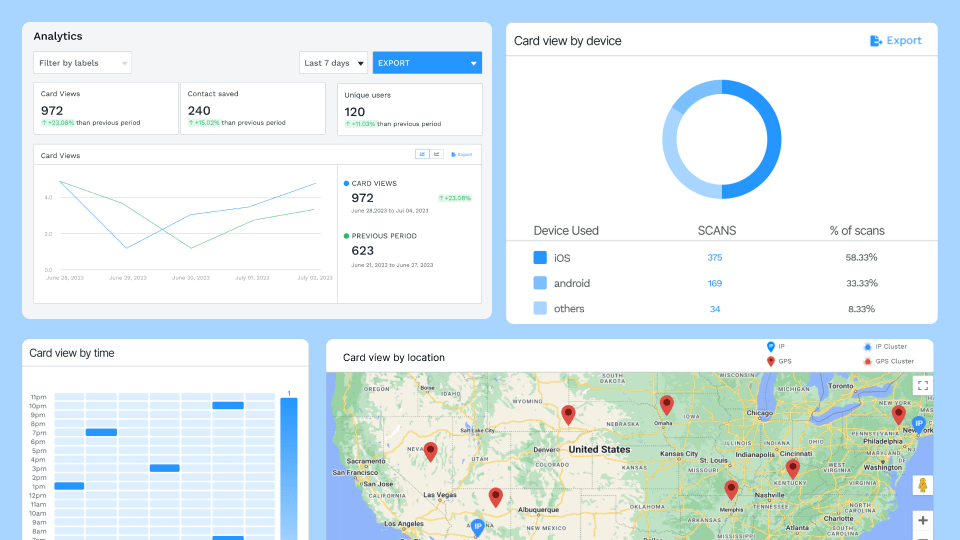
🔥 Want to track deeper metrics? Try Uniqode!
Create a Card For Free
Monitor various digital business card engagement metrics, such as:
- Card views
- Unique viewers
- Contact saves
- Card views by time and date
- Card views by location
- Card views by device
You can analyze your networking data with better precision by adjusting different timeframes.
3. Manage your team’s cards with good central management features
You also get good central management features with Linq to oversee your organization’s card-related activities better. In addition to the basics, such as assigning permissions and access, you can use an intuitive dashboard to bulk update your team’s cards and onboard new members individually.
⭐ Choose Linq if you
- Want your e-business cards to double as a lead capture tool
- Need more options to share your card than NFC and QR Code
- Want good analytics that capture your networking performance
- Require comprehensive integrations and central management
Popl vs. Dot vs. Linq: Which solution is best for your business
All three solutions offer features that can positively impact your networking efforts. And many of these features are present across all three platforms.
Ultimately, choosing the right solution comes down to your business’s requirements.
Are you an individual or business that prioritizes face-to-face networking and lead generation? Would you rather avoid downloading additional software? If so, Dot’s NFC business cards are more than enough for your needs.
However, you may consider other options if you plan on scaling. While Dot Cards provides customizations and analytics, it lacks direct API access and integrations.
If you’re a medium to large business (or one that’s looking to scale soon), we recommend choosing either Popl or Linq. These two platforms excel in lead collection, role-based access, card analytics, and integration.
But remember, while both solutions provide extensive functionalities, access to the exact tools you need costs a monthly subscription. At worst, you may have to opt for dynamic pricing.
For instance, you can only access Popl’s Azure AD and Zoho integrations by opting for its dynamic-priced Teams plan. This can get costly, depending on the size of your business. Nevertheless, the added features can be worthwhile in the long term.
🔥 Try Uniqode for secure & scalable digital business cards
Uniqode’s digital business card solution has everything you need to create, manage, and share e-business cards—at scale.
1. Centrally manage all cards within your organization
2. Share your e-business cards 100% digitally via wallet pass, QR Code, and URL
3. Collect warm leads and contacts with Two-Way Contact Sharing
4. Export your leads to your favorite CRM—directly or via Zapier
5. Customize your digital business card’s design to match your brand
6. Uniqode is big on security, with SSO, MFA, and SOC 2® Type 2 compliance
You can access all of these functionalities without downloading an additional app.
About the Author
Kritika is a Senior Content Marketer at Uniqode, where she helps readers navigate networking in a phygital world. She has over 4 years of experience in breaking down complex technology trends into practical insights for the SaaS domain. Her blogs talk about how businesses can opt for smarter and sustainable networking practices with digital business cards. When she’s not writing, you’ll probably find her baking something new or hanging out with her dog—who, by the way, has her own digital contact card too.
Related Posts
The 8 Best QR Tiger Alternatives in 2026
Uniqode Vs Scanova: Which QR Code Generator Should You Pick?
Uniqode vs QR Code Generator Pro
How Does the Google QR Code Generator Rank? Our In-Depth Review
SurveyMonkey QR Code vs Uniqode: A Complete Comparison