
How QR Codes Streamline Data Recording in Digital Sign-In Sheets
Use QR Code sign-in sheets for attendance tracking for real estate, education, corporate, and event management. Create one with Google Forms to enable effortless automation.
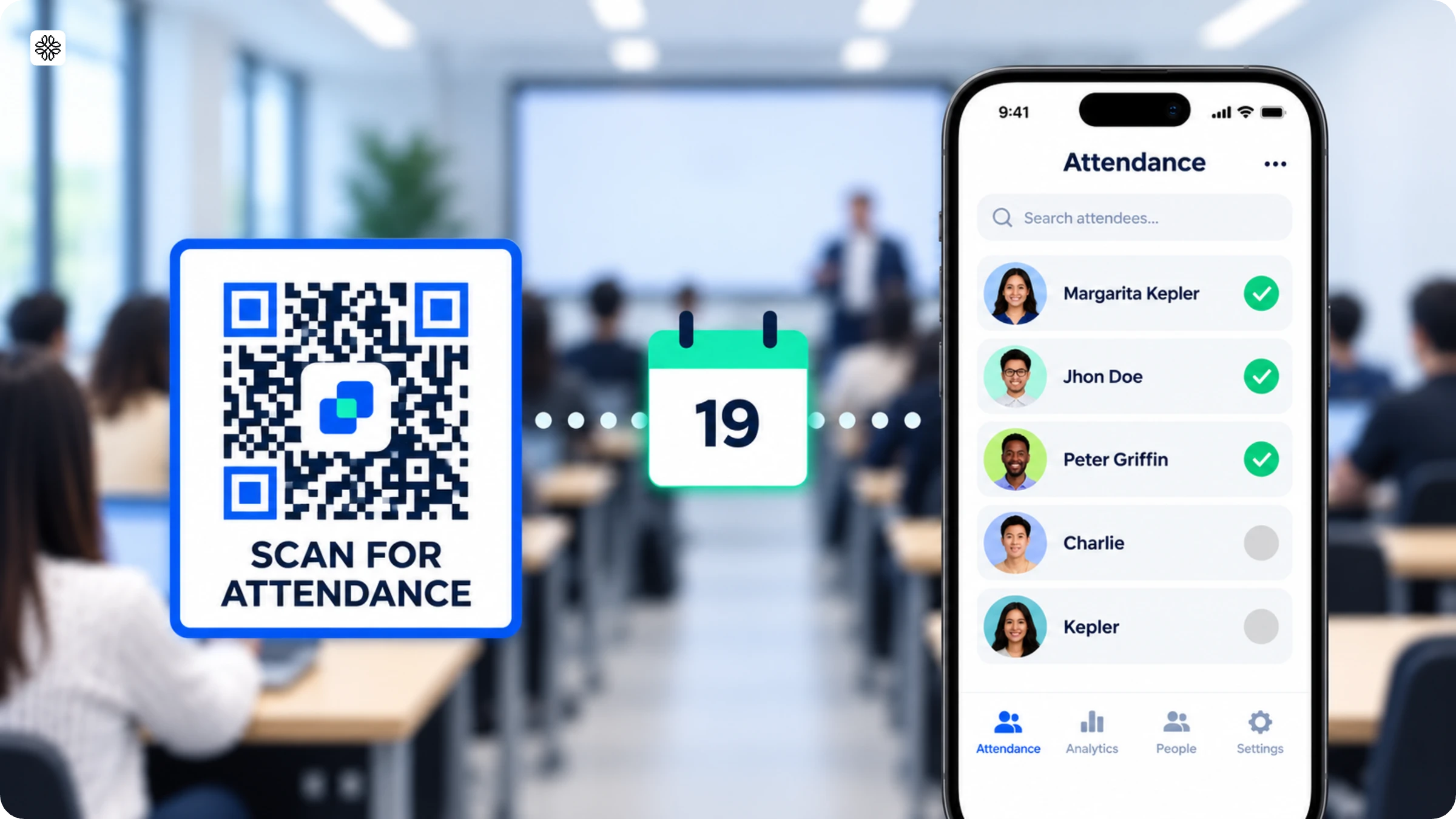
QR Codes streamline digital sign-in sheets by replacing manual, error-prone entry with a single scan. The result is accurate, real-time attendance data with no delays, no login errors, no duplicate entries. The scale of the problem makes this worth addressing: 33% of time-tracking systems in use today are outdated, and 45% of organizations still rely on paper sheets, with others split across phones, spreadsheets, and whiteboards. Every one of these methods produces slow check-ins, manual entry errors, duplicate records, and data that's stale the moment it's captured.
A QR Code sign-in sheet solves this by combining the simplicity of a physical touchpoint with the accuracy of digital data capture, making it the practical choice for corporate employee attendance, real estate open houses, event sign-ins, classroom attendance, and training sessions.
Build your QR Code sign-in sheet with Google Forms, and you unlock additional value:
- Customized sign-in sheets using Google Forms' full feature set
- Contactless sign-in that eliminates dependence on physical attendance assets
- A single scan that reduces errors and simplifies the entire check-in process
- Real-time attendance data is available instantly
- Data that's easy to manage, analyze, and export for reporting
Read on to learn how to build a QR Code sign-in sheet with Google Forms and why upgrading to a dynamic QR Code makes the system significantly more reliable.
What is a QR Code sign-in sheet?
A QR Code sign-in sheet is a digital way to record sign-ins and attendance for training, events, and other use cases. It trumps traditional attendance tracking solutions by making the process faster, simpler, and more efficient.
You can use a digital sign-in sheet with trackable QR Codes for various scenarios. Here are some of them:
- Employees: Record attendance, track work hours, liaise with payroll verifications, and align with legal compliance, including taxation regulations for remote workers, pay stubs generator, and any other relevant tax requirements.
- Real estate open house: Gather data from potential buyers of listed properties. Use it for lead generation, sales follow-up, and marketing communication.
- Educational and training programs: Record attendance for classes, training sessions, or programs, and monitor participation for compliance and reporting.
- Conferences and workshops: Streamline attendee check-ins, manage access, and collect feedback efficiently.
- Events and parties: Track guest attendance and ensure smooth check-ins for a seamless event experience.
- Healthcare settings: Record patient visits, manage staff attendance, and maintain compliance with regulatory requirements.
According to Uniqode's State of QR Codes 2026 report, 83% of consumers are willing to share data via QR Code when given a consent or opt-out option. For sign-in sheets, that willingness translates directly into higher completion rates than paper alternatives.
Download ready-to-use digital sign-in sheet templates
- Patient sign-in sheet template (PDF)
- Event sign-up sheet template (PDF)
- Student sign-in sheet template (PDF)
- Volunteer sign-up sheet template (PDF)
How to create a digital sign-in sheet with a QR Code for free?
Step 1: Create a sign-in form and copy the link
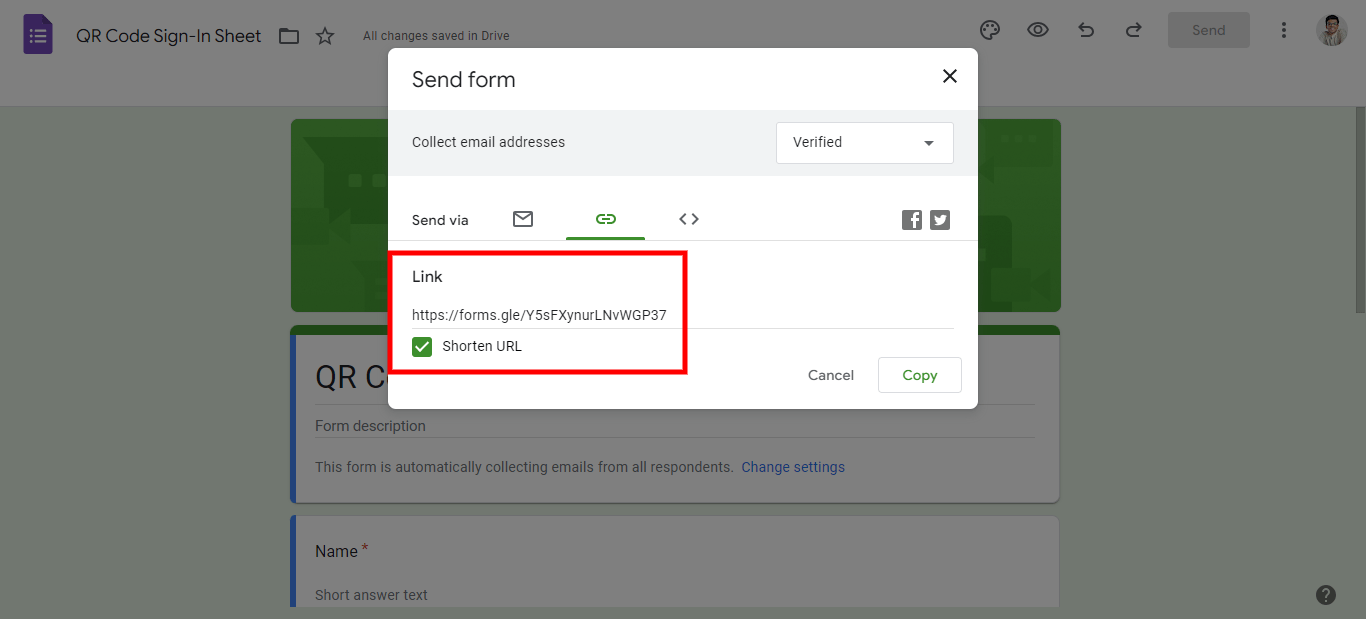
Go to Google Forms.
Click the blank form (a “+” icon) or choose a template.
Add the fields you need for your sign-in sheet (e.g., Name, Email, Time of Visit).
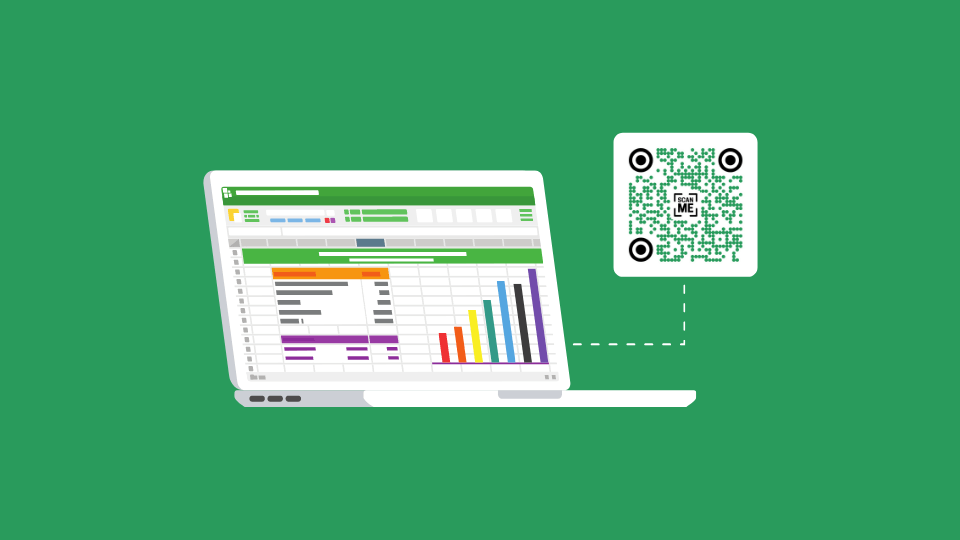
Click Publish to save your form, then go to the “Responses” tab and click “View in Sheets” to save data to a spreadsheet.
Copy the form’s URL by clicking the Link icon and selecting Copy Link.
📝Note: In this example, we are going ahead with a Google Form. You can use other third-party survey applications, such as a SurveyMonkey form, for QR Code registration.
Step 2: Open Uniqode’s free QR Code generator and paste the link
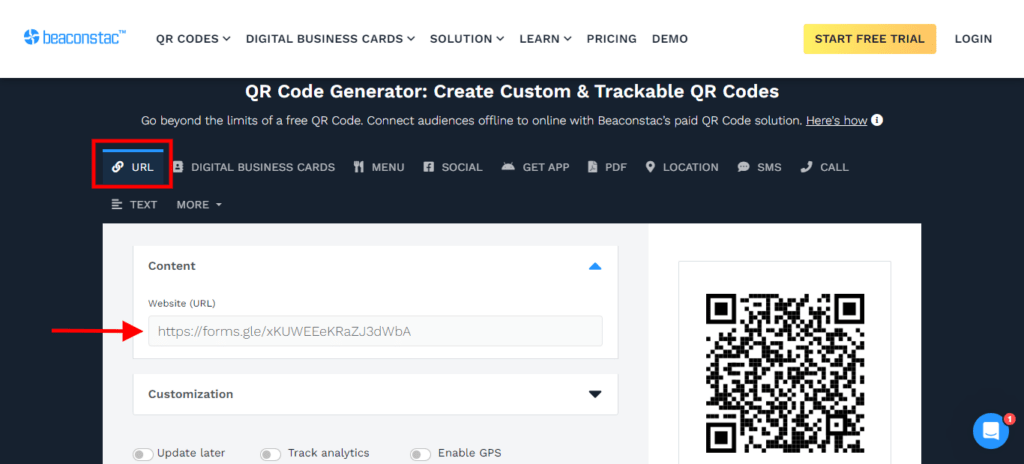
Head over to Uniqode’s free QR Code generator and paste the copied link.
💡 Pro tip: Unlock native templates for creating sign-in sheets by signing up for a 14-day free trial of the Uniqode platform.
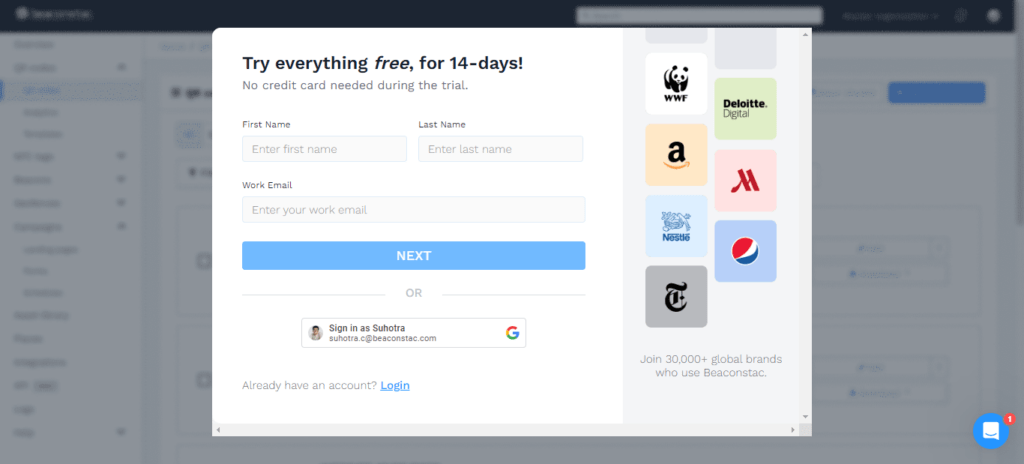
Why is this helpful? You can create on-brand QR Code sign-in sheets that your prospects will be able to associate with your organization.
The result: greater brand recognition and higher sign-ins.
Step 3: Customize your sign-in sheet QR Code design
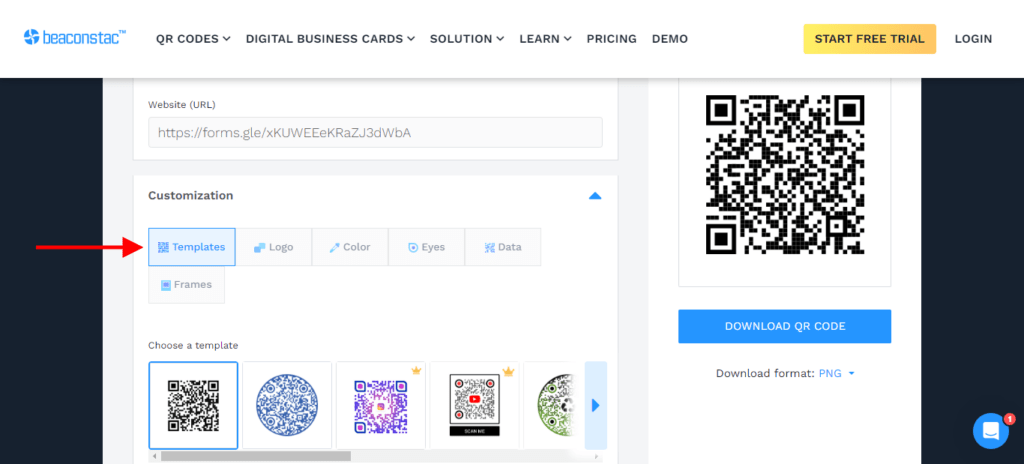
Customize the QR Code from the available options. You can experiment with template patterns and color palettes.
Step 4: Download your QR Code and deploy
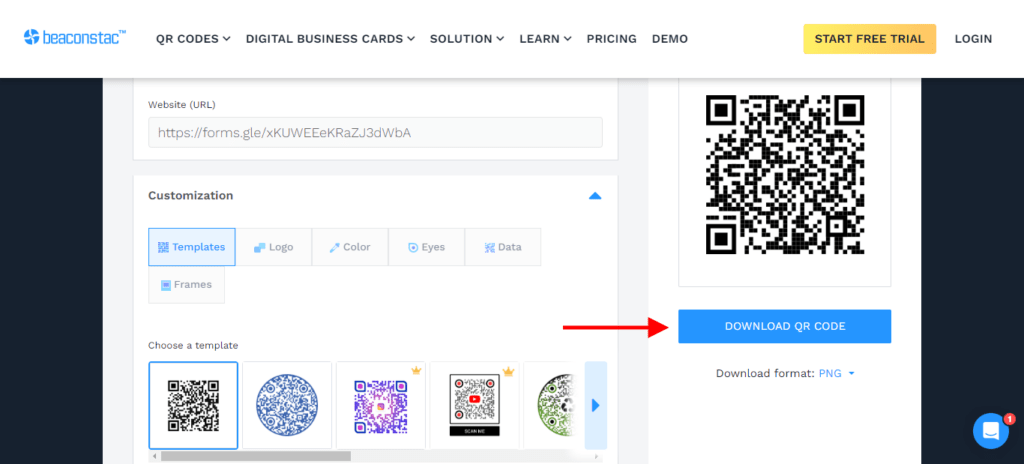
Once you’re done with your customizations, you can download your QR Code in PNG format. Deploy it on standees, banners, presenter slides, etc.
Why use dynamic QR Codes for a sign-in sheet?
As you keep using QR Codes for attendance tracking with Google Forms, you realize that to be more efficient, you’ll need to automate your QR Code sign-in sheet creation.
For this, you may need additional features with dynamic QR Codes. Especially upgrading from the limitations of Google Forms to creating in-house forms on the Uniqode dashboard.
Here are some of the features of dynamic QR Codes:
1. Data export
For attendance tracking, you’ll need to work with many tools. You’ll also need to integrate all of these to ensure an uninterrupted workflow.
Only dynamic QR Codes let you integrate the QR Code dashboard with third-party tools you already use. For instance, transfer the data into your existing attendance tracking system after recording attendance using QR Codes.
🔥 If you use Uniqode: You can integrate your attendance tracking tools with other third-party tools (more than 4,000). For example, by integrating your Uniqode dashboard with Zapier, you can export your data from the platform to other attendance tracking tools.
2. Multi-language sign-in
Another advantage of creating dynamic QR Codes is sharing your QR Code sign-in sheet with a global audience.
Users worldwide can view the QR Code in their native language. This will ensure better exposure and higher sign-in rates.
Read more: Know more about Uniqode’s multi-language feature here
3. Enable tracking and access deeper user data
By enabling the GPS of your sign-in sheet QR Codes, you’ll be able to track them. This way, you can access all scan details in a single dashboard.
You’ll access crucial data such as the devices used to scan, the time of scans, the location of the scan, etc.
Read more: Start tracking your QR Code sign-in sheets
4. Edit or change QR Codes
If you create static QR Codes with the free QR Code generator, you cannot use the same QR Code after changing the sign-in sheet. You’d have to create a sign-in sheet QR Code from scratch.
With dynamic QR Codes, you can edit your QR Codes easily (without any reprint) and add new sections to your sheet without changing the QR Code.
5. Add customizations
A QR Code sign-in sheet is an integral part of your organizational brand.
Creating on-brand digital sign-in sheets with QR Codes will boost brand recognition and recall. This is especially true if you’re a real estate business or an event management organization.
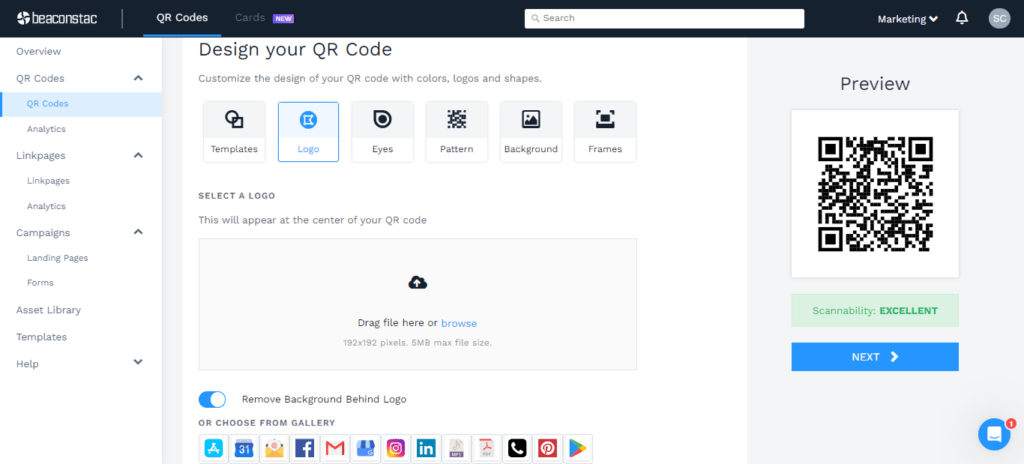
You can experiment with various branding options, such as adding a logo or specific brand colors.
🔥 If you use Uniqode: Go further and design your QR Code sign-in sheet from Uniqode’s range of templates.
Best practices of using QR Code sign-in sheet
Now that you know how to create a QR Code sign-in sheet and are aware of the advantages of creating dynamic QR Codes, let’s move ahead.
Before you start creating your QR Code campaigns, here are some best practices to keep in mind:
| Dos | Don'ts |
|---|---|
| QR Code size: Ensure a minimum of 1cm x 1cm QR Code dimension | Poor QR Code visibility: Don't position the QR Code in an unscannable spot |
| QR Code placement: Place the QR Code at crucial customer touchpoints | Low-resolution QR Code: Low-resolution QR Code is blurry, making it unscannable |
| QR Code CTA: Provide a clear CTA (call-to-action) | Bad QR Code design: Don't design a QR Code that merges into the rest of the creative |
| QR Code format: Download QR Code in high-resolution formats | Content relevance: Avoid incorrect QR Code redirection |
| QR Code logo: Add your logo to QR Code for brand recognition | Low QR Code error correction: Low QR Code error correction impacts QR Code durability |
| Test QR Code: Check QR Code functionality before distribution | Reduced QR Code quiet zone: Reduced white space around the QR Code hinders scannability |
Frequently Asked Questions
- Can QR Codes be used to track attendance?
QR Code sign-in sheets are ideal for attendance tracking. You can use them to track and record sign-ins and attendance for various industries, such as schools, training programs, events, and corporate offices.
- How do I create a QR Code for a sign-in sheet?
You can create a QR Code sign-in sheet in four steps:
- Copy the link to your survey QR Code
- Open Uniqode and paste the URL
- Customize your QR Code
- Download your QR Code
- Can Google Forms be used as a sign-in sheet?
Yes, you can use Google Forms to collect sign-in data such as names, emails, and other details and record them efficiently in Google Sheets.
- Can I customize the fields in a digital sign-in sheet?
You can customize the fields in a digital sign-in sheet on platforms like Google Forms by adding specific questions, dropdown menus, checkboxes, or text fields tailored to your requirements.
- What is a QR Code sign-in sheet?
A QR Code sign-in sheet is a digital attendance system where visitors or attendees scan a QR Code to access and complete a sign-in form on their smartphone. It replaces paper sheets with real-time, accurate digital data capture, no manual entry, no duplicate records.
- Are QR Code sign-in sheets free to create?
Yes you can create a basic QR Code sign-in sheet for free using Google Forms and a free static QR Code generator. For recurring events or locations where the form may change, a dynamic QR Code on a paid plan lets you update the destination without reprinting the code.
About the Author
Shashank - Enthusiastic about marketing and improving the ROI of businesses.

![How To Enable Two-Way Contact Sharing for Your Team’s Digital Business Cards [In a Single Click]](https://cdn.sanity.io/images/0aocp9sp/production/3e6bcec98606302ea6cca7d8369bf0ed6408f22e-1921x1080.jpg?w=3840&q=65&auto=format&fit=max)