How to Create a QR Code for Attendance Tracking (3 Simple Steps)
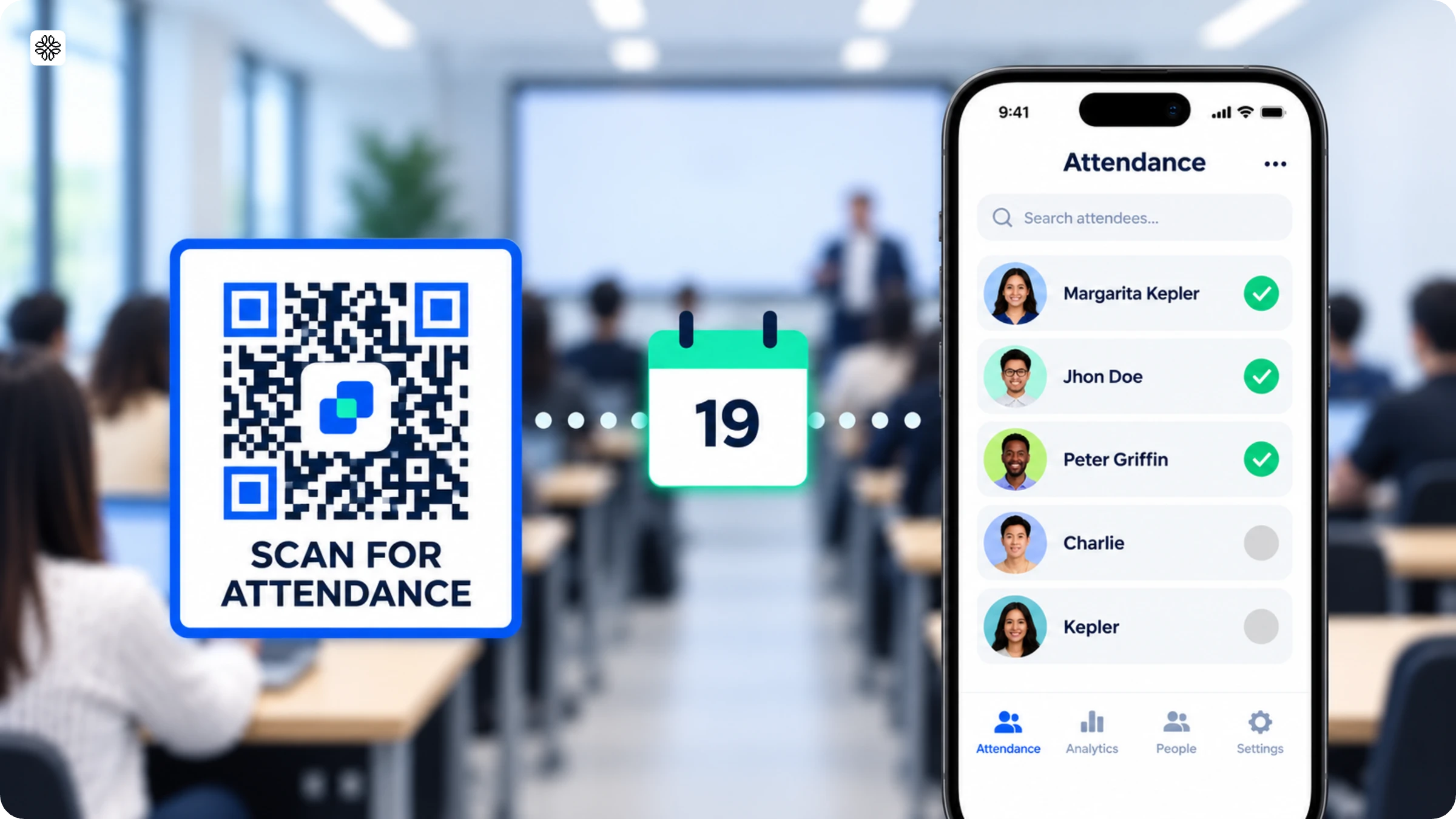
Attendance QR Codes turn a check-in process into a quick scan-and-go, no paper sign-in sheets required. This guide walks through setting one up in three simple steps: open the QR Code generator, add your attendance form's URL, and customize the design.
An attendance QR Code lets people check in by scanning instead of signing a paper sheet or filling out a form by hand. Creating a QR Code for attendance tracking takes less than a minute: generate the code, link it to your attendance form, and customize the design. This guide covers the exact steps, plus when it's worth upgrading to a dynamic QR Code for tracking and data export.
What is an attendance QR Code?
An attendance QR Code links a printed or displayed code to a digital check-in form. Instead of juggling sign-in sheets, you simply scan a printed or displayed code with your phone, and a digital form pops up instantly. Your name, time, and location are logged automatically; no extra steps needed.
At their core, most attendance QR Code systems follow a simple formula: a QR Code, a check-in form, and a timestamp for every scan. The real difference lies in what happens next. With a static QR Code, you get a single, unchanging form. But a dynamic QR Code system takes things up a notch as it can direct users to different forms based on the time, location, or event, and you can update the destination anytime, no need to reprint the code.
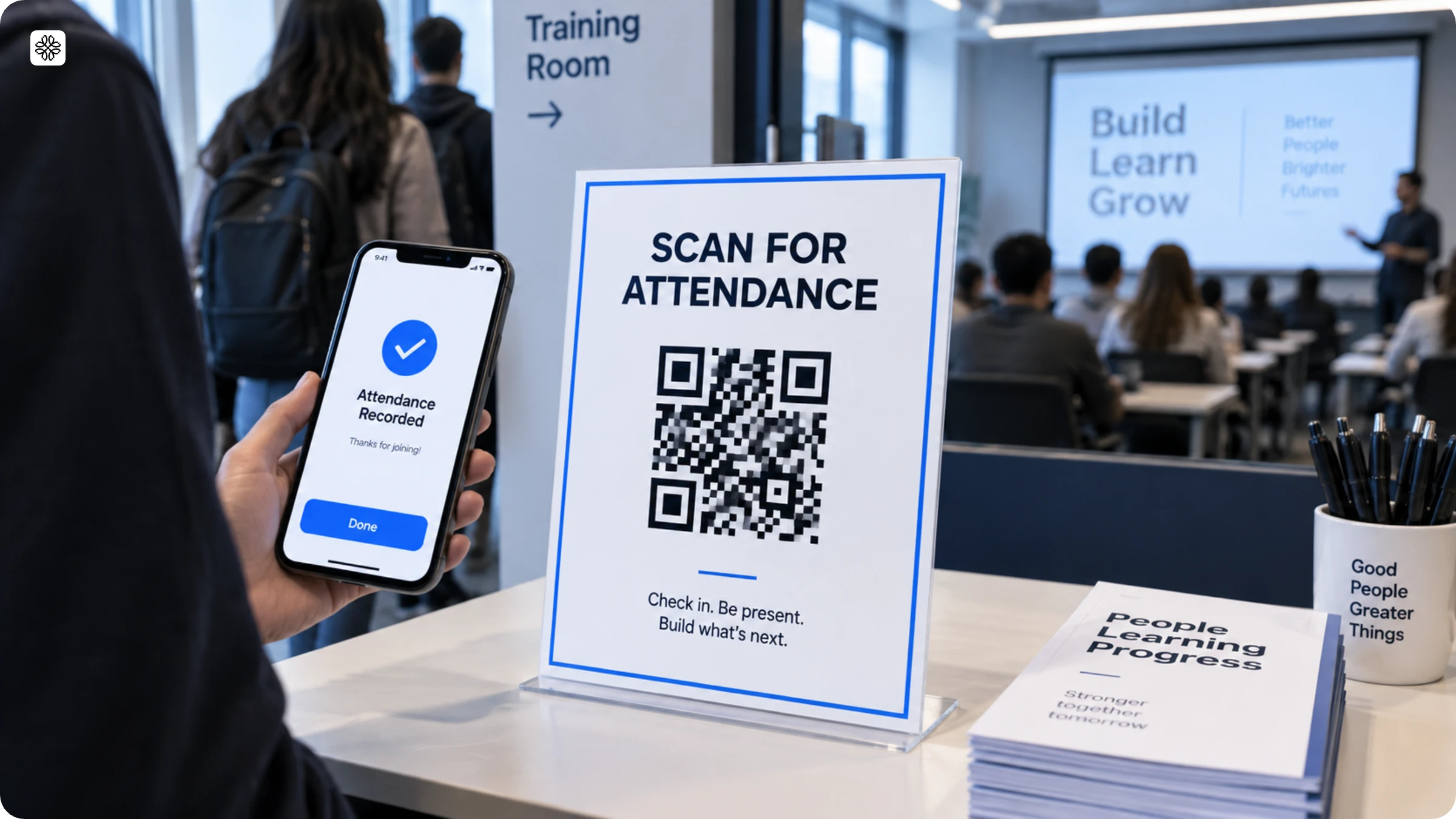
Teachers rely on them for daily classroom attendance. HR teams turn to them for seamless shift clock-ins. Event organizers use them to manage session check-ins at conferences, even when multiple tracks run at once. In every scenario, the QR Code steps in to do what paper once did—only faster and with less hassle.
How to create a QR Code for attendance
All you need to create a QR Code for attendance is the link to your attendance form and Uniqode’s QR Code generator.
Here’s how to create an attendance QR Code in three steps (detailed description below):
1. Open Uniqode’s QR Code generator
2. Input the URL of the attendance form
3. Customize and download the QR Code
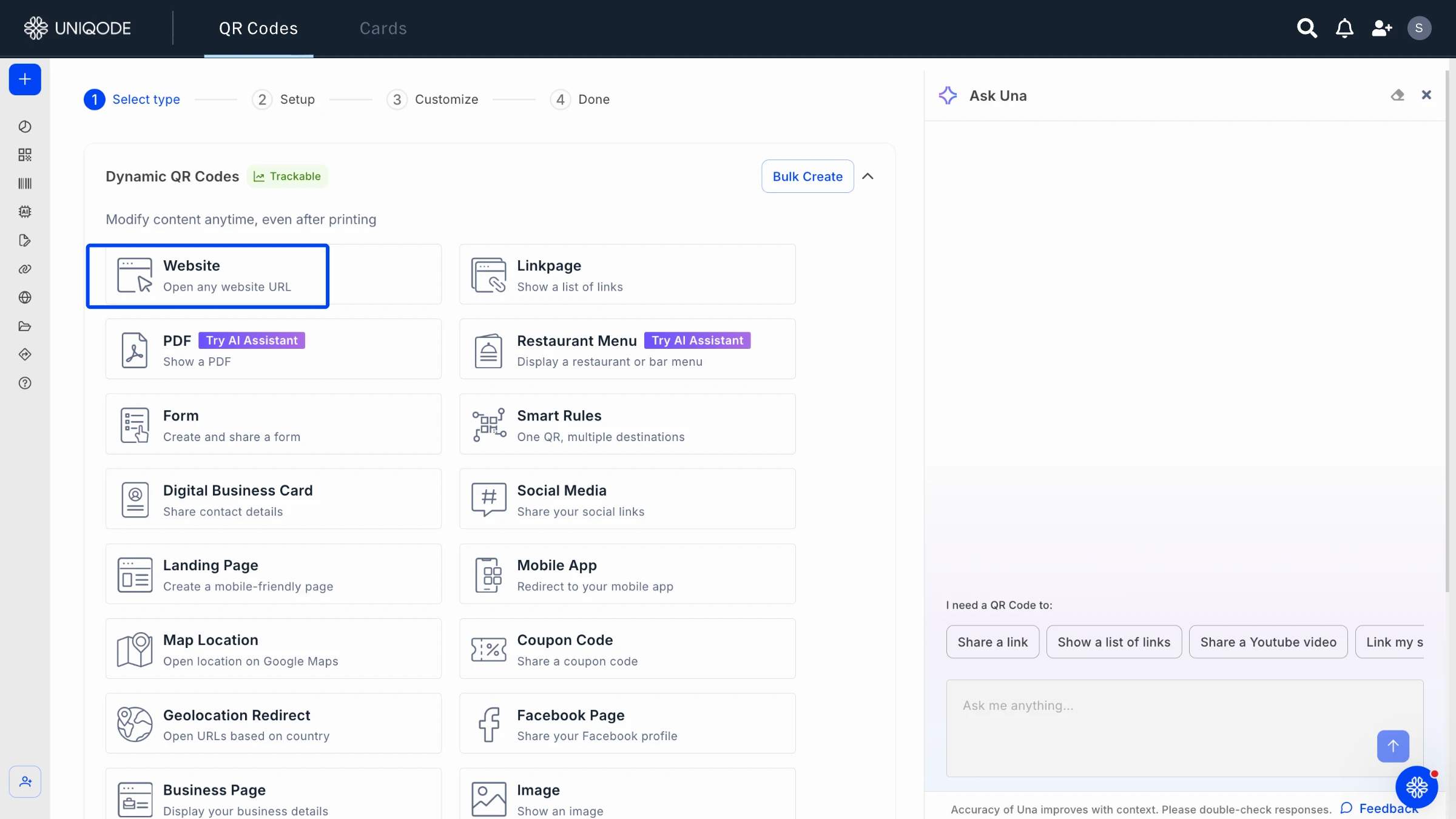
Step 1: Open Uniqode’s QR Code Generator and paste the attendance form link
You can easily create an attendance form using third-party survey applications. Copy the link to the attendance form and open Uniqode’s QR Code generator.
On our QR Code generator, the default setting is the URL option. Paste the link to the attendance form in the Website (URL) field below.
✏️ Note: Regardless of the third-party platform you choose, enable:
1. Sharing settings such that it’s accessible by all or within your target audience
2. Limit responses to one per person to avoid duplicate responses
Step 2: Customize and download the QR Code for attendance
Choose the template, background, pattern, and frame style to customize your attendance QR Code.
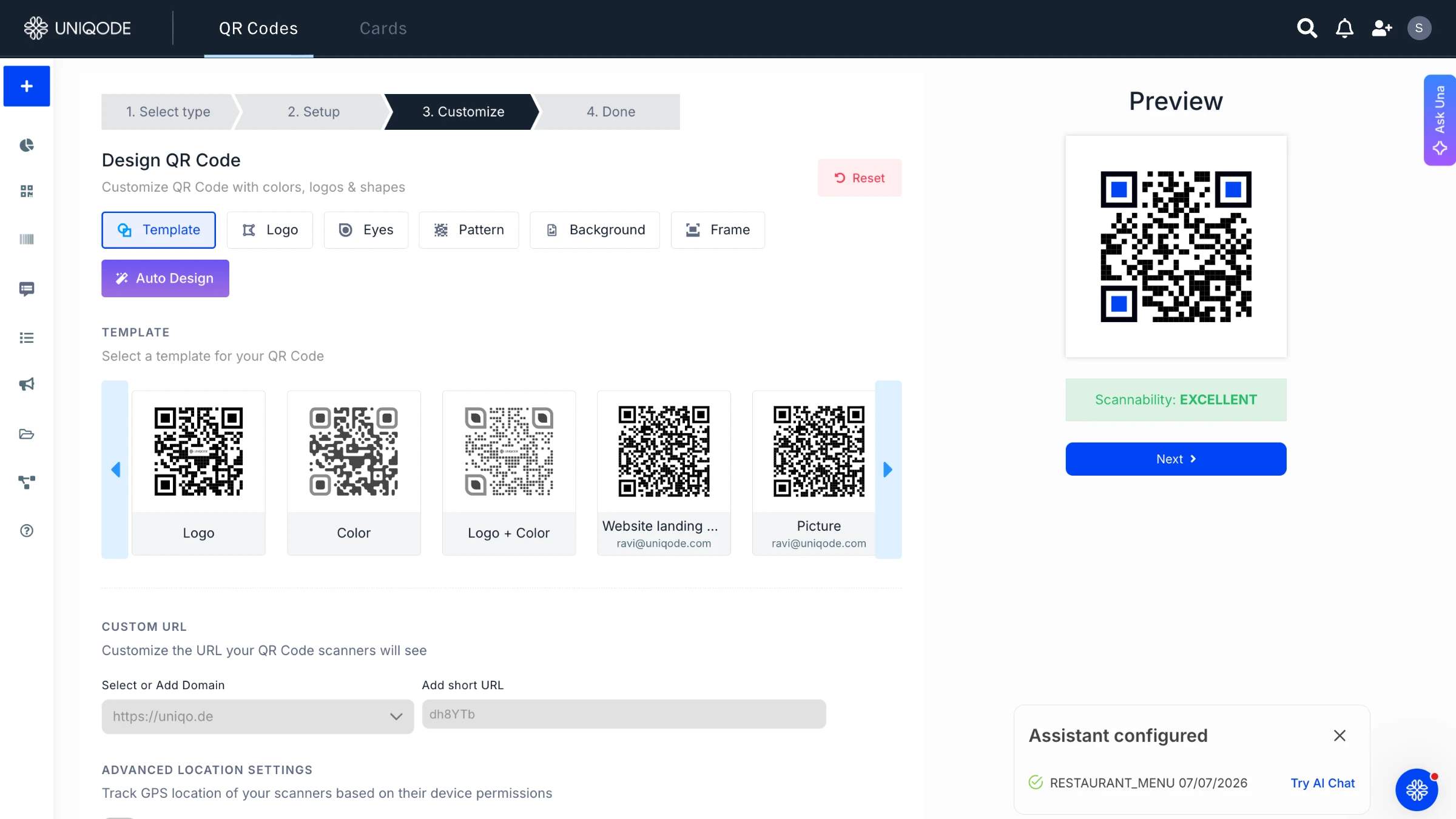
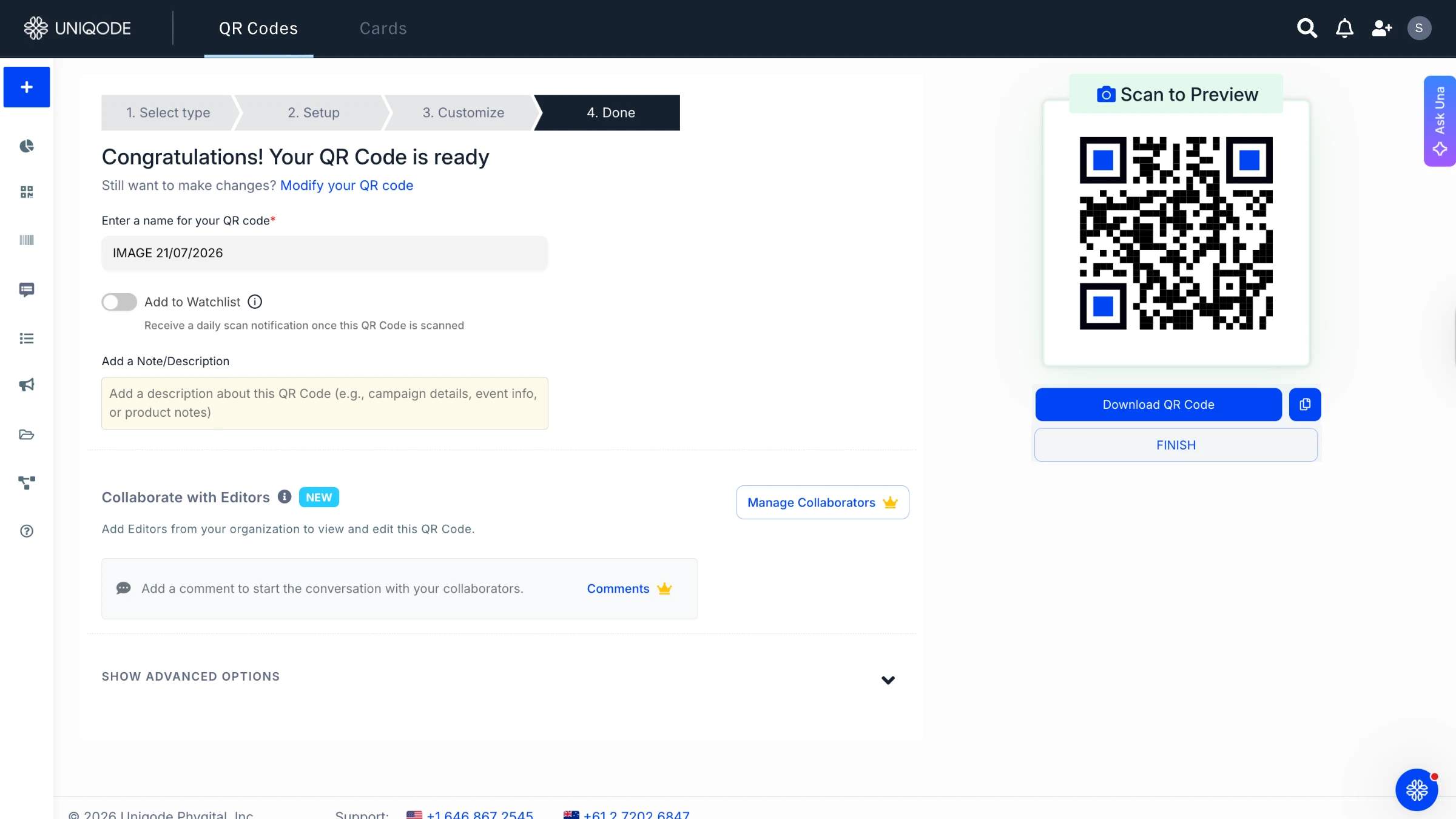
Download the QR Code in PNG format once your customizations are done.
After downloading, you can share your attendance QR Code in classrooms, workspaces, on flyers, etc., depending on your use case.
⚡Pro Tip: If you’re deploying the attendance QR Code in an educational or professional setting, customize it as per your organization’s logo, brand color,s and add a CTA such as “Scan for attendance”. This gives the audience a preview of what the QR Code leads to.
Why use QR Codes for attendance tracking?
Attendance tracking can be a tedious affair, especially when you rely on manual sign-ins. QR Codes, however, take away the two most time-consuming steps: waiting for everyone to sign in and then compiling the results later. With a simple scan, both tasks are handled instantly.
For a small group, a sign-in sheet might do the trick. But as your class grows, so do the challenges: messy handwriting, misplaced sheets, and the dreaded task of retyping everything into a spreadsheet. With QR Codes, you can skip the manual entry altogether, since every scan instantly creates a digital record.
It cuts check-in time at the door
A paper sheet forces one person to sign at a time, and the line backs up behind them. On the other hand, a QR Code lets everyone check in from their own phone at once, which matters most at events, shift changes, or any point where dozens of people arrive within a few minutes of each other.
It creates a timestamped record without extra work
Each scan records the time for you. There’s no need to write it down or remember to do it yourself. This helps with shift checks, compliance audits, and showing someone was present at a certain time.
It scales across locations without extra staff
A single QR Code attendance system can handle check-ins for ten classrooms or store locations at the same time. With a dynamic QR Code, each location’s scan can go to a different form, so you only need one code design for all locations.
It gives you attendance data you can actually use
A simple spreadsheet of names will tell you who attended. But with a QR Code system powered by analytics, you can instantly see when people arrive, how frequently they attend, and whether your attendance is on the rise or falling, all without the hassle of running a single pivot table.
Automate attendance tracking with dynamic QR Codes
Attendance tracking becomes significantly effortless with QR Codes. You can automate the process to a large extent.
With dynamic QR Codes, there is no need to manually save every form or struggle with exporting responses to the tool of your choice.
Your attendance setup is digitized, and you can:
- Export your data to different attendance tracking tools via the Zapier integration
- Obtain attendance from multiple locations and easily segregate data from a dashboard
- Access scan details on a single dashboard, such as the number of scans per day, by the hour, or from multiple locations, etc.
- Edit the current attendance form based on the class held, event, etc., without creating a new QR Code
By upgrading to dynamic QR Codes, you switch to digitized attendance and overcome the limits of a free attendance QR Code.
Best practices to create a QR Code for attendance
Deploying attendance QR Codes may be the last step, but ensuring that the QR Code is scannable at all times is essential. You can do so by following these best practices:
| Practice | What to do | Why it matters |
|---|---|---|
| Size it for the scanning distance | Use at least 2 by 2 inches for close-range scans (table tents, badges). Go larger for anything mounted higher or farther away, like a wall or a classroom door. | Undersized codes are the most common reason a scan fails at a distance. |
| Keep contrast high | Avoid light gray patterns on a white background, and never cover the three corner finder patterns with a logo. | Low contrast is the second most common reason a scan fails to register. |
| Test it on iOS and Android before printing | Scan the finished code with at least two different phones, in the lighting where it'll actually be used. | Camera apps read QR Codes differently across devices and lighting conditions. |
| Use a dynamic QR Code, not a static one | Choose a generator that lets you swap the destination after printing, not one that locks the form in at creation. | A broken link becomes a two-minute fix instead of a full reprint. |
| Label what the code is for | Add a short line of text next to the code, like "Scan to check in." | A bare QR Code with no context gets ignored; labeling it raises the odds people actually scan it. |
Create a QR Code for attendance with Uniqode
Creating a QR Code for attendance is a breeze with Uniqode. You can deploy it in classrooms or professional settings and obtain data seamlessly.
If you want to use it in the long term and go beyond just sharing, you can customize your attendance QR Code, edit it, and even export data onto the software tool of your choice.
This way, you bid adieu to manual logbooks and shift to a digitized attendance tracking system using QR Codes.
Want to use an attendance QR Code for your next use case? Try creating one on Uniqode!

Frequently Asked Questions
- How do I create a QR Code for attendance?
You can get a free QR Code for attendance in six simple steps:
1. Go to Google Forms, and create a form to record attendance
2. Open Uniqode’s QR Code generator
3. From the options, choose “URL” as the type of free QR Code, or if you want to go for dynamic, choose the free 14-day trial
4. Input the URL of the form and customize
5. Test and download the free attendance QR Code
6. Deploy and track attendance data
- Can you use a QR Code to take attendance?
You can easily create an online poll QR Code. Copy the poll link, visit our QR Code generator homepage, click “URL” as the campaign, paste the URL, customize, and download your QR Code.
- What should I look for in a QR Code generator for attendance?
Look for an attendance QR Code generator that creates dynamic codes, not just static ones, since a static code locked to a fixed form can't recover from a link change or a typo. Beyond that, prioritize a generator that logs scan data automatically rather than one that only produces an image file. An attendance QR Code generator without built-in tracking still leaves you copying data into a spreadsheet by hand.
- Do people need an app to scan an attendance QR Code?
No, people do not need an app to scan an attendance QR Code. Every modern smartphone camera reads QR Codes natively, on both iOS and Android. Point the camera at the code, tap the notification that appears, and the check-in form opens in the phone's default browser. No download, no login, no attendance app required.
- Can one QR Code handle attendance for multiple classes or shifts?
Yes, one QR Code can handle attendance for multiple classes or shifts, with a dynamic QR Code that uses conditional routing. Instead of printing a separate code for every class period or shift, one QR Code checks the time of the scan and sends the scanner to the matching form automatically, a morning shift form before noon, an evening shift form after.
- Can someone check in for a friend using a QR Code attendance system?
A basic QR Code attendance system can't stop that any more than a paper sign-in sheet can. What it can do is make the attempt visible: location-tagged scans show whether the check-in happened at the actual site, and a per-user scan limit flags a code scanned twice from the same device in a short window.
- Does attendance QR Code data update in real time?
Yes, attendance QR Code data updates in real time if the QR Code links to a system with a live dashboard rather than a static spreadsheet export. Each scan logs the moment it happens, so anyone watching the dashboard sees who checked in as it's happening instead of waiting for someone to compile a spreadsheet afterward.
- What happens if a QR Code for attendance tracking stops working mid-event?
A static QR Code can't be fixed without reprinting it. A dynamic QR Code can, since the destination lives on the server, not inside the code itself. If a form breaks or a link changes, updating the QR Code's destination from the dashboard fixes every printed copy at once, no new code, no reprint.
- Can I download or export attendance data collected through a QR Code?
Yes, you can download or export attendance data collected through a QR Code. Most QR Code attendance systems export scan data as CSV or PDF for reporting, payroll, or compliance records. Uniqode's dashboard adds scheduled reports on top of manual export, so attendance data lands in an inbox daily, weekly, or monthly without anyone remembering to pull it.
About the Author
Shashank - Enthusiastic about marketing and improving the ROI of businesses.