QR Code Check-In: How to Build a System That Works Past the First Event

Long wait times can negatively impact your customers experience. Use QR Code for check-in to cut long queues at hotels, events and offices. Read on to learn the advantages of using a check-in QR Code.
A QR Code check-in system is a simple way to track attendance. When someone enters, they scan a unique code, and the system logs who arrived, when they did, and which event or session they attended. Unlike using a single printed code just once, a proper check-in system links each scan to a specific event. This means you can reuse the same code for different dates or locations, and your records stay clear and organized.
The first time you try QR Code check-in, it feels effortless: print a code, place it by the entrance, and watch as hundreds of people check in smoothly. It is quick, free, and seems foolproof.
But things get tricky the second time around. The code still works, but suddenly, your data is a mess. According to Uniqode’s State of QR Codes 2026 survey of 524 U.S. marketers, the biggest challenges are fragmented tracking (33%), duplicate codes (28%), and integration gaps (24%). These are the main hurdles when trying to scale up a QR Code program.
The real challenge with check-in is not about printing or hardware. It is a tracking issue that only appears after your first successful run. Since check-in scans and attendance records are logged together, teams using QR Code attendance tracking often face this problem early on. In this guide, we will look at what a check-in system is, three ways to set one up, how to choose between static and dynamic codes, security tips, troubleshooting advice, six industries using this system, and answers to eleven common questions.
What is a QR Code check-in system?
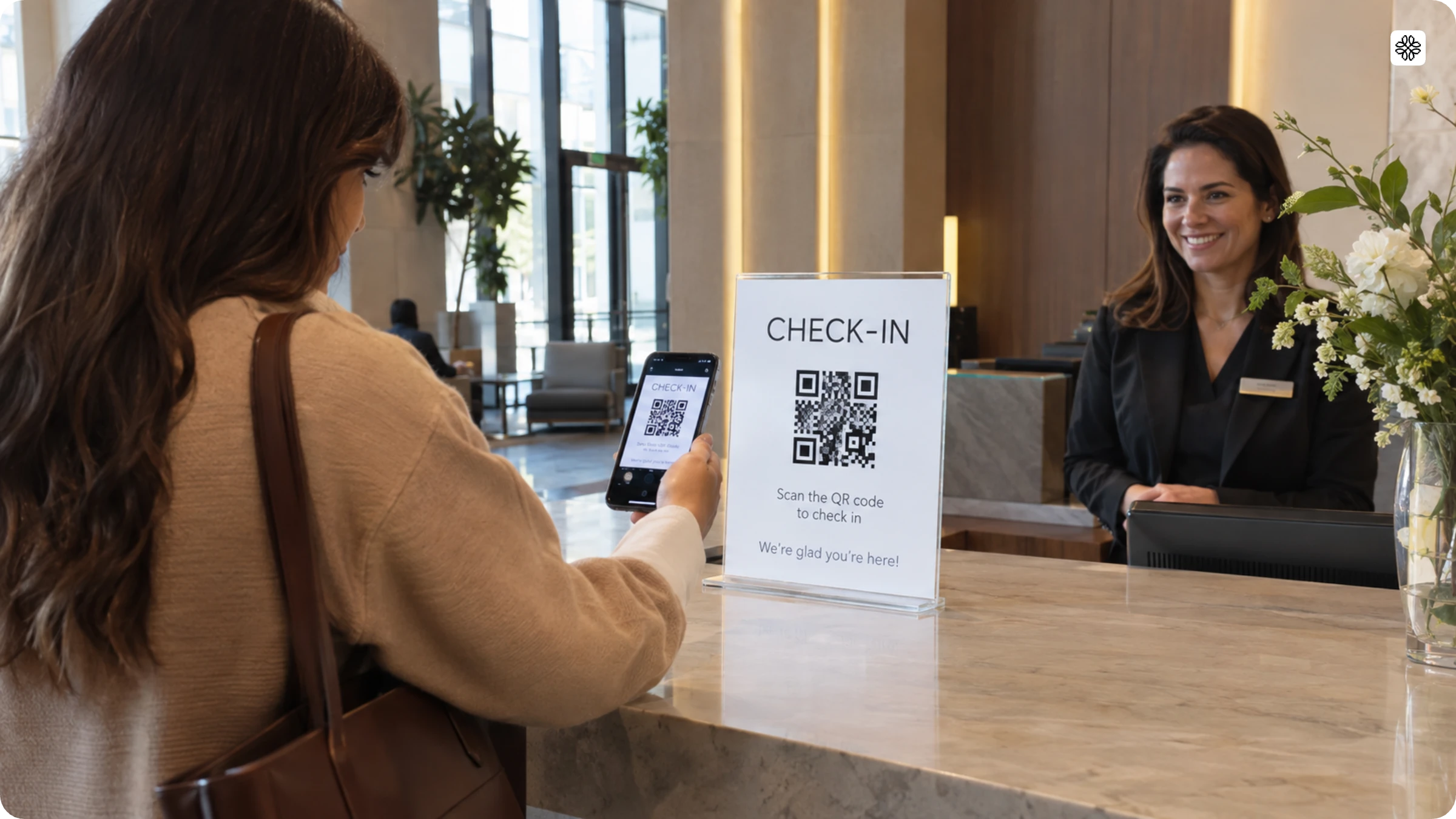
A QR Code check-in system is a workflow that verifies and logs a person’s arrival the moment they scan a code at an entrance. This simple workflow has three key parts: the scannable code itself, a destination that identifies the person (such as a form, a ticket record, or a check-in page), and a scan log that captures the exact time they arrive.
From the attendee’s perspective, this is what we call contactless check-in. No more paper lists, no shared pens, and certainly no staff member typing names into a laptop while a long line forms. Today, this seamless experience is the new standard at conferences, clinics, and front desks everywhere.
How to create a QR Code for check-in
Creating a QR Code for check-in is easy and quick on Uniqode’s QR Code generator. There are three different kinds of QR Codes you can leverage for check-ins:
Let’s take a closer look at each type and know how to set them up.
Website QR Code
If you already have a website-based check-in system and want to embed the same into a QR Code, you can do so in six easy steps:
You can also customize the website QR Code and match it with your brand design. Why?
Because your audience is more likely to scan a branded QR Code that looks familiar, and it also helps you improve brand recall.
Forms QR Code
If you don’t have a website that enables check-in, use Uniqode’s QR Code form.
You can create one in a few steps (Less than 5 minutes).
You can choose from over 20 ready-to-use form templates or create a customized online QR Code check-in form on Uniqode’s dashboard.
Google Forms QR Code
For those using Google Forms in the check-in process, integrating them with QR Codes facilitates guest check-in within minutes.
Here’s how to create a Google Form QR Code in 7 easy steps.
Google Forms’ ease of collecting data, backed by a QR Code generator, can help you significantly improve the guest experience and boost revenue.
Implementing QR Code check-ins: Step-by-step guide
Once you’ve created your QR Codes, the next crucial step is to ensure your check-in system is ready for smooth execution. This guide outlines how to implement QR Code check-in for your event:
1. Set up check-in kiosks or counters
- Designate areas at your event entrance for check-in
- Ensure these stations are marked with instructions for attendees on how to use the QR Code system
2. Prepare QR Code
- Print contactless check-in QR Codes in high-quality formats
- Equip each station with a screen prominently displaying the QR Code. You can also print the codes and display them on posters
- Attendees use their phone cameras or a QR Code reader app to scan the code.
- Scanning redirects them to the appropriate check-in page, whether a form or a website.
3. Redirect to check-in options
Once scanned, the QR Code will guide attendees to one of two options:
a. Check-in website: Attendees can access detailed event information on the website, including schedules and key highlights. You can also add an integrated form on the same page, allowing them to fill it out and complete their check-in process quickly.
💡 Pro tip: If you’re a small business without a website, use Uniqode’s mobile-optimized Linkpage maker to create a custom, on-brand page in minutes.
Share it via QR Code and update details in real-time—your QR Code will automatically reflect any changes. You can make one from scratch or use one of our existing templates.
b. Online check-in form: The QR Code can guide attendees directly to an online form, where they can easily input their details for quick and hassle-free check-in.
4. Monitor check-in progress
- Use Uniqode’s dashboard (or your custom system) to monitor attendee check-ins.
- The platform will provide real-time data, including the number of completed check-ins and pending entries.
- Staff can access attendee information instantly, reducing the chance of duplicate entries, frauds, or errors.
5. Provide on-site support
- Station staff near the kiosks to assist attendees unfamiliar with QR Codes or troubleshoot any technical issues.
- Ensure backup devices or printed forms are available for network or device failures.
💡 Pro tip: Place QR Codes at exit points to guide attendees to surveys or Google Reviews.
This helps:
- Collect valuable feedback directly from attendees while the event is fresh in their minds.
- Increase Google Reviews to boost your event’s reputation and credibility.
- Identify areas for improvement to deliver a better experience at future events.
Encourage engagement with a simple, fast, and convenient feedback method.
Create QR Code
Benefits of using event check-in QR Codes
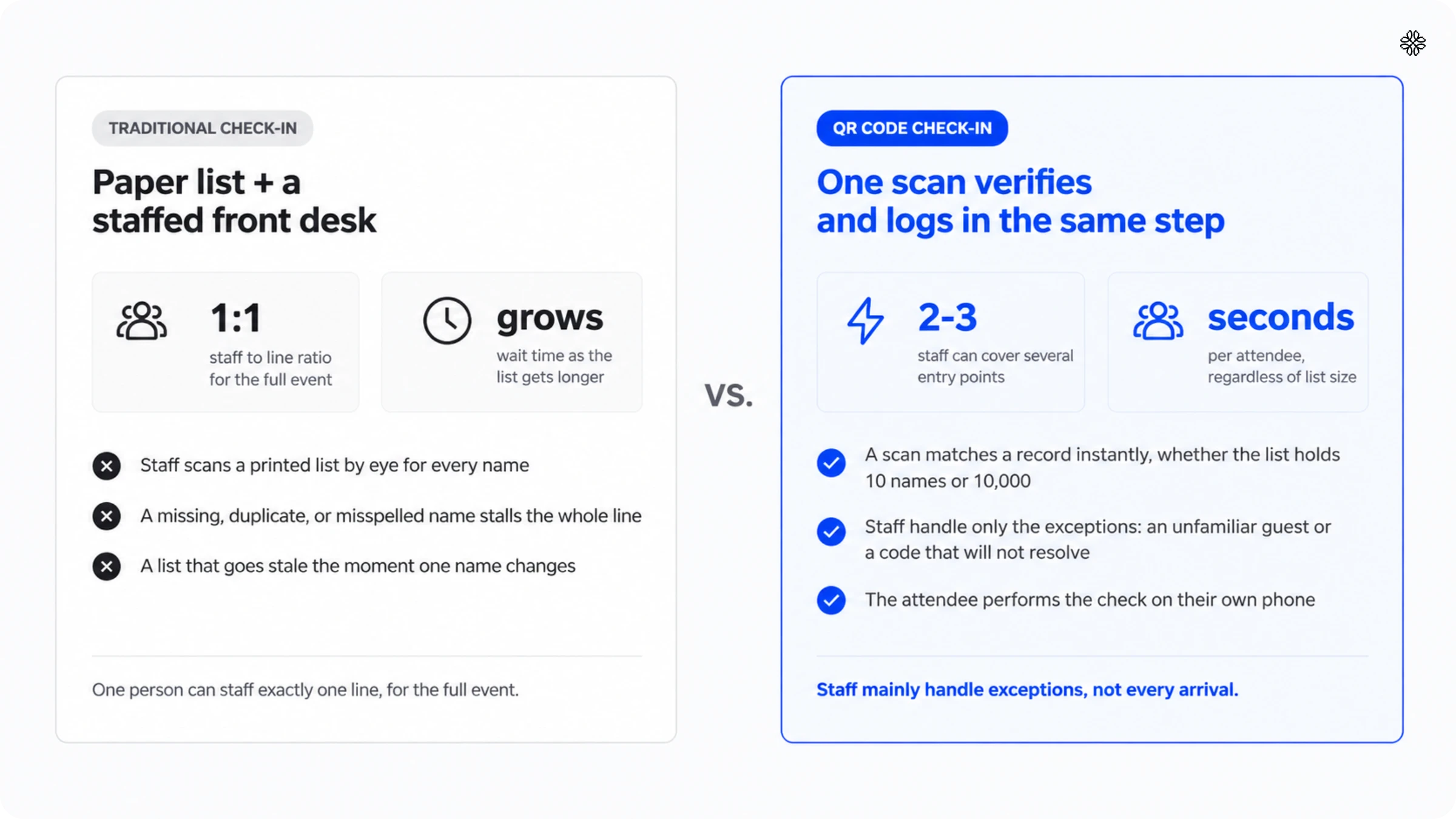
Wait times can make or break guest experience in most businesses. When it comes to check-ins, QR Codes can expedite the process and enhance it in many ways:
1. Improve customer check-in experience
QR Codes simplify event check-ins, requiring form submissions, payments, or other actions, enhancing the customer experience.
Instead of asking attendees to manually enter a URL—which can lead to typos and delays—a quick scan takes them directly to the correct page. Guests can effortlessly fill out forms, make payments, or complete pre-check requirements.
Additionally, QR Codes don’t require any special apps or extra equipment. Guests can instantly scan and access resources using their mobile device’s camera.
This means shorter lines, faster check-ins, and happier attendees ready to enjoy your event.
2. Safe, secure, and contactless operations
During the pandemic, contactless solutions became essential and have remained a priority.
By 2021, businesses and events embraced QR Codes to reduce shared touchpoints such as pens, paper forms, and kiosks. Since then, QR Code creation has surged 4x between 2021 and 2024.
Guests can check in using only their phones, enhancing safety and peace of mind. This builds trust with attendees who prioritize hygiene and safety.
3. Lead generation and effective marketing
QR Codes aren’t just for check-ins—they create opportunities to gather feedback and generate leads.
When attendees scan a QR Code, they can be directed to forms that collect valuable data, helping organizers retarget customers and promote future events. It’s a great way to improve retention; one in four people interacting with follow-up efforts such as these will return to a website later.
QR Codes also allow businesses to track guest behavior, monitor participation, and collect feedback through post-event surveys. You can then use this data to send thank-you emails, special offers, and follow-ups, turning attendees into loyal customers.
🚀Customer Success Story: New Life Community Alliance Doubled Event Success with Uniqode
New Life Community Alliance, a social services group in Decatur, Georgia, used Uniqode’s QR Codes to streamline check-ins, collect feedback, and engage participants.
They achieved:
✅ Improved event success
✅ Increased marketing outcomes
✅ Doubled attendance, with 20x more attendees projected for their next hiring event
The organization also doubled the amount and quality of feedback.
Carmela Pattillo, career services event manager, explained: “I wanted a solution that had everything in one place—QR Codes, forms, landing pages, and the data I need to see where we’re successful and where we can improve.”
Create Similar Results
Please note: The QR Code retargeting feature is only available in the BUSINESS++ plan. To know more, check out Uniqode’s complete list of QR Code generator pricing and features.
4. Reduce operational costs
Switching to QR Code event check-ins can significantly reduce costs.
Traditional methods often require extra staff, equipment, or printed materials. With self-service QR Code stations or by allowing guests to check in through their phones, staffing needs decrease during peak times.
For example, kiosks with QR Codes eliminate the need for dedicated receptionists and just have a few staff members for technical troubleshooting. This allows your existing team to focus on higher-value tasks instead of managing manual registrations or paper forms.
5. Smoother guest-tracking for security
QR Codes tracking helps log every scan, letting you know who checks in and when.
This helps maintain a secure and organized environment, whether you’re managing a corporate office or a large-scale event.
With instant check-in data, security teams can quickly verify access permissions, track attendance, or respond to emergencies. Additionally, digital records provide a reliable safety and compliance reporting audit trail.

Other industries that benefit from QR Code check-ins
Healthcare
QR Code check-ins make processes at clinics and hospitals much more manageable for patients.
Instead of waiting in long lines, patients can quickly scan a code to register for their appointments. This helps clinics keep better records, speeds up the check-in process, and reduces wait times, leading to a smoother experience for everyone.
Hospitality
Hotels, resorts, and vacation rentals use QR Codes to simplify guest check-ins. Rather than waiting at the front desk, guests can scan the check-in QR Code and get access to essential details such as room information and hotel services.
They can also learn about special offers or promotions to enhance their stay.
Corporate offices
Businesses rely on QR Code check-ins to efficiently handle visitor and employee check-ins, improving security and time management.
A single scan registers visitors and logs employee attendance, reducing bottlenecks at entry points. This digital tracking system also supports accurate attendance records and access control, ensuring a secure environment.
Education
Schools and universities use check-in QR Codes to make attendance tracking easy. Students can scan a code to check in for classes or events, saving time for both students and teachers.
The data is automatically stored, helping schools keep accurate attendance records without manual work.
Airlines
QR Codes have become essential in enhancing the passenger experience by offering a contactless and efficient boarding process.
Travelers scan their boarding passes at security and gate checkpoints, speeding up airport procedures. QR Code check-ins can provide real-time updates on gate changes, delays, and flight information, ensuring a smoother, stress-free travel experience.
Data security and privacy for check-in QR Codes
The real risk with check-in QR Codes lies in the destination page, not the code itself. Since a QR Code does not store any information on its own, the real security concern is what the linked page asks you to provide.
Attendees do have concerns, but not as much as you might think. According to Uniqode’s State of QR Codes 2026 survey, 58% of 1,000 U.S. consumers feel confident scanning QR Codes, and 26% trust them more than they did a year ago. Still, about four in ten approach check-in with hesitation. This is less a problem to solve and more a design factor to consider.
Their caution is earned. Linn F. Freedman, a data privacy attorney at Robinson & Cole LLP, documented a campaign in the National Law Review (Privacy Tip #369, August 17, 2023) that hid malicious QR Codes in emailed PDFs to harvest Microsoft credentials, because a code slides past the secure email gateways that catch a raw link. Her advice: “Everyone should treat QR Codes with a high degree of suspicion, just like a suspicious text or email.”
Event registration attracts a sharper version, covered by Skift Meetings in September 2026: OAuth consent phishing, where the link asks the target to authorize a malicious app rather than surrender a password, so a password reset fixes nothing. Mike Bushman, CTO of registration platform RainFocus, explained why events get targeted: “Event invitations carry built-in legitimacy and urgency… deadlines make people feel like they should click fast.” Ben Taylor, Chief Resilience Officer at security firm Gate 15, gave attendees a usable rule: “Registering for a conference should never require granting an app access to a mailbox. If a consent screen appears after clicking an event link, the correct action is to close the window.” Taylor’s fix for organizers is to publish in advance the exact domains attendees should expect.
Collecting less handles the rest. One existing Uniqode customer, an operations contact at a small health and safety consultancy serving construction sites, has no need to identify individuals at all: “There isn’t really a need for us to know the individual people. If we know the company, then that’s fine.”
This decision leads you down one of two paths.
- If you collect only company-level details, like the contractor’s name and a site code, you reduce privacy and compliance risks. No personal information means less to protect.
- Individual-level PII, such as a personal email or phone number, increases risk and regulatory surface area because every collected field becomes a field to secure and eventually delete.
So, design your check-in form based on this choice, not just a standard template. If confirming arrival is all you need, ask for the company name instead of a personal email.
Choose Uniqode for your QR Code check-in needs
Checking in at events shouldn’t be a headache. QR Codes make it effortless—guests simply scan and enter, bypassing long lines and tedious manual check-ins.
With Uniqode’s QR Code generator, you can easily create, manage, and track your QR Code for check-in. Access a wide range of customizations, integration, and top-notch QR Code security features.
Big brands who tried us had this to say:
“Uniqode’s solution has made our lives a lot easier. Creating QR Codes is quick, and being able to track their performance has proven to be essential for our business.”
- Marcelo Yanez, Product Manager, Nestle
If you’d like to give Uniqode a shot, create a QR Code using our QR Code maker.
You can also click below to sign up for a free 14-day trial or request a demo.
Frequently Asked Questions
- How to use QR Codes to check in?
Attendees scan the check-in QR Code with their mobile device camera, which redirects them to a check-in page. After filling out their details, they receive instant confirmation that their check-in is complete.
- How to generate a QR Code for check-in?
Using Uniqode, you can generate different types of QR Codes based on your needs—such as for a website, form, or Google Form. Upload your data, customize the design, and have your QR Code ready to be printed or displayed at your event.
- What are the main security benefits of using QR Codes for event check-in?
Each QR Code check-in scan creates a traceable digital entry, helping to prevent unauthorized access. Organizers can monitor real-time check-in data, improving security measures, safety protocols, and compliance with audit requirements.
- How can QR Codes be integrated with existing event management systems?
QR Codes can be synced with various event management platforms, including Google Forms, CRM tools, and custom-built systems. Real-time data updates reduce manual entry, providing organizers with accurate, up-to-date attendee information.
- How can QR Codes improve the overall attendee experience?
Attendees avoid long wait times by scanning a code that grants direct access to event forms, tickets, or other details. Faster check-ins result in shorter lines, streamlined operations, fewer frauds, and a more engaging event experience.
- How does a QR Code check-in system work?
A QR Code check-in system works in 3 parts: a scannable code, a destination that identifies the person, and a scan log that timestamps the arrival. Scanning the code opens the destination, matches it to a record, and writes the timestamp automatically, with no manual entry involved.
- How do I check in with a QR Code?
To check in with a QR Code, open your phone camera, point it at the code, and tap the link that appears. The page confirms your arrival automatically when the code is unique to you, or asks for a name or booking reference when one code is shared at that door.
- Is QR Code check-in safe?
QR Code check-in is safe when the destination page asks for only the fields the organizer actually needs, because the code itself carries no data of its own. Collecting company-level information instead of personal details lowers the risk further, and checking every printed code for a tampered sticker before doors open closes off the most common physical attack.
- What does contactless check-in mean?
Contactless check-in means a person registers their arrival without touching shared surfaces, paperwork, or anyone else's device. They scan with their own phone, and the arrival lands in the organizer's system directly.
- What can you do with a QR Code check-in system?
A QR Code check-in system covers event entry, workplace visitor check-in, jobsite sign-in and sign-out, and hospitality guest check-in, among other arrival workflows. Each use case runs the same 3-part process: a code, a destination, and a scan log, adapted to whatever record that workflow needs to capture.
About the Author
Shashank - Enthusiastic about marketing and improving the ROI of businesses.