Create a Customized QR Code Landing Page: Improve Conversion Rates
Power up your marketing campaigns using a landing page QR Code. Let your target audience access valuable content in a single scan. Check out this detailed guide to learn more.
According to HubSpot’s study, companies see a 55% increase in leads when increasing their number of landing pages from 10 to 15.
Your landing page is a key aspect of the user journey. It acts as the bridge between your brand and the user, convincing them with targeted content to take action.
Brands are always looking to execute landing page campaigns efficiently to maximize ROI.
With the digital landscape constantly expanding, brands need to rethink their strategies and find a way to cater to their evolved audience.
Since there are 6.64 billion smartphone users in the world (Source: Statista), mobile-friendly landing page campaigns are the way to go.
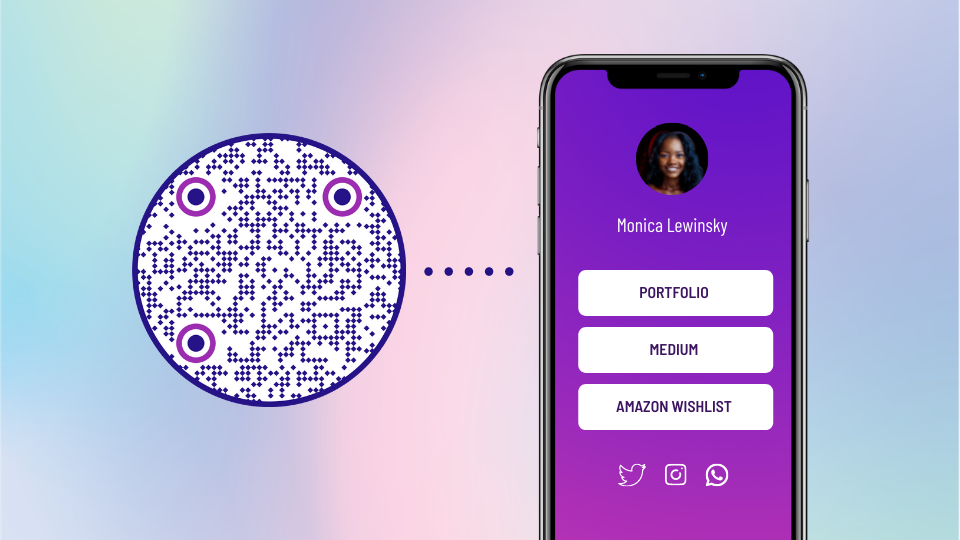
With the help of a landing page QR Code, users can scan it to access your landing page on their mobile devices.
A single scan is all it takes for your audience to receive valuable information about your brand at their fingertips.
The end result?
An enhanced user experience coupled with the increased chances of transforming website visitors into full-time customers.
What is a QR Code landing page?
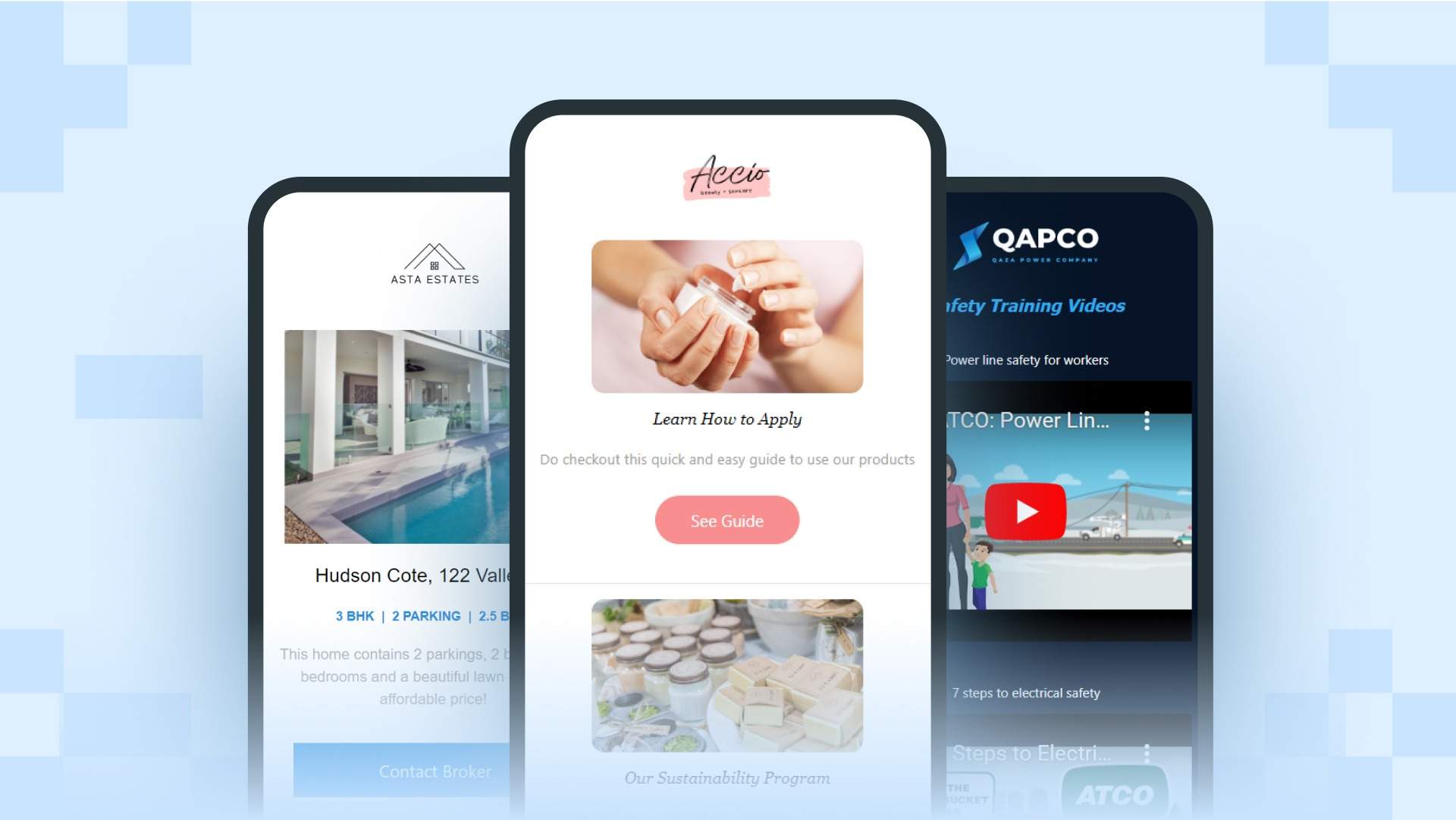
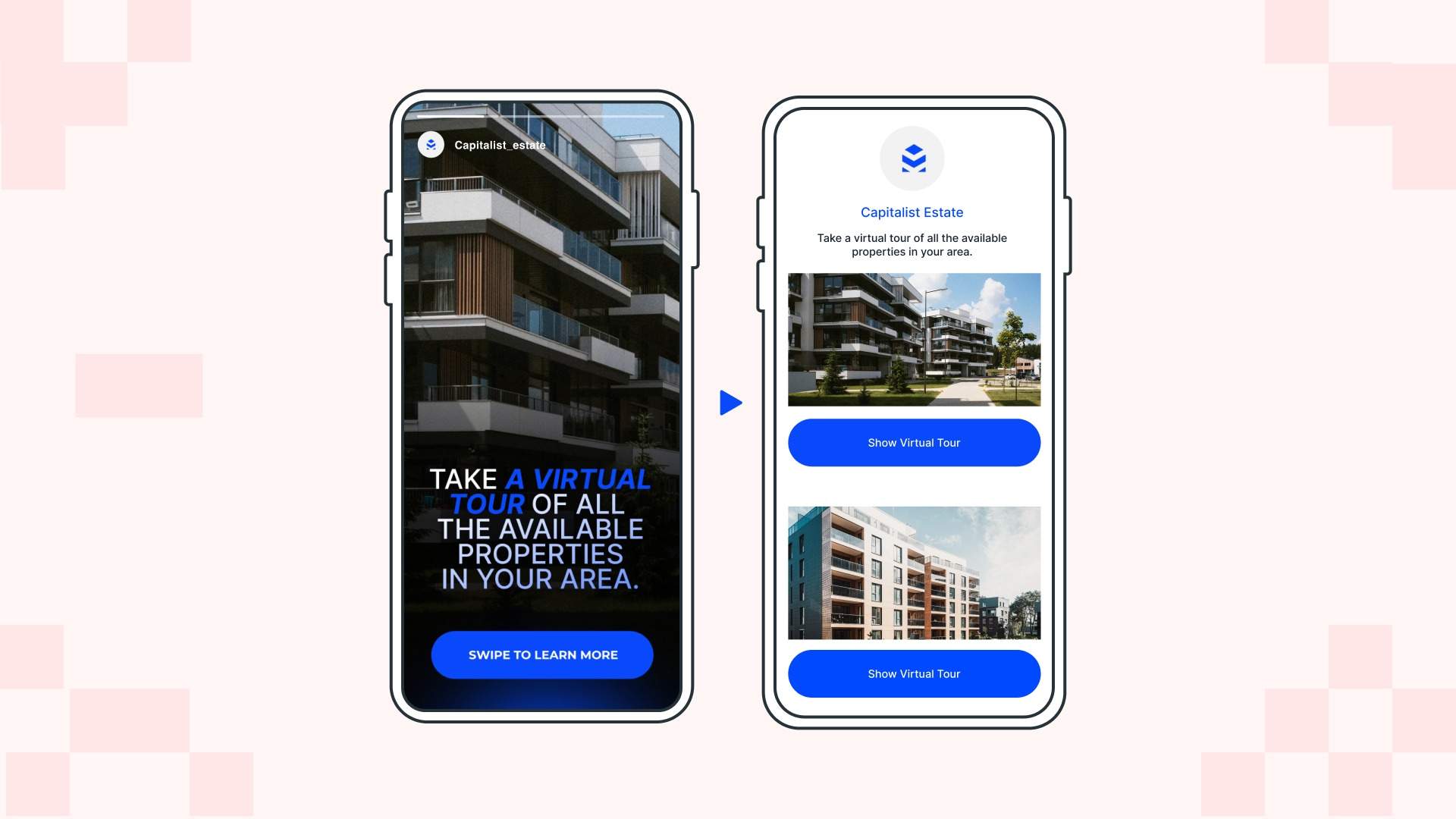
A QR Code landing page is a mobile-friendly landing page that you can create on Uniqode’s DIY builder and then attach to a dynamic QR Code on the platform. Brands can leverage these landing page QR Codes to capture leads online directly from the physical world.
Looking to build a no-code landing page? Check out our DIY landing page builder
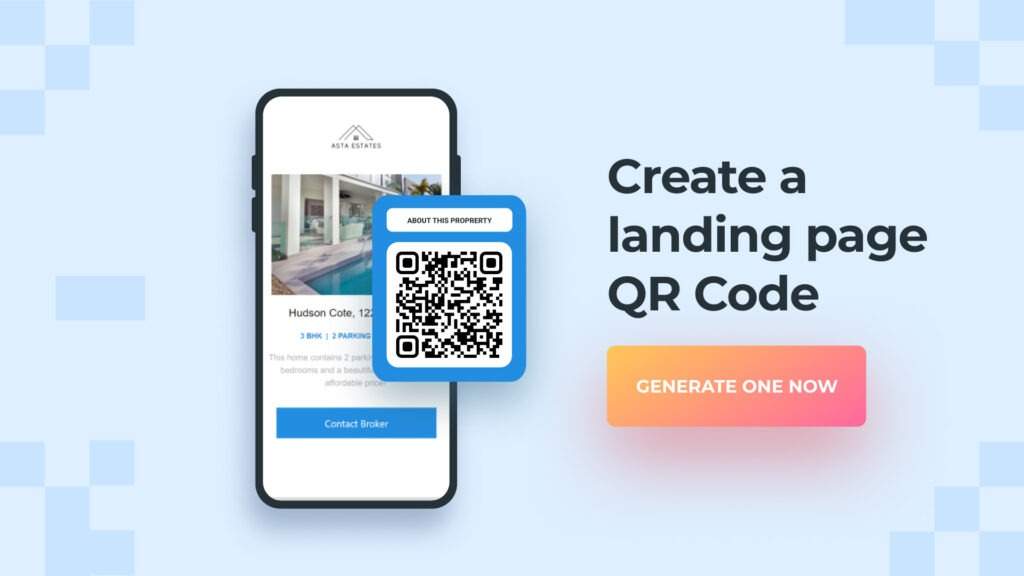
How to make a QR Code landing page
Here’s how you can create a QR Code landing page using Uniqode’s custom QR Code generator:
Create your landing page for the QR Code
Step 1: Log in to the dashboard
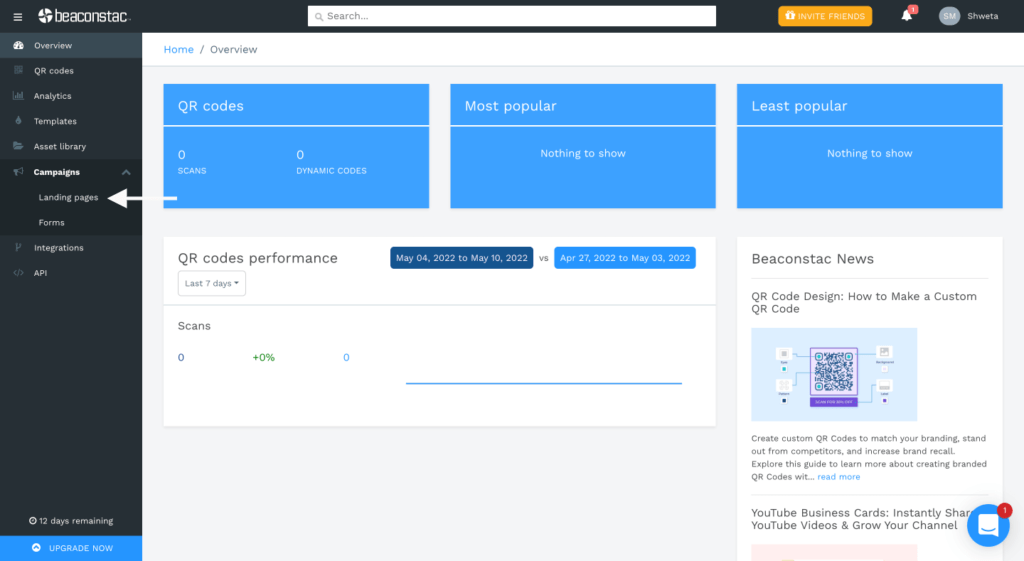
Lo Landing pages.
Step 2: Build your landing page
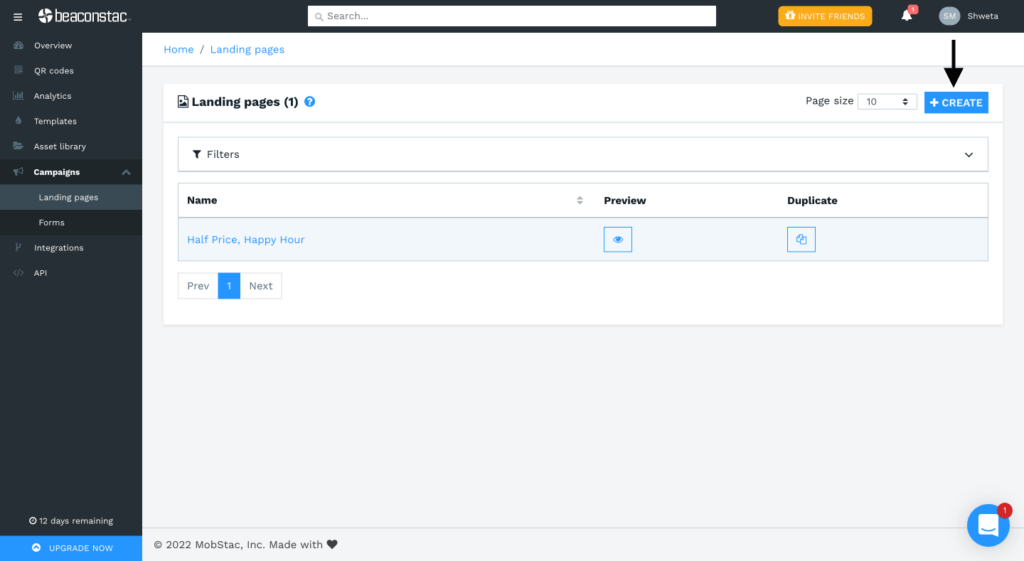
Click on ‘+Create’ at the top-right corner of the dashboard to build a new landing page.
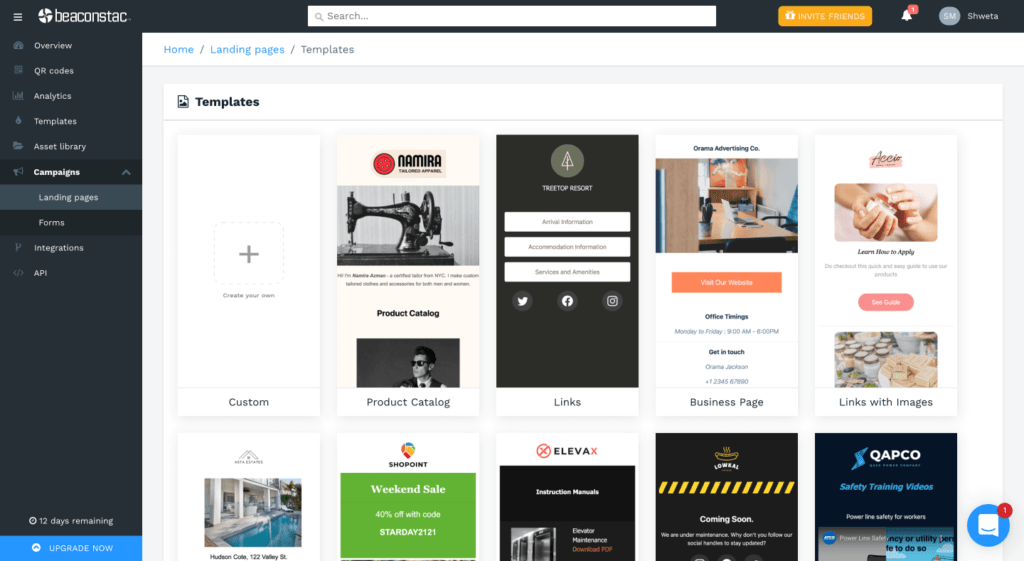
You can either make your landing page from scratch or select a template from the ones listed.
Step 3: Add your content and design it
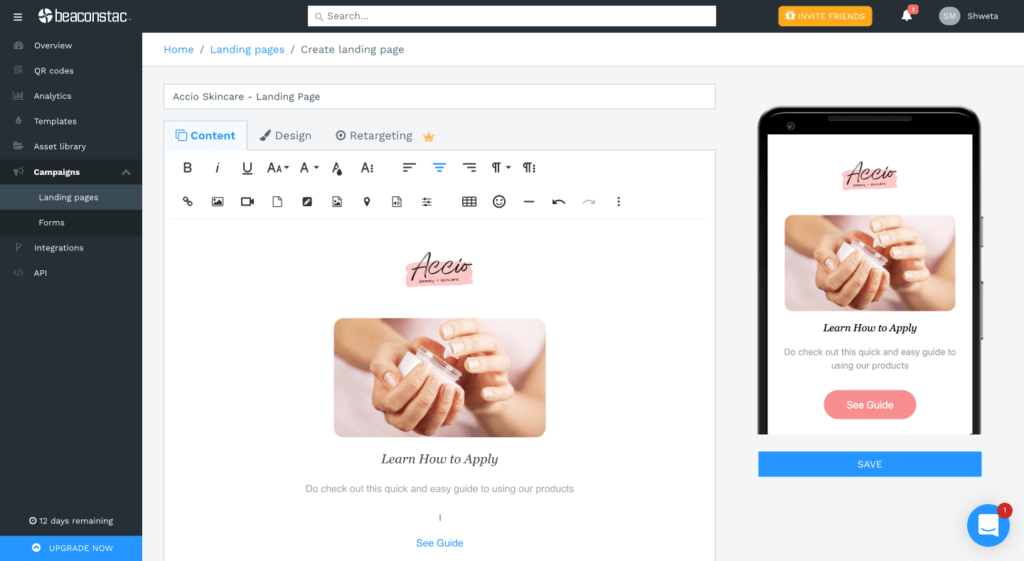
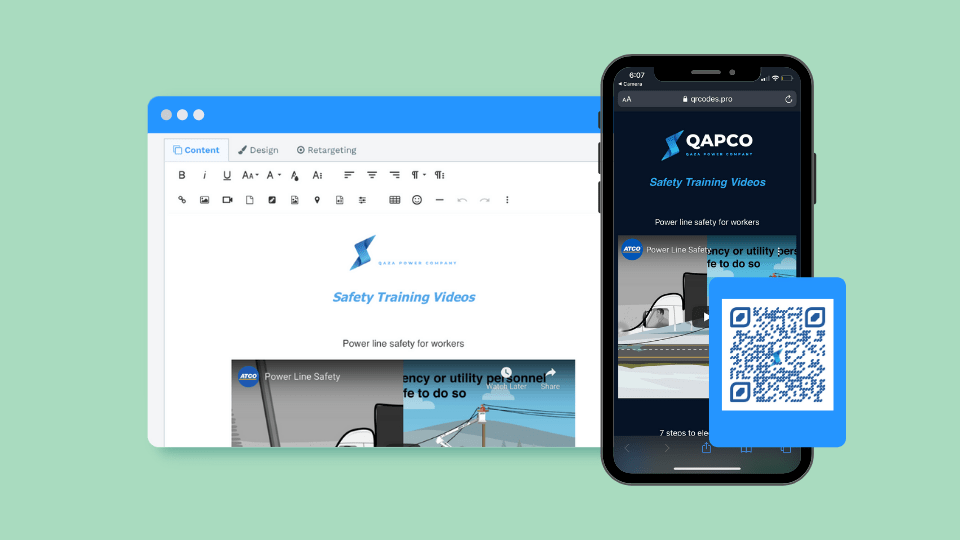
Give a name to your landing page, and paste its content into the editor.
You can style the font as per your brand guidelines – pick a font family, font size, and color.
There are also options to add links, CTA buttons, audio files, locations, forms, and videos in the landing page editor.
Added tip: If you wish to add more visual components to your page, you can do so with an image slider. This makes the page more engaging and clutter-free. (Here’s how it works)
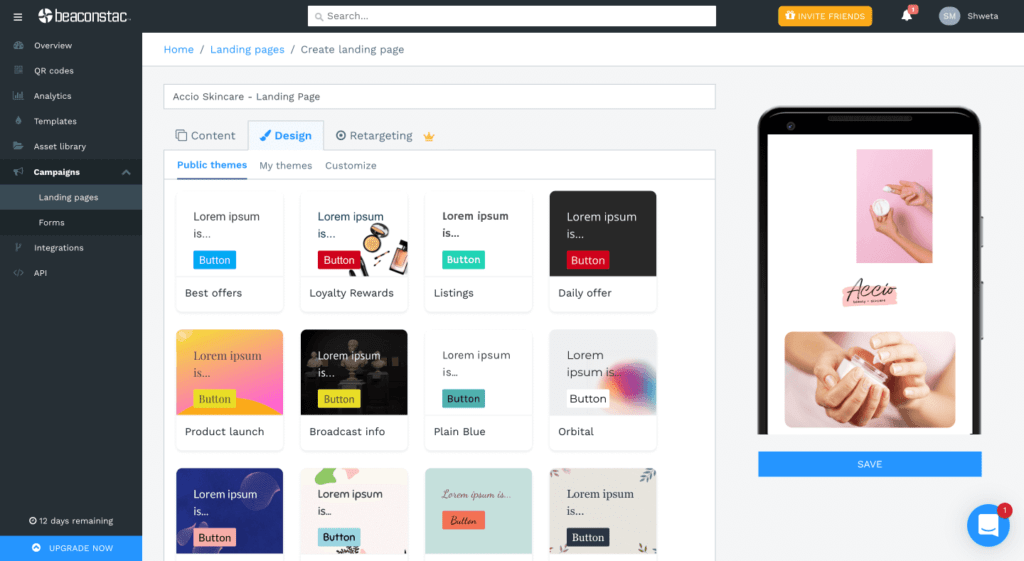
Next, you can design your landing page based on your requirements. You can pick a theme from the ones listed or create your own using vast customization options and custom CSS.
BONUS: Set up retargeting for your landing page
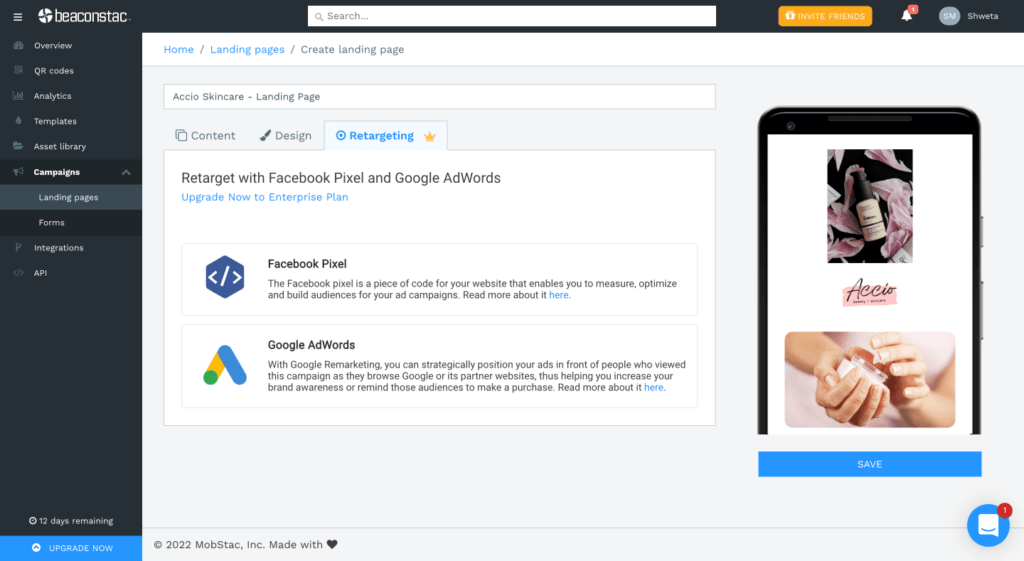
You can retarget users on Facebook and Google using your Facebook Pixel ID and Google Conversion ID.
Note: Retargeting is available only on the Enterprise plan.
Click ‘Save’ once you’re done creating your landing page.
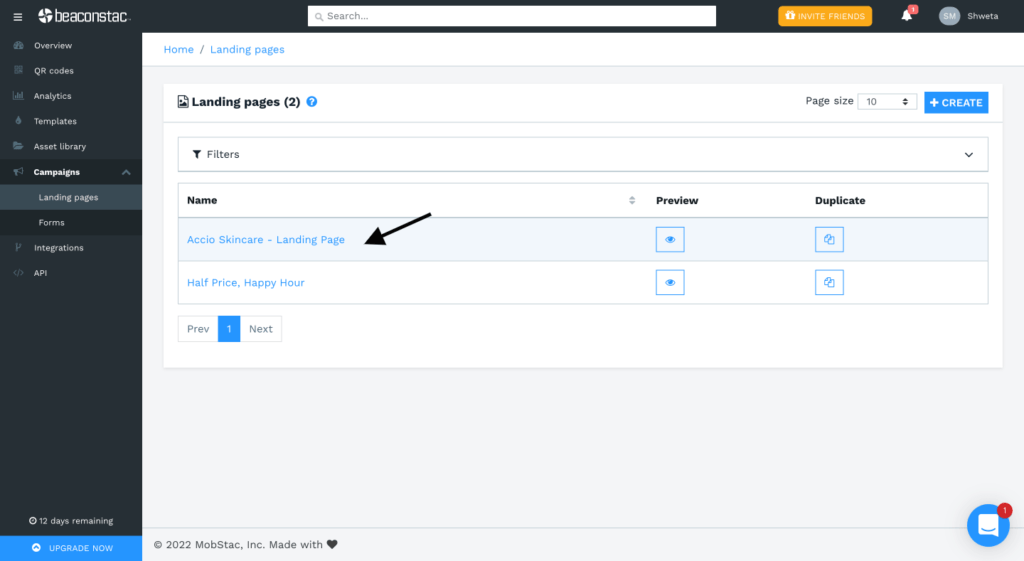
Your newly created landing page is now ready!
Create your QR Code for the landing page
Go to ‘QR Codes’ on the left-side panel and click on ‘+Create QR Code+’ at the top-right corner of the dashboard.
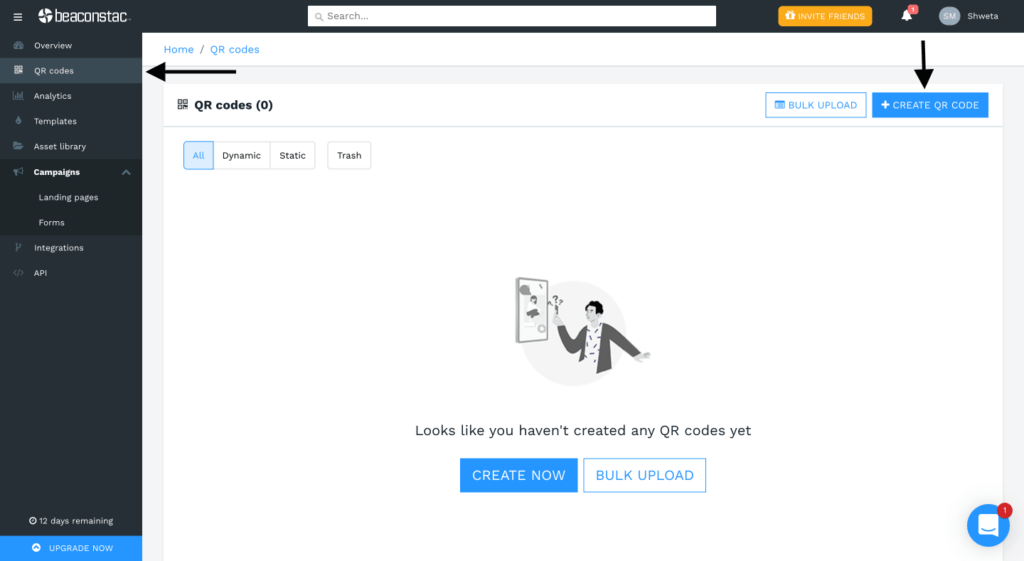
Step 1: Select campaign type
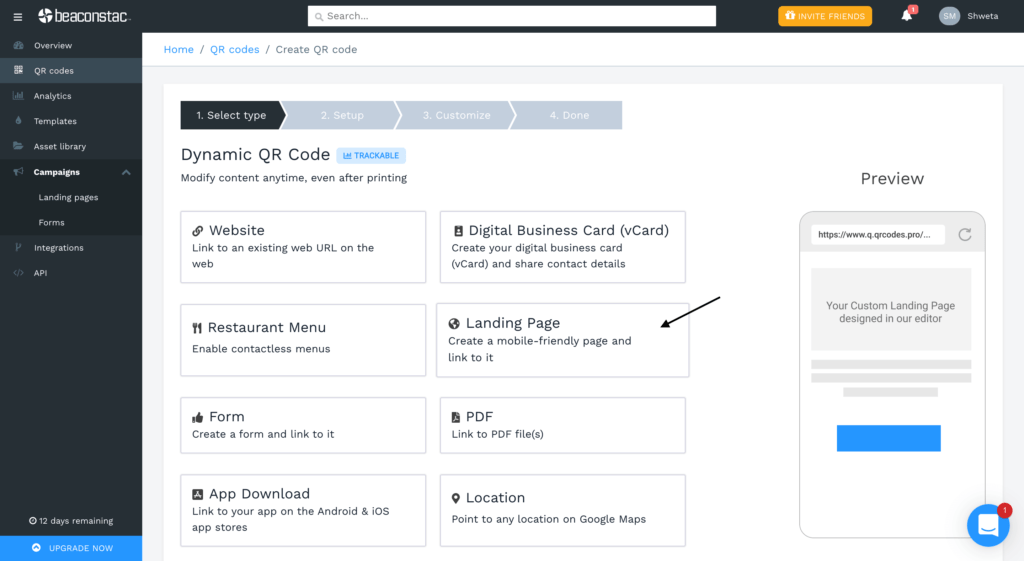
Select ‘Landing Page’ from the list of campaign types shown.
Step 2: Select your landing page
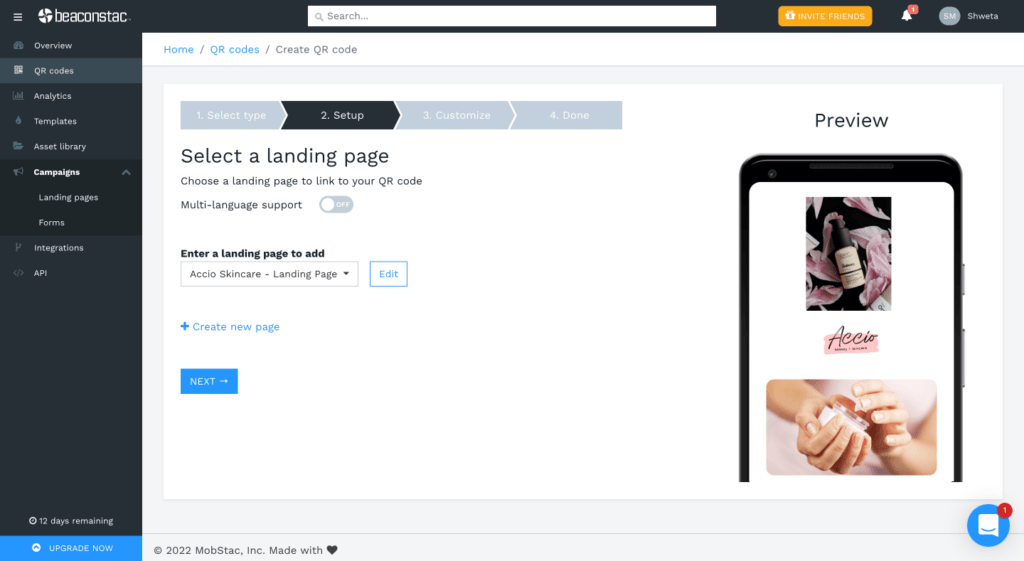
Select your landing page from the dropdown list to add it to your QR Code. You can also see a preview of your landing page on the right side of your screen.
Click ‘Next’.
Step 3: Customize your landing page QR Code
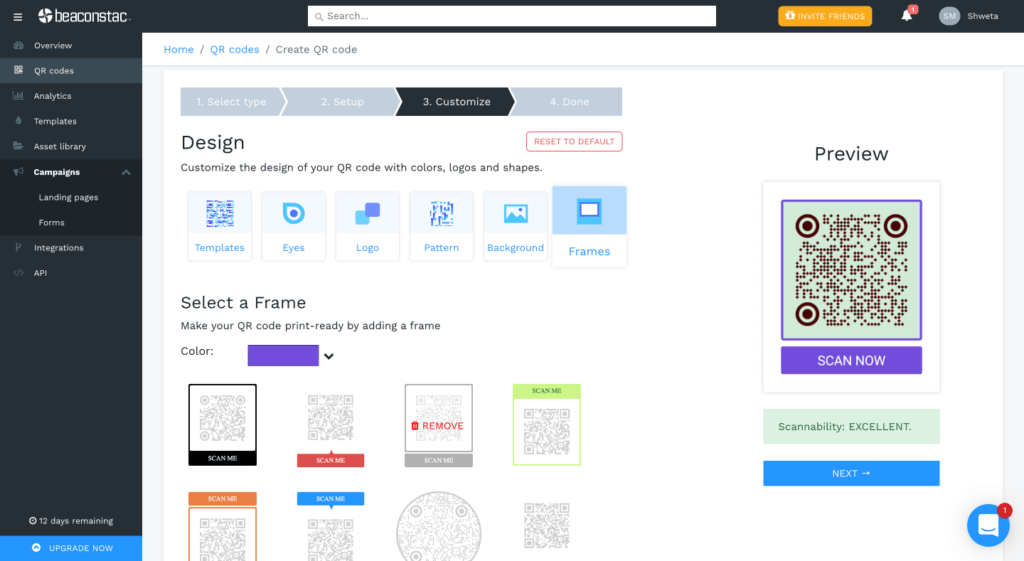
Select a predefined QR Code template, modify its eyes, select a data pattern, and add a logo, background, and CTA frame.
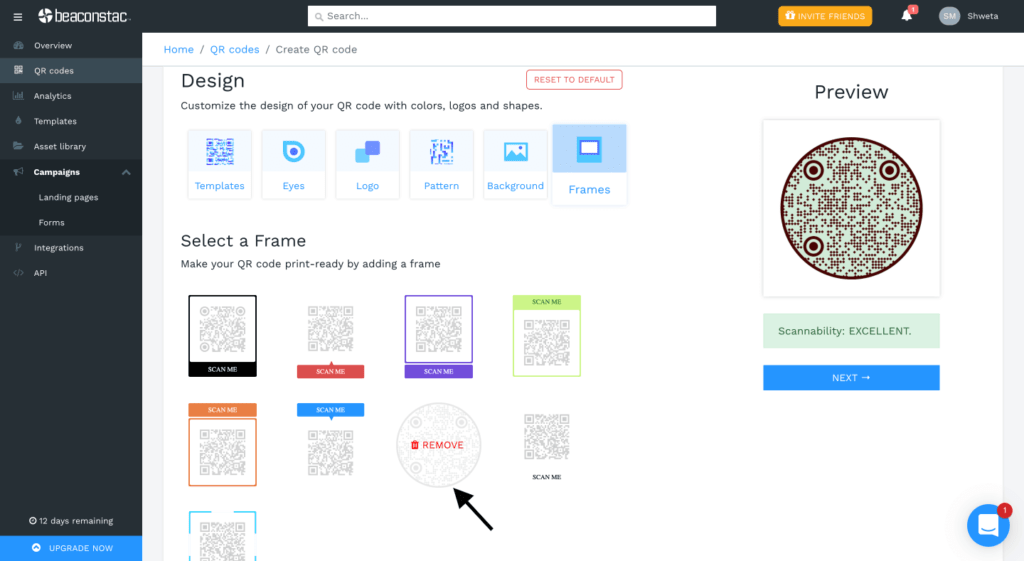
You can also change the QR Code shape.
Click ‘Next’.
Step 4: Download your landing page QR Code
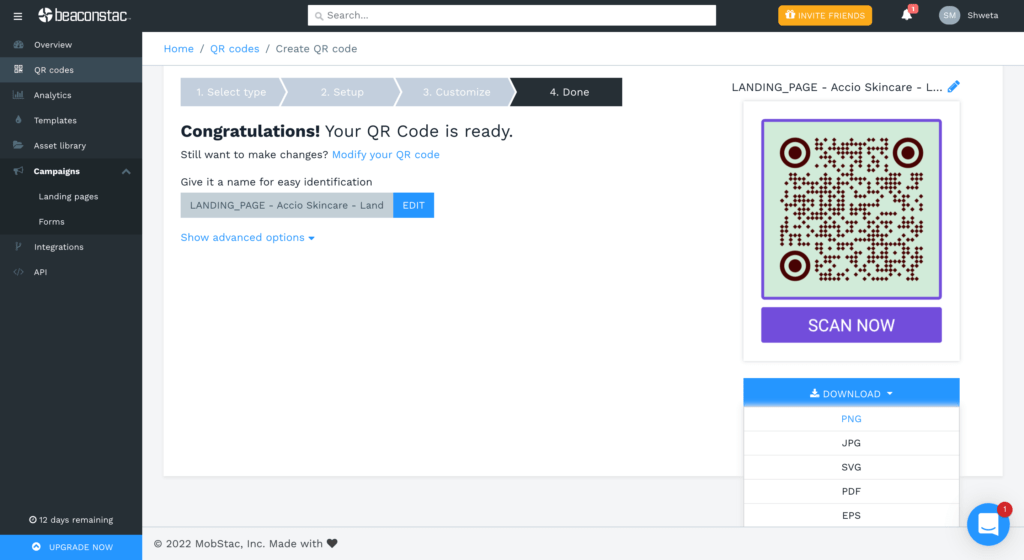
Your QR Code landing page is now ready. You can download it in any of the 5 available formats: PNG, JPG, SVG, EPS, and PDF. (Thinking of which format to use? Check out ourQR Code printing guidelinesto find out)
Why do I need a QR Code landing page?
#1 Link to multiple destinations from a single page
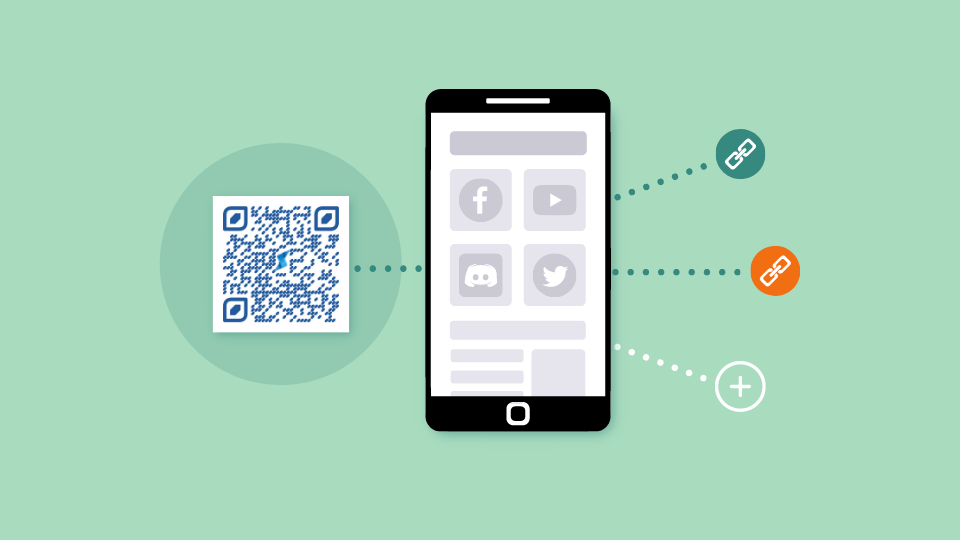
Every landing page has its purpose.
But what if you could carry out different user journeys from a single page?
Uniqode’s agile landing page builder lets you link to multiple destinations from a single page.
Let’s look at the following scenario:
Suppose you’re running a campaign to gather more post-purchase reviews for your product.
However, you also want to drive users to check out your online store and place an order. So, you can create a landing page that provides 2 options –
- “Happy with your purchase? Tell us how much you love it!”
- “Submitted your review? Check out our online store!”
Attach the landing page to your QR Code, and place it on the product packaging to prompt customers to scan it.
Users can scan the QR Code and select the relevant option. They can submit their review and come back to the page to visit your online store or vice versa.
This way, you gather more reviews for your products and gain traction for your online store.
The key benefits of this strategy are that you get to build credibility for your product offerings and establish a direct-to-consumer channel for your brand.
As we can see from the above scenario, the ability to link to many destinations from a single page has the potential to achieve more than one goal from your landing page QR Codes.
Check out: All-in-one QR Codes
#2 Retarget non-converted leads
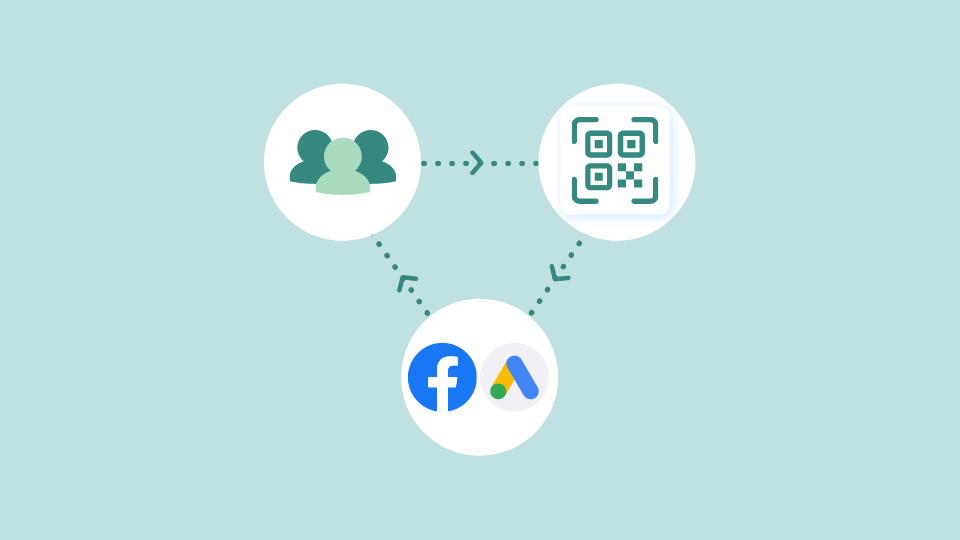
According to Business Insider’s research, 97% of first-time site visitors exit the website without making a purchase.
This is where the importance of retargeting comes in and helps your brand increase conversion rates.
An essential feature of Uniqode’s landing page creator is the ability to retarget non-converted site visitors using Facebook and Google Ads.
All you need is your Facebook Pixel ID and Google Conversion ID to remarket to leads and turn them into full-time customers.
Incorporate retargeting into your landing page campaign to grab the opportunity to prompt site visitors to convert effectively.
#3 Easy creation
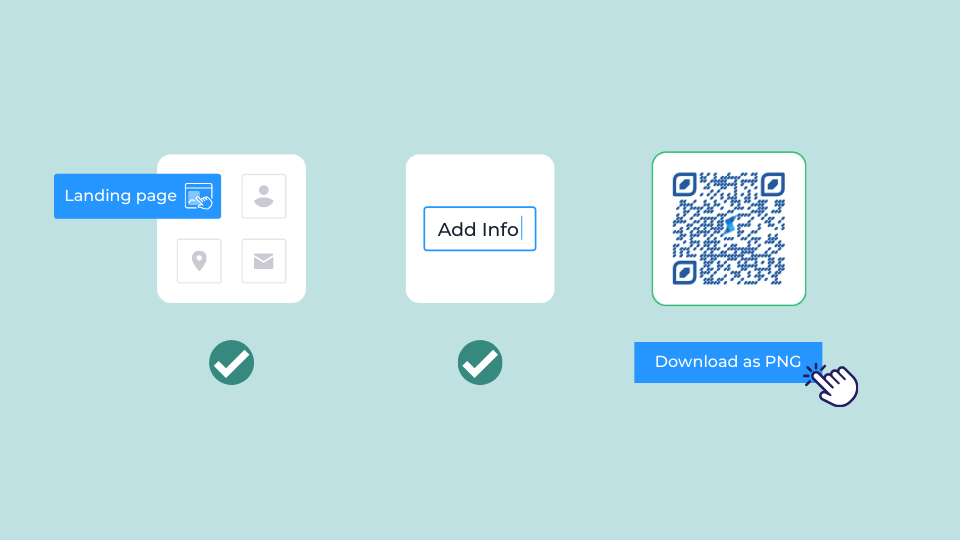
The best part about Uniqode’s landing page builder is its ease of use. You can either build a landing page from scratch or choose from our wide range of ready-to-use templates.
You don’t need to be a coding expert to build a landing page.
And what’s better is that you can attach your landing page to a QR Code campaign within the same dashboard.
This way, you get to keep tabs on your brand’s landing pages and QR Code campaigns within one platform.
You can make use of our robust QR Code landing page generator to seamlessly build landing page campaigns and upgrade your marketing strategy.
#4 Customize it to suit your brand
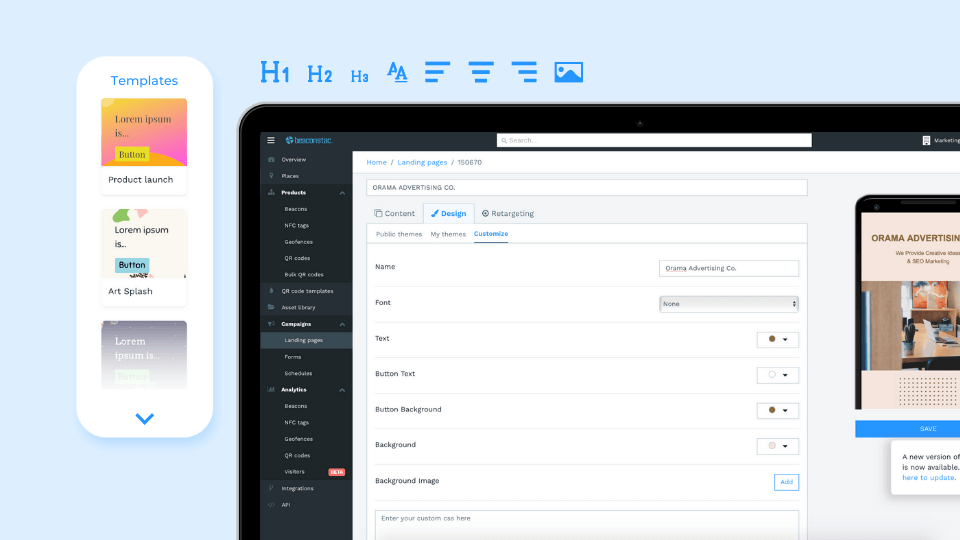
Our landing page builder has extensive customization options to help you create a page that reflects your brand tone effectively.
From the font family to adding content in the form of videos, images, and URLs—you have free reign over the visuals of your landing pages.
The customization options don’t end there.
You can also design your QR Code to match the aesthetics of your landing page. From adding a logo to changing its shape, your QR Code and landing page’s design can be uniform with each other.
Using our QR Code landing page generator’s flexible options, you can seamlessly build a landing page that follows your branding guidelines to the dot.
#5 Dynamic QR Codes to edit your campaign
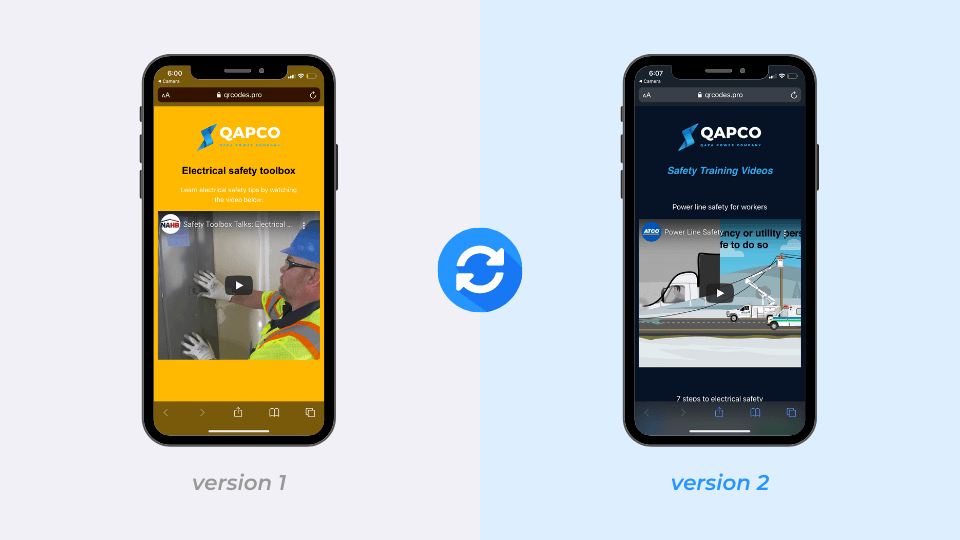
Let’s say you built a landing page and created a QR Code to link to it to embed on your marketing collaterals.
However, after a point of time, you decide to modify the information on the page and share it with your target audience via the same QR Code.
If this QR Code were static, you would have to recreate and reprint it all over again on your marketing materials.
But if you’re using a dynamic QR Code, you can easily reuse it to display the updated landing page to users.
All you need to do is redirect the existing QR Code to your updated landing page, and the new changes will be reflected instantly.
With the help of a dynamic QR Code generator, you can reuse your QR Code campaigns to link to the latest version of your landing page.
Moreover, you can conduct A/B tests and determine which variant of your landing page worked best with your target audience.
Dynamic QR Codes are versatile and let you run your landing page campaigns hassle-free.
Check out: How much does a dynamic QR Code cost?
#6 Track landing page QR Code scans
According to Merkle’s Customer Engagement Report, 52% of marketers said their organizations had prioritized digital experiences to collect more first-party data.
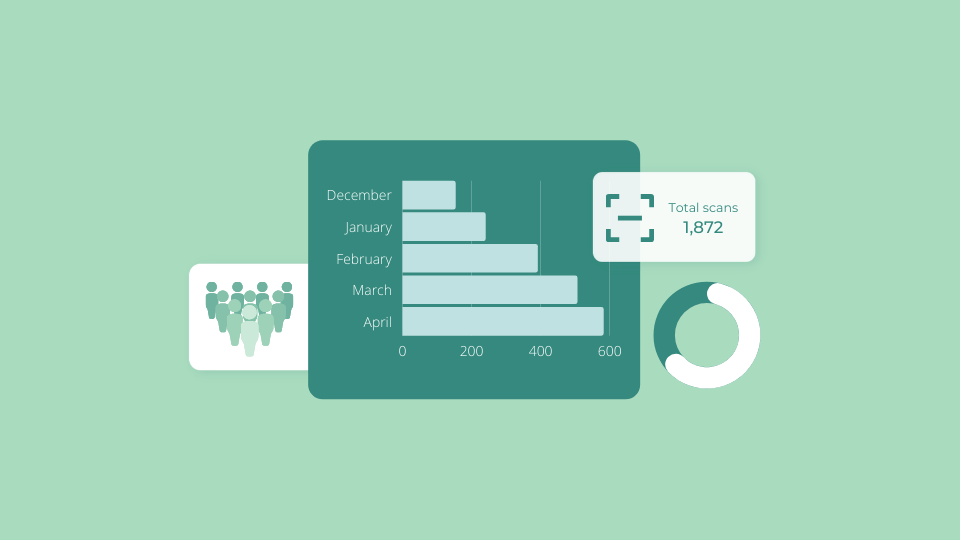
Besides having the ability to redirect to the latest campaigns, dynamic QR Codes also enable you to track their performance.
Using QR Code analytics you can track the number of scans, location of scanning, and the devices used.
You can also take the analysis up a notch by integrating QR Code with Google Analytics to receive in-depth insights on your landing page, such as user demographics and behavior.
The above key performance metrics let you understand your audience better and help you optimize your landing pages to cater to their preferences.
You might also like: Learn more about trackable QR Codes
Create a landing page QR Code
Maximize conversion rates using a QR Code for your landing page!
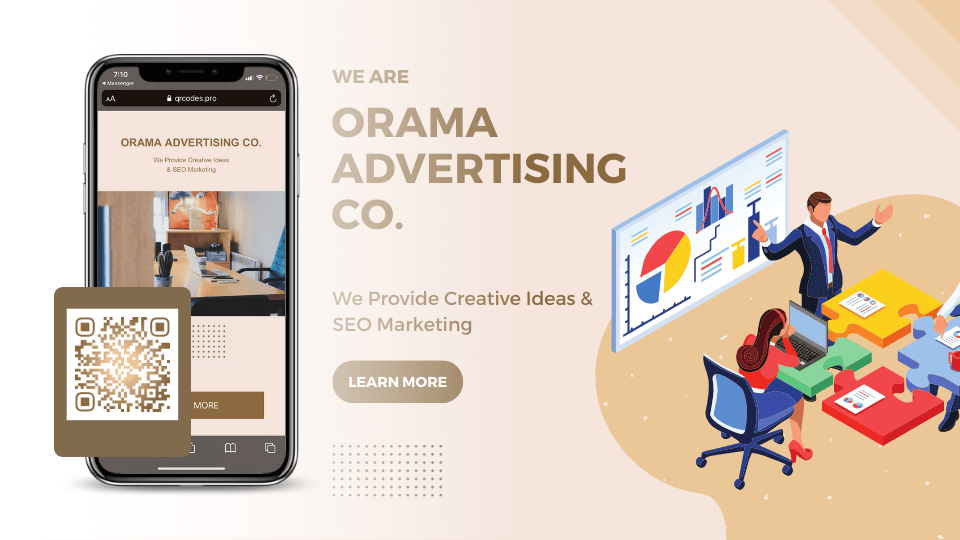
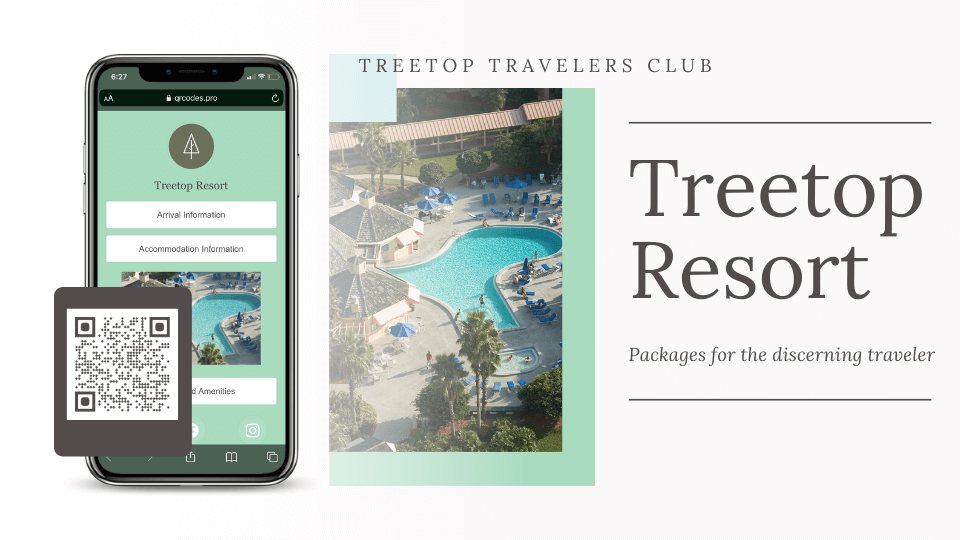
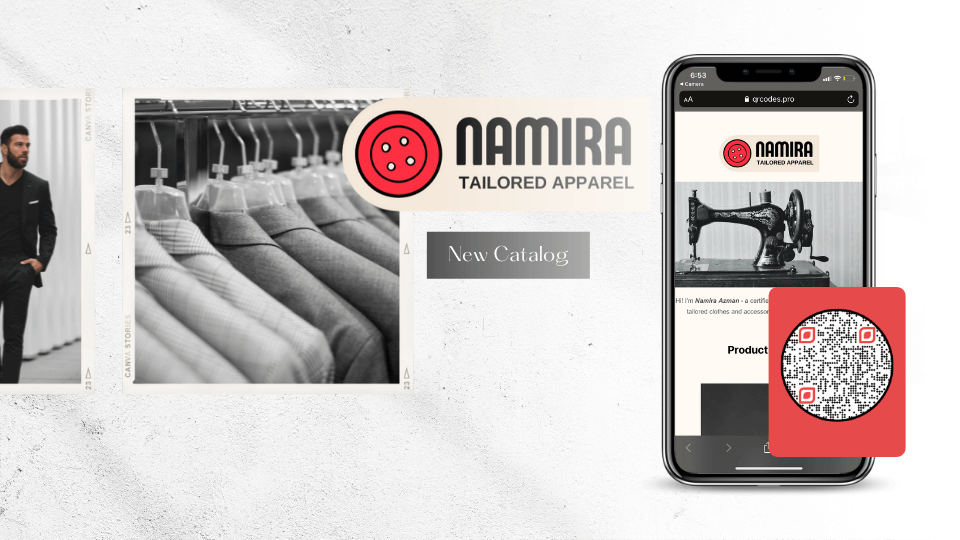
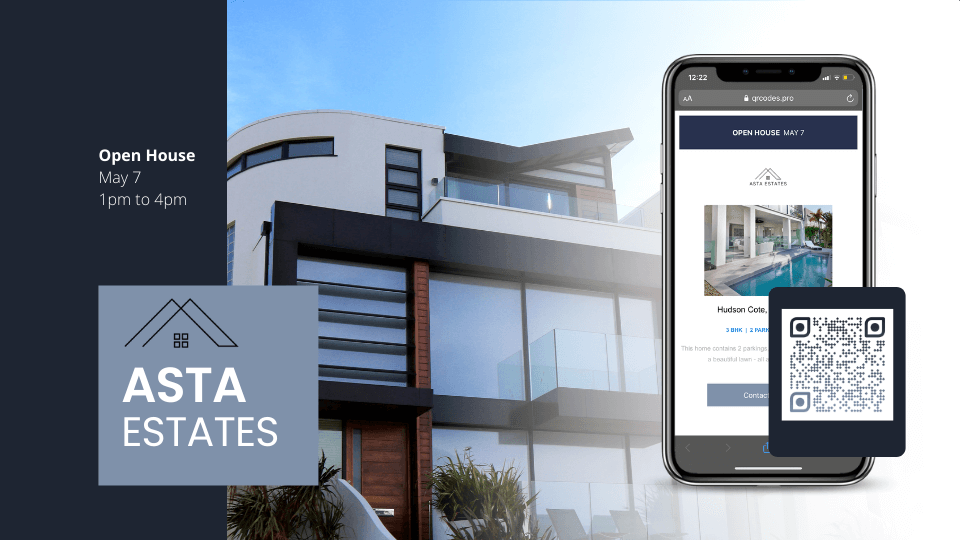
Get Started For FreeQR Code landing page examples to help you out

QR Code landing page: Best practices to follow
#1 Write captivating content
The main aim of a successful landing page is to convince users to carry out an action, be it signing up for an event, purchasing a product online, or subscribing to a newsletter.
In order to achieve this, it’s crucial to create compelling copy for the page that targets the relevant audience segment.
The content on your landing page should be clear, crisp, and to the point so that users are aware of the intent upon accessing your page. Additionally, having a dedicated online presence starting with securing a reliable way to get a website domain can further strengthen your landing page’s credibility and accessibility.
The major benefit of this practice is that you acquire more leads efficiently, build brand recognition, and increase significant traffic to your landing page.
#2 Customize to match your brand
The visuals of your landing page are the first thing users see once they reach it.
According to an article by the US Chamber of Commerce, 55% of a first impression is made because of visual stimuli, such as your brand logo and colors.
This sheds light on how your landing page design should reflect your brand’s color scheme.
Once a user decides to click on a call-to-action that takes them to your brand’s home page or a specific web page, the consistency in design goes a long way.
The more consistent your brand is, the more recognizable it is to consumers, providing a feeling of reliability. This helps your customers get to know your brand on a more personal level.
MarcomCentral
Establishing consistent design across your landing page, promotional marketing materials, and website helps elevate brand identity.
Leads can recognize your brand easier, which aids in their decision to convert.
#3 Don’t forget an actionable CTA
The main aspect of your landing page is a call-to-action. This drives the conversions forward and establishes the user journey for all site visitors.
A best practice is to ensure that the copy for your landing page CTA is direct and actionable.
It should prompt users to click and carry out the purpose of the page.
According to HubSpot’s research, personalized CTAs convert 202% better than the basic, default ones.
All in all, if your CTA depicts the key intent of your landing page, it can help drive users to take action and click on it.
#4 Make it mobile-friendly
86% of the top landing pages are mobile-friendly (Source: Nifty Marketing).
Make sure that your landing pages are optimized for mobile devices since most users are likely to view them on their smartphones.
Since QR Codes are mainly scanned using smartphones, this makes the importance of mobile-first landing pages immense.
Using Uniqode, the landing pages that you create are mobile-optimized by default.
This adds extra points to the user experience since users can scan the QR Code using their smartphones and view the landing page instantly.
They can check out the content at their convenience and decide whether to convert or not while on the go.
#5 Optimize your page for faster load time
1 in 2 visitors abandon a website that takes more than 6 seconds to load.
Digital.com 0
Your landing page’s loading time is a factor that can either make or break its success.
You wouldn’t want site visitors to bounce from your page due to how long it takes to load.
Therefore, ensure that your landing page is optimized for faster load times.
This not only increases the speed of conversions but also elevates user satisfaction once they land on your page.
A quick video recap
Frequently Asked Questions
- Where can you use a landing page QR Code?
You can use QR Codes for landing pages on:
- Print media campaigns
- Product packaging
- Event promotion materials
- Direct mail campaigns
- Lead generation campaigns
- What is the best QR code generator for creating landing pages?
Uniqode offers a comprehensive QR code generator with an integrated DIY landing page builder, allowing you to create both the landing page and QR code on a single platform. The platform supports dynamic QR codes that can be updated after printing, offers 5 download formats (PNG, JPG, SVG, EPS, and PDF), and includes advanced features like retargeting capabilities with Facebook Pixel and Google Conversion ID integration on Enterprise plans. This all-in-one solution eliminates the need to use separate tools for landing page creation and QR code generation.
- Can you update a QR code landing page after printing?
Yes, dynamic QR codes allow you to update the linked landing page content after the QR code has been printed and distributed. This means you can modify your landing page content, design, CTAs, or even redirect to a completely different landing page without needing to reprint your QR codes. This flexibility is crucial for marketing campaigns where you need to test different messaging or update offers across physical marketing materials.
- Can QR code landing pages track and retarget visitors?
Yes, QR code landing pages can be integrated with Facebook Pixel ID and Google Conversion ID to enable retargeting of users who scan and visit your landing page. This retargeting capability is available on Enterprise plans and allows you to follow up with visitors through targeted ads on Facebook and Google after they've engaged with your QR code campaign. This creates a comprehensive marketing funnel that connects offline QR code scans with online advertising strategies.
About the Author
Ektha is a QR code expert with years of research and analysis into the evolution of QR codes. Having written over 70 in-depth articles on QR technology, she has developed a comprehensive understanding of how QR codes are transforming industries. Her insights, including The State of QR Report, have been featured in leading publications. With a passion for simplifying complex topics and providing actionable strategies, Ektha helps businesses leverage QR codes to enhance their 'phygital' connections.