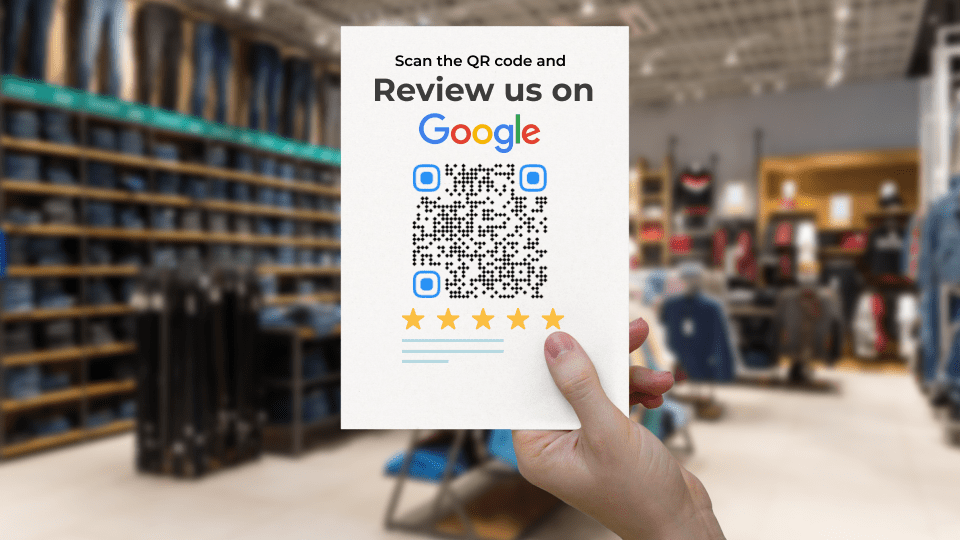
How to Increase TripAdvisor Reviews Using QR Codes (Rank Better and Increase Bookings)
Learn how QR Codes can make the review process easier and faster for your customers. In this guide, we’ll break down everything you need to know to implement QR Codes effectively in your review generation strategy, including tips, best practices, and real-world examples.
Picture this: a globetrotting foodie arrives at your sushi bar — the one they’ve saved on their Instagram list. They take a bite of your melt-in-your-mouth tuna nigiri, savoring the authentic Tokyo flavors they’ve been craving.
Normally, they’d compliment the chef and post a quick photo on their Instagram story. But what if, with a quick scan on their mobile phone, they’re instantly taken to your Tripadvisor page?
Now, they can leave a glowing review⭐⭐⭐⭐⭐, raving about your incredible sushi. Even better, you could offer a special discount for reviewers, encouraging even more people to share their experiences.
It’s all possible with QR Codes! Let’s dive into how TripAdvisor QR Codes can help you connect with guests and get the reviews rolling!
What is a Tripadvisor QR Code?
A Tripadvisor QR Code is a QR Code that, when scanned with a smartphone camera, redirects users to various pages or actions within the Tripadvisor platform, such as listings, reviews, bookings, special offers, and menus.
Why should I create a TripAdvisor QR Code to boost reviews?
If you’re in the hospitality or travel industry, you already know how much weight TripAdvisor reviews carry in shaping customer decisions. 💡Consider these stats:
- 92.4% of consumers trust online reviews before buying
- 83% of travelers rely on reviews to choose the right hotel
- 80% read 6–12 reviews before booking.
Positive reviews do more than help potential guests decide—they boost your visibility, credibility, and search rankings on TripAdvisor. The formula is simple: more reviews = more trust = more bookings. A consistent flow of fresh reviews also help you climb the rankings on TripAdvisor, making it easier for travelers to find you.
But how do you make it easy for guests to leave a review? Here’s where a TripAdvisor QR Code comes in:
Easy access for customers
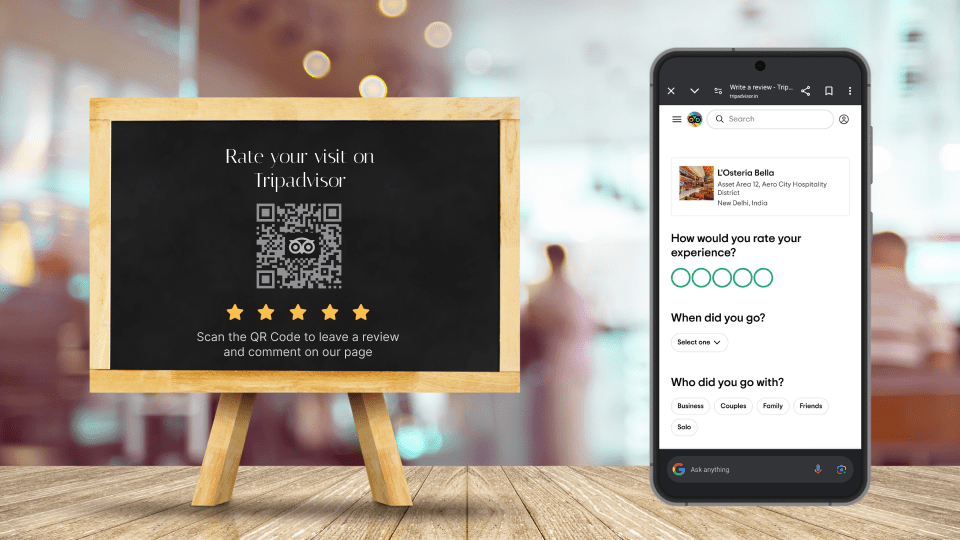
Why spend 2 minutes Googling when 2 seconds of scanning will do? A TripAdvisor QR Code connects customers directly to your review page, eliminating the hassle of searching for your business online. You can place it on:
- Table tents, menus, or room keycards
- Flyers, brochures, and receipts
- Digital displays at reception or checkout
Encourages reviews on-the-spot
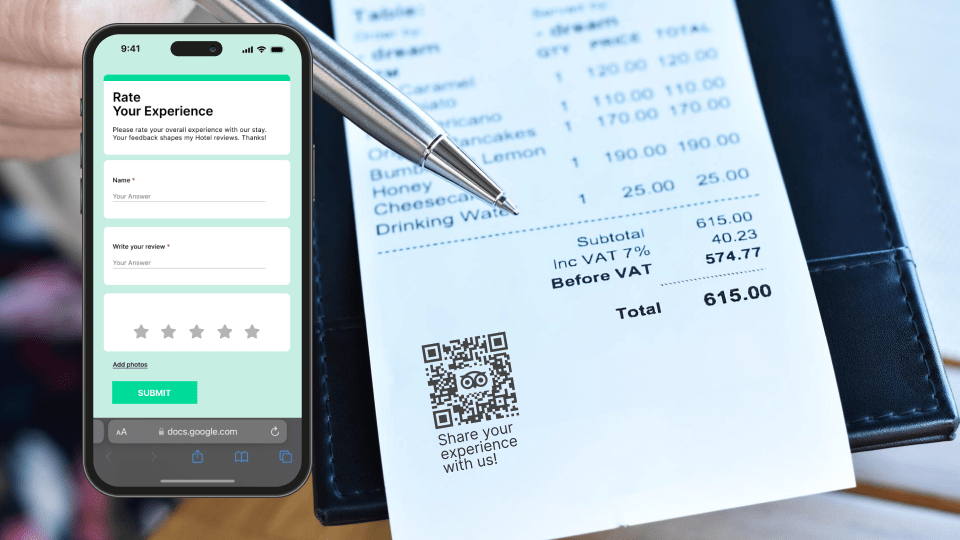
Timing matters. Request reviews when your customers are happiest—after a great meal, memorable stay, or successful tour. Simply place the QR Code on:
- Checkout receipts or bills
- Tour brochures
- Staff handouts (with a friendly reminder like “Scan to review us!”)
Also, a quick, casual ask can make a big difference.
Cost-effective marketing tool
Generating a Tripadvisor QR Code on Uniqode is inexpensive, yet it has the potential to generate significant value by increasing your review count and online visibility.
Drive more traffic to your TripAdvisor business page
With a QR Code, guests can easily find your TripAdvisor profile, driving more visitors and reviews. You can even redirect them to any page you choose—whether it’s your review section or your service overview.
Flexible placement
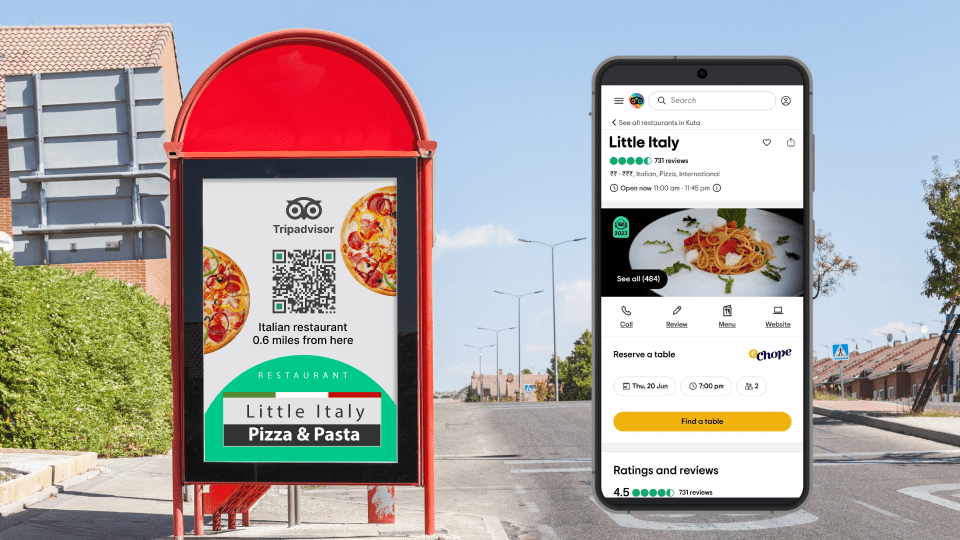
QR Codes can be added to any marketing material like menus, flyers, or email signatures, reaching customers at multiple touchpoints:
- Small stickers for packaging or to-go orders.
- Large posters or billboards for high-traffic areas.
- Creative elements in your welcome kits, flyers, or menus.
A Tripadvisor QR Code can be tailored and scaled to print mediums of your choice.
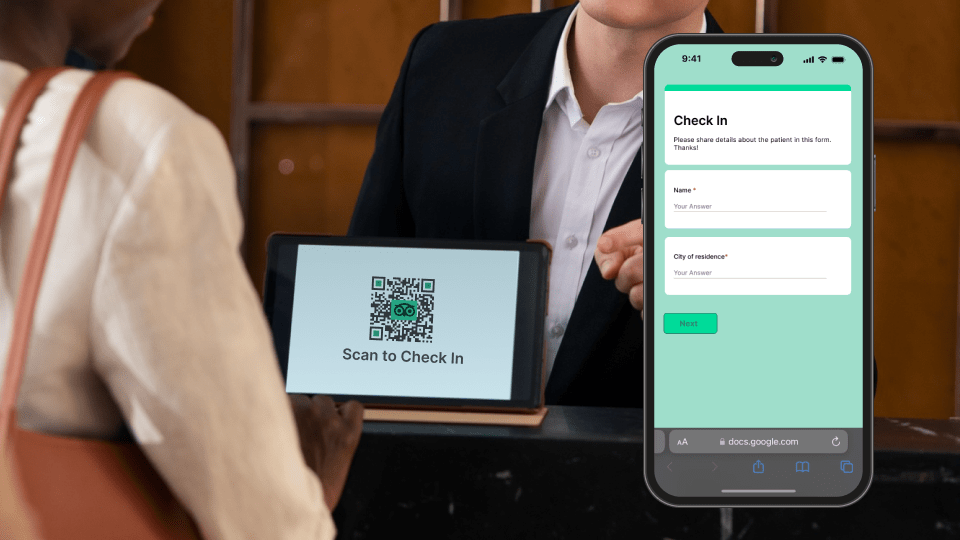
Customize for your brand
Uniqode allows you to fully customize your TripAdvisor QR Code to match your brand’s look and feel. Try:
- unique patterns, colors, and logos,
- custom frames with messages like “Scan to Review,”
- adding your logo in the center or
- simply add your QR Code on a Tripadvisor review sticker
Track success and adapt in real-time
Dynamic QR Codes take things up a notch by letting you track scans and update links as needed. For example:
- Want to see which material—posters or receipts—is driving more reviews? The data’s at your fingertips.
- Need to fix or update the QR Code’s link? Make the change without reprinting.
⚡Pro-tips for maximum impact:
• Design for Visibility:
Make sure your QR Code is easy to find and paired with a clear call-to-action, like “Leave us a review on TripAdvisor!”
• Offer Incentives:
Motivate guests to leave reviews with small incentives, like discounts or freebies, for completing feedback.
• Monitor Reviews:
Regularly engage with reviews by responding to feedback, which shows that your business values customer opinions.
How to create a Tripadvisor QR Code
You can create a Tripadvisor QR Code for reviews in five easy steps with a QR Code generator:
- Get Your TripAdvisor Review Link
- Select a QR Code generator
- Create a QR Code
- Customize your Tripadvisor QR Code
- Download the QR Code
Before you proceed…To create a Tripadvisor QR Code with advanced features such as dynamic, multi-link QR Codes and the ability to add a logo, sign-up on Uniqode. Everything is free for 14 days!
Step 1: Get Your TripAdvisor Review Link
- Visit your TripAdvisor profile.
- Copy the link to your “Write a review” page.
Step 2: Create a QR Code with Uniqode
- Sign up on Uniqode
- Click “+Create QR Code” in the QR Code tab.
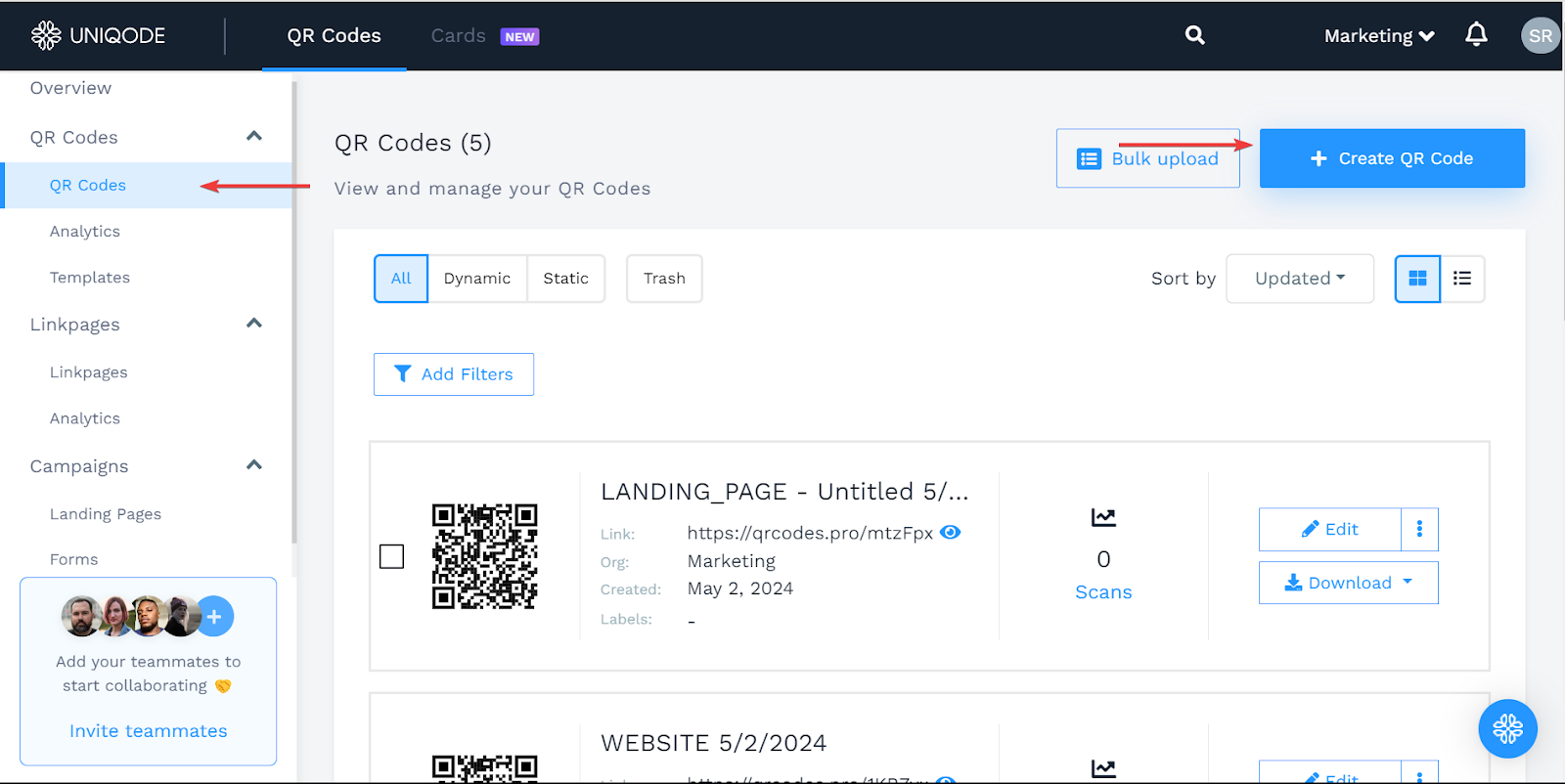
Step 3: Choose the QR Code type
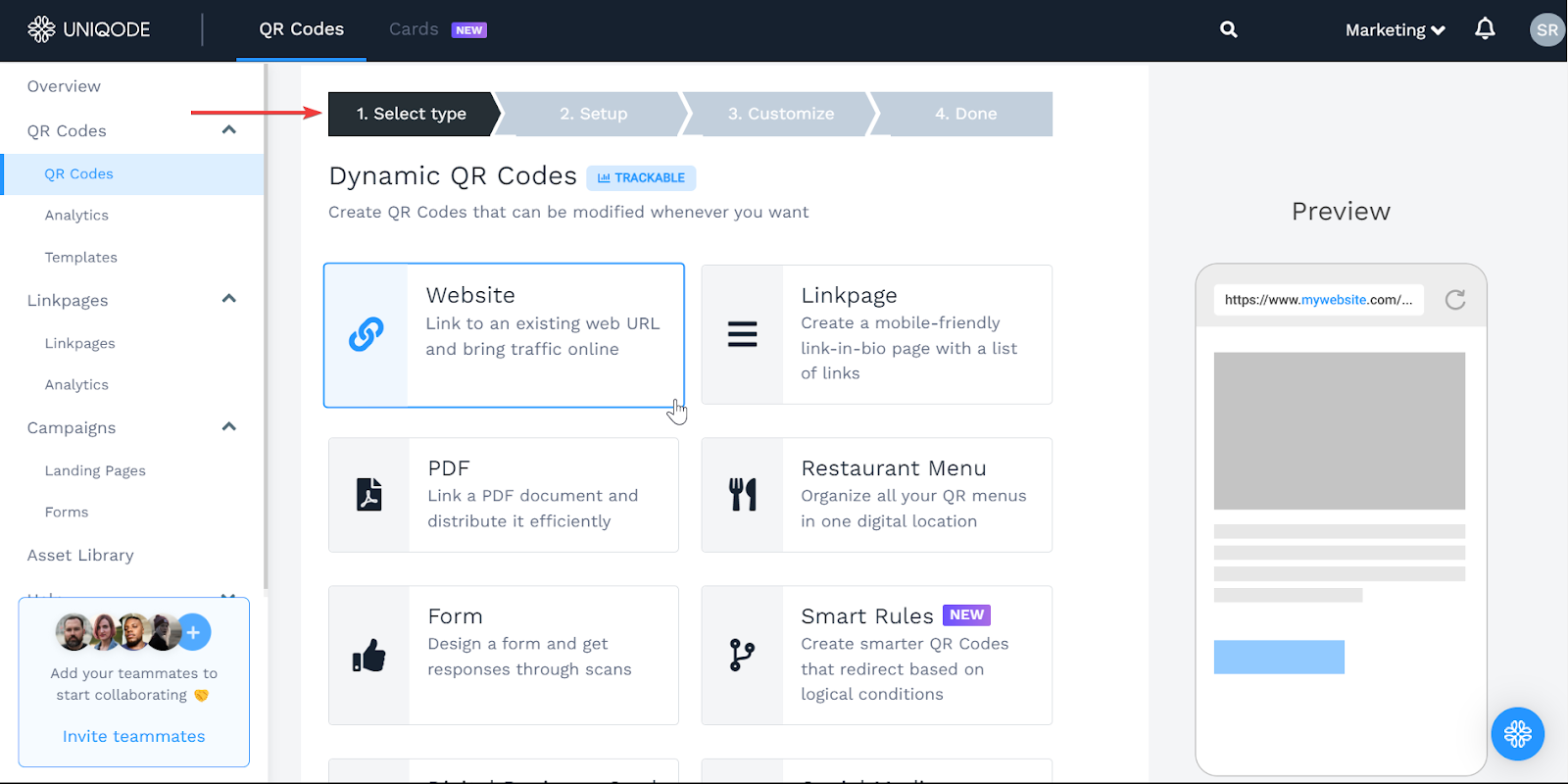
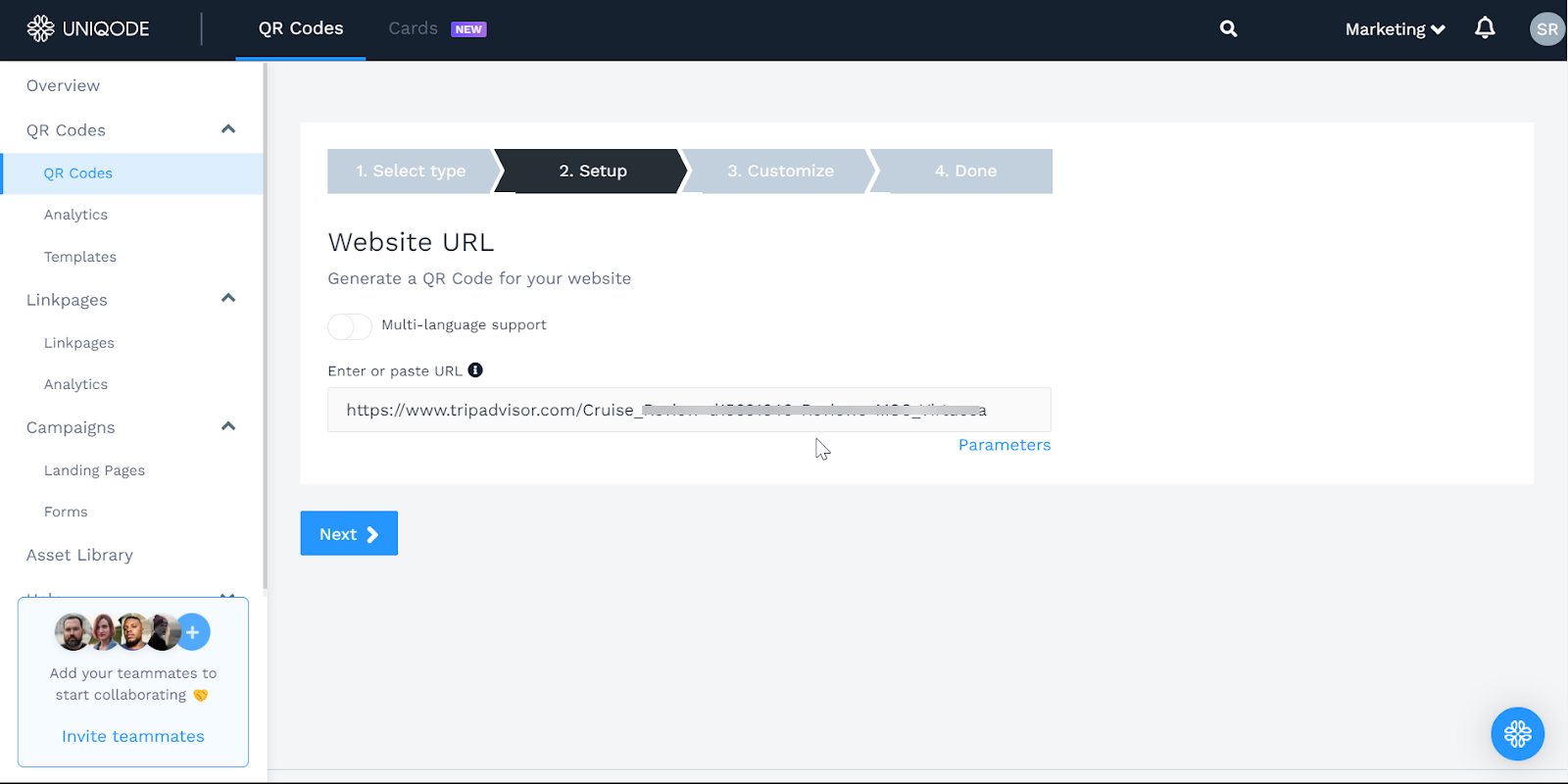
- Choose “Website” and paste your TripAdvisor review link in the URL field. (You can choose between QR Code types such as Website, Linkpage, Form, Landing Page, etc. based on what content you want to redirect users to)
- Once done, click Next.
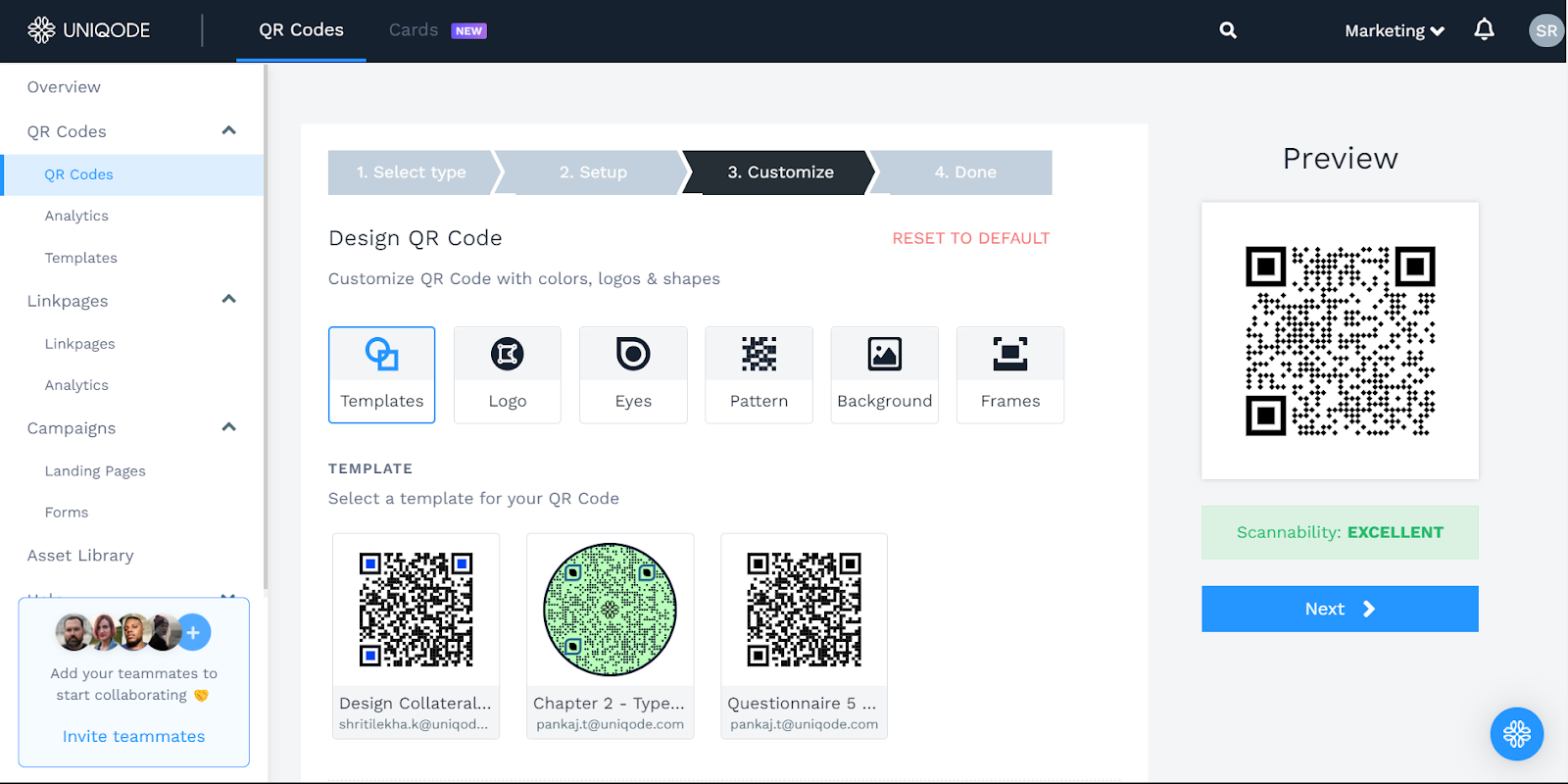
Step 4: Customize your Tripadvisor QR Code
- Customize your QR Code to match your brand. You can customize:
Pattern styles (e.g., dots) - Corner shapes (eyes)
- Colors, backgrounds, and logos
For a cohesive look, align the QR Code’s color scheme with TripAdvisor’s branding.
Once done, click Next.
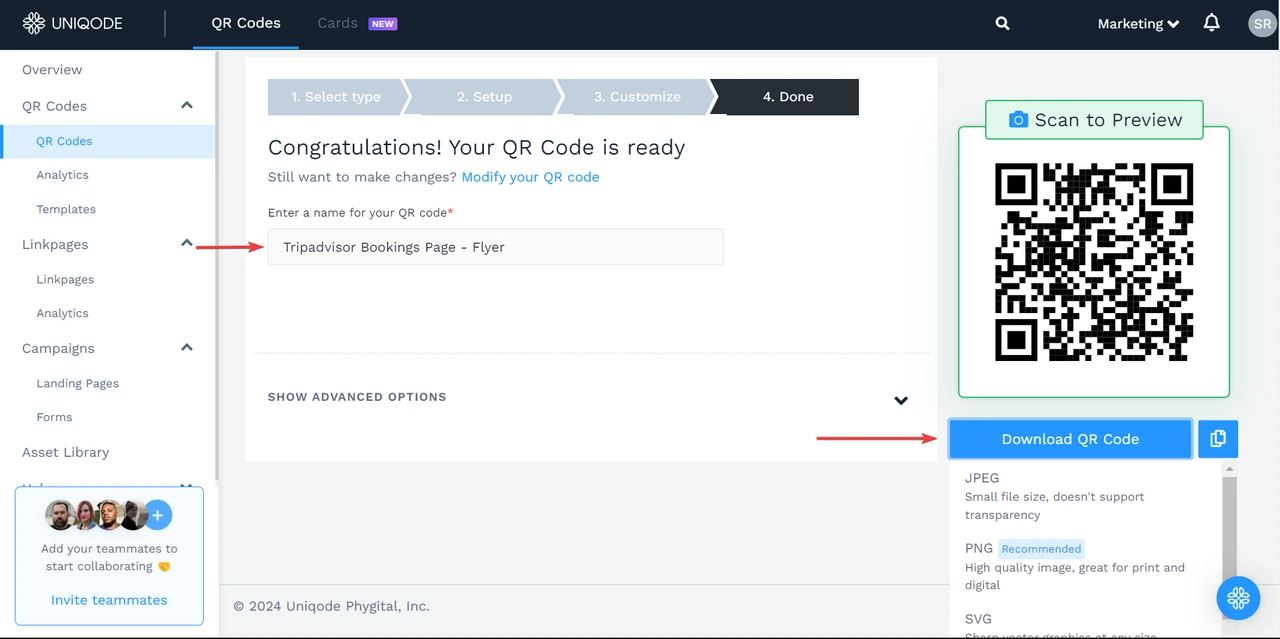
Step 5: Download your QR Code
- Name your QR Code for easy tracking and management.
- Choose a format (PNG, JPG, SVG, EPS, PDF) and download.
- Print and display the QR Code for customers to easily access your TripAdvisor review page.
5 innovative ways you can use Tripadvisor QR Codes
Here are five innovative ways to use Tripadvisor QR Codes and take your hospitality business, tourist activity, or restaurant to the next level!
1. Easy access to reviews & feedback
A study found that more than half of Tripadvisor users won’t transact with a brand with zero reviews on the portal. This means that you need more reviews to attract people. And the easier it is to leave a review, the more people will do it.
Print a QR Code on table tents, menus, welcome packets, or near the reception desk and point users to your Tripadvisor review page. Users can scan the QR Code and leave their reviews quickly.
Milford Waterfront, a UK-based tourist attraction, uses a Triadvior QR Code on catchy banners set in the venue for reviews.

You can even offer your customers future discounts or in-store incentives for leaving a review, as an incentive. Existing reviews help build trust with potential guests and identify areas for improvement. Not to mention the competitive advantage on Tripadvisor!
2. Simplified bookings
You can use Tripadvisor QR Codes to drive bookings through offline and online channels.
For instance, use a QR Code on a flier, OOH advertisement, postcards, brochures, etc., to point potential guests to your Tripadvisor business listing.
Users can then review your profile, navigate to the booking button linked to the online reservation system, or contact you via phone—whatever your CTA is.
If you’re a Tripadvisor Instant Booking partner—which gives users all the information to book a service immediately—you can link it to a QR Code and expedite the booking process from any channel. Just make sure to use a CTA such as “Book Instantly.”
3. Improved customer experience
Easy access to bookings and reviews cater to guests before they enter your world. You can use QR Codes to improve their experience once they’re inside.
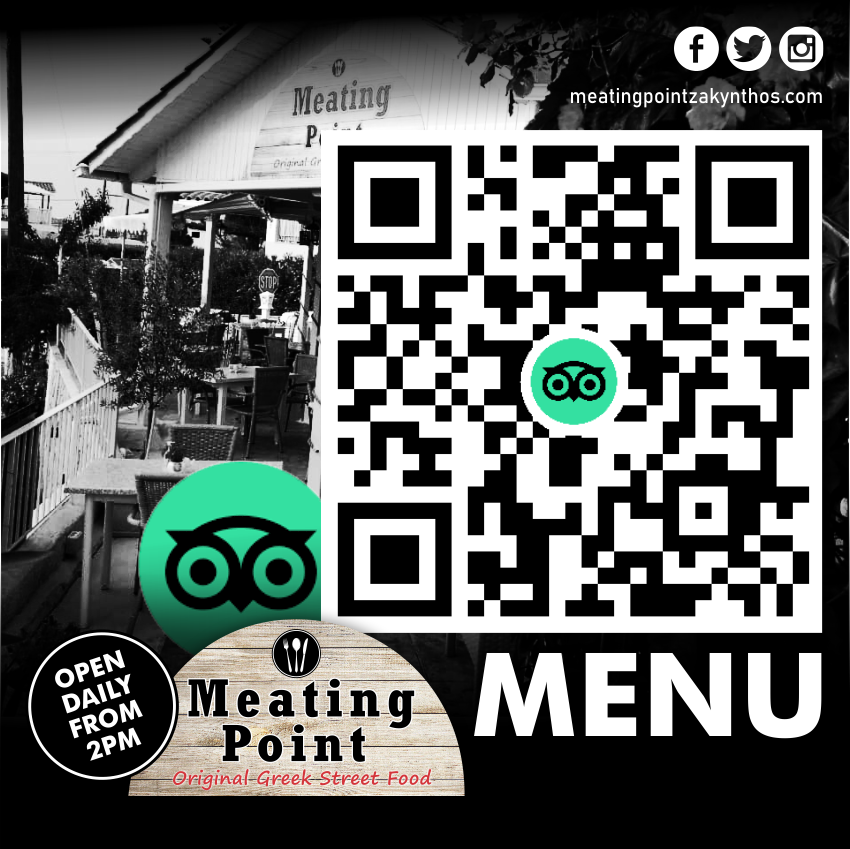
For instance, provide easy access to information guests need, such as menus, check-in details, house rules, and others with a QR Code. Customers can scan your QR Code at the reception desk, for example, to access the restaurant menu listed on your Tripadvisor page and decide their orders before settling in the dining!
Here’s how a small island Greek restaurant is using a Tripadvisor QR Code to share its menu:
4. Drive curiosity (& booking) from signage
If you’re a tour operator or a restaurant chain, a well-designed and strategically placed Tripadvisor QR Code can be a conversation starter, sparking curiosity and driving customers through your door.
For example, you can use a QR Code at a local bus or train stop, pointing to your curated listing on Tripadvisor with the package details, itinerary, and pricing. While waiting for a ride, users can check the details and make a call.
If you have a special offer or discounts running, such as discounts on a local street walk, add them to the call to action and see the scans roll in!
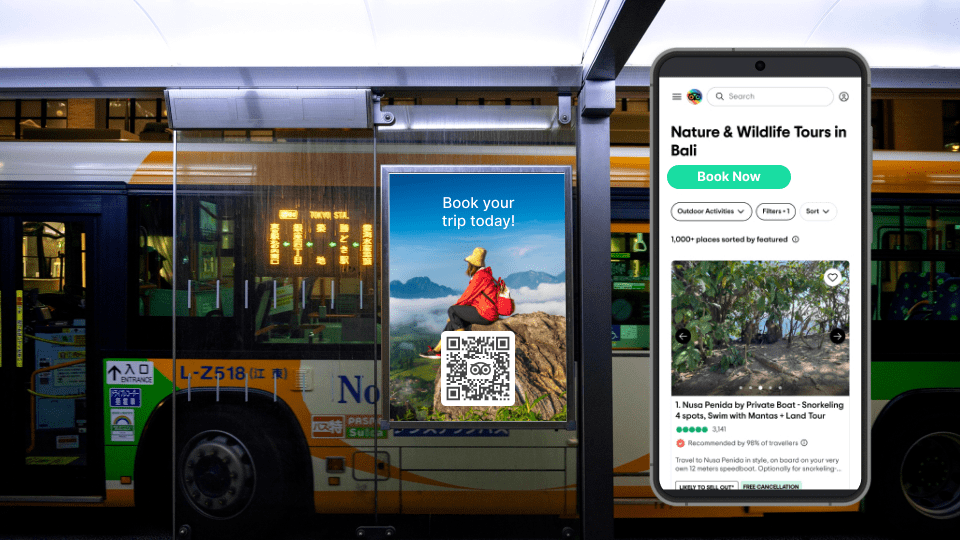
You can also partner with local shops and transform their storefront windows into powerful marketing tools by putting Tripadvisor QR Codes on your signage. This will attract customers, boost engagement, and give your local business a competitive advantage.
5. Offer interactive tours
Imagine sitting on a tram for sightseeing and noticing an oblivious landmark on the horizon. Trying to get some information, you notice a QR Code in the window that says “Scan for virtual guide.” Scanning takes you to a listing on Tripadvisor covering all the key landmarks in the route.
QR Codes can be a game-changer for pre-routed interactive tours, enriching the experience for visitors and boosting your competitive advantage on Tripadvisor.
You can place QR Codes at key points of interest along your route. Travelers can scan to view your dedicated Tripadvisor page for that specific landmark or attraction!
With this, visitors can delve deeper into the history and significance of each location. It also encourages them to leave reviews on the Tripadvisor pages they visit.
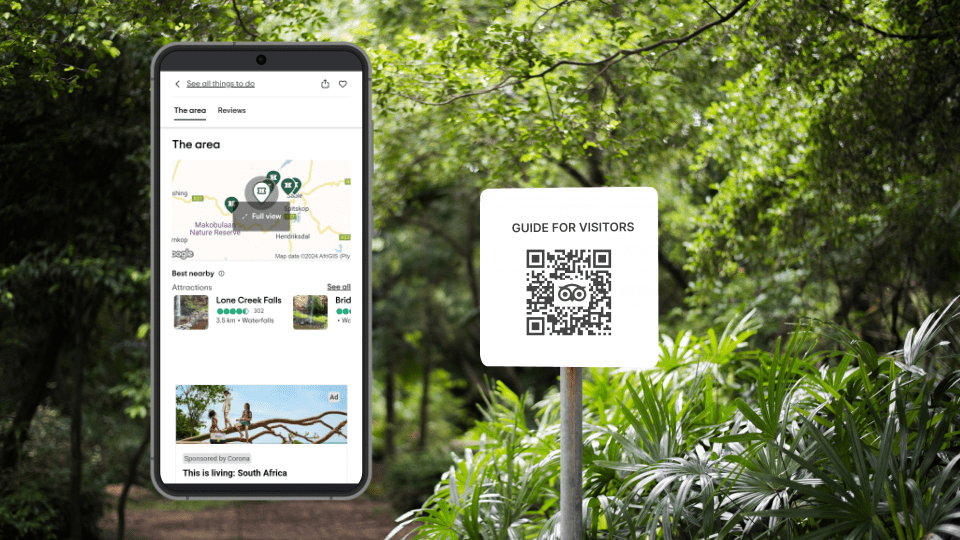
In this year’s CES (a tech event), Google used a QR Code to trigger a virtual tour of the venue featuring their green Android bot! You can use Tripadvisor QR Codes from strategic locations to give users access to information about a venue through media-rich listings.
Best practices to deploy a Tripadvisor QR Code
Here are some best practices to deploy a Tripadvisor QR Code effectively:
| To-do | Why |
|---|---|
| Strategic placement | Place your QR Code in areas with high foot traffic, such as restaurant tables and menus, hotel reception desks, and tourist attractions information boards. |
| Clear call-to-action | Include a clear and concise CTA alongside your QR Code so that users realize the purpose. Example: “Leave a review,” “See what others say,” or “Review for exclusive offers.” |
| Customize the design | Consider customizing your QR Code design with the Tripadvisor logo and your brand colors to make it visually appealing. |
| Link to the right URL | Use the URL for your dedicated Tripadvisor listing and ensure that the URL is functional. Having your custom domain helps reinforce trust and branding. |
| Track and analyze | Track how many scans your QR receives to gauge its effectiveness. This data can help you refine your placement strategy or CTAs. |
| Use dynamic QR Codes | You can change the linked URL without reprinting the code with a dynamic QR Code. For example, you can update the URL to include the latest reviews, new listings, or awards page. |
⚡Pro-tip: Promote your Tripadvisor QR Code by including it on your social media pages, website, or email signature. This will enhance its visibility and increase engagement on your Tripadvisor listing.
Create your Tripadvisor QR Code today
There are several creative ways to use a TripAdvisor QR Code. From sharing it on posters to tent cards, they can serve as an interactive touchpoint for your audience.
You can track scans, interactions, and analytics such as location and unique users scanned if you use dynamic QR Codes. Use the data to understand how your Tripadvisor QR Code is performing and identify scopes to optimize.
With Uniqode, you can easily create and share Tripadvisor QR Codes to enrich your online presence. Are you ready to discover the potential of your business with Tripadvisor QR Codes? Create your first QR Code for free.
Create a QR Code for your Tripadvisor listing!
Frequently Asked Questions
- What is the best way to get more TripAdvisor reviews from customers?
The most effective method is using QR codes placed at strategic touchpoints like checkout receipts, table tents, and room keycards to make leaving reviews instantly accessible. QR codes eliminate the 2-minute process of manually searching for your business online by reducing it to a 2-second scan, capturing reviews when customers are happiest and most engaged with your service.
- Can you track how many people scan your TripAdvisor QR code?
Yes, dynamic QR codes allow you to track scan metrics in real-time and see which marketing materials—such as posters, receipts, or flyers—are driving the most reviews. This data-driven approach lets you adapt your review generation strategy by identifying the most effective placement locations and optimizing your marketing spend accordingly.
- How do I get a QR Code for Tripadvisor?
You can create a Tripadvisor QR Code in a few simple steps:
Sign up with Uniqode.
Go to the QR Code dashboard.
Click “+Create” QR Code.
Choose a QR Code type as “Website.” This lets you link your Tripadvisor listing’s URL to the QR Code.
Customize your QR Code depending on your requirements.
Download the QR Code in your preferred format.