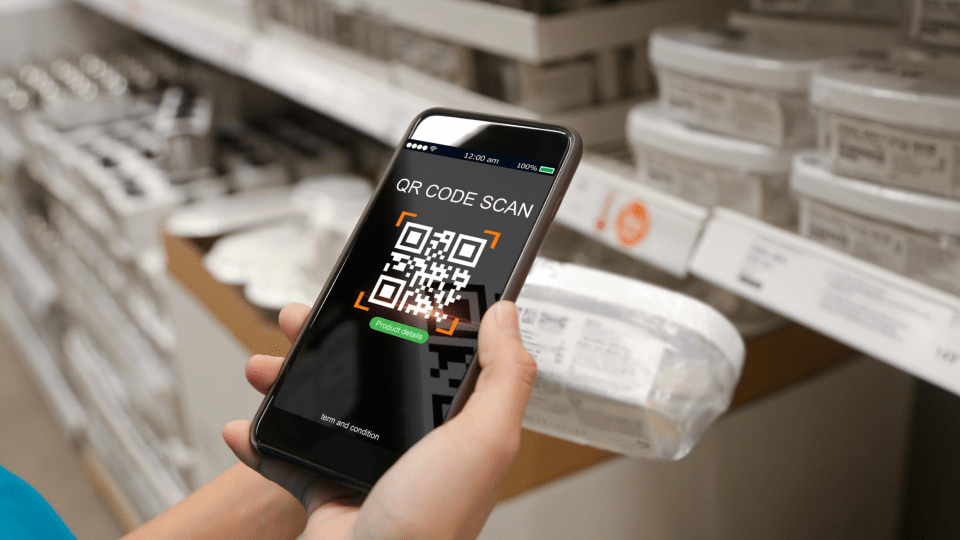
Everything You Need To Know About QR Code Accessibility
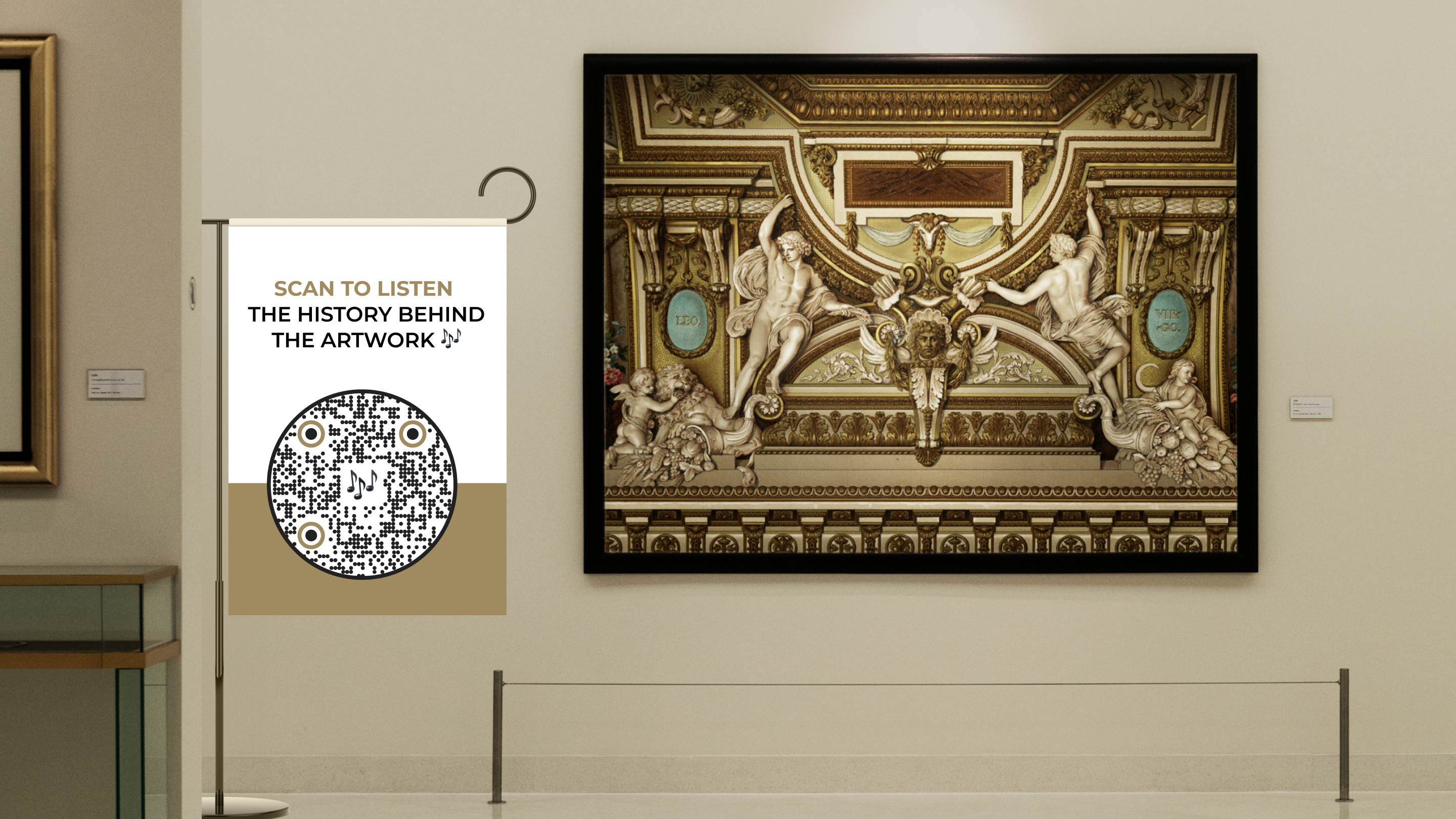
Learn how to make QR Codes accessible for everybody with simple additions, tips, and examples.
Think about all the times you’ve found yourself relying on a QR Code to swiftly access a restaurant menu or breeze through the entrance of an event.
It’s undoubtedly familiar and convenient, a digital shortcut we’ve grown accustomed to.
But just because they work for you doesn’t mean they work for everyone.
QR Codes can be challenging for anyone with different impairments to access on a mobile phone. Over the years, however, QR Code technology has evolved to address this issue step-by-step.
What are accessible QR Codes (AQR)?
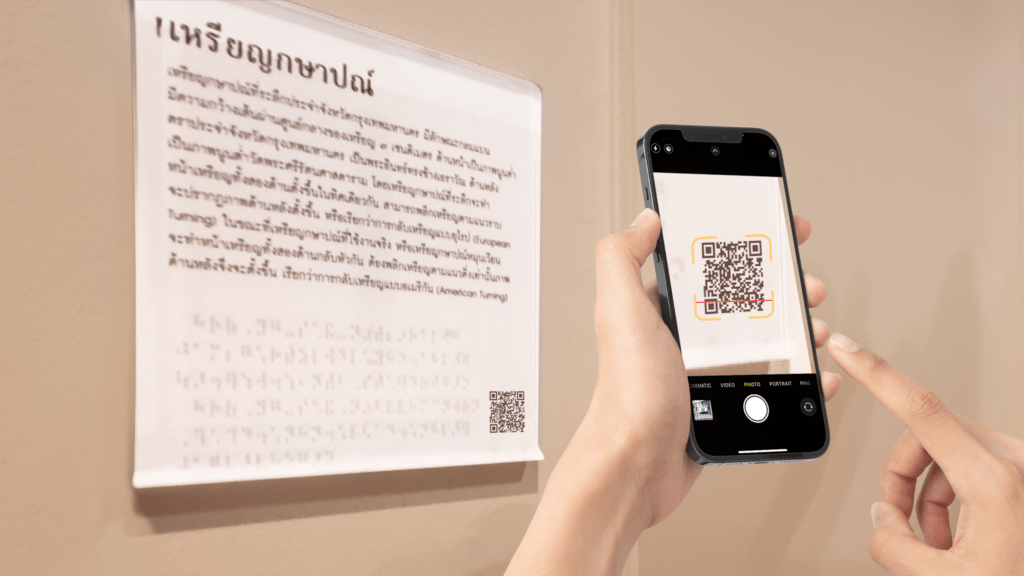
Accessible QR Codes (AQR) are an attempt to design and format QR Codes to be usable by a wide range of people, including those with visual, hearing, and physical impairments.
QR Codes can also aid the learning and cognitively impaired, quickly giving them access to information.
AQRs are crucial as they fulfill a core aspect of technological ethics- Solving problems for people in need.
How QR Codes accessiblity can help differently-abled people
1. Showing the way to the visually impaired
Accessible QR Codes for the visually impaired have come a long way, making it convenient for them to find, understand, and efficiently use a QR Code.
One of the recent inventions is QR Braille by Chulalongkorn University. QR Code Braille works by adding Braille beads around the QR Code so people can touch and spot a QR Code’s position. Then, they can scan the QR Code and access the content.
Another development is an application called Zapvision, specifically designed to locate QR Codes using your device’s camera from a long distance.
Using the app, people can open the phone camera to look for any QR Code in their surroundings. On detecting one, the app uses audio cues to guide the user to get closer to the QR Code. Zapvision can scan a QR Code from 65cm away compared to the standard 15 cm.
2. Helping people who are hard of hearing with a new sense of sound
Accessible QR Codes can do a lot to make information accessible to those who are hard of hearing.
One of the simplest ways to do this is to place a video QR Code that redirects to ASL(American Sign Language) videos explaining a specific topic. This can be placed anywhere you want to give easier access to information, such as on product packaging, tourist spots, or outside businesses and establishments.
This can help people who are hard of hearing get easy access to information without the constant aid of a translator.
3. Providing a crutch for the differently-abled
Many people with physical disabilities find it challenging to use everyday technology. QR Codes can help people who cannot access this information.
For example, QR codes can assist people with neurological conditions such as Parkinson’s, allowing them to access URLs without typing tediously long URLs. This applies to people who find it hard to use their limbs.
Moreover, QR Codes can also help people who find walking difficult to access digital controls, such as app-operated light switches and appliances.
4. Educating the learning-impaired
One way accessible QR Codes can shine through in their applications is by helping people with different learning disabilities access information in simplified formats.
Imagine placing QR Codes around educational material that redirect to simplified videos, graphics, audiobooks, and any format to make learning easy to digest and fun for dyslexic people.
QR Codes also greatly benefit people with ADHD, as they can provide an impetus for immediate action, such as quickly scanning a QR Code and being redirected to it at lightning speed without any distractions.
How popular brands are making QR Codes accessible for inclusivity
Here are real-life instances where QR Codes have made accessing information easy for people with disabilities:
1. Accessing product information
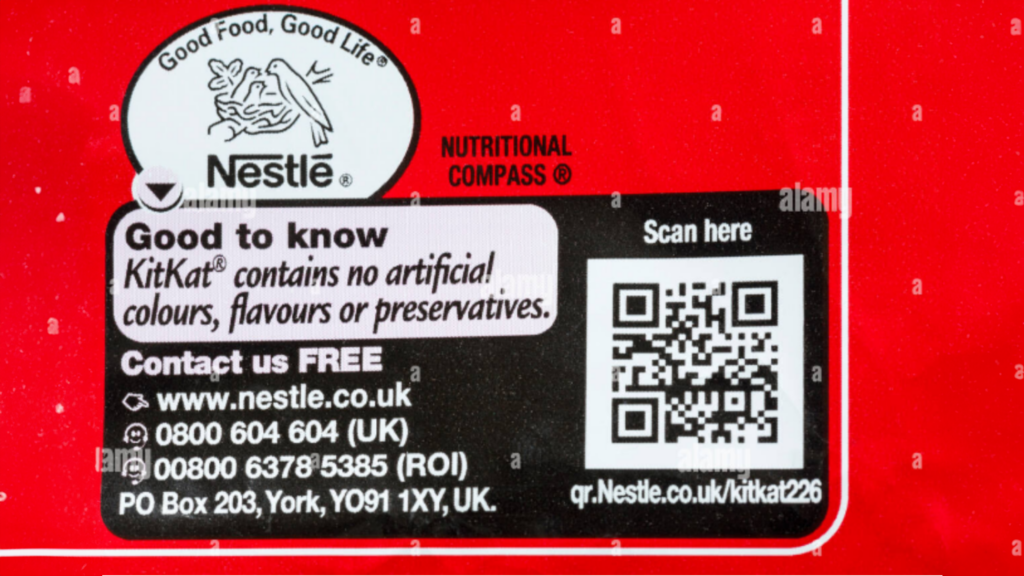
KitKat from Nestle and Kisses from Hershey’s are chocolates that use QR Codes on their product packaging. The printed list of ingredients is often too small to read, especially for the visually impaired.
With QR Codes, consumers can scan and access the content better on their mobile phones. They can also use the text-to-speech feature on their devices. This simple step makes product information more accessible and lets consumers quickly learn about the ingredients and allergens.
2. Making art and museums inclusive
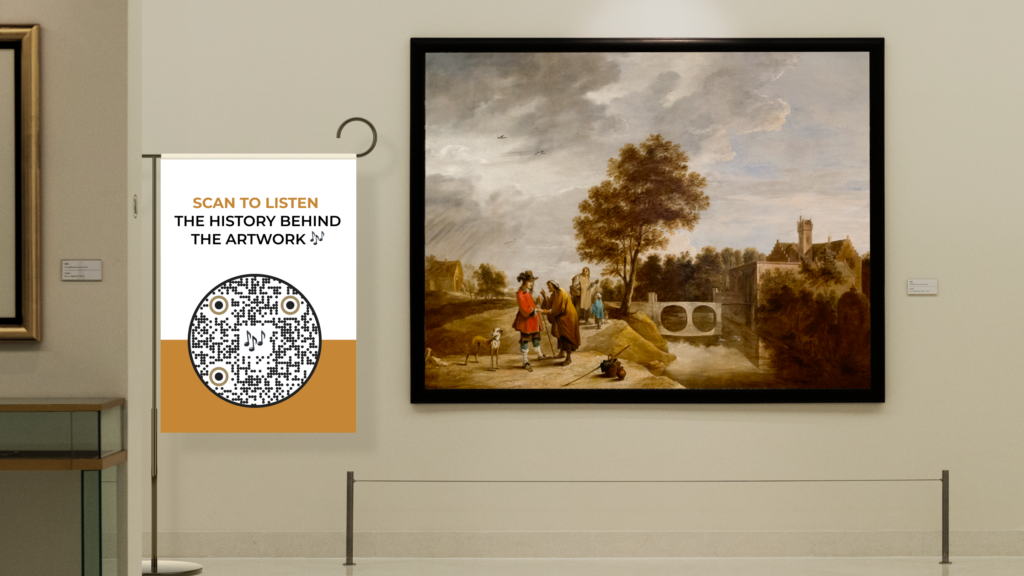
Visually impaired individuals rely heavily on their sense of hearing to navigate and interact with the world around them.
The National Museum of Scotland added audio QR Codes in an exhibition that explores “What inspired Walter Scott’s stories.” Visitors could scan and listen to readings of verses relating to the objects on display and be a part of the experience.
You can also use the audio QR Codes as a guided tour throughout the museum for visitors to do it at their own pace.
3. Making sign language accessible
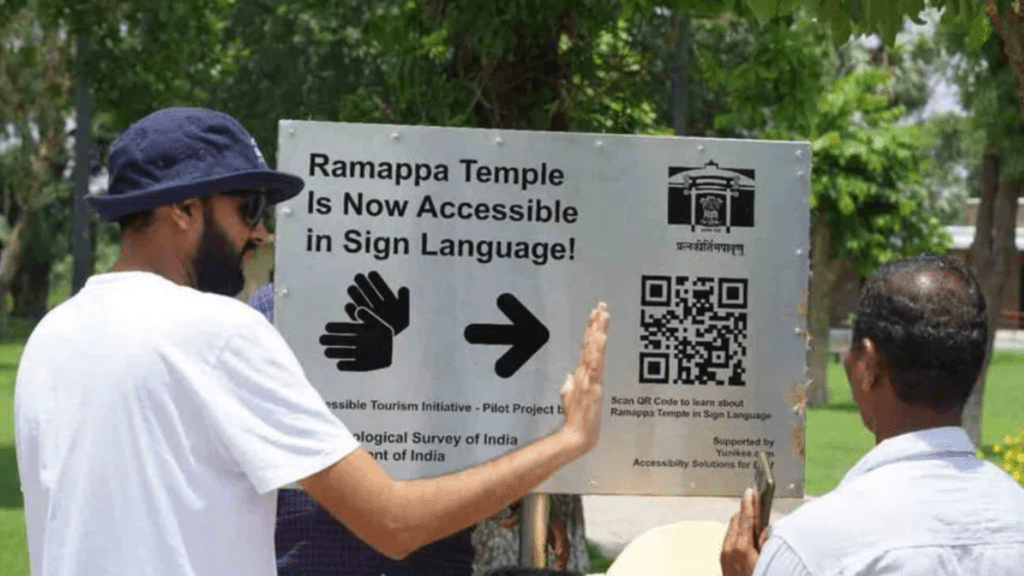
For hard-of-hearing people, QR Codes that direct them to text or sign language videos can help access information.
For instance, one of UNESCO’s heritage sites, Golconda Fort, has installed a QR Code for sign language interpreters. The QR Code opens a video presentation that combines visual storytelling and sign language, helping them learn about the fort and navigate.
You can also use it in schools to engage students with sign language collaterals.
4. Making learning easy for the visually impaired
Tactile Images, a kinesthetic learning company, had a commendable goal of making learning easy for the visually impaired.
Using an AI-powered mobile app, they could provide essential auditory feedback for different sets of images printed in specific books. However, they still faced a challenge in providing detailed information for learners without manual search.
To solve this, QR Codes were placed next to each image and redirected to online sources with comprehensive information on the graphic.
Students with visual impairment could open the app and point the camera at the graphic. All they would then need to do is place their index finger on the graphic or QR Code to it with their index finger, and the app would automatically read the QR Code and provide detailed auditory feedback for the graphic.
Using accessible QR Codes helped boost user engagement by 90% and reduced the time it takes to understand a tactile graphic by 65%.
Best practices to make your QR Code accessible
Here are some tips to make your QR Codes more accessible.
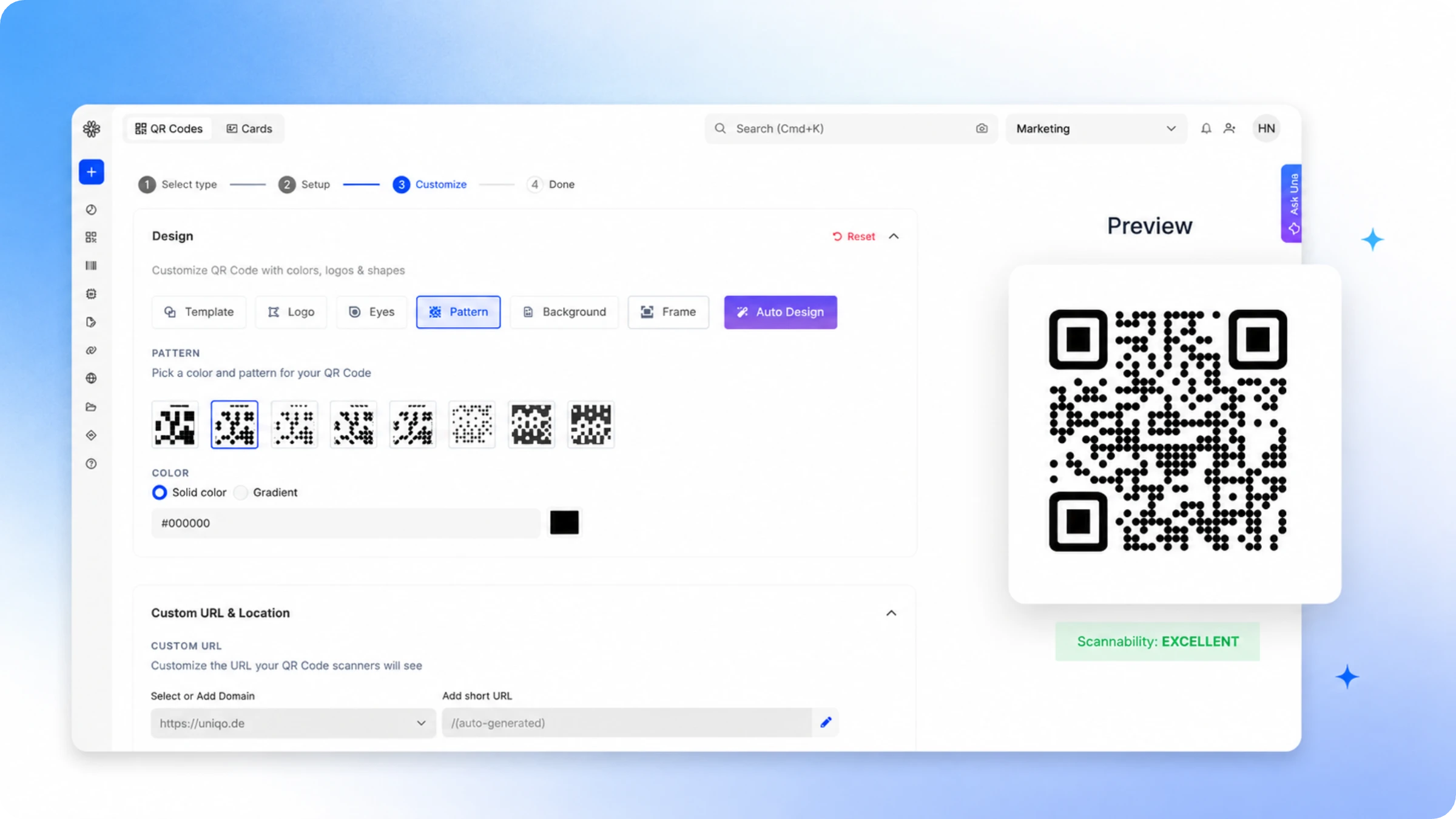
First, you’ll have to create a QR Code using a QR Code generator. Here’s how to do it on Uniqode:
- Sign-up or log-in to the Uniqode dashboard.
- Choose the QR Code campaign type (Audio, PDF, video, etc.)
- Add the destination file or URL
- Customize and download the QR Code
Now while creating and deploying the QR Code, here are four things you can do to make it accessible:
1. Use Braille labels for call-to-action text
For physical applications, consider adding Braille labels with instructions or descriptions following the QR Code. Adding it allows individuals who read Braille to understand the Code’s purpose.
You can integrate Uniqode with Canva to add more design elements, including long descriptive text, and add text in Braille.
2. Test for assistive technologies
Test the QR Code and its description to see if it is compatible with assistive technologies, such as magnifying cameras and text-to-voice, to ensure they can be easily interpreted and used.
3. Use high-contrast colors for QR Codes
Ensure a high level of contrast between the QR Code and the background. Less contrast or camouflage makes it difficult for individuals with low vision to distinguish the QR Code.
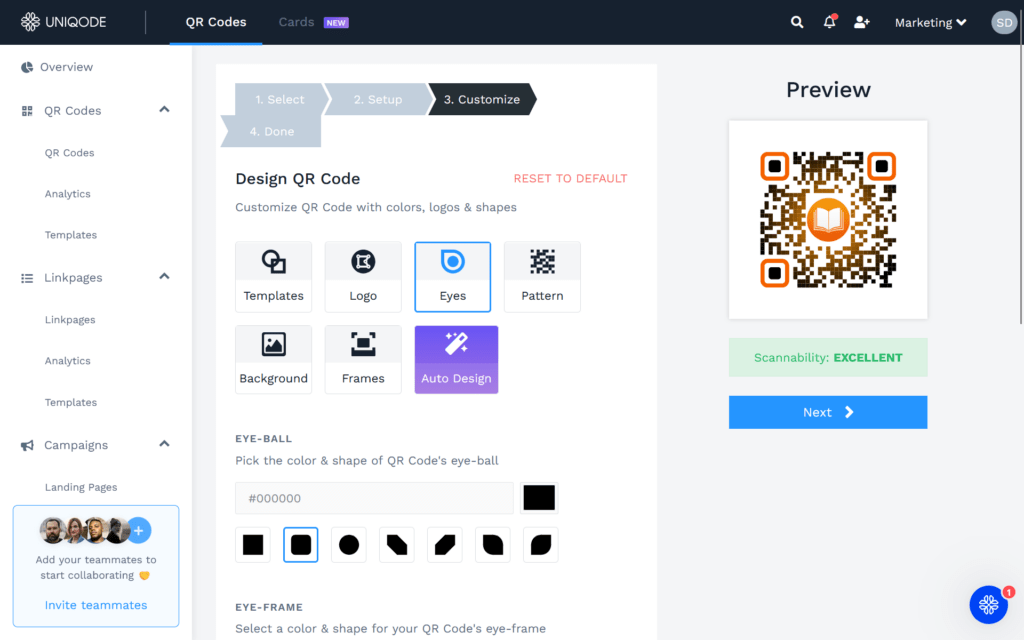
Tip: Make use of Uniqode’s real-time scannability indicator that guides you if your QR Code needs any changes to make it highly scannable until it is EXCELLENT.
4. Provide content in multiple languages
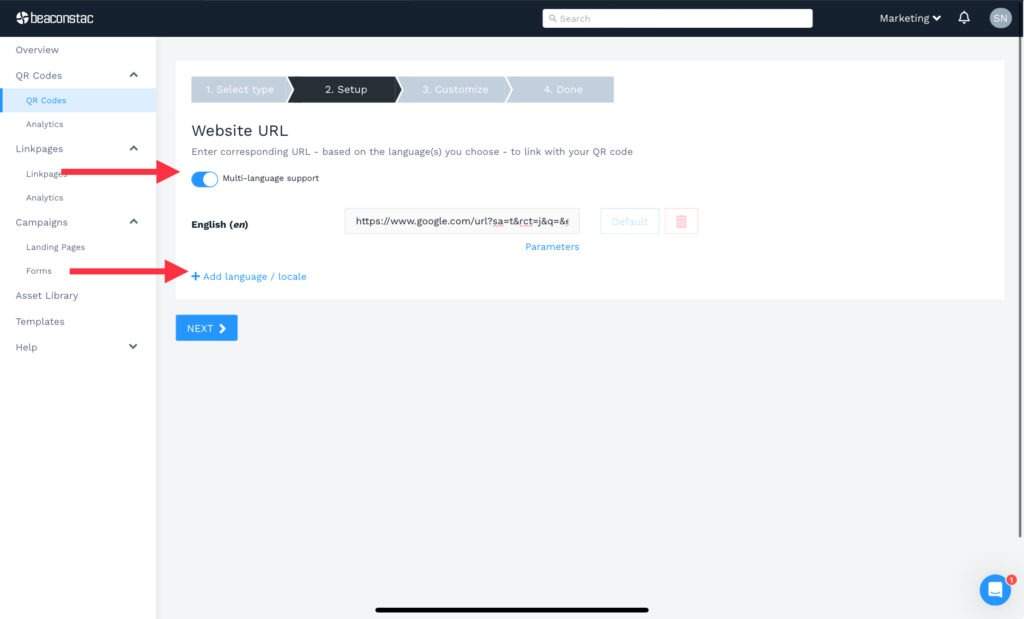
You can also enable the “multi-language option” on the Uniqode dashboard while creating a website QR Code. Someone with poor visibility can use text-to-speech and listen to the website content in their preferred language.
If you use Uniqode: Ensure you click on “Multi language support” to redirect users to multi-lingual website content. You can then add the link as per the language chosen.
Be more inclusive with accessible QR Codes.
Next time you create QR Codes, consider including the practices we’ve provided to make QR Codes accessible to people with disabilities.
These small changes have a significant impact on making QR Codes accessible, allowing them to reach a wider audience.
Additionally, using design software integrations via Zapvision, you can add elements such as Braille beads or engrave QR Codes on surfaces along with Braille CTAs.
Make your QR Codes work for everyone. Take the first step 👇
Frequently Asked Questions
- How do I create an accessible QR Code?
Here is how you can create an accessible QR Code:
1.Create a QR Code using the Uniqode dashboard
2.Use contrasting colors
3.Add a descriptive text explaining what to expect
4.Be compatible with assistive technologies
5.Use the latest technologies such as QR Braille and Zapvision
- How do blind people access QR Codes?
It is difficult for blind people to access the standard QR Codes. However, with additions such as Braille text or QR Braille, QR Codes become more accessible. They can also use assistive technology such as text-to-voice.
About the Author
Ektha is a QR code expert with years of research and analysis into the evolution of QR codes. Having written over 70 in-depth articles on QR technology, she has developed a comprehensive understanding of how QR codes are transforming industries. Her insights, including The State of QR Report, have been featured in leading publications. With a passion for simplifying complex topics and providing actionable strategies, Ektha helps businesses leverage QR codes to enhance their 'phygital' connections.
Related Posts
GS1 QR Codes Demystified: A Complete Guide to GS1 Digital Link
How To Create a QR Code With Dots
Audio QR Code: Convert and Share Any MP3 in a Flash
How to Create a Canva QR Code: Optimize Your Canva Designs
QR Codes in Healthcare: Use Cases & HIPAA Compliance Guide