How to Drive App Downloads from Product Packaging Using QR Codes
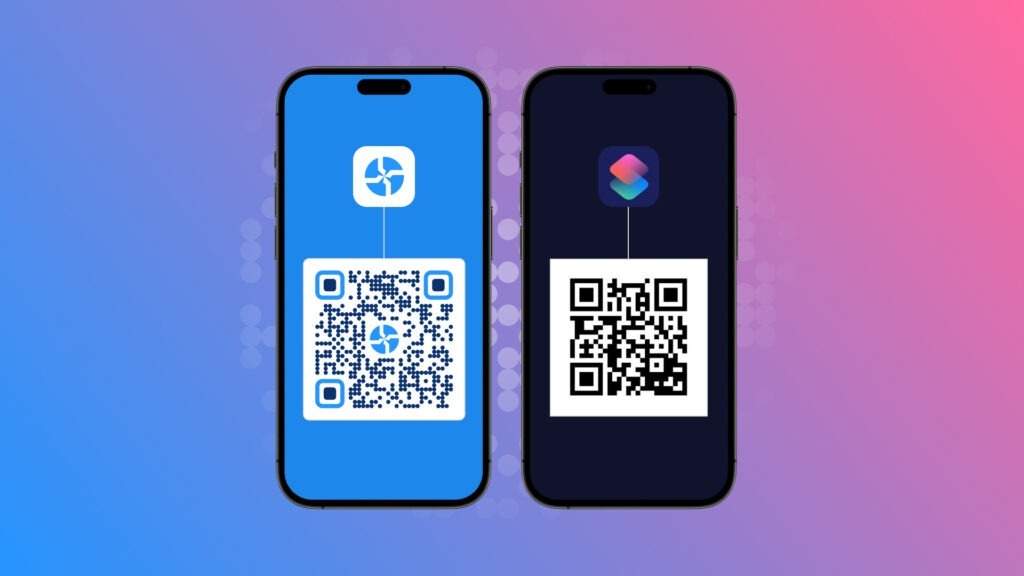
With QR Codes, product packaging can become one of your most reliable app growth channels. Learn how brands use packaging QR Codes to drive high-intent app downloads, route users to the right app store automatically, and more.
For most brands, product packaging is treated as a one-time branding exercise. Design it, print it, ship it, and move on. But in reality, packaging is one of the most underrated app growth channels you already own. It’s one of the only channels that is guaranteed to reach 100% of your customers and stay with them long after the transaction is complete.
Leading brands are using packaging QR Codes to turn this moment into a channel to drive more app downloads. A simple scan can drive app installs, onboard customers into loyalty programs, unlock tutorials, register warranties, and keep buyers coming back. All this without additional media spend or reprints.
This article explains how to transform everyday packaging into a continuous app acquisition and activation channel using QR Codes.
How QR Code-driven app downloads actually work
QR Codes for apps are built specifically to send users straight to the right download page. When someone scans the code, they’re instantly taken to your app’s listing on the Google Play Store, the App Store, or any other platform you support.
But the real magic happens when you use dynamic QR Codes. Instead of linking to a single static URL, dynamic QR Codes detect the user’s device in real time. An Android user is automatically routed to the Play Store, an iOS user goes straight to the App Store, and others can be sent to alternative stores or a fallback landing page.
This flow—scan → auto-detect → correct app store → install—is what makes QR Codes such a powerful driver of app downloads across retail, events, packaging, and out-of-home campaigns.
How to create a QR Code to get more app downloads
Follow these simple steps to build a QR code that actually drives installs — not just scans.
Step 1: Choose a QR Code platform: You can go for free or paid tools. Free tools work for basic use, but paid platforms like Uniqode give you features that matter for app growth: dynamic QR Codes (editable after printing), built-in tracking, deep-link support, and branding options. If you plan to run experiments or scale across channels, pick a platform that supports these.
Step 2: Start creating your QR code: Log in to the dashboard, hit Create, and pick QR Code. From the list of QR types, choose “Mobile App” (or similarly named option) so the flow is optimized for redirects to app stores and deep links.
Step 3: Add your app URLs: Paste your Google Play URL and your App Store URL (and any other OS stores you want to support). This is what lets the QR route users to the correct store instead of a generic landing page.
Pro tip: platforms like Uniqode auto-detect the scanner’s OS and redirect users to the right store automatically, improving conversion.
Step 4: Customise your QR code: Make the QR match your brand: change colors, add your logo, and tweak the quiet zone so it stays scannable. Keep contrast high (dark code on light background) and avoid placing the logo so large it breaks the code.
Step 5: Test, download, and share: Scan the code on multiple devices (iOS and Android), check store redirects, and confirm the landing flow behaves as expected. Once tested, download in the preferred format (SVG for print, PNG for web) and deploy.
Additional setup tips (quick wins)
- Choose dynamic QR codes. They let you update the destination without reprinting, run A/B tests, and track campaigns centrally.
- Add UTM and tracking parameters. Append UTMs to your deep-link or landing URL so analytics can attribute installs to the QR campaign.
- Measure more than scans. Track scan count, device/OS breakdown, location, time of scan, and scan→install conversion to understand real impact.
- Fallback options. Always include a short URL or CTA near the code for users who can’t scan.
Where to place QR Codes on packaging (with examples)
Not all QR placements perform the same. On packaging, where you place the QR determines when users scan and what action they’re most likely to take. Below are the highest-impact placements, with real-world use cases tied to app downloads and activation.
1. Front panel: App downloads as part of the brand story
The front panel gets the most visibility on the shelf. Use this placement when the app is a core part of the product experience, not an afterthought.
- Example use case:A beauty brand adds a QR Code on the front saying, “Scan to unlock personalized routines in our app.”
- Why it works: It frames the app as an extension of the product, not just a download ask.
- Tip: Keep the CTA benefit-led and minimal. Front panels should intrigue, not overload.
2. Back panel: Step-by-step instructions or benefits
This is one of the highest-converting placements because users naturally turn the pack to read instructions or ingredients.
- Example use case: A food brand adds a QR under cooking instructions: “Scan for step-by-step video recipes in the app.”
- Why it works: The user already needs help. The app solves an immediate problem.
- Tip: Place the QR immediately after the relevant text so the scan feels like the next step.
3. Inside flap: Rewards, loyalty, and tutorials
Inside flaps are discovered after purchase, making them perfect for high-intent actions.
- Example use case: A D2C skincare brand prints: “You bought this. Now earn rewards — scan to join our app.”
- Why it works: This is a private, post-purchase moment with zero competition.
- Tip: Use exclusivity language like “only for customers” or “inside-only reward.”
Read more about how you can run a loyalty program with QR Codes.
4. Product labels and stickers
When space is tight, labels and stickers give you flexibility without redesigning the full pack.
- Example use case: A supplement bottle uses a neck sticker: “Scan to track your intake in our app.”
- Why it works: Stickers stand out visually and feel intentional rather than cluttered.
- Tip: Ensure strong contrast and avoid curved edges that distort scanning.
5. Refill packs
Refill packaging reaches your most valuable users: repeat customers.
- Example use case: A home-care brand adds: “Running low? Scan to reorder or subscribe in the app.”
- Why it works: Timing is perfect — users are already thinking about replenishment.
- Tip: Deep-link scanners directly to the reorder or subscription screen in the app.
6. Outer boxes (electronics, beauty, toys, appliances)
Outer boxes are ideal for products that require onboarding or configuration.
- Example use case: An electronics brand prints: “Scan to set up your device in the app.”
- Why it works: The app becomes a utility, not a marketing channel.
- Tip: Pair the QR with a clear setup promise to reduce friction and returns.
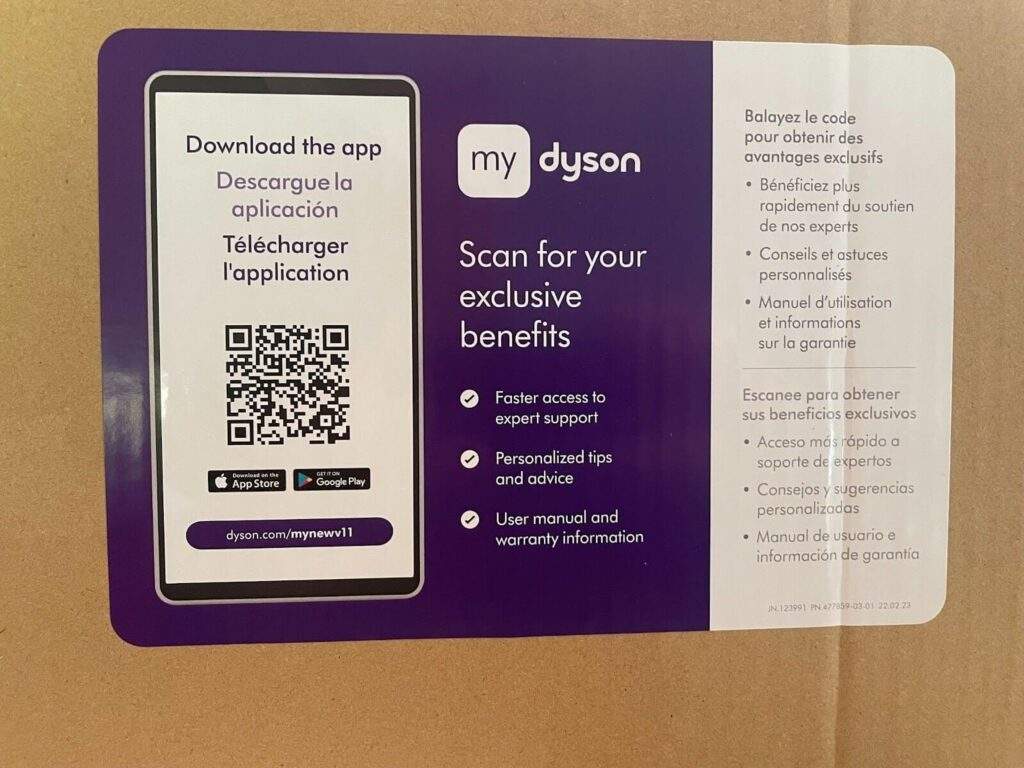
Here’s an example from Dyson’s packaging. With Uniqode QR Codes, Dyson makes app downloads effortless for their customers.
7. Poly mailers and shipping boxes (D2C brands)
Shipping packaging is often overlooked but offers a large, uncluttered canvas.
- Example use case: A D2C brand prints inside the mailer: “Scan to get ₹200 in-app credit on your next order.”
- Why it works: Customers open packages when excitement is highest.
- Tip: Place the QR inside the box for discovery after delivery, not during transit.
The best packaging QR placements align with user intent at that exact moment — curiosity on shelf, need for help post-purchase, or readiness to reorder later. When the placement matches intent, app downloads turn into real activation, not just installs.
Turn every packaging into an activation engine with Uniqode
Your packaging is the one touchpoint that reaches every single customer. When you add a well-placed QR code, it stops being just a container and becomes a direct line to your app and your customer relationship.
The difference between a QR Code that simply exists and one that drives real activation comes down to intent and execution. Place it where customers naturally look, pair it with a clear post-purchase benefit, and route scanners through a frictionless, device-aware flow that leads straight into meaningful in-app actions.
This is where platforms like Uniqode make a practical difference. With dynamic QR Codes, brands can turn packaging into an always-on growth channel.
Frequently Asked Questions
- Can you update a QR code on printed packaging after it's already shipped?
Yes, but only if you use dynamic QR codes instead of static ones. Dynamic QR codes can be updated unlimited times after printing, allowing you to change the destination URL, run A/B tests, or redirect to new content without reprinting any packaging. Static QR codes are permanently linked to one URL and cannot be modified once generated.
- How do you track QR code performance for app install campaigns?
Track QR code campaigns by measuring scan count, device/OS breakdown, geographic location, time of scan, and most importantly, the scan-to-install conversion rate. Add UTM tracking parameters to your deep-link or landing URLs so your analytics platform can properly attribute app installs to the specific QR code campaign, enabling you to calculate true ROI beyond just scan volume.
Related Posts
How CPG Brands Use QR Codes on Packaging
Louisiana SB 14 Requires QR Codes on Food Packaging
What Expo West 2026 Taught Us About the Future of CPG (And Why Your Packaging Is at the Center of It)
What the FDA’s New Traceability Requirements Mean for CPG Brands
Reduce Customer Support Calls with Product QR Codes: A Complete Guide for Brands