Booking QR Code: A Handy Guide To Higher Revenue Generation
Struggling with a low booking closure ratio? Try booking QR Codes: a simple way for prospects to make reservations and appointments. Discover the three-step process.
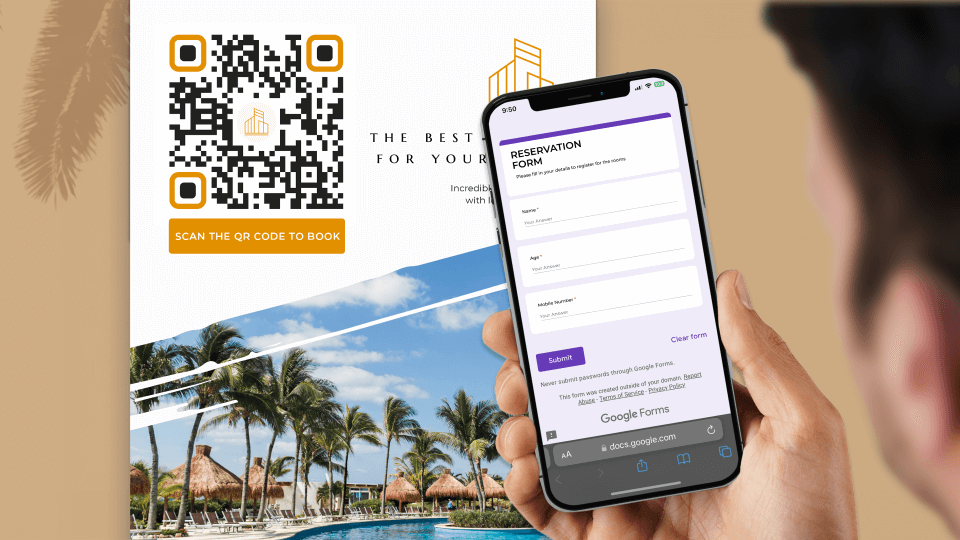
A booking QR Code helps prospects book an appointment or make a reservation in three steps:
- Scan the QR Code
- Fill out the booking form
- Submit the form to complete the booking
It’s that easy and straightforward.
Your prospects can access and finish booking without manually typing or searching for a website. Plus, fewer steps also project you as a convenience-first organization.
As a brand, you can create an online booking QR Code using Google Forms.
It’s a great way to connect your real-life experiences to digital solutions. Moreover, you can distribute your booking QR Codes across multiple marketing collaterals.
Find out more about the various use cases of booking QR Codes and how you can create a booking QR Code online for free for your business.
What is a booking QR Code?
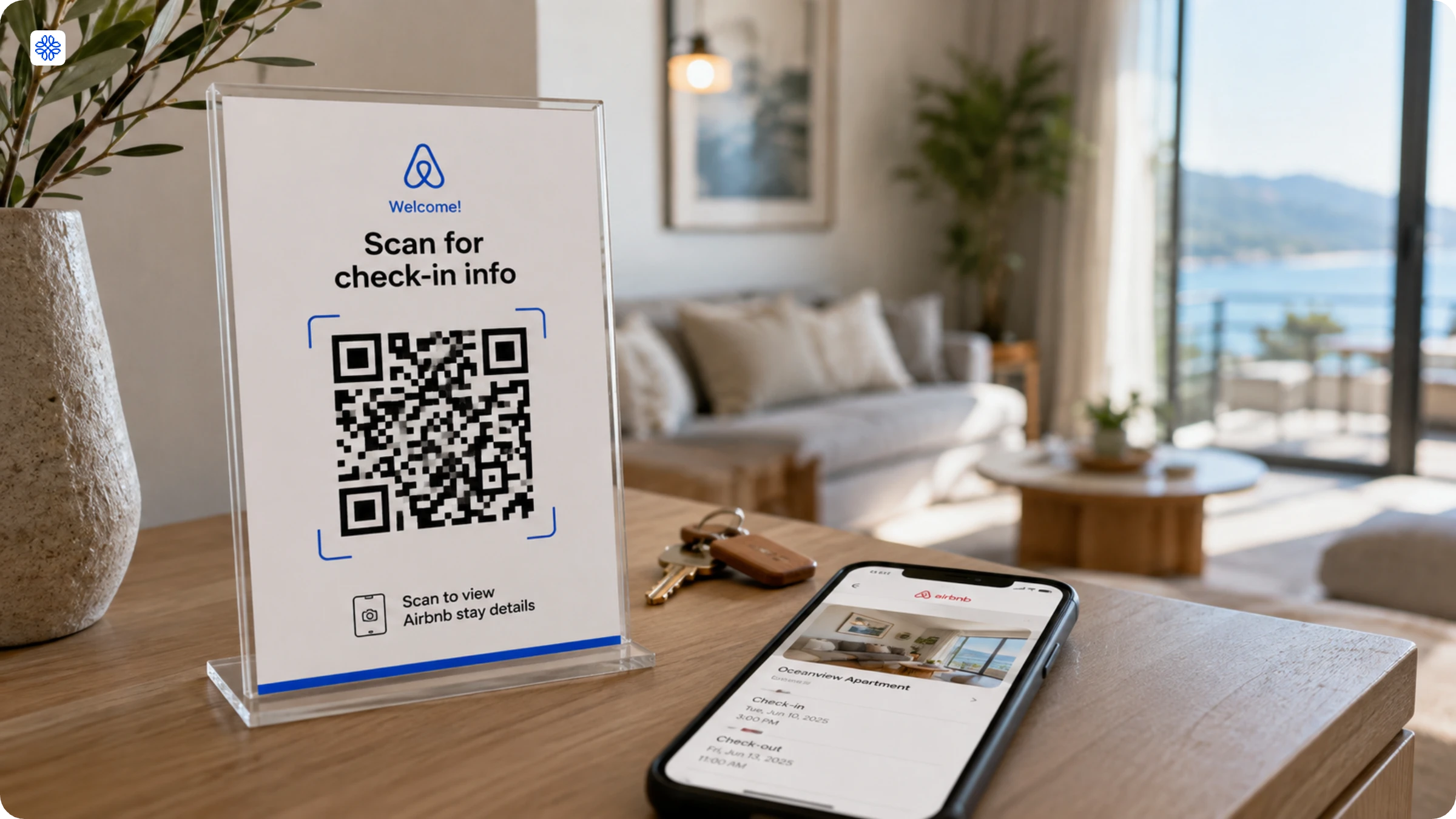
A booking QR Code is a phygital solution that connects your booking system to a QR Code.
This way, prospects can scan your QR Code and directly access your booking system to make a reservation or an appointment.
No more back and forth to figure out a suitable date; no more long links to click; no more booking prompts lost in a sea of emails and missed or (worse) forgotten!
Booking QR Codes have multiple use cases:
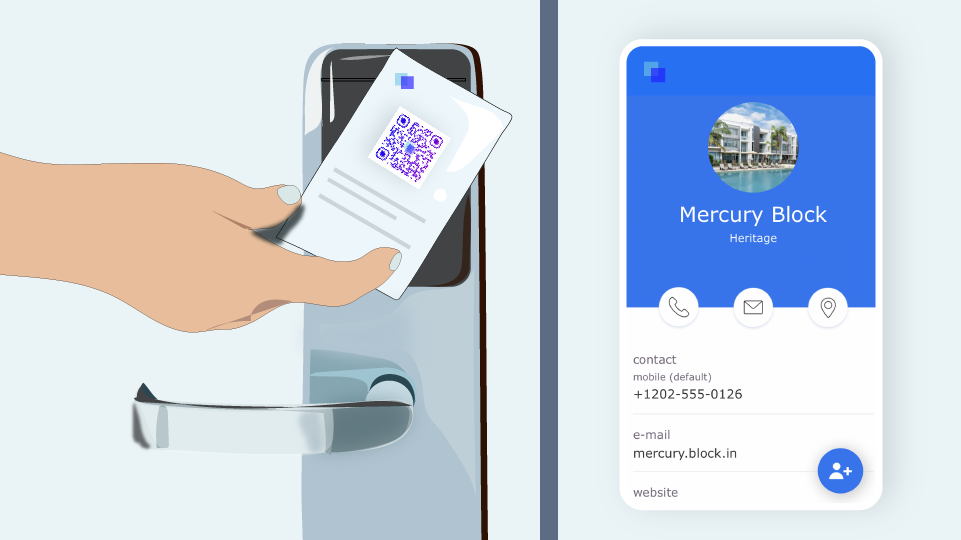
- Hospitality QR Codes that help prospects make room and restaurant reservations
- Real estate QR Codes that let buyers schedule a property visit
- Event QR Codes that let prospects book tickets for a concert
- Contactless registration QR Codes with which prospects can make doctor appointments or seminar registrations
How to create a booking QR Code online for free?
It is quick and easy to create a booking QR Code free online. Follow the simple steps below:
Step 1: Create a Google Form
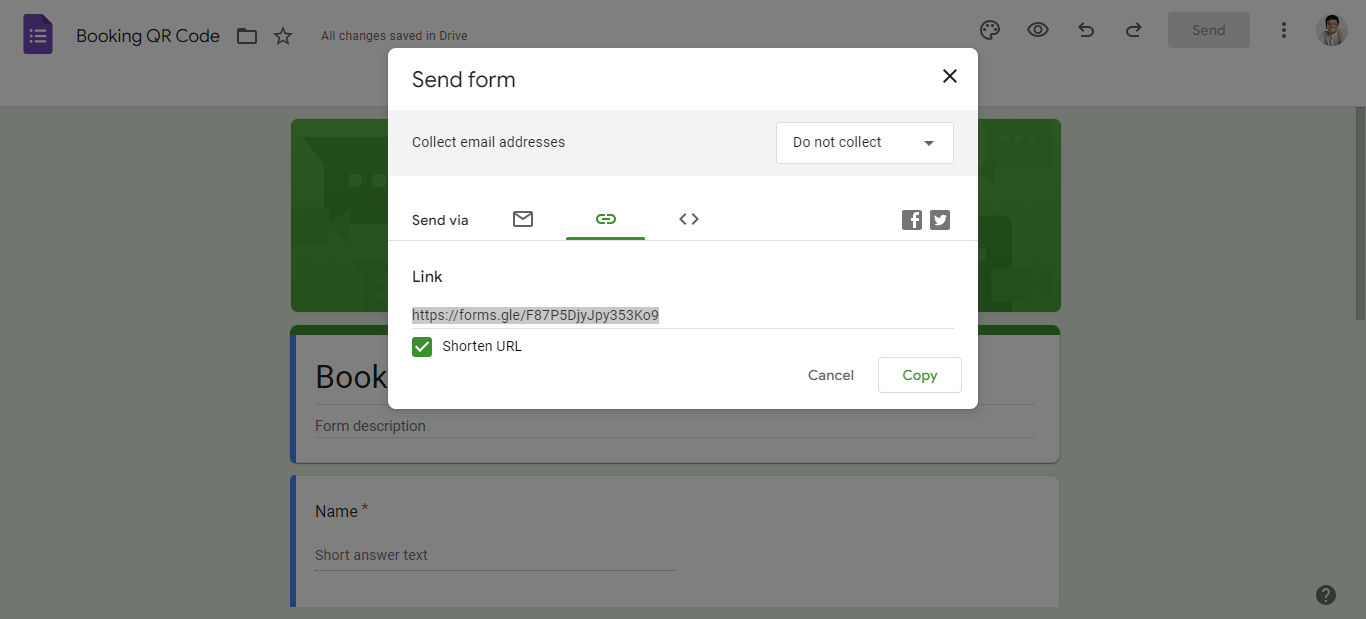
You must create a Google Form first to make a Google Form booking QR Code.
Get the URL by clicking on Send Toggle Shorten URL to create a compressed link.
Step 2: Paste the link on the Uniqode QR Code generator
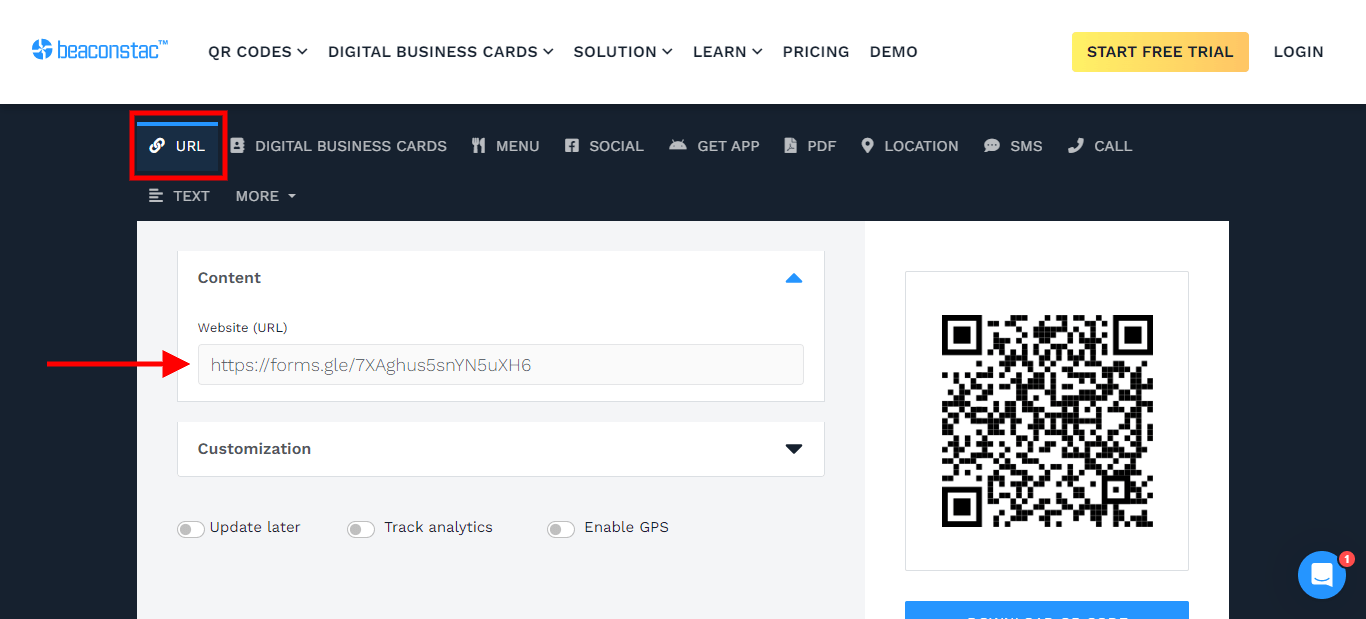
Go to Uniqode’s QR Code generator. Choose URL.
Paste the copied Google Forms link in the white box below Website (URL).
Step 3: Add necessary customizations
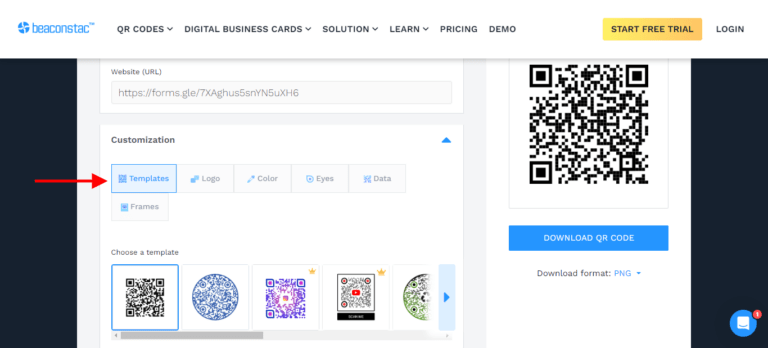
Customize your booking QR Code as per preference. Choose from available templates, colors, and pattern options.
💡 Pro tip: Want to add a bit of brand flair to your booking QR Codes?
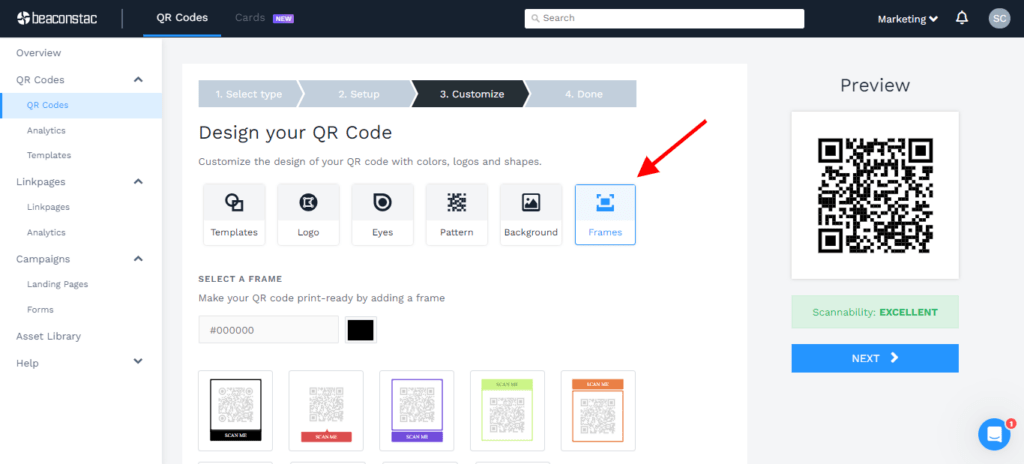
Get access to deeper QR Code customization options on the Uniqode dashboard. Access all customization options and create a design that aligns with your brand guidelines. Sign up for a 14-day free trial to get started. No credit cards required.
Step 4: Download your QR Code
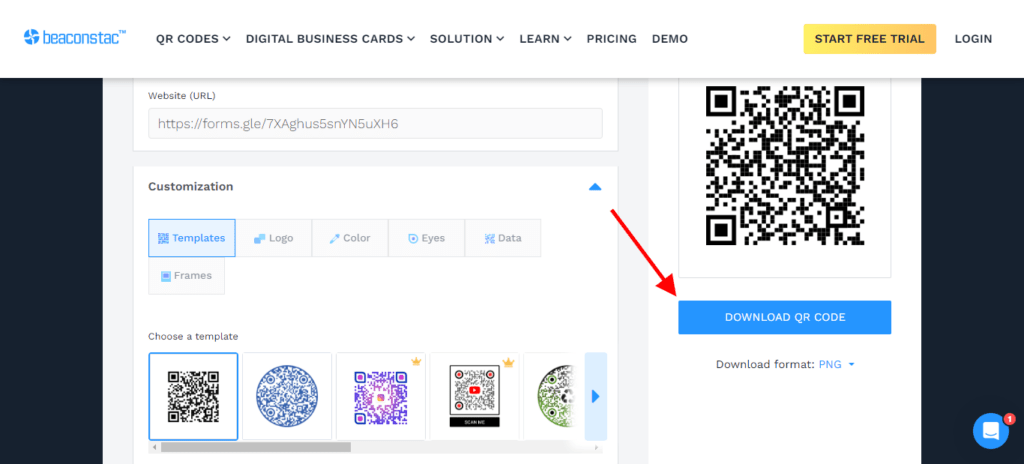
Once you’ve finished your customizations, download your booking QR Code.
💝 Bonus: Uniqode has native forms to help you create branded booking QR Codes.
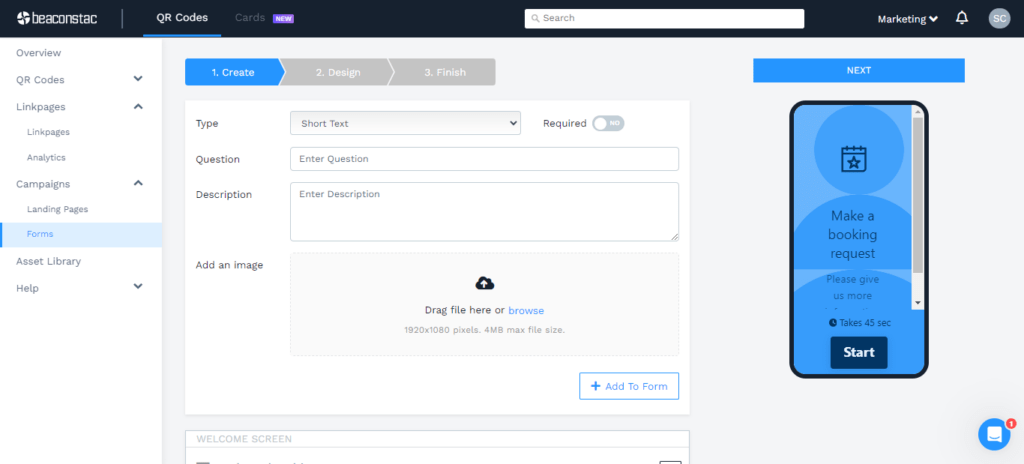
Choose “Form” as your campaign type after signing up on the Uniqode platform. Select your use case from a range of available options.
Create and set up the form, download your QR Code, and then deploy.
Best practices for creating a booking QR Code
Now that you know how to create QR Code booking for your business, it’s time to start creating campaigns.
To ensure the success of your campaigns, here are a few best practices to keep in mind:
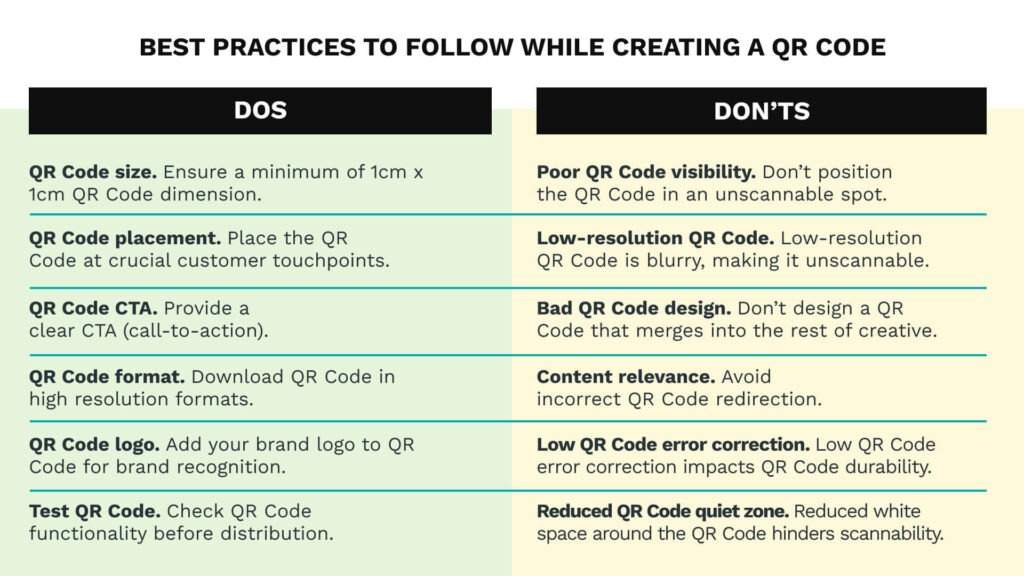
Create a dynamic booking QR Code with Uniqode’s QR Code generator
Bookings are directly related to revenue. Hence, you don’t want to go wrong there!
When you use dynamic QR Codes for your QR Code booking system, you get a lot of advantages:
- Create branded booking QR Codes that boost customer trust
- Create engaging booking forms with Uniqode’s native templates and flexible features such as logic jumps
- Track your booking QR Codes to receive essential customer data and improve your forms
- Keep customer data safe with Uniqode’s reliable and secure software (Uniqode is GDPR and SOC 2 compliant)
Get started with booking QR Code campaigns that rope in revenue 👇
Frequently Asked Questions
- What is QR Code booking?
A booking QR Code helps prospects make appointments or reservations by scanning a QR Code from their mobile device.
- How do I get a QR Code for booking?
You can create a booking QR Code online for free in three steps:
1. Create a Google Form and copy the link. Paste the link on the Uniqode dashboard
2. Customize your booking QR Code
3. Download the QR Code and deploy
- What is the best type of QR code for booking systems?
Dynamic QR codes are the best option for booking systems because they can be updated unlimited times after printing, allowing you to change booking URLs, schedules, or destinations without reprinting materials. Unlike static QR codes which permanently encode information, dynamic QR codes also provide scan analytics including time, location, and device data. Studies show businesses using dynamic QR codes for bookings see 2.5x more repeat scans compared to static codes.
About the Author
Shashank - Enthusiastic about marketing and improving the ROI of businesses.